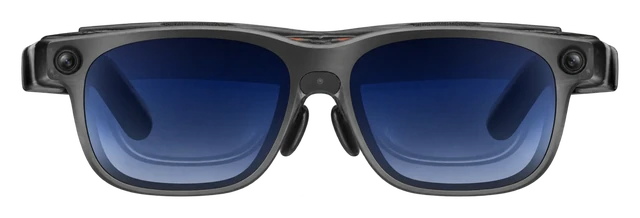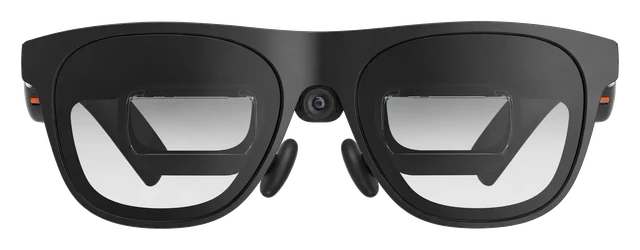





















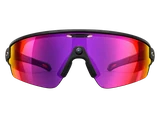




















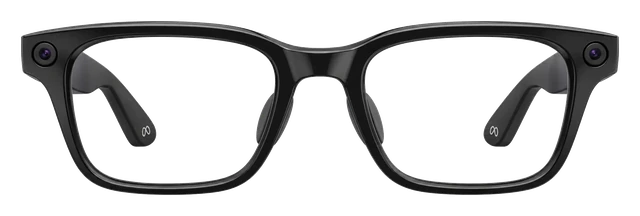
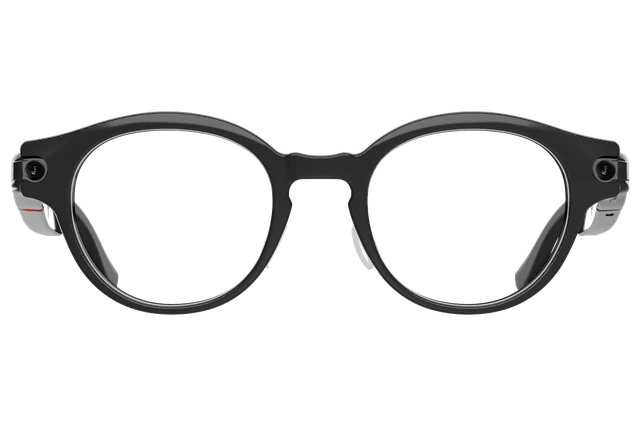
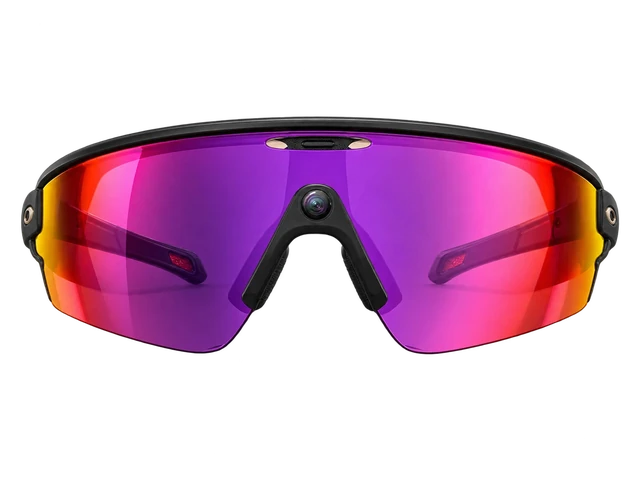

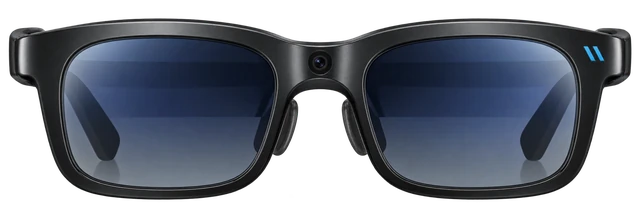
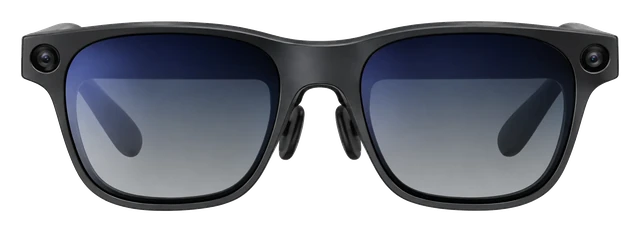
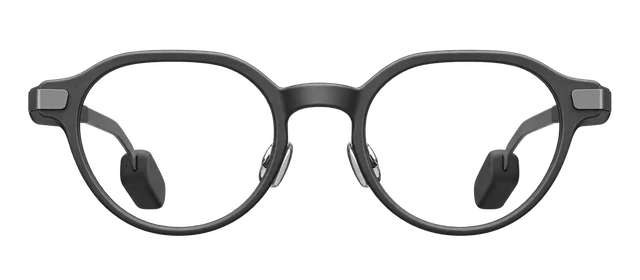
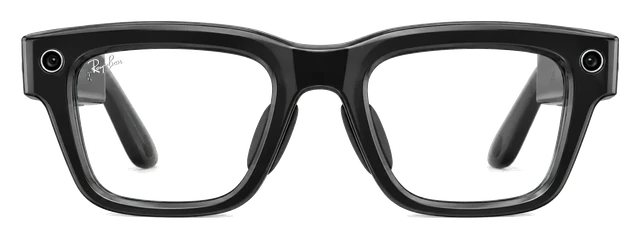
Viture Luma Ultra

Viture Luma Ultra$599 Price, Specs & Viture Beast Compared

Last updated

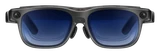
Micro-OLED display, 52 degree field of view, HDR and 120Hz. Cable-connected to source device. $50 more than the Viture Beast with slightly narrower view and similar picture quality.
Released
Aug 27, 2025
Price
DISPLAY
Micro OLED with a 52-degree field of view
WEIGHT
83g
SEP 22 · LATEST IN SMART GLASSES
Viture’s Vonder glasses skip the camera and start at $299

Viture’s new Vonder glasses have no camera and turn speech into text notes. They go on sale September 28 for $299 and ship in November.

Read the story →

Best for

Work.
A 52-degree display gives you a spatial workspace over USB-C.Confirmed: viture.com
Gaming.
You play from a phone or console plugged into it.Confirmed: viture.com
AR and mixed reality.
Three cameras give it depth sensing and hand tracking.Confirmed: viture.com

Comparison

Compare smart glasses

How it compares

Cost over 3 years

$599

Device price plus up to three years of optional subscription.

Weight

83g

Grams on your face. Lower is lighter.

Battery life

USB-C powered

How long it lasts on its own, away from a charger.
Cost over 3 years

Viture Luma Ultra
$599
Rokid AI Glasses Style
$299
Solos AirGo V2
$299 → $767
RayNeo Air 4 Pro
$299
Meta Ray-Ban Gen 2
$379

Battery life

Viture Luma Ultra
USB-C powered
Even Realities G2
~2 days
RayNeo iO
~2 days
Solos AirGo V2
~16 hrs

DeviceOptional subscription

Weights are for the frame as sold, without a case or a charger.

Battery life can vary based on usage, settings and firmware version.

If not this one

Viture Luma Ultra is our pick for work, gaming and mixed reality. Where it does not lead, here is what does, and why you would switch.

  • If the assistant is the reason you are buyingMeta Glasses (2026)

    You ask Meta AI through the glasses and it answers there.

    $299
  • If the camera decides itSolos AirGo V2

    The frames take photos and record video.

    $299
  • If workouts are the pointOakley Meta Vanguard

    These are sport frames rated IP67, and they run nine hours on a charge.

    $499

Most paired with

Everything it works with

What Viture Luma Ultra glasses work with

Works with Android phones that can output DisplayPort video. On iPhone, 16e and Air models do not work, and some modes need Adapter Ultra.

Feature support varies by phone and GPU/display-output capability

Do Viture Luma Ultra glasses work with Android?

With a limit

Works on Android phones that send DisplayPort video over USB-C, with limits.

The phone needs DisplayPort Alt Mode. SpaceWalker Immersive 3D needs Android 14 or later. Other features vary by the phone and its GPU and display-output support.

See details and sources (3)

Last checked 2026-09-21.

How do Viture Luma Ultra glasses connect to an Android phone for video?

Connect by USB-C only if the phone can send DisplayPort video.

The Android phone needs DisplayPort Alt Mode. A USB-C port by itself is not enough. Basic display works on compatible phones, while 3D and other features vary by phone.

See details and sources (2)

Last checked 2026-09-21.

Do Viture Luma Ultra glasses work with iPhone?

With a limit

Works with supported USB-C iPhones, but not iPhone 16e or iPhone Air.

SpaceWalker needs iOS 17 or later on a compatible USB-C iPhone. iPhone 16e and iPhone Air are not compatible. Some enhanced modes need Adapter Ultra.

See details and sources (4)

Last checked 2026-09-21.

How do Viture Luma Ultra glasses connect to a USB-C iPhone?

Plug into a supported USB-C iPhone; enhanced iOS spatial features need Adapter Ultra.

Supported USB-C iPhones can provide wired display and SpaceWalker features. iPhone 16e and iPhone Air are not compatible. Adapter Ultra is required for 3DoF and enhanced iOS use.

See details and sources (3)

Last checked 2026-09-21.

How do Viture Luma Ultra glasses connect to a Lightning iPhone?

Use HDMI conversion through VITURE's HDMI XR Adapter or Pro Mobile Dock.

Use an Apple Lightning Digital AV Adapter with the VITURE HDMI XR Adapter, or use Lightning-to-HDMI with a Pro Mobile Dock. This supports basic iPhone screen mirroring. The HDMI XR Adapter is only partly compatible with Luma Ultra, so it does not provide every spatial or control feature.

See details and sources (5)
  • VITURE: HDMI XR AdapterFrom the maker or platform · checked 2026-09-21
    For VITURE Luma Ultra XR Glasses, the HDMI XR Adapter offers partial compatibility.
  • VITURE: VITURE Pro Mobile DockFrom the maker or platform · checked 2026-09-21
  • VITURE: VITURE XR Glasses Compatible Devices - Full ListFrom the maker or platform · checked 2026-09-21
    Please note that iPhone 16e and iPhone Air are not compatible with VITURE XR Glasses.
    USB-C XR Charging Adapter UltraNintendo SwitchSupportedNintendo Switch OLEDSupportedNintendo Switch 2Not supported
  • VITURE: VITURE Pro Mobile DockFrom the maker or platform · checked 2026-09-21
    the only device capable of making any HDMI or USB-C device shareable in XR
  • VITURE: HDMI XR AdapterFrom the maker or platform · checked 2026-09-21
    You will also need a Lightning Digital AV Adapter to bring your iPhone's screen to VITURE XR Glasses.

Last checked 2026-09-21.

Can you connect Viture Luma Ultra glasses to a PC?

Works

Works on supported Windows 10 or 11 PCs with DisplayPort over USB-C.

VITURE requires Windows 10 x64 version 1903 or later, or Windows 11, plus a compatible CPU and GPU. The USB-C port must support DisplayPort Alt Mode. SpaceWalker supports direct display and 6DoF movement tracking on supported systems.

See details and sources (2)
  • VITURE: VITURE Luma Ultra Ultimate CollectionFrom the maker or platform · checked 2026-09-21
    Luma Ultra has a front-facing RGB camera, dual grayscale depth cameras for depth sensing, and a built-in microphone - enabling spatial computing, hand controls, and 6DoF within SpaceWalker.
  • VITURE: SpaceWalker DesktopFrom the maker or platform · checked 2026-09-21
    USB Type-C port with DP Alt Mode (Display over USB-C)

Last checked 2026-09-21.

Can you connect Viture Luma Ultra glasses to a Mac?

With a limit

Works with supported Apple-silicon Macs, but not Intel Macs.

You need an Apple-silicon Mac with a supported USB-C or Thunderbolt port. Current SpaceWalker versions do not support Luma Ultra on Intel Macs. SpaceWalker can provide display and 6DoF movement tracking on supported Macs.

See details and sources (1)

Last checked 2026-09-21.

Quick answers

All FAQs

Quick answers

How much does Viture Luma Ultra cost?
$599. Forbes reported the price in Viture's original Luma Series announcement.
Does the Viture Luma Ultra come with a charger?
It comes with a USB-C to Magnetic Connector Cable. VITURE's in-the-box list does not include a power adapter.

Get Viture Luma Ultra updates

Email me when there's news.

Works with

Works

Works on supported Windows 10 or 11 PCs with DisplayPort over USB-C.

VITURE requires Windows 10 x64 version 1903 or later, or Windows 11, plus a compatible CPU and GPU. The USB-C port must support DisplayPort Alt Mode. SpaceWalker supports direct display and 6DoF movement tracking on supported systems.

See details and sources (2)
  • VITURE: VITURE Luma Ultra Ultimate CollectionFrom the maker or platform · checked 2026-09-21
    Luma Ultra has a front-facing RGB camera, dual grayscale depth cameras for depth sensing, and a built-in microphone - enabling spatial computing, hand controls, and 6DoF within SpaceWalker.
  • VITURE: SpaceWalker DesktopFrom the maker or platform · checked 2026-09-21
    USB Type-C port with DP Alt Mode (Display over USB-C)

Last checked 2026-09-21.

With a limit

Works on Android phones that send DisplayPort video over USB-C, with limits.

The phone needs DisplayPort Alt Mode. SpaceWalker Immersive 3D needs Android 14 or later. Other features vary by the phone and its GPU and display-output support.

See details and sources (3)

Last checked 2026-09-21.

With a limit

Works with supported Apple-silicon Macs, but not Intel Macs.

You need an Apple-silicon Mac with a supported USB-C or Thunderbolt port. Current SpaceWalker versions do not support Luma Ultra on Intel Macs. SpaceWalker can provide display and 6DoF movement tracking on supported Macs.

See details and sources (1)

Last checked 2026-09-21.

Works

Works directly over USB-C DisplayPort video.

You can use Luma Ultra as a direct gaming display through USB-C DisplayPort output. Charging docks and adapters are optional.

See details and sources (2)
  • VITURE: Mini Mobile DockFrom the maker or platform · checked 2026-09-21
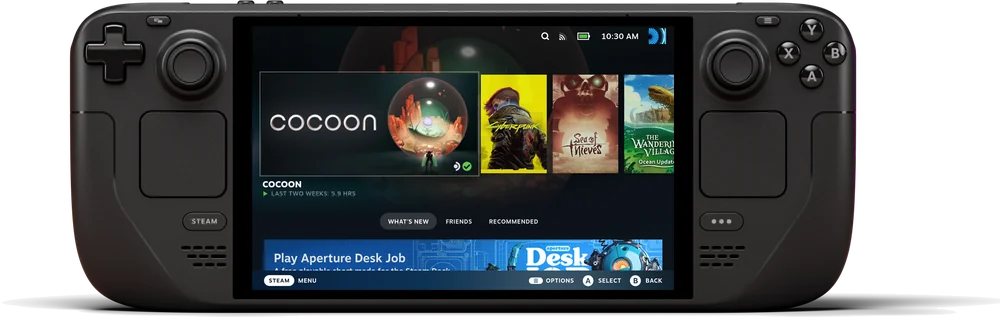
    Steam Deck, ROG Ally, and other USB-C handhelds with DP output
  • VITURE: VITURE XR Glasses Compatible Devices - Full ListFrom the maker or platform · checked 2026-09-21
    All VITURE XR Glasses models are compatible with devices that support DP Alt Mode (DisplayPort over USB-C).
    Please note that iPhone 16e and iPhone Air are not compatible with VITURE XR Glasses.
    For example, the Google Pixel 8 and 9 series do not support switching to 3D Mode.
    ROG Ally XROG Ally Z1ROG Ally Z1 Extreme
    Pro Mobile DockNintendo SwitchSupportedNintendo Switch OLEDSupportedNintendo Switch 2Supported
    PlayStation 5 & PlayStation 4SupportedXbox Series & Xbox OneSupported
    USB-C XR Charging Adapter UltraNintendo SwitchSupportedNintendo Switch OLEDSupportedNintendo Switch 2Not supported

Last checked 2026-09-21.

Needs extra hardware

Needs a VITURE Pro Mobile Dock and HDMI.

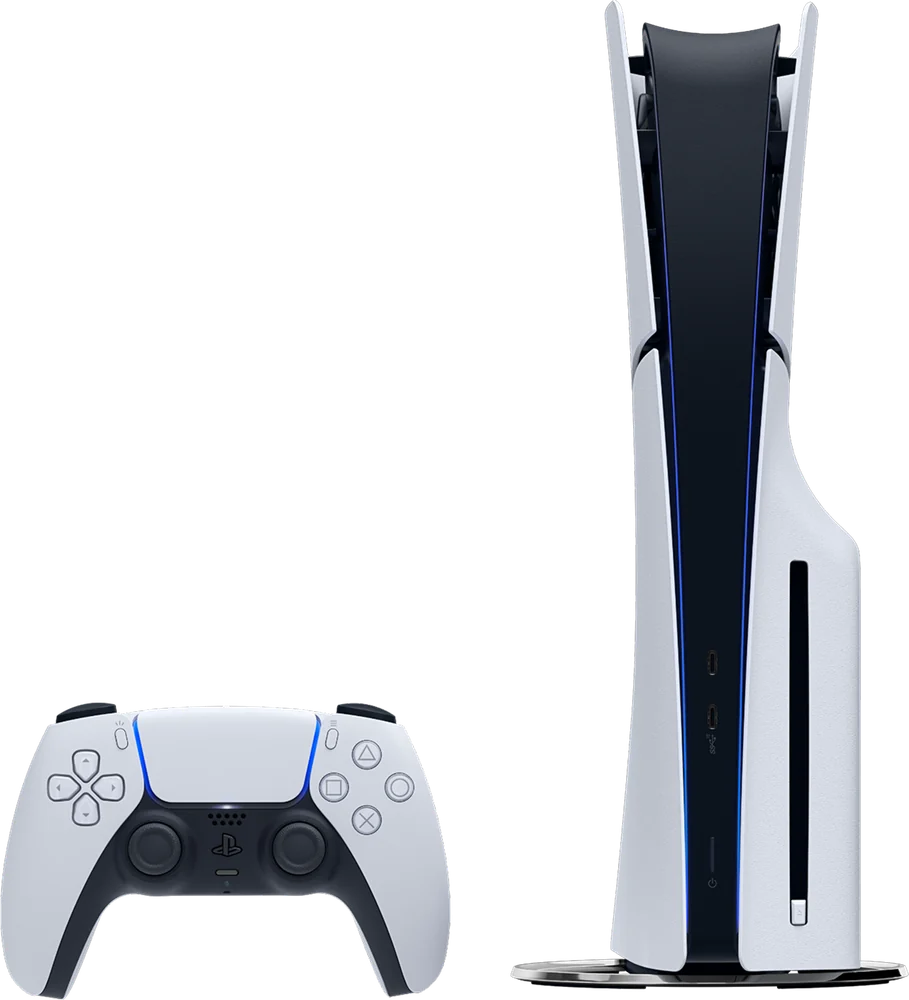
The PS5 cannot connect directly to Luma Ultra. The VITURE Pro Mobile Dock provides the HDMI connection needed for PS5 video.

See details and sources (2)
  • VITURE: VITURE Pro Mobile DockFrom the maker or platform · checked 2026-09-21
    HDMI devices such as PS5, Xbox, and TV sticks connect through the HDMI input on the VITURE Pro Mobile Dock
  • VITURE: VITURE XR Glasses Compatible Devices - Full ListFrom the maker or platform · checked 2026-09-21
    All VITURE XR Glasses models are compatible with devices that support DP Alt Mode (DisplayPort over USB-C).
    Pro Mobile DockNintendo SwitchSupportedNintendo Switch OLEDSupportedNintendo Switch 2Supported
    PlayStation 5 & PlayStation 4SupportedXbox Series & Xbox OneSupported

Last checked 2026-09-21.

Needs extra hardware

Needs a Mobile Dock Mini, Pro Mobile Dock or Adapter Ultra.

One of those VITURE accessories is required for Switch docked-mode video. The Switch does not connect directly to the glasses.

See details and sources (2)
  • VITURE: VITURE Luma Ultra XR/AR GlassesFrom the maker or platform · checked 2026-09-21
    Switch / Switch 2 Gaming Supported via Mobile Dock Mini, Pro Mobile Dock, Adapter Ultra
  • VITURE: VITURE XR Glasses Compatible Devices - Full ListFrom the maker or platform · checked 2026-09-21
    Pro Mobile DockNintendo SwitchSupportedNintendo Switch OLEDSupportedNintendo Switch 2Supported
    USB-C XR Charging Adapter UltraNintendo SwitchSupportedNintendo Switch OLEDSupportedNintendo Switch 2Not supported

Last checked 2026-09-21.

With a limit

Works with supported USB-C iPhones, but not iPhone 16e or iPhone Air.

SpaceWalker needs iOS 17 or later on a compatible USB-C iPhone. iPhone 16e and iPhone Air are not compatible. Some enhanced modes need Adapter Ultra.

See details and sources (4)

Last checked 2026-09-21.

With a limitWorked out from the maker's minimum

They work with every iPhone that runs iOS 17 or later, from the iPhone XR on.

  • iPhone 18 Pro and iPhone 18 Pro Max: yes, on iOS 17 or later
  • iPhone 17, iPhone 17 Pro, iPhone 17 Pro Max, iPhone Air and iPhone 17e: yes, on iOS 17 or later
  • iPhone 16, iPhone 16 Plus, iPhone 16 Pro, iPhone 16 Pro Max and iPhone 16e: yes, on iOS 17 or later
  • iPhone 15, iPhone 15 Plus, iPhone 15 Pro and iPhone 15 Pro Max: yes, on iOS 17 or later
  • iPhone 14, iPhone 14 Plus, iPhone 14 Pro and iPhone 14 Pro Max: yes, on iOS 17 or later
  • iPhone 13 mini, iPhone 13, iPhone 13 Pro and iPhone 13 Pro Max: yes, on iOS 17 or later
  • iPhone 12 mini, iPhone 12, iPhone 12 Pro and iPhone 12 Pro Max: yes, on iOS 17 or later
  • iPhone 11, iPhone 11 Pro and iPhone 11 Pro Max: yes, on iOS 17 or later
  • iPhone XR, iPhone XS and iPhone XS Max: yes, on iOS 17 or later
  • iPhone SE (2nd generation) and iPhone SE (3rd generation): yes, on iOS 17 or later
  • iPhone 17 Pro: yes, on iOS 17 or later
  • iPhone 17 Pro Max: yes, on iOS 17 or later
  • iPhone Air: yes, on iOS 17 or later
  • Any iPhone not listed: no, it cannot run that iOS version

Worked out from the maker's minimum ("iOS 17 or later") and Apple's list of the iPhones that run it, not a separate test. See the sources.

See details and sources (8)

Last checked 2026-09-21.

Show all 18Show fewer
With a limit

SpaceWalker is the app, but some features and outside services can cost extra.

SpaceWalker handles multi-window use, 3DoF and 6DoF tracking, media and Immersive 3D. The iOS app is free to download but has in-app purchases. Some streaming or cloud-gaming services need separate subscriptions.

See details and sources (2)

Last checked 2026-09-21.

Needs extra hardware

Needs a VITURE Pro Mobile Dock and HDMI.

Xbox cannot connect directly to Luma Ultra. The VITURE Pro Mobile Dock provides the HDMI connection needed for Xbox video.

See details and sources (2)
  • VITURE: VITURE Pro Mobile DockFrom the maker or platform · checked 2026-09-21
    PlayStation 5 & PlayStation 4 Supported Xbox Series & Xbox One Supported
  • VITURE: VITURE XR Glasses Compatible Devices - Full ListFrom the maker or platform · checked 2026-09-21
    All VITURE XR Glasses models are compatible with devices that support DP Alt Mode (DisplayPort over USB-C).
    Pro Mobile DockNintendo SwitchSupportedNintendo Switch OLEDSupportedNintendo Switch 2Supported
    PlayStation 5 & PlayStation 4SupportedXbox Series & Xbox OneSupported

Last checked 2026-09-21.

Needs extra hardware

But only with a VITURE dock or adapter.

The Mobile Dock Mini and Pro Mobile Dock both work, and the Pro Mobile Dock needs the latest firmware. VITURE gives mixed answers on the Adapter Ultra, so the Pro Mobile Dock is the safer pick.

See details and sources (4)
  • VITURE: VITURE Luma Ultra XR/AR GlassesFrom the maker or platform · checked 2026-09-21
    Switch / Switch 2 Gaming Supported via Mobile Dock Mini, Pro Mobile Dock, Adapter Ultra
  • VITURE: Pro & One Series Mobile DockFrom the maker or platform · checked 2026-09-21
    The Pro Mobile Dock now supports Switch 2!
  • VITURE: VITURE XR Glasses Compatible Devices - Full ListFrom the maker or platform · checked 2026-09-21
    Pro Mobile DockNintendo SwitchSupportedNintendo Switch OLEDSupportedNintendo Switch 2Supported
    USB-C XR Charging Adapter UltraNintendo SwitchSupportedNintendo Switch OLEDSupportedNintendo Switch 2Not supported
  • VITURE: USB-C XR Charging Adapter UltraFrom the maker or platform · checked 2026-09-21
    The first VITURE adapter with full Nintendo Switch 2 support
    For use with Switch 2, high frame rate mode requires a PD power bank with a total output of 45W or higher

Last checked 2026-09-21.

Works

Works directly over USB-C DisplayPort video.

You can use Luma Ultra as a direct gaming display through USB-C DisplayPort output. Adapter Ultra can also pass charging power through to the ROG Ally.

See details and sources (3)

Last checked 2026-09-21.

With a limit

Works with Galaxy phones that send DisplayPort video over USB-C, with limits.

You need a compatible Galaxy phone with DisplayPort output. VITURE recommends Galaxy S23 or newer for Immersive 3D. Immersive 3D is not currently supported on Samsung devices with Exynos processors.

See details and sources (2)
  • VITURE: SpaceWalker MobileFrom the maker or platform · checked 2026-09-21
    Immersive 3D is not currently supported on Samsung devices powered by Exynos processors.
  • VITURE: VITURE XR Glasses Compatible Devices - Full ListFrom the maker or platform · checked 2026-09-21
    All VITURE XR Glasses models are compatible with devices that support DP Alt Mode (DisplayPort over USB-C).
    Please note that iPhone 16e and iPhone Air are not compatible with VITURE XR Glasses.
    For example, the Google Pixel 8 and 9 series do not support switching to 3D Mode.
    ROG Ally XROG Ally Z1ROG Ally Z1 Extreme
    Pro Mobile DockNintendo SwitchSupportedNintendo Switch OLEDSupportedNintendo Switch 2Supported
    PlayStation 5 & PlayStation 4SupportedXbox Series & Xbox OneSupported
    USB-C XR Charging Adapter UltraNintendo SwitchSupportedNintendo Switch OLEDSupportedNintendo Switch 2Not supported

Last checked 2026-09-21.

With a limit

Pixel phones with DisplayPort output can provide a basic wired display.

The Pixel phone needs DisplayPort output. VITURE says the Pixel 8 and Pixel 9 series do not support the resolution needed for Immersive 3D.

See details and sources (2)

Last checked 2026-09-21.

Plug into a supported USB-C iPhone; enhanced iOS spatial features need Adapter Ultra.

Supported USB-C iPhones can provide wired display and SpaceWalker features. iPhone 16e and iPhone Air are not compatible. Adapter Ultra is required for 3DoF and enhanced iOS use.

See details and sources (3)

Last checked 2026-09-21.

Use HDMI conversion through VITURE's HDMI XR Adapter or Pro Mobile Dock.

Use an Apple Lightning Digital AV Adapter with the VITURE HDMI XR Adapter, or use Lightning-to-HDMI with a Pro Mobile Dock. This supports basic iPhone screen mirroring. The HDMI XR Adapter is only partly compatible with Luma Ultra, so it does not provide every spatial or control feature.

See details and sources (5)
  • VITURE: HDMI XR AdapterFrom the maker or platform · checked 2026-09-21
    For VITURE Luma Ultra XR Glasses, the HDMI XR Adapter offers partial compatibility.
  • VITURE: VITURE Pro Mobile DockFrom the maker or platform · checked 2026-09-21
  • VITURE: VITURE XR Glasses Compatible Devices - Full ListFrom the maker or platform · checked 2026-09-21
    Please note that iPhone 16e and iPhone Air are not compatible with VITURE XR Glasses.
    USB-C XR Charging Adapter UltraNintendo SwitchSupportedNintendo Switch OLEDSupportedNintendo Switch 2Not supported
  • VITURE: VITURE Pro Mobile DockFrom the maker or platform · checked 2026-09-21
    the only device capable of making any HDMI or USB-C device shareable in XR
  • VITURE: HDMI XR AdapterFrom the maker or platform · checked 2026-09-21
    You will also need a Lightning Digital AV Adapter to bring your iPhone's screen to VITURE XR Glasses.

Last checked 2026-09-21.

Connect by USB-C only if the phone can send DisplayPort video.

The Android phone needs DisplayPort Alt Mode. A USB-C port by itself is not enough. Basic display works on compatible phones, while 3D and other features vary by phone.

See details and sources (2)

Last checked 2026-09-21.

With a limit

Some accessories work across generations, but compatibility is not universal.

Adapter Ultra is made for current VITURE generations including Luma Ultra and Beast, and selected docks and adapters are shared. The older HDMI XR Adapter is only partly compatible with Luma Ultra. Check the exact accessory and model before reusing it.

See details and sources (2)

Last checked 2026-09-21.

Most paired with

Feature support varies by phone and GPU/display-output capability

Do Viture Luma Ultra glasses work with Android?

With a limit

Works on Android phones that send DisplayPort video over USB-C, with limits.

The phone needs DisplayPort Alt Mode. SpaceWalker Immersive 3D needs Android 14 or later. Other features vary by the phone and its GPU and display-output support.

See details and sources (3)

Last checked 2026-09-21.

How do Viture Luma Ultra glasses connect to an Android phone for video?

Connect by USB-C only if the phone can send DisplayPort video.

The Android phone needs DisplayPort Alt Mode. A USB-C port by itself is not enough. Basic display works on compatible phones, while 3D and other features vary by phone.

See details and sources (2)

Last checked 2026-09-21.

Do Viture Luma Ultra glasses work with iPhone?

With a limit

Works with supported USB-C iPhones, but not iPhone 16e or iPhone Air.

SpaceWalker needs iOS 17 or later on a compatible USB-C iPhone. iPhone 16e and iPhone Air are not compatible. Some enhanced modes need Adapter Ultra.

See details and sources (4)

Last checked 2026-09-21.

How do Viture Luma Ultra glasses connect to a USB-C iPhone?

Plug into a supported USB-C iPhone; enhanced iOS spatial features need Adapter Ultra.

Supported USB-C iPhones can provide wired display and SpaceWalker features. iPhone 16e and iPhone Air are not compatible. Adapter Ultra is required for 3DoF and enhanced iOS use.

See details and sources (3)

Last checked 2026-09-21.

How do Viture Luma Ultra glasses connect to a Lightning iPhone?

Use HDMI conversion through VITURE's HDMI XR Adapter or Pro Mobile Dock.

Use an Apple Lightning Digital AV Adapter with the VITURE HDMI XR Adapter, or use Lightning-to-HDMI with a Pro Mobile Dock. This supports basic iPhone screen mirroring. The HDMI XR Adapter is only partly compatible with Luma Ultra, so it does not provide every spatial or control feature.

See details and sources (5)
  • VITURE: HDMI XR AdapterFrom the maker or platform · checked 2026-09-21
    For VITURE Luma Ultra XR Glasses, the HDMI XR Adapter offers partial compatibility.
  • VITURE: VITURE Pro Mobile DockFrom the maker or platform · checked 2026-09-21
  • VITURE: VITURE XR Glasses Compatible Devices - Full ListFrom the maker or platform · checked 2026-09-21
    Please note that iPhone 16e and iPhone Air are not compatible with VITURE XR Glasses.
    USB-C XR Charging Adapter UltraNintendo SwitchSupportedNintendo Switch OLEDSupportedNintendo Switch 2Not supported
  • VITURE: VITURE Pro Mobile DockFrom the maker or platform · checked 2026-09-21
    the only device capable of making any HDMI or USB-C device shareable in XR
  • VITURE: HDMI XR AdapterFrom the maker or platform · checked 2026-09-21
    You will also need a Lightning Digital AV Adapter to bring your iPhone's screen to VITURE XR Glasses.

Last checked 2026-09-21.

Can you connect Viture Luma Ultra glasses to a PC?

Works

Works on supported Windows 10 or 11 PCs with DisplayPort over USB-C.

VITURE requires Windows 10 x64 version 1903 or later, or Windows 11, plus a compatible CPU and GPU. The USB-C port must support DisplayPort Alt Mode. SpaceWalker supports direct display and 6DoF movement tracking on supported systems.

See details and sources (2)
  • VITURE: VITURE Luma Ultra Ultimate CollectionFrom the maker or platform · checked 2026-09-21
    Luma Ultra has a front-facing RGB camera, dual grayscale depth cameras for depth sensing, and a built-in microphone - enabling spatial computing, hand controls, and 6DoF within SpaceWalker.
  • VITURE: SpaceWalker DesktopFrom the maker or platform · checked 2026-09-21
    USB Type-C port with DP Alt Mode (Display over USB-C)

Last checked 2026-09-21.

Can you connect Viture Luma Ultra glasses to a Mac?

With a limit

Works with supported Apple-silicon Macs, but not Intel Macs.

You need an Apple-silicon Mac with a supported USB-C or Thunderbolt port. Current SpaceWalker versions do not support Luma Ultra on Intel Macs. SpaceWalker can provide display and 6DoF movement tracking on supported Macs.

See details and sources (1)

Last checked 2026-09-21.

Can you connect Viture Luma Ultra glasses to a Steam Deck?

Works

Works directly over USB-C DisplayPort video.

You can use Luma Ultra as a direct gaming display through USB-C DisplayPort output. Charging docks and adapters are optional.

See details and sources (2)
  • VITURE: Mini Mobile DockFrom the maker or platform · checked 2026-09-21
    Steam Deck, ROG Ally, and other USB-C handhelds with DP output
  • VITURE: VITURE XR Glasses Compatible Devices - Full ListFrom the maker or platform · checked 2026-09-21
    All VITURE XR Glasses models are compatible with devices that support DP Alt Mode (DisplayPort over USB-C).
    Please note that iPhone 16e and iPhone Air are not compatible with VITURE XR Glasses.
    For example, the Google Pixel 8 and 9 series do not support switching to 3D Mode.
    ROG Ally XROG Ally Z1ROG Ally Z1 Extreme
    Pro Mobile DockNintendo SwitchSupportedNintendo Switch OLEDSupportedNintendo Switch 2Supported
    PlayStation 5 & PlayStation 4SupportedXbox Series & Xbox OneSupported
    USB-C XR Charging Adapter UltraNintendo SwitchSupportedNintendo Switch OLEDSupportedNintendo Switch 2Not supported

Last checked 2026-09-21.

Can you connect Viture Luma Ultra glasses to a PS5?

Needs extra hardware

Needs a VITURE Pro Mobile Dock and HDMI.

The PS5 cannot connect directly to Luma Ultra. The VITURE Pro Mobile Dock provides the HDMI connection needed for PS5 video.

See details and sources (2)
  • VITURE: VITURE Pro Mobile DockFrom the maker or platform · checked 2026-09-21
    HDMI devices such as PS5, Xbox, and TV sticks connect through the HDMI input on the VITURE Pro Mobile Dock
  • VITURE: VITURE XR Glasses Compatible Devices - Full ListFrom the maker or platform · checked 2026-09-21
    All VITURE XR Glasses models are compatible with devices that support DP Alt Mode (DisplayPort over USB-C).
    Pro Mobile DockNintendo SwitchSupportedNintendo Switch OLEDSupportedNintendo Switch 2Supported
    PlayStation 5 & PlayStation 4SupportedXbox Series & Xbox OneSupported

Last checked 2026-09-21.

What you need

Can you connect Viture Luma Ultra glasses to a PC?

Works

Works on supported Windows 10 or 11 PCs with DisplayPort over USB-C.

VITURE requires Windows 10 x64 version 1903 or later, or Windows 11, plus a compatible CPU and GPU. The USB-C port must support DisplayPort Alt Mode. SpaceWalker supports direct display and 6DoF movement tracking on supported systems.

See details and sources (2)
  • VITURE: VITURE Luma Ultra Ultimate CollectionFrom the maker or platform · checked 2026-09-21
    Luma Ultra has a front-facing RGB camera, dual grayscale depth cameras for depth sensing, and a built-in microphone - enabling spatial computing, hand controls, and 6DoF within SpaceWalker.
  • VITURE: SpaceWalker DesktopFrom the maker or platform · checked 2026-09-21
    USB Type-C port with DP Alt Mode (Display over USB-C)

Last checked 2026-09-21.

Do Viture Luma Ultra glasses work with Android?

With a limit

Works on Android phones that send DisplayPort video over USB-C, with limits.

The phone needs DisplayPort Alt Mode. SpaceWalker Immersive 3D needs Android 14 or later. Other features vary by the phone and its GPU and display-output support.

See details and sources (3)

Last checked 2026-09-21.

Can you connect Viture Luma Ultra glasses to a Mac?

With a limit

Works with supported Apple-silicon Macs, but not Intel Macs.

You need an Apple-silicon Mac with a supported USB-C or Thunderbolt port. Current SpaceWalker versions do not support Luma Ultra on Intel Macs. SpaceWalker can provide display and 6DoF movement tracking on supported Macs.

See details and sources (1)

Last checked 2026-09-21.

Do Viture Luma Ultra glasses work with iPhone?

With a limit

Works with supported USB-C iPhones, but not iPhone 16e or iPhone Air.

SpaceWalker needs iOS 17 or later on a compatible USB-C iPhone. iPhone 16e and iPhone Air are not compatible. Some enhanced modes need Adapter Ultra.

See details and sources (4)

Last checked 2026-09-21.

Supports

Works

Supports multi-screen, 3DoF and 6DoF features on compatible setups.

SpaceWalker supports 3DoF head tracking and multi-screen use. 6DoF movement tracking works through SpaceWalker Desktop and compatible compute accessories, with hand-tracking workflows also supported. The exact mode can require a compatible host, SpaceWalker, an adapter or Pro Neckband.

See details and sources (2)
  • VITURE: VITURE Luma Ultra XR/AR GlassesFrom the maker or platform · checked 2026-09-21
    Switch / Switch 2 Gaming Supported via Mobile Dock Mini, Pro Mobile Dock, Adapter Ultra
  • VITURE: VITURE Luma Ultra Ultimate CollectionFrom the maker or platform · checked 2026-09-21
    Luma Ultra has a front-facing RGB camera, dual grayscale depth cameras for depth sensing, and a built-in microphone - enabling spatial computing, hand controls, and 6DoF within SpaceWalker.

Last checked 2026-09-21.

With a limit

Not yet known.

VITURE says the RGB and depth cameras are for spatial computing, hand tracking and 6DoF, but it has not published an out-of-box photo or video capture workflow, storage format or sync destination. Camera use needs a compatible VITURE XR app or host using the VITURE Unity SDK with camera permission enabled, and Android apps must handle camera permission and lifecycle. First-person recording uses the supported default capture path, and custom resolutions are not supported.

See details and sources (2)

Last checked 2026-09-21.

With a limit

Not yet known.

VITURE has not published a Luma Ultra-specific accessibility feature list, and its eye-care and fit controls do not show operating-system accessibility support. The built-in adjustment only covers supported nearsightedness within its documented range. Stronger prescriptions, astigmatism, farsightedness, other refractive needs or non-vision accessibility needs may require separate correction or are not established here.

See details and sources (2)

Last checked 2026-09-21.

With a limit

SpaceWalker’s AI feature is Immersive 3D. The iOS app supports English, Japanese, Simplified Chinese, Traditional Chinese and Thai; a separate AI region-availability matrix was not found.

What you need
Supported SpaceWalker host.
What works
AI 2D-to-3D conversion.
Good to know
No complete AI feature region matrix was published in the collected sources.
See details and sources (2)

Last checked 2026-09-21.

How it works

Use the built-in adjustment to -4.0D or add VITURE's prescription insert.

The built-in dials handle myopia adjustment up to -4.0D. For prescriptions beyond that or other correction, use the Regular Luma insert. VITURE's custom insert is single-vision only, so progressive, bifocal and ADD lenses are not supported.

See details and sources (2)

Last checked 2026-09-21.

They have no battery and draw power from the connected device.

Use the included USB-C to Magnetic Connector cable. Adapter Ultra can pass through up to 65W of charging power to the connected device while you use the glasses. A dock can also provide passthrough charging.

See details and sources (2)

Last checked 2026-09-21.

Jul 8, 2025 · Announced
Viture Luma Ultra announced, priced at $599
Announced as part of the Luma series alongside the entry Luma and the Luma Pro, with a stated August 2025 ship target.

At a glance

Viture Luma UltraTHIS PRODUCTViture Luma UltraXreal One ProCOMPARE WITHXreal One Pro
Device battery
USB-C poweredReported: VR & AR Wiki · Jul 13, 2026
USB-C powered
Works with
iPhone 17/16/15, Android, Mac, PC, Nintendo Switch & Switch 2Confirmed: Amazon product listing · Jul 13, 2026
iPhone, Android, Windows PC, Mac, Steam Deck, consoles, drone controllersConfirmed: XREAL global press release · Jul 13, 2026
Display
Micro OLEDConfirmed: VITURE official product page · Jul 13, 2026
0.55-inch Sony Micro-OLEDConfirmed: XREAL official product page · Jul 13, 2026
Weight
83gConfirmed: VITURE official product page · Jul 13, 2026
~87gConfirmed: XREAL US Shop product page · Jul 13, 2026
Fit
3 swappable sizes includedConfirmed: VITURE official product page · Jul 13, 2026
Adjustable metal-arm nose pads with replaceable silicone padsConfirmed: Review coverage · Jul 13, 2026
Show 7 more specifications
Auto-tint lenses
Electrochromic film lenses, one-tap activationReported: VITURE official product page · Jul 13, 2026
3 Modes Electrochromic DimmingConfirmed: XREAL US Shop product page · Jul 13, 2026
Camera-free option
Unknown
YesConfirmed: Review coverage · Jul 13, 2026camera is an optional add-on (XREAL Eye), not built in
Connectivity
USB-C (DisplayPort Alt Mode)Confirmed: VR & AR Wiki · Jul 13, 2026
USB-C DisplayPort video outputConfirmed: XREAL global press release · Jul 13, 2026
Microphones
Integrated microphone for callsConfirmed: VITURE official product page · Jul 13, 2026
Stereo microphones with uplink noise reductionConfirmed: XREAL US Shop product page · Jul 13, 2026
Prescription lenses
YesConfirmed: VITURE official product page · Jul 13, 2026
YesConfirmed: XREAL official product page · Jul 13, 2026
Ongoing cost
None
NoneReported: Review coverage · Jul 13, 2026
Live translation
Unclear
Unknown
More specs
Processor
Unknown
XREAL X1 ChipConfirmed: XREAL US Shop product page · Jul 13, 2026
AI platform
None
None
Ar capable
YesConfirmed: VITURE official product page · Jul 13, 2026
YesReported: XREAL official product page · Jul 13, 2026
Controls
YesReported: VITURE official product page · Jul 13, 2026native 6DoF hand gestures
Unknown
Fov
52°Confirmed: VITURE official product page · Jul 13, 2026
57 degreesConfirmed: XREAL US Shop product page · Jul 13, 2026
Software
N/Atethered display
N/Atethered display
Phone needed
NoConfirmed: VITURE official product page · Jul 13, 2026requires a connected host device (phone, PC, or console)
NoConfirmed: VRcompare (via review aggregation) · Jul 13, 2026works with phone, PC, or console via USB-C
Camera
Triple: 1 RGB + 2 depth (6DoF)Confirmed: VITURE official product page · Jul 13, 2026
NoConfirmed: Review coverage citing product spec · Jul 13, 2026

Buying decision

Viture Luma Ultra
No rush
VITURE

Viture Luma Ultra

No new model soon

We don't expect a newer model soon, so there's no reason to wait for one.

Full price everywhere

None of the stores we check has it on sale yet.

What would make this a buy?

A drop to around $464 or less would automatically make this a Buy, as long as a replacement is not close.

About VITURE

Viture makes display glasses for watching, gaming and working on a big virtual screen, with built-in focus adjustment on several models.

Visit VITURE
More from VITURE we cover
Viture BeastViture Pro 2

Returns and warranty

Returns

30-day returns· the clock starts the day it arrives

  • A restocking fee may apply
  • Opened is OK

    Return it in the original packaging with all parts, in original condition or only used as much as you would to try it in a store.

  • How you get your money back

    Refund within 14 business days after Viture receives and inspects the return, to the original payment method.

Warranty

Covered

  • Bands and accessories
    Defects in materials and workmanship under normal use, for the product and accessories in the original box.
    Nose pad inserts, microfiber cloths and software are not covered.

Not covered

  • Water damage

    Exposure to liquids, including water, sweat or high humidity.

  • Accidents and misuse

    Accidents, including drops, impacts or bending.

  • Scratches and dents

    Normal wear and tear, including minor scratches or worn parts.

  • Repairs by other shops

    Unauthorized repair, modification or self-disassembly.

  • Loss or theft
  • How it gets fixed

    To request warranty service, email Viture with proof of purchase, a description of the issue, and photos or video.

Good to know

  • Prescription lens inserts

    Personalized or custom items such as prescription lens inserts cannot be returned or exchanged.

What's in the box

What comes in the box with the Viture Luma Ultra?

Here is what you get when you open it.

VITURE Luma Ultra XR Glasses
USB-C to magnetic connector cable
Glasses case
Nose pads
Camera privacy sticker
Cleaning cloth
Quick Start Guide
Safety Guidelines

From VITURE. Checked Sep 22, 2026.

When to buy

No new model is close, and the price hasn't moved from $599 since Sep 11.

Stores we check1Amazon
On sale sinceAug 27, 2025
Lowest known$449.10Jun 26, 2026, from older published history
Price checks30 over 30 days
How we read this
  • We read store prices every day and keep every read. The price shown is the newest read from the retailer named.
  • A read older than 36 hours is never shown as the current price. It reads "last seen" and carries no buy link.
  • “30-day low” is the lowest of our own reads for this product in the last 30 days, not a retailer’s claim. We print the number of reads beside it, and we say nothing about a low until a product has a week of reads.
  • “Lowest known”, where it appears, is older price history from published reports and imports. It is shown only when it is lower than the 30-day low, and it is not counted as reads.
  • The verdict is worked out from the price, the history and whether a newer model is coming. It never depends on who pays us.

Current offers

Amazon
$599
—
Buy

We may earn a commission when you buy through these links.

Discount history

Discount below listEstimated reading

30%20%10%list30%20%10%list

3 discounts in the last twelve months. The deepest took Viture Luma Ultra to $449.10, 25% off the $599 list price, in Jun 2026.

Available nowEven Realities G2$599Guide News
Available nowMeta Glasses (2026)$299–$399Guide News
Available nowMeta Ray-Ban DisplayFrom $799Guide News

Frequently asked questions

Questions about Viture Luma Ultra

Top questions

How much does Viture Luma Ultra cost?
$599. Forbes reported the price in Viture's original Luma Series announcement.
Does the Viture Luma Ultra come with a charger?
It comes with a USB-C to Magnetic Connector Cable. VITURE's in-the-box list does not include a power adapter.

Using it

Can I get prescription lenses?
Yes, you can. The frames can be glazed to your prescription. Down to -4.00.
Do the lenses tint automatically?
Yes, the lenses tint themselves. You darken them yourself, electronically.
How good is the camera?
It has 3 rear cameras.
What does it cost?
It costs $599. That is the list price.
What kind of screen is it?
It is a Micro-OLED screen. A postage-stamp panel is magnified by lenses, which is what makes it sharp up close.
Do I need a subscription?
No, there is no subscription. The maker has not published this, so treat it as a best guess.
Does it work with my phone?
Yes, it works with an iPhone or an Android phone.
How heavy is it?
It weighs 83g.
Does it work without my phone?
No, it needs your phone.
How sharp and bright is the screen?
The screen reaches 1500 nits at its brightest.
Which AI assistant does it use?
It does not have one.
Does it do AR?
Yes, it does AR.
How wide is the field of view?
It covers 52 degrees. That is how much of your view the image fills.
Can I plug it into a laptop or console?
Yes, it plugs in over USB-C. Anything that sends video down a USB-C cable will do, laptop, console or handheld.
Does it have a screen?
Yes, it has a screen.

Sizing and fit

Will they fit my face?
Yes, the nose pads swap for other sizes. More than one pad in the box, so a low or high bridge both work.

Battery and charging

Does it need a battery pack?
It draws power from whatever it plugs into. It has no battery of its own.
Does it charge over USB-C?
Yes, it charges over USB-C.

Price and models

When did the Viture Luma Ultra come out?
It went on sale August 27, 2025. Announced July 8, 2025.
Is there a newer one?
No. The Viture Luma Ultra is the current model.

Returns and warranty

How long do I have to return it?
30-day returns The clock starts the day it arrives.
Is there a restocking fee?
A restocking fee may apply
Can I return it if I opened or wore it?
Opened is OK Return it in the original packaging with all parts, in original condition or only used as much as you would to try it in a store.
How do I get my money back?
How you get your money back Refund within 14 business days after Viture receives and inspects the return, to the original payment method.
How long is the warranty?
Warranty length: not stated by Viture
Is water damage covered?
Water damage not covered Exposure to liquids, including water, sweat or high humidity.
Is the battery covered?
Battery rules: not stated by Viture

In the box

What's in the box?
VITURE Luma Ultra XR Glasses, USB-C to magnetic connector cable, Glasses case, Nose pads, Camera privacy sticker, Cleaning cloth, Quick Start Guide, Safety Guidelines.

Works with

Can you connect Viture Luma Ultra glasses to a PS5?
Needs a VITURE Pro Mobile Dock and HDMI. Needs extra hardware
Can you connect Viture Luma Ultra glasses to a Nintendo Switch?
Needs a Mobile Dock Mini, Pro Mobile Dock or Adapter Ultra. Needs extra hardware
Do Viture Luma Ultra glasses work with iPhone?
Works with supported USB-C iPhones, but not iPhone 16e or iPhone Air. With a limit
How do Viture Luma Ultra glasses charge?
They have no battery and draw power from the connected device. Works
Do Viture Luma Ultra glasses support a companion app?
SpaceWalker is the app, but some features and outside services can cost extra. With a limit
Do Viture Luma Ultra glasses work with Xbox?
Needs a VITURE Pro Mobile Dock and HDMI. Needs extra hardware
Do Viture Luma Ultra glasses work with Nintendo Switch 2?
Yes, but only with a VITURE dock or adapter. Needs extra hardware
Do Viture Luma Ultra glasses work with ROG Ally?
Works directly over USB-C DisplayPort video. Works
Do Viture Luma Ultra glasses work with Samsung Galaxy phones?
Works with Galaxy phones that send DisplayPort video over USB-C, with limits. With a limit
Do Viture Luma Ultra glasses work with Google Pixel phones?
Pixel phones with DisplayPort output can provide a basic wired display. With a limit
How do Viture Luma Ultra glasses connect to a USB-C iPhone?
Plug into a supported USB-C iPhone; enhanced iOS spatial features need Adapter Ultra. With a limit
How do Viture Luma Ultra glasses connect to a Lightning iPhone?
Use HDMI conversion through VITURE's HDMI XR Adapter or Pro Mobile Dock. Needs extra hardware
How do Viture Luma Ultra glasses connect to an Android phone for video?
Connect by USB-C only if the phone can send DisplayPort video. With a limit
Do Viture Luma Ultra glasses support multi-screen and spatial display features?
Supports multi-screen, 3DoF and 6DoF features on compatible setups. Works
Do Viture Luma Ultra glasses support taking photos or videos?
Not yet known. With a limit
Do Viture Luma Ultra glasses support accessibility features?
Not yet known. With a limit
Do Viture Luma Ultra glasses work with older VITURE adapters and docks?
Some accessories work across generations, but compatibility is not universal. With a limit
Do Viture Luma Ultra glasses support AI region / language availability?
SpaceWalker’s AI feature is Immersive 3D. The iOS app supports English, Japanese, Simplified Chinese, Traditional Chinese and Thai; a separate AI region-availability matrix was not found. With a limit

VITURE Beast beats XREAL for less

VITURE's $549 Beast XR glasses beat XREAL's $649 rival on brightness, then shipped with its two headline features disabled.

You have reached the end of this stream

Those are all the stories we have lined up here.

More news

Next in Smart Glasses

Galaxy Glasses →