




















































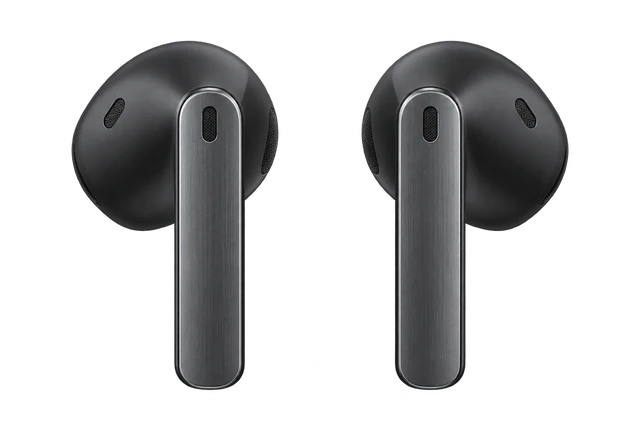
AirPods Pro 4

AirPods Pro 4Release Date, Price & Specs

Around August 2028

Last updated

Compared with AirPods Ultra, very little is known about the next AirPods Pro. Recent reporting has focused almost entirely on Apple’s premium AI earbuds, leaving the future of the Pro lineup less certain. Whether the next AirPods Pro shares those technologies or remains a more conventional upgrade is still unclear.
Also reported as AirPods Ultra (see the AirPods Ultra Guide). It is the same device, so this page covers every name it goes by.

What will the AirPods Pro 4 have?

Latest on AirPods Pro 4

More news

Best for

Music. Show why
Silicone tips seal your ear and active noise cancellation shuts out the room.
Calls. Show why
There is a microphone in each stem, so you can take calls hands-free.
Travel. Show why
Noise cancellation quiets a journey, and the charging case fits in a pocket.

Comparison

Compare earbuds

How it compares

Price

$249

What it costs to buy. None of these need a subscription.

Weight

5.6g

Grams in your ears. Lower is lighter.

Battery life

~8 hrs

How long it lasts on its own, away from a charger.

Cost over 3 years

AirPods Pro 3
$249
AirPods 4
$129
Pixel Buds Pro 2
$229
Galaxy Buds 4 Pro
$249.99

Current list prices.

One earbud, not the pair, and not the case.

Hours on one charge with noise cancelling on, where that figure is officially stated; otherwise the official headline figure. Prices are each product's lowest version. Battery life varies with use, settings and firmware.

Most paired with

Everything it works with

What AirPods Pro work with

Earbuds that work with iPhone and Android.

Do AirPods Pro work with iPhone?

Works

Full AirPods features need an iPhone running iOS 26 or later.

You get Apple pairing, settings and Apple-device features on a compatible iPhone. Older iOS versions don't meet Apple's requirement.

See details and sources (1)

Last checked 2026-09-21.

Do AirPods Pro work with the Apple Watch Series 12?

Yes. Apple Watch Series 12 plays audio to Bluetooth headphones and speakers.

From the Apple Watch Series 12 answer for this kind of phone or device. Source: Apple

How do you connect AirPods Pro 3 to a Mac?

Pair them in Bluetooth settings on a Mac with macOS Tahoe or later.

  1. Open System Settings from the Apple menu, then click Bluetooth.
  2. Put both earbuds in the charging case and open the lid.
  3. Double-tap the front of the case until the status light flashes white.
  4. Click Connect next to AirPods Pro 3 in the Nearby Devices list.

On a compatible Mac, you get Apple pairing and AirPods settings. If they're set up on your iPhone and the Mac uses the same Apple Account, they should connect on their own. Choose them under Sound in Control Center.

See details and sources (2)
  • Apple: Set up AirPods with a Mac or other Bluetooth deviceFrom the official page or platform · checked 2026-09-21
    AirPods 5 (both models): macOS Golden Gate or later
    AirPods Pro 3: macOS Tahoe or later
    AirPods 4 (both models): macOS Sequoia or later
  • Apple: Set up AirPods with your Mac and other Bluetooth devices - Apple SupportFrom the official page or platform · checked 2026-09-21
    On your Mac, choose System Settings from the Apple menu
    Put both AirPods in the charging case and open the lid.
    For AirPods Pro 3, AirPods 4 (both models), and AirPods 5 (both models), double-tap the front of the case until the status light flashes white.
    Click Connect next to your AirPods in the Nearby Devices list.
    If you set up your AirPods* with your iPhone, and your Mac is signed in to iCloud with the same Apple Account, your AirPods should connect automatically with your Mac

Last checked 2026-09-21.

Some features need an Apple device

Do AirPods Pro work with Android?

Works with limits

Listening and calls work over Bluetooth, but Apple-only features need an Apple device.

Pair them over standard Bluetooth. Siri doesn't work. Hearing features, heart-rate sensing, settings and firmware updates need an Apple device.

Siri, the hearing features, heart-rate sensing, settings and firmware updates need an Apple device.

See details and sources (3)
  • Apple: Set up AirPods with a Mac or other Bluetooth deviceFrom the official page or platform · checked 2026-09-21
    You can use AirPods as a Bluetooth headset with a non-Apple device.
  • Apple: Heart rate sensing with AirPods Pro 3From the official page or platform · checked 2026-09-21
    You can view your heart rate data in the Health app or during workouts in the Fitness app and supported third-party fitness apps on your iPhone.
  • Apple: Firmware updates for AirPodsFrom the official page or platform · checked 2026-09-21
    Firmware updates are delivered automatically while your AirPods are charging and in Bluetooth range of your iPhone, iPad or Mac
    If you don’t have an Apple device nearby, you can set up an appointment at an Apple Store or with an Apple Authorised Service Provider to update your firmware.
    Open the Settings app, tap Bluetooth, then tap the Info button
    With iOS 27 and an Apple Intelligence-enabled iPhone, AirPods 5 users will also get access to hands-free Siri AI and Live Translation.

Last checked 2026-09-21.

Expected release date

An average of 1076 days between updates.

AirPods Pro 4 release date

1059 days1092 daysexpected~1047 daysOct 30, 2019AirPods Pro (1st generation)Sep 23, 2022AirPods Pro (2nd generation)Sep 19, 2025AirPods Pro 3Around August 2028AirPods Pro 420192020202120222023202420252026202720282029
ShippedExpected

An average of 1076 days between updates.

GenerationOn saleGap
AirPods Pro (1st generation)Oct 30, 2019first
AirPods Pro (2nd generation)Sep 23, 20221059 days
AirPods Pro 3Sep 19, 20251092 days
AirPods Pro 4 (expected)Around August 2028expected

Quick answers

All FAQs

Quick answers

How much will AirPods Pro 4 cost?
Unknown. AirPods Pro 3 launched at $249. If Pro 4 adds cameras, it could be $299 and sold alongside Pro 3 at $249. If cameras go to AirPods Ultra only, Pro 4 would likely stay at $249.
When does AirPods Pro 4 come out?
Uncertain. Gurman said in June that a camera-equipped model, code-named B798, was delayed to a 2027 launch. In early August he said a related version, B790, was progressing and could ship sooner, but after references to B790 turned up in code in mid-August, Gurman said the AirPods were no longer on Apple's release schedule, and Apple has no plans to release camera-equipped AirPods before 2027. Nothing is confirmed.
Should I buy the AirPods Pro 3 now or wait for the next one?
Good to buy. This is a strong enough price that waiting probably isn't worth it. No newer model is expected in the next 90 days (Our read). It is $199 at Amazon, price checked Oct. 14, 2026. See the full answer

Get AirPods Pro 4 updates

Email me when there's news.

Available nowAirPods Pro 3$249Guide News
Available nowBose QuietComfort Ultra Earbuds$299Guide News
Available nowGalaxy Buds 4 Pro$249Guide News
Expectations view

Timing and release

A higher-end camera version is expected in 2026

Instant Digital describes it as a higher-end AirPods Pro 3 variant.

Contested
62% track record
1 source → 5 outlets
Read our overview

Camera

A camera may go in each earbud

A camera in each earbud may let them see around you.

Reported
67% track record
1 source → 8 outlets
Read our overview
Report record
37 of 40 still open, 1 can’t be checked.
  • 1 Right
  • 1 Wrong
  • 38 Not checked
View all records
  1. AUG 312026
  2. AUG 312026
  3. AUG 212026
  4. AUG 182026
  5. AUG 172026
  6. AUG 72026
    OtherOpenNever settled
    Apple code identified a camera-equipped AirPods product with the codename B790.
    Sources: Original source unclear, MacRumors
    Record
  7. AUG 72026
  8. AUG 72026
  9. AUG 72026
  10. AUG 72026
  11. AUG 72026
  12. AUG 22026
  13. JUL 32026
  14. JUN 162026
  15. MAY 82026
    OutletOpenNo outcome yet
    An LED lights when data goes to the cloud
    Sources: Bloomberg, Gizmodo · recorded as Gizmodo
    Record
  16. MAY 72026
  17. APR 302026
  18. APR 302026
  19. APR 302026
  20. APR 302026
  21. APR 302026
  22. APR 302026
  23. APR 302026
  24. MAR 92026
  25. FEB 172026
  26. FEB 92026
  27. OCT 132025
    OutletOpenNo outcome yet
    An H3 chip is coming, debut model unconfirmed
    Sources: Mark Gurman, Cult of Mac · recorded as Cult of Mac
    Record
  28. SEP 82025
  29. SEP 82025
  30. SEP 82025
  31. SEP 82025
  32. SEP 82025
  33. SEP 82025
  34. SEP 82025
  35. SEP 82025
  36. SEP 82025
  37. SEP 82025
  38. SEP 72025
  39. SEP 72025
  40. JUN 302024

Works with

Works with limits

Listening and calls work over Bluetooth, but Apple-only features need an Apple device.

Pair them over standard Bluetooth. Siri doesn't work. Hearing features, heart-rate sensing, settings and firmware updates need an Apple device.

Siri, the hearing features, heart-rate sensing, settings and firmware updates need an Apple device.

See details and sources (3)
  • Apple: Set up AirPods with a Mac or other Bluetooth deviceFrom the official page or platform · checked 2026-09-21
    You can use AirPods as a Bluetooth headset with a non-Apple device.
  • Apple: Heart rate sensing with AirPods Pro 3From the official page or platform · checked 2026-09-21
    You can view your heart rate data in the Health app or during workouts in the Fitness app and supported third-party fitness apps on your iPhone.
  • Apple: Firmware updates for AirPodsFrom the official page or platform · checked 2026-09-21
    Firmware updates are delivered automatically while your AirPods are charging and in Bluetooth range of your iPhone, iPad or Mac
    If you don’t have an Apple device nearby, you can set up an appointment at an Apple Store or with an Apple Authorised Service Provider to update your firmware.
    Open the Settings app, tap Bluetooth, then tap the Info button
    With iOS 27 and an Apple Intelligence-enabled iPhone, AirPods 5 users will also get access to hands-free Siri AI and Live Translation.

Last checked 2026-09-21.

Bluetooth gives you listening and calls, but Apple-only features stay off.

  1. Open Settings > Bluetooth & devices on your PC and turn Bluetooth on.
  2. Put AirPods Pro 3 in the charging case, open the lid, and double-tap the front until the status light flashes white.
  3. Select AirPods Pro 3 under New devices in the Bluetooth list.

They work as standard Bluetooth earbuds on Windows. Siri doesn't work, and AirPods settings and firmware updates need an Apple device.

See details and sources (4)

Last checked 2026-09-21.

Doesn't work

Direct pairing doesn't work because PS5 doesn't support standard Bluetooth audio devices.

AirPods Pro 3 can't pair directly to a PS5 for audio because the console does not accept standard Bluetooth audio devices.

See details and sources (2)

Last checked 2026-09-21.

Works

Full AirPods features need an iPhone running iOS 26 or later.

You get Apple pairing, settings and Apple-device features on a compatible iPhone. Older iOS versions don't meet Apple's requirement.

See details and sources (1)

Last checked 2026-09-21.

WorksWorked out from the official minimum

They work with every iPhone that runs iOS 26 or later, from the iPhone 11 on.

  • iPhone 18 Pro and iPhone 18 Pro Max: yes, on iOS 26 or later
  • iPhone 17, iPhone 17 Pro, iPhone 17 Pro Max, iPhone Air and iPhone 17e: yes, on iOS 26 or later
  • iPhone 16, iPhone 16 Plus, iPhone 16 Pro, iPhone 16 Pro Max and iPhone 16e: yes, on iOS 26 or later
  • iPhone 15, iPhone 15 Plus, iPhone 15 Pro and iPhone 15 Pro Max: yes, on iOS 26 or later
  • iPhone 14, iPhone 14 Plus, iPhone 14 Pro and iPhone 14 Pro Max: yes, on iOS 26 or later
  • iPhone 13 mini, iPhone 13, iPhone 13 Pro and iPhone 13 Pro Max: yes, on iOS 26 or later
  • iPhone 12 mini, iPhone 12, iPhone 12 Pro and iPhone 12 Pro Max: yes, on iOS 26 or later
  • iPhone 11, iPhone 11 Pro and iPhone 11 Pro Max: yes, on iOS 26 or later
  • iPhone SE (2nd generation) and iPhone SE (3rd generation): yes, on iOS 26 or later
  • iPhone 17 Pro: yes, on iOS 26 or later
  • iPhone 17 Pro Max: yes, on iOS 26 or later
  • iPhone Air: yes, on iOS 26 or later
  • Any iPhone not listed: no, it cannot run that iOS version

Worked out from the official minimum ("iOS 26 or later") and Apple's list of the iPhones that run it, not a separate test. See the sources.

See details and sources (3)

Last checked 2026-09-21.

Doesn't work

Xbox Series X|S and Xbox One don't support Bluetooth audio.

You can't pair AirPods Pro 3 with Xbox Series X|S or Xbox One for console audio because they have no Bluetooth audio. Use an Xbox Wireless or wired headset instead. You can still use AirPods for Xbox games on a phone or PC.

See details and sources (4)

Last checked 2026-09-21.

Works with limits

Apple TV 4K gives the fullest support. Other Bluetooth TVs work with limits.

For Apple TV 4K, sign in to the same Apple Account. On other TVs with Bluetooth audio, they work as normal headphones, but Siri and other Apple extras don't. Samsung and Google TV play to only one Bluetooth audio device at a time; some TVs have no Bluetooth audio, lip-sync errors can happen, and Roku and Fire TV weren't checked.

See details and sources (5)
  • Apple: Set up AirPods with a Mac or other Bluetooth deviceFrom the official page or platform · checked 2026-09-21
    You can use AirPods as a Bluetooth headset with a non-Apple device.
  • Apple: Use AirPods or Beats with Apple TV 4KFrom the official page or platform · checked 2026-09-21
    You can send audio from your Apple TV 4K to compatible AirPods or Beats headphones when you’re signed in on Apple TV 4K with the same Apple Account associated with the headphones.
    You can also connect Bluetooth® headphones to Apple TV 4K
  • Apple: Connect Bluetooth devices to Apple TV 4KFrom the official page or platform · checked 2026-09-21
    You may want to connect a Bluetooth® device to your Apple TV 4K such as a game controller, headphones, a wireless keyboard, or another accessory.
  • Google: Connect Bluetooth devices to Google TVFrom the official page or platform · checked 2026-09-21
    You can connect several Bluetooth devices, like headphones or game controllers, to your Google TV.
  • Samsung: Pair Bluetooth headphones to your Samsung TVFrom the official page or platform · checked 2026-09-21
    While you can pair more than one Bluetooth audio device at a time, only one can output audio.
    some Bluetooth headphones are designed for mobile devices exclusively and won't pair with a TV.

Last checked 2026-09-21.

Works

Full support needs an iPad on the latest iPadOS.

AirPods Pro 3 pair with iPad like they do with iPhone. If the iPad uses the same Apple Account, they connect on their own.

See details and sources (1)
  • Apple: Pair AirPods with an Apple deviceFrom the official page or platform · checked 2026-09-21
    Go to the Settings app on your iPhone or iPad.
    Go to the Settings app on your Apple Watch.
    After you set up your AirPods with one Apple device (like your iPhone), your AirPods connect automatically to your other Apple devices where you’re signed in to the same Apple Account

Last checked 2026-09-21.

Show all 17Show fewer
Works

They work with Apple Watch on the latest watchOS after setup with your iPhone.

If AirPods Pro 3 are set up with your iPhone, they already work with your Apple Watch. Press play on the watch.

See details and sources (2)
  • Apple: Pair AirPods with an Apple deviceFrom the official page or platform · checked 2026-09-21
    Go to the Settings app on your iPhone or iPad.
    Go to the Settings app on your Apple Watch.
    After you set up your AirPods with one Apple device (like your iPhone), your AirPods connect automatically to your other Apple devices where you’re signed in to the same Apple Account
  • Apple: Connect Apple Watch to Bluetooth headphones or speakersFrom the official page or platform · checked 2026-09-21
    If you have AirPods that you set up with your iPhone, they’re ready to use with your Apple Watch—just press play.

Last checked 2026-09-21.

Works

Listening and calls work over Bluetooth, but Apple-only features need an Apple device.

Pair them over standard Bluetooth. Siri doesn't work. Hearing features, heart-rate sensing, settings and firmware updates need an Apple device.

See details and sources (3)
  • Apple: Set up AirPods with a Mac or other Bluetooth deviceFrom the official page or platform · checked 2026-09-21
    You can use AirPods as a Bluetooth headset with a non-Apple device.
  • Apple: Heart rate sensing with AirPods Pro 3From the official page or platform · checked 2026-09-21
    You can view your heart rate data in the Health app or during workouts in the Fitness app and supported third-party fitness apps on your iPhone.
  • Apple: Firmware updates for AirPodsFrom the official page or platform · checked 2026-09-21
    Firmware updates are delivered automatically while your AirPods are charging and in Bluetooth range of your iPhone, iPad or Mac
    If you don’t have an Apple device nearby, you can set up an appointment at an Apple Store or with an Apple Authorised Service Provider to update your firmware.
    Open the Settings app, tap Bluetooth, then tap the Info button
    With iOS 27 and an Apple Intelligence-enabled iPhone, AirPods 5 users will also get access to hands-free Siri AI and Live Translation.

Last checked 2026-09-21.

Works with limits

They work as Bluetooth headphones with Garmin watches that store music.

Only Garmin music models support headphones. Watches without music storage can't play to them, and Apple extras don't work on Garmin.

See details and sources (2)

Last checked 2026-09-21.

Works

Listening and calls work over Bluetooth, but Apple-only features need an Apple device.

Pair them over standard Bluetooth. Siri doesn't work. Hearing features, heart-rate sensing, settings and firmware updates need an Apple device.

See details and sources (3)
  • Apple: Firmware updates for AirPodsFrom the official page or platform · checked 2026-09-21
    Firmware updates are delivered automatically while your AirPods are charging and in Bluetooth range of your iPhone, iPad or Mac
    If you don’t have an Apple device nearby, you can set up an appointment at an Apple Store or with an Apple Authorised Service Provider to update your firmware.
    Open the Settings app, tap Bluetooth, then tap the Info button
    With iOS 27 and an Apple Intelligence-enabled iPhone, AirPods 5 users will also get access to hands-free Siri AI and Live Translation.
  • Apple: Set up AirPods with a Mac or other Bluetooth deviceFrom the official page or platform · checked 2026-09-21
    You can use AirPods as a Bluetooth headset with a non-Apple device.
  • Apple: Heart rate sensing with AirPods Pro 3From the official page or platform · checked 2026-09-21
    You can view your heart rate data in the Health app or during workouts in the Fitness app and supported third-party fitness apps on your iPhone.

Last checked 2026-09-21.

Pair them in Bluetooth settings on a Mac with macOS Tahoe or later.

  1. Open System Settings from the Apple menu, then click Bluetooth.
  2. Put both earbuds in the charging case and open the lid.
  3. Double-tap the front of the case until the status light flashes white.
  4. Click Connect next to AirPods Pro 3 in the Nearby Devices list.

On a compatible Mac, you get Apple pairing and AirPods settings. If they're set up on your iPhone and the Mac uses the same Apple Account, they should connect on their own. Choose them under Sound in Control Center.

See details and sources (2)
  • Apple: Set up AirPods with a Mac or other Bluetooth deviceFrom the official page or platform · checked 2026-09-21
    AirPods 5 (both models): macOS Golden Gate or later
    AirPods Pro 3: macOS Tahoe or later
    AirPods 4 (both models): macOS Sequoia or later
  • Apple: Set up AirPods with your Mac and other Bluetooth devices - Apple SupportFrom the official page or platform · checked 2026-09-21
    On your Mac, choose System Settings from the Apple menu
    Put both AirPods in the charging case and open the lid.
    For AirPods Pro 3, AirPods 4 (both models), and AirPods 5 (both models), double-tap the front of the case until the status light flashes white.
    Click Connect next to your AirPods in the Nearby Devices list.
    If you set up your AirPods* with your iPhone, and your Mac is signed in to iCloud with the same Apple Account, your AirPods should connect automatically with your Mac

Last checked 2026-09-21.

Use Settings on iPhone, iPad or Mac. There's no separate AirPods app.

You can manage features and check the firmware version in Bluetooth settings on an Apple device running current software. Apple does not document an AirPods settings app for Android or Windows.

See details and sources (2)
  • Apple: Set up AirPods with a Mac or other Bluetooth deviceFrom the official page or platform · checked 2026-09-21
    You can use AirPods as a Bluetooth headset with a non-Apple device.
  • Apple: Firmware updates for AirPodsFrom the official page or platform · checked 2026-09-21
    Firmware updates are delivered automatically while your AirPods are charging and in Bluetooth range of your iPhone, iPad or Mac
    Open the Settings app, tap Bluetooth, then tap the Info button
    With iOS 27 and an Apple Intelligence-enabled iPhone, AirPods 5 users will also get access to hands-free Siri AI and Live Translation.

Last checked 2026-09-21.

Updates install automatically while charging near a Wi-Fi-connected iPhone, iPad or Mac.

Keep the AirPods charging and within Bluetooth range of that Apple device. Without an Apple device, Apple directs you to book an Apple Store or Authorized Service Provider appointment.

See details and sources (1)
  • Apple: Firmware updates for AirPodsFrom the official page or platform · checked 2026-09-21
    Firmware updates are delivered automatically while your AirPods are charging and in Bluetooth range of your iPhone, iPad or Mac
    If you don’t have an Apple device nearby, you can set up an appointment at an Apple Store or with an Apple Authorised Service Provider to update your firmware.
    With iOS 27 and an Apple Intelligence-enabled iPhone, AirPods 5 users will also get access to hands-free Siri AI and Live Translation.

Last checked 2026-09-21.

Full use needs iOS 26 or later or macOS Tahoe or later, with regional limits.

AirPods can be linked to one Apple Account at a time. Hearing Aid, Hearing Test and Hearing Protection aren't available in all countries, while Live Translation and Expanded Precision Finding also vary by region.

See details and sources (5)
  • Apple: Connect your AirPods and AirPods Pro to your iPhoneFrom the official page or platform · checked 2026-09-21
    AirPods and AirPods Pro can be associated with one Apple Account
  • Apple: Set up AirPods with a Mac or other Bluetooth deviceFrom the official page or platform · checked 2026-09-21
    AirPods 5 (both models): macOS Golden Gate or later
    AirPods Pro 3: macOS Tahoe or later
    AirPods 4 (both models): macOS Sequoia or later
  • Apple: Use Live Translation with your AirPodsFrom the official page or platform · checked 2026-09-21
    Some features may not be available in regions or all languages.
    AirPods 4 with Active Noise Cancellation, AirPods 5 (both models), and AirPods Pro 2 and later with the latest firmware when paired with an Apple Intelligence–enabled iPhone running iOS 26 and later.
  • Apple: Hearing health features (AirPods User Guide)From the official page or platform · checked 2026-09-21
    AirPods Pro 2 and AirPods Pro 3 support a clinical-grade Hearing Aid feature
    The Hearing Aid, Hearing Test, and Hearing Protection features are not available in all countries and regions.
  • Apple: AirPods Pro 3From the official page or platform · checked 2026-09-21
    Expanded Precision Finding works with AirPods Pro 3 paired with iPhone Air or iPhone 15 or later (excluding iPhone 16e); availability varies by region.

Last checked 2026-09-21.

Works with limits

Game audio works over Bluetooth, but the AirPods microphone won't work for voice chat.

Nintendo Switch family systems can send game and system audio to Bluetooth earbuds. Bluetooth microphones aren't supported, so you can't use the AirPods microphone for voice chat. Pair them from the Switch System Settings.

See details and sources (3)

Last checked 2026-09-21.

Most paired with

Do AirPods Pro work with iPhone?

Works

Full AirPods features need an iPhone running iOS 26 or later.

You get Apple pairing, settings and Apple-device features on a compatible iPhone. Older iOS versions don't meet Apple's requirement.

See details and sources (1)

Last checked 2026-09-21.

Do AirPods Pro work with the Apple Watch Series 12?

Yes. Apple Watch Series 12 plays audio to Bluetooth headphones and speakers.

From the Apple Watch Series 12 answer for this kind of phone or device. Source: Apple

How do you connect AirPods Pro 3 to a Mac?

Pair them in Bluetooth settings on a Mac with macOS Tahoe or later.

  1. Open System Settings from the Apple menu, then click Bluetooth.
  2. Put both earbuds in the charging case and open the lid.
  3. Double-tap the front of the case until the status light flashes white.
  4. Click Connect next to AirPods Pro 3 in the Nearby Devices list.

On a compatible Mac, you get Apple pairing and AirPods settings. If they're set up on your iPhone and the Mac uses the same Apple Account, they should connect on their own. Choose them under Sound in Control Center.

See details and sources (2)
  • Apple: Set up AirPods with a Mac or other Bluetooth deviceFrom the official page or platform · checked 2026-09-21
    AirPods 5 (both models): macOS Golden Gate or later
    AirPods Pro 3: macOS Tahoe or later
    AirPods 4 (both models): macOS Sequoia or later
  • Apple: Set up AirPods with your Mac and other Bluetooth devices - Apple SupportFrom the official page or platform · checked 2026-09-21
    On your Mac, choose System Settings from the Apple menu
    Put both AirPods in the charging case and open the lid.
    For AirPods Pro 3, AirPods 4 (both models), and AirPods 5 (both models), double-tap the front of the case until the status light flashes white.
    Click Connect next to your AirPods in the Nearby Devices list.
    If you set up your AirPods* with your iPhone, and your Mac is signed in to iCloud with the same Apple Account, your AirPods should connect automatically with your Mac

Last checked 2026-09-21.

Some features need an Apple device

Do AirPods Pro work with Android?

Works with limits

Listening and calls work over Bluetooth, but Apple-only features need an Apple device.

Pair them over standard Bluetooth. Siri doesn't work. Hearing features, heart-rate sensing, settings and firmware updates need an Apple device.

Siri, the hearing features, heart-rate sensing, settings and firmware updates need an Apple device.

See details and sources (3)
  • Apple: Set up AirPods with a Mac or other Bluetooth deviceFrom the official page or platform · checked 2026-09-21
    You can use AirPods as a Bluetooth headset with a non-Apple device.
  • Apple: Heart rate sensing with AirPods Pro 3From the official page or platform · checked 2026-09-21
    You can view your heart rate data in the Health app or during workouts in the Fitness app and supported third-party fitness apps on your iPhone.
  • Apple: Firmware updates for AirPodsFrom the official page or platform · checked 2026-09-21
    Firmware updates are delivered automatically while your AirPods are charging and in Bluetooth range of your iPhone, iPad or Mac
    If you don’t have an Apple device nearby, you can set up an appointment at an Apple Store or with an Apple Authorised Service Provider to update your firmware.
    Open the Settings app, tap Bluetooth, then tap the Info button
    With iOS 27 and an Apple Intelligence-enabled iPhone, AirPods 5 users will also get access to hands-free Siri AI and Live Translation.

Last checked 2026-09-21.

Do AirPods Pro work with the Apple Watch Ultra 4?

Yes. Apple Watch Ultra 4 plays audio to Bluetooth headphones and speakers.

From the Apple Watch Ultra 4 answer for this kind of phone or device. Source: Apple

No Siri; settings and firmware updates need an Apple device

Can you connect AirPods Pro to a PC?

Bluetooth gives you listening and calls, but Apple-only features stay off.

  1. Open Settings > Bluetooth & devices on your PC and turn Bluetooth on.
  2. Put AirPods Pro 3 in the charging case, open the lid, and double-tap the front until the status light flashes white.
  3. Select AirPods Pro 3 under New devices in the Bluetooth list.

They work as standard Bluetooth earbuds on Windows. Siri doesn't work, and AirPods settings and firmware updates need an Apple device.

See details and sources (4)

Last checked 2026-09-21.

Do AirPods Pro 3 work with Samsung Galaxy phones?

Works

Listening and calls work over Bluetooth, but Apple-only features need an Apple device.

Pair them over standard Bluetooth. Siri doesn't work. Hearing features, heart-rate sensing, settings and firmware updates need an Apple device.

See details and sources (3)
  • Apple: Set up AirPods with a Mac or other Bluetooth deviceFrom the official page or platform · checked 2026-09-21
    You can use AirPods as a Bluetooth headset with a non-Apple device.
  • Apple: Heart rate sensing with AirPods Pro 3From the official page or platform · checked 2026-09-21
    You can view your heart rate data in the Health app or during workouts in the Fitness app and supported third-party fitness apps on your iPhone.
  • Apple: Firmware updates for AirPodsFrom the official page or platform · checked 2026-09-21
    Firmware updates are delivered automatically while your AirPods are charging and in Bluetooth range of your iPhone, iPad or Mac
    If you don’t have an Apple device nearby, you can set up an appointment at an Apple Store or with an Apple Authorised Service Provider to update your firmware.
    Open the Settings app, tap Bluetooth, then tap the Info button
    With iOS 27 and an Apple Intelligence-enabled iPhone, AirPods 5 users will also get access to hands-free Siri AI and Live Translation.

Last checked 2026-09-21.

Do AirPods Pro 3 work with Google Pixel phones?

Works

Listening and calls work over Bluetooth, but Apple-only features need an Apple device.

Pair them over standard Bluetooth. Siri doesn't work. Hearing features, heart-rate sensing, settings and firmware updates need an Apple device.

See details and sources (3)
  • Apple: Firmware updates for AirPodsFrom the official page or platform · checked 2026-09-21
    Firmware updates are delivered automatically while your AirPods are charging and in Bluetooth range of your iPhone, iPad or Mac
    If you don’t have an Apple device nearby, you can set up an appointment at an Apple Store or with an Apple Authorised Service Provider to update your firmware.
    Open the Settings app, tap Bluetooth, then tap the Info button
    With iOS 27 and an Apple Intelligence-enabled iPhone, AirPods 5 users will also get access to hands-free Siri AI and Live Translation.
  • Apple: Set up AirPods with a Mac or other Bluetooth deviceFrom the official page or platform · checked 2026-09-21
    You can use AirPods as a Bluetooth headset with a non-Apple device.
  • Apple: Heart rate sensing with AirPods Pro 3From the official page or platform · checked 2026-09-21
    You can view your heart rate data in the Health app or during workouts in the Fitness app and supported third-party fitness apps on your iPhone.

Last checked 2026-09-21.

What you need

Do AirPods Pro work with Android?

Works with limits

Listening and calls work over Bluetooth, but Apple-only features need an Apple device.

Pair them over standard Bluetooth. Siri doesn't work. Hearing features, heart-rate sensing, settings and firmware updates need an Apple device.

Siri, the hearing features, heart-rate sensing, settings and firmware updates need an Apple device.

See details and sources (3)
  • Apple: Set up AirPods with a Mac or other Bluetooth deviceFrom the official page or platform · checked 2026-09-21
    You can use AirPods as a Bluetooth headset with a non-Apple device.
  • Apple: Heart rate sensing with AirPods Pro 3From the official page or platform · checked 2026-09-21
    You can view your heart rate data in the Health app or during workouts in the Fitness app and supported third-party fitness apps on your iPhone.
  • Apple: Firmware updates for AirPodsFrom the official page or platform · checked 2026-09-21
    Firmware updates are delivered automatically while your AirPods are charging and in Bluetooth range of your iPhone, iPad or Mac
    If you don’t have an Apple device nearby, you can set up an appointment at an Apple Store or with an Apple Authorised Service Provider to update your firmware.
    Open the Settings app, tap Bluetooth, then tap the Info button
    With iOS 27 and an Apple Intelligence-enabled iPhone, AirPods 5 users will also get access to hands-free Siri AI and Live Translation.

Last checked 2026-09-21.

Can you connect AirPods Pro to a PC?

Bluetooth gives you listening and calls, but Apple-only features stay off.

  1. Open Settings > Bluetooth & devices on your PC and turn Bluetooth on.
  2. Put AirPods Pro 3 in the charging case, open the lid, and double-tap the front until the status light flashes white.
  3. Select AirPods Pro 3 under New devices in the Bluetooth list.

They work as standard Bluetooth earbuds on Windows. Siri doesn't work, and AirPods settings and firmware updates need an Apple device.

See details and sources (4)

Last checked 2026-09-21.

Do AirPods Pro work with iPhone?

Works

Full AirPods features need an iPhone running iOS 26 or later.

You get Apple pairing, settings and Apple-device features on a compatible iPhone. Older iOS versions don't meet Apple's requirement.

See details and sources (1)

Last checked 2026-09-21.

Do AirPods Pro work with a TV?

Works with limits

Apple TV 4K gives the fullest support. Other Bluetooth TVs work with limits.

For Apple TV 4K, sign in to the same Apple Account. On other TVs with Bluetooth audio, they work as normal headphones, but Siri and other Apple extras don't. Samsung and Google TV play to only one Bluetooth audio device at a time; some TVs have no Bluetooth audio, lip-sync errors can happen, and Roku and Fire TV weren't checked.

See details and sources (5)
  • Apple: Set up AirPods with a Mac or other Bluetooth deviceFrom the official page or platform · checked 2026-09-21
    You can use AirPods as a Bluetooth headset with a non-Apple device.
  • Apple: Use AirPods or Beats with Apple TV 4KFrom the official page or platform · checked 2026-09-21
    You can send audio from your Apple TV 4K to compatible AirPods or Beats headphones when you’re signed in on Apple TV 4K with the same Apple Account associated with the headphones.
    You can also connect Bluetooth® headphones to Apple TV 4K
  • Apple: Connect Bluetooth devices to Apple TV 4KFrom the official page or platform · checked 2026-09-21
    You may want to connect a Bluetooth® device to your Apple TV 4K such as a game controller, headphones, a wireless keyboard, or another accessory.
  • Google: Connect Bluetooth devices to Google TVFrom the official page or platform · checked 2026-09-21
    You can connect several Bluetooth devices, like headphones or game controllers, to your Google TV.
  • Samsung: Pair Bluetooth headphones to your Samsung TVFrom the official page or platform · checked 2026-09-21
    While you can pair more than one Bluetooth audio device at a time, only one can output audio.
    some Bluetooth headphones are designed for mobile devices exclusively and won't pair with a TV.

Last checked 2026-09-21.

How do you connect AirPods Pro 3 to a Mac?

Pair them in Bluetooth settings on a Mac with macOS Tahoe or later.

  1. Open System Settings from the Apple menu, then click Bluetooth.
  2. Put both earbuds in the charging case and open the lid.
  3. Double-tap the front of the case until the status light flashes white.
  4. Click Connect next to AirPods Pro 3 in the Nearby Devices list.

On a compatible Mac, you get Apple pairing and AirPods settings. If they're set up on your iPhone and the Mac uses the same Apple Account, they should connect on their own. Choose them under Sound in Control Center.

See details and sources (2)
  • Apple: Set up AirPods with a Mac or other Bluetooth deviceFrom the official page or platform · checked 2026-09-21
    AirPods 5 (both models): macOS Golden Gate or later
    AirPods Pro 3: macOS Tahoe or later
    AirPods 4 (both models): macOS Sequoia or later
  • Apple: Set up AirPods with your Mac and other Bluetooth devices - Apple SupportFrom the official page or platform · checked 2026-09-21
    On your Mac, choose System Settings from the Apple menu
    Put both AirPods in the charging case and open the lid.
    For AirPods Pro 3, AirPods 4 (both models), and AirPods 5 (both models), double-tap the front of the case until the status light flashes white.
    Click Connect next to your AirPods in the Nearby Devices list.
    If you set up your AirPods* with your iPhone, and your Mac is signed in to iCloud with the same Apple Account, your AirPods should connect automatically with your Mac

Last checked 2026-09-21.

Supports

Works

Automatic switching works across Apple devices on the same Apple Account.

They connect to whichever signed-in Apple device you're listening to. Apple does not document standard simultaneous multipoint with non-Apple devices.

See details and sources (1)
  • Apple: Switch AirPods between devicesFrom the official page or platform · checked 2026-09-21
    When you’re signed in to the same Apple Account on your Apple devices, your AirPods seamlessly connect to whichever device you’re listening to

Last checked 2026-09-21.

Works

Personalized Spatial Audio and dynamic head tracking work on compatible Apple devices.

You need a compatible Apple device running current software.

See details and sources (1)
  • Apple: AirPods - compare modelsFrom the official page or platform · checked 2026-09-21
    Personalized Spatial Audio with dynamic head tracking
    Adaptive Audio,ΔΔΔ Transparency, and Personalized Spatial Audio with dynamic head tracking

Last checked 2026-09-21.

Works

Siri works on compatible Apple devices running current software.

AirPods Pro 3 support Hey Siri and Siri Interactions on current Apple software. Siri doesn't work on non-Apple devices, and availability can vary by language or region.

See details and sources (2)

Last checked 2026-09-21.

Works with limits

Live Translation needs an Apple Intelligence iPhone 15 Pro or later.

You also need iOS 26 or later, Apple Intelligence turned on and the latest AirPods firmware. Live Translation isn't available in every region or language.

See details and sources (2)
  • Apple: Use Live Translation with your AirPodsFrom the official page or platform · checked 2026-09-21
    AirPods 4 with Active Noise Cancellation, AirPods 5 (both models), and AirPods Pro 2 and later with the latest firmware when paired with an Apple Intelligence–enabled iPhone running iOS 26 and later.
  • Apple: AirPods feature requirements (footnotes)From the official page or platform · checked 2026-09-21
    when paired with compatible AirPods with the latest firmware when Apple Intelligence is turned on

Last checked 2026-09-21.

Works with limits

Hearing Aid, Hearing Test and Hearing Protection work only where Apple offers them.

The Hearing Test needs an iPhone or iPad. These hearing features aren't available in all countries and regions.

See details and sources (1)
  • Apple: Hearing health features (AirPods User Guide)From the official page or platform · checked 2026-09-21
    AirPods Pro 2 and AirPods Pro 3 support a clinical-grade Hearing Aid feature
    The Hearing Aid, Hearing Test, and Hearing Protection features are not available in all countries and regions.

Last checked 2026-09-21.

Works

Heart-rate sensing works during workouts with an iPhone.

You can view heart-rate data in the Health app, Fitness app and supported third-party fitness apps on iPhone.

See details and sources (2)

Last checked 2026-09-21.

Works

Find My includes a case speaker and Precision Finding.

Expanded Precision Finding needs an iPhone Air or iPhone 15 or later, except iPhone 16e. Availability varies by region.

See details and sources (1)
  • Apple: AirPods Pro 3From the official page or platform · checked 2026-09-21
    built-in speaker and more powerful Precision Finding
    Expanded Precision Finding works with AirPods Pro 3 paired with iPhone Air or iPhone 15 or later (excluding iPhone 16e); availability varies by region.

Last checked 2026-09-21.

Works

Apple sells replacement earbuds and charging cases.

If you lose an earbud or the case, Apple says you can order a replacement.

See details and sources (1)
  • Apple: AirPods RepairFrom the official page or platform · checked 2026-09-21
    If you lose your AirPods or case, you can order a replacement.

Last checked 2026-09-21.

Show all 10Show fewer
Works with limits

Lossless Audio works only when paired with Apple Vision Pro.

Apple documents Lossless Audio with ultra-low latency only with Apple Vision Pro. It hasn't published a full list of the Bluetooth audio formats AirPods Pro 3 use.

See details and sources (1)
  • Apple: Pair AirPods with an Apple device (AirPods User Guide)From the official page or platform · checked 2026-09-21
    AirPods 4, AirPods 5, AirPods Pro 2 (USB-C), or AirPods Pro 3, which provide Lossless Audio with ultra-low latency when paired with Apple Vision Pro
    Lossless Audio only works when connected to Apple Vision Pro.
    AirPods 5, AirPods Pro 2 (USB-C), or AirPods Pro 3, which provide Lossless Audio with ultra-low latency when paired with Apple Vision Pro (using a proprietary wireless audio protocol).

Last checked 2026-09-21.

Works with limits

Ultra-low-latency audio works only with Apple Vision Pro.

Apple documents ultra-low latency on Apple Vision Pro. It doesn't document a low-latency gaming mode on other devices.

See details and sources (1)
  • Apple: Pair AirPods with an Apple device (AirPods User Guide)From the official page or platform · checked 2026-09-21
    AirPods 4, AirPods 5, AirPods Pro 2 (USB-C), or AirPods Pro 3, which provide Lossless Audio with ultra-low latency when paired with Apple Vision Pro
    Lossless Audio only works when connected to Apple Vision Pro.
    AirPods 5, AirPods Pro 2 (USB-C), or AirPods Pro 3, which provide Lossless Audio with ultra-low latency when paired with Apple Vision Pro (using a proprietary wireless audio protocol).

Last checked 2026-09-21.

How it works

The case charges by MagSafe, Apple Watch charger, Qi-certified wireless charger or USB-C.

All four charging methods work with the case.

See details and sources (1)

Last checked 2026-09-21.

Oct 25, 2023 · First sign of it
Bloomberg places the next AirPods Pro refresh in 2025
Bloomberg reported a broad AirPods overhaul that included a new Pro model in the year after the planned 2024 entry-level refresh. The report put the next AirPods Pro generation on a 2025 track well before product-specific feature leaks arrived.
Feb 13, 2025 · New feature
Heart-rate monitoring is reported as ready for AirPods Pro 3
9to5Mac summarized Mark Gurman’s health-sensor reporting and said heart-rate monitoring was the feature expected to be ready for AirPods Pro 3. This moved the health story from a general future-AirPods project to a concrete expectation for this generation.
Aug 26, 2025 · Design and hardware
A case leak says the pairing button is going away
9to5Mac preserved an Asher Dipprey post claiming the AirPods Pro 3 case would shrink slightly and lose its physical pairing button. The same post said pairing would instead be handled by tapping the case, matching the tracked design claim in the brief.
Sep 1, 2025 · New feature
An anonymous tip claims in-ear temperature sensing
9to5Mac reported an anonymous tip that AirPods Pro 3 would contain a second health sensor for temperature sensing in addition to heart-rate hardware. The report treated the temperature feature as less certain and warned that not every rumored feature might be ready at launch.
Sep 8, 2025 · Others confirmed it
Gurman says not to expect major audio or ANC changes
On the eve of Apple’s event, Mark Gurman posted that he still expected AirPods Pro 3 with heart-rate monitoring, a revised fit and a revamped case. He also said he did not expect major audio or active-noise-cancellation improvements, preserving the final pre-launch version of that tracked claim.
Sep 9, 2025 · Announced
Apple announces AirPods Pro 3
Apple formally announced AirPods Pro 3 on September 9 and confirmed heart-rate sensing during workouts. Apple also set September 19 availability, moving the generation from rumor to an official product.
Sep 19, 2025 · Went on sale
AirPods Pro 3 go on sale
AirPods Pro 3 became available from retailers and online on September 19, matching the release date already held in the brief. The launch completed the three-year refresh cycle first reported in 2023.
Jul 15, 2026 · New feature
A public beta adds custom EQ to AirPods Pro 3
A 2026 AirPods public-beta firmware added custom EQ support to AirPods Pro 3 alongside other supported models. Because the feature was still in beta, this is recorded as a post-launch software development rather than a new shipping milestone.
Oct 30, 2019 · Went on sale
AirPods Pro launched, first Pro model
Apple launched the first AirPods Pro at $249, introducing active noise cancellation, a sealed in-ear design with silicone tips, and Transparency mode to the AirPods line. The H1 chip powered always-on Hey Siri.
Sep 23, 2022 · Went on sale
AirPods Pro 2 launched, H2 chip, 2x ANC
AirPods Pro 2 introduced the H2 chip, 2x better ANC than Pro 1, Adaptive Audio, Personalized Volume, and a MagSafe case with a built-in speaker for Find My. Priced at $249.
Sep 2024 · New feature
FDA Hearing Aid clearance
Apple received FDA clearance for the over-the-counter Hearing Aid feature on AirPods Pro 2, making it the first consumer earbuds with FDA-cleared hearing aid capability. The feature launched with iOS 18 for people with mild to moderate hearing loss.
Sep 19, 2025 · Went on sale
AirPods Pro 3 launched, heart rate, 2x ANC
Apple launched AirPods Pro 3 at $249 with in-ear heart rate monitoring, 2x stronger ANC than Pro 2, new multiport acoustic architecture, foam-infused silicone tips in 5 sizes, IP57 water resistance, and Live Translation. H2 chip retained from Pro 2. Shipped September 19.
Jun 2026 · New feature
iOS 27: Workout Buddy and expanded Apple Intelligence
WWDC 2026 brought Workout Buddy to AirPods Pro 3, an Apple Intelligence-powered fitness coach that gives real-time guidance during workouts using heart rate data. Live Translation expanded to more languages.

Do new AirPods Pro turn up at Apple's September event?

Readers got this one wrong — 1 vote

Expected price: about $249

Our estimate

Price compared to others

Price compared to others

AirPods Pro 3
$249
AirPods 4
$129
Pixel Buds Pro 2
$229
Galaxy Buds 4 Pro
$249.99

Reveal to on sale

How long after the reveal can you actually buy one?

AirPods Pro (1st gen)2 days
AirPods Pro (2nd gen)16 days
AirPods Pro 310 days
AirPods Pro 4?  on-sale date not reported

The gap has ranged from 2 days (AirPods Pro (1st generation)) to 16 days (AirPods Pro (2nd generation)).

Available nowAirPods Pro 3$249Guide News
Available nowBose QuietComfort Ultra Earbuds$299Guide News
Available nowGalaxy Buds 4 Pro$249Guide News

Frequently asked questions

Questions about AirPods Pro 4

Top questions

How much will AirPods Pro 4 cost?
Unknown. AirPods Pro 3 launched at $249. If Pro 4 adds cameras, it could be $299 and sold alongside Pro 3 at $249. If cameras go to AirPods Ultra only, Pro 4 would likely stay at $249.
When does AirPods Pro 4 come out?
Uncertain. Gurman said in June that a camera-equipped model, code-named B798, was delayed to a 2027 launch. In early August he said a related version, B790, was progressing and could ship sooner, but after references to B790 turned up in code in mid-August, Gurman said the AirPods were no longer on Apple's release schedule, and Apple has no plans to release camera-equipped AirPods before 2027. Nothing is confirmed.
Should I buy the AirPods Pro 3 now or wait for the next one?
Good to buy. This is a strong enough price that waiting probably isn't worth it. No newer model is expected in the next 90 days (Our read). It is $199 at Amazon, price checked Oct. 14, 2026. See the full answer
Does AirPods Pro 4 have cameras?
Unclear. Some reports describe a camera model similar to AirPods Ultra, and it's possible the two are actually the same reported device with an unsettled name. Nothing is confirmed either way.

Using it

Subscription required?
Not confirmed for the AirPods Pro 4. For comparison, the current AirPods Pro 3: a subscription is required for Apple Fitness+.
Does it have noise cancelling?
Not confirmed for the AirPods Pro 4. For comparison, the current AirPods Pro 3: yes, it cancels noise.
What does it cost?
Not confirmed for the AirPods Pro 4. For comparison, the current AirPods Pro 3: it costs $249. That is the list price.
Does it work with my phone?
Not confirmed for the AirPods Pro 4. For comparison, the current AirPods Pro 3: it works fully with an iPhone and partly with Android. It pairs with Android, but the app and the iPhone-only features are not there.
How heavy is it?
Not confirmed for the AirPods Pro 4. For comparison, the current AirPods Pro 3: it weighs 5.55g.
How good is the camera?
Reported for the AirPods Pro 4, not confirmed: One in each bud, presumably, on Kosutami's account. For comparison, the current AirPods Pro 3: it has no camera.
How does it connect?
Not confirmed for the AirPods Pro 4. For comparison, the current AirPods Pro 3: it connects over Bluetooth 5.3.
What chip is inside?
Not confirmed for the AirPods Pro 4. For comparison, the current AirPods Pro 3: it runs on Apple H2.
Does it do spatial audio?
Not confirmed for the AirPods Pro 4. For comparison, the current AirPods Pro 3: yes, it does spatial audio.
Can I control it with gestures?
Not confirmed for the AirPods Pro 4. For comparison, the current AirPods Pro 3: yes, you can control it with gestures.
Can it see and answer questions about what I am looking at?
Not confirmed for the AirPods Pro 4. For comparison, the current AirPods Pro 3: no, it cannot see what you are looking at.

Sizing and fit

How do I pick the right size?
If the ear tip feels too large in your ear or is uncomfortable, try a smaller ear tip.

Battery and charging

How do I charge it?
Not confirmed for the AirPods Pro 4. For comparison, the current AirPods Pro 3: airPods shut down and charge whenever they're in the case with the lid closed. Put your AirPods in their case.
How do I reset it?
Not confirmed for the AirPods Pro 4. For comparison, the current AirPods Pro 3: put your AirPods in their charging case, close the lid, and wait 30 seconds. Double-tap the front of the case while the status light is on. Double-tap again when the status light flashes white. Double-tap a third time when the status light flashes faster. When the status light flashes amber, then flashes white, you can follow the steps on your device's screen to reconnect your AirPods.
How do I set it up?
Not confirmed for the AirPods Pro 4. For comparison, the current AirPods Pro 3: with your AirPods in the charging case, open the charging case, and hold it next to your iPhone. For AirPods Pro 3, AirPods 4 (both models), and AirPods 5 (both models), double-tap the front of the case until the status light flashes white.
How do I update it?
Not confirmed for the AirPods Pro 4. For comparison, the current AirPods Pro 3: firmware updates are delivered automatically while your AirPods are charging and in Bluetooth range of your iPhone, iPad, or Mac that's connected to Wi-Fi. Make sure that your iPhone, iPad, or Mac is updated to the latest version of iOS, iPadOS, or macOS, and that Bluetooth is on.
How do I look after the battery?
Not confirmed for the AirPods Pro 4. For comparison, the current AirPods Pro 3: airPods Pro 3 learn from your daily usage and determine when to charge to an optimized limit and when to allow for a full charge. The limit adapts to your daily usage and preserves your battery lifespan over time. To fully charge your AirPods Pro 3, turn off Optimize Charge Limit, then tap Turn Off Until Tomorrow, or tap Turn Off to turn off the setting entirely.
Is it water resistant?
Not confirmed for the AirPods Pro 4. For comparison, the current AirPods Pro 3: dust, sweat, and water resistant (IP57): AirPods Pro and charging case
How long does the battery last?
Not confirmed for the AirPods Pro 4. For comparison, the current AirPods Pro 3: it runs 24 hours with the case and noise cancelling on. That is 10 hours in hearing aid mode, and 8 hours of listening with noise cancelling on.

Water

How do I clean it?
Not confirmed for the AirPods Pro 4. For comparison, the current AirPods Pro 3: you can clean the encircled meshes on your AirPods Pro 3, including the bottom mic. Place your thumb or index finger over the ear tip hole of each AirPod to seal it. Don't run your AirPods Pro under water, and don't use sharp objects or abrasive materials to clean your AirPods Pro.
Can it get wet (shower, pool, swimming)?
Not confirmed for the AirPods Pro 4. For comparison, the current AirPods Pro 3: yes, it survives a shower and a soaking. Its rating is IP57. It holds up for thirty minutes at one metre. Swimming laps and diving need a different rating, and it does not carry one.

Price and models

When will the AirPods Pro 4 come out?
Expected around August 2028. It has not been announced. Basis: cadence estimate.

AirPods firmware 9A348 adds custom EQ to Pro 3 and AirPods 4

If you own AirPods Pro 3, AirPods 4 or AirPods Max 2, you can now tune the sound yourself and the setting travels with the earbuds. AirPods Pro 2 get the update but not the EQ, and you can't force the install.

The AirPods 5 codenames leaked out of macOS 26.7

B868M and B868E sit one increment above the shipping AirPods 4, splitting the next generation into a plain pair and one with active noise cancellation. No date came with them.

You have reached the end of this stream

Those are all the stories we have lined up here.

More news