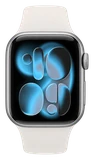











































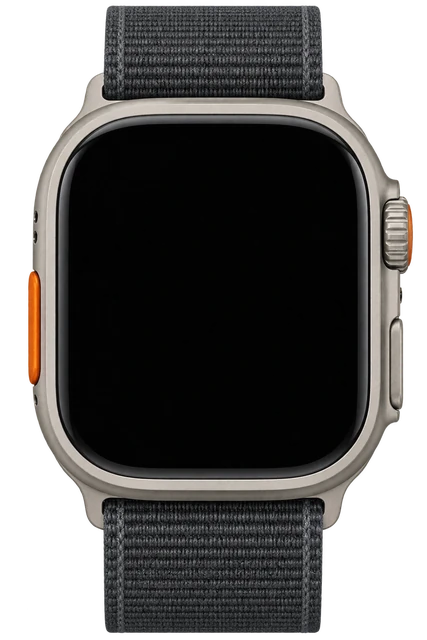
Apple Watch Series 12

Apple Watch Series 12Price, Where to Buy & What Changed

Last updated

Apple Watch Series 12 ships September 18 at $399. It carries the first new watch chip since 2023, watchOS 27’s rebuilt Siri on the wrist, and a readiness score that weighs training load, vitals and sleep. Blood pressure monitoring did not arrive.
Released
Sep 18, 2026
Price
$399
DESIGN
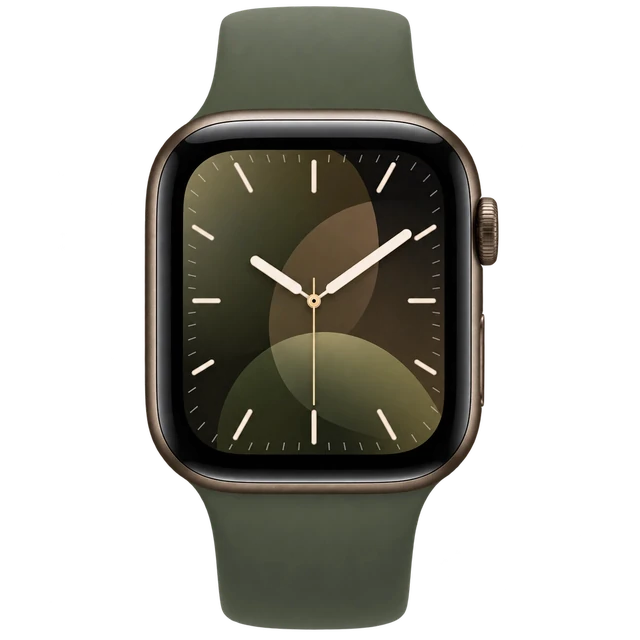
Same rounded-square case in 42mm and 46mm
When to buy
A new version probably isn't soon 
OCT 7 · LATEST ON APPLE WATCH SERIES 12
Apple Watch Series 12 is slightly easier to repair, but iFixit still gives it a 4 out of 10

Apple made the Series 12 a little easier to repair and left the Ultra 4 alone. On both, the glued screen still comes off first.

Read the story →

Best for

Health.
It measures your heart rate every five seconds, all day long.
Fitness.
Workout Buddy now works on the watch when your iPhone is not nearby.
Sleep.
It tracks your sleep stages through the night.Our own judgement. No single source states this.

Ask about the Apple Watch Series 12

Comparison

Compare watches

How it compares

Cost over 3 years

$399

Device price plus up to three years of optional subscription.

Weight

32–53g

Grams on your wrist. Lower is lighter.

Battery life

~1 day

How long it lasts on its own, away from a charger.

Cost over 3 years

Apple Watch Series 12
$399
Samsung Galaxy Watch 8
$349
Pixel Watch 4
$349 → $709
Samsung Galaxy Watch 9
$379.99
Apple Watch Series 11
$399

DeviceOptional subscription

Case only, without a strap, as the maker quotes it.

Battery life can vary based on usage, settings and firmware version.

If not this one

Apple Watch Series 12 is our pick for health, fitness and cycle tracking. Where it does not lead, here is what does, and why you would switch.

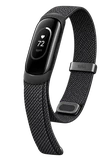
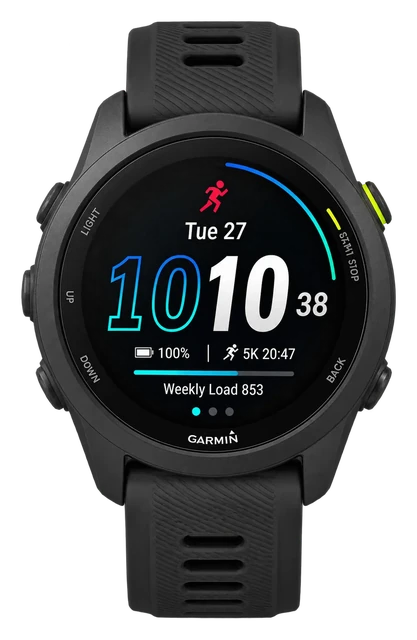
  • If you mostly runGarmin Forerunner

    This is Garmin's GPS running-watch line.

    $249.99
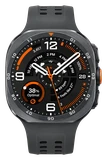
  • If you spend real time outdoorsAmazfit T-Rex

    Titanium, sapphire, a flashlight and a cold-weather mode for long trips.

    $649.99
  • If you need directions without the phoneAmazfit T-Rex Dual Solar

    Plan routes on the watch from preloaded maps.

    $649.99

Most paired with

Everything it works with

What the Apple Watch works with

A smartwatch that works with iPhone. It does not work with Android.

Can you use an Apple Watch with an Android phone?

Doesn't work

It requires an iPhone for normal setup and use.

Apple requires an iPhone 11 or later with iOS 27 or later. An Android phone cannot replace the required iPhone and Watch app setup path.

See details and sources (1)
  • Apple: Set up your Apple WatchFrom the maker or platform · checked 2026-09-21
    To set up Apple Watch Series 12 and Apple Watch Ultra 4, you need an iPhone 11 or later with iOS 27 or later.
    Make sure your iPhone has Bluetooth turned on, and it's connected to Wi-Fi or a mobile network.

Last checked 2026-09-21.

Does the Apple Watch work with Pixel and other Android phones?

Doesn't work

Pixel and other Android phones cannot replace the required iPhone.

Normal setup requires an iPhone 11 or later with iOS 27 or later. Android phones cannot replace the required iPhone and Watch app setup path.

See details and sources (1)
  • Apple: Set up your Apple WatchFrom the maker or platform · checked 2026-09-21
    To set up Apple Watch Series 12 and Apple Watch Ultra 4, you need an iPhone 11 or later with iOS 27 or later.
    Make sure your iPhone has Bluetooth turned on, and it's connected to Wi-Fi or a mobile network.
    If asked, enter your Apple Account password.

Last checked 2026-09-21.

Does the Apple Watch work with iPhone?

Works

With an iPhone 11 or later running iOS 27 or later.

You need Bluetooth on and Wi-Fi or mobile data during setup. The iPhone handles pairing, the Watch app, Apple Account services, and Health and Fitness integration.

See details and sources (1)
  • Apple: Set up your Apple WatchFrom the maker or platform · checked 2026-09-21
    To set up Apple Watch Series 12 and Apple Watch Ultra 4, you need an iPhone 11 or later with iOS 27 or later.
    Make sure your iPhone has Bluetooth turned on, and it's connected to Wi-Fi or a mobile network.

Last checked 2026-09-21.

Does the Apple Watch work with Samsung phones?

Doesn't work

A Samsung Galaxy phone cannot replace the required iPhone.

Normal setup requires an iPhone 11 or later with iOS 27 or later. There is no Galaxy-specific alternative to the iPhone and Watch app setup path.

See details and sources (1)
  • Apple: Set up your Apple WatchFrom the maker or platform · checked 2026-09-21
    To set up Apple Watch Series 12 and Apple Watch Ultra 4, you need an iPhone 11 or later with iOS 27 or later.
    Make sure your iPhone has Bluetooth turned on, and it's connected to Wi-Fi or a mobile network.
    If asked, enter your Apple Account password.

Last checked 2026-09-21.

Can you connect the Apple Watch to a Mac?

With a limit

It can unlock and approve passwords on a compatible Mac, but a Mac cannot replace the required iPhone.

The Mac and watch need the same Apple Account, two-factor authentication, Wi-Fi, Bluetooth and a watch passcode. Normal Series 12 setup still requires an iPhone 11 or later with iOS 27 or later.

See details and sources (2)
  • Apple: Set up your Apple WatchFrom the maker or platform · checked 2026-09-21
    To set up Apple Watch Series 12 and Apple Watch Ultra 4, you need an iPhone 11 or later with iOS 27 or later.
    Make sure your iPhone has Bluetooth turned on, and it's connected to Wi-Fi or a mobile network.
    If asked, enter your Apple Account password.
  • Apple: Unlock your Mac with Apple WatchFrom the maker or platform · checked 2026-09-21
    Your Apple Watch can instantly unlock your Mac when it wakes from sleep.

Last checked 2026-09-21.

Quick answers

All FAQs

Quick answers

How much does Apple Watch Series 12 cost?
$399 in the US, for the 42mm aluminium GPS model. Larger sizes, cellular, titanium and ceramic cost more.
Does Series 12 have blood pressure monitoring?
No. It gives you hypertension notifications instead, a feature Apple says is not intended for people under 22, those already diagnosed with hypertension, or pregnant people. No Apple Watch gives you a blood pressure reading.
Does Series 12 get Siri AI?
Yes. Siri AI arrives in beta with watchOS 27 on Monday 14 September, in English first, with French, Japanese, Korean, Portuguese and Spanish following in October. It is not available in the EU on watchOS at launch.

Get Apple Watch Series 12 updates

Email me when there's news.

Works with

Doesn't work

It requires an iPhone for normal setup and use.

Apple requires an iPhone 11 or later with iOS 27 or later. An Android phone cannot replace the required iPhone and Watch app setup path.

See details and sources (1)
  • Apple: Set up your Apple WatchFrom the maker or platform · checked 2026-09-21
    To set up Apple Watch Series 12 and Apple Watch Ultra 4, you need an iPhone 11 or later with iOS 27 or later.
    Make sure your iPhone has Bluetooth turned on, and it's connected to Wi-Fi or a mobile network.

Last checked 2026-09-21.

Works

Strava has an Apple Watch app.

Install Strava on your iPhone and it shows up on the watch. You can record runs and rides on the Apple Watch Series 12 and leave your phone at home.

See details and sources (1)
  • Strava: Strava Apple Watch AppFrom the maker or platform · checked 2026-09-21
    The Strava Apple Watch app supports watchOS 10.0 or later and iOS 17.0 or later.
    You can record activities on Apple Watch Series 4 or later without carrying your iPhone.

Last checked 2026-09-21.

Works

With an iPhone 11 or later running iOS 27 or later.

You need Bluetooth on and Wi-Fi or mobile data during setup. The iPhone handles pairing, the Watch app, Apple Account services, and Health and Fitness integration.

See details and sources (1)
  • Apple: Set up your Apple WatchFrom the maker or platform · checked 2026-09-21
    To set up Apple Watch Series 12 and Apple Watch Ultra 4, you need an iPhone 11 or later with iOS 27 or later.
    Make sure your iPhone has Bluetooth turned on, and it's connected to Wi-Fi or a mobile network.

Last checked 2026-09-21.

WorksWorked out from the maker's minimum

It works with iPhone 11 and later on iOS 27 or later.

  • iPhone 17: yes, with iOS 27 or later
  • iPhone 16: yes, with iOS 27 or later
  • iPhone 15: yes, with iOS 27 or later
  • iPhone 14: yes, with iOS 27 or later
  • iPhone 13: yes, with iOS 27 or later
  • iPhone 12: yes, with iOS 27 or later
  • iPhone 11: yes, with iOS 27 or later
  • Older than iPhone 11: no

Does the Apple Watch work with iPhone 13, iPhone 14, iPhone 15 or iPhone 16? Yes, as long as it runs iOS 27 or later. Worked out from the maker's stated minimum ("iPhone 11 or later"), not a separate test. See the sources.

See details and sources (1)
  • Apple: Set up your Apple WatchFrom the maker or platform · checked 2026-09-21
    To set up Apple Watch Series 12 and Apple Watch Ultra 4, you need an iPhone 11 or later with iOS 27 or later.
    Make sure your iPhone has Bluetooth turned on, and it's connected to Wi-Fi or a mobile network.

Last checked 2026-09-21.

Doesn't work

A Samsung Galaxy phone cannot replace the required iPhone.

Normal setup requires an iPhone 11 or later with iOS 27 or later. There is no Galaxy-specific alternative to the iPhone and Watch app setup path.

See details and sources (1)
  • Apple: Set up your Apple WatchFrom the maker or platform · checked 2026-09-21
    To set up Apple Watch Series 12 and Apple Watch Ultra 4, you need an iPhone 11 or later with iOS 27 or later.
    Make sure your iPhone has Bluetooth turned on, and it's connected to Wi-Fi or a mobile network.
    If asked, enter your Apple Account password.

Last checked 2026-09-21.

With a limit

It can unlock and approve passwords on a compatible Mac, but a Mac cannot replace the required iPhone.

The Mac and watch need the same Apple Account, two-factor authentication, Wi-Fi, Bluetooth and a watch passcode. Normal Series 12 setup still requires an iPhone 11 or later with iOS 27 or later.

See details and sources (2)
  • Apple: Set up your Apple WatchFrom the maker or platform · checked 2026-09-21
    To set up Apple Watch Series 12 and Apple Watch Ultra 4, you need an iPhone 11 or later with iOS 27 or later.
    Make sure your iPhone has Bluetooth turned on, and it's connected to Wi-Fi or a mobile network.
    If asked, enter your Apple Account password.
  • Apple: Unlock your Mac with Apple WatchFrom the maker or platform · checked 2026-09-21
    Your Apple Watch can instantly unlock your Mac when it wakes from sleep.

Last checked 2026-09-21.

Doesn't work

Pixel and other Android phones cannot replace the required iPhone.

Normal setup requires an iPhone 11 or later with iOS 27 or later. Android phones cannot replace the required iPhone and Watch app setup path.

See details and sources (1)
  • Apple: Set up your Apple WatchFrom the maker or platform · checked 2026-09-21
    To set up Apple Watch Series 12 and Apple Watch Ultra 4, you need an iPhone 11 or later with iOS 27 or later.
    Make sure your iPhone has Bluetooth turned on, and it's connected to Wi-Fi or a mobile network.
    If asked, enter your Apple Account password.

Last checked 2026-09-21.

With a limit

With supported Bluetooth sensors and compatible GymKit equipment.

Apple supports Bluetooth heart-rate monitors, cycling accessories and power meters, plus compatible GymKit treadmills, ellipticals, indoor bikes and other equipment. Apple has not stated current ANT+ support in the first-party material used here, so ANT+ remains unknown.

See details and sources (3)

Last checked 2026-09-21.

Show all 16Show fewer
Works

MyFitnessPal has an Apple Watch app.

The MyFitnessPal app works on Apple Watch with watchOS 10 or later. The Apple Watch Series 12 can run it.

See details and sources (1)

Last checked 2026-09-21.

With a limit

But watch playback needs Premium.

Spotify has an Apple Watch app. With Premium you can stream and save music on the Apple Watch Series 12. Free users can only use it as a remote.

See details and sources (1)
  • Spotify: Spotify on Apple WatchFrom the maker or platform · checked 2026-09-21
    Play from your wrist with Spotify on Apple Watch.
    (Premium only) Listen directly from your Watch - online and offline
    Free service customers cannot stream directly to or listen offline on their Watch.

Last checked 2026-09-21.

With a limit

WhatsApp has an Apple Watch app.

WhatsApp works on Apple Watch Series 4 or newer. Your chats sync from your iPhone, so keep it nearby when you set it up.

See details and sources (1)

Last checked 2026-09-21.

With a limit

But what you can do varies by app.

Strava can record on the watch, Spotify can play or control audio, WhatsApp has a watch app, and Google Maps can show directions. Some features still need the iPhone app, and Spotify direct or offline playback requires Premium.

See details and sources (4)

Last checked 2026-09-21.

With a limit

With Apple Pay where it is available.

You need a supported card from a participating card issuer. Apple Pay is not available in every market, and bank and card support varies.

See details and sources (3)

Last checked 2026-09-21.

Set it up and manage it in the Apple Watch app; Fitness+ is optional and separate.

  1. Pair the watch with a compatible iPhone and manage it in the Apple Watch app.
  2. Use an Apple Account for account-backed Apple services.
  3. Subscribe to Apple Fitness+ only if you want its workouts and meditations.

The Apple Watch app on a compatible iPhone handles setup and management, and an Apple Account is used for Apple services. Apple Fitness+ is a separate subscription for workouts and meditations, and its availability varies by country or region.

See details and sources (3)
  • Apple: Set up your Apple WatchFrom the maker or platform · checked 2026-09-21
    To set up Apple Watch Series 12 and Apple Watch Ultra 4, you need an iPhone 11 or later with iOS 27 or later.
    Make sure your iPhone has Bluetooth turned on, and it's connected to Wi-Fi or a mobile network.
    If asked, enter your Apple Account password.
  • Apple: Sign in to your Apple Account on the web or in your device settingsFrom the maker or platform · checked 2026-09-21
    If you're already signed in on the iPhone paired with your Apple Watch, you will automatically be signed in to that Apple Account on your watch.
  • Apple: How to subscribe to Apple Fitness+From the maker or platform · checked 2026-09-21
    Subscribe to Apple Fitness+ to access video and audio workouts and meditations.
    Apple Fitness+ availability might vary by country or region.

Last checked 2026-09-21.

With a limit

Band compatibility depends on the Series 12 case size and the band family.

Current 42mm bands list compatibility with 38mm, 40mm, 41mm and 42mm watches, while current 46mm bands list 44mm, 45mm, 46mm and 49mm watches. Older large-case 42mm bands can be confusing because today's 42mm case belongs to the small-size family, so check the exact band's compatibility instead of relying on the printed size alone.

See details and sources (2)

Last checked 2026-09-21.

Works

Find My can locate and protect the watch.

You can locate the watch, play a sound, mark it lost, erase it remotely, use Notify When Found and use Activation Lock. Availability can vary by country or region.

See details and sources (1)

Last checked 2026-09-21.

Most paired with

Can you use an Apple Watch with an Android phone?

Doesn't work

It requires an iPhone for normal setup and use.

Apple requires an iPhone 11 or later with iOS 27 or later. An Android phone cannot replace the required iPhone and Watch app setup path.

See details and sources (1)
  • Apple: Set up your Apple WatchFrom the maker or platform · checked 2026-09-21
    To set up Apple Watch Series 12 and Apple Watch Ultra 4, you need an iPhone 11 or later with iOS 27 or later.
    Make sure your iPhone has Bluetooth turned on, and it's connected to Wi-Fi or a mobile network.

Last checked 2026-09-21.

Does the Apple Watch work with Pixel and other Android phones?

Doesn't work

Pixel and other Android phones cannot replace the required iPhone.

Normal setup requires an iPhone 11 or later with iOS 27 or later. Android phones cannot replace the required iPhone and Watch app setup path.

See details and sources (1)
  • Apple: Set up your Apple WatchFrom the maker or platform · checked 2026-09-21
    To set up Apple Watch Series 12 and Apple Watch Ultra 4, you need an iPhone 11 or later with iOS 27 or later.
    Make sure your iPhone has Bluetooth turned on, and it's connected to Wi-Fi or a mobile network.
    If asked, enter your Apple Account password.

Last checked 2026-09-21.

Does the Apple Watch work with iPhone?

Works

With an iPhone 11 or later running iOS 27 or later.

You need Bluetooth on and Wi-Fi or mobile data during setup. The iPhone handles pairing, the Watch app, Apple Account services, and Health and Fitness integration.

See details and sources (1)
  • Apple: Set up your Apple WatchFrom the maker or platform · checked 2026-09-21
    To set up Apple Watch Series 12 and Apple Watch Ultra 4, you need an iPhone 11 or later with iOS 27 or later.
    Make sure your iPhone has Bluetooth turned on, and it's connected to Wi-Fi or a mobile network.

Last checked 2026-09-21.

Does the Apple Watch work with Samsung phones?

Doesn't work

A Samsung Galaxy phone cannot replace the required iPhone.

Normal setup requires an iPhone 11 or later with iOS 27 or later. There is no Galaxy-specific alternative to the iPhone and Watch app setup path.

See details and sources (1)
  • Apple: Set up your Apple WatchFrom the maker or platform · checked 2026-09-21
    To set up Apple Watch Series 12 and Apple Watch Ultra 4, you need an iPhone 11 or later with iOS 27 or later.
    Make sure your iPhone has Bluetooth turned on, and it's connected to Wi-Fi or a mobile network.
    If asked, enter your Apple Account password.

Last checked 2026-09-21.

Can you connect the Apple Watch to a Mac?

With a limit

It can unlock and approve passwords on a compatible Mac, but a Mac cannot replace the required iPhone.

The Mac and watch need the same Apple Account, two-factor authentication, Wi-Fi, Bluetooth and a watch passcode. Normal Series 12 setup still requires an iPhone 11 or later with iOS 27 or later.

See details and sources (2)
  • Apple: Set up your Apple WatchFrom the maker or platform · checked 2026-09-21
    To set up Apple Watch Series 12 and Apple Watch Ultra 4, you need an iPhone 11 or later with iOS 27 or later.
    Make sure your iPhone has Bluetooth turned on, and it's connected to Wi-Fi or a mobile network.
    If asked, enter your Apple Account password.
  • Apple: Unlock your Mac with Apple WatchFrom the maker or platform · checked 2026-09-21
    Your Apple Watch can instantly unlock your Mac when it wakes from sleep.

Last checked 2026-09-21.

What you need

Does the Apple Watch work with iPhone?

Works

With an iPhone 11 or later running iOS 27 or later.

You need Bluetooth on and Wi-Fi or mobile data during setup. The iPhone handles pairing, the Watch app, Apple Account services, and Health and Fitness integration.

See details and sources (1)
  • Apple: Set up your Apple WatchFrom the maker or platform · checked 2026-09-21
    To set up Apple Watch Series 12 and Apple Watch Ultra 4, you need an iPhone 11 or later with iOS 27 or later.
    Make sure your iPhone has Bluetooth turned on, and it's connected to Wi-Fi or a mobile network.

Last checked 2026-09-21.

Can you connect the Apple Watch to a Mac?

With a limit

It can unlock and approve passwords on a compatible Mac, but a Mac cannot replace the required iPhone.

The Mac and watch need the same Apple Account, two-factor authentication, Wi-Fi, Bluetooth and a watch passcode. Normal Series 12 setup still requires an iPhone 11 or later with iOS 27 or later.

See details and sources (2)
  • Apple: Set up your Apple WatchFrom the maker or platform · checked 2026-09-21
    To set up Apple Watch Series 12 and Apple Watch Ultra 4, you need an iPhone 11 or later with iOS 27 or later.
    Make sure your iPhone has Bluetooth turned on, and it's connected to Wi-Fi or a mobile network.
    If asked, enter your Apple Account password.
  • Apple: Unlock your Mac with Apple WatchFrom the maker or platform · checked 2026-09-21
    Your Apple Watch can instantly unlock your Mac when it wakes from sleep.

Last checked 2026-09-21.

Can you connect the Apple Watch to a Mac?

With a limit

It can unlock and approve passwords on a compatible Mac, but a Mac cannot replace the required iPhone.

The Mac and watch need the same Apple Account, two-factor authentication, Wi-Fi, Bluetooth and a watch passcode. Normal Series 12 setup still requires an iPhone 11 or later with iOS 27 or later.

See details and sources (2)
  • Apple: Set up your Apple WatchFrom the maker or platform · checked 2026-09-21
    To set up Apple Watch Series 12 and Apple Watch Ultra 4, you need an iPhone 11 or later with iOS 27 or later.
    Make sure your iPhone has Bluetooth turned on, and it's connected to Wi-Fi or a mobile network.
    If asked, enter your Apple Account password.
  • Apple: Unlock your Mac with Apple WatchFrom the maker or platform · checked 2026-09-21
    Your Apple Watch can instantly unlock your Mac when it wakes from sleep.

Last checked 2026-09-21.

Supports

With a limit

It can be a digital car key.

In cars that support Apple Wallet car keys, you can hold the Apple Watch Series 12 near the reader to unlock and start the car. Check with your carmaker first.

See details and sources (1)

Last checked 2026-09-21.

With a limit

On cellular-capable models with an eligible carrier plan.

Cellular models can use 4G LTE and 5G where available for calls, messages, notifications and data away from the iPhone. Normal paired-watch service uses the same carrier as the iPhone, while Apple Watch For Your Kids can use a different carrier. Carrier, roaming, 5G and regional support vary.

See details and sources (2)
  • Apple: Apple Watch Series 12 - Technical SpecificationsFrom the maker or platform · checked 2026-09-21
    Support for Apple Watch For Your Kids
    15 minutes for up to 12 hours of normal use
  • Apple: Set up cellular on Apple WatchFrom the maker or platform · checked 2026-09-21
    Make sure you have an eligible cellular service plan with a supported carrier.
    * An Apple Watch that you set up using Apple Watch For Your Kids (formerly known as Family Setup) can use a different carrier than your iPhone uses.
    If you have Apple Watch Series 11 and later, Apple Watch SE 3, or Apple Watch Ultra 3 and later, your watch can connect to 4G LTE and 5G networks, where available.
    5G connectivity requires a cellular plan with a participating carrier.
    Unlike iPhone, there isn't a worldwide Apple Watch model that supports all cellular bands used globally.

Last checked 2026-09-21.

With a limit

The features are supported, but availability depends on age, region and other requirements.

The current Apple Watch platform supports ECG, irregular-rhythm notifications, sleep-apnea notifications, Blood Oxygen and hypertension notifications where allowed. Some features have age, iPhone, purchase-location or regulatory limits, and hypertension notifications may not yet be cleared for Series 12 in every region. Apple's hypertension workflow uses a third-party blood pressure cuff for the actual blood pressure measurements.

See details and sources (6)
  • Apple: Apple Watch Series 12 - Technical SpecificationsFrom the maker or platform · checked 2026-09-21
    Supports RedCap for 5G and LTE
    Support for Apple Watch For Your Kids
    Up to 80% charge in about 30 minutes
    15 minutes for up to 12 hours of normal use
    Connection to cycling accessories via Bluetooth
  • Apple: Hypertension notifications on your Apple WatchFrom the maker or platform · checked 2026-09-21
    Hypertension Notifications might not be available on Apple Watch Series 12 or Apple Watch Ultra 4 in your region, as additional regulatory clearances for the feature for these models are in process.
    An iPhone 11 or later with the latest version of iOS.
    You must be 22 years or older, not pregnant, and have not been diagnosed with hypertension.
    You will also be prompted to set up a Blood Pressure Log and use a third-party blood pressure cuff to measure and track your blood pressure for 7 days.
  • Apple: Take an ECG with the ECG app on Apple WatchFrom the maker or platform · checked 2026-09-21
    Make sure that the ECG app is available in your country or region.
  • Apple: Heart health notifications on your Apple WatchFrom the maker or platform · checked 2026-09-21
    Make sure that notifications are available in your country or region.
    These notifications are not designed for people who have been diagnosed with AFib.
    These notifications are not intended for use by people under 22 years old.
  • Apple: Sleep apnea notifications on your Apple WatchFrom the maker or platform · checked 2026-09-21
    Sleep apnea notifications are intended for use by people 18 years or older who have not been diagnosed with sleep apnea.
  • Apple: Measure blood oxygen levels with the Blood Oxygen appFrom the maker or platform · checked 2026-09-21
    Make sure the Blood Oxygen app is available in your country or region.
    For models of Apple Watch purchased in the United States on or after January 18, 2024 with part numbers ending in LW/A or LS/A, the Blood Oxygen data analysis is performed on iPhone
    The Blood Oxygen app is not available for use by people under 18 years old.

Last checked 2026-09-21.

With a limit

Yes over Wi-Fi or cellular, but some messages still depend on the paired iPhone.

The watch can receive notifications and send or receive messages when it has Wi-Fi or cellular. For SMS, MMS and third-party push notifications on a cellular watch, the paired iPhone must stay powered on and connected to Wi-Fi or cellular, though it does not need to be nearby.

See details and sources (2)
  • Apple: Set up your Apple WatchFrom the maker or platform · checked 2026-09-21
    To set up Apple Watch Series 12 and Apple Watch Ultra 4, you need an iPhone 11 or later with iOS 27 or later.
    Make sure your iPhone has Bluetooth turned on, and it's connected to Wi-Fi or a mobile network.
  • Apple: Use your Apple Watch without your iPhone nearbyFrom the maker or platform · checked 2026-09-21
    With a Wi-Fi or cellular connection, your Apple Watch can do the following things, even if your iPhone isn't with you.
    MMS, or push notifications from third-party apps on your cellular Apple Watch, your paired iPhone must be powered on and connected to Wi-Fi or cellular, but it doesn't need to be nearby.

Last checked 2026-09-21.

With a limit

For a family member who does not have their own iPhone.

A parent, guardian or organizer needs an iPhone, Apple Accounts for both people, and a Family Sharing group. A cellular plan is needed for some features. Some functions and third-party apps are limited, and carrier and regional availability vary.

See details and sources (2)
  • Apple: Set up cellular on Apple WatchFrom the maker or platform · checked 2026-09-21
    * An Apple Watch that you set up using Apple Watch For Your Kids (formerly known as Family Setup) can use a different carrier than your iPhone uses.
    Unlike iPhone, there isn't a worldwide Apple Watch model that supports all cellular bands used globally.
  • Apple: Set up Apple Watch for a family memberFrom the maker or platform · checked 2026-09-21
    Apple Watch For Your Kids, formerly known as Family Setup, lets family members who don't have their own iPhone enjoy the features and benefits of an Apple Watch.
    An Apple Account for yourself and one for the family member who will use the Apple Watch.
    A Family Sharing group that includes the person who will use the Apple Watch.
    A mobile data plan isn't required to set up an Apple Watch for a family member, but is necessary for some features.

Last checked 2026-09-21.

With a limit

With extra requirements for Siri AI features.

Regular Siri is built in. Siri AI on watchOS 27 requires a nearby Apple Intelligence-enabled iPhone and a supported language. Siri availability varies by country, region and language, and the checked Siri AI version is not available on watchOS in the EU or when the Apple Account region is China mainland.

See details and sources (2)
  • Apple: Find information with Siri on Apple WatchFrom the maker or platform · checked 2026-09-21
    You can use Siri to find information and get answers to your questions right on your Apple Watch.
    Siri isn't available in all countries, regions, or languages.
  • Apple: Requirements for Siri AI (Beta)From the maker or platform · checked 2026-09-21
    watchOS 27 on Apple Watch Series 9 or later, Apple Watch Ultra 2 or later, and Apple Watch SE 3, with an Apple Intelligence-enabled iPhone nearby
    Device language and Siri language set to English
    Siri AI is not available in the EU on iOS, iPadOS, or watchOS.
    Siri AI will not work in China mainland if your Apple Account region is in mainland China.

Last checked 2026-09-21.

With a limit

Emergency SOS is built in, but satellite contact requires a paired iPhone 14 or later.

Series 12 supports Emergency SOS, Crash Detection and Fall Detection. It does not have the Apple Watch Ultra 4's native satellite communications, but off-grid emergency contact can be attempted through a paired iPhone 14 or later. Satellite availability varies by region.

See details and sources (2)
  • Apple: Apple Watch Series 12 - Technical SpecificationsFrom the maker or platform · checked 2026-09-21
    Supports RedCap for 5G and LTE
    Support for Apple Watch For Your Kids
    Up to 80% charge in about 30 minutes
    15 minutes for up to 12 hours of normal use
    Connection to cycling accessories via Bluetooth
  • Apple: Manage Crash Detection on Apple WatchFrom the maker or platform · checked 2026-09-21
    To contact emergency services, your Apple Watch or nearby iPhone needs a cellular connection or Wi-Fi calling with an internet connection.
    If you're off the grid without cellular and Wi-Fi coverage, Apple Watch can try to contact emergency services via satellite.

Last checked 2026-09-21.

With a limit

Some features depend on your country, region, language or carrier.

Core watch functions are broadly available, but health features, Siri AI, Apple Pay, cellular and satellite services can vary by location, language or carrier. Check Apple's current watchOS Feature Availability page for the feature you need.

See details and sources (4)
  • Apple: Countries and regions that support Apple PayFrom the maker or platform · checked 2026-09-21
    Apple Pay is not available in all markets.
  • Apple: Hypertension notifications on your Apple WatchFrom the maker or platform · checked 2026-09-21
    Hypertension Notifications might not be available on Apple Watch Series 12 or Apple Watch Ultra 4 in your region, as additional regulatory clearances for the feature for these models are in process.
  • Apple: Requirements for Siri AI (Beta)From the maker or platform · checked 2026-09-21
    watchOS 27 on Apple Watch Series 9 or later, Apple Watch Ultra 2 or later, and Apple Watch SE 3, with an Apple Intelligence-enabled iPhone nearby
    Device language and Siri language set to English
    Siri AI is not available in the EU on iOS, iPadOS, or watchOS.
    Siri AI will not work in China mainland if your Apple Account region is in mainland China.
  • Apple: watchOS Feature AvailabilityFrom the maker or platform · checked 2026-09-21
    Some watchOS features are not currently available in every region or language.

Last checked 2026-09-21.

How it works

Magnetically, with the Apple Watch Magnetic Fast Charger.

  1. Attach the Apple Watch Magnetic Fast Charger to the watch.
  2. Use the included A3277 charger with suitable USB-C power for the fastest charging.
  3. Older Apple Watch chargers can also charge it, but more slowly.

For the fastest charging, use the included A3277 charger with suitable USB-C power. Apple says it can reach up to 80% in about 30 minutes, and 15 minutes can provide up to 12 hours of normal use. Older Apple Watch chargers also work, but more slowly.

See details and sources (2)
  • Apple: Apple Watch Series 12 - Technical SpecificationsFrom the maker or platform · checked 2026-09-21
    Up to 80% charge in about 30 minutes
    15 minutes for up to 12 hours of normal use
    Connection to cycling accessories via Bluetooth
  • Apple: Identify authentic and certified Apple Watch chargersFrom the maker or platform · checked 2026-09-21
    It's best to use the charger that came in the box with your Apple Watch, since that charger is guaranteed to provide the fastest charging speeds for your particular Apple Watch model.
    For example, the charger that comes with Apple Watch Series 12 and Apple Watch Ultra 4 charges those models faster than older chargers.
    look for model number A3277 printed on the part of the USB-C plug that you insert into your computer or power adapter.

Last checked 2026-09-21.

Jan 13, 2025 · First sign of it
Series 11 reporting points to an iterative housing update
Wareable reported, citing Mark Gurman’s Power On newsletter, that Apple Watch Series 11 was expected to keep the broad Series 10 design rather than undergo another wholesale redesign. That established an early expectation that the 2025 generation would focus on internal and display changes instead of a new case shape.
Sep 18, 2026 · On sale
Apple Watch Series 12 goes on sale
Apple Watch Series 12 goes on sale. Apple's announcement states availability in stores beginning Friday, September 18.
Sep 20, 2024 · Went on sale
Apple Watch Series 10 launched with the largest display and thinnest case to date
Apple Watch Series 10 launched in 2024 with the largest display and thinnest case in Watch history, adding a jet black aluminium option and faster charging.
Aug 13, 2025 · Design and hardware
Leaked Apple code points to S11 reusing the S9/S10 architecture
MacRumors reported that leaked internal Apple information tied the S11 system-in-package to the same T8310 CPU architecture used by the S9 and S10. The report suggested little processor-performance change even if Apple altered other parts of the package.
Aug 19, 2025 · First sign of it
Macworld code leak reveals Touch ID reference and new Watch8 chip family
Macworld discovered a reference to Touch ID, internally codenamed AppleMesa, in Apple's internal code, alongside a new chip codename, Watch8, with processor designation T8320. It was the first sign of new silicon after three generations on the same S10 chip across Series 9, 10, and 11.
Sep 5, 2025 · Design and hardware
Late reporting says the familiar design gets a brighter display
MacRumors reported on Bloomberg’s last pre-event details that Series 11 would retain the previous generation’s overall design while increasing maximum display brightness. The same report also pointed to 5G RedCap support and an S11 chip.
Sep 9, 2025 · Announced
Apple announces Series 11 and confirms sleep score
Apple formally announced Apple Watch Series 11 and introduced sleep score as a new health feature. The announcement moved the product from pre-launch reporting to confirmed specifications and availability.
Sep 19, 2025 · Went on sale
Apple Watch Series 11 launched with 5G and longer battery, same S10 chip
Series 11 added 5G and 24-hour battery life but ran the same S10 chip as Series 10 and Ultra 3. Reviewers folded Series 11 and Ultra 3 into combined coverage, with the shared silicon making it the third consecutive generation without a new processor.
Sep 19, 2025 · Went on sale
Apple Watch Series 11 reaches customers
Apple Watch Series 11 went on sale on September 19 after the September 9 announcement and preorder period. That date marks the transition from announced product to a shipping generation.
Nov 2025 · Design and hardware
Instant Digital: no radical design changes for 2026 Watch lineup
Weibo leaker Instant Digital reported in November 2025 that the 2026 Apple Watch lineup would not see radical design changes, with the case shape, flat display, and Digital Crown carrying forward. A full redesign was not expected before 2028.
Dec 2025 · Design and hardware
iOS 26 code leak revealed Series 12 codenames N237 and N238
A pre-release iOS 26 build leaked in December 2025 contained codename references N237 and N238 for the Wi-Fi and cellular Series 12 variants. Apple Watch Ultra 4 appeared separately as N240, pointing to a coordinated 2026 refresh.
May 2026 · Turned out to be wrong
Touch ID dropped, Apple chose battery capacity instead
Leaker Instant Digital reported in May 2026 that Apple dropped Touch ID from Series 12 after the hardware complexity proved too costly in battery space. Gurman had not confirmed Touch ID was ever planned for this cycle.
Jul 3, 2026 · Design and hardware
Kosutami: Series 12 may get a health sensor embedded in its silicone band (injection-molded)
Low-confidence claim: AppleInsider rates it only "possible," and notes this leaker's track record is weaker specifically on Apple Watch topics, including a prior wrong claim about band-attachment mechanisms.
Sep 9, 2026 · Announced
Apple announces Apple Watch Series 12 and the Health Sensing System
The S11 chip drives a new Health Sensing System with higher-frequency heart rate and HRV measurement and a readiness score. Everyday battery life stays at 24 hours; outdoor workout battery rises to 10 hours. No Touch ID. $399, pre-order the same day, in stores 18 September.

At a glance

Apple Watch Series 12CURRENT MODELApple Watch Series 12Apple Watch Series 11PREVIOUS MODELApple Watch Series 11
Display
LTPO3 OLED, 2,000 nitsConfirmed: Apple · Sep 9, 2026Ceramic Shield 2 on aluminium
LTPO OLED, 2,000 nitsReported: Apple · Jul 11, 2026
Battery
Up to 24 hrs (38 hrs Low Power Mode)Confirmed: Apple · Sep 9, 2026
Up to 24 hrsConfirmed: Apple · Jul 11, 2026
Works with
iPhone only
iPhone only
Water resistance
WR50MConfirmed: Apple · Sep 9, 2026IP6X
WR50MConfirmed: Apple · Jul 11, 2026IP6X
Price
From $399
$259.99 (regularly $399)
Weight
31.5–52.9g (by size/material)Confirmed: Apple · Sep 9, 2026
29.7–43.1g (by size/material)Confirmed: Apple · Jul 15, 2026
Materials
42mm / 46mmConfirmed: Apple · Sep 9, 2026aluminium, titanium or ceramic; eight finishes
Rounded square aluminium/titaniumReported: Apple · Jul 11, 2026
Show 2 more specifications
Blood glucose
NoReported: Apple · Sep 9, 2026
No
Satellite
NoConfirmed: Apple · Sep 9, 2026
No
More specs
Processor
Apple S11 (64-bit dual-core, 4-core Neural Engine, 64GB)Confirmed: Apple · Sep 9, 2026
S10Confirmed: Apple · Jul 11, 2026
Software
watchOS 27Confirmed: Apple · Sep 9, 2026
watchOS 26Confirmed: Apple Newsroom · Jul 11, 2026
Connectivity
5G RedCap + LTE + Wi-FiConfirmed: Apple · Sep 9, 2026
5G + Wi-FiConfirmed: Apple · Jul 11, 2026
AI
Siri AI on watch (watchOS 27 beta)Confirmed: Apple · Sep 9, 2026
On-device (basic)Reported: Apple · Jul 11, 2026AI Siri needs iPhone

Buying decision

Apple Watch Series 12
Buy now
Apple

Apple Watch Series 12

Just came out

It came out September 18, 2026, and new products rarely go on sale this soon.

No new model soon

We don't expect a newer model soon, so there's no reason to wait for one.

About Apple

Apple makes the iPhone, Apple Watch and AirPods, and is known for hardware and software designed to work together.

Visit Apple

Returns and warranty

Returns

14-day returns· the clock starts the day it arrives

  • Send it back like new

    Return it in its original condition with all included parts, accessories and packaging.

  • How you get your money back
    Card refunds go to your bank within five business days after Apple receives the item.
    Returns may be inspected; approved refunds or exchanges are issued within 10 business days. Cash returns over $750 are paid by check within 10 business days.

Warranty

1-year warranty· starts the day you buy it

Covered

  • Defects in materials and workmanship

    Apple Watch is covered against defects in materials and workmanship for one year from the date of original retail purchase, under a separate Apple Watch warranty document.

  • Battery covered only for defects
    The standard warranty covers a battery only if it fails from a defect.
    The 80 percent rule belongs to AppleCare, not to the free warranty: AppleCare plans cover batteries that keep less than 80% of their original capacity.

Not covered

  • Water damage

    Apple says Apple Watch water resistance is not permanent, can diminish over time, and cannot be rechecked or resealed.

  • Accidents and misuse
    Damage caused by accident, abuse, misuse, fire, earthquake or other external cause is not covered (iPhone, Vision Pro, Apple Watch).
    The AirPods warranty excludes damage from abuse, accident, modifications or unauthorized repairs.
  • Scratches and dents

    Cosmetic damage such as scratches, dents and broken plastic on ports is not covered unless it comes from a defect.

  • Normal wear and aging

    Defects caused by normal wear and tear or normal aging are not covered.

  • Repairs by other shops

    Damage from service by anyone who is not Apple or an Apple Authorized Service Provider is not covered.

  • Add AppleCare+ or AppleCare One

    AppleCare+ fees for Apple Watch: $69 accidental damage, $119 theft and loss.

  • How it gets fixed
    Apple chooses to repair, replace with the same model (or a similar one with your consent), or refund the purchase price.
    For mail-in service Apple sends prepaid waybills and pays shipping both ways if you follow its packing instructions.

Good to know

  • Activation Lock / Find My

    If the security features are on and cannot be turned off by the person returning it, Apple may refuse the return.

  • Opened software

    Opened software, software downloads and gift cards cannot be returned.

What's in the box

What comes in the box with the Apple Watch Series 12?

Some things change with the version you buy. Here is what you get.

We could only confirm part of what ships.

Apple Watch Series 12
Apple Watch Magnetic Fast Charger to USB-C Cable

Also in the Sport Band version

Sport Band

From Apple's pages 1, 2. Checked Sep 22, 2026.

When to buy

On sale since Sep 18, and no new model is close. Buy it if you want it.

Last 30 daysNo change$399 since Sep 18
Stores we check3Walmart is cheapest
Price checks64 over 30 days
How we read this
  • We read store prices every day and keep every read. The price shown is the newest read from the retailer named.
  • A read older than 36 hours is never shown as the current price. It reads "last seen" and carries no buy link.
  • “30-day low” is the lowest of our own reads for this product in the last 30 days, not a retailer’s claim. We print the number of reads beside it, and we say nothing about a low until a product has a week of reads.
  • “Lowest known”, where it appears, is older price history from published reports and imports. It is shown only when it is lower than the 30-day low, and it is not counted as reads.
  • The verdict is worked out from the price, the history and whether a newer model is coming. It never depends on who pays us.

Current offers

Walmart
$399
—
Buy
Best Buy
$399
—
Buy
Apple
$399
—
Buy

We may earn a commission when you buy through these links.

Discount history

Discount below listEstimated reading

30%20%10%list30%20%10%list

8 discounts in the last twelve months. The deepest took Apple Watch Series 11 to $299, 25% off the $399 list price, in Dec 2025.

Reveal to on sale

How long after the reveal can you actually buy one?

Apple Watch (1st gen)227 days
Apple Watch Series 19 days
Apple Watch Series 29 days
Apple Watch Series 310 days
Apple Watch Series 49 days
Apple Watch Series 510 days

Five of the six went on sale 9 or 10 days after being revealed. Apple Watch (1st generation) is the exception, at 227 days.

Available nowApple Watch Ultra 4UnknownGuide News
Available nowPixel Watch 5$399Guide News
Available nowSamsung Galaxy Watch 9$349+Guide News
Available nowSamsung Galaxy Watch Ultra 2$699Guide News

Frequently asked questions

Questions about Apple Watch Series 12

Top questions

How much does Apple Watch Series 12 cost?
$399 in the US, for the 42mm aluminium GPS model. Larger sizes, cellular, titanium and ceramic cost more.
Does Series 12 have blood pressure monitoring?
No. It gives you hypertension notifications instead, a feature Apple says is not intended for people under 22, those already diagnosed with hypertension, or pregnant people. No Apple Watch gives you a blood pressure reading.
Does Series 12 get Siri AI?
Yes. Siri AI arrives in beta with watchOS 27 on Monday 14 September, in English first, with French, Japanese, Korean, Portuguese and Spanish following in October. It is not available in the EU on watchOS at launch.
Does Apple Watch Series 12 have Touch ID?
No. Apple's hardware list for Series 12 is the Digital Crown, a microphone, the side button, the band release button, the speaker and the Health Sensing System. There is no fingerprint reader. You unlock it with your passcode or your iPhone.
Does Series 12 look different from Series 11?
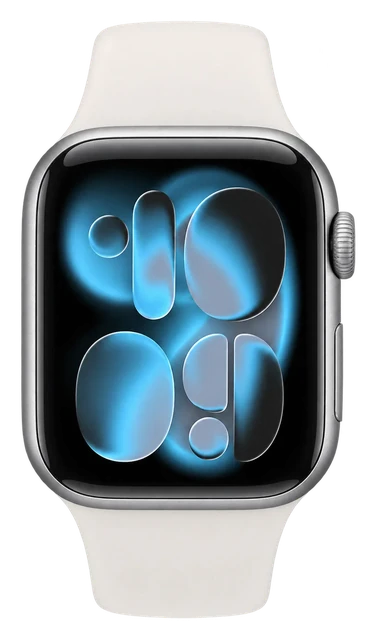
Same shape, more finishes. It comes in 42mm and 46mm as before, and now in eight finishes across three materials: dark bronze, light gold, black and space gray aluminium, radiant gold and natural titanium, and a returning ceramic in pearl white and night blue. Aluminium cases get Ceramic Shield 2, titanium and ceramic get sapphire.

Using it

How do I set it up?
To set up Apple Watch Series 12 and Apple Watch Ultra 4, you need an iPhone 11 or later with iOS 27 or later. Center the watch face in the viewfinder on your iPhone.
How do I reset it?
On your iPhone, open the Apple Watch app. Go to the My Watch tab and tap All Watches. Tap the info button next to the watch that you want to unpair. Tap Unpair Apple Watch. On your Apple Watch, open the Settings app. Tap General, then tap Reset. Tap Erase All Content and Settings.
How do I update it?
Open the Apple Watch app on your iPhone. Tap My Watch, go to General > Software Update, then, if an update is available, tap Download and Install. You can also go to the Settings app on your Apple Watch, tap General, then tap Software Update.
Does it read blood glucose?
No, it has no glucose sensor.
Does it track sleep apnea?
It looks for signs that you may be at risk. It is a signal to act on, not a diagnosis.
Does it work with my phone?
It works with an iPhone only. There is no Android app.
How much storage does it have?
It comes with 64GB of storage.
Does it do 5G?
Yes, it does 5G.
How heavy is it?
It weighs 31.5g to 52.9g. The weight varies by size or finish.
How sharp and bright is the screen?
The screen reaches 2000 nits at its brightest. It packs 326 pixels into every inch.
How thick is it?
It is 9.7mm thick.
What chip is inside?
It runs on S11.
Which AI assistant does it use?
It uses Siri powered by Apple Intelligence.
What software does it run?
It runs watchOS 27.
What is it made of?
It is made of Aluminium, titanium or ceramic.
What kind of screen is it?
It uses always-on ltpo3 oled, 1hz refresh, 2,000 nits peak.
Does it track sleep stages?
Yes, it tracks your sleep stages.

Sizing and fit

What sizes does it come in?
Case sizes: 42 and 46. 42mm / 46mm; aluminium, titanium or ceramic; eight finishes
How do I pick the right size?
Note the number the arrows point to — that’s your band size.

Battery and charging

How do I look after the battery?
You can maximize battery life by turning on Low Power Mode or preventing apps from refreshing in the background. Low Power Mode turns off certain features, such as Always On Display, background heart rate and blood oxygen measurements, and heart rate notifications.
How do I charge it?
Leave your watch connected to its charger for a while.
How long does the battery last in normal use?
up to 24 hours of normal use Battery life varies by use, configuration, cellular network, signal strength, and many other factors; actual results will vary.
Battery low power mode hours?
Up to 38 hours in Low Power Mode
How long does the battery last in an outdoor workout?
Up to 10 hours outdoor workout
Battery fast charge?
Up to 80% charge in about 30 minutes 15 minutes for up to 12 hours of normal use 5 minutes for up to 10 hours of sleep tracking
How long does the battery last?
It runs 24 hours. That is 38 hours in low power mode, and 24 hours at most.

Water

How do I clean it?
Wipe your Apple Watch clean with a nonabrasive, lint-free cloth. If necessary, lightly dampen the cloth with fresh water. Dry your Apple Watch with a nonabrasive, lint-free cloth, including the surface of the back crystal.
Can it get wet (shower, pool, swimming)?
Yes, you can shower and swim in it. It is rated to 50m, and for snorkelling. Its rating is WR50, IP6X.

Price and models

When did the Apple Watch Series 12 come out?
It went on sale September 18, 2026. Announced September 9, 2026.
Is there a newer one?
No. The Apple Watch Series 12 is the current model.
How much does each model of the Apple Watch Series 12 cost?
42mm: $399, aluminum case: $399, 46mm: $449, titanium case: $699, ceramic case: $899. The maker's own prices.
What colors does it come in?
Night Blue (Ceramic), Light Gold (Aluminum), Black (Aluminum), Space Gray (Aluminum), Dark Bronze (Aluminum), Natural (Titanium), Pearl White (Ceramic), Radiant Gold (Titanium).

Returns and warranty

How long do I have to return it?
14-day returns The clock starts the day it arrives.
Is there a restocking fee?
Restocking fee: not stated by Apple
Who pays return shipping?
Who pays return shipping: not stated by Apple Start the return online and print a return label, then schedule a carrier pickup or drop it at the carrier. You can also return it at any U.S. Apple Store.
Can I return it if I opened or wore it?
Send it back like new Return it in its original condition with all included parts, accessories and packaging.
How do I get my money back?
How you get your money back Card refunds go to your bank within five business days after Apple receives the item. Returns may be inspected; approved refunds or exchanges are issued within 10 business days. Cash returns over $750 are paid by check within 10 business days.
How long is the warranty?
1-year warranty Starts the day you buy it.
Is there a paid protection plan?
Add AppleCare+ or AppleCare One AppleCare+ fees for Apple Watch: $69 accidental damage, $119 theft and loss.
Is water damage covered?
Water resistance wears off Apple says Apple Watch water resistance is not permanent, can diminish over time, and cannot be rechecked or resealed.
Is the battery covered?
Battery covered only for defects The standard warranty covers a battery only if it fails from a defect. The 80 percent rule belongs to AppleCare, not to the free warranty: AppleCare plans cover batteries that keep less than 80% of their original capacity.

In the box

What's in the box?
Apple Watch Series 12, Apple Watch Magnetic Fast Charger to USB-C Cable.

Works with

Does the Apple Watch work with Samsung phones?
No, a Samsung Galaxy phone cannot replace the required iPhone. Doesn't work
Can you connect the Apple Watch to a Mac?
Partly: it can unlock and approve passwords on a compatible Mac, but a Mac cannot replace the required iPhone. With a limit
Does the Apple Watch work with Pixel and other Android phones?
No, Pixel and other Android phones cannot replace the required iPhone. Doesn't work
Does the Apple Watch work with heart-rate monitors, cycling sensors and gym equipment?
Yes, with supported Bluetooth sensors and compatible GymKit equipment. With a limit
Does the Apple Watch work with MyFitnessPal?
Yes, MyFitnessPal has an Apple Watch app. Works
Does Spotify work on the Apple Watch Series 12?
Yes, but watch playback needs Premium. With a limit
Does WhatsApp work on the Apple Watch Series 12?
Yes, WhatsApp has an Apple Watch app. With a limit
Does the Apple Watch work with my car?
Partly, it can be a digital car key. With a limit
Does the Apple Watch support third-party apps like Strava, Spotify, WhatsApp and Google Maps?
Yes, but what you can do varies by app. With a limit
How does the Series 12 charge?
Magnetically, with the Apple Watch Magnetic Fast Charger. Works
Does the Apple Watch support tap-to-pay?
Yes, with Apple Pay where it is available. With a limit
How does the Apple Watch use the iPhone app, Apple Account and subscriptions?
Set it up and manage it in the Apple Watch app; Fitness+ is optional and separate. Works
Does the Apple Watch support cellular service?
Yes, on cellular-capable models with an eligible carrier plan. With a limit
Does the Apple Watch support ECG, Blood Oxygen and other health alerts?
Partly: the features are supported, but availability depends on age, region and other requirements. With a limit
Does the Apple Watch support notifications and message replies away from an iPhone?
Partly: yes over Wi-Fi or cellular, but some messages still depend on the paired iPhone. With a limit
Does the Series 12 work with older Apple Watch bands?
Partly: band compatibility depends on the Series 12 case size and the band family. With a limit
Does the Apple Watch support Apple Watch For Your Kids?
Yes, for a family member who does not have their own iPhone. With a limit
Does the Apple Watch work with Find My?
Yes, Find My can locate and protect the watch. Works
Does the Apple Watch support Siri?
Yes, with extra requirements for Siri AI features. With a limit
Does the Apple Watch support Emergency SOS and satellite communication?
Partly: Emergency SOS is built in, but satellite contact requires a paired iPhone 14 or later. With a limit
Does the Apple Watch support the same features in every region and language?
No, some features depend on your country, region, language or carrier. With a limit

The Apple Watch App Switcher is back in watchOS 27.2 beta 2

Apple removed the quick way to jump between recent apps in watchOS 27 and is now testing its return, though on a new long press rather than the old Digital Crown double-click. It is a beta, so the gesture could still change.

You have reached the end of this stream

Those are all the stories we have lined up here.

More news

Next in Smart Watches

Galaxy Watch 9 →