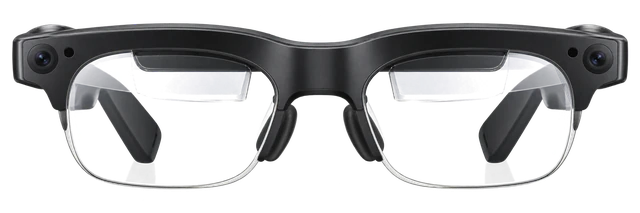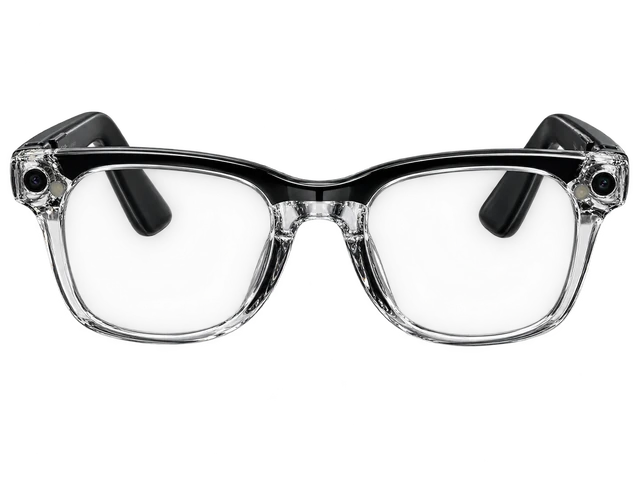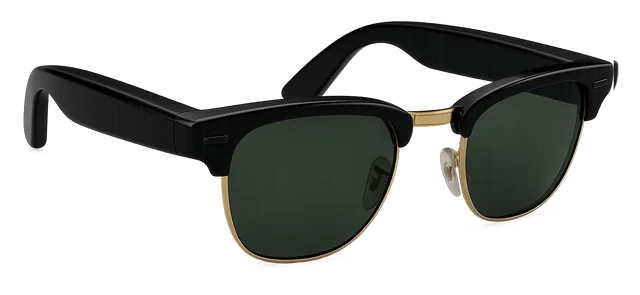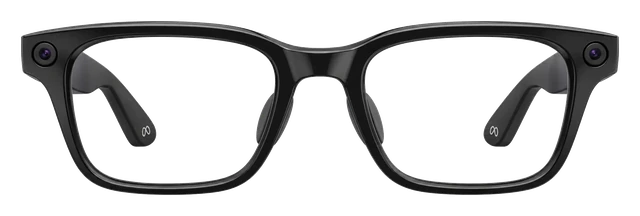













































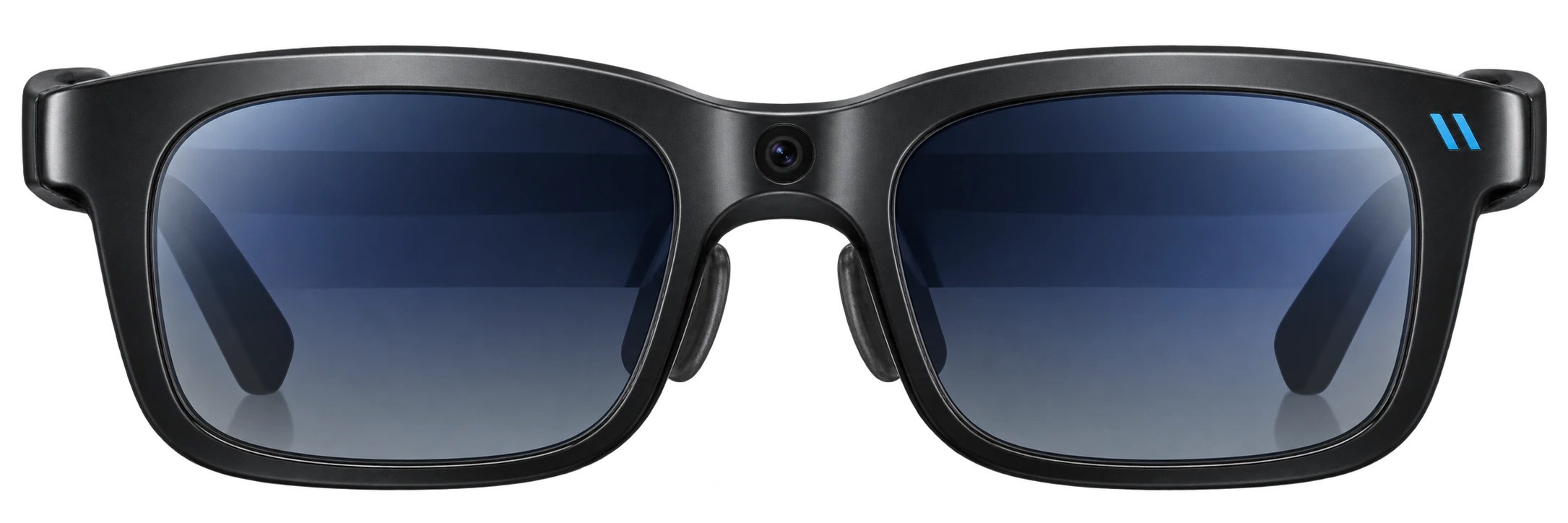
Viture Beast
Best smart glasses with display

Viture BeastPrice, Specs & Portable AR Display (2026)

Ask about the Viture Beast

8
MY IDEVICE

Released Guide updated

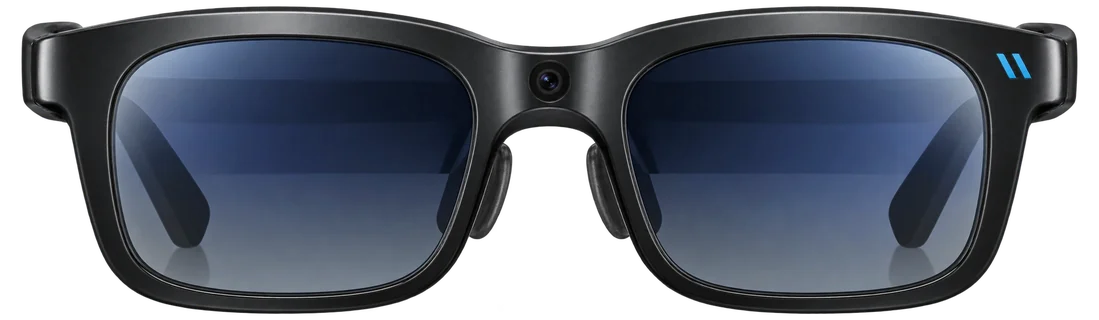
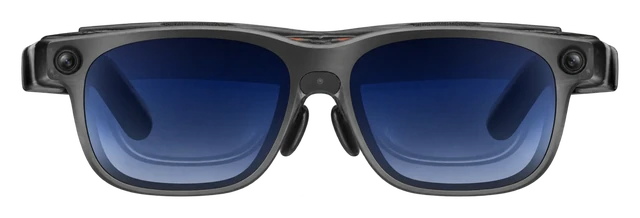
The best portable private screen you can buy. Two Sony micro-OLED panels at 1,920x1,200 per eye, 1,250 nits. Cable-connected to your phone, laptop, or handheld.

Latest on VITURE smart glasses

More news

What Viture Beast does best

  1. Gaming

    Full 120Hz on a 58-degree Micro-OLED screen keeps fast games smooth, and it plugs into phones, PCs and handhelds with no app.

  2. Movies

    Shows look crisp and vibrant on a 1250-nit, 1200p private screen, carried on frames of just 88 grams.

  3. Work

    A 32:9 UltraWide Mode turns a Mac or Windows laptop into a multi-screen workspace wherever you are.

Comparison

Compare smart glasses

How it compares

Price

$549

What it costs to buy. None of these need a subscription.

Weight

88g

Grams on your face. Lower is lighter.

Battery life

USB-C powered

How long it lasts on its own, away from a charger.
Price

Viture Beast
$549
Even Realities G2
$599
Viture Luma Ultra
$599
Meta Ray-Ban Display
$799

Battery life

Current list prices.

Weights are for the frame as sold, without a case or a charger.

Battery life can vary based on usage, settings and firmware version.

If not this one

  • If display decides itXREAL Aura

    See the real room through the lenses while Android XR places apps across a 70° view, and Gemini can talk about what you are looking at.

    $1,279
  • If camera decides itRay-Ban Meta (Gen 3)

    Hands-free photos and 3K Ultra HD video come from a 12 MP camera, right where you are looking.

    $449
  • If open-ear audio decides itRay-Ban Meta Audio

    Hours of music, podcasts and calls play from open-ear speakers that leave your ears open to the room, on frames weighing just 43 grams.

    $349

Most paired with

Everything it works with

What Viture Beast glasses work with

They work with iPhone and Android phones that can send video over USB-C, but support and display features vary by model.

Do Viture Beast glasses work with an iPhone?

Some features missing

Compatible USB-C iPhones work, but iPhone 16e and iPhone Air do not.

A compatible USB-C iPhone can show video and use SpaceWalker, which currently needs iOS 17 or later. Some enhanced iOS features use Adapter Ultra.

Some enhanced iOS functions use Adapter Ultra; iPhone 16e and iPhone Air are not compatible.

Do Viture Beast glasses work with video from a USB-C iPhone?

Some features missing

Direct video works on supported USB-C iPhones, except iPhone 16e and iPhone Air.

Supported USB-C iPhones can connect directly for video and standard SpaceWalker features. Adapter Ultra is needed for some enhanced iOS features and can also provide charging.

Some enhanced iOS functions require Adapter Ultra; two USB-C iPhone models are explicitly excluded.

Do Viture Beast glasses work with a Lightning iPhone?

Needs extra hardware

You need a Lightning-to-HDMI adapter and the VITURE Pro Mobile Dock.

A Lightning iPhone can send basic video to Beast through a Lightning-to-HDMI adapter and the VITURE Pro Mobile Dock. VITURE says its standalone HDMI XR Adapter is not compatible with Beast.

Do Viture Beast glasses work with Android phones?

Some features missing

They work with Android phones that can send video over USB-C.

The phone needs DisplayPort video output over USB-C. SpaceWalker can work on compatible phones, and Immersive 3D needs Android 14 or later. Feature support varies by phone model.

Not all Android USB-C phones output video, and feature support varies by model.

Do Viture Beast glasses work with video from an Android phone?

Some features missing

Direct video needs an Android phone with USB-C DisplayPort output.

The phone must support video output over USB-C. A USB-C port that only handles charging or data is not enough.

USB-C charging/data support alone does not imply video output.

Do Viture Beast glasses work with Samsung Galaxy phones?

Some features missing

Compatible Galaxy phones work, but some features depend on the model.

The Galaxy phone needs USB-C video output. VITURE recommends Galaxy S23 or newer for Immersive 3D, and that feature does not currently work on Samsung phones with Exynos processors.

Immersive 3D is not currently supported on Exynos Samsung devices.

Do Viture Beast glasses work with Google Pixel phones?

Some features missing

Pixel 8 and 9 can show video, but not SpaceWalker Immersive 3D.

A Pixel with USB-C DisplayPort output can use Beast as a basic wired display. VITURE says Pixel 8 and 9 series phones do not support the resolution needed for SpaceWalker Immersive 3D.

Pixel 8/9 series cannot use SpaceWalker Immersive 3D at the required resolution.

Quick answers

All FAQs

Quick answers

How much does Viture Beast cost?
$549, per VITURE's own blog.
Should I buy the Viture Beast?
Good to buy. No new model is close and the price is near its low, so we'd buy now. It is $549 at VITURE, price checked Oct. 30, 2026. See the full answer on the Viture Beast
Does the Viture Beast come with a charger?
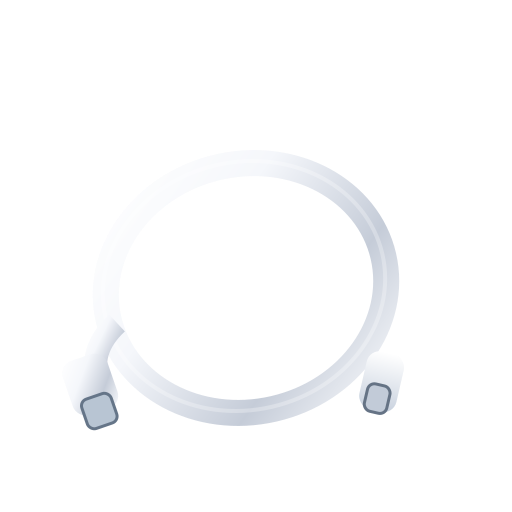
It comes with a USB-C to USB-C cable. VITURE's in-the-box list does not include a power adapter.

Get Viture Beast updates

Email me when there's news.

Works with

Some features missing

Compatible USB-C iPhones work, but iPhone 16e and iPhone Air do not.

A compatible USB-C iPhone can show video and use SpaceWalker, which currently needs iOS 17 or later. Some enhanced iOS features use Adapter Ultra.

Some enhanced iOS functions use Adapter Ultra; iPhone 16e and iPhone Air are not compatible.

Some features missingWorked out from the official minimum

They work with every iPhone that runs iOS 17 or later, from the iPhone XR on.

  • iPhone 18 Pro and iPhone 18 Pro Max: yes, on iOS 17 or later
  • iPhone 17, iPhone 17 Pro, iPhone 17 Pro Max, iPhone Air and iPhone 17e: yes, on iOS 17 or later
  • iPhone 16, iPhone 16 Plus, iPhone 16 Pro, iPhone 16 Pro Max and iPhone 16e: yes, on iOS 17 or later
  • iPhone 15, iPhone 15 Plus, iPhone 15 Pro and iPhone 15 Pro Max: yes, on iOS 17 or later
  • iPhone 14, iPhone 14 Plus, iPhone 14 Pro and iPhone 14 Pro Max: yes, on iOS 17 or later
  • iPhone 13 mini, iPhone 13, iPhone 13 Pro and iPhone 13 Pro Max: yes, on iOS 17 or later
  • iPhone 12 mini, iPhone 12, iPhone 12 Pro and iPhone 12 Pro Max: yes, on iOS 17 or later
  • iPhone 11, iPhone 11 Pro and iPhone 11 Pro Max: yes, on iOS 17 or later
  • iPhone XR, iPhone XS and iPhone XS Max: yes, on iOS 17 or later
  • iPhone SE (2nd generation) and iPhone SE (3rd generation): yes, on iOS 17 or later
  • iPhone 17 Pro: yes, on iOS 17 or later
  • iPhone 17 Pro Max: yes, on iOS 17 or later
  • iPhone Air: yes, on iOS 17 or later
  • Any iPhone not listed: no, it cannot run that iOS version

Worked out from the official minimum ("iOS 17 or later") and Apple's list of the iPhones that run it, not a separate test. See the sources.

Some enhanced iOS functions use Adapter Ultra; iPhone 16e and iPhone Air are not compatible.

Some features missing

They work with Android phones that can send video over USB-C.

The phone needs DisplayPort video output over USB-C. SpaceWalker can work on compatible phones, and Immersive 3D needs Android 14 or later. Feature support varies by phone model.

Not all Android USB-C phones output video, and feature support varies by model.

Some features missing

Compatible Galaxy phones work, but some features depend on the model.

The Galaxy phone needs USB-C video output. VITURE recommends Galaxy S23 or newer for Immersive 3D, and that feature does not currently work on Samsung phones with Exynos processors.

Immersive 3D is not currently supported on Exynos Samsung devices.

Some features missing

Pixel 8 and 9 can show video, but not SpaceWalker Immersive 3D.

A Pixel with USB-C DisplayPort output can use Beast as a basic wired display. VITURE says Pixel 8 and 9 series phones do not support the resolution needed for SpaceWalker Immersive 3D.

Pixel 8/9 series cannot use SpaceWalker Immersive 3D at the required resolution.

Some features missing

SpaceWalker is free, but some content and services can cost extra.

SpaceWalker adds multi-window viewing, 3DoF controls, a media player, Immersive 3D and streaming integrations. The iOS app includes in-app purchases, and some streaming or cloud-gaming services need their own subscriptions.

Some SpaceWalker content/features and third-party services can involve purchases or subscriptions.

Works

They work with a Windows PC that has USB-C video output.

Direct display works over USB-C video. SpaceWalker for Windows needs Windows 10 x64 version 1903 or later, or Windows 11, plus a USB-C port that supports DisplayPort video output.

Some features missing

They work as a display, but current SpaceWalker versions exclude Intel Macs.

A Mac with compatible USB-C or Thunderbolt video output can use Beast for direct display and its built-in display modes. Current SpaceWalker version 1.6 or later does not support Intel Macs. Older compatible builds are separate.

Current SpaceWalker v1.6+ excludes Intel Macs; older compatible builds are separate.

Show all 18Show fewer
Some features missing

Direct video works on supported USB-C iPhones, except iPhone 16e and iPhone Air.

Supported USB-C iPhones can connect directly for video and standard SpaceWalker features. Adapter Ultra is needed for some enhanced iOS features and can also provide charging.

Some enhanced iOS functions require Adapter Ultra; two USB-C iPhone models are explicitly excluded.

Needs extra hardware

You need a Lightning-to-HDMI adapter and the VITURE Pro Mobile Dock.

A Lightning iPhone can send basic video to Beast through a Lightning-to-HDMI adapter and the VITURE Pro Mobile Dock. VITURE says its standalone HDMI XR Adapter is not compatible with Beast.

Some features missing

Direct video needs an Android phone with USB-C DisplayPort output.

The phone must support video output over USB-C. A USB-C port that only handles charging or data is not enough.

USB-C charging/data support alone does not imply video output.

Works

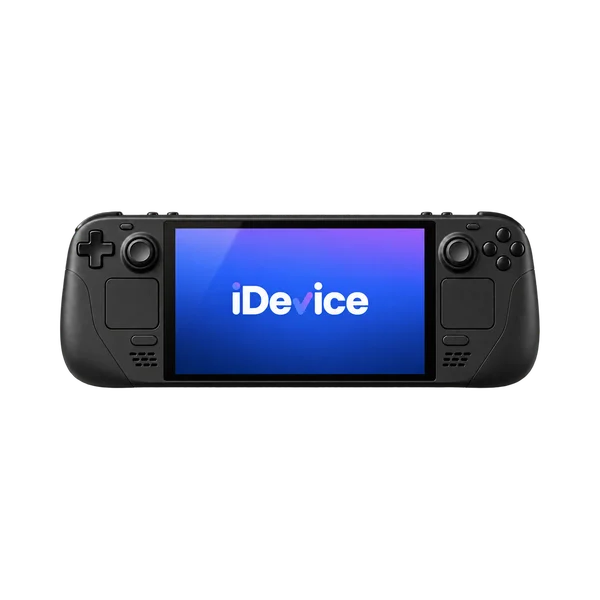
Steam Deck connects directly over USB-C video.

Steam Deck can send video directly to Beast over USB-C DisplayPort output. Optional docks or adapters can add power while you use it.

Works

ROG Ally connects directly over USB-C video.

ROG Ally can send video directly to Beast over USB-C DisplayPort output. Adapter Ultra can also provide passthrough charging.

Needs extra hardware

PS5 needs the VITURE Pro Mobile Dock and an HDMI connection.

Connect the PS5 to the VITURE Pro Mobile Dock by HDMI, then use Beast through the dock. A direct PS5-to-glasses connection does not work.

Needs extra hardware

Xbox needs the VITURE Pro Mobile Dock and an HDMI connection.

Xbox Series and Xbox One consoles can send video to Beast through the VITURE Pro Mobile Dock. The dock and HDMI connection are required.

Needs extra hardware

Nintendo Switch needs supported VITURE dock or adapter hardware.

Use the VITURE Pro Mobile Dock, Mobile Dock Mini or another currently supported Switch adapter path. The Switch cannot connect directly to the glasses for this setup.

Needs extra hardware

But you need a supported VITURE dock or adapter.

Use the Pro Mobile Dock with current firmware, or the Mobile Dock Mini. The Adapter Ultra may also work with a 45W or higher power bank for high frame rate, but VITURE lists it as not supported for Switch 2 in one place, so the Pro Mobile Dock is the safer pick.

Some features missing

Some current accessories work, but older One-series accessories are not all reusable.

Use accessories VITURE lists for Beast and keep their firmware current. Selected current docks, adapters and the Pro Neckband are supported, but the older VITURE One Neckband and One Mobile Dock are not.

Older One-series accessories are not universally reusable.

Most paired with

Do Viture Beast glasses work with an iPhone?

Some features missing

Compatible USB-C iPhones work, but iPhone 16e and iPhone Air do not.

A compatible USB-C iPhone can show video and use SpaceWalker, which currently needs iOS 17 or later. Some enhanced iOS features use Adapter Ultra.

Some enhanced iOS functions use Adapter Ultra; iPhone 16e and iPhone Air are not compatible.

Do Viture Beast glasses work with video from a USB-C iPhone?

Some features missing

Direct video works on supported USB-C iPhones, except iPhone 16e and iPhone Air.

Supported USB-C iPhones can connect directly for video and standard SpaceWalker features. Adapter Ultra is needed for some enhanced iOS features and can also provide charging.

Some enhanced iOS functions require Adapter Ultra; two USB-C iPhone models are explicitly excluded.

Do Viture Beast glasses work with a Lightning iPhone?

Needs extra hardware

You need a Lightning-to-HDMI adapter and the VITURE Pro Mobile Dock.

A Lightning iPhone can send basic video to Beast through a Lightning-to-HDMI adapter and the VITURE Pro Mobile Dock. VITURE says its standalone HDMI XR Adapter is not compatible with Beast.

Do Viture Beast glasses work with Android phones?

Some features missing

They work with Android phones that can send video over USB-C.

The phone needs DisplayPort video output over USB-C. SpaceWalker can work on compatible phones, and Immersive 3D needs Android 14 or later. Feature support varies by phone model.

Not all Android USB-C phones output video, and feature support varies by model.

Do Viture Beast glasses work with video from an Android phone?

Some features missing

Direct video needs an Android phone with USB-C DisplayPort output.

The phone must support video output over USB-C. A USB-C port that only handles charging or data is not enough.

USB-C charging/data support alone does not imply video output.

Do Viture Beast glasses work with Samsung Galaxy phones?

Some features missing

Compatible Galaxy phones work, but some features depend on the model.

The Galaxy phone needs USB-C video output. VITURE recommends Galaxy S23 or newer for Immersive 3D, and that feature does not currently work on Samsung phones with Exynos processors.

Immersive 3D is not currently supported on Exynos Samsung devices.

Do Viture Beast glasses work with Google Pixel phones?

Some features missing

Pixel 8 and 9 can show video, but not SpaceWalker Immersive 3D.

A Pixel with USB-C DisplayPort output can use Beast as a basic wired display. VITURE says Pixel 8 and 9 series phones do not support the resolution needed for SpaceWalker Immersive 3D.

Pixel 8/9 series cannot use SpaceWalker Immersive 3D at the required resolution.

Do Viture Beast glasses work with a Windows PC?

Works

They work with a Windows PC that has USB-C video output.

Direct display works over USB-C video. SpaceWalker for Windows needs Windows 10 x64 version 1903 or later, or Windows 11, plus a USB-C port that supports DisplayPort video output.

Do Viture Beast glasses work with a Mac?

Some features missing

They work as a display, but current SpaceWalker versions exclude Intel Macs.

A Mac with compatible USB-C or Thunderbolt video output can use Beast for direct display and its built-in display modes. Current SpaceWalker version 1.6 or later does not support Intel Macs. Older compatible builds are separate.

Current SpaceWalker v1.6+ excludes Intel Macs; older compatible builds are separate.

Do Viture Beast glasses work with Steam Deck?

Works

Steam Deck connects directly over USB-C video.

Steam Deck can send video directly to Beast over USB-C DisplayPort output. Optional docks or adapters can add power while you use it.

Do Viture Beast glasses work with ROG Ally?

Works

ROG Ally connects directly over USB-C video.

ROG Ally can send video directly to Beast over USB-C DisplayPort output. Adapter Ultra can also provide passthrough charging.

What you need

Do Viture Beast glasses work with an iPhone?

Some features missing

Compatible USB-C iPhones work, but iPhone 16e and iPhone Air do not.

A compatible USB-C iPhone can show video and use SpaceWalker, which currently needs iOS 17 or later. Some enhanced iOS features use Adapter Ultra.

Some enhanced iOS functions use Adapter Ultra; iPhone 16e and iPhone Air are not compatible.

Do Viture Beast glasses work with Android phones?

Some features missing

They work with Android phones that can send video over USB-C.

The phone needs DisplayPort video output over USB-C. SpaceWalker can work on compatible phones, and Immersive 3D needs Android 14 or later. Feature support varies by phone model.

Not all Android USB-C phones output video, and feature support varies by model.

Do Viture Beast glasses work with a Windows PC?

Works

They work with a Windows PC that has USB-C video output.

Direct display works over USB-C video. SpaceWalker for Windows needs Windows 10 x64 version 1903 or later, or Windows 11, plus a USB-C port that supports DisplayPort video output.

Do Viture Beast glasses work with a Mac?

Some features missing

They work as a display, but current SpaceWalker versions exclude Intel Macs.

A Mac with compatible USB-C or Thunderbolt video output can use Beast for direct display and its built-in display modes. Current SpaceWalker version 1.6 or later does not support Intel Macs. Older compatible builds are separate.

Current SpaceWalker v1.6+ excludes Intel Macs; older compatible builds are separate.

Supports

Works

Built-in display modes work, with more multi-window and 3D features in SpaceWalker.

Beast supports native 3DoF plus Anchor, Smooth Follow, UltraWide and Side modes. SpaceWalker adds multi-window and Immersive 3D workflows on compatible devices. You need a compatible USB-C display source, plus SpaceWalker for its software features.

Some features missing

The RGB camera supports mixed-reality capture after a software update, with limits.

VITURE says the integrated RGB camera supports mixed-reality capture and basic 6DoF sensing in SpaceWalker after a post-launch software update. It does not document capture resolution, file storage or export steps, and the Beast product page still lists 6DoF as "In Future Plans". Current Beast firmware and SpaceWalker after the post-launch update are required.

VITURE documents no capture resolution, file destination or export workflow, and the Beast product page still lists 6DoF as "In Future Plans".

Some features missing

Audio and a microphone are built in, but app and call support isn't established.

VITURE has not published support details for WhatsApp, Messenger, Spotify, Apple Music or call controls. Few reports exist, and microphone quality has varied in other setups, so call quality may depend on the host, software or firmware. No reliable evidence established native text-messaging integration. Connect Beast to a compatible host and select the VITURE microphone and audio devices in the host or calling app.

Few reports. The same discussion contains differing impressions of microphone quality in other setups, so call quality may depend on host/software/firmware. No reliable evidence established native text-messaging integration.

Some features missing

Immersive 3D works on supported setups, but no full region or language list exists.

SpaceWalker can provide AI 2D-to-3D conversion on supported devices. The iOS app offers five interface languages, but VITURE does not publish a separate region or language list for the AI conversion engine. SpaceWalker on a supported host is required.

No dedicated region/language matrix for the AI conversion engine was found.

Needs extra hardware

Vision correction needs the included prescription frame, while broader support isn't established.

VITURE documents display comfort controls, but it has not published a Beast-specific list of operating-system accessibility links. Beast has no built-in myopia adjustment. Use the included Beast prescription lens frame with lenses matched to the user's vision, and choose the frame size that matches the Regular or Large Beast.

How it works

It runs over USB-C, with optional gear for passthrough charging.

Beast uses a USB-C cable for wired use. Accessories such as Adapter Ultra can provide up to 65W passthrough charging to the connected device.

They use a separate prescription lens frame with custom lenses.

Beast has no built-in diopter adjustment. Use the Beast prescription lens frame with custom lenses for nearsightedness or astigmatism. VITURE does not give a numeric supported SPH or CYL range in the cited Beast documentation.

A numeric supported SPH/CYL range was not found in the cited first-party Beast documentation.

There is one review and it has a score, but one score is not an average. It takes two scored reviews from two different publishers.
1 expert review

  1. PhoneArena
    Rad SlavovMay 19, 2026
    7.5 / 10
    Read review
Jul 8, 2025 · Announced
Viture Beast teased as the flagship of the Luma-series announcement
Viture unveiled its Luma, Luma Pro and Luma Ultra glasses in one announcement, naming Beast as its true flagship, expected roughly three months later.
Apr 27, 2026 · Went on sale
Viture Beast reaches Amazon and Best Buy
After a direct-to-consumer launch on Viture's own site in late 2025, Beast expanded to Amazon and Best Buy, its first time fully available across multiple retail channels.
Viture Beast
VITURE

Good to buy.

No new model is close and the price is near its low, so we'd buy now.

Viture Beast

About VITURE

Viture makes display glasses for watching, gaming and working on a big virtual screen, with built-in focus adjustment on several models.

Visit VITURE
More from VITURE we cover
Viture Luma UltraViture Pro 2

Where to buy

StorePriceIn stockAction
VITURE$549Buy
Best Buy$549Buy
Amazon$549Buy

Price history

No new model is close and the price is near its low, so we'd buy now.

Lowest in 30 days
$529Oct 7
Highest in 30 days
$549Oct 14
Stores we check
3VITURE is cheapest
On sale since
Nov 20, 2025
Price checks
47 over 29 days

Returns and warranty

Returns
30-day returns· the clock starts the day it arrives
Returns and warranty details

Returns

  • A restocking fee may apply
  • Opened is OK

    Return it in the original packaging with all parts, in original condition or only used as much as you would to try it in a store.

  • How you get your money back

    Refund within 14 business days after Viture receives and inspects the return, to the original payment method.

Warranty

Covered

  • Bands and accessories

    Defects in materials and workmanship under normal use, for the product and accessories in the original box. Nose pad inserts, microfiber cloths and software are not covered.

Not covered

  • Water damage

    Exposure to liquids, including water, sweat or high humidity.

  • Accidents and misuse

    Accidents, including drops, impacts or bending.

  • Scratches and dents

    Normal wear and tear, including minor scratches or worn parts.

  • Repairs by other shops

    Unauthorized repair, modification or self-disassembly.

  • Loss or theft
  • How it gets fixed

    To request warranty service, email Viture with proof of purchase, a description of the issue, and photos or video.

Good to know

  • Prescription lens inserts

    Personalized or custom items such as prescription lens inserts cannot be returned or exchanged.

What's in the box

What comes in the box with the Viture Beast?

Here is what you get when you open it.

VITURE Beast XR Glasses

Prescription lens frame
Swappable nose pads
USB-C to USB-C cable
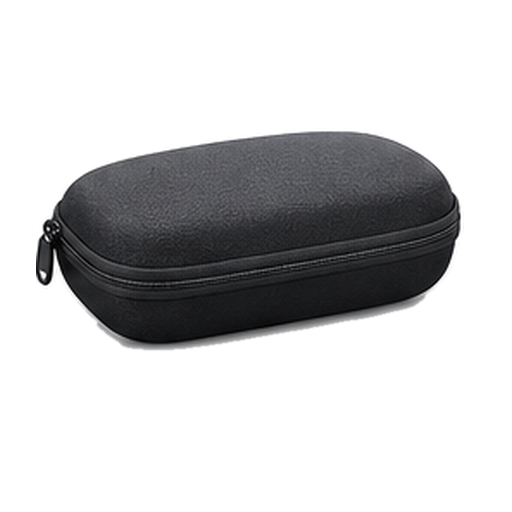
Glasses case
Glasses cloth
Quick Start Guide
Safety Guideline

From VITURE. Checked Sep 22, 2026.

Viture Luma Ultra$599Available nowGuide News
Viture Pro 2$299Available nowGuide News
Even Realities G2$599Available nowGuide News
Meta Glasses$299–$399Available nowGuide News

Frequently asked questions

Questions about Viture Beast

Top questions

How much does Viture Beast cost?
$549, per VITURE's own blog.
Should I buy the Viture Beast?
Good to buy. No new model is close and the price is near its low, so we'd buy now. It is $549 at VITURE, price checked Oct. 30, 2026. See the full answer on the Viture Beast
Does the Viture Beast come with a charger?
It comes with a USB-C to USB-C cable. VITURE's in-the-box list does not include a power adapter.
Does Viture Beast support prescription lenses?
Yes. Viture's own blog describes Beast as prescription-ready, with a free lens frame included in the box.

Using it

Can I get prescription lenses?
Yes, you can. The frames can be glazed to your prescription. Through a snap-in lens carrier rather than glazing the frame.
Do the lenses tint automatically?
Yes, the lenses tint themselves. 9 tint levels.
How good is the camera?
Yes, it has a camera.
What does it cost?
It costs $549. That is the list price.
What kind of screen is it?
It is a Micro-OLED screen. A postage-stamp panel is magnified by lenses, which is what makes it sharp up close.
Do I need a subscription?
No, there is no subscription. No official figure is published, so treat it as a best guess.
Does it work with my phone?
Yes, it works with an iPhone or an Android phone.
How heavy is it?
It weighs 88g.
Does it work without my phone?
No, it needs your phone.
How sharp and bright is the screen?
The screen reaches 1250 nits at its brightest.
Which AI assistant does it use?
Not officially stated.
Does it do AR?
Yes, it does AR. No official figure is published, so treat it as a best guess.
How wide is the field of view?
It covers 58 degrees. That is how much of your view the image fills.
Can I get sunglass or clear lenses?
It comes with clear lenses.

Sizing and fit

Will they fit my face?
Yes, the nose pads swap for other sizes. More than one pad in the box, so a low or high bridge both work.

Battery and charging

Does it need a battery pack?
It draws power from whatever it plugs into. It has no battery of its own.
Does it charge over USB-C?
Yes, it charges over USB-C.

Price and models

When did the Viture Beast come out?
It went on sale November 20, 2025. Announced July 8, 2025.
Is there a newer one?
No. The Viture Beast is the current model.

Returns and warranty

How long do I have to return it?
30-day returns The clock starts the day it arrives.
Is there a restocking fee?
A restocking fee may apply
Can I return it if I opened or wore it?
Opened is OK Return it in the original packaging with all parts, in original condition or only used as much as you would to try it in a store.
How do I get my money back?
How you get your money back Refund within 14 business days after Viture receives and inspects the return, to the original payment method.
How long is the warranty?
Warranty length: not stated by Viture
Is water damage covered?
Water damage not covered Exposure to liquids, including water, sweat or high humidity.
Is the battery covered?
Battery rules: not stated by Viture

In the box

What's in the box?
VITURE Beast XR Glasses, Prescription lens frame, Swappable nose pads, USB-C to USB-C cable, Glasses case, Glasses cloth, Quick Start Guide, Safety Guideline.

Works with

How does the Beast get power and charge a connected device?
It runs over USB-C, with optional gear for passthrough charging. Works
Do Viture Beast glasses work with a Windows PC?
They work with a Windows PC that has USB-C video output. Works
Do Viture Beast glasses work with a Mac?
They work as a display, but current SpaceWalker versions exclude Intel Macs. Some features missing
Do Viture Beast glasses work with video from a USB-C iPhone?
Direct video works on supported USB-C iPhones, except iPhone 16e and iPhone Air. Some features missing
Do Viture Beast glasses work with a Lightning iPhone?
You need a Lightning-to-HDMI adapter and the VITURE Pro Mobile Dock. Needs extra hardware
Do Viture Beast glasses work with video from an Android phone?
Direct video needs an Android phone with USB-C DisplayPort output. Some features missing
Do Viture Beast glasses work with Steam Deck?
Steam Deck connects directly over USB-C video. Works
Do Viture Beast glasses work with ROG Ally?
ROG Ally connects directly over USB-C video. Works
Do Viture Beast glasses work with PS5?
PS5 needs the VITURE Pro Mobile Dock and an HDMI connection. Needs extra hardware
Do Viture Beast glasses work with Xbox?
Xbox needs the VITURE Pro Mobile Dock and an HDMI connection. Needs extra hardware
Do Viture Beast glasses work with Nintendo Switch?
Nintendo Switch needs supported VITURE dock or adapter hardware. Needs extra hardware
Do Viture Beast glasses work with Nintendo Switch 2?
Yes, but you need a supported VITURE dock or adapter. Needs extra hardware
How do Viture Beast glasses handle prescription lenses?
They use a separate prescription lens frame with custom lenses. Some features missing
Do Viture Beast glasses support multi-window and 3D display modes?
Built-in display modes work, with more multi-window and 3D features in SpaceWalker. Works
Do Viture Beast glasses support photo or video capture?
The RGB camera supports mixed-reality capture after a software update, with limits. Some features missing
Do Viture Beast glasses support music, calls or messaging apps?
Audio and a microphone are built in, but app and call support isn't established. Some features missing
Do Viture Beast glasses support AI 2D-to-3D in every region and language?
Immersive 3D works on supported setups, but no full region or language list exists. Some features missing
Do Viture Beast glasses support accessibility features?
Vision correction needs the included prescription frame, while broader support isn't established. Needs extra hardware
Does the Beast work with older VITURE accessories?
Some current accessories work, but older One-series accessories are not all reusable. Some features missing

You have reached the end of this stream

Those are all the stories we have lined up here.

More news