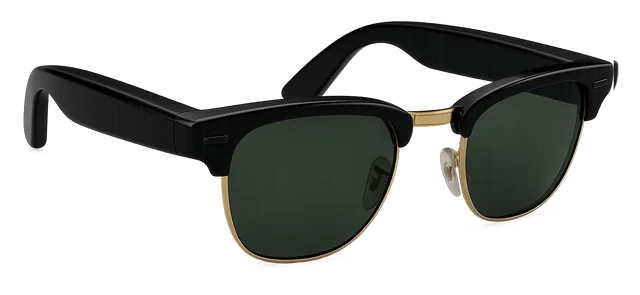






































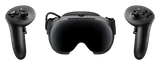










Xreal One Pro

Xreal One ProPrice, Specs vs Viture Beast (2026)

Ask about the Xreal One Pro

7
MY IDEVICE

Released Guide updated

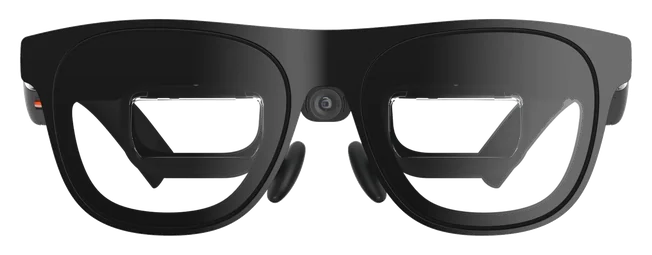
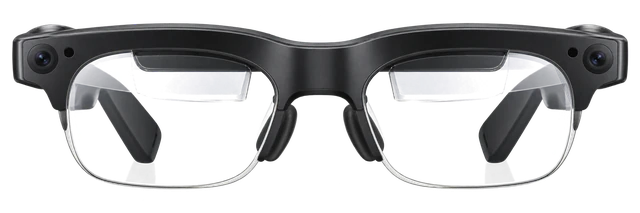
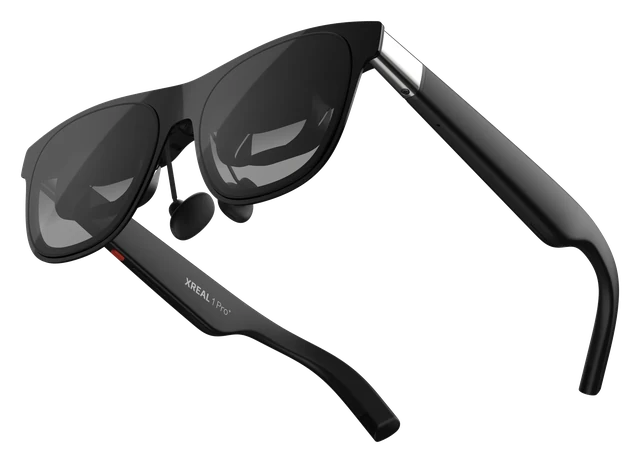
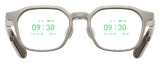
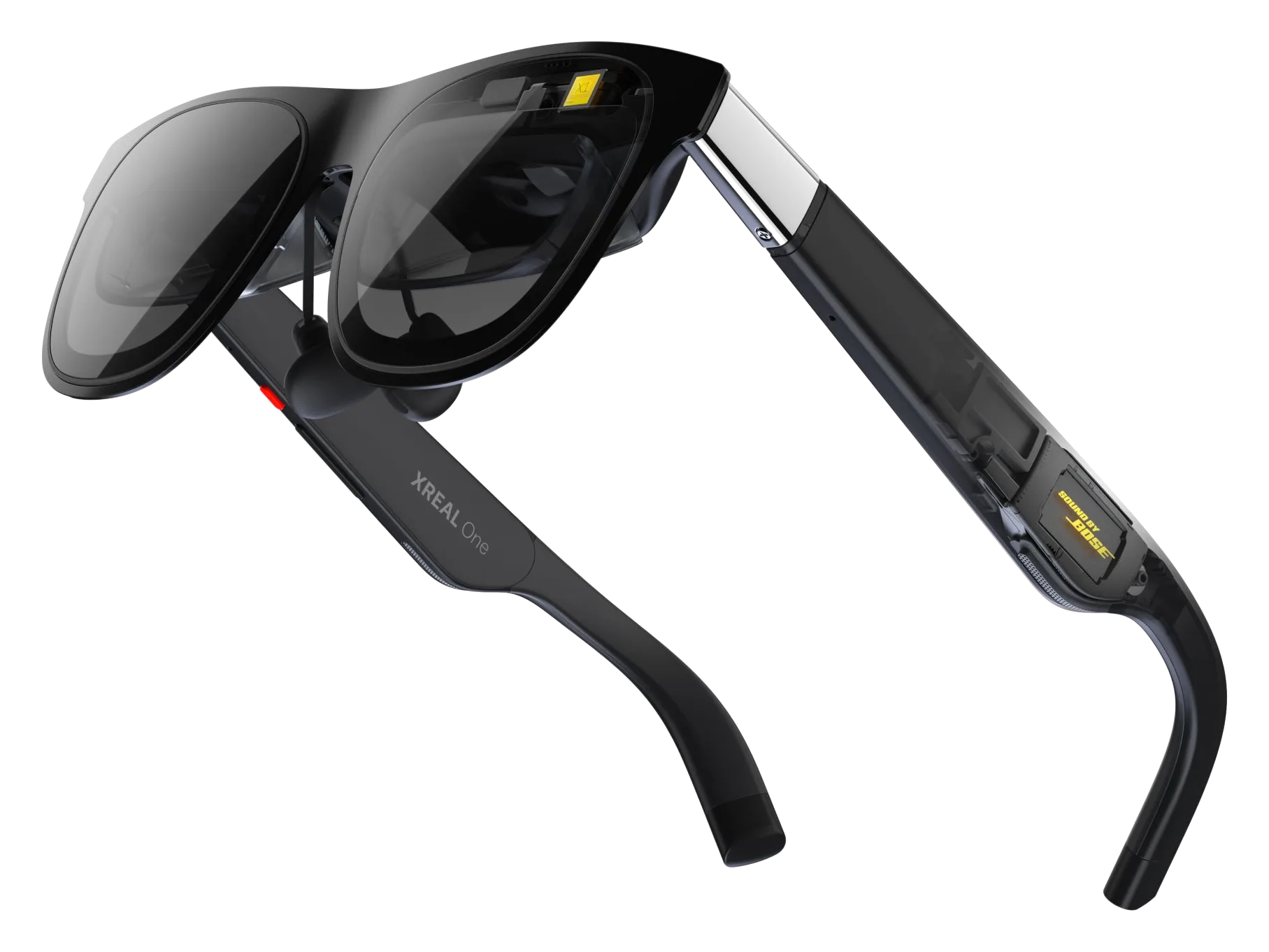
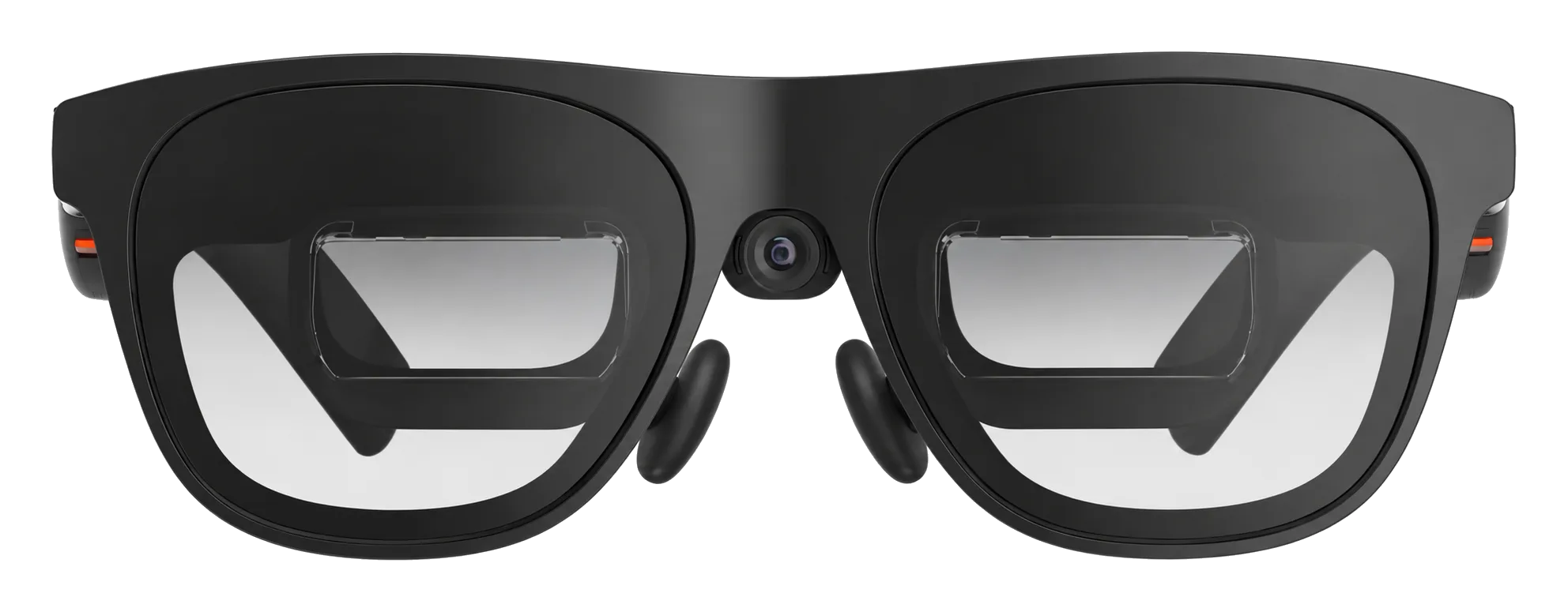
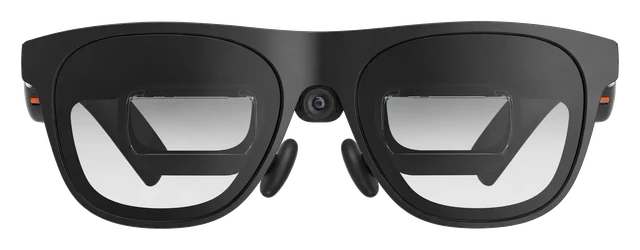
Sony micro-OLED at 57 degrees with a built-in X1 chip for head-tracking and spatial computing modes. The big screen glasses with the most native processing onboard.

Latest on Xreal One Pro

More news

What XREAL One Pro does best

  1. Gaming

    Smooth 120Hz refresh and 3ms latency keep games responsive, from a phone, PC, console or Steam Deck.

  2. Movies

    Vibrant, accurate color on a 57-degree Micro-OLED screen, dimmable to three levels, makes a private screen big enough for a film.

  3. Travel

    At 87 grams and powered over USB-C by the phone already in your bag, it packs a big screen without packing a charger.
XREAL One vs XREAL One Pro

XREAL One
THE PREVIOUS MODEL

XREAL One

Dec 2024
XREAL One Pro
THE NEWCOMER

XREAL One Pro

Jul 2025
  1. XREAL One: 600 nitsPeak brightness+100 nitsXREAL One Pro: 700 nits
  2. XREAL One: 50°Field of viewImprovedXREAL One Pro: 57°
  3. XREAL One: Sony 0.68-inch Micro-OLEDMicro OLED panelChangedXREAL One Pro: Sony 0.55-inch Micro-OLED
  4. XREAL One: triangular birdbathOptical engineChangedXREAL One Pro: X Prism / flat-prism
  5. XREAL One: one size; software-adjustable IPDIpd adjustmentChangedXREAL One Pro: two hardware size ranges: 57–⁠66 mm and 66–⁠75 mm

Comparison

Compare smart glasses

How it compares

Price

$599

What it costs to buy. None of these need a subscription.

Weight

~87g

Grams on your face. Lower is lighter.

Battery life

USB-C powered

How long it lasts on its own, away from a charger.

Price

Xreal One Pro
$599
Even Realities G2
$599
Viture Luma Ultra
$599
Meta Ray-Ban Display
$799

Current list prices.

Weights are for the frame as sold, without a case or a charger.

Battery life can vary based on usage, settings and firmware version.

If not this one

  • If display decides itXREAL Aura

    See the real room through the lenses while Android XR places apps across a 70° view, and Gemini can talk about what you are looking at.

    $1,279
  • If camera decides itRay-Ban Meta (Gen 3)

    Hands-free photos and 3K Ultra HD video come from a 12 MP camera, right where you are looking.

    $449
  • If open-ear audio decides itRay-Ban Meta Audio

    Hours of music, podcasts and calls play from open-ear speakers that leave your ears open to the room, on frames weighing just 43 grams.

    $349

Most paired with

Everything it works with

What Xreal One Pro glasses work with

Works with iPhone and Android phones. UltraWide is unavailable on Apple phones and needs desktop mode on compatible phones. Lightning models need adapters.

Do Xreal One Pro glasses work with Samsung phones?

Works

They work with Galaxy S-series phones that support USB-C video output.

Use a Galaxy S-series model with DP output and connect it directly to the glasses. Use Samsung DeX for UltraWide.

Do Xreal One Pro glasses work with iPhone?

Some features missing

They work with USB-C iPhone 15 or later, except iPhone 16E.

Connect a supported USB-C iPhone directly to the glasses. Anchor, Follow, 3D and other on-glasses modes work, but UltraWide is not available on iPhone.

UltraWide is unavailable on iPhone in the current feature table.

Do Xreal One Pro glasses work with video from a USB-C iPhone?

Some features missing

They work with supported iPhone 15, 16 and 17 models, except iPhone 16E.

A supported USB-C iPhone can send video directly to the glasses and use most on-glasses modes. UltraWide is not supported on iPhone.

UltraWide is not supported on iPhone in the current feature matrix.

Do Xreal One Pro glasses work with a Lightning iPhone?

Needs extra hardware

You need the XREAL Adapter and Apple's Lightning Digital AV Adapter.

The two adapters convert a Lightning iPhone's video for the glasses. This adds hardware and power complexity, and you should check current availability of the older XREAL Adapter before buying.

Do Xreal One Pro glasses work with Android?

Some features missing

They work if the phone can send video over USB-C.

You need an Android device with USB-C DP output. Anchor, Follow and 3D run on the glasses, with no minimum Android version listed for core display use. UltraWide needs an Android desktop mode such as Samsung DeX.

UltraWide is unavailable on Android without desktop mode; no minimum Android version is required for core glasses-side display use in the cited docs.

Do Xreal One Pro glasses work with video from an Android phone?

Some features missing

They work if the phone supports USB-C video output.

You need an Android device with DP output. Compatible phones can send a wired display directly to the glasses, but USB-C video support varies by model. UltraWide needs an Android desktop mode.

UltraWide requires Android desktop mode; model-by-model DP support varies.

Do Xreal One Pro glasses work with Pixel phones?

Some features missing

On Pixel 8 and later, over USB-C.

Plug the glasses into a Pixel 8 or later with the included USB-C cable to mirror your screen. Pixel 7 and earlier can't send video over USB-C. UltraWide mode needs an Android desktop mode.

XREAL's list does not name Pixel models; this is derived from XREAL's DP rule plus Google's Pixel 8+ display-output page. Pixel 7 and earlier have no wired display output. UltraWide is not available on Android phones without a desktop mode.

Quick answers

All FAQs

Quick answers

How much does XREAL One Pro cost, and has the price changed?
$599 today. XREAL permanently cut the price from its original $649 launch figure, per XREAL's own shop page.
Should I buy the XREAL One Pro?
Good to buy. This is close to its low over 73 days, so we'd buy now. It is $539 at Xreal, price checked Oct. 30, 2026. See the full answer on the XREAL One Pro
Does the Xreal One Pro come with a charger?
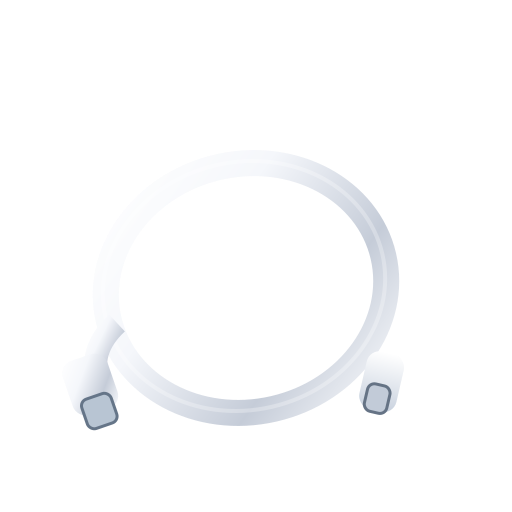
It comes with a USB-C to USB-C cable. XREAL's in-the-box list does not include a power adapter.

Get Xreal One Pro updates

Email me when there's news.

Works with

Needs extra hardware

You need the XREAL Hub and the required power connection.

XREAL's current guide says Switch and Switch OLED need the XREAL Hub. UltraWide is not available on Switch.

Some features missing

They work if the phone can send video over USB-C.

You need an Android device with USB-C DP output. Anchor, Follow and 3D run on the glasses, with no minimum Android version listed for core display use. UltraWide needs an Android desktop mode such as Samsung DeX.

UltraWide is unavailable on Android without desktop mode; no minimum Android version is required for core glasses-side display use in the cited docs.

Works

They work with a USB-C port that supports DP video output.

Supported Windows laptops connect directly to the glasses. The on-glasses spatial modes and UltraWide are available.

Works

They work with Steam Deck and Steam Deck OLED over USB-C.

Connect the handheld directly over USB-C. XREAL also lists UltraWide support for Steam Deck.

Works

They work with Macs that send video over USB-C or Thunderbolt.

XREAL explicitly lists MacBook Pro and Mac mini. Direct display, the on-glasses spatial modes and UltraWide are supported.

Some features missing

They work with USB-C iPhone 15 or later, except iPhone 16E.

Connect a supported USB-C iPhone directly to the glasses. Anchor, Follow, 3D and other on-glasses modes work, but UltraWide is not available on iPhone.

UltraWide is unavailable on iPhone in the current feature table.

Some features missingWorked out from the official minimum

They work with iPhone 15 and later, except iPhone 16e.

  • iPhone 17: yes
  • iPhone 16: yes
  • iPhone 15: yes
  • Older than iPhone 15: no
  • Not supported: iPhone 16e

Do Xreal One Pro glasses work with iPhone 15 or iPhone 16? Yes. Worked out from the officially stated minimum ("iPhone 15+"), not a separate test. See the sources.

UltraWide is unavailable on iPhone in the current feature table.

Needs extra hardware

You need a powered HDMI-to-USB-C adapter.

The adapter converts the PlayStation's HDMI video for the glasses. One Pro display modes work, but UltraWide is not available on PlayStation. Use a powered HDMI-to-USB-C or XREAL-supported HDMI-C adapter.

Show all 18Show fewer
Works

They work with Galaxy S-series phones that support USB-C video output.

Use a Galaxy S-series model with DP output and connect it directly to the glasses. Use Samsung DeX for UltraWide.

Some features missing

On Pixel 8 and later, over USB-C.

Plug the glasses into a Pixel 8 or later with the included USB-C cable to mirror your screen. Pixel 7 and earlier can't send video over USB-C. UltraWide mode needs an Android desktop mode.

XREAL's list does not name Pixel models; this is derived from XREAL's DP rule plus Google's Pixel 8+ display-output page. Pixel 7 and earlier have no wired display output. UltraWide is not available on Android phones without a desktop mode.

Works

They connect directly to a ROG Ally over USB-C.

ROG Ally can use the glasses as a gaming display. Windows handhelds also support UltraWide.

Needs extra hardware

You need a powered HDMI-to-USB-C adapter.

The adapter converts the Xbox's HDMI video for the glasses. One Pro display modes work, but UltraWide is not available on Xbox. Use a powered HDMI-to-USB-C or XREAL-supported HDMI-C adapter.

Some features missing

They work with supported iPhone 15, 16 and 17 models, except iPhone 16E.

A supported USB-C iPhone can send video directly to the glasses and use most on-glasses modes. UltraWide is not supported on iPhone.

UltraWide is not supported on iPhone in the current feature matrix.

Some features missing

They work if the phone supports USB-C video output.

You need an Android device with DP output. Compatible phones can send a wired display directly to the glasses, but USB-C video support varies by model. UltraWide needs an Android desktop mode.

UltraWide requires Android desktop mode; model-by-model DP support varies.

Works

Core wired display features work without an app, account or subscription.

With a compatible USB-C video source, Anchor, Follow and the on-glasses display controls run on the glasses. No extra software is required for those core features.

Needs extra hardware

They need the Switch 2 dock and an HDMI-to-USB-C converter.

XREAL's pages disagree. Its English tutorial says Switch 2 needs the XREAL Hub, but the Hub's own list names only Switch and Switch OLED, and XREAL China says the Hub cannot handle Switch 2. XREAL China recommends an HDMI-to-USB-C converter and names the third-party ULT-unite S4081-0119 4K60 model as tested.

Needs extra hardware

You need the XREAL Adapter and Apple's Lightning Digital AV Adapter.

The two adapters convert a Lightning iPhone's video for the glasses. This adds hardware and power complexity, and you should check current availability of the older XREAL Adapter before buying.

Some features missing

XREAL Hub and Beam Pro work, but older Air and Air 2 prescription lenses do not.

Some XREAL accessories carry forward to One Pro. Prescription inserts are generation-specific, so use One Pro-specific lenses and check the accessory type.

Most paired with

Do Xreal One Pro glasses work with Samsung phones?

Works

They work with Galaxy S-series phones that support USB-C video output.

Use a Galaxy S-series model with DP output and connect it directly to the glasses. Use Samsung DeX for UltraWide.

Do Xreal One Pro glasses work with iPhone?

Some features missing

They work with USB-C iPhone 15 or later, except iPhone 16E.

Connect a supported USB-C iPhone directly to the glasses. Anchor, Follow, 3D and other on-glasses modes work, but UltraWide is not available on iPhone.

UltraWide is unavailable on iPhone in the current feature table.

Do Xreal One Pro glasses work with video from a USB-C iPhone?

Some features missing

They work with supported iPhone 15, 16 and 17 models, except iPhone 16E.

A supported USB-C iPhone can send video directly to the glasses and use most on-glasses modes. UltraWide is not supported on iPhone.

UltraWide is not supported on iPhone in the current feature matrix.

Do Xreal One Pro glasses work with a Lightning iPhone?

Needs extra hardware

You need the XREAL Adapter and Apple's Lightning Digital AV Adapter.

The two adapters convert a Lightning iPhone's video for the glasses. This adds hardware and power complexity, and you should check current availability of the older XREAL Adapter before buying.

Do Xreal One Pro glasses work with Android?

Some features missing

They work if the phone can send video over USB-C.

You need an Android device with USB-C DP output. Anchor, Follow and 3D run on the glasses, with no minimum Android version listed for core display use. UltraWide needs an Android desktop mode such as Samsung DeX.

UltraWide is unavailable on Android without desktop mode; no minimum Android version is required for core glasses-side display use in the cited docs.

Do Xreal One Pro glasses work with video from an Android phone?

Some features missing

They work if the phone supports USB-C video output.

You need an Android device with DP output. Compatible phones can send a wired display directly to the glasses, but USB-C video support varies by model. UltraWide needs an Android desktop mode.

UltraWide requires Android desktop mode; model-by-model DP support varies.

Do Xreal One Pro glasses work with Pixel phones?

Some features missing

On Pixel 8 and later, over USB-C.

Plug the glasses into a Pixel 8 or later with the included USB-C cable to mirror your screen. Pixel 7 and earlier can't send video over USB-C. UltraWide mode needs an Android desktop mode.

XREAL's list does not name Pixel models; this is derived from XREAL's DP rule plus Google's Pixel 8+ display-output page. Pixel 7 and earlier have no wired display output. UltraWide is not available on Android phones without a desktop mode.

Can you connect Xreal One Pro glasses to a Nintendo Switch?

Needs extra hardware

You need the XREAL Hub and the required power connection.

XREAL's current guide says Switch and Switch OLED need the XREAL Hub. UltraWide is not available on Switch.

Can you connect Xreal One Pro glasses to a PC?

Works

They work with a USB-C port that supports DP video output.

Supported Windows laptops connect directly to the glasses. The on-glasses spatial modes and UltraWide are available.

Can you connect Xreal One Pro glasses to a Steam Deck?

Works

They work with Steam Deck and Steam Deck OLED over USB-C.

Connect the handheld directly over USB-C. XREAL also lists UltraWide support for Steam Deck.

Can you connect Xreal One Pro glasses to a Mac?

Works

They work with Macs that send video over USB-C or Thunderbolt.

XREAL explicitly lists MacBook Pro and Mac mini. Direct display, the on-glasses spatial modes and UltraWide are supported.

What you need

Do Xreal One Pro glasses work with Android?

Some features missing

They work if the phone can send video over USB-C.

You need an Android device with USB-C DP output. Anchor, Follow and 3D run on the glasses, with no minimum Android version listed for core display use. UltraWide needs an Android desktop mode such as Samsung DeX.

UltraWide is unavailable on Android without desktop mode; no minimum Android version is required for core glasses-side display use in the cited docs.

Can you connect Xreal One Pro glasses to a PC?

Works

They work with a USB-C port that supports DP video output.

Supported Windows laptops connect directly to the glasses. The on-glasses spatial modes and UltraWide are available.

Can you connect Xreal One Pro glasses to a Mac?

Works

They work with Macs that send video over USB-C or Thunderbolt.

XREAL explicitly lists MacBook Pro and Mac mini. Direct display, the on-glasses spatial modes and UltraWide are supported.

Do Xreal One Pro glasses work with iPhone?

Some features missing

They work with USB-C iPhone 15 or later, except iPhone 16E.

Connect a supported USB-C iPhone directly to the glasses. Anchor, Follow, 3D and other on-glasses modes work, but UltraWide is not available on iPhone.

UltraWide is unavailable on iPhone in the current feature table.

Supports

Works

Anchor, Follow, 3D and display controls run on the glasses.

A compatible USB-C video source is enough for the core on-glasses features. UltraWide is available only on supported host devices.

Needs extra hardware

You need XREAL Eye and a supported assistant on the connected device.

With compatible firmware, Eye gestures can trigger the host device's assistant. XREAL lists iOS as supported and Android and HarmonyOS as partial, with known Xiaomi limits. This controls the host assistant, not a standalone XREAL AI assistant.

Needs extra hardware

Photo and video capture needs the XREAL Eye accessory.

The camera is not built into One Pro. XREAL Eye adds photo and video capture, with 2 GB of storage on the glasses before export to a connected device. Beam Pro can also record video that combines real-world and digital content.

Some features missing

Yes for sound from your device, but support for specific apps and calls is unclear.

Audio from the connected phone or computer plays through the glasses. With XREAL Eye, hand gestures can play and pause media. Full support in apps like WhatsApp, Messenger, Spotify or Apple Music, and for calls and messages, is unclear.

Specific app integrations and call/messaging feature parity are not documented.

Some features missing

XREAL Eye gestures use Apple's AssistiveTouch and Zoom settings.

For the gesture pointer on iPhone or iPad, XREAL says to enable AssistiveTouch and Zoom and use XREAL Eye. XREAL does not publish a broader One Pro accessibility feature list.

XREAL does not publish a broader accessibility feature matrix for One Pro.

Some features missing

There is no current native One Pro translation or caption workflow.

XREAL has not published a current One Pro workflow or supported-language list for live translation or captions. External systems can feed captions to the glasses; one theater setup uses XRAI for transcription and Gemini for translation, with processing on a Mac Pro and/or European servers, and reports about 500 ms average added translation delay. Translation speed and quality vary by language, and this does not show that translation or captions are native One Pro features.

Few reports. This is a specialized external workflow, not evidence that translation/captions are a native One Pro feature. Translation speed and quality vary by language; the theater reports about 500 ms average added translation delay for its current Gemini setup.

How it works

Order One Pro-specific prescription lenses through XREAL's third-party partner.

You may need to provide SPH, CYL, AXIS and IPD measurements. XREAL's collected page text does not give a numeric prescription range.

The numeric selectable prescription range was not exposed in the collected page text.

The connected device powers them, so there is no battery to charge.

The connected host supplies power. If you need to power the host while using the glasses, the optional XREAL Hub supports charge-and-play setups.

3.5 / 5
Good

Scores published by other outlets, normalized and averaged. iDevice did not test these products for this score.

2 expert reviews

  1. AppleInsider
    Mike WuertheleFeb 4, 2026
    3 / 5
    Read review
  2. BGR
    Christian de LooperJul 6, 2025
    4 / 5
    Read review
Jul 1, 2025 · Went on sale
XREAL One Pro reaches general availability
General availability began at a $649 launch price, per XREAL's own release; the company cut the price to $599 the following spring.

Reveal to on sale

How long after the reveal can you actually buy one?

One7 days
One Pro209 days

Xreal One went on sale 7 days after its reveal; Xreal One Pro took 209.
At a glance

Xreal One ProTHIS PRODUCTXreal One ProViture BeastCOMPARE WITHViture Beast
Glasses battery
USB-C powered
USB-C powered
Works with
iPhone, Android, Windows PC, Mac, Steam Deck, consoles, drone controllers
iPhone, iPad, MacBook, Windows PC, Steam Deck, ROG Ally, Android phones with DP output, Switch 2
Display
0.55-inch Sony Micro-OLED
Micro OLED
Price
$539 (regularly $599)
From $549
Weight
~87g
88g
Nose pads
Adjustable metal-arm nose pads with replaceable silicone pads
Swappable, 4 sizes included (0, 1, 2, 3)
Show 7 more specs
Auto-tint lenses
3 Modes Electrochromic Dimming
Yes9+ level electrochromic dynamic tint control
Camera-free option
Yescamera is an optional add-on (XREAL Eye), not built in
Unknown
Connectivity
USB-C DisplayPort video output
USB-C direct connection
Microphones
Stereo microphones with uplink noise reduction
Integrated microphone
Open-ear speakers
Unknown
Harman AudioEFX open-ear speakers
Prescription lenses
Yes
Yessnap-in inserts
Ongoing cost
None
None
Technical specs
Processor
XREAL X1 Chip
Unknown
AI assistant
None
None
AR display
Yes
Noprivate virtual screen, not a real-world AR overlay
Controls
Built-in button array for screen size, distance and color temperature
Unknown
Optical lenses
Complete prescription service
Yesprescription lens frame included in box
Field of view
57 degrees
58°
Software
N/Atethered display
N/Atethered display
Phone needed
Noworks with phone, PC, or console via USB-C
Cameras
No
1 front RGB camera
Xreal One Pro
XREAL

Good to buy.

This is close to its low over 73 days of checks, so we'd buy now.

XREAL One Pro

About XREAL

Xreal makes display glasses that put a large virtual screen in front of you, for movies, games and work on the go.

Visit XREAL
More from XREAL we cover
XREAL 1 Pro+XREAL Aura

Where to buy

StorePriceIn stockAction
Xreal$539In stockBuy
Amazon$539Buy
Newegg$599.99Buy
Best Buy$599.99Buy

Price history

This is close to its low over 73 days of checks, so we'd buy now.

Lowest in 30 days
$539Oct 27
Highest in 30 days
$599Oct 1
Stores we check
4Xreal is cheapest
On sale since
Jul 1, 2025
Next model
None expected soon
Price checks
62 over 29 days

Discount below listEstimated reading

10%8%5%3%list10%8%5%3%list

Eight sales in the past year. The best was $549 in June, 8% off the $599 list price.

Returns and warranty

Returns
30-day returns· the clock starts the day it arrives
Warranty
1-year warranty· starts the day it arrives
Returns and warranty details

Returns

  • Free return shipping

    Xreal pays return shipping for a change of mind within 30 days and for its own mistakes. For all other return requests you pay return shipping.

  • Send it back like new

    Must be in excellent condition, undamaged, with tags, all parts and the original packaging, plus proof of purchase. Change of mind returns are accepted.

Warranty

Covered

  • Defects in materials and workmanship

    Defects in materials and workmanship of XREAL products in the original box, when used normally per XREAL's guidelines.

Not covered

  • Water damage

    Rough handling, direct sunlight, liquid contact, storage in humid or very hot places.

  • Scratches and dents

    Physical damage from external factors, including cracks or scratches on the product, screen or lens.

  • Disassembly, repair or flashing by people XREAL has not authorized
  • Normal wear and aging

    Normal wear and tear of the product or accessories.

  • Repairs by other shops

    Use of accessories XREAL has not approved; products bought through unauthorized channels or second-hand.

  • How it gets fixed
    XREAL repairs or exchanges a covered defective product for free and returns it at its cost, with no shipping or handling charge for the covered repair.
    Replacement parts or products are covered for 30 days or the rest of the original warranty, whichever is longer. If no defect is found or the fault is not covered, you pay shipping and handling. You may need to pay return shipping in advance when sending the product in.

Good to know

  • Prescription lenses

    Custom made, so they cannot be returned or exchanged. Contact support for quality problems such as cracked lenses or a wrong prescription.

What's in the box

What comes in the box with the Xreal One Pro?

Here is what you get when you open it.

XREAL One Pro glasses

Prescription frame
USB-C to USB-C cable
Nose pads
Cleaning cloth
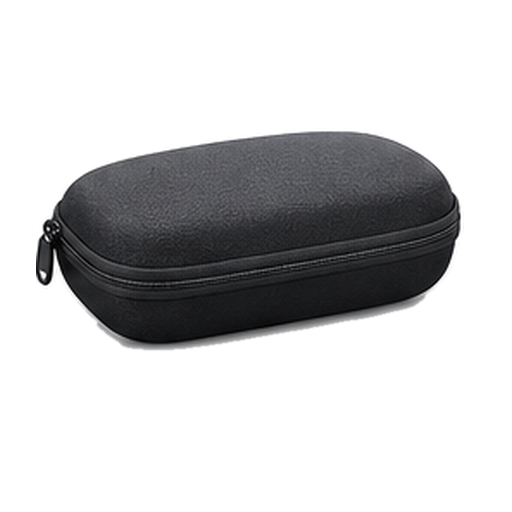
Protective case
User manual

From XREAL. Checked Sep 22, 2026.

XREAL 1 Pro+$599Available nowGuide News
Even Realities G2$599Available nowGuide News
Meta Glasses$299–$399Available nowGuide News
Meta Ray-Ban Display$799Available nowGuide News

Frequently asked questions

Questions about XREAL One Pro

Top questions

How much does XREAL One Pro cost, and has the price changed?
$599 today. XREAL permanently cut the price from its original $649 launch figure, per XREAL's own shop page.
Should I buy the XREAL One Pro?
Good to buy. This is close to its low over 73 days, so we'd buy now. It is $539 at Xreal, price checked Oct. 30, 2026. See the full answer on the XREAL One Pro
Does the Xreal One Pro come with a charger?
It comes with a USB-C to USB-C cable. XREAL's in-the-box list does not include a power adapter.
What is XREAL One Pro's field of view?
57 degrees, showing up to a 171-inch virtual screen, per XREAL's own shop listing.

Using it

Can I get prescription lenses?
Yes, you can. The frames can be glazed to your prescription.
Do the lenses tint automatically?
Yes, the lenses tint themselves. You darken them yourself, electronically. 3 tint levels.
What does it cost?
It costs $599. That is the list price.
What kind of screen is it?
It is a Micro-OLED screen. A postage-stamp panel is magnified by lenses, which is what makes it sharp up close.
Do I need a subscription?
No, there is no subscription. No official figure is published, so treat it as a best guess.
Does it work with my phone?
Yes, it works with an iPhone or an Android phone.
How heavy is it?
It weighs 87g.
Does it work without my phone?
No, it needs your phone.
How sharp and bright is the screen?
The screen reaches 700 nits at its brightest.
What chip is inside?
It runs on XREAL X1.
Which AI assistant does it use?
It does not have one.
Does it do AR?
Yes, it does AR.
How wide is the field of view?
It covers 57 degrees. That is how much of your view the image fills.
How many microphones?
It has 2 microphones. They handle calls, voice control and recording.
Can I plug it into a laptop or console?
Yes, it plugs in over USB-C. Anything that sends video down a USB-C cable will do, laptop, console or handheld.
Does it have a screen?
Yes, it has a screen.

Sizing and fit

Will they fit my face?
The nose pads adjust. Bend them to sit where you want on your nose.

Battery and charging

Does it need a battery pack?
It draws power from whatever it plugs into. It has no battery of its own.
Does it charge over USB-C?
Yes, it charges over USB-C.

Price and models

When did the Xreal One Pro come out?
It went on sale July 1, 2025. Announced December 4, 2024.
Is there a newer one?
No. The Xreal One Pro is the current model.
How much does the Xreal One Pro cost?
List price: $599. Current price we last read at XREAL: $539, October 30, 2026.

Returns and warranty

How long do I have to return it?
30-day returns The clock starts the day it arrives.
Is there a restocking fee?
Restocking fee: not stated by Xreal
Who pays return shipping?
Free return shipping Xreal pays return shipping for a change of mind within 30 days and for its own mistakes. For all other return requests you pay return shipping.
Can I return it if I opened or wore it?
Send it back like new Must be in excellent condition, undamaged, with tags, all parts and the original packaging, plus proof of purchase. Change of mind returns are accepted.
How long is the warranty?
1-year warranty Starts the day it arrives.
Is water damage covered?
Water damage not covered Rough handling, direct sunlight, liquid contact, storage in humid or very hot places.
Is the battery covered?
Battery rules: not stated by Xreal

In the box

What's in the box?
XREAL One Pro glasses, Prescription frame, USB-C to USB-C cable, Nose pads, Cleaning cloth, Protective case, User manual.

Works with

Can you connect Xreal One Pro glasses to a Mac?
They work with Macs that send video over USB-C or Thunderbolt. Works
Do Xreal One Pro glasses work with iPhone?
They work with USB-C iPhone 15 or later, except iPhone 16E. Some features missing
Can you connect Xreal One Pro glasses to a PS5?
You need a powered HDMI-to-USB-C adapter. Needs extra hardware
Do Xreal One Pro glasses work with Samsung phones?
They work with Galaxy S-series phones that support USB-C video output. Works
Do Xreal One Pro glasses work with Pixel phones?
Yes, on Pixel 8 and later, over USB-C. Some features missing
Can you connect Xreal One Pro glasses to a handheld gaming PC?
They connect directly to a ROG Ally over USB-C. Works
Can you connect Xreal One Pro glasses to an Xbox?
You need a powered HDMI-to-USB-C adapter. Needs extra hardware
Do Xreal One Pro glasses work with video from a USB-C iPhone?
They work with supported iPhone 15, 16 and 17 models, except iPhone 16E. Some features missing
Do Xreal One Pro glasses work with video from an Android phone?
They work if the phone supports USB-C video output. Some features missing
Do Xreal One Pro glasses support use without an app, account or subscription?
Core wired display features work without an app, account or subscription. Works
How does the One Pro charge?
The connected device powers them, so there is no battery to charge. Works
Do Xreal One Pro glasses work with Nintendo Switch 2?
They need the Switch 2 dock and an HDMI-to-USB-C converter. Needs extra hardware
Do Xreal One Pro glasses work with a Lightning iPhone?
You need the XREAL Adapter and Apple's Lightning Digital AV Adapter. Needs extra hardware
Do Xreal One Pro glasses support spatial display features without an app?
Anchor, Follow, 3D and display controls run on the glasses. Works
Do Xreal One Pro glasses support a voice assistant?
You need XREAL Eye and a supported assistant on the connected device. Needs extra hardware
Do Xreal One Pro glasses support photo and video capture?
Photo and video capture needs the XREAL Eye accessory. Needs extra hardware
Do Xreal One Pro glasses work with music, calling and messaging apps?
Yes for sound from your device, but support for specific apps and calls is unclear. Some features missing
Do Xreal One Pro glasses support accessibility controls on iPhone and iPad?
XREAL Eye gestures use Apple's AssistiveTouch and Zoom settings. Some features missing
Does the One Pro work with older XREAL accessories?
XREAL Hub and Beam Pro work, but older Air and Air 2 prescription lenses do not. Some features missing
Do Xreal One Pro glasses support live translation or captions?
There is no current native One Pro translation or caption workflow. Some features missing

You have reached the end of this stream

Those are all the stories we have lined up here.

More news