










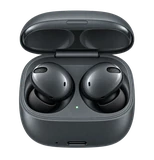








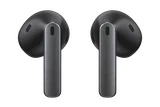
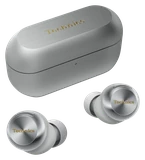




































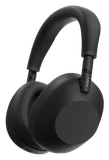

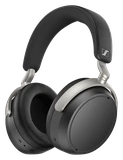








Sennheiser is rolling out firmware version 8.8.8 for the MOMENTUM True Wireless 5, and most of it is about the connection. The earbuds should reconnect more reliably when you walk back into range, and they should hold a steadier link when you're streaming over aptX Lossless. It's the second update since the earbuds launched a few months ago, and Sennheiser says feedback from owners shaped it.
Mono mode no longer sticks around after you put an earbud back in. Immersive audio stays on when you take one earbud out. Google Fast Pair battery notifications show up faster.
The audio priority mode now defaults to Robust Connection during setup, and that includes the first listen after this update. If you'd picked the other setting for sound quality, you'll need to switch it back. Sennheiser also warns that some settings, such as audio priority mode and auto-pause, may be reset to apply the fixes, so check them once the earbuds restart.
The update is free and is reaching the Smart Control Plus app worldwide within about a day of November 10. You'll need version 1.6.3 or later of the app. Charge the earbuds, stop any music, take them out of the case and keep them close to your phone. Then open the app, pick the MOMENTUM True Wireless 5 if you own more than one Sennheiser product, and tap the firmware update tile.
The install takes up to 17 minutes, and you can't wear the earbuds while it runs. If it gets interrupted, put them back in the case and start again from the first step.
If you've had dropouts on aptX Lossless or trouble reconnecting, this is the one to install tonight. Sennheiser says the next update is already in the works.