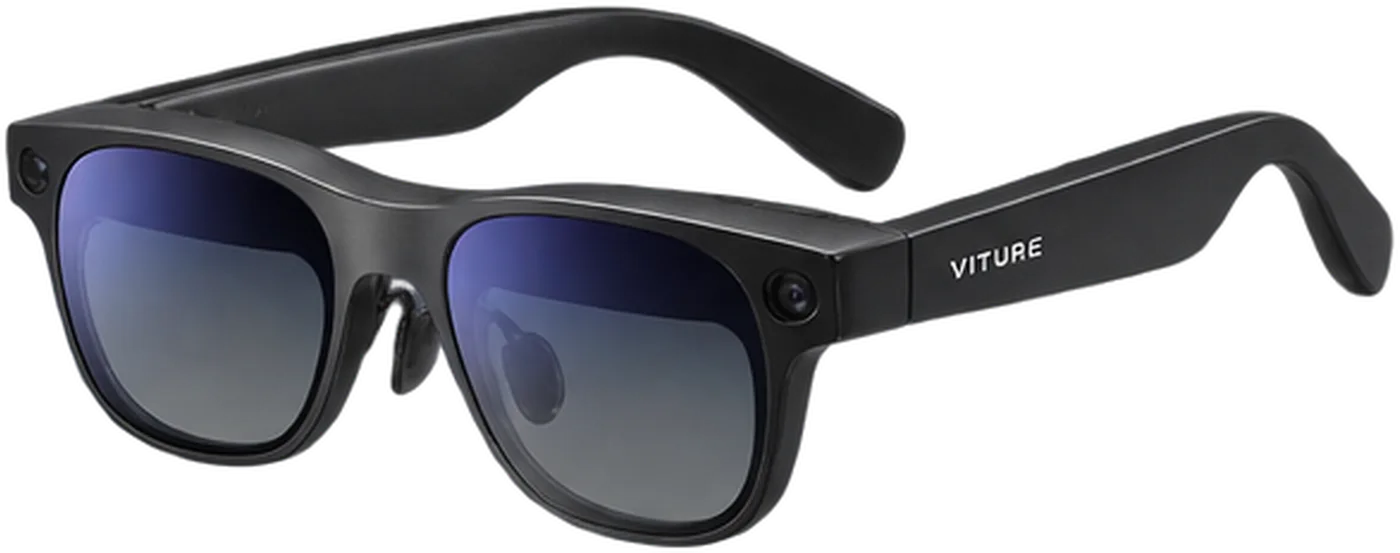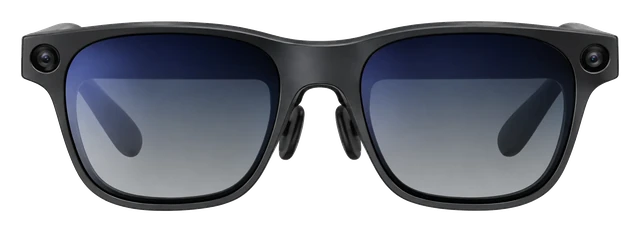



















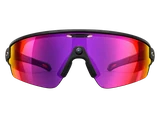




















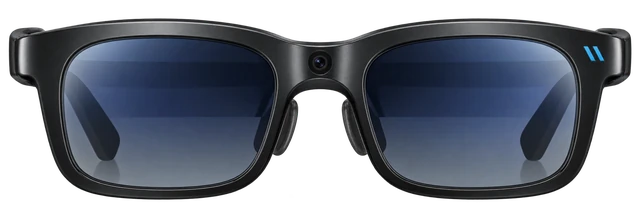
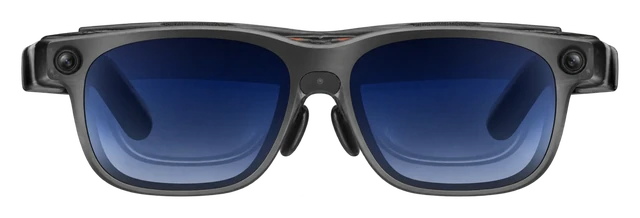
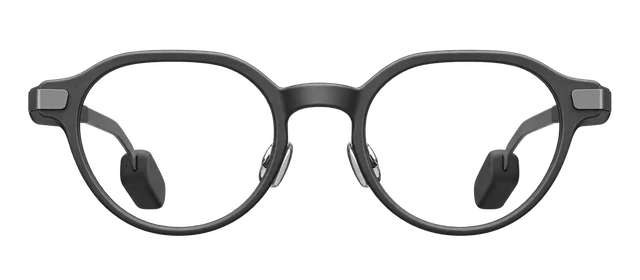
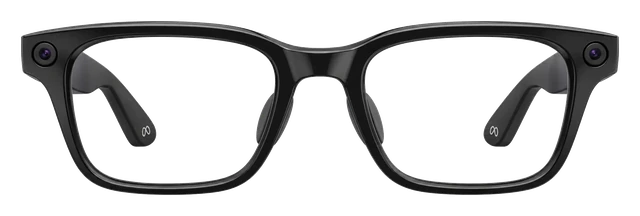

Viture Pro 2

Viture Pro 2Price, Specs & How It Compares

Last updated

Price today
From $299
FIELD OF VIEW
50°
WEIGHT
63g
CONNECTS VIA
USB-C direct
AUG 6 · LATEST ON VITURE PRO 2
The Viture Pro 2 is lighter with the same screens

The Pro 2 sheds 20 percent of the old model's weight, and resolution and refresh rate are exactly what they were.

Read the story →

Comparison

Compare smart glasses

How it compares

Cost over 3 years

$299

Device price plus up to three years of optional subscription.

Weight

63g

Grams on your face. Lower is lighter.

Battery life

USB-C powered; no internal battery, draws power from the connected device

How long it lasts on its own, away from a charger.

Cost over 3 years

Rokid AI Glasses Style
$299
Solos AirGo V2
$299 → $767
RayNeo Air 4 Pro
$299
Meta Ray-Ban Gen 2
$379
Samsung Galaxy Glasses
$379 · soon

Battery life

Viture Pro 2
USB-C powered; no internal battery, draws power from the connected device
Even Realities G2
~2 days
RayNeo iO
~2 days
Solos AirGo V2
~16 hrs

DeviceOptional subscription

Weights are for the frame as sold, without a case or a charger.

Battery life can vary based on usage, settings and firmware version.

Most paired with

Everything it works with

What the Viture Pro 2 works with

Smart glasses that work with Android. They also work with iPhone, with some limits.

Do Viture Pro 2 glasses work with an iPhone?

With a limit

USB-C iPhones plug in directly for a display.

iPhone 15, 16 and 17 connect with the included USB-C cable. To unlock multi-screen mode and Immersive 3D on iOS, you need Viture's USB-C XR Charging Adapter Ultra, which also keeps your phone charged while you use the glasses.

See details and sources (1)
  • VITURE: VITURE Pro 2 XR Glasses -- official product pageFrom the maker or platform · checked 2026-09-22
    iPhone 15 / 16 / 17 and USB-C iPads: plug in directly with the included USB-C cable.
    For the full experience on iOS, add a USB-C XR Charging Adapter Ultra.
    It keeps your device charging while you use VITURE Pro 2 XR Glasses, and it unlocks SpaceWalker's spatial features such as multi-screen and Immersive 3D.
    Multi-Screen (Requires Head Tracking Enabled) Supported 3DoF Pin Mode Supported Ambient Mode Supported TrackPad / Laser Pointer Supported Immersive 3D Supported Photo Gallery Supported VR Video
    macOS Download for Mac Spatial Anchor 3DoF Multi Screen & Layout 6 types Resolution & Refresh Rate 1080p & 60/90/120 Hz Mirror / Extended Supported
    Windows Download for Windows Spatial Anchor 3DoF Multi Screen & Layout 6 types Resolution & Refresh Rate 1080p & 60/90/120 Hz Mirror / Extended Supported
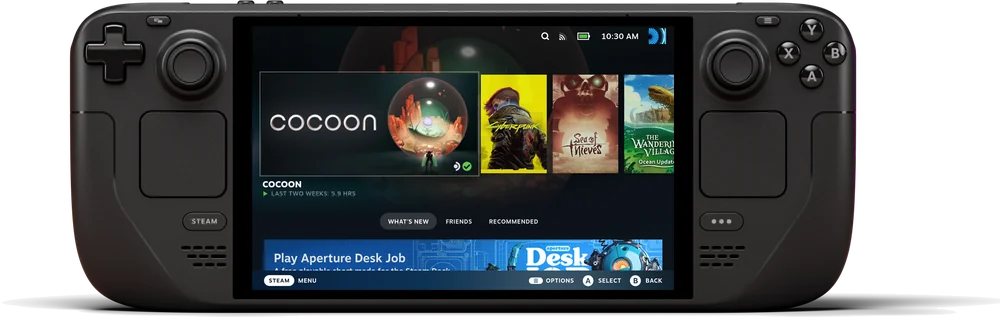
    Steam Deck, ROG Ally X, and other USB-C handhelds: connect directly
    Nintendo Switch and Switch 2: require the VITURE Pro Mobile Dock, VITURE Mobile Dock Mini, or USB-C XR Charging Adapter Ultra

Last checked 2026-09-22.

Do Viture Pro 2 glasses work with Android phones?

Works

And Android gets more features working out of the box than iPhone.

Viture lists the full SpaceWalker feature set as supported on Android -- multi-screen, 3DoF pin mode, Immersive 3D, VR video and more -- without needing the extra Adapter Ultra that iOS requires for some of those.

See details and sources (1)
  • VITURE: VITURE Pro 2 XR Glasses -- official product pageFrom the maker or platform · checked 2026-09-22
    For the full experience on iOS, add a USB-C XR Charging Adapter Ultra.
    It keeps your device charging while you use VITURE Pro 2 XR Glasses, and it unlocks SpaceWalker's spatial features such as multi-screen and Immersive 3D.
    Multi-Screen (Requires Head Tracking Enabled) Supported 3DoF Pin Mode Supported Ambient Mode Supported TrackPad / Laser Pointer Supported Immersive 3D Supported Photo Gallery Supported VR Video
    macOS Download for Mac Spatial Anchor 3DoF Multi Screen & Layout 6 types Resolution & Refresh Rate 1080p & 60/90/120 Hz Mirror / Extended Supported
    Windows Download for Windows Spatial Anchor 3DoF Multi Screen & Layout 6 types Resolution & Refresh Rate 1080p & 60/90/120 Hz Mirror / Extended Supported
    Nintendo Switch and Switch 2: require the VITURE Pro Mobile Dock, VITURE Mobile Dock Mini, or USB-C XR Charging Adapter Ultra
    The VITURE Pro 2 XR Glasses have built-in open-ear spatial-sound speakers with 9 volume levels, so you can listen without earbuds.

Last checked 2026-09-22.

Do Viture Pro 2 glasses work with a Mac?

Works

Through Viture's own Mac app.

The Mac app adds a 3DoF spatial anchor, six multi-screen layouts, and up to 120Hz at 1080p, with a choice of mirrored or extended display.

See details and sources (1)
  • VITURE: VITURE Pro 2 XR Glasses -- official product pageFrom the maker or platform · checked 2026-09-22
    It keeps your device charging while you use VITURE Pro 2 XR Glasses, and it unlocks SpaceWalker's spatial features such as multi-screen and Immersive 3D.
    Multi-Screen (Requires Head Tracking Enabled) Supported 3DoF Pin Mode Supported Ambient Mode Supported TrackPad / Laser Pointer Supported Immersive 3D Supported Photo Gallery Supported VR Video
    macOS Download for Mac Spatial Anchor 3DoF Multi Screen & Layout 6 types Resolution & Refresh Rate 1080p & 60/90/120 Hz Mirror / Extended Supported
    Windows Download for Windows Spatial Anchor 3DoF Multi Screen & Layout 6 types Resolution & Refresh Rate 1080p & 60/90/120 Hz Mirror / Extended Supported
    The VITURE Pro 2 XR Glasses have built-in open-ear spatial-sound speakers with 9 volume levels, so you can listen without earbuds.

Last checked 2026-09-22.

Do Viture Pro 2 glasses work with a Windows PC?

Works

Through Viture's own Windows app.

Same feature set as the Mac app: 3DoF spatial anchor, six multi-screen layouts, up to 120Hz at 1080p, mirrored or extended display.

See details and sources (1)
  • VITURE: VITURE Pro 2 XR Glasses -- official product pageFrom the maker or platform · checked 2026-09-22
    It keeps your device charging while you use VITURE Pro 2 XR Glasses, and it unlocks SpaceWalker's spatial features such as multi-screen and Immersive 3D.
    Multi-Screen (Requires Head Tracking Enabled) Supported 3DoF Pin Mode Supported Ambient Mode Supported TrackPad / Laser Pointer Supported Immersive 3D Supported Photo Gallery Supported VR Video
    macOS Download for Mac Spatial Anchor 3DoF Multi Screen & Layout 6 types Resolution & Refresh Rate 1080p & 60/90/120 Hz Mirror / Extended Supported
    Windows Download for Windows Spatial Anchor 3DoF Multi Screen & Layout 6 types Resolution & Refresh Rate 1080p & 60/90/120 Hz Mirror / Extended Supported
    The VITURE Pro 2 XR Glasses have built-in open-ear spatial-sound speakers with 9 volume levels, so you can listen without earbuds.

Last checked 2026-09-22.

Quick answers

All FAQs

Quick answers

Does the Viture Pro 2 come with a charger?
It comes with a USB-C to USB-C Cable. VITURE's in-the-box list does not include a power adapter.

Get Viture Pro 2 updates

Email me when there's news.

Available nowViture Luma Ultra$599Guide News
Available nowEven Realities G2$599Guide News
Available nowMeta Glasses (2026)$299–$399Guide News

Works with

With a limit

USB-C iPhones plug in directly for a display.

iPhone 15, 16 and 17 connect with the included USB-C cable. To unlock multi-screen mode and Immersive 3D on iOS, you need Viture's USB-C XR Charging Adapter Ultra, which also keeps your phone charged while you use the glasses.

See details and sources (1)
  • VITURE: VITURE Pro 2 XR Glasses -- official product pageFrom the maker or platform · checked 2026-09-22
    iPhone 15 / 16 / 17 and USB-C iPads: plug in directly with the included USB-C cable.
    For the full experience on iOS, add a USB-C XR Charging Adapter Ultra.
    It keeps your device charging while you use VITURE Pro 2 XR Glasses, and it unlocks SpaceWalker's spatial features such as multi-screen and Immersive 3D.
    Multi-Screen (Requires Head Tracking Enabled) Supported 3DoF Pin Mode Supported Ambient Mode Supported TrackPad / Laser Pointer Supported Immersive 3D Supported Photo Gallery Supported VR Video
    macOS Download for Mac Spatial Anchor 3DoF Multi Screen & Layout 6 types Resolution & Refresh Rate 1080p & 60/90/120 Hz Mirror / Extended Supported
    Windows Download for Windows Spatial Anchor 3DoF Multi Screen & Layout 6 types Resolution & Refresh Rate 1080p & 60/90/120 Hz Mirror / Extended Supported
    Steam Deck, ROG Ally X, and other USB-C handhelds: connect directly
    Nintendo Switch and Switch 2: require the VITURE Pro Mobile Dock, VITURE Mobile Dock Mini, or USB-C XR Charging Adapter Ultra

Last checked 2026-09-22.

With a limit

USB-C iPads plug in directly for a display.

Any USB-C iPad connects with the included cable. The same Adapter Ultra requirement as iPhone applies if you want multi-screen mode and Immersive 3D.

See details and sources (1)
  • VITURE: VITURE Pro 2 XR Glasses -- official product pageFrom the maker or platform · checked 2026-09-22
    iPhone 15 / 16 / 17 and USB-C iPads: plug in directly with the included USB-C cable.
    For the full experience on iOS, add a USB-C XR Charging Adapter Ultra.
    It keeps your device charging while you use VITURE Pro 2 XR Glasses, and it unlocks SpaceWalker's spatial features such as multi-screen and Immersive 3D.
    Steam Deck, ROG Ally X, and other USB-C handhelds: connect directly
    Nintendo Switch and Switch 2: require the VITURE Pro Mobile Dock, VITURE Mobile Dock Mini, or USB-C XR Charging Adapter Ultra

Last checked 2026-09-22.

Works

And Android gets more features working out of the box than iPhone.

Viture lists the full SpaceWalker feature set as supported on Android -- multi-screen, 3DoF pin mode, Immersive 3D, VR video and more -- without needing the extra Adapter Ultra that iOS requires for some of those.

See details and sources (1)
  • VITURE: VITURE Pro 2 XR Glasses -- official product pageFrom the maker or platform · checked 2026-09-22
    For the full experience on iOS, add a USB-C XR Charging Adapter Ultra.
    It keeps your device charging while you use VITURE Pro 2 XR Glasses, and it unlocks SpaceWalker's spatial features such as multi-screen and Immersive 3D.
    Multi-Screen (Requires Head Tracking Enabled) Supported 3DoF Pin Mode Supported Ambient Mode Supported TrackPad / Laser Pointer Supported Immersive 3D Supported Photo Gallery Supported VR Video
    macOS Download for Mac Spatial Anchor 3DoF Multi Screen & Layout 6 types Resolution & Refresh Rate 1080p & 60/90/120 Hz Mirror / Extended Supported
    Windows Download for Windows Spatial Anchor 3DoF Multi Screen & Layout 6 types Resolution & Refresh Rate 1080p & 60/90/120 Hz Mirror / Extended Supported
    Nintendo Switch and Switch 2: require the VITURE Pro Mobile Dock, VITURE Mobile Dock Mini, or USB-C XR Charging Adapter Ultra
    The VITURE Pro 2 XR Glasses have built-in open-ear spatial-sound speakers with 9 volume levels, so you can listen without earbuds.

Last checked 2026-09-22.

Works

Through Viture's own Mac app.

The Mac app adds a 3DoF spatial anchor, six multi-screen layouts, and up to 120Hz at 1080p, with a choice of mirrored or extended display.

See details and sources (1)
  • VITURE: VITURE Pro 2 XR Glasses -- official product pageFrom the maker or platform · checked 2026-09-22
    It keeps your device charging while you use VITURE Pro 2 XR Glasses, and it unlocks SpaceWalker's spatial features such as multi-screen and Immersive 3D.
    Multi-Screen (Requires Head Tracking Enabled) Supported 3DoF Pin Mode Supported Ambient Mode Supported TrackPad / Laser Pointer Supported Immersive 3D Supported Photo Gallery Supported VR Video
    macOS Download for Mac Spatial Anchor 3DoF Multi Screen & Layout 6 types Resolution & Refresh Rate 1080p & 60/90/120 Hz Mirror / Extended Supported
    Windows Download for Windows Spatial Anchor 3DoF Multi Screen & Layout 6 types Resolution & Refresh Rate 1080p & 60/90/120 Hz Mirror / Extended Supported
    The VITURE Pro 2 XR Glasses have built-in open-ear spatial-sound speakers with 9 volume levels, so you can listen without earbuds.

Last checked 2026-09-22.

Works

Through Viture's own Windows app.

Same feature set as the Mac app: 3DoF spatial anchor, six multi-screen layouts, up to 120Hz at 1080p, mirrored or extended display.

See details and sources (1)
  • VITURE: VITURE Pro 2 XR Glasses -- official product pageFrom the maker or platform · checked 2026-09-22
    It keeps your device charging while you use VITURE Pro 2 XR Glasses, and it unlocks SpaceWalker's spatial features such as multi-screen and Immersive 3D.
    Multi-Screen (Requires Head Tracking Enabled) Supported 3DoF Pin Mode Supported Ambient Mode Supported TrackPad / Laser Pointer Supported Immersive 3D Supported Photo Gallery Supported VR Video
    macOS Download for Mac Spatial Anchor 3DoF Multi Screen & Layout 6 types Resolution & Refresh Rate 1080p & 60/90/120 Hz Mirror / Extended Supported
    Windows Download for Windows Spatial Anchor 3DoF Multi Screen & Layout 6 types Resolution & Refresh Rate 1080p & 60/90/120 Hz Mirror / Extended Supported
    The VITURE Pro 2 XR Glasses have built-in open-ear spatial-sound speakers with 9 volume levels, so you can listen without earbuds.

Last checked 2026-09-22.

Works

It connects directly over USB-C, no dock needed.

See details and sources (1)
  • VITURE: VITURE Pro 2 XR Glasses -- official product pageFrom the maker or platform · checked 2026-09-22
    iPhone 15 / 16 / 17 and USB-C iPads: plug in directly with the included USB-C cable.
    For the full experience on iOS, add a USB-C XR Charging Adapter Ultra.
    Steam Deck, ROG Ally X, and other USB-C handhelds: connect directly
    Nintendo Switch and Switch 2: require the VITURE Pro Mobile Dock, VITURE Mobile Dock Mini, or USB-C XR Charging Adapter Ultra
    PS5, Xbox, and other HDMI consoles: require the VITURE Pro Mobile Dock

Last checked 2026-09-22.

Works

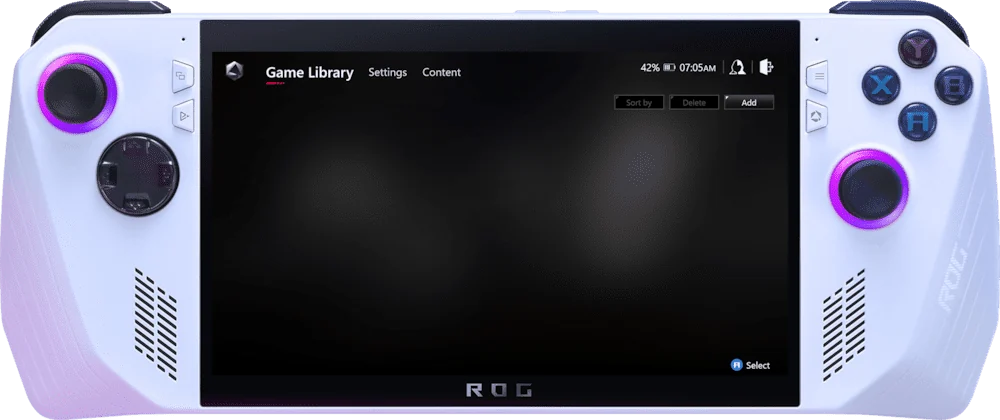
Broadly -- any USB-C handheld with video output connects directly.

Viture names the ROG Ally X specifically, plus "other USB-C handhelds," as connecting the same direct way as Steam Deck. Always check that a specific handheld outputs DisplayPort video over its USB-C port.

See details and sources (1)
  • VITURE: VITURE Pro 2 XR Glasses -- official product pageFrom the maker or platform · checked 2026-09-22
    iPhone 15 / 16 / 17 and USB-C iPads: plug in directly with the included USB-C cable.
    Multi-Screen (Requires Head Tracking Enabled) Supported 3DoF Pin Mode Supported Ambient Mode Supported TrackPad / Laser Pointer Supported Immersive 3D Supported Photo Gallery Supported VR Video
    Steam Deck, ROG Ally X, and other USB-C handhelds: connect directly

Last checked 2026-09-22.

Needs extra hardware

But you need one of Viture's own dock accessories -- there's no direct connection.

The Pro Mobile Dock, Mobile Dock Mini, or USB-C XR Charging Adapter Ultra all work. Plugging Switch 2 straight into the glasses is not an option.

See details and sources (1)
  • VITURE: VITURE Pro 2 XR Glasses -- official product pageFrom the maker or platform · checked 2026-09-22
    iPhone 15 / 16 / 17 and USB-C iPads: plug in directly with the included USB-C cable.
    For the full experience on iOS, add a USB-C XR Charging Adapter Ultra.
    It keeps your device charging while you use VITURE Pro 2 XR Glasses, and it unlocks SpaceWalker's spatial features such as multi-screen and Immersive 3D.
    Multi-Screen (Requires Head Tracking Enabled) Supported 3DoF Pin Mode Supported Ambient Mode Supported TrackPad / Laser Pointer Supported Immersive 3D Supported Photo Gallery Supported VR Video
    Steam Deck, ROG Ally X, and other USB-C handhelds: connect directly
    Nintendo Switch and Switch 2: require the VITURE Pro Mobile Dock, VITURE Mobile Dock Mini, or USB-C XR Charging Adapter Ultra
    PS5, Xbox, and other HDMI consoles: require the VITURE Pro Mobile Dock

Last checked 2026-09-22.

Show all 12Show fewer
Needs extra hardware

With the same accessory requirement as Switch 2.

The Pro Mobile Dock, Mobile Dock Mini, or USB-C XR Charging Adapter Ultra all work; there's no direct connection.

See details and sources (1)
  • VITURE: VITURE Pro 2 XR Glasses -- official product pageFrom the maker or platform · checked 2026-09-22
    For the full experience on iOS, add a USB-C XR Charging Adapter Ultra.
    It keeps your device charging while you use VITURE Pro 2 XR Glasses, and it unlocks SpaceWalker's spatial features such as multi-screen and Immersive 3D.
    Multi-Screen (Requires Head Tracking Enabled) Supported 3DoF Pin Mode Supported Ambient Mode Supported TrackPad / Laser Pointer Supported Immersive 3D Supported Photo Gallery Supported VR Video
    Nintendo Switch and Switch 2: require the VITURE Pro Mobile Dock, VITURE Mobile Dock Mini, or USB-C XR Charging Adapter Ultra
    PS5, Xbox, and other HDMI consoles: require the VITURE Pro Mobile Dock

Last checked 2026-09-22.

Needs extra hardware

But only through the Pro Mobile Dock over HDMI.

Viture names the Pro Mobile Dock specifically for PS5 and other HDMI consoles -- the Mobile Dock Mini and Adapter Ultra aren't listed as PS5-compatible.

See details and sources (1)
  • VITURE: VITURE Pro 2 XR Glasses -- official product pageFrom the maker or platform · checked 2026-09-22
    Nintendo Switch and Switch 2: require the VITURE Pro Mobile Dock, VITURE Mobile Dock Mini, or USB-C XR Charging Adapter Ultra
    PS5, Xbox, and other HDMI consoles: require the VITURE Pro Mobile Dock

Last checked 2026-09-22.

Needs extra hardware

Through the same Pro Mobile Dock (HDMI) that PS5 uses.

Viture groups Xbox with PS5 as needing this one accessory over HDMI; the Mobile Dock Mini and Adapter Ultra aren't listed as compatible.

See details and sources (1)
  • VITURE: VITURE Pro 2 XR Glasses -- official product pageFrom the maker or platform · checked 2026-09-22
    Multi-Screen (Requires Head Tracking Enabled) Supported 3DoF Pin Mode Supported Ambient Mode Supported TrackPad / Laser Pointer Supported Immersive 3D Supported Photo Gallery Supported VR Video
    Nintendo Switch and Switch 2: require the VITURE Pro Mobile Dock, VITURE Mobile Dock Mini, or USB-C XR Charging Adapter Ultra
    PS5, Xbox, and other HDMI consoles: require the VITURE Pro Mobile Dock

Last checked 2026-09-22.

With a limit

You don't need to -- the glasses have their own built-in speakers -- but yes, you can pair Bluetooth earbuds if you want privacy.

The glasses have open-ear spatial-sound speakers built in with 9 volume levels. Bluetooth earbuds pair to whatever phone, console or PC you've connected, not to the glasses themselves -- Pro 2 has no Bluetooth radio of its own.

See details and sources (1)

Last checked 2026-09-22.

Most paired with

Do Viture Pro 2 glasses work with an iPhone?

With a limit

USB-C iPhones plug in directly for a display.

iPhone 15, 16 and 17 connect with the included USB-C cable. To unlock multi-screen mode and Immersive 3D on iOS, you need Viture's USB-C XR Charging Adapter Ultra, which also keeps your phone charged while you use the glasses.

See details and sources (1)
  • VITURE: VITURE Pro 2 XR Glasses -- official product pageFrom the maker or platform · checked 2026-09-22
    iPhone 15 / 16 / 17 and USB-C iPads: plug in directly with the included USB-C cable.
    For the full experience on iOS, add a USB-C XR Charging Adapter Ultra.
    It keeps your device charging while you use VITURE Pro 2 XR Glasses, and it unlocks SpaceWalker's spatial features such as multi-screen and Immersive 3D.
    Multi-Screen (Requires Head Tracking Enabled) Supported 3DoF Pin Mode Supported Ambient Mode Supported TrackPad / Laser Pointer Supported Immersive 3D Supported Photo Gallery Supported VR Video
    macOS Download for Mac Spatial Anchor 3DoF Multi Screen & Layout 6 types Resolution & Refresh Rate 1080p & 60/90/120 Hz Mirror / Extended Supported
    Windows Download for Windows Spatial Anchor 3DoF Multi Screen & Layout 6 types Resolution & Refresh Rate 1080p & 60/90/120 Hz Mirror / Extended Supported
    Steam Deck, ROG Ally X, and other USB-C handhelds: connect directly
    Nintendo Switch and Switch 2: require the VITURE Pro Mobile Dock, VITURE Mobile Dock Mini, or USB-C XR Charging Adapter Ultra

Last checked 2026-09-22.

Do Viture Pro 2 glasses work with Android phones?

Works

And Android gets more features working out of the box than iPhone.

Viture lists the full SpaceWalker feature set as supported on Android -- multi-screen, 3DoF pin mode, Immersive 3D, VR video and more -- without needing the extra Adapter Ultra that iOS requires for some of those.

See details and sources (1)
  • VITURE: VITURE Pro 2 XR Glasses -- official product pageFrom the maker or platform · checked 2026-09-22
    For the full experience on iOS, add a USB-C XR Charging Adapter Ultra.
    It keeps your device charging while you use VITURE Pro 2 XR Glasses, and it unlocks SpaceWalker's spatial features such as multi-screen and Immersive 3D.
    Multi-Screen (Requires Head Tracking Enabled) Supported 3DoF Pin Mode Supported Ambient Mode Supported TrackPad / Laser Pointer Supported Immersive 3D Supported Photo Gallery Supported VR Video
    macOS Download for Mac Spatial Anchor 3DoF Multi Screen & Layout 6 types Resolution & Refresh Rate 1080p & 60/90/120 Hz Mirror / Extended Supported
    Windows Download for Windows Spatial Anchor 3DoF Multi Screen & Layout 6 types Resolution & Refresh Rate 1080p & 60/90/120 Hz Mirror / Extended Supported
    Nintendo Switch and Switch 2: require the VITURE Pro Mobile Dock, VITURE Mobile Dock Mini, or USB-C XR Charging Adapter Ultra
    The VITURE Pro 2 XR Glasses have built-in open-ear spatial-sound speakers with 9 volume levels, so you can listen without earbuds.

Last checked 2026-09-22.

Do Viture Pro 2 glasses work with a Mac?

Works

Through Viture's own Mac app.

The Mac app adds a 3DoF spatial anchor, six multi-screen layouts, and up to 120Hz at 1080p, with a choice of mirrored or extended display.

See details and sources (1)
  • VITURE: VITURE Pro 2 XR Glasses -- official product pageFrom the maker or platform · checked 2026-09-22
    It keeps your device charging while you use VITURE Pro 2 XR Glasses, and it unlocks SpaceWalker's spatial features such as multi-screen and Immersive 3D.
    Multi-Screen (Requires Head Tracking Enabled) Supported 3DoF Pin Mode Supported Ambient Mode Supported TrackPad / Laser Pointer Supported Immersive 3D Supported Photo Gallery Supported VR Video
    macOS Download for Mac Spatial Anchor 3DoF Multi Screen & Layout 6 types Resolution & Refresh Rate 1080p & 60/90/120 Hz Mirror / Extended Supported
    Windows Download for Windows Spatial Anchor 3DoF Multi Screen & Layout 6 types Resolution & Refresh Rate 1080p & 60/90/120 Hz Mirror / Extended Supported
    The VITURE Pro 2 XR Glasses have built-in open-ear spatial-sound speakers with 9 volume levels, so you can listen without earbuds.

Last checked 2026-09-22.

Do Viture Pro 2 glasses work with a Windows PC?

Works

Through Viture's own Windows app.

Same feature set as the Mac app: 3DoF spatial anchor, six multi-screen layouts, up to 120Hz at 1080p, mirrored or extended display.

See details and sources (1)
  • VITURE: VITURE Pro 2 XR Glasses -- official product pageFrom the maker or platform · checked 2026-09-22
    It keeps your device charging while you use VITURE Pro 2 XR Glasses, and it unlocks SpaceWalker's spatial features such as multi-screen and Immersive 3D.
    Multi-Screen (Requires Head Tracking Enabled) Supported 3DoF Pin Mode Supported Ambient Mode Supported TrackPad / Laser Pointer Supported Immersive 3D Supported Photo Gallery Supported VR Video
    macOS Download for Mac Spatial Anchor 3DoF Multi Screen & Layout 6 types Resolution & Refresh Rate 1080p & 60/90/120 Hz Mirror / Extended Supported
    Windows Download for Windows Spatial Anchor 3DoF Multi Screen & Layout 6 types Resolution & Refresh Rate 1080p & 60/90/120 Hz Mirror / Extended Supported
    The VITURE Pro 2 XR Glasses have built-in open-ear spatial-sound speakers with 9 volume levels, so you can listen without earbuds.

Last checked 2026-09-22.

Do Viture Pro 2 glasses work with a Steam Deck?

Works

It connects directly over USB-C, no dock needed.

See details and sources (1)
  • VITURE: VITURE Pro 2 XR Glasses -- official product pageFrom the maker or platform · checked 2026-09-22
    iPhone 15 / 16 / 17 and USB-C iPads: plug in directly with the included USB-C cable.
    For the full experience on iOS, add a USB-C XR Charging Adapter Ultra.
    Steam Deck, ROG Ally X, and other USB-C handhelds: connect directly
    Nintendo Switch and Switch 2: require the VITURE Pro Mobile Dock, VITURE Mobile Dock Mini, or USB-C XR Charging Adapter Ultra
    PS5, Xbox, and other HDMI consoles: require the VITURE Pro Mobile Dock

Last checked 2026-09-22.

Do Viture Pro 2 glasses work with other handheld gaming PCs?

Works

Broadly -- any USB-C handheld with video output connects directly.

Viture names the ROG Ally X specifically, plus "other USB-C handhelds," as connecting the same direct way as Steam Deck. Always check that a specific handheld outputs DisplayPort video over its USB-C port.

See details and sources (1)
  • VITURE: VITURE Pro 2 XR Glasses -- official product pageFrom the maker or platform · checked 2026-09-22
    iPhone 15 / 16 / 17 and USB-C iPads: plug in directly with the included USB-C cable.
    Multi-Screen (Requires Head Tracking Enabled) Supported 3DoF Pin Mode Supported Ambient Mode Supported TrackPad / Laser Pointer Supported Immersive 3D Supported Photo Gallery Supported VR Video
    Steam Deck, ROG Ally X, and other USB-C handhelds: connect directly

Last checked 2026-09-22.

What you need

Do Viture Pro 2 glasses work with an iPhone?

With a limit

USB-C iPhones plug in directly for a display.

iPhone 15, 16 and 17 connect with the included USB-C cable. To unlock multi-screen mode and Immersive 3D on iOS, you need Viture's USB-C XR Charging Adapter Ultra, which also keeps your phone charged while you use the glasses.

See details and sources (1)
  • VITURE: VITURE Pro 2 XR Glasses -- official product pageFrom the maker or platform · checked 2026-09-22
    iPhone 15 / 16 / 17 and USB-C iPads: plug in directly with the included USB-C cable.
    For the full experience on iOS, add a USB-C XR Charging Adapter Ultra.
    It keeps your device charging while you use VITURE Pro 2 XR Glasses, and it unlocks SpaceWalker's spatial features such as multi-screen and Immersive 3D.
    Multi-Screen (Requires Head Tracking Enabled) Supported 3DoF Pin Mode Supported Ambient Mode Supported TrackPad / Laser Pointer Supported Immersive 3D Supported Photo Gallery Supported VR Video
    macOS Download for Mac Spatial Anchor 3DoF Multi Screen & Layout 6 types Resolution & Refresh Rate 1080p & 60/90/120 Hz Mirror / Extended Supported
    Windows Download for Windows Spatial Anchor 3DoF Multi Screen & Layout 6 types Resolution & Refresh Rate 1080p & 60/90/120 Hz Mirror / Extended Supported
    Steam Deck, ROG Ally X, and other USB-C handhelds: connect directly
    Nintendo Switch and Switch 2: require the VITURE Pro Mobile Dock, VITURE Mobile Dock Mini, or USB-C XR Charging Adapter Ultra

Last checked 2026-09-22.

Do Viture Pro 2 glasses work with Android phones?

Works

And Android gets more features working out of the box than iPhone.

Viture lists the full SpaceWalker feature set as supported on Android -- multi-screen, 3DoF pin mode, Immersive 3D, VR video and more -- without needing the extra Adapter Ultra that iOS requires for some of those.

See details and sources (1)
  • VITURE: VITURE Pro 2 XR Glasses -- official product pageFrom the maker or platform · checked 2026-09-22
    For the full experience on iOS, add a USB-C XR Charging Adapter Ultra.
    It keeps your device charging while you use VITURE Pro 2 XR Glasses, and it unlocks SpaceWalker's spatial features such as multi-screen and Immersive 3D.
    Multi-Screen (Requires Head Tracking Enabled) Supported 3DoF Pin Mode Supported Ambient Mode Supported TrackPad / Laser Pointer Supported Immersive 3D Supported Photo Gallery Supported VR Video
    macOS Download for Mac Spatial Anchor 3DoF Multi Screen & Layout 6 types Resolution & Refresh Rate 1080p & 60/90/120 Hz Mirror / Extended Supported
    Windows Download for Windows Spatial Anchor 3DoF Multi Screen & Layout 6 types Resolution & Refresh Rate 1080p & 60/90/120 Hz Mirror / Extended Supported
    Nintendo Switch and Switch 2: require the VITURE Pro Mobile Dock, VITURE Mobile Dock Mini, or USB-C XR Charging Adapter Ultra
    The VITURE Pro 2 XR Glasses have built-in open-ear spatial-sound speakers with 9 volume levels, so you can listen without earbuds.

Last checked 2026-09-22.

Do Viture Pro 2 glasses work with a Mac?

Works

Through Viture's own Mac app.

The Mac app adds a 3DoF spatial anchor, six multi-screen layouts, and up to 120Hz at 1080p, with a choice of mirrored or extended display.

See details and sources (1)
  • VITURE: VITURE Pro 2 XR Glasses -- official product pageFrom the maker or platform · checked 2026-09-22
    It keeps your device charging while you use VITURE Pro 2 XR Glasses, and it unlocks SpaceWalker's spatial features such as multi-screen and Immersive 3D.
    Multi-Screen (Requires Head Tracking Enabled) Supported 3DoF Pin Mode Supported Ambient Mode Supported TrackPad / Laser Pointer Supported Immersive 3D Supported Photo Gallery Supported VR Video
    macOS Download for Mac Spatial Anchor 3DoF Multi Screen & Layout 6 types Resolution & Refresh Rate 1080p & 60/90/120 Hz Mirror / Extended Supported
    Windows Download for Windows Spatial Anchor 3DoF Multi Screen & Layout 6 types Resolution & Refresh Rate 1080p & 60/90/120 Hz Mirror / Extended Supported
    The VITURE Pro 2 XR Glasses have built-in open-ear spatial-sound speakers with 9 volume levels, so you can listen without earbuds.

Last checked 2026-09-22.

Do Viture Pro 2 glasses work with a Windows PC?

Works

Through Viture's own Windows app.

Same feature set as the Mac app: 3DoF spatial anchor, six multi-screen layouts, up to 120Hz at 1080p, mirrored or extended display.

See details and sources (1)
  • VITURE: VITURE Pro 2 XR Glasses -- official product pageFrom the maker or platform · checked 2026-09-22
    It keeps your device charging while you use VITURE Pro 2 XR Glasses, and it unlocks SpaceWalker's spatial features such as multi-screen and Immersive 3D.
    Multi-Screen (Requires Head Tracking Enabled) Supported 3DoF Pin Mode Supported Ambient Mode Supported TrackPad / Laser Pointer Supported Immersive 3D Supported Photo Gallery Supported VR Video
    macOS Download for Mac Spatial Anchor 3DoF Multi Screen & Layout 6 types Resolution & Refresh Rate 1080p & 60/90/120 Hz Mirror / Extended Supported
    Windows Download for Windows Spatial Anchor 3DoF Multi Screen & Layout 6 types Resolution & Refresh Rate 1080p & 60/90/120 Hz Mirror / Extended Supported
    The VITURE Pro 2 XR Glasses have built-in open-ear spatial-sound speakers with 9 volume levels, so you can listen without earbuds.

Last checked 2026-09-22.

At a glance

Viture Pro 2THIS PRODUCTViture Pro 2Meta Ray-Ban Gen 2COMPARE WITHMeta Ray-Ban Gen 2
Device battery
USB-C poweredConfirmed: VITURE -- official product page · Sep 22, 2026no internal battery
8 hrsConfirmed: Meta · Jul 15, 2026
Works with
iPhone, iPad, Mac, Windows PC, Steam Deck, ROG Ally X and other USB-C handhelds, Android phones, Nintendo Switch/Switch 2 and PS5/Xbox via dock accessoriesConfirmed: VITURE -- official product page · Sep 22, 2026
iOS & Android
Display
Micro OLED (Sony)Confirmed: VITURE -- official product page · Sep 22, 2026
NoConfirmed: PCMag · Jul 11, 2026
Price
$299
From $379
Weight
63gConfirmed: Road to VR · Sep 22, 2026
~50gReported: PCMag · Jul 11, 2026
Fit
3 swappable nose pads (sizes 0, 1, 2), 7 adjustment positionsConfirmed: Road to VR · Sep 22, 2026
Fixed (most styles)Confirmed: Meta Newsroom · Jul 11, 2026
Show 14 more specifications
Auto-tint lenses
Unknown
Transitions lenses (+$80 option)Confirmed: Meta (official) · Jul 11, 2026
Camera-free option
Unknown
NoReported: Meta (official) · Jul 11, 2026
Video
Unknown
3K at 30fpsReported: Ray-Ban (official) · Jul 11, 2026
Connectivity
USB-C direct connectionConfirmed: VITURE -- official product page · Sep 22, 2026
Bluetooth 5.3Confirmed: Meta (official) · Jul 11, 2026Wi-Fi 6
Frame partner
Unknown
EssilorLuxottica / Ray-BanReported: Wikipedia · Jul 11, 2026
Hands-free capture
Unknown
Capture button + voice ('Hey Meta')Confirmed: Meta (official) · Jul 11, 2026
Microphones
Unknown
5-mic (standard) / 6-mic (Optics frames)Confirmed: UploadVR · Jul 13, 2026
Walking directions
Unknown
Audio turn-by-turn walking directions (driving pushed to phone)Confirmed: Meta Help (official) · Jul 11, 2026
Open-ear speakers
YesConfirmed: VITURE -- official product page · Sep 22, 2026built-in, 9 volume levels
YesConfirmed: Meta Newsroom (about.fb.com) · Jul 13, 20262x open-ear speakers
Prescription lenses
YesConfirmed: VITURE -- official product page · Sep 22, 2026built-in diopter dials, 0 to −5.0D per eye
Via LensCrafters & Sunglass HutReported: LensCrafters · Jul 11, 2026
Ongoing cost
Unknown
OptionalConfirmed: The Verge · Jul 12, 2026$19.99/mo
Live translation
Unknown
YesConfirmed: Meta Newsroom (about.fb.com) · Jul 13, 2026
Visual AI
Unknown
Look and ask Meta AI about what you seeConfirmed: Meta (official) · Jul 11, 2026
Water resistance
Unknown
IPX4Confirmed: Meta (official) · Sep 23, 2026
More specs
Processor
Unknown
Snapdragon AR1 Gen 1Confirmed: Qualcomm · Jul 11, 2026
AI platform
Unknown
Meta AIConfirmed: Meta Newsroom · Jul 11, 2026
Ar capable
NoConfirmed: VITURE -- official product page · Sep 22, 2026private virtual screen, not a real-world AR overlay
No
Controls
Unknown
NoConfirmed: PCMag · Jul 11, 2026touchpad + voice
Recording indicator
Unknown
Capture LEDConfirmed: Meta (official) · Jul 11, 2026
Livestream
Unknown
No (Gen 1 onlyReported: Meta (official) · Jul 11, 2026per Meta)
Lens sunglasses
Unknown
YesConfirmed: Meta · Jul 15, 2026
Lens optical
Optional prescription lens frame for astigmatism or correction beyond −5.0D, sold separatelyConfirmed: VITURE -- official product page · Sep 22, 2026
YesConfirmed: Ray-Ban (official) · Jul 12, 2026
Sport
Unknown
No
Model choice
Unknown
NoConfirmed: Ray-Ban/Meta (official) · Jul 12, 2026locked to Meta AI
Fov
50°Confirmed: VITURE -- official product page · Sep 22, 2026
Unknown
Software
Unknown
MetaConfirmed: Meta Newsroom · Jul 11, 2026
Camera focus
Unknown
fixed focusConfirmed: arXiv (Meta) · Jul 11, 2026
Phone needed
Noalso works with Mac, Windows PC, or a handheld/console via USB-C
NoConfirmed: PCMag · Jul 11, 2026phone required
Battery
USB-C poweredConfirmed: VITURE -- official product page · Sep 22, 2026no internal battery, draws power from the connected device
8 hrsReported: Meta Newsroom · Jul 11, 2026
Camera
NoConfirmed: Road to VR · Sep 22, 2026no onboard camera sensors
12MPReported: TechInsights · Jul 11, 2026

Buying decision

Viture Pro 2
No rush
VITURE

Viture Pro 2

No new model soon

We don't expect a newer model soon, so there's no reason to wait for one.

What would make this a buy?

A meaningful discount or a return to a well-supported past low would change this recommendation.

About VITURE

Viture makes display glasses for watching, gaming and working on a big virtual screen, with built-in focus adjustment on several models.

Visit VITURE
More from VITURE we cover
Viture BeastViture Luma Ultra

Returns and warranty

Returns

30-day returns· the clock starts the day it arrives

  • A restocking fee may apply
  • Opened is OK

    Return it in the original packaging with all parts, in original condition or only used as much as you would to try it in a store.

  • How you get your money back

    Refund within 14 business days after Viture receives and inspects the return, to the original payment method.

Warranty

Covered

  • Bands and accessories
    Defects in materials and workmanship under normal use, for the product and accessories in the original box.
    Nose pad inserts, microfiber cloths and software are not covered.

Not covered

  • Water damage

    Exposure to liquids, including water, sweat or high humidity.

  • Accidents and misuse

    Accidents, including drops, impacts or bending.

  • Scratches and dents

    Normal wear and tear, including minor scratches or worn parts.

  • Repairs by other shops

    Unauthorized repair, modification or self-disassembly.

  • Loss or theft
  • How it gets fixed

    To request warranty service, email Viture with proof of purchase, a description of the issue, and photos or video.

Good to know

  • Prescription lens inserts

    Personalized or custom items such as prescription lens inserts cannot be returned or exchanged.

What's in the box

What comes in the box with the Viture Pro 2?

Here is what you get when you open it.

VITURE Pro 2 XR Glasses
Lens shade
Swappable nose pads
USB-C to USB-C cable
Glasses case
Glasses cloth
Quick Start Guide
Safety Guideline

From VITURE. Checked Sep 22, 2026.

When to buy

No new model is close, and the price hasn't moved from $299 since Sep 9.

Stores we check1VITURE
Price checks31 over 31 days
How we read this
  • We read store prices every day and keep every read. The price shown is the newest read from the retailer named.
  • A read older than 36 hours is never shown as the current price. It reads "last seen" and carries no buy link.
  • “30-day low” is the lowest of our own reads for this product in the last 30 days, not a retailer’s claim. We print the number of reads beside it, and we say nothing about a low until a product has a week of reads.
  • “Lowest known”, where it appears, is older price history from published reports and imports. It is shown only when it is lower than the 30-day low, and it is not counted as reads.
  • The verdict is worked out from the price, the history and whether a newer model is coming. It never depends on who pays us.

Current offers

VITURE
$299
In stock
Buy

We may earn a commission when you buy through these links.

Available nowViture Luma Ultra$599Guide News
Available nowEven Realities G2$599Guide News
Available nowMeta Glasses (2026)$299–$399Guide News

Frequently asked questions

Questions about Viture Pro 2

Top questions

Does the Viture Pro 2 come with a charger?
It comes with a USB-C to USB-C Cable. VITURE's in-the-box list does not include a power adapter.

Using it

How sharp and bright is the screen?
The screen reaches 1600 nits at its brightest.

Price and models

When did the Viture Pro 2 come out?
It was announced August 6, 2026.
Is there a newer one?
No. The Viture Pro 2 is the current model.
How much does the Viture Pro 2 cost?
List price: $299. Current price we last read at Viture: $299, October 9, 2026.

Returns and warranty

How long do I have to return it?
30-day returns The clock starts the day it arrives.
Is there a restocking fee?
A restocking fee may apply
Can I return it if I opened or wore it?
Opened is OK Return it in the original packaging with all parts, in original condition or only used as much as you would to try it in a store.
How do I get my money back?
How you get your money back Refund within 14 business days after Viture receives and inspects the return, to the original payment method.
How long is the warranty?
Warranty length: not stated by Viture
Is water damage covered?
Water damage not covered Exposure to liquids, including water, sweat or high humidity.
Is the battery covered?
Battery rules: not stated by Viture

In the box

What's in the box?
VITURE Pro 2 XR Glasses, Lens shade, Swappable nose pads, USB-C to USB-C cable, Glasses case, Glasses cloth, Quick Start Guide, Safety Guideline.

Works with

Do Viture Pro 2 glasses work with a Steam Deck?
Yes, it connects directly over USB-C, no dock needed. Works
Do Viture Pro 2 glasses work with other handheld gaming PCs?
Yes, broadly -- any USB-C handheld with video output connects directly. Works
Do Viture Pro 2 glasses work with the Nintendo Switch 2?
Yes, but you need one of Viture's own dock accessories -- there's no direct connection. Needs extra hardware
Do Viture Pro 2 glasses work with the Nintendo Switch?
Yes, with the same accessory requirement as Switch 2. Needs extra hardware
Do Viture Pro 2 glasses work with a PS5?
Yes, but only through the Pro Mobile Dock over HDMI. Needs extra hardware
Do Viture Pro 2 glasses work with an Xbox?
Yes, through the same Pro Mobile Dock (HDMI) that PS5 uses. Needs extra hardware
Can you use Bluetooth headphones with Viture Pro 2 glasses?
You don't need to -- the glasses have their own built-in speakers -- but yes, you can pair Bluetooth earbuds if you want privacy. With a limit

VITURE Beast beats XREAL for less

VITURE's $549 Beast XR glasses beat XREAL's $649 rival on brightness, then shipped with its two headline features disabled.

You have reached the end of this stream

Those are all the stories we have lined up here.

More news