


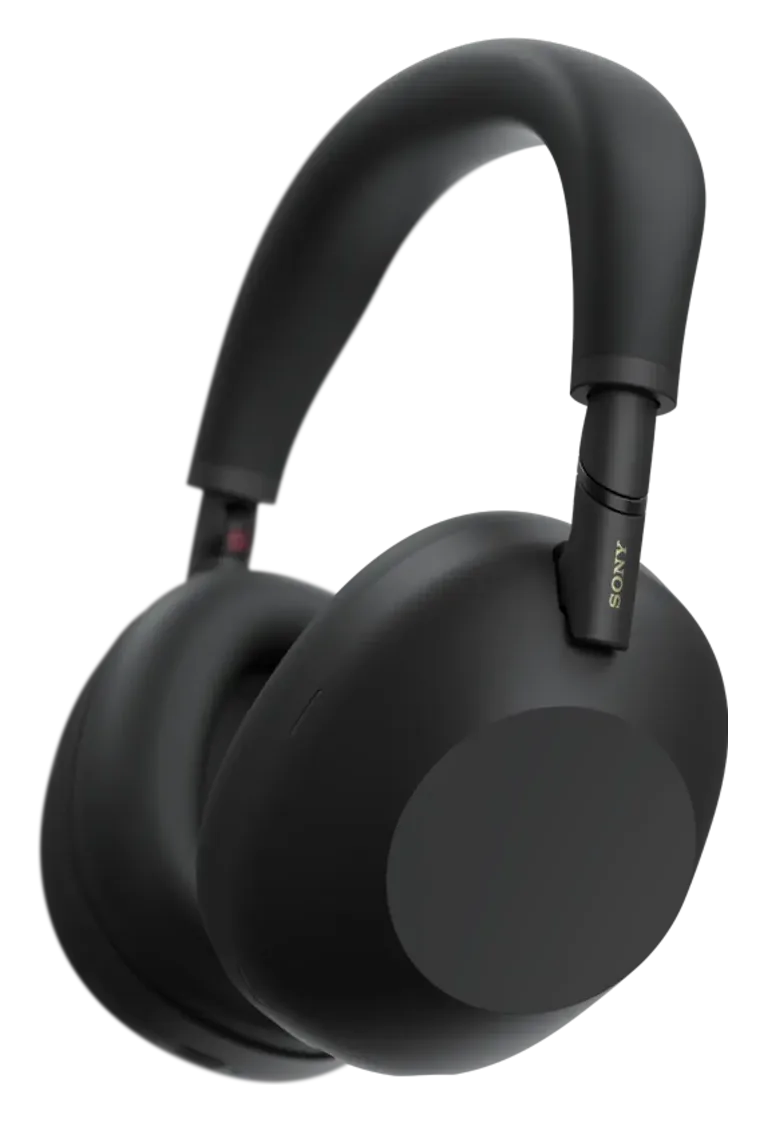
Best headphones overall
Best headphones overallMore than 30 hours per charge with noise cancelling on is what puts the Sony WH-1000XM6 on top. The hum of airplane noise barely registers, and the rumble of an underground train stays out.See all headphones picks
Best headphones overall
Best headphones overallMore than 30 hours per charge with noise cancelling on is what puts the Sony WH-1000XM6 on top. The hum of airplane noise barely registers, and the rumble of an underground train stays out.See all headphones picks
Updated
Does the Sony WH-1000XM6 work with iPhone and Android?

iPhone: Not confirmed. Android: Not confirmed.
Works with
Works with iPhone and Android.
These answers are for the Sony WH-1000XM6.
Works with
Answer
What you need
Phones
Android
Yes. It pairs with Android phones, supports Google Assistant on Android 6 or later, and gets LDAC and LE Audio on phones that support them.
iPhoneYes. It pairs with iPhone over Bluetooth, streams AAC and reaches Siri from the touch panel. LDAC needs a compatible source, such as a supported Android phone or Walkman. On phones, Sony documents LE Audio setup for compatible Android models.
Limits: LDAC needs a compatible source, such as a supported Android phone or Walkman. On phones, Sony documents LE Audio setup for compatible Android models.
Computers & tablets
MacYes. Sony WH-1000XM6 pair with a Mac over Bluetooth.
What you need: MacOS version 11 or later.
Windows PCYes. Sony WH-1000XM6 pair with a Windows 11 PC over Bluetooth.
What you need: Windows 11 with Bluetooth on.
Apps & services
Sony | Sound Connect app
Yes. The Sony Sound Connect app, on Google Play and the App Store, turns on multipoint, sets sound quality and updates them.
Voice assistant
Yes. Siri on iPhone from the touch panel, and Google Assistant on Android 6 or later, including Hey Google.
Other
Hi-res audio (LDAC)LDAC at up to 990 kbps works with phones that support LDAC, set to Priority on Sound Quality. IPhones use AAC.
Limits: LDAC needs a compatible device and the Priority on Sound Quality setting.
Low-latency gamingYes. An LE Audio Android phone gets lower delay with LC3 and ultra-low latency in GMAP games. Other phones use standard Bluetooth.
Limits: LE Audio needs a supporting Android phone and the Low latency setting in the app.
Spatial audio360 Reality Audio Upmix for Cinema works from the app. Spatial sound with head tracking needs an Android 13 phone that supports it.
Limits: Head tracking needs an Android 13 phone capable of head tracking.
Ask about anything else
Does it work with…?