


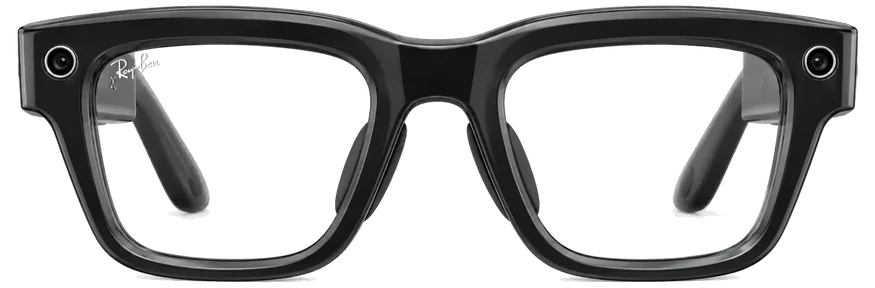
Do Meta Ray-Ban Display work with iPhone and Android?

Works with
iPhoneUse the Meta AI app on iOS 18.4 or later.
What you need: Supported iPhone; Meta AI app; Meta account; internet for Meta AI/imports/updates; current App Store iOS 18.4+.
Limits: Ray-Ban’s FAQ still says iOS 14.4+, which conflicts with the current required app’s iOS 18.4+ store minimum.
AndroidUse the Meta AI app on Android 10 or later, with location on.
What you need: Supported Android phone; Android 10+; location services; Meta AI app; Meta account.
Limits: Google Play did not expose a separate current store-level Android minimum in the fetched listing.
Bluetooth audio with Mac, Bluetooth audio with Windows PCThey only handle audio, calls and meetings. The display and Neural Band need the phone app.
What you need: Put the glasses in pairing mode, then pair from the Mac's Bluetooth settings.
Limits: Audio only. The in-lens display, Neural Band and Meta AI still run through the phone app. Meta's page covers AI glasses in general and does not name this model or macOS.
Companion app, account and subscriptionsInstall the Meta AI app, sign in with a Meta account and pair the glasses.
What you need: Supported smartphone; Meta AI mobile app; Meta account; internet for AI/imports/updates.
Limits: Optional connected services can have their own account/subscription terms; no blanket subscription-free statement is asserted.
Cross-generation compatibilityOne app runs up to seven pairs, but some accessories don't fit.
What you need: Meta AI app.
Limits: Meta's Charging Stand does not fit Meta Ray-Ban Display or Oakley Meta Vanguard. Use the case that came with these glasses; Meta does not say other cases fit.
Bluetooth audio with PlayStation 5The PS5 doesn't support Bluetooth audio.
Limits: Sony's rule covers all Bluetooth audio devices; Sony does not name these glasses. Third-party USB transmitters are not validated here.
Prescription lensesPrescription lenses from -4.00 to +4.00 are available through certified retailers.
What you need: Valid prescription; eligible range -4.00 to +4.00 total power; participating certified retailer.
Limits: Prescriptions outside the published range are not confirmed as supported.
Bluetooth audio with Nintendo SwitchThe Switch plays game audio only. It can't use the microphone.
What you need: Pair from the Switch Bluetooth Audio settings; glasses in pairing mode.
Limits: No Bluetooth microphone; up to two wireless controllers while using Bluetooth audio; possible audio delay. Neither Nintendo nor Meta names Meta Ray-Ban Display for this.
Show allShow less
Display featuresIt shows captions, translation, previews, menus and apps.
What you need: Meta AI pairing; Meta Neural Band is used for some gesture controls but touch/voice are also supported for many functions.
Limits: Video input from a USB-C or DisplayPort source is not confirmed.
Ask about anything else
Does it work with…?