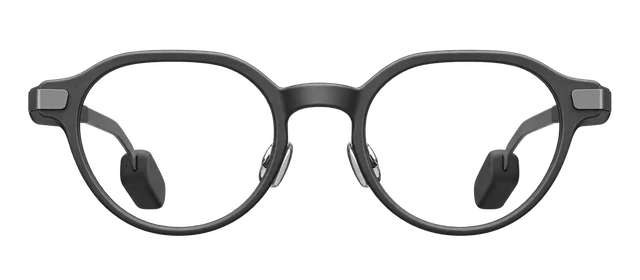


















































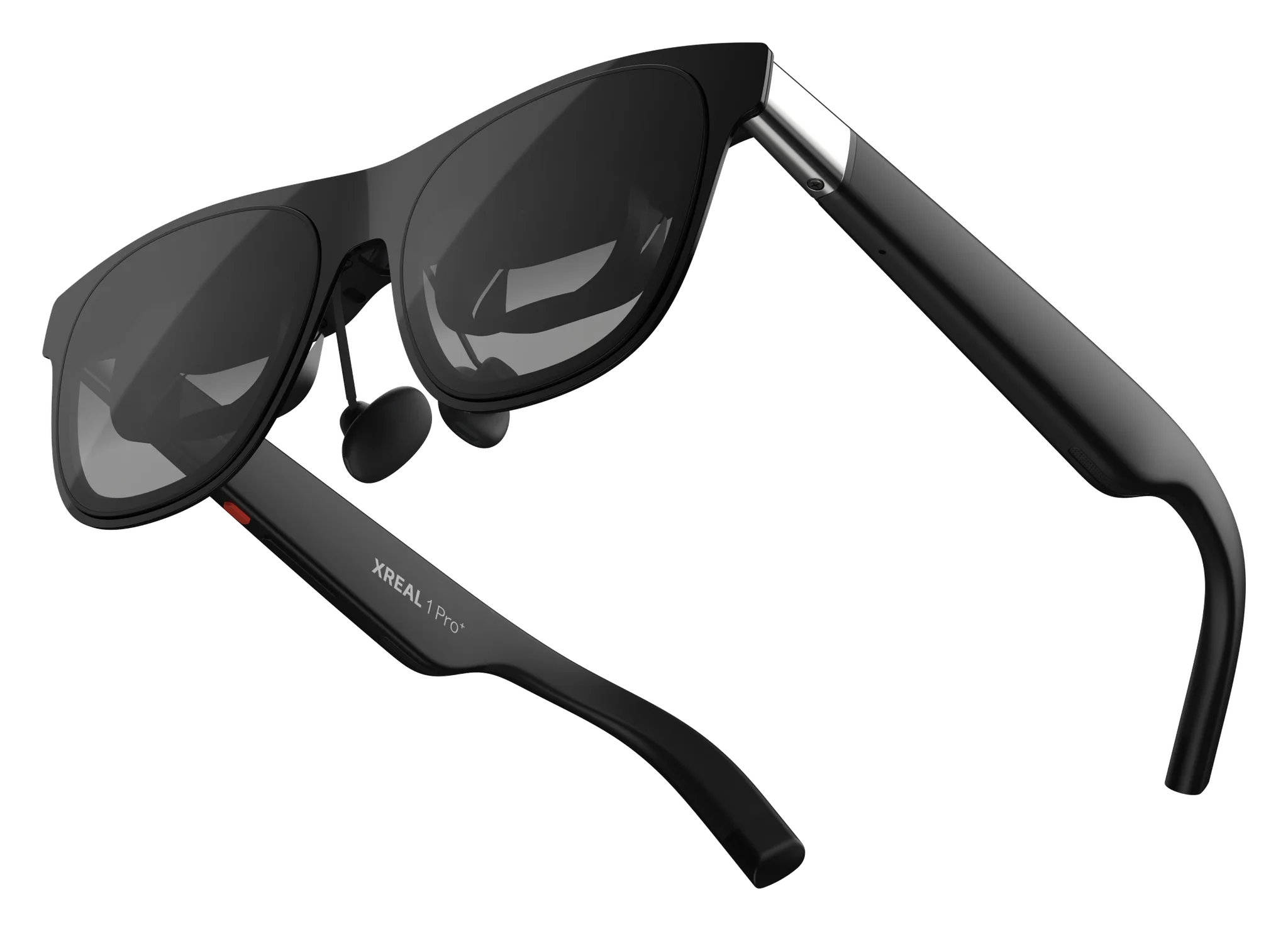
XREAL 1 Pro+
Best smart glasses for work

XREAL 1 Pro+Price, Specs, Brightness & What It Connects To

Released

We may earn a commission when you buy through these links.

Last updated

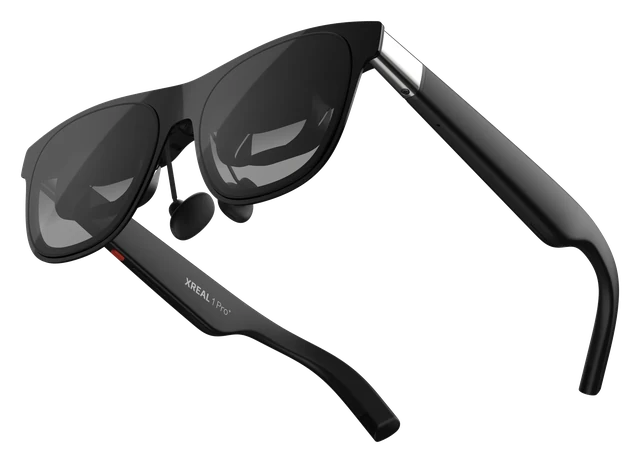
The XREAL 1 Pro+ is a pair of display glasses that plugs into a phone, computer or gaming handheld over USB-C and shows its screen as a large virtual display. It is built on the XREAL One Pro, keeps its X1 chip and 57 degree field of view, and raises peak brightness to 1,200 nits with AI HDR. It is for people who want a private big screen for games, movies and work.

Is now a good time to buy?

The XREAL 1 Pro+ came out Oct 15, 2026, and its best price today is $599 at Xreal. For a model this new, iDevice's advice is to buy it if you want it, not to wait for a drop.

Best for

Gaming. Show why
A big private screen for handhelds, consoles and PCs, with a 120Hz refresh for fast games.
Movies. Show why
A large private screen for films and shows, with a Movie viewing mode.
Work. Show why
A large virtual display for a laptop, with an UltraWide Mode for a wider workspace.

Comparison

Compare smart glasses

How it compares

Price

$599

The official list price to buy it.

Weight

Not confirmed

Grams on your face. Lower is lighter.

Battery life

Not confirmed

How long it lasts on its own, away from a charger.

Price

XREAL 1 Pro+
$599
RayNeo iO
$499
Even Realities G2
$599
Viture Luma Ultra
$599
Xreal One Pro
$599

Battery life

Current list prices.

Weights are for the frame as sold, without a case or a charger.

Battery life can vary based on usage, settings and firmware version.

If not this one

  • If display decides itXREAL Aura

    You see through the display, and it runs Android XR.

    $1279
  • If camera decides itSolos AirGo V2

    The frames take photos and record video.

    $299
  • If AI assistant decides itMeta Ray-Ban Display

    Meta AI answers using what the camera can see.
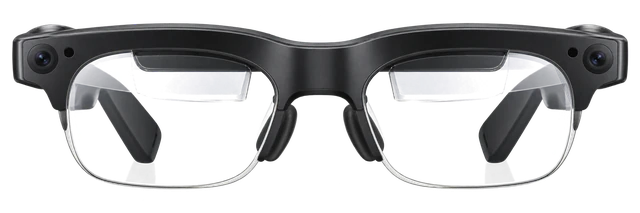
    $799

Most paired with

Everything it works with

What XREAL 1 Pro+ glasses work with

Smart glasses that work with iPhone and Android.

Do XREAL 1 Pro+ glasses work with iPhone?

Works

With a USB-C iPhone that sends out video. Plug the glasses into the iPhone and its screen appears in the glasses.

What you need
An iPhone with a USB-C port that outputs DisplayPort video.
See details and sources (2)
  • XREAL: Set Up and Fit the Glasses | TutorialsFrom the official page or platform · checked 2026-10-21
    This method applies to compatible Android phones and tablets, USB-C iPhones and iPads, USB-C computers, and handhelds such as Steam Deck or ROG Ally.
    Laptops and desktop computers Direct connection through a USB-C port with DP video output, or a compatible adapter for another video output.
    Gaming handhelds Direct connection for models with USB-C DP video output.
  • XREAL: Basic Use and Firmware FAQ | TutorialsFrom the official page or platform · checked 2026-10-21
    A direct USB-C connection requires DisplayPort video output from the source port.

Last checked 2026-10-21.

Do XREAL 1 Pro+ glasses work with Android?

Works

With an Android phone or tablet whose USB-C port sends out DisplayPort video. A USB-C port alone does not guarantee video, so check your exact model.

What you need
A USB-C port that outputs DisplayPort video.
See details and sources (2)
  • XREAL: Set Up and Fit the Glasses | TutorialsFrom the official page or platform · checked 2026-10-21
    This method applies to compatible Android phones and tablets, USB-C iPhones and iPads, USB-C computers, and handhelds such as Steam Deck or ROG Ally.
    Laptops and desktop computers Direct connection through a USB-C port with DP video output, or a compatible adapter for another video output.
    Gaming handhelds Direct connection for models with USB-C DP video output.
  • XREAL: Basic Use and Firmware FAQ | TutorialsFrom the official page or platform · checked 2026-10-21
    A direct USB-C connection requires DisplayPort video output from the source port.

Last checked 2026-10-21.

Do XREAL 1 Pro+ glasses work with Mac?

Works

Through a USB-C port that sends out DisplayPort video, or an adapter for another video output.

What you need
A USB-C port with DisplayPort video output, or a compatible adapter.
See details and sources (1)
  • XREAL: Set Up and Fit the Glasses | TutorialsFrom the official page or platform · checked 2026-10-21
    Laptops and desktop computers Direct connection through a USB-C port with DP video output, or a compatible adapter for another video output.
    Gaming handhelds Direct connection for models with USB-C DP video output.

Last checked 2026-10-21.

Docked TV mode only, through a powered HDMI-to-USB-C video adapter

Do XREAL 1 Pro+ glasses work with Nintendo Switch and Switch OLED?

Some features missing

With the console in its powered dock in TV mode, connected through a powered HDMI-to-USB-C video adapter. The console screen turns off while you play.

What you need
The powered console dock and a powered HDMI-to-USB-C video adapter.
What works
Docked TV-mode play in the glasses.
Good to know
Docked TV mode only, through a powered HDMI-to-USB-C video adapter.
See details and sources (1)
  • XREAL: Connect Nintendo Switch / Switch OLED | TutorialsFrom the official page or platform · checked 2026-10-21
    Nintendo Switch / Switch OLED needs a powered TV-mode connection to send video to XREAL 1 Pro+.
    Connect the dock's HDMI output to a compatible powered HDMI-to-USB-C video adapter.

Last checked 2026-10-21.

Quick answers

All FAQs

Quick answers

How much does the XREAL 1 Pro+ cost?
$599.00 at XREAL's US store, in either frame size, M or L.
When did the XREAL 1 Pro+ go on sale?
On October 15, 2026, at XREAL.com for $599. It sells through XREAL.com first, with retail stores around the world to follow.
Which size of XREAL 1 Pro+ do I need?
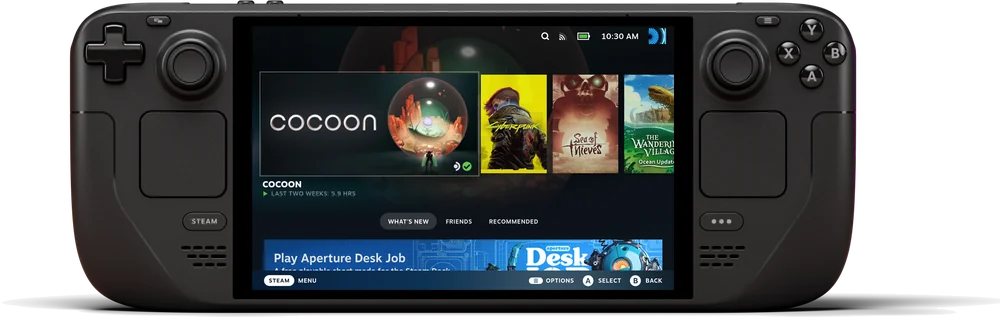
Pick by your IPD, the distance between your pupils: M fits 57 to 66 mm and L fits 66 to 75 mm. The two sizes cover up to 95% of IPD ranges worldwide. If you sit right on the boundary, compare both sizes before you buy.

Get XREAL 1 Pro+ updates

Email me when there's news.

Works with

Works

With an Android phone or tablet whose USB-C port sends out DisplayPort video. A USB-C port alone does not guarantee video, so check your exact model.

What you need
A USB-C port that outputs DisplayPort video.
See details and sources (2)
  • XREAL: Set Up and Fit the Glasses | TutorialsFrom the official page or platform · checked 2026-10-21
    This method applies to compatible Android phones and tablets, USB-C iPhones and iPads, USB-C computers, and handhelds such as Steam Deck or ROG Ally.
    Laptops and desktop computers Direct connection through a USB-C port with DP video output, or a compatible adapter for another video output.
    Gaming handhelds Direct connection for models with USB-C DP video output.
  • XREAL: Basic Use and Firmware FAQ | TutorialsFrom the official page or platform · checked 2026-10-21
    A direct USB-C connection requires DisplayPort video output from the source port.

Last checked 2026-10-21.

Works

With a USB-C iPhone that sends out video. Plug the glasses into the iPhone and its screen appears in the glasses.

What you need
An iPhone with a USB-C port that outputs DisplayPort video.
See details and sources (2)
  • XREAL: Set Up and Fit the Glasses | TutorialsFrom the official page or platform · checked 2026-10-21
    This method applies to compatible Android phones and tablets, USB-C iPhones and iPads, USB-C computers, and handhelds such as Steam Deck or ROG Ally.
    Laptops and desktop computers Direct connection through a USB-C port with DP video output, or a compatible adapter for another video output.
    Gaming handhelds Direct connection for models with USB-C DP video output.
  • XREAL: Basic Use and Firmware FAQ | TutorialsFrom the official page or platform · checked 2026-10-21
    A direct USB-C connection requires DisplayPort video output from the source port.

Last checked 2026-10-21.

Works

Through a USB-C port that sends out DisplayPort video, or an adapter for another video output.

What you need
A USB-C port with DisplayPort video output, or a compatible adapter.
See details and sources (1)
  • XREAL: Set Up and Fit the Glasses | TutorialsFrom the official page or platform · checked 2026-10-21
    Laptops and desktop computers Direct connection through a USB-C port with DP video output, or a compatible adapter for another video output.
    Gaming handhelds Direct connection for models with USB-C DP video output.

Last checked 2026-10-21.

Some features missing

With the console in its powered dock in TV mode, connected through a powered HDMI-to-USB-C video adapter. The console screen turns off while you play.

What you need
The powered console dock and a powered HDMI-to-USB-C video adapter.
What works
Docked TV-mode play in the glasses.
Good to know
Docked TV mode only, through a powered HDMI-to-USB-C video adapter.
See details and sources (1)
  • XREAL: Connect Nintendo Switch / Switch OLED | TutorialsFrom the official page or platform · checked 2026-10-21
    Nintendo Switch / Switch OLED needs a powered TV-mode connection to send video to XREAL 1 Pro+.
    Connect the dock's HDMI output to a compatible powered HDMI-to-USB-C video adapter.

Last checked 2026-10-21.

Some features missing

Through a powered HDMI-to-USB-C video adapter made for AR glasses. The glasses do not plug straight into the console.

What you need
A powered HDMI-to-USB-C video adapter.
What works
The console picture and sound in the glasses through the adapter.
Good to know
Needs a powered HDMI-to-USB-C video adapter; a USB-C-to-HDMI monitor adapter will not work.
See details and sources (1)
  • XREAL: Connect PlayStation or Xbox | TutorialsFrom the official page or platform · checked 2026-10-21
    XREAL 1 Pro+ needs a compatible video signal and power, so use a powered HDMI-to-USB-C video adapter designed for AR glasses.
    A USB-C-to-HDMI adapter for connecting a computer to a monitor does not work in this direction.
    PlayStation and Xbox consoles output HDMI video.

Last checked 2026-10-21.

Works

Steam Deck and ROG Ally plug straight into the glasses over USB-C.

See details and sources (1)
  • XREAL: Set Up and Fit the Glasses | TutorialsFrom the official page or platform · checked 2026-10-21
    This method applies to compatible Android phones and tablets, USB-C iPhones and iPads, USB-C computers, and handhelds such as Steam Deck or ROG Ally.

Last checked 2026-10-21.

Works

Through a USB-C port that sends out DisplayPort video, or an adapter for another video output.

What you need
A USB-C port with DisplayPort video output, or a compatible adapter.
See details and sources (1)
  • XREAL: Set Up and Fit the Glasses | TutorialsFrom the official page or platform · checked 2026-10-21
    This method applies to compatible Android phones and tablets, USB-C iPhones and iPads, USB-C computers, and handhelds such as Steam Deck or ROG Ally.
    Laptops and desktop computers Direct connection through a USB-C port with DP video output, or a compatible adapter for another video output.
    Gaming handhelds Direct connection for models with USB-C DP video output.

Last checked 2026-10-21.

Some features missing

Through a powered HDMI-to-USB-C video adapter made for AR glasses. The glasses do not plug straight into the console.

What you need
A powered HDMI-to-USB-C video adapter.
What works
The console picture and sound in the glasses through the adapter.
Good to know
Needs a powered HDMI-to-USB-C video adapter; a USB-C-to-HDMI monitor adapter will not work.
See details and sources (1)
  • XREAL: Connect PlayStation or Xbox | TutorialsFrom the official page or platform · checked 2026-10-21
    XREAL 1 Pro+ needs a compatible video signal and power, so use a powered HDMI-to-USB-C video adapter designed for AR glasses.
    A USB-C-to-HDMI adapter for connecting a computer to a monitor does not work in this direction.
    PlayStation and Xbox consoles output HDMI video.

Last checked 2026-10-21.

Most paired with

Do XREAL 1 Pro+ glasses work with iPhone?

Works

With a USB-C iPhone that sends out video. Plug the glasses into the iPhone and its screen appears in the glasses.

What you need
An iPhone with a USB-C port that outputs DisplayPort video.
See details and sources (2)
  • XREAL: Set Up and Fit the Glasses | TutorialsFrom the official page or platform · checked 2026-10-21
    This method applies to compatible Android phones and tablets, USB-C iPhones and iPads, USB-C computers, and handhelds such as Steam Deck or ROG Ally.
    Laptops and desktop computers Direct connection through a USB-C port with DP video output, or a compatible adapter for another video output.
    Gaming handhelds Direct connection for models with USB-C DP video output.
  • XREAL: Basic Use and Firmware FAQ | TutorialsFrom the official page or platform · checked 2026-10-21
    A direct USB-C connection requires DisplayPort video output from the source port.

Last checked 2026-10-21.

Do XREAL 1 Pro+ glasses work with Android?

Works

With an Android phone or tablet whose USB-C port sends out DisplayPort video. A USB-C port alone does not guarantee video, so check your exact model.

What you need
A USB-C port that outputs DisplayPort video.
See details and sources (2)
  • XREAL: Set Up and Fit the Glasses | TutorialsFrom the official page or platform · checked 2026-10-21
    This method applies to compatible Android phones and tablets, USB-C iPhones and iPads, USB-C computers, and handhelds such as Steam Deck or ROG Ally.
    Laptops and desktop computers Direct connection through a USB-C port with DP video output, or a compatible adapter for another video output.
    Gaming handhelds Direct connection for models with USB-C DP video output.
  • XREAL: Basic Use and Firmware FAQ | TutorialsFrom the official page or platform · checked 2026-10-21
    A direct USB-C connection requires DisplayPort video output from the source port.

Last checked 2026-10-21.

Do XREAL 1 Pro+ glasses work with Mac?

Works

Through a USB-C port that sends out DisplayPort video, or an adapter for another video output.

What you need
A USB-C port with DisplayPort video output, or a compatible adapter.
See details and sources (1)
  • XREAL: Set Up and Fit the Glasses | TutorialsFrom the official page or platform · checked 2026-10-21
    Laptops and desktop computers Direct connection through a USB-C port with DP video output, or a compatible adapter for another video output.
    Gaming handhelds Direct connection for models with USB-C DP video output.

Last checked 2026-10-21.

Docked TV mode only, through a powered HDMI-to-USB-C video adapter

Do XREAL 1 Pro+ glasses work with Nintendo Switch and Switch OLED?

Some features missing

With the console in its powered dock in TV mode, connected through a powered HDMI-to-USB-C video adapter. The console screen turns off while you play.

What you need
The powered console dock and a powered HDMI-to-USB-C video adapter.
What works
Docked TV-mode play in the glasses.
Good to know
Docked TV mode only, through a powered HDMI-to-USB-C video adapter.
See details and sources (1)
  • XREAL: Connect Nintendo Switch / Switch OLED | TutorialsFrom the official page or platform · checked 2026-10-21
    Nintendo Switch / Switch OLED needs a powered TV-mode connection to send video to XREAL 1 Pro+.
    Connect the dock's HDMI output to a compatible powered HDMI-to-USB-C video adapter.

Last checked 2026-10-21.

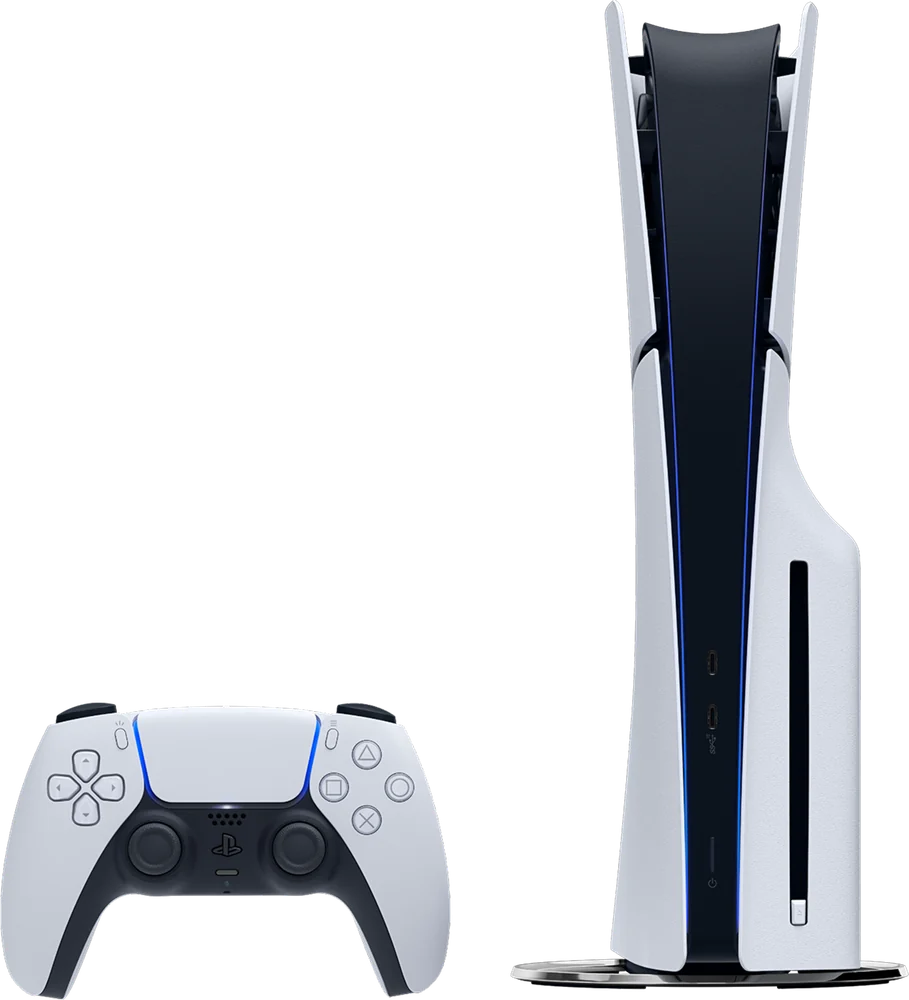
Do XREAL 1 Pro+ glasses work with PlayStation 5?

Some features missing

Through a powered HDMI-to-USB-C video adapter made for AR glasses. The glasses do not plug straight into the console.

What you need
A powered HDMI-to-USB-C video adapter.
What works
The console picture and sound in the glasses through the adapter.
Good to know
Needs a powered HDMI-to-USB-C video adapter; a USB-C-to-HDMI monitor adapter will not work.
See details and sources (1)
  • XREAL: Connect PlayStation or Xbox | TutorialsFrom the official page or platform · checked 2026-10-21
    XREAL 1 Pro+ needs a compatible video signal and power, so use a powered HDMI-to-USB-C video adapter designed for AR glasses.
    A USB-C-to-HDMI adapter for connecting a computer to a monitor does not work in this direction.
    PlayStation and Xbox consoles output HDMI video.

Last checked 2026-10-21.

Do XREAL 1 Pro+ glasses work with Steam Deck?

Works

Steam Deck and ROG Ally plug straight into the glasses over USB-C.

See details and sources (1)
  • XREAL: Set Up and Fit the Glasses | TutorialsFrom the official page or platform · checked 2026-10-21
    This method applies to compatible Android phones and tablets, USB-C iPhones and iPads, USB-C computers, and handhelds such as Steam Deck or ROG Ally.

Last checked 2026-10-21.

Do XREAL 1 Pro+ glasses work with Windows PC?

Works

Through a USB-C port that sends out DisplayPort video, or an adapter for another video output.

What you need
A USB-C port with DisplayPort video output, or a compatible adapter.
See details and sources (1)
  • XREAL: Set Up and Fit the Glasses | TutorialsFrom the official page or platform · checked 2026-10-21
    This method applies to compatible Android phones and tablets, USB-C iPhones and iPads, USB-C computers, and handhelds such as Steam Deck or ROG Ally.
    Laptops and desktop computers Direct connection through a USB-C port with DP video output, or a compatible adapter for another video output.
    Gaming handhelds Direct connection for models with USB-C DP video output.

Last checked 2026-10-21.

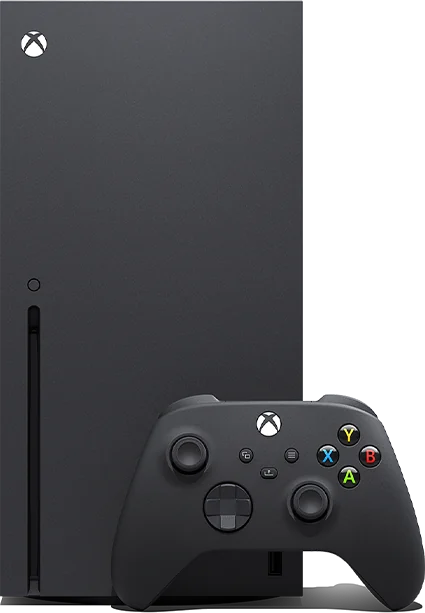
Do XREAL 1 Pro+ glasses work with Xbox consoles?

Some features missing

Through a powered HDMI-to-USB-C video adapter made for AR glasses. The glasses do not plug straight into the console.

What you need
A powered HDMI-to-USB-C video adapter.
What works
The console picture and sound in the glasses through the adapter.
Good to know
Needs a powered HDMI-to-USB-C video adapter; a USB-C-to-HDMI monitor adapter will not work.
See details and sources (1)
  • XREAL: Connect PlayStation or Xbox | TutorialsFrom the official page or platform · checked 2026-10-21
    XREAL 1 Pro+ needs a compatible video signal and power, so use a powered HDMI-to-USB-C video adapter designed for AR glasses.
    A USB-C-to-HDMI adapter for connecting a computer to a monitor does not work in this direction.
    PlayStation and Xbox consoles output HDMI video.

Last checked 2026-10-21.

What you need

Do XREAL 1 Pro+ glasses work with Android?

Works

With an Android phone or tablet whose USB-C port sends out DisplayPort video. A USB-C port alone does not guarantee video, so check your exact model.

What you need
A USB-C port that outputs DisplayPort video.
See details and sources (2)
  • XREAL: Set Up and Fit the Glasses | TutorialsFrom the official page or platform · checked 2026-10-21
    This method applies to compatible Android phones and tablets, USB-C iPhones and iPads, USB-C computers, and handhelds such as Steam Deck or ROG Ally.
    Laptops and desktop computers Direct connection through a USB-C port with DP video output, or a compatible adapter for another video output.
    Gaming handhelds Direct connection for models with USB-C DP video output.
  • XREAL: Basic Use and Firmware FAQ | TutorialsFrom the official page or platform · checked 2026-10-21
    A direct USB-C connection requires DisplayPort video output from the source port.

Last checked 2026-10-21.

Do XREAL 1 Pro+ glasses work with iPhone?

Works

With a USB-C iPhone that sends out video. Plug the glasses into the iPhone and its screen appears in the glasses.

What you need
An iPhone with a USB-C port that outputs DisplayPort video.
See details and sources (2)
  • XREAL: Set Up and Fit the Glasses | TutorialsFrom the official page or platform · checked 2026-10-21
    This method applies to compatible Android phones and tablets, USB-C iPhones and iPads, USB-C computers, and handhelds such as Steam Deck or ROG Ally.
    Laptops and desktop computers Direct connection through a USB-C port with DP video output, or a compatible adapter for another video output.
    Gaming handhelds Direct connection for models with USB-C DP video output.
  • XREAL: Basic Use and Firmware FAQ | TutorialsFrom the official page or platform · checked 2026-10-21
    A direct USB-C connection requires DisplayPort video output from the source port.

Last checked 2026-10-21.

Do XREAL 1 Pro+ glasses work with Mac?

Works

Through a USB-C port that sends out DisplayPort video, or an adapter for another video output.

What you need
A USB-C port with DisplayPort video output, or a compatible adapter.
See details and sources (1)
  • XREAL: Set Up and Fit the Glasses | TutorialsFrom the official page or platform · checked 2026-10-21
    Laptops and desktop computers Direct connection through a USB-C port with DP video output, or a compatible adapter for another video output.
    Gaming handhelds Direct connection for models with USB-C DP video output.

Last checked 2026-10-21.

Do XREAL 1 Pro+ glasses work with Windows PC?

Works

Through a USB-C port that sends out DisplayPort video, or an adapter for another video output.

What you need
A USB-C port with DisplayPort video output, or a compatible adapter.
See details and sources (1)
  • XREAL: Set Up and Fit the Glasses | TutorialsFrom the official page or platform · checked 2026-10-21
    This method applies to compatible Android phones and tablets, USB-C iPhones and iPads, USB-C computers, and handhelds such as Steam Deck or ROG Ally.
    Laptops and desktop computers Direct connection through a USB-C port with DP video output, or a compatible adapter for another video output.
    Gaming handhelds Direct connection for models with USB-C DP video output.

Last checked 2026-10-21.

How it works

Some features missing

With prescription lenses in a lens frame sold separately. Lenses made for XREAL One, XREAL 1S and XREAL One Pro also fit.

What you need
A prescription lens frame, sold separately.
What works
Prescription lenses for the 1 Pro+, One, 1S and One Pro.
Good to know
The prescription lens frame is not in the box and is sold separately.
See details and sources (2)

Last checked 2026-10-21.

Oct 15, 2026 · Went on sale
XREAL 1 Pro+ goes on sale
XREAL launched the 1 Pro+ worldwide at XREAL.com for $599, built on the XREAL One Pro with a brighter display and a new nose pad.

At a glance

XREAL 1 Pro+THIS PRODUCTXREAL 1 Pro+Xreal One ProCOMPARE WITHXreal One Pro
Works with
Phones, tablets, computers and handhelds with USB-C DisplayPort video out, including USB-C iPhones and iPads, Steam Deck and ROG Allyconsoles through a powered adapter
iPhone, Android, Windows PC, Mac, Steam Deck, consoles, drone controllers
Display
Sony 0.55-inch Micro-OLED for both eyes, 1920 × 1080 per eye
0.55-inch Sony Micro-OLED
Nose pads
Swappable S, M and L nose pads (M pre-installed)
Adjustable metal-arm nose pads with replaceable silicone pads
Show 9 more specs
Auto-tint lenses
Three-level electrochromic dimming
3 Modes Electrochromic Dimming
Camera-free option
Unknown
Yescamera is an optional add-on (XREAL Eye), not built in
Connectivity
USB-C with DisplayPort videoHDMI sources need a powered video adapter
USB-C DisplayPort video output
Microphones
Four
Stereo microphones with uplink noise reduction
Open-ear speakers
Two speakers tuned by Bose
Unknown
Prescription lenses
Prescription lenses fit in a lens frame sold separatelylenses made for XREAL One, 1S and One Pro also fit
Yes
Frame styles
Two sizes by IPD: M for 57 to 66mm, L for 66 to 75mm
Unknown
Ongoing cost
Unknown
None
Weight
Unknown
~87g
Technical specs
Processor
XREAL X1
XREAL X1 Chip
AR display
Unknown
Yes
Controls
Gesture controls with optional XREAL Eye
Built-in button array for screen size, distance and color temperature
Optical lenses
Compatible with XREAL prescription lenses
Complete prescription service
Field of view
57°
57 degrees
Phone needed
Noit shows the screen of a phone, computer or handheld connected by USB-C
Noworks with phone, PC, or console via USB-C

Buying decision

XREAL 1 Pro+
Fine to buy
XREAL

XREAL 1 Pro+

Just came out

It came out October 15, 2026, and new products rarely go on sale this soon.

No new model soon

We don't expect a newer model soon, so there's no reason to wait for one.

About XREAL

Xreal makes display glasses that put a large virtual screen in front of you, for movies, games and work on the go.

Visit XREAL
More from XREAL we cover
Xreal One ProXREAL Aura

Returns and warranty

Returns

30-day returns· the clock starts the day it arrives

  • Free return shipping
    Xreal pays return shipping for a change of mind within 30 days and for its own mistakes.
    For all other return requests you pay return shipping.
  • Send it back like new
    Must be in excellent condition, undamaged, with tags, all parts and the original packaging, plus proof of purchase.
    Change of mind returns are accepted.

Warranty

1-year warranty· starts the day it arrives

Covered

  • Defects in materials and workmanship

    Defects in materials and workmanship of XREAL products in the original box, when used normally per XREAL's guidelines.

Not covered

  • Water damage

    Rough handling, direct sunlight, liquid contact, storage in humid or very hot places.

  • Scratches and dents

    Physical damage from external factors, including cracks or scratches on the product, screen or lens.

  • Disassembly, repair or flashing by people XREAL has not authorized
  • Normal wear and aging

    Normal wear and tear of the product or accessories.

  • Repairs by other shops

    Use of accessories XREAL has not approved; products bought through unauthorized channels or second-hand.

  • How it gets fixed
    XREAL repairs or exchanges a covered defective product for free and returns it at its cost, with no shipping or handling charge for the covered repair.
    Replacement parts or products are covered for 30 days or the rest of the original warranty, whichever is longer. If no defect is found or the fault is not covered, you pay shipping and handling. You may need to pay return shipping in advance when sending the product in.

Good to know

  • Prescription lenses

    Custom made, so they cannot be returned or exchanged. Contact support for quality problems such as cracked lenses or a wrong prescription.

What's in the box

What comes in the box with the XREAL 1 Pro+?

Here is what you get when you open it.

XREAL 1 Pro+ glasses
USB-C to USB-C cable
Nose pads in S, M and L
Cleaning cloth
Protective case
User manual

From XREAL. Checked Oct 21, 2026.

When to buy

On sale since Oct 15, and no new model is close. Buy it if you want it.

Price historyStill collecting (5 of 7 days)
Stores we check1Xreal
How we read this
  • We read store prices every day and keep every read. The price shown is the newest read from the retailer named.
  • A read older than 36 hours is never shown as the current price. It reads "last seen" and carries no buy link.
  • “30-day low” is the lowest of our own reads for this product in the last 30 days, not a retailer’s claim. We print the number of reads beside it, and we say nothing about a low until a product has a week of reads.
  • “Lowest known”, where it appears, is older price history from published reports and imports. It is shown only when it is lower than the 30-day low, and it is not counted as reads.
  • Our advice comes from the price, the price history and whether a newer model is coming. It never depends on who pays us.

Current offers

Xreal
$599
—
Buy

We may earn a commission when you buy through these links.

Available nowXreal One Pro$599Guide News
Available nowEven Realities G2$599Guide News
Available nowMeta Glasses (2026)$299–$399Guide News
Available nowMeta Ray-Ban DisplayFrom $799Guide News

Frequently asked questions

Questions about XREAL 1 Pro+

Top questions

How much does the XREAL 1 Pro+ cost?
$599.00 at XREAL's US store, in either frame size, M or L.
When did the XREAL 1 Pro+ go on sale?
On October 15, 2026, at XREAL.com for $599. It sells through XREAL.com first, with retail stores around the world to follow.
Which size of XREAL 1 Pro+ do I need?
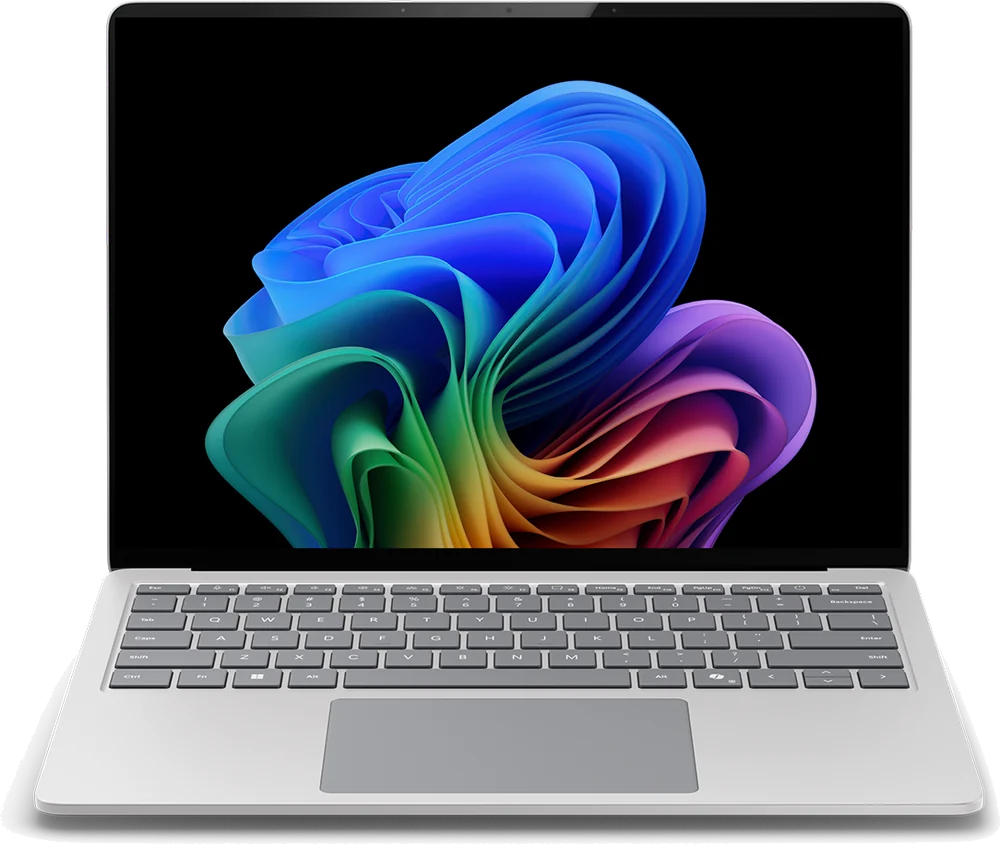
Pick by your IPD, the distance between your pupils: M fits 57 to 66 mm and L fits 66 to 75 mm. The two sizes cover up to 95% of IPD ranges worldwide. If you sit right on the boundary, compare both sizes before you buy.
Should I buy the XREAL 1 Pro+?
No reason to wait, and no deal to chase. The XREAL 1 Pro+ came out Oct 15, 2026, and its best price today is $599 at Xreal. For a model this new, iDevice's advice is to buy it if you want it, not to wait for a drop. Price checked Oct. 25, 2026. See the full answer on the XREAL 1 Pro+
What is the XREAL 1 Pro+?
Display glasses that put a big virtual screen in front of your eyes. You connect them to a phone, computer or gaming handheld, then watch movies, play games or work on that screen.
How is the XREAL 1 Pro+ different from the XREAL One Pro?
It is built on the One Pro and keeps its X1 chip, 3DoF screen anchoring and 57-degree field of view. XREAL raised peak brightness to 1,200 nits, added AI HDR and Standard, Movie and Reading modes, sped up 2D-to-3D conversion from 30FPS to 60FPS and redesigned the nose pad.
How bright is the XREAL 1 Pro+?
Up to 1200 nits of perceived brightness with AI HDR in Follow or Anchor mode, and up to 1000 nits in SDR. Three levels of lens dimming help in bright places.
What kind of screen does the XREAL 1 Pro+ have?
Sony 0.55-inch Micro-OLED displays for both eyes at 1920 x 1080 per eye, with a 57 degree field of view. They refresh at 90 Hz, and up to 120 Hz.
How big is the virtual screen?
About 34 to 556 inches, depending on how far away you place it, from 1 to 10 meters. You can change the size and distance from the glasses' menu.
What can I connect the XREAL 1 Pro+ to?
Phones, tablets, computers and gaming handhelds whose USB-C port sends out DisplayPort video, including USB-C iPhones and iPads, Steam Deck and ROG Ally. A USB-C port alone does not guarantee video output, so check your exact model first.
Can I use the XREAL 1 Pro+ with my prescription?
Yes. Prescription lenses go in a lens frame that is sold separately. Lenses made for the XREAL One, XREAL 1S and XREAL One Pro also fit the 1 Pro+.
What does the XREAL Eye add to the XREAL 1 Pro+?
The XREAL Eye is an optional accessory, sold separately. With it connected, the 1 Pro+ can take photos and record video, and its 6DoF Spatial Anchor keeps the screen in place as you move around.
Does the XREAL 1 Pro+ have speakers and microphones?
Yes. It has two speakers tuned by Bose and four microphones.
What comes in the box with the XREAL 1 Pro+?
The glasses, a USB-C to USB-C cable, small, medium and large nose pads, a cleaning cloth, a protective case and a user manual. The prescription lens frame is not included.
What are the shipping, return and warranty terms?
XREAL's US store ships free on orders over $100, takes returns within 30 days and gives a 1-year warranty. Size M ships now; size L orders ship within 2 weeks.

Using it

Can I get prescription lenses?
Yes, you can. The frames can be glazed to your prescription.
What does it cost?
It costs $599. That is the list price.
Does it work with my phone?
Yes, it works with an iPhone or an Android phone.
Does it have a 120Hz screen?
Yes, the screen runs at 120Hz.
How sharp and bright is the screen?
The screen reaches 1200 nits at its brightest.
What chip is inside?
It runs on XREAL X1.
How many microphones?
It has 4 microphones. They handle calls, voice control and recording.
Does it have a screen?
Yes, it has a screen.

Battery and charging

Does it charge over USB-C?
Yes, it charges over USB-C.

Price and models

When did the XREAL 1 Pro+ come out?
It went on sale October 15, 2026.
Is there a newer one?
No. The XREAL 1 Pro+ is the current model.

Returns and warranty

How long do I have to return it?
30-day returns The clock starts the day it arrives.
Is there a restocking fee?
Restocking fee: not stated by Xreal
Who pays return shipping?
Free return shipping Xreal pays return shipping for a change of mind within 30 days and for its own mistakes. For all other return requests you pay return shipping.
Can I return it if I opened or wore it?
Send it back like new Must be in excellent condition, undamaged, with tags, all parts and the original packaging, plus proof of purchase. Change of mind returns are accepted.
How long is the warranty?
1-year warranty Starts the day it arrives.
Is water damage covered?
Water damage not covered Rough handling, direct sunlight, liquid contact, storage in humid or very hot places.
Is the battery covered?
Battery rules: not stated by Xreal

In the box

What's in the box?
XREAL 1 Pro+ glasses, USB-C to USB-C cable, Nose pads in S, M and L, Cleaning cloth, Protective case, User manual.

Works with

How do XREAL 1 Pro+ glasses handle prescription lenses?
Yes, with prescription lenses in a lens frame sold separately. Lenses made for XREAL One, XREAL 1S and XREAL One Pro also fit. Some features missing
Do XREAL 1 Pro+ glasses work with Steam Deck?
Yes. Steam Deck and ROG Ally plug straight into the glasses over USB-C. Works
Do XREAL 1 Pro+ glasses work with Windows PC?
Yes, through a USB-C port that sends out DisplayPort video, or an adapter for another video output. Works
Do XREAL 1 Pro+ glasses work with Xbox consoles?
Yes, through a powered HDMI-to-USB-C video adapter made for AR glasses. The glasses do not plug straight into the console. Some features missing