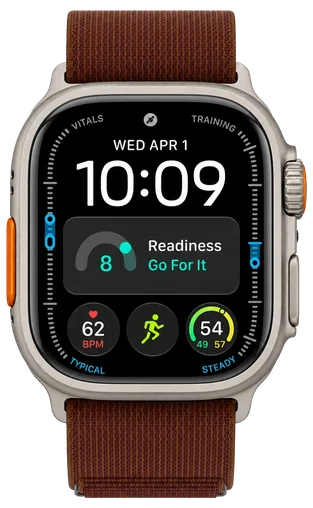












































Apple Watch Ultra 4
Best outdoor watch for iPhone
Watches

Apple Watch Ultra 4Price, Where to Buy & What Changed

Ask about the Apple Watch Ultra 4

3
MY IDEVICE

Released Guide updated

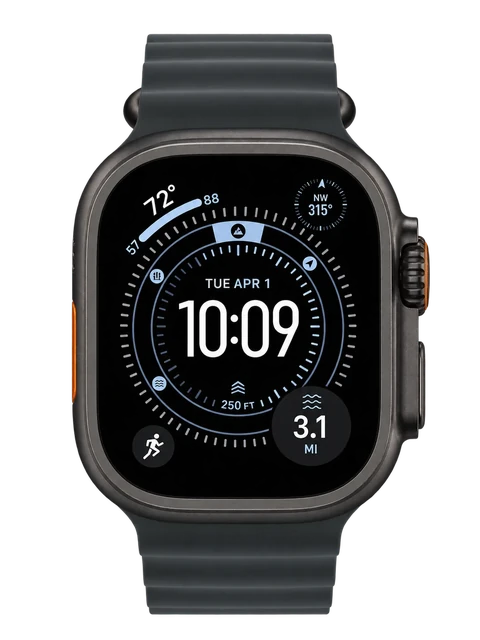
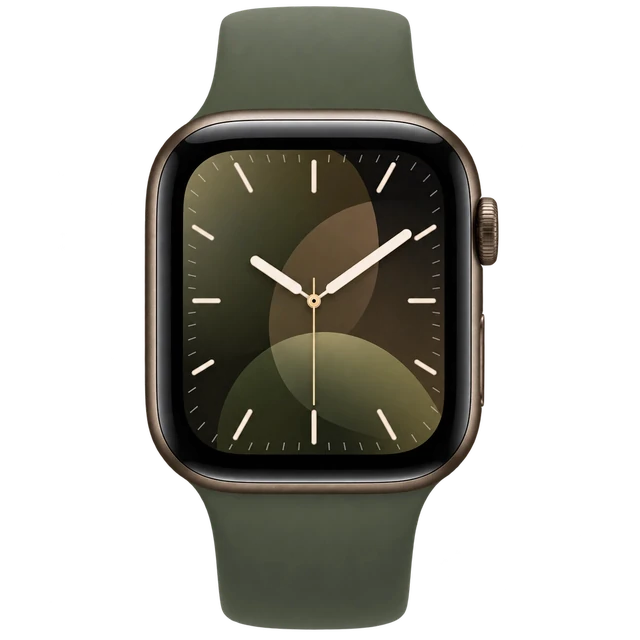
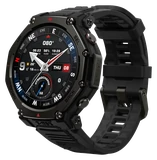
Apple Watch Ultra 4 ships September 18 at $799. It runs the S11, the first genuinely new watch processor since the S9, and carries Apple’s all-new Health Sensing System. The case is unchanged at 49mm, and the redesign and blood pressure monitoring reported for months did not arrive.

Latest on Apple Watch Ultra 4

More newsAll Apple Watch news

What Apple Watch Ultra 4 does best

  1. Health

    Electrical and optical heart sensors, blood oxygen and temperature cover your health, and heart rate stayed spot on against a chest strap.
  2. Hiking

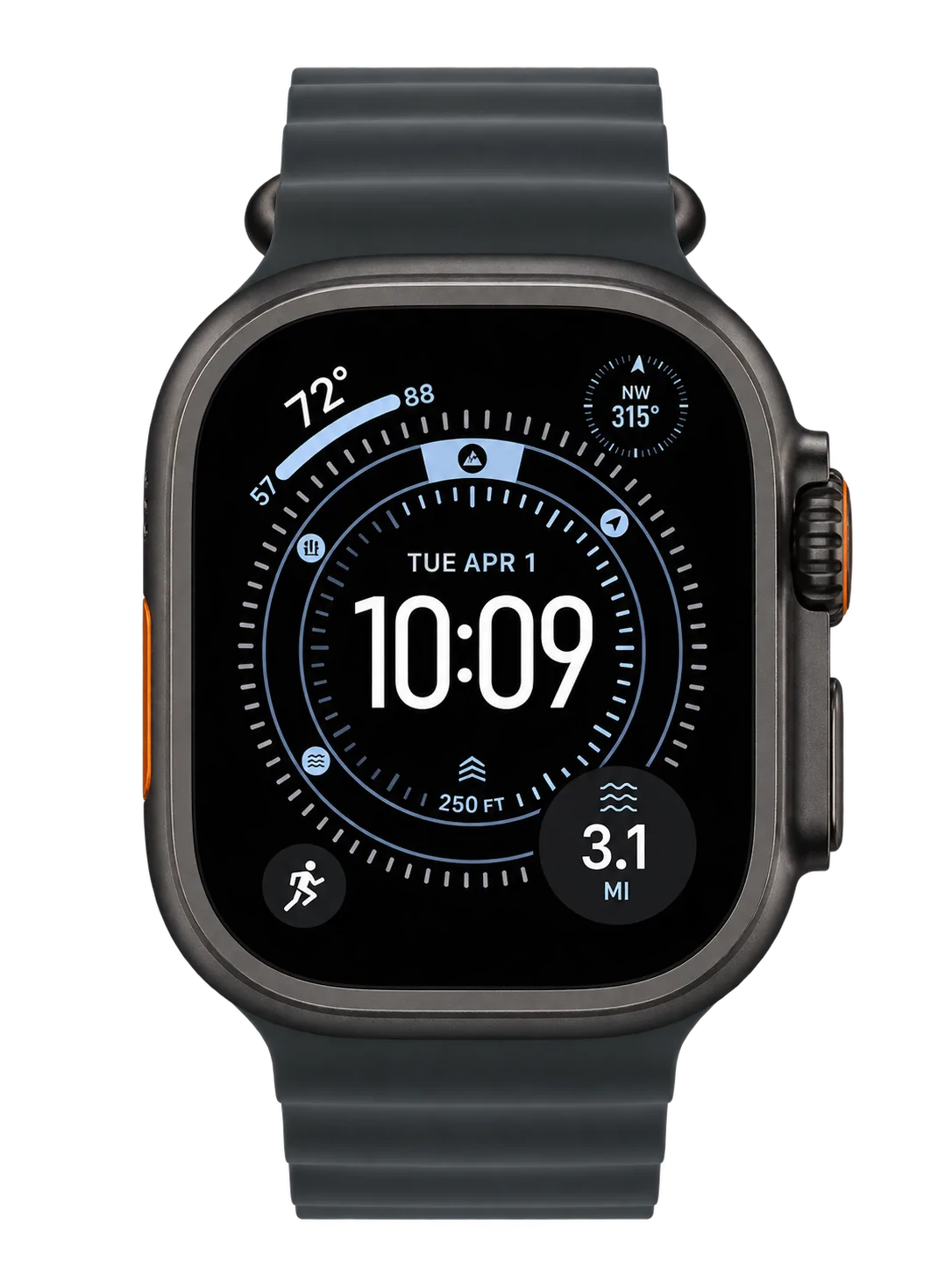
    Its Hiking workout records pace, distance, elevation gain, and calories burned.

  3. Marathon training

    Its Max Extended Workout mode tracks outdoor runs for up to 45 hours, including 100-mile races.

Apple Watch Ultra 3 vs Apple Watch Ultra 4

All 6 differences ›
Apple Watch Ultra 3
THE PREVIOUS MODEL

Apple Watch Ultra 3

Sep 2025
Apple Watch Ultra 4
THE NEWCOMER

Apple Watch Ultra 4

Sep 2026
  1. Apple Watch Ultra 3: Up to 42 hoursBattery life+8 hoursApple Watch Ultra 4: Up to 50 hours
  2. Apple Watch Ultra 3: Up to 72 hours in Low Power ModeLow power battery life+12 hoursApple Watch Ultra 4: Up to 84 hours in Low Power Mode
  3. Apple Watch Ultra 3: Less oftenHRV measurementImprovedApple Watch Ultra 4: Up to 24 times more often
  4. Apple Watch Ultra 3: Up to 12 hours of use from a 15-minute chargeFast charging+6 hoursApple Watch Ultra 4: Up to 18 hours of use from a 15-minute charge
  5. Apple Watch Ultra 3: S10ProcessorChangedApple Watch Ultra 4: S11

Comparison

Compare watches

How it compares

Cost over 3 years

$799

Device price plus up to three years of optional subscription.

Weight

63g

Grams on your wrist. Lower is lighter.

Battery life

~2.1 days

How long it lasts on its own, away from a charger.

Cost over 3 years

Apple Watch Ultra 4
$799
Samsung Galaxy Watch 9
$379.99
Apple Watch Series 12
$399
Pixel Watch 5
$399 to $759
Galaxy Watch Ultra 2
$699.99

DeviceOptional subscription

Case only, without a strap, as officially quoted.

Battery life can vary based on usage, settings and firmware version.

If not this one

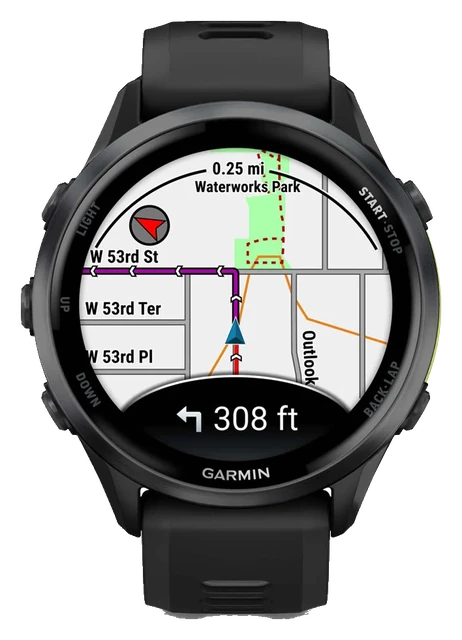
  • If running and training decides itGarmin Forerunner

    Built-in GNSS records distance and pace on every run, and wrist-based running power shows the effort you put into the trail or road.

    $249.99
  • If battery life decides itGarmin Venu

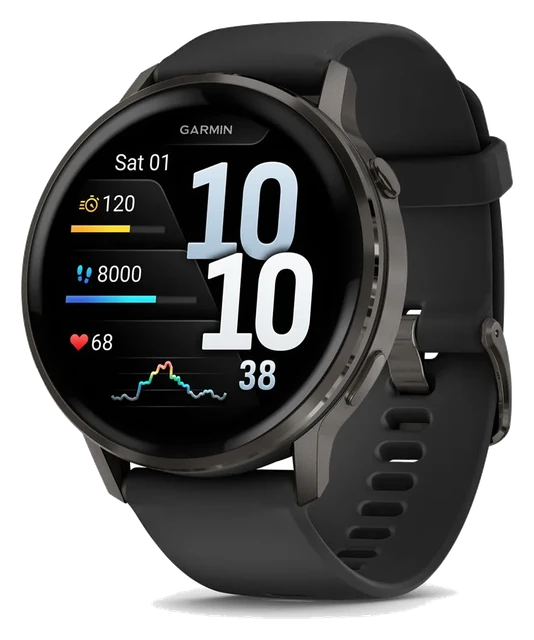
    Smartwatch mode runs up to 12 days on the 45mm and 10 days on the 41mm between charges.

    $549.99
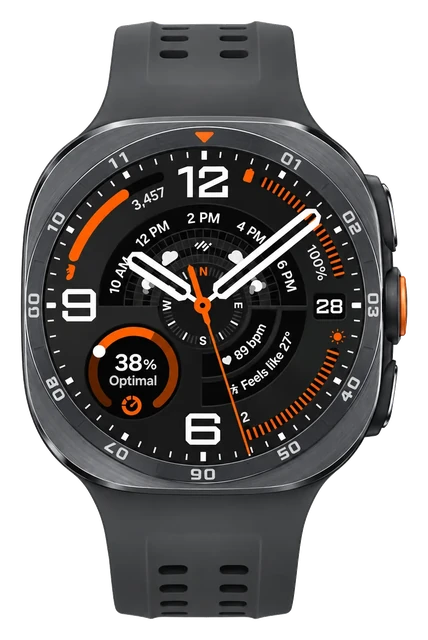
  • If display decides itGalaxy Watch Ultra 2

    Brighter screen: up to 5,000 nits, against 3,000 nits here.

    $699.99

Most paired with

Everything it works with

What the Apple Watch Ultra works with

Needs an iPhone to set up. It doesn't work with Android phones.

Does the Apple Watch Ultra work with iPhone?

Works

Works with iPhone 11 or later on iOS 27 or later.

Turn on Bluetooth and connect the iPhone to Wi-Fi or a mobile network for setup. After pairing, use the Apple Watch app to manage the watch. Apple Account services, Health, and Fitness work through the iPhone.

Does the Apple Watch Ultra work with the AirPods Pro 3?

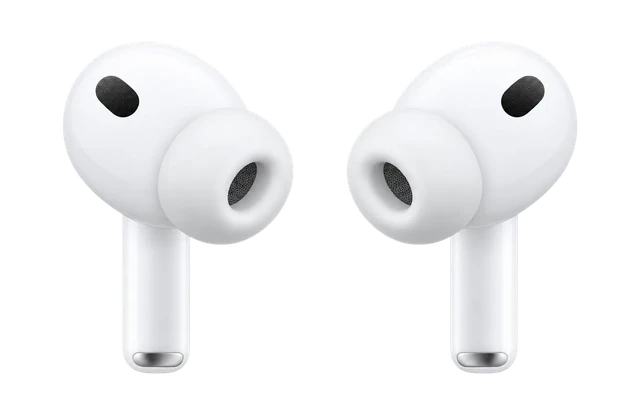
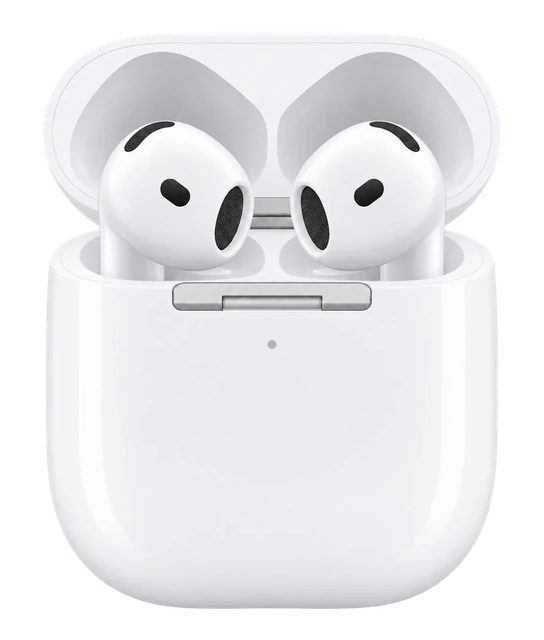
Yes. If you set up the AirPods Pro 3 with your iPhone, they are ready to use with your Apple Watch. You can also pair them in the watch Bluetooth settings.

Does the Apple Watch Ultra work with a Mac?

Some features missing

It can unlock a compatible Mac, but the Mac can't replace the required iPhone.

The Mac and watch need the same Apple Account, two-factor authentication, Wi-Fi, Bluetooth, and a watch passcode. It can unlock a compatible Mac and approve administrator passwords, but it does not replace iPhone setup, pairing, or Health-data management. Normal setup still needs an iPhone 11 or later with iOS 27 or later.

The documented Mac integration is not a direct Apple Watch setup/pairing or Health-data management replacement for iPhone.

Does the Apple Watch Ultra work with Android?

Doesn't work

An iPhone is required for normal setup and use.

Setup requires an iPhone 11 or later with iOS 27 or later. An Android phone can't replace the required iPhone setup and Apple Watch app path.

Does the Apple Watch Ultra work with Google Pixel and other Android phones?

Doesn't work

Pixel and other Android phones can't replace the required iPhone.

Normal setup requires an iPhone 11 or later with iOS 27 or later. Android phones can't replace the required iPhone and Apple Watch app path.

Quick answers

All FAQs

Quick answers

How much does Apple Watch Ultra 4 cost?
Apple Watch Ultra 4 starts at $799 in the US.
Should I buy the Apple Watch Ultra 4?
No reason to wait, and no deal to chase. The Apple Watch Ultra 4 came out Sep 18, 2026, and $774 at Amazon is $25 under its launch price. For a model this new, iDevice's advice is to buy it if you want it, not to wait for a drop. Price checked Oct. 31, 2026. See the full answer on the Apple Watch Ultra 4
Is the Apple Watch Ultra 4 worth it for Apple Watch Ultra 3 owners?
Worth the upgrade. Compared with Apple Watch Ultra 3, Apple Watch Ultra 4 has 6 meaningful improvements (in battery, health and charging). The Apple Watch Ultra 4 came out Sep 18, 2026, and $774 at Amazon is $25 under its launch price. For a model this new, iDevice's advice is to buy it if you want it, not to wait for a drop. Price checked Oct. 31, 2026. See the full answer on the Apple Watch Ultra 4 for Apple Watch Ultra 3 owners

Get Apple Watch Ultra 4 updates

Email me when there's news.

Works with

Works

Works with iPhone 11 or later on iOS 27 or later.

Turn on Bluetooth and connect the iPhone to Wi-Fi or a mobile network for setup. After pairing, use the Apple Watch app to manage the watch. Apple Account services, Health, and Fitness work through the iPhone.

WorksWorked out from the official minimum

It works with iPhone 11 and later on iOS 27 or later.

  • iPhone 17: yes, with iOS 27 or later
  • iPhone 16: yes, with iOS 27 or later
  • iPhone 15: yes, with iOS 27 or later
  • iPhone 14: yes, with iOS 27 or later
  • iPhone 13: yes, with iOS 27 or later
  • iPhone 12: yes, with iOS 27 or later
  • iPhone 11: yes, with iOS 27 or later
  • Older than iPhone 11: no

Does the Apple Watch Ultra work with iPhone 13, iPhone 14, iPhone 15 or iPhone 16? Yes, as long as it runs iOS 27 or later. Worked out from the officially stated minimum ("iPhone 11 or later"), not a separate test. See the sources.

Doesn't work

An iPhone is required for normal setup and use.

Setup requires an iPhone 11 or later with iOS 27 or later. An Android phone can't replace the required iPhone setup and Apple Watch app path.

Works

Strava has an Apple Watch app for runs and rides.

Install Strava on your iPhone. It needs watchOS 10 or later and iOS 17 or later. You can record runs and rides on the Apple Watch Ultra and leave your phone at home.

Doesn't work

A Galaxy phone can't replace the iPhone needed for setup.

Normal setup requires an iPhone 11 or later with iOS 27 or later. There is no Galaxy-specific replacement for the iPhone and Apple Watch app setup path.

Some features missing

Watch playback needs Spotify Premium.

Spotify has an Apple Watch app and needs the Spotify app on your iPhone. With Premium, you can stream and save music on the watch. Free users can only use the watch as a remote.

Free users can only use the watch as a remote; streaming and offline listening on the watch need Premium.

Doesn't work

Pixel and other Android phones can't replace the required iPhone.

Normal setup requires an iPhone 11 or later with iOS 27 or later. Android phones can't replace the required iPhone and Apple Watch app path.

Works

MyFitnessPal has an Apple Watch app.

It works on the Apple Watch Ultra with watchOS 10 or later. You also need MyFitnessPal on your iPhone.

Show all 15Show fewer
Some features missing

Strava, Spotify, WhatsApp, and Google Maps all work, with limits.

  • Strava
  • Spotify
  • WhatsApp
  • Google Maps

Strava records workouts, Spotify plays or controls music, WhatsApp has a watch app, and Google Maps shows directions. Spotify streaming and offline listening need Premium, new Google Maps destinations start on the phone, and WhatsApp setup or troubleshooting depends on its iPhone app. Strava needs watchOS 10 or later, iOS 17 or later, and its iPhone app; other apps have their own account or software needs, and Family Setup support is not fully documented for every third-party app.

Feature parity varies by app: Spotify direct/offline playback requires Premium; Google Maps new-destination navigation starts on the phone; WhatsApp setup/troubleshooting depends on the iPhone app; Family Setup behavior is not fully documented for all third-party apps.

Some features missing

WhatsApp has an Apple Watch app, but setup and sync need your iPhone.

It works on Apple Watch Series 4 or newer with watchOS 10 or newer. Your chats sync from a nearby iPhone with Bluetooth on, and that iPhone is also needed for setup.

Chats sync from your iPhone, which must be nearby with Bluetooth on to load them.

Some features missing

Apple Pay works where your bank, card, and market support it.

You need a supported card from a participating card issuer, and Apple Pay must be available in your market. The checked Apple sources did not document Google Wallet, Samsung Wallet, or Garmin Pay for watchOS.

Apple Pay is not available in all markets and card/bank support varies. This research did not find Apple documentation for Google Wallet, Samsung Wallet, or Garmin Pay on watchOS.

Set it up in the Apple Watch app; Apple Fitness+ is optional.

The watch uses the Apple Watch app on a compatible paired iPhone for setup and management. Your Apple Account signs it into Apple services. Apple Fitness+ is a separate subscription for workouts and meditations, and it is not available in every country or region.

Some features missing

It can unlock a compatible Mac, but the Mac can't replace the required iPhone.

The Mac and watch need the same Apple Account, two-factor authentication, Wi-Fi, Bluetooth, and a watch passcode. It can unlock a compatible Mac and approve administrator passwords, but it does not replace iPhone setup, pairing, or Health-data management. Normal setup still needs an iPhone 11 or later with iOS 27 or later.

The documented Mac integration is not a direct Apple Watch setup/pairing or Health-data management replacement for iPhone.

Works

Find My can locate and protect a lost Apple Watch Ultra.

You can play a sound, mark the watch as lost, erase it remotely, use Notify When Found, and use Activation Lock. Availability can vary by country or region, and Find My and your Apple Account need to be set up as needed.

Works

Apple Watch Ultra 4 plays audio to Bluetooth headphones and speakers.

What you need
Put the headphones in discovery mode, then pair them in Settings > Bluetooth on the watch.
Good to know
AirPods set up with an iPhone work with the watch with no extra pairing. Siri, phone calls, voicemail, and voice memos play through the watch speaker.

Most paired with

Does the Apple Watch Ultra work with iPhone?

Works

Works with iPhone 11 or later on iOS 27 or later.

Turn on Bluetooth and connect the iPhone to Wi-Fi or a mobile network for setup. After pairing, use the Apple Watch app to manage the watch. Apple Account services, Health, and Fitness work through the iPhone.

Does the Apple Watch Ultra work with the AirPods Pro 3?

Yes. If you set up the AirPods Pro 3 with your iPhone, they are ready to use with your Apple Watch. You can also pair them in the watch Bluetooth settings.

Does the Apple Watch Ultra work with a Mac?

Some features missing

It can unlock a compatible Mac, but the Mac can't replace the required iPhone.

The Mac and watch need the same Apple Account, two-factor authentication, Wi-Fi, Bluetooth, and a watch passcode. It can unlock a compatible Mac and approve administrator passwords, but it does not replace iPhone setup, pairing, or Health-data management. Normal setup still needs an iPhone 11 or later with iOS 27 or later.

The documented Mac integration is not a direct Apple Watch setup/pairing or Health-data management replacement for iPhone.

Does the Apple Watch Ultra work with Android?

Doesn't work

An iPhone is required for normal setup and use.

Setup requires an iPhone 11 or later with iOS 27 or later. An Android phone can't replace the required iPhone setup and Apple Watch app path.

Does the Apple Watch Ultra work with Google Pixel and other Android phones?

Doesn't work

Pixel and other Android phones can't replace the required iPhone.

Normal setup requires an iPhone 11 or later with iOS 27 or later. Android phones can't replace the required iPhone and Apple Watch app path.

Does the Apple Watch Ultra work with the AirPods 5?

Yes. If you set up the AirPods 5 with your iPhone, they are ready to use with your Apple Watch. You can also pair them in the watch Bluetooth settings.

Does the Apple Watch Ultra work with Samsung Galaxy phones?

Doesn't work

A Galaxy phone can't replace the iPhone needed for setup.

Normal setup requires an iPhone 11 or later with iOS 27 or later. There is no Galaxy-specific replacement for the iPhone and Apple Watch app setup path.

What you need

Does the Apple Watch Ultra work with iPhone?

Works

Works with iPhone 11 or later on iOS 27 or later.

Turn on Bluetooth and connect the iPhone to Wi-Fi or a mobile network for setup. After pairing, use the Apple Watch app to manage the watch. Apple Account services, Health, and Fitness work through the iPhone.

How does the Apple Watch Ultra use the iPhone app, Apple Account, and subscriptions?

Set it up in the Apple Watch app; Apple Fitness+ is optional.

The watch uses the Apple Watch app on a compatible paired iPhone for setup and management. Your Apple Account signs it into Apple services. Apple Fitness+ is a separate subscription for workouts and meditations, and it is not available in every country or region.

Supports

Some features missing

It can act as a digital car key in supported cars.

In cars that support Apple Wallet car keys, hold the watch near the reader to unlock and start the car. You need a compatible car and a car key added in Apple Wallet, so check with your carmaker first. Apple does not describe the watch running CarPlay itself.

Only works with cars that support Apple Wallet car keys. Apple does not describe the watch running CarPlay itself.

Some features missing

4G LTE and 5G work with an eligible carrier plan where supported.

For normal setup, the watch and paired iPhone must use the same carrier. Apple Watch For Your Kids can use a different carrier. Carrier eligibility, 5G support, roaming, and regional radio models vary, and there is no single worldwide cellular Apple Watch model.

Carrier/account eligibility, regional radio models, 5G carrier participation, and roaming support vary. There is no single worldwide cellular Apple Watch model.

Some features missing

Five health features work, but age, region, device, and clearance rules vary.

  • ECG
  • irregular-rhythm notifications
  • sleep-apnea notifications
  • Blood Oxygen
  • hypertension notifications

Availability depends on age, country or region, software, and sometimes where the watch was bought. Hypertension notifications need an iPhone 11 or later, age 22 or older, and Apple's setup uses a third-party blood pressure cuff; clearance for Ultra 4 can still vary by region. Sleep-apnea notifications are for people 18 or older without a diagnosis, ECG and irregular-rhythm features have age and regional limits, and Blood Oxygen has regional and U.S.-model restrictions.

Hypertension notifications may not yet be cleared for Series 12/Ultra 4 in every region. ECG and irregular-rhythm availability varies by region. Blood Oxygen has regional/US-model workflow restrictions. Apple’s hypertension workflow asks users to use a third-party cuff for blood-pressure measurements.

Some features missing

Many work over Wi-Fi or cellular, but some still need the iPhone on.

With Wi-Fi or cellular, the watch can send and receive messages when the iPhone is not nearby. On a cellular Apple Watch, SMS, MMS, and third-party push notifications still need the paired iPhone powered on and connected to Wi-Fi or cellular, though it can be somewhere else. A paired iPhone is still required for normal setup.

For SMS, MMS, and third-party push notifications on a cellular Apple Watch, the paired iPhone must remain powered on and connected to Wi‑Fi or cellular, though it does not need to be nearby.

Works

Use a band whose Apple compatibility list includes 49mm.

  • 44mm
  • 45mm
  • 46mm
  • 49mm

49mm Ultra bands are listed for 44mm, 45mm, 46mm, and 49mm Apple Watch models. Older labels can be confusing, so check the exact band model if its only marking is an older 42mm large-case label.

Some features missing

Apple Watch For Your Kids can work without the child's own iPhone.

A parent or guardian needs an iPhone, Apple Accounts for both people, a Family Sharing group, and a compatible watch. A mobile data plan is not needed for setup, but some features need one. Some companion-iPhone features are unavailable, carrier and region support varies, and third-party app behavior such as WhatsApp is not fully documented for Family Setup.

Some features depend on a companion iPhone and are not available under family setup; carrier and regional availability also vary. Third-party app behavior such as WhatsApp is not fully documented for Family Setup.

Some features missing

Siri is built in; Siri AI needs a nearby Apple Intelligence-enabled iPhone.

Siri AI on watchOS 27 needs a nearby Apple Intelligence-enabled iPhone and supported Siri and device language settings. At the checked date, Siri AI required English, was unavailable on watchOS in the EU, and did not work when the Apple Account region was China mainland. Siri itself also varies by country, region, and language.

Siri is not available in all countries/regions/languages. At the checked date, Siri AI was English-first, unavailable on watchOS in the EU, and unavailable when the Apple Account region is China mainland.

Some features missing

Satellite can handle Emergency SOS, Messages, and Find My in supported regions.

Satellite use is for places with no cellular or Wi-Fi and needs a clear line of sight to a satellite. Emergency SOS via satellite does not need an active carrier plan, but Messages and Find My location sharing do. Under Apple's current terms, satellite features are free for two years after activation, and country, region, and purchase-location limits apply.

Satellite availability is country/region dependent and excluded for watches purchased in several listed regions. Satellite features are included free for two years after activation under Apple’s current terms.

Show all 10Show fewer
Some features missing

It works with Bluetooth fitness sensors and compatible GymKit equipment.

  • Bluetooth heart-rate sensors
  • cycling sensors/power meters
  • compatible treadmills, ellipticals, indoor bikes and other GymKit equipment

Pair supported Bluetooth heart-rate sensors, cycling sensors, and power meters, or use GymKit cardio equipment marked "Connects to Apple Watch" or "Connect to Apple Watch." Apple has not confirmed ANT+ support in current first-party documentation, so ANT+ remains unknown rather than unsupported.

A current Apple first-party statement confirming ANT+ support was not found, so ANT+ remains UNKNOWN rather than NO.

Some features missing

Some features vary by country, region, language, or carrier.

Check Apple's current watchOS Feature Availability page for the exact feature and region or language. Health features, Siri AI, Apple Pay, cellular, and satellite can all have country, region, language, or carrier limits.

Feature availability can differ by country/region/language; regulated health features, Siri AI, Apple Pay, cellular and satellite are especially dependent on locale or carrier.

How it works

Use the Apple Watch Magnetic Fast Charger; the included A3277 is fastest.

  1. Place the watch on the magnetic charger.
  2. Connect the charger to suitable USB-C power.
  3. Use the included A3277 charger for the fastest charging.

Apple says it can reach up to 80% in about 45 minutes, and 15 minutes can give up to 18 hours of normal use. Older Apple Watch chargers still work, but more slowly. Actual time varies with the power adapter, battery level, conditions, and use.

There is one review and it has a score, but one score is not an average. It takes two scored reviews from two different publishers.

1 expert review

  1. Gizmodo
    Raymond WongSep 29, 2026
    4 / 5
    Read review
Sep 23, 2022 · Went on sale
Apple Watch Ultra launched
Apple introduced the first Apple Watch Ultra at $799, a 49mm titanium case designed for extreme athletes and divers. 60-meter water resistance, Action Button, 60-hour battery. Defined a new premium tier above Apple Watch Series.
Sep 22, 2023 · Went on sale
Apple Watch Ultra 2 launched
Ultra 2 launched at $799 with the S9 chip, double-tap gesture, carbon neutral option, and brighter display. First Apple Watch with on-device Siri. Same 49mm titanium case as original Ultra.
Dec 10, 2024 · First sign of it
Bloomberg reports satellite messaging is planned for the next Ultra
Bloomberg reported that Apple planned to bring satellite connectivity to the next Apple Watch Ultra in 2025. The report established both a next-generation Ultra target and a major off-grid communications feature well before launch.
Mar 24, 2025 · Others confirmed it
Satellite reporting is reiterated alongside a 5G modem
MacRumors reported Bloomberg’s Mark Gurman as saying Apple Watch Ultra 3 would combine satellite connectivity with a new 5G cellular modem. The later report reinforced the December satellite story and added a separate connectivity upgrade.
Aug 5, 2025 · Design and hardware
Leaked software points to a 422 by 514 display
MacRumors reported that an image found in an iOS 26 beta suggested Apple Watch Ultra 3 would move to a 422-by-514 display resolution. The discovery supported the expectation of a slightly larger display area without requiring a wholly new product shape.
Sep 9, 2025 · Announced
Apple formally introduces Apple Watch Ultra 3
Apple announced Apple Watch Ultra 3, confirming the generation and opening preorders. Apple’s launch materials confirmed satellite communications and the larger display as shipping features rather than remaining reports.
Sep 19, 2025 · Went on sale
Apple Watch Ultra 3 becomes available
Apple Watch Ultra 3 reached general availability on September 19 alongside Apple’s other September hardware. That closes the pre-launch reporting arc with a shipping product.
Sep 19, 2025 · Went on sale
Apple Watch Ultra 3 launched
Ultra 3 launched at $799 with 42-hour battery, satellite SOS and messaging, 5G, blood pressure trend alerts, sleep score, and a new 3,000 nit always-on display. S10 chip. Ships September 19.
Jun 2026 · Others confirmed it
DigiTimes reported a major Ultra 4 chassis redesign
DigiTimes reported Apple confirmed a major chassis redesign for Ultra 4, the first since the Ultra line launched in 2022. Touch ID deprioritized per MacRumors. Advanced blood pressure submitted to FDA.
Sep 9, 2026 · Announced
Apple announces Apple Watch Ultra 4
The same S11 chip and Health Sensing System as Series 12, in natural and black titanium. Apple puts outdoor workout tracking at up to 45 hours and claims the most accurate on-device GPS in a sports watch. $799, pre-order the same day, in stores 18 September.
Sep 18, 2026 · On sale
Apple Watch Ultra 4 goes on sale
Apple Watch Ultra 4 goes on sale. Apple's announcement states availability in stores beginning Friday, September 18.

Reveal to on sale

How long after the reveal can you actually buy one?

Ultra16 days
Ultra 210 days
Ultra 310 days
Ultra 49 days

The gap has ranged from 9 days (Apple Watch Ultra 4) to 16 days (Apple Watch Ultra).
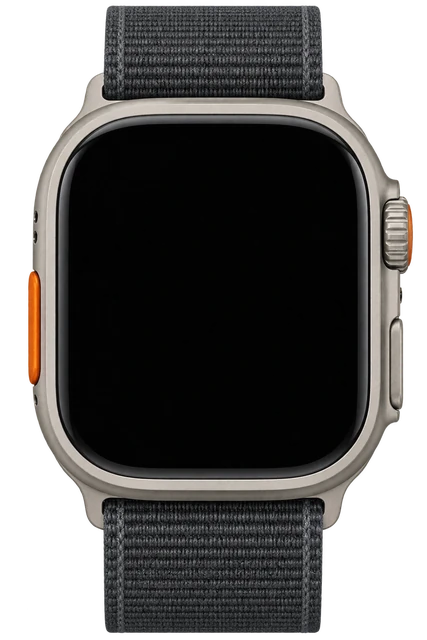
At a glance

Apple Watch Ultra 4CURRENT MODELApple Watch Ultra 4Apple Watch Ultra 3PREVIOUS MODELApple Watch Ultra 3
Display
LTPO3 OLED, 3,000 nits, flat sapphire
LTPO OLED, 3,000 nits flat
Battery
Up to 50 hrs (84 hrs Low Power Mode)
Up to 42 hrs
Works with
iPhone only
iPhone only
Water resistance
WR100MIP6X
WR100MIP6X
Price
$774 (regularly $799)
$649 (regularly $799)
Emergency help
Emergency SOS + Messages + Find My
Emergency SOS + Find My + Messages
Weight
63.0g / 63.1g
61.6g / 61.8g
Design
49mm titanium Grade 5, 12mm thicknatural or black
49mmtitanium, 12mm thick
Show 3 more specs
Blood sugar
No
No
Blood pressure
Hypertension notifications (no readings)
Sleep apnea
Yes (FDA)
Yes (FDA)
Technical specs
Processor
Apple S11 (64-bit dual-core, 4-core Neural Engine, 64GB)
S10
Software
watchOS 27
watchOS 26
Connectivity
5G RedCap + Wi-Fi + satellite
5G + Wi-Fi
AI assistant
Siri AI on watch (watchOS 27 beta)
On-device (basic)AI Siri needs iPhone
Apple Watch Ultra 4
Apple

Fine to buy.

It's new and prices rarely drop this early, so buy it if you want it.

Apple Watch Ultra 4

About Apple

Apple makes the iPhone, Apple Watch and AirPods, and is known for hardware and software designed to work together.

Visit Apple

Where to buy

StorePriceIn stockAction
Amazon$774In stockBuy
Best Buy$799Buy
Apple$799Buy

Price history

On sale since Sep 18, and no new model is close. Buy it if you want it.

Lowest in 30 days
$774Oct 24
Highest in 30 days
$799Oct 1
Stores we check
3Amazon is cheapest
Lowest known
$699.99Oct 5, 2026, from older published history
Price checks
45 over 31 days
15%10%5%list15%10%5%list

Five sales since September. The best was $699.99 in October, 12% off the $799 list price.

Returns and warranty

Returns
14-day returns· the clock starts the day it arrives
Warranty
1-year warranty· starts the day you buy it
Returns and warranty details

Returns

  • Send it back like new

    Return it in its original condition with all included parts, accessories and packaging.

  • How you get your money back

    Card refunds go to your bank within five business days after Apple receives the item. Returns may be inspected; approved refunds or exchanges are issued within 10 business days. Cash returns over $750 are paid by check within 10 business days.

Warranty

Covered

  • Defects in materials and workmanship

    Apple Watch is covered against defects in materials and workmanship for one year from the date of original retail purchase, under a separate Apple Watch warranty document.

  • Battery covered only for defects

    The standard warranty covers a battery only if it fails from a defect. The 80 percent rule belongs to AppleCare, not to the free warranty: AppleCare plans cover batteries that keep less than 80% of their original capacity.

Not covered

  • Water damage

    Apple says Apple Watch water resistance is not permanent, can diminish over time, and cannot be rechecked or resealed.

  • Accidents and misuse

    Damage caused by accident, abuse, misuse, fire, earthquake or other external cause is not covered (iPhone, Vision Pro, Apple Watch). The AirPods warranty excludes damage from abuse, accident, modifications or unauthorized repairs.

  • Scratches and dents

    Cosmetic damage such as scratches, dents and broken plastic on ports is not covered unless it comes from a defect.

  • Normal wear and aging

    Defects caused by normal wear and tear or normal aging are not covered.

  • Repairs by other shops

    Damage from service by anyone who is not Apple or an Apple Authorized Service Provider is not covered.

  • Add AppleCare+ or AppleCare One

    The AppleCare+ accidental damage fee is higher for Ultra: $79 instead of $69. Theft and loss is $119.

  • How it gets fixed

    Apple chooses to repair, replace with the same model (or a similar one with your consent), or refund the purchase price. For mail-in service Apple sends prepaid waybills and pays shipping both ways if you follow its packing instructions.

Good to know

  • Activation Lock / Find My

    If the security features are on and cannot be turned off by the person returning it, Apple may refuse the return.

  • Opened software

    Opened software, software downloads and gift cards cannot be returned.

What's in the box

What comes in the box with the Apple Watch Ultra 4?

Some things change with the version you buy. Here is what you get.

Apple Watch Ultra 4
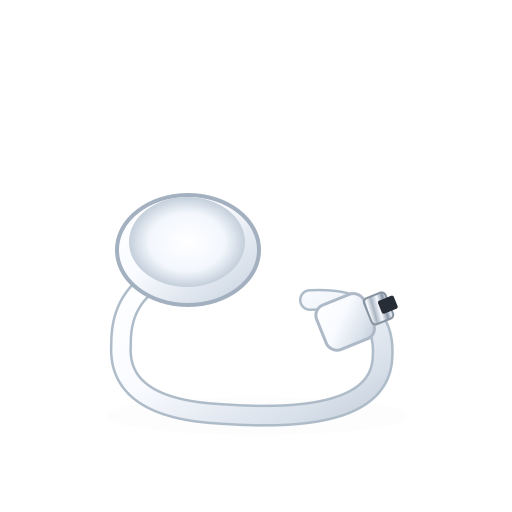
Apple Watch Magnetic Fast Charger to USB-C Cable
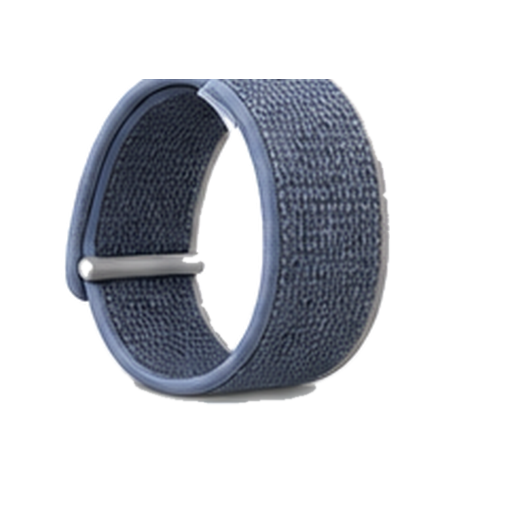
Plus one of these, based on the version you pick

Alpine Loop
Trail Loop
Ocean Band
Titanium Milanese Loop

From Apple. Checked Sep 22, 2026.

Apple Watch Series 12UnknownAvailable nowGuide News
Pixel Watch 5$399Available nowGuide News
Galaxy Watch9$349+Available nowGuide News
Galaxy Watch Ultra 2$699Available nowGuide News

Frequently asked questions

Questions about Apple Watch Ultra 4

Top questions

How much does Apple Watch Ultra 4 cost?
Apple Watch Ultra 4 starts at $799 in the US.
Should I buy the Apple Watch Ultra 4?
No reason to wait, and no deal to chase. The Apple Watch Ultra 4 came out Sep 18, 2026, and $774 at Amazon is $25 under its launch price. For a model this new, iDevice's advice is to buy it if you want it, not to wait for a drop. Price checked Oct. 31, 2026. See the full answer on the Apple Watch Ultra 4
Is the Apple Watch Ultra 4 worth it for Apple Watch Ultra 3 owners?
Worth the upgrade. Compared with Apple Watch Ultra 3, Apple Watch Ultra 4 has 6 meaningful improvements (in battery, health and charging). The Apple Watch Ultra 4 came out Sep 18, 2026, and $774 at Amazon is $25 under its launch price. For a model this new, iDevice's advice is to buy it if you want it, not to wait for a drop. Price checked Oct. 31, 2026. See the full answer on the Apple Watch Ultra 4 for Apple Watch Ultra 3 owners
Does the Apple Watch Ultra 4 come with a charger?
It comes with the Apple Watch Magnetic Fast Charger to USB-C Cable. Apple's in-the-box list does not include a power adapter.
What is the Apple Watch Ultra 4 battery life?
Up to 50 hours of normal use, and up to 84 hours in Low Power Mode. Workouts run to 18 hours outdoor, 25 in Extended Workout and 45 in Max Extended Workout. A 15-minute charge buys 18 hours.
Does Apple Watch Ultra 4 have blood pressure monitoring?
No. It gives you hypertension notifications rather than a blood pressure reading. No Apple Watch measures blood pressure directly.
Does Apple Watch Ultra 4 have Touch ID?
No. Its controls are the Action button, the Digital Crown and the side button, plus tap and wrist-flick gestures. There is no fingerprint reader on any Apple Watch.
What chip does Apple Watch Ultra 4 use?
The S11 chip, with a 64-bit dual-core processor, a 4-core Neural Engine and 64GB of storage. It is the same chip Apple put in Series 12.

Using it

How do I set it up?
To set up Apple Watch Series 12 and Apple Watch Ultra 4, you need an iPhone 11 or later with iOS 27 or later. Make sure your iPhone is unlocked. Wait for the "Use your iPhone to set up this Apple Watch" message to appear on your iPhone, then tap Continue. Center the watch face in the viewfinder on your iPhone. Wait for a message to say that your Apple Watch is paired.
How do I reset it?
On your iPhone, open the Apple Watch app. Go to the My Watch tab and tap All Watches. Tap the info button next to the watch that you want to unpair. Tap Unpair Apple Watch. On your Apple Watch, open the Settings app. Tap General, then tap Reset. Tap Erase All Content and Settings.
How do I update it?
On your iPhone, open the Apple Watch app, then tap the My Watch tab. Tap General, then tap Software Update. Tap General, then tap Software Update. Open the Settings app.
Live rewind siri recap?
Live Rewind and Siri Recap will be available in beta later this year, starting with English.
Software update?
This update provides bug fixes for your Apple Watch including fixing an issue where Apple Watch may restart unexpectedly.
Heart rate sampling?
With larger, power-efficient green LEDs on the optical heart sensor, Apple Watch Ultra 4 now measures heart rate every five seconds, all day long.
Readiness score?
The new readiness feature analyzes activity, vitals, and sleep score to deliver a daily 0-10 score along with actionable recommendations to optimize a user’s day.
Does it read blood glucose?
No, it has no glucose sensor.
Does it track sleep apnea?
It looks for signs that you may be at risk. It is a signal to act on, not a diagnosis.
How much storage does it have?
It comes with 64GB of storage.
Does it do 5G?
Yes, it does 5G.
How heavy is it?
It weighs 63g to 63.1g. The weight varies by size or finish.
How sharp and bright is the screen?
The screen reaches 3000 nits at its brightest. It packs 326 pixels into every inch.
How thick is it?
It is 12mm thick.
What chip is inside?
It runs on S11.
Which AI assistant does it use?
It uses Siri powered by Apple Intelligence.
What software does it run?
It runs watchOS 27.
What is it made of?
It is made of Titanium, Grade 5.
Does it do satellite SOS?
Yes, it can call for help by satellite. Off-grid emergency messaging where there is no signal.
What kind of screen is it?
It uses always-on ltpo3 oled under flat sapphire, 1hz refresh, 3,000 nits peak.
Does it track heart rate?
Yes, it tracks your heart rate.
Does it track sleep stages?
Yes, it tracks your sleep stages.

Sizing and fit

What sizes does it come in?
Case sizes: 49. 49mm titanium Grade 5, 12mm thick; natural or black
How do I pick the right size?
49mm titanium case

Battery and charging

How do I charge it?
Reposition the back of your watch on the charger. When the charger's magnets align correctly with your watch, a lightning bolt should appear on the watch face. If your watch is out of power, you might need to wait up to 30 minutes for the lightning bolt to appear.
Battery life?
Multiday battery life, up to 50 hours of normal use Up to 84 hours in Low Power Mode
Box contents?
In the Box Apple Watch Ultra 4 Band Apple Watch Magnetic Fast Charger to USB‑C Cable (1m)
How long does the battery last?
It runs 2.1 days. That is 3.5 days in low power mode, and 45 hours, measured on max extended workout.

Water

How do I clean it?
Don't use products containing bleach or hydrogen peroxide. Wipe your Apple Watch clean with a nonabrasive, lint-free cloth. If necessary, lightly dampen the cloth with fresh water.
Is it water resistant?
Water resistance 100m (swim, snorkel, scuba, high-speed water sports) under ISO standard 22810:2010
Can it get wet (shower, pool, swimming)?
Yes, you can shower and swim in it. It is rated to 100m, and for snorkelling. Its rating is WR100, IP6X.

Price and models

When did the Apple Watch Ultra 4 come out?
It went on sale September 18, 2026. Announced September 9, 2026.
Is there a newer one?
No. The Apple Watch Ultra 4 is the current model.
How much does each model of the Apple Watch Ultra 4 cost?
apple watch ultra 4: $799. The official prices.
What colors does it come in?
Black, Natural.

Returns and warranty

How long do I have to return it?
14-day returns The clock starts the day it arrives.
Is there a restocking fee?
Restocking fee: not stated by Apple
Who pays return shipping?
Who pays return shipping: not stated by Apple Start the return online and print a return label, then schedule a carrier pickup or drop it at the carrier. You can also return it at any U.S. Apple Store.
Can I return it if I opened or wore it?
Send it back like new Return it in its original condition with all included parts, accessories and packaging.
How do I get my money back?
How you get your money back Card refunds go to your bank within five business days after Apple receives the item. Returns may be inspected; approved refunds or exchanges are issued within 10 business days. Cash returns over $750 are paid by check within 10 business days.
How long is the warranty?
1-year warranty Starts the day you buy it.
Is there a paid protection plan?
Add AppleCare+ or AppleCare One The AppleCare+ accidental damage fee is higher for Ultra: $79 instead of $69. Theft and loss is $119.
Is water damage covered?
Water damage not covered Apple says Apple Watch water resistance is not permanent, can diminish over time, and cannot be rechecked or resealed.
Is the battery covered?
Battery covered only for defects The standard warranty covers a battery only if it fails from a defect. The 80 percent rule belongs to AppleCare, not to the free warranty: AppleCare plans cover batteries that keep less than 80% of their original capacity.

In the box

What's in the box?
Apple Watch Ultra 4, Apple Watch Magnetic Fast Charger to USB-C Cable.

Works with

Does the Apple Watch Ultra work with Google Pixel and other Android phones?
Pixel and other Android phones can't replace the required iPhone. Doesn't work
Does MyFitnessPal work with the Apple Watch Ultra 4?
MyFitnessPal has an Apple Watch app. Works
Does the Apple Watch Ultra support apps like Strava, Spotify, WhatsApp, and Google Maps?
Strava, Spotify, WhatsApp, and Google Maps all work, with limits. Some features missing
Does WhatsApp work on the Apple Watch Ultra 4?
WhatsApp has an Apple Watch app, but setup and sync need your iPhone. Some features missing
Does the Apple Watch Ultra work with my car?
It can act as a digital car key in supported cars. Some features missing
How does the Ultra 4 charge?
Use the Apple Watch Magnetic Fast Charger; the included A3277 is fastest. Works
Does the Apple Watch Ultra support tap-to-pay?
Apple Pay works where your bank, card, and market support it. Some features missing
How does the Apple Watch Ultra use the iPhone app, Apple Account, and subscriptions?
Set it up in the Apple Watch app; Apple Fitness+ is optional. Works
Does the Apple Watch Ultra support cellular service?
4G LTE and 5G work with an eligible carrier plan where supported. Some features missing
Does the Apple Watch Ultra support ECG, Blood Oxygen, and other health features?
Five health features work, but age, region, device, and clearance rules vary. Some features missing
Does the Apple Watch Ultra support messages and notifications away from the iPhone?
Many work over Wi-Fi or cellular, but some still need the iPhone on. Some features missing
Does the Ultra 4 support 44mm, 45mm, 46mm, and 49mm Apple Watch band families?
Use a band whose Apple compatibility list includes 49mm. Works
Does the Apple Watch Ultra support setup for a child without their own iPhone?
Apple Watch For Your Kids can work without the child's own iPhone. Some features missing
Does the Apple Watch Ultra work with a Mac?
It can unlock a compatible Mac, but the Mac can't replace the required iPhone. Some features missing
Does the Apple Watch Ultra support Siri?
Siri is built in; Siri AI needs a nearby Apple Intelligence-enabled iPhone. Some features missing
Does the Apple Watch Ultra support Find My?
Find My can locate and protect a lost Apple Watch Ultra. Works
Does the Apple Watch Ultra support satellite Emergency SOS, Messages, and Find My?
Satellite can handle Emergency SOS, Messages, and Find My in supported regions. Some features missing
Does the Apple Watch Ultra support fitness sensors and gym equipment?
It works with Bluetooth fitness sensors and compatible GymKit equipment. Some features missing
Does the Apple Watch Ultra support the same features in every region and language?
Some features vary by country, region, language, or carrier. Some features missing
Does the Apple Watch Ultra work with Bluetooth headphones?
Yes. Apple Watch Ultra 4 plays audio to Bluetooth headphones and speakers. Works

You have reached the end of this stream

Those are all the stories we have lined up here.

More news