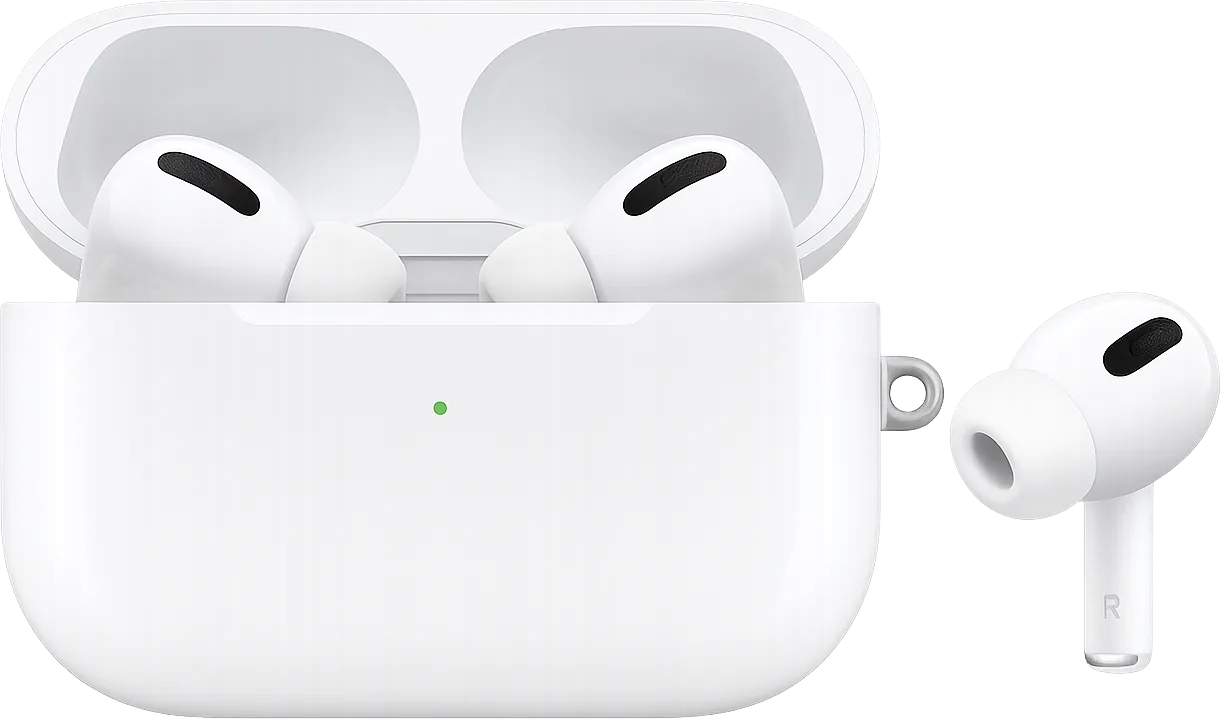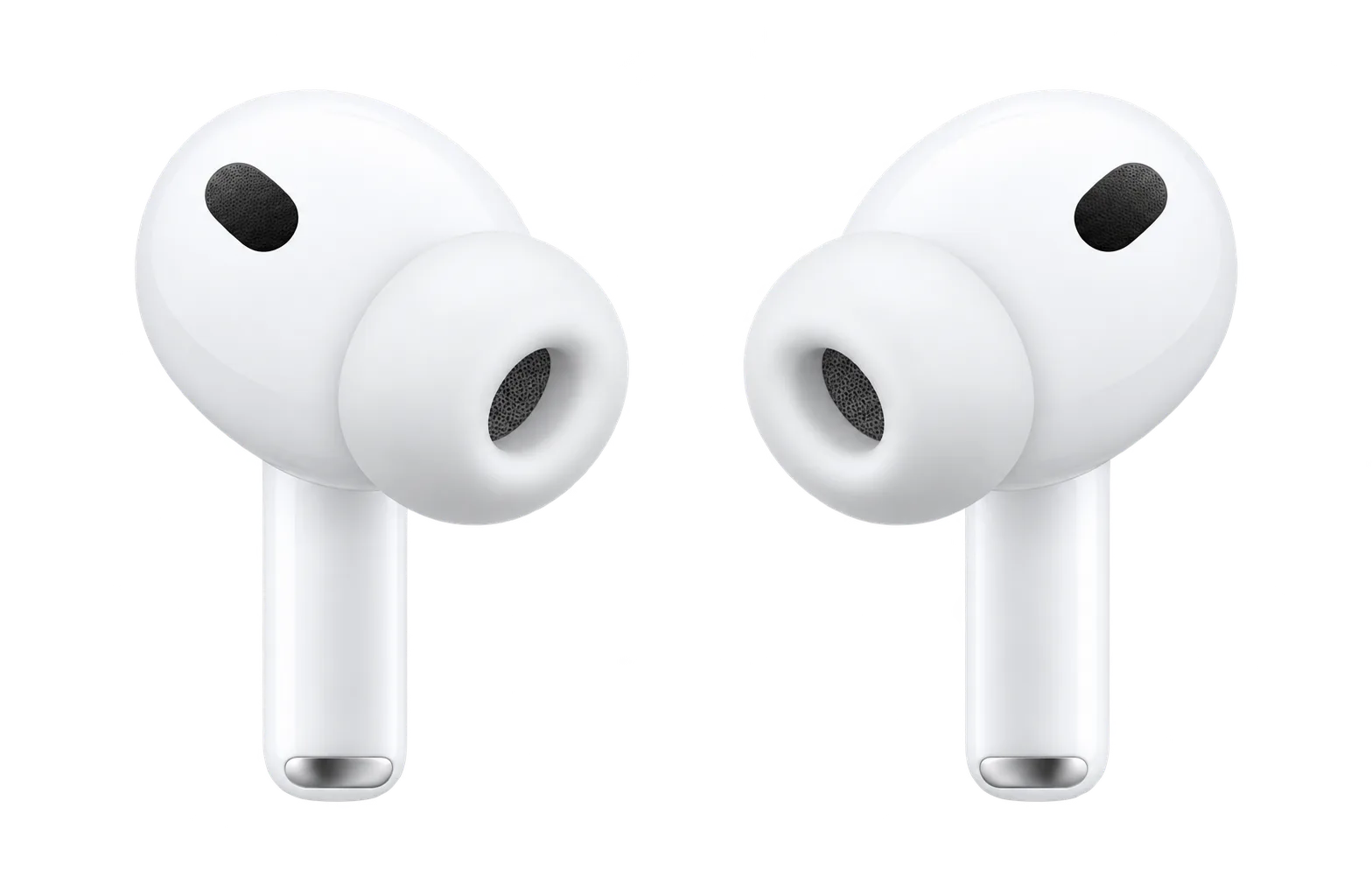









































AirPods Pro 3
Best earbuds for iPhone
Earbuds

AirPods Pro 3Expert Review Scores, Specs & Price

Ask about the AirPods Pro 3

4
MY IDEVICE

Released Guide updated

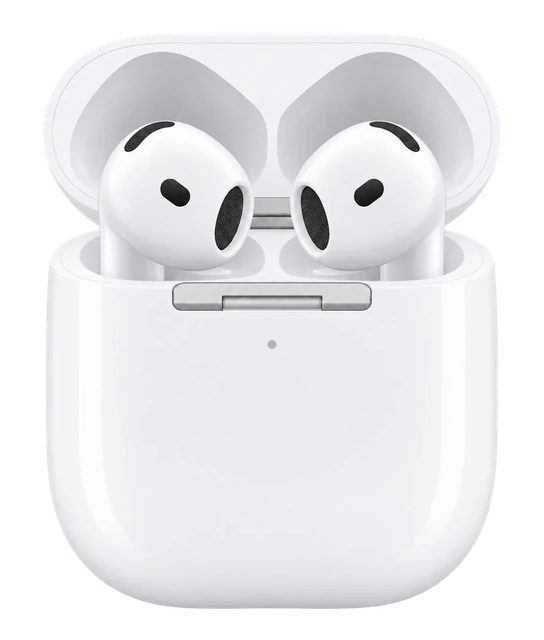
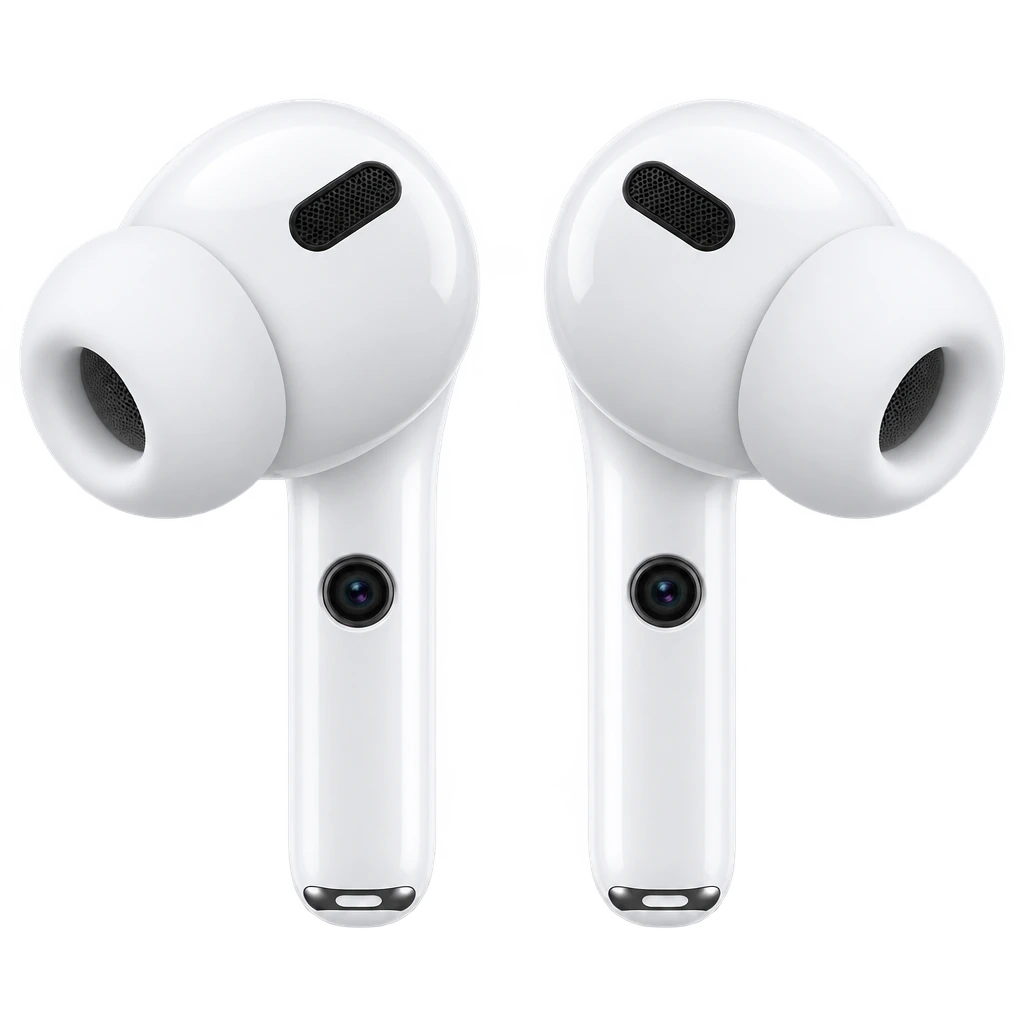
AirPods Pro 3 lean on the H2 chip for noise cancellation roughly four times stronger than the first Pro, and adaptive audio that adjusts to the room around you as you move through it. Apple also put a heart-rate sensor and hearing health features into the buds themselves, so they do more than play music.

Latest on Apple earbuds

More newsAll AirPods news

Where it shines

  1. Music

    Deep, punchy bass and high-definition spatial audio make them simply fun to listen to.

  2. Gym workouts

    It tracks heart rate and calories burned during gym workouts.

  3. Hearing health

    Test your hearing, use them as a hearing aid, boost a conversation and protect your ears when things get loud.

AirPods Pro 2 vs AirPods Pro 3

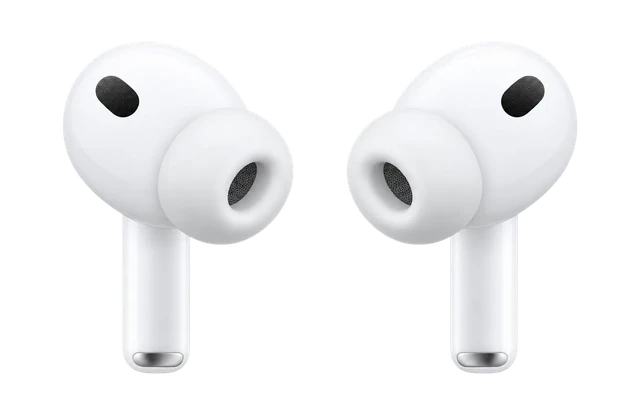
AirPods Pro 2
THE PREVIOUS MODEL

AirPods Pro 2

Previous model
AirPods Pro 3
THE NEWCOMER

AirPods Pro 3

Sep 2025
  1. AirPods Pro 2: Up to 30 hoursTotal listening time with case and noise cancellation-6 hoursAirPods Pro 3: Up to 24 hours
  2. AirPods Pro 2: IP54 on 2023 USB-C revision (2022 case IPX4)Dust/sweat/water resistanceImprovedAirPods Pro 3: IP57 earbuds and case
  3. AirPods Pro 2: Apple U1Charging-case uwb chipImprovedAirPods Pro 3: Second-generation Ultra Wideband chip
  4. AirPods Pro 2: 4 sizes (XS, S, M, L)Included ear-tip sizesImprovedAirPods Pro 3: 5 sizes (XXS, XS, S, M, L)

What 17 reviewers said

More reviews

The noise cancelling and fit are excellent.

Noise cancelling

The noise cancelling did its job for reviewers.

Tied to one phone

How it works with your phone held reviewers back.

Fit

It stayed put for reviewers.

Comparison

Compare earbuds

How it compares

Price

$249

What it costs to buy. None of these need a subscription.

Weight

5.6g

Grams in your ears. Lower is lighter.

Battery life

~8 hrs

How long it lasts on its own, away from a charger.

Current list prices.

One earbud, not the pair, and not the case.

Hours on one charge with noise cancelling on, where that figure is officially stated; otherwise the official headline figure. Prices are each product's lowest version. Battery life varies with use, settings and firmware.

If not this one

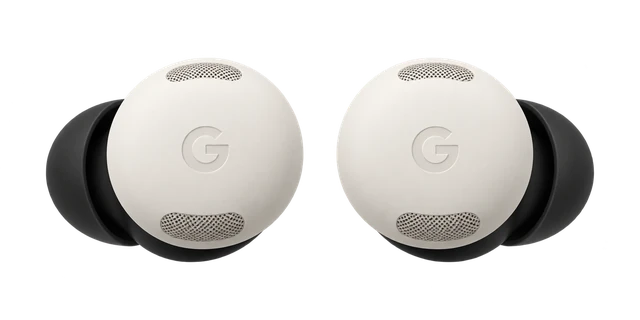
  • If sound quality decides itPixel Buds Pro 2

    Reviewers prefer its sound quality.

    $229
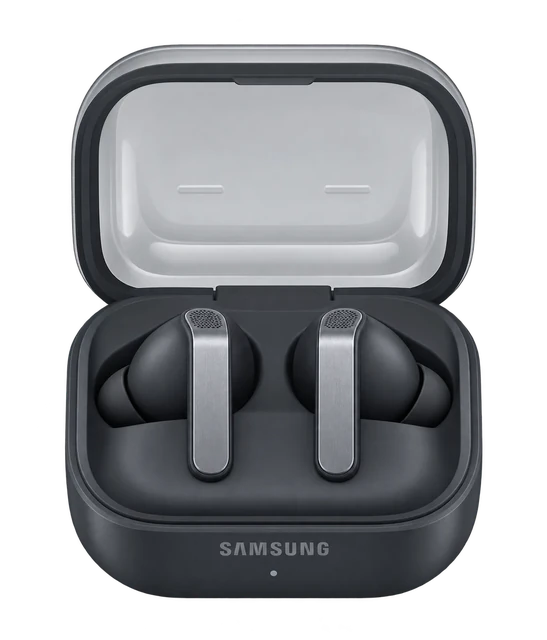
  • If comfort and fit decides itGalaxy Buds4 Pro

    Reviewers prefer its comfort and fit.

    $249.99
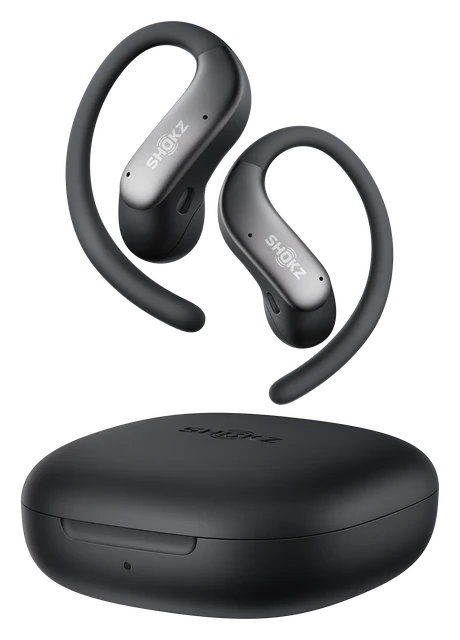
  • If workouts decides itShokz OpenFit Air 2

    Pressure-sensitive buttons ignore sweat, water and hair, and the IP55 rating keeps them going through rain.

    $129.95

Most paired with

Everything it works with

What AirPods Pro work with

Made for iPhone with iOS 26 or later. They also work with Android, but there's no Siri, and hearing features, heart-rate sensing, settings and firmware updates need an Apple device.

Do AirPods Pro work with iPhone?

Works

Full AirPods features need an iPhone running iOS 26 or later.

You get Apple pairing, settings and Apple-device features on a compatible iPhone. Older iOS versions don't meet Apple's requirement.

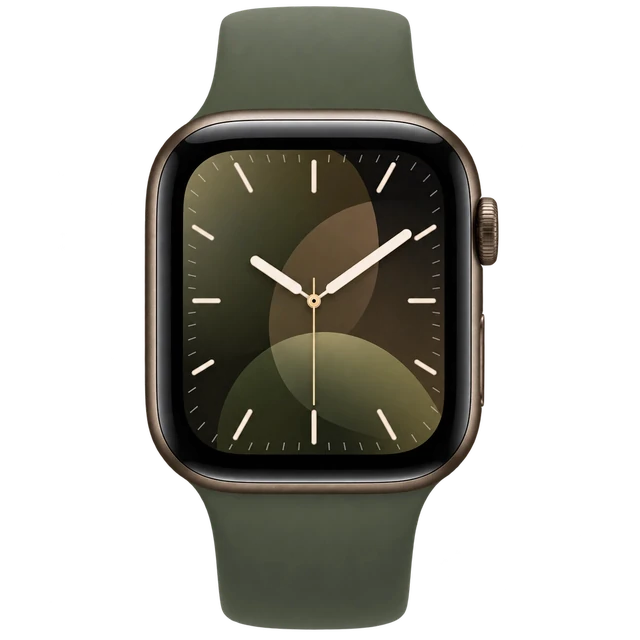
Do AirPods Pro work with the Apple Watch Series 12?

Yes. Apple Watch Series 12 plays audio to Bluetooth headphones and speakers.

How do you connect AirPods Pro 3 to a Mac?

Pair them in Bluetooth settings on a Mac with macOS Tahoe or later.

  1. Open System Settings from the Apple menu, then click Bluetooth.
  2. Put both earbuds in the charging case and open the lid.
  3. Double-tap the front of the case until the status light flashes white.
  4. Click Connect next to AirPods Pro 3 in the Nearby Devices list.

On a compatible Mac, you get Apple pairing and AirPods settings. If they're set up on your iPhone and the Mac uses the same Apple Account, they should connect on their own. Choose them under Sound in Control Center.

Some features need an Apple device

Do AirPods Pro work with Android?

Some features missing

Listening and calls work over Bluetooth, but Apple-only features need an Apple device.

Pair them over standard Bluetooth. Siri doesn't work. Hearing features, heart-rate sensing, settings and firmware updates need an Apple device.

Siri, the hearing features, heart-rate sensing, settings and firmware updates need an Apple device.

Quick answers

All FAQs

Quick answers

Should I buy the AirPods Pro 3?
Good to buy. This is a strong enough price that waiting probably isn't worth it. It is $199 at Amazon, price checked Oct. 31, 2026. See the full answer on the Apple AirPods Pro 3
Is the AirPods Pro 3 worth it for AirPods Pro 2 owners?
Worth it only if its gains matter more to you than what it gives up. Today's price is a good one. It is $199 at Amazon, price checked Oct. 31, 2026. See the full answer on the Apple AirPods Pro 3 for AirPods Pro 2 owners
Do the AirPods Pro 3 come with a charger?
No. The box has the MagSafe Charging Case with USB-C, speaker and lanyard loop, but no charging cable and no power adapter.

Get AirPods Pro 3 updates

Email me when there's news.

Works with

Some features missing

Listening and calls work over Bluetooth, but Apple-only features need an Apple device.

Pair them over standard Bluetooth. Siri doesn't work. Hearing features, heart-rate sensing, settings and firmware updates need an Apple device.

Siri, the hearing features, heart-rate sensing, settings and firmware updates need an Apple device.

Bluetooth gives you listening and calls, but Apple-only features stay off.

  1. Open Settings > Bluetooth & devices on your PC and turn Bluetooth on.
  2. Put AirPods Pro 3 in the charging case, open the lid, and double-tap the front until the status light flashes white.
  3. Select AirPods Pro 3 under New devices in the Bluetooth list.

They work as standard Bluetooth earbuds on Windows. Siri doesn't work, and AirPods settings and firmware updates need an Apple device.

No Siri; settings and firmware updates need an Apple device.

Doesn't work

Direct pairing doesn't work because PS5 doesn't support standard Bluetooth audio devices.

AirPods Pro 3 can't pair directly to a PS5 for audio because the console does not accept standard Bluetooth audio devices.

Works

Full AirPods features need an iPhone running iOS 26 or later.

You get Apple pairing, settings and Apple-device features on a compatible iPhone. Older iOS versions don't meet Apple's requirement.

WorksWorked out from the official minimum

They work with every iPhone that runs iOS 26 or later, from the iPhone 11 on.

  • iPhone 18 Pro and iPhone 18 Pro Max: yes, on iOS 26 or later
  • iPhone 17, iPhone 17 Pro, iPhone 17 Pro Max, iPhone Air and iPhone 17e: yes, on iOS 26 or later
  • iPhone 16, iPhone 16 Plus, iPhone 16 Pro, iPhone 16 Pro Max and iPhone 16e: yes, on iOS 26 or later
  • iPhone 15, iPhone 15 Plus, iPhone 15 Pro and iPhone 15 Pro Max: yes, on iOS 26 or later
  • iPhone 14, iPhone 14 Plus, iPhone 14 Pro and iPhone 14 Pro Max: yes, on iOS 26 or later
  • iPhone 13 mini, iPhone 13, iPhone 13 Pro and iPhone 13 Pro Max: yes, on iOS 26 or later
  • iPhone 12 mini, iPhone 12, iPhone 12 Pro and iPhone 12 Pro Max: yes, on iOS 26 or later
  • iPhone 11, iPhone 11 Pro and iPhone 11 Pro Max: yes, on iOS 26 or later
  • iPhone SE (2nd generation) and iPhone SE (3rd generation): yes, on iOS 26 or later
  • iPhone 17 Pro: yes, on iOS 26 or later
  • iPhone 17 Pro Max: yes, on iOS 26 or later
  • iPhone Air: yes, on iOS 26 or later
  • Any iPhone not listed: no, it cannot run that iOS version

Worked out from the official minimum ("iOS 26 or later") and Apple's list of the iPhones that run it, not a separate test. See the sources.

Doesn't work

Xbox Series X|S and Xbox One don't support Bluetooth audio.

You can't pair AirPods Pro 3 with Xbox Series X|S or Xbox One for console audio because they have no Bluetooth audio. Use an Xbox Wireless or wired headset instead. You can still use AirPods for Xbox games on a phone or PC.

Some features missing

Apple TV 4K gives the fullest support. Other Bluetooth TVs work with limits.

For Apple TV 4K, sign in to the same Apple Account. On other TVs with Bluetooth audio, they work as normal headphones, but Siri and other Apple extras don't. Samsung and Google TV play to only one Bluetooth audio device at a time; some TVs have no Bluetooth audio, lip-sync errors can happen, and Roku and Fire TV weren't checked.

Apple extras like Siri do not work on non-Apple TVs; only one Bluetooth audio device plays at a time on Samsung and Google TV; some TVs lack Bluetooth audio and lip-sync errors can happen; Roku and Fire TV were not checked

Works

Full support needs an iPad on the latest iPadOS.

AirPods Pro 3 pair with iPad like they do with iPhone. If the iPad uses the same Apple Account, they connect on their own.

Show all 17Show fewer
Works

They work with Apple Watch on the latest watchOS after setup with your iPhone.

If AirPods Pro 3 are set up with your iPhone, they already work with your Apple Watch. Press play on the watch.

Some features missing

Listening and calls work over Bluetooth, but Apple-only features need an Apple device.

Pair them over standard Bluetooth. Siri doesn't work. Hearing features, heart-rate sensing, settings and firmware updates need an Apple device.

Siri, the hearing features, heart-rate sensing, settings and firmware updates need an Apple device.

Some features missing

They work as Bluetooth headphones with Garmin watches that store music.

Only Garmin music models support headphones. Watches without music storage can't play to them, and Apple extras don't work on Garmin.

Only Garmin music models support headphones; Apple extras do not work on Garmin

Some features missing

Listening and calls work over Bluetooth, but Apple-only features need an Apple device.

Pair them over standard Bluetooth. Siri doesn't work. Hearing features, heart-rate sensing, settings and firmware updates need an Apple device.

Siri, the hearing features, heart-rate sensing, settings and firmware updates need an Apple device.

Pair them in Bluetooth settings on a Mac with macOS Tahoe or later.

  1. Open System Settings from the Apple menu, then click Bluetooth.
  2. Put both earbuds in the charging case and open the lid.
  3. Double-tap the front of the case until the status light flashes white.
  4. Click Connect next to AirPods Pro 3 in the Nearby Devices list.

On a compatible Mac, you get Apple pairing and AirPods settings. If they're set up on your iPhone and the Mac uses the same Apple Account, they should connect on their own. Choose them under Sound in Control Center.

Use Settings on iPhone, iPad or Mac. There's no separate AirPods app.

You can manage features and check the firmware version in Bluetooth settings on an Apple device running current software. Apple does not document an AirPods settings app for Android or Windows.

Updates install automatically while charging near a Wi-Fi-connected iPhone, iPad or Mac.

Keep the AirPods charging and within Bluetooth range of that Apple device. Without an Apple device, Apple directs you to book an Apple Store or Authorized Service Provider appointment.

Without an Apple device, Apple directs you to an Apple Store or Authorised Service Provider appointment.

Full use needs iOS 26 or later or macOS Tahoe or later, with regional limits.

AirPods can be linked to one Apple Account at a time. Hearing Aid, Hearing Test and Hearing Protection aren't available in all countries, while Live Translation and Expanded Precision Finding also vary by region.

One Apple Account at a time; Hearing Aid/Test/Protection not in all countries; Live Translation and Precision Finding vary by region.

Some features missing

Game audio works over Bluetooth, but the AirPods microphone won't work for voice chat.

Nintendo Switch family systems can send game and system audio to Bluetooth earbuds. Bluetooth microphones aren't supported, so you can't use the AirPods microphone for voice chat. Pair them from the Switch System Settings.

Bluetooth microphones cannot be used, so no voice chat through the earbuds.

Most paired with

Do AirPods Pro work with iPhone?

Works

Full AirPods features need an iPhone running iOS 26 or later.

You get Apple pairing, settings and Apple-device features on a compatible iPhone. Older iOS versions don't meet Apple's requirement.

Do AirPods Pro work with the Apple Watch Series 12?

Yes. Apple Watch Series 12 plays audio to Bluetooth headphones and speakers.

How do you connect AirPods Pro 3 to a Mac?

Pair them in Bluetooth settings on a Mac with macOS Tahoe or later.

  1. Open System Settings from the Apple menu, then click Bluetooth.
  2. Put both earbuds in the charging case and open the lid.
  3. Double-tap the front of the case until the status light flashes white.
  4. Click Connect next to AirPods Pro 3 in the Nearby Devices list.

On a compatible Mac, you get Apple pairing and AirPods settings. If they're set up on your iPhone and the Mac uses the same Apple Account, they should connect on their own. Choose them under Sound in Control Center.

Some features need an Apple device

Do AirPods Pro work with Android?

Some features missing

Listening and calls work over Bluetooth, but Apple-only features need an Apple device.

Pair them over standard Bluetooth. Siri doesn't work. Hearing features, heart-rate sensing, settings and firmware updates need an Apple device.

Siri, the hearing features, heart-rate sensing, settings and firmware updates need an Apple device.

Do AirPods Pro work with the Apple Watch Ultra 4?

Yes. Apple Watch Ultra 4 plays audio to Bluetooth headphones and speakers.

No Siri; settings and firmware updates need an Apple device

Can you connect AirPods Pro to a PC?

Bluetooth gives you listening and calls, but Apple-only features stay off.

  1. Open Settings > Bluetooth & devices on your PC and turn Bluetooth on.
  2. Put AirPods Pro 3 in the charging case, open the lid, and double-tap the front until the status light flashes white.
  3. Select AirPods Pro 3 under New devices in the Bluetooth list.

They work as standard Bluetooth earbuds on Windows. Siri doesn't work, and AirPods settings and firmware updates need an Apple device.

No Siri; settings and firmware updates need an Apple device.

Do AirPods Pro 3 work with Samsung Galaxy phones?

Some features missing

Listening and calls work over Bluetooth, but Apple-only features need an Apple device.

Pair them over standard Bluetooth. Siri doesn't work. Hearing features, heart-rate sensing, settings and firmware updates need an Apple device.

Siri, the hearing features, heart-rate sensing, settings and firmware updates need an Apple device.

Do AirPods Pro 3 work with Google Pixel phones?

Some features missing

Listening and calls work over Bluetooth, but Apple-only features need an Apple device.

Pair them over standard Bluetooth. Siri doesn't work. Hearing features, heart-rate sensing, settings and firmware updates need an Apple device.

Siri, the hearing features, heart-rate sensing, settings and firmware updates need an Apple device.

What you need

Do AirPods Pro work with Android?

Some features missing

Listening and calls work over Bluetooth, but Apple-only features need an Apple device.

Pair them over standard Bluetooth. Siri doesn't work. Hearing features, heart-rate sensing, settings and firmware updates need an Apple device.

Siri, the hearing features, heart-rate sensing, settings and firmware updates need an Apple device.

Can you connect AirPods Pro to a PC?

Bluetooth gives you listening and calls, but Apple-only features stay off.

  1. Open Settings > Bluetooth & devices on your PC and turn Bluetooth on.
  2. Put AirPods Pro 3 in the charging case, open the lid, and double-tap the front until the status light flashes white.
  3. Select AirPods Pro 3 under New devices in the Bluetooth list.

They work as standard Bluetooth earbuds on Windows. Siri doesn't work, and AirPods settings and firmware updates need an Apple device.

No Siri; settings and firmware updates need an Apple device.

Do AirPods Pro work with iPhone?

Works

Full AirPods features need an iPhone running iOS 26 or later.

You get Apple pairing, settings and Apple-device features on a compatible iPhone. Older iOS versions don't meet Apple's requirement.

Do AirPods Pro work with a TV?

Some features missing

Apple TV 4K gives the fullest support. Other Bluetooth TVs work with limits.

For Apple TV 4K, sign in to the same Apple Account. On other TVs with Bluetooth audio, they work as normal headphones, but Siri and other Apple extras don't. Samsung and Google TV play to only one Bluetooth audio device at a time; some TVs have no Bluetooth audio, lip-sync errors can happen, and Roku and Fire TV weren't checked.

Apple extras like Siri do not work on non-Apple TVs; only one Bluetooth audio device plays at a time on Samsung and Google TV; some TVs lack Bluetooth audio and lip-sync errors can happen; Roku and Fire TV were not checked

How do you connect AirPods Pro 3 to a Mac?

Pair them in Bluetooth settings on a Mac with macOS Tahoe or later.

  1. Open System Settings from the Apple menu, then click Bluetooth.
  2. Put both earbuds in the charging case and open the lid.
  3. Double-tap the front of the case until the status light flashes white.
  4. Click Connect next to AirPods Pro 3 in the Nearby Devices list.

On a compatible Mac, you get Apple pairing and AirPods settings. If they're set up on your iPhone and the Mac uses the same Apple Account, they should connect on their own. Choose them under Sound in Control Center.

Supports

Works

Automatic switching works across Apple devices on the same Apple Account.

They connect to whichever signed-in Apple device you're listening to. Apple does not document standard simultaneous multipoint with non-Apple devices.

Works

Personalized Spatial Audio and dynamic head tracking work on compatible Apple devices.

You need a compatible Apple device running current software.

Works

Siri works on compatible Apple devices running current software.

AirPods Pro 3 support Hey Siri and Siri Interactions on current Apple software. Siri doesn't work on non-Apple devices, and availability can vary by language or region.

Some features missing

Live Translation needs an Apple Intelligence iPhone 15 Pro or later.

You also need iOS 26 or later, Apple Intelligence turned on and the latest AirPods firmware. Live Translation isn't available in every region or language.

Needs a recent Apple Intelligence iPhone; not all regions or languages.

Some features missing

Hearing Aid, Hearing Test and Hearing Protection work only where Apple offers them.

The Hearing Test needs an iPhone or iPad. These hearing features aren't available in all countries and regions.

Not available in all countries and regions.

Works

Heart-rate sensing works during workouts with an iPhone.

You can view heart-rate data in the Health app, Fitness app and supported third-party fitness apps on iPhone.

Works

Find My includes a case speaker and Precision Finding.

Expanded Precision Finding needs an iPhone Air or iPhone 15 or later, except iPhone 16e. Availability varies by region.

Works

Apple sells replacement earbuds and charging cases.

If you lose an earbud or the case, Apple says you can order a replacement.

Show all 10Show fewer
Some features missing

Lossless Audio works only when paired with Apple Vision Pro.

Apple documents Lossless Audio with ultra-low latency only with Apple Vision Pro. It hasn't published a full list of the Bluetooth audio formats AirPods Pro 3 use.

Lossless only works with Vision Pro; ordinary Bluetooth codec list not published.

Some features missing

Ultra-low-latency audio works only with Apple Vision Pro.

Apple documents ultra-low latency on Apple Vision Pro. It doesn't document a low-latency gaming mode on other devices.

No documented low-latency mode elsewhere.

How it works

The case charges by MagSafe, Apple Watch charger, Qi-certified wireless charger or USB-C.

All four charging methods work with the case.

4.4 / 5
Excellent

Noise cancelling

The noise cancelling did its job for reviewers.

Tied to one phone

How it works with your phone held reviewers back.

Fit

It stayed put for reviewers.

Scores published by other outlets, normalized and averaged. iDevice did not test these products for this score.

17 expert reviews, 8 with a score

  1. What Hi-Fi?
    Kashfia Kabir; Ketan Bharadia (contributor)Jan 13, 2026
    5 / 5
    Read review
  2. TechGearLab
    Rachael LamoreNov 25, 2025
    4.3 / 5
    Read review
  3. TechRadar
    Becky ScarrottOct 24, 2025
    4.5 / 5
    Read review
  4. SoundGuys
    Harley MarananSep 24, 2025
    3.9 / 5
    Read review
  5. Tom's Guide
    Kate KozuchSep 15, 2025
    4.5 / 5
    Read review
  6. Engadget
    Billy Steele
    4.5 / 5
    Read review
  7. The Verge
    Victoria Song
    4.4 / 5
    Read review
  8. WIRED
    Parker Hall
    4.4 / 5
    Read review
  9. Digital Trends
    Nadeem SarwarMay 25, 2026
    No score
    Read review
  10. T3
    Matt KollatMay 20, 2026
    No score
    Read review
  11. Macworld
    Jason CrossSep 26, 2025
    No score
    Read review
  12. The Washington Post
    Chris VelazcoSep 25, 2025
    No score
    Read review
  13. BGR
    Christian de LooperSep 24, 2025
    No score
    Read review
  14. DC Rainmaker
    Ray MakerSep 15, 2025
    No score
    Read review
  15. 9to5Mac
    Chance Miller
    No score
    Read review
  16. CNET
    David Carnoy
    No score
    Read review
  17. RTINGS
    Dagobiet Morales Alfaro; Jasper Lastoria; John Peroramas
    No score
    Read review

Reviewer breakdown

What reviewers agreed on, and how many raised each

  • Works with your phone8 / 8
  • Noise cancelling14
  • Battery life9 / 5
  • Fit11
  • Comfort8
  • Price4 / 3
  • Dropped connections4
  • Controls4

Liked itDidn’t

Oct 25, 2023 · First sign of it
Bloomberg places the next AirPods Pro refresh in 2025
Bloomberg reported a broad AirPods overhaul that included a new Pro model in the year after the planned 2024 entry-level refresh. The report put the next AirPods Pro generation on a 2025 track well before product-specific feature leaks arrived.
Feb 13, 2025 · New feature
Heart-rate monitoring is reported as ready for AirPods Pro 3
9to5Mac summarized Mark Gurman’s health-sensor reporting and said heart-rate monitoring was the feature expected to be ready for AirPods Pro 3. This moved the health story from a general future-AirPods project to a concrete expectation for this generation.
Aug 26, 2025 · Design and hardware
A case leak says the pairing button is going away
9to5Mac shared a post from Asher Dipprey saying the AirPods Pro 3 case would get slightly smaller and lose its pairing button, with pairing done by tapping the case instead.
Sep 1, 2025 · New feature
An anonymous tip claims in-ear temperature sensing
9to5Mac reported an anonymous tip that AirPods Pro 3 would contain a second health sensor for temperature sensing in addition to heart-rate hardware. The report treated the temperature feature as less certain and warned that not every rumored feature might be ready at launch.
Sep 8, 2025 · Others confirmed it
Gurman says not to expect major audio or ANC changes
On the eve of Apple's event, Mark Gurman posted that he still expected AirPods Pro 3 with heart-rate tracking, a new fit and a redesigned case. He said not to expect big audio or noise cancelling upgrades.
Sep 9, 2025 · Announced
Apple announces AirPods Pro 3
Apple formally announced AirPods Pro 3 on September 9 and confirmed heart-rate sensing during workouts. Apple also set September 19 availability, moving the generation from rumor to an official product.
Sep 19, 2025 · Went on sale
AirPods Pro 3 go on sale
AirPods Pro 3 went on sale on September 19, online and at retailers. That completed the three-year refresh first reported in 2023.
Jul 15, 2026 · New feature
A public beta adds custom EQ to AirPods Pro 3
A 2026 AirPods public-beta firmware added custom EQ support to AirPods Pro 3 alongside other supported models. Because the feature was still in beta, this is recorded as a post-launch software development rather than a new shipping milestone.

At a glance

AirPods Pro 3THIS PRODUCTAirPods Pro 3AirPods 4COMPARE WITHAirPods 4
Noise cancellation
Yes, class-leading4x original Pro
No / Yes (open-earANC model only)
Earbud battery
8 hrs
5 hrs
Works with
iOS full / Android basic
iOS full / Android basic (no Siri or Adaptive Audio)
Water resistance
IP57
IP54
Price
$199.99 (regularly $249)
$99 (regularly $129)
Case battery
24 hrs
Up to 30 hrs total
Spatial audio
YesPersonalized Spatial Audio
Yespersonalized with head tracking
Health tracking
Heart rate, hearing health
None
Weight
5.55g
4.3g
Technical specs
Processor
H2
H2
Connectivity
Bluetooth 5.3
Bluetooth 5.3
Visual AI
No
No
Status light
Charging-case status light flashes white during pairing
No
Controls
Stem press (play/pause/skip), head nod for Siri, touch controls
Head nod for Siri, double tap stem
Battery
Up to 8 hrs ANC on / 24 hrs with case
5 hrs / 4 hrs ANC on
Case
MagSafe Charging Case with built-in speaker
Charging Case (USB-C)
AirPods Pro 3
Apple

Good to buy.

This is a strong enough price that waiting probably isn't worth it.

AirPods Pro 3

About Apple

Apple makes the iPhone, Apple Watch and AirPods, and is known for hardware and software designed to work together.

Visit Apple

Where to buy

StorePriceIn stockAction
Amazon$199In stockBuy
Target$199.99In stockBuy
Walmart$199.99Buy
Best Buy$239.99Buy
Apple$249Buy
Best Buycondition not stated$249.99ConditionalDetails

Price history

At $199, it's about $50 less than Apple direct, so we'd buy now.

Lowest in 30 days
$179Oct 5
Highest in 30 days
$249Oct 1
Stores we check
5Amazon is cheapest
On sale since
Sep 19, 2025
Next model
AirPods Pro 4reported for Late 2027
Lowest known
$169Jun 17, 2026, from older published history
Price checks
115 over 31 days
40%30%20%10%list40%30%20%10%list

Eight sales in the past year. The best was $169 in June, 32% off the $249 list price.

Returns and warranty

Returns
14-day returns· the clock starts the day it arrives
Warranty
1-year warranty· starts the day you buy it
Returns and warranty details

Returns

  • Send it back like new

    Return it in its original condition with all included parts, accessories and packaging.

  • How you get your money back

    Card refunds go to your bank within five business days after Apple receives the item. Returns may be inspected; approved refunds or exchanges are issued within 10 business days. Cash returns over $750 are paid by check within 10 business days.

Warranty

Covered

  • Bands and accessories

    AirPods are covered by Apple's accessory warranty: defects in materials and workmanship for one year from the date of original retail purchase.

  • Battery covered only for defects

    The standard warranty covers a battery only if it fails from a defect. The 80 percent rule belongs to AppleCare, not to the free warranty: AppleCare plans cover batteries that keep less than 80% of their original capacity.

Not covered

  • Water damage

    Apple says sweat, water and dust resistance are not permanent and can wear down over time, and AirPods and cases cannot be rechecked or resealed.

  • Accidents and misuse

    Damage caused by accident, abuse, misuse, fire, earthquake or other external cause is not covered (iPhone, Vision Pro, Apple Watch). The AirPods warranty excludes damage from abuse, accident, modifications or unauthorized repairs.

  • Scratches and dents

    Cosmetic damage such as scratches, dents and broken plastic on ports is not covered unless it comes from a defect.

  • Normal wear and aging

    Defects caused by normal wear and tear or normal aging are not covered.

  • Repairs by other shops

    Damage from service by anyone who is not Apple or an Apple Authorized Service Provider is not covered.

  • Add AppleCare+ or AppleCare One

    AppleCare+ accidental damage fee for AirPods is $29.

  • How it gets fixed

    Apple chooses to repair, replace with the same model (or a similar one with your consent), or refund the purchase price. For mail-in service Apple sends prepaid waybills and pays shipping both ways if you follow its packing instructions.

Good to know

  • Good to know

    If engraved, it cannot be exchanged in store; it can only be returned for a refund.

  • Engraved or personalized items

    Engraved items (Apple names AirPods and iPad) cannot be exchanged in store. They can only be returned for a refund.

  • Activation Lock / Find My

    If the security features are on and cannot be turned off by the person returning it, Apple may refuse the return.

  • Opened software

    Opened software, software downloads and gift cards cannot be returned.

What's in the box

What comes in the box with the AirPods Pro 3?

Here is what you get when you open it. No USB-C charge cable. No power adapter.

AirPods Pro 3 earbuds

MagSafe Charging Case with USB-C, speaker and lanyard loop
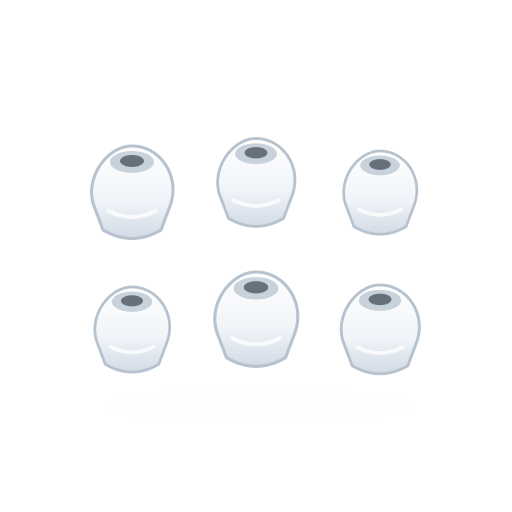
Silicone ear tips in XXS, XS, S, M and L

Documentation

Not in the box

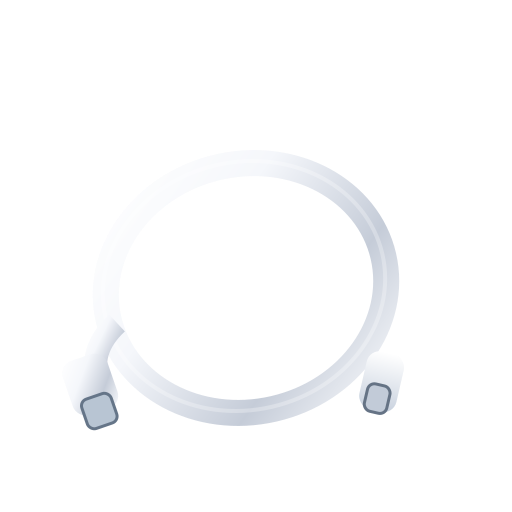
USB-C charge cableNot in the box
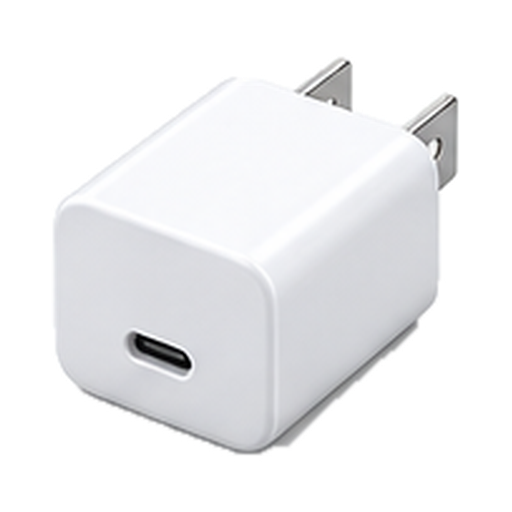
Power adapterNot in the box

From Apple's pages 1, 2. Checked Sep 22, 2026.

AirPods 5$129Available nowGuide News
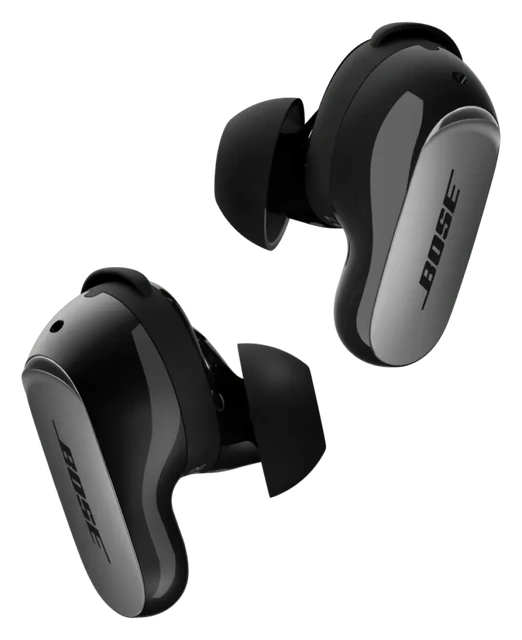
Bose QuietComfort Ultra Earbuds$299Available nowGuide News
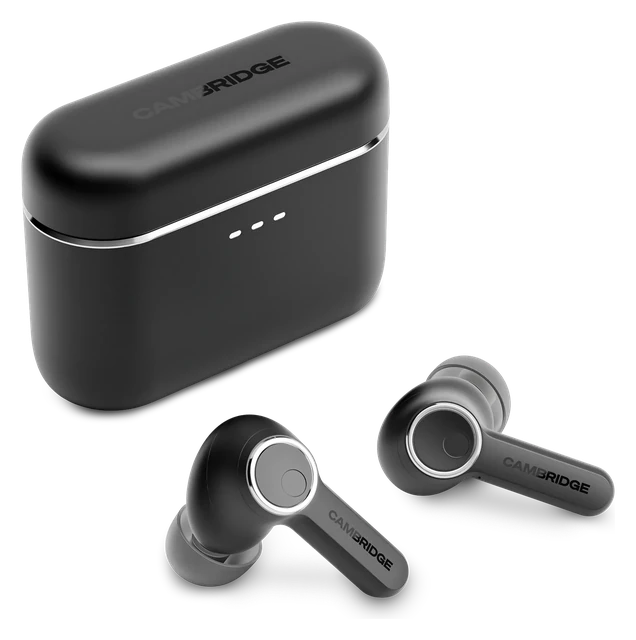
Cambridge Audio Melomania A100$149Available nowGuide News
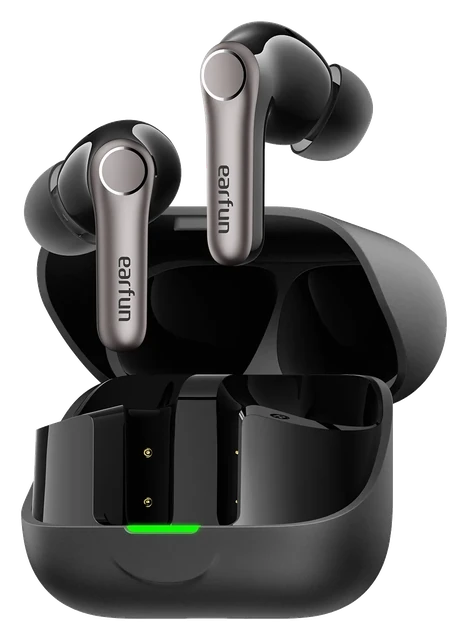
EarFun Air Pro 4+$99.99Available nowGuide News

Frequently asked questions

Questions about AirPods Pro 3

Top questions

Should I buy the AirPods Pro 3?
Good to buy. This is a strong enough price that waiting probably isn't worth it. It is $199 at Amazon, price checked Oct. 31, 2026. See the full answer on the Apple AirPods Pro 3
Is the AirPods Pro 3 worth it for AirPods Pro 2 owners?
Worth it only if its gains matter more to you than what it gives up. Today's price is a good one. It is $199 at Amazon, price checked Oct. 31, 2026. See the full answer on the Apple AirPods Pro 3 for AirPods Pro 2 owners
Do the AirPods Pro 3 come with a charger?
No. The box has the MagSafe Charging Case with USB-C, speaker and lanyard loop, but no charging cable and no power adapter.

Using it

Subscription required?
A subscription is required for Apple Fitness+.
Does it have noise cancelling?
Yes, it cancels noise.
What does it cost?
It costs $249. That is the list price.
Does it work with my phone?
It works fully with an iPhone and partly with Android. It pairs with Android, but the app and the iPhone-only features are not there.
How heavy is it?
It weighs 5.55g.
How does it connect?
It connects over Bluetooth 5.3.
What chip is inside?
It runs on Apple H2.
Does it do spatial audio?
Yes, it does spatial audio.
Can I control it with gestures?
Yes, you can control it with gestures.

Sizing and fit

How do I pick the right size?
If the ear tip feels too large in your ear or is uncomfortable, try a smaller ear tip.

Battery and charging

How do I charge it?
AirPods shut down and charge whenever they're in the case with the lid closed. Put your AirPods in their case.
How do I reset it?
Put your AirPods in their charging case, close the lid, and wait 30 seconds. Double-tap the front of the case while the status light is on. Double-tap again when the status light flashes white. Double-tap a third time when the status light flashes faster. When the status light flashes amber, then flashes white, you can follow the steps on your device's screen to reconnect your AirPods.
How do I set it up?
With your AirPods in the charging case, open the charging case, and hold it next to your iPhone. For AirPods Pro 3, AirPods 4 (both models), and AirPods 5 (both models), double-tap the front of the case until the status light flashes white.
How do I update it?
Firmware updates are delivered automatically while your AirPods are charging and in Bluetooth range of your iPhone, iPad, or Mac that's connected to Wi-Fi. Make sure that your iPhone, iPad, or Mac is updated to the latest version of iOS, iPadOS, or macOS, and that Bluetooth is on.
How do I look after the battery?
AirPods Pro 3 learn from your daily usage and determine when to charge to an optimized limit and when to allow for a full charge. The limit adapts to your daily usage and preserves your battery lifespan over time. To fully charge your AirPods Pro 3, turn off Optimize Charge Limit, then tap Turn Off Until Tomorrow, or tap Turn Off to turn off the setting entirely.
Is it water resistant?
Dust, sweat, and water resistant (IP57): AirPods Pro and charging case
How long does the battery last?
It runs 24 hours with the case and noise cancelling on. That is 10 hours in hearing aid mode, and 8 hours of listening with noise cancelling on.

Water

How do I clean it?
You can clean the encircled meshes on your AirPods Pro 3, including the bottom mic. Place your thumb or index finger over the ear tip hole of each AirPod to seal it. Don't run your AirPods Pro under water, and don't use sharp objects or abrasive materials to clean your AirPods Pro.
Can it get wet (shower, pool, swimming)?
Yes, it survives a shower and a soaking. Its rating is IP57. It holds up for thirty minutes at one metre. Swimming laps and diving need a different rating, and it does not carry one.

Price and models

When did the AirPods Pro 3 come out?
It went on sale September 19, 2025. Announced September 9, 2025.
Is there a newer one?
No. The AirPods Pro 3 is the current model.
How much does the AirPods Pro 3 cost?
List price: $249. Current price we last read at Amazon: $199, October 31, 2026.

Returns and warranty

How long do I have to return it?
14-day returns The clock starts the day it arrives.
Is there a restocking fee?
Restocking fee: not stated by Apple
Who pays return shipping?
Who pays return shipping: not stated by Apple Start the return online and print a return label, then schedule a carrier pickup or drop it at the carrier. You can also return it at any U.S. Apple Store.
Can I return it if I opened or wore it?
Send it back like new Return it in its original condition with all included parts, accessories and packaging.
How do I get my money back?
How you get your money back Card refunds go to your bank within five business days after Apple receives the item. Returns may be inspected; approved refunds or exchanges are issued within 10 business days. Cash returns over $750 are paid by check within 10 business days.
How long is the warranty?
1-year warranty Starts the day you buy it.
Is there a paid protection plan?
Add AppleCare+ or AppleCare One AppleCare+ accidental damage fee for AirPods is $29.
Is water damage covered?
Water resistance wears off Apple says sweat, water and dust resistance are not permanent and can wear down over time, and AirPods and cases cannot be rechecked or resealed.
Is the battery covered?
Battery covered only for defects The standard warranty covers a battery only if it fails from a defect. The 80 percent rule belongs to AppleCare, not to the free warranty: AppleCare plans cover batteries that keep less than 80% of their original capacity.

In the box

What's in the box?
AirPods Pro 3 earbuds, MagSafe Charging Case with USB-C, speaker and lanyard loop, Silicone ear tips in XXS, XS, S, M and L, Documentation, Not included: USB-C charge cable, Not included: Power adapter.

Works with

Do AirPods Pro work with a TV?
Apple TV 4K gives the fullest support. Other Bluetooth TVs work with limits. Some features missing
Do AirPods Pro work with an iPad?
Full support needs an iPad on the latest iPadOS. Works
Do AirPods Pro work with Apple Watch?
They work with Apple Watch on the latest watchOS after setup with your iPhone. Works
Do AirPods Pro 3 work with Samsung Galaxy phones?
Listening and calls work over Bluetooth, but Apple-only features need an Apple device. Some features missing
Do AirPods Pro work with a Garmin watch?
They work as Bluetooth headphones with Garmin watches that store music. Some features missing
Do AirPods Pro 3 work with Google Pixel phones?
Listening and calls work over Bluetooth, but Apple-only features need an Apple device. Some features missing
How do you connect AirPods Pro 3 to a Mac?
Pair them in Bluetooth settings on a Mac with macOS Tahoe or later. Works
How do AirPods Pro 3 handle settings?
Use Settings on iPhone, iPad or Mac. There's no separate AirPods app. Works
How do AirPods Pro 3 charge?
The case charges by MagSafe, Apple Watch charger, Qi-certified wireless charger or USB-C. Works
How do AirPods Pro 3 get software updates?
Updates install automatically while charging near a Wi-Fi-connected iPhone, iPad or Mac. Some features missing
Do AirPods Pro 3 support every Apple device and region?
Full use needs iOS 26 or later or macOS Tahoe or later, with regional limits. Some features missing
Do AirPods Pro 3 support automatic switching between devices?
Automatic switching works across Apple devices on the same Apple Account. Works
Do AirPods Pro 3 support Spatial Audio and head tracking?
Personalized Spatial Audio and dynamic head tracking work on compatible Apple devices. Works
Do AirPods Pro 3 support Siri?
Siri works on compatible Apple devices running current software. Works
Do AirPods Pro 3 support Live Translation?
Live Translation needs an Apple Intelligence iPhone 15 Pro or later. Some features missing
Do AirPods Pro 3 support hearing health features?
Hearing Aid, Hearing Test and Hearing Protection work only where Apple offers them. Some features missing
Do AirPods Pro 3 support heart-rate sensing?
Heart-rate sensing works during workouts with an iPhone. Works
Do AirPods Pro 3 support Find My?
Find My includes a case speaker and Precision Finding. Works
Do AirPods Pro 3 support replacement earbuds or cases?
Apple sells replacement earbuds and charging cases. Works
Do AirPods Pro 3 support lossless audio?
Lossless Audio works only when paired with Apple Vision Pro. Some features missing
Do AirPods Pro 3 support a low-latency gaming mode?
Ultra-low-latency audio works only with Apple Vision Pro. Some features missing
Do AirPods Pro 3 work with Nintendo Switch?
Game audio works over Bluetooth, but the AirPods microphone won't work for voice chat. Some features missing

AirPods Ultra Is the One Worth Watching

Apple's three rumored Ultra products this year are a foldable iPhone, a touchscreen MacBook, and AirPods with infrared cameras. Only the earbuds change their category.

You have reached the end of this stream

Those are all the stories we have lined up here.

More news