







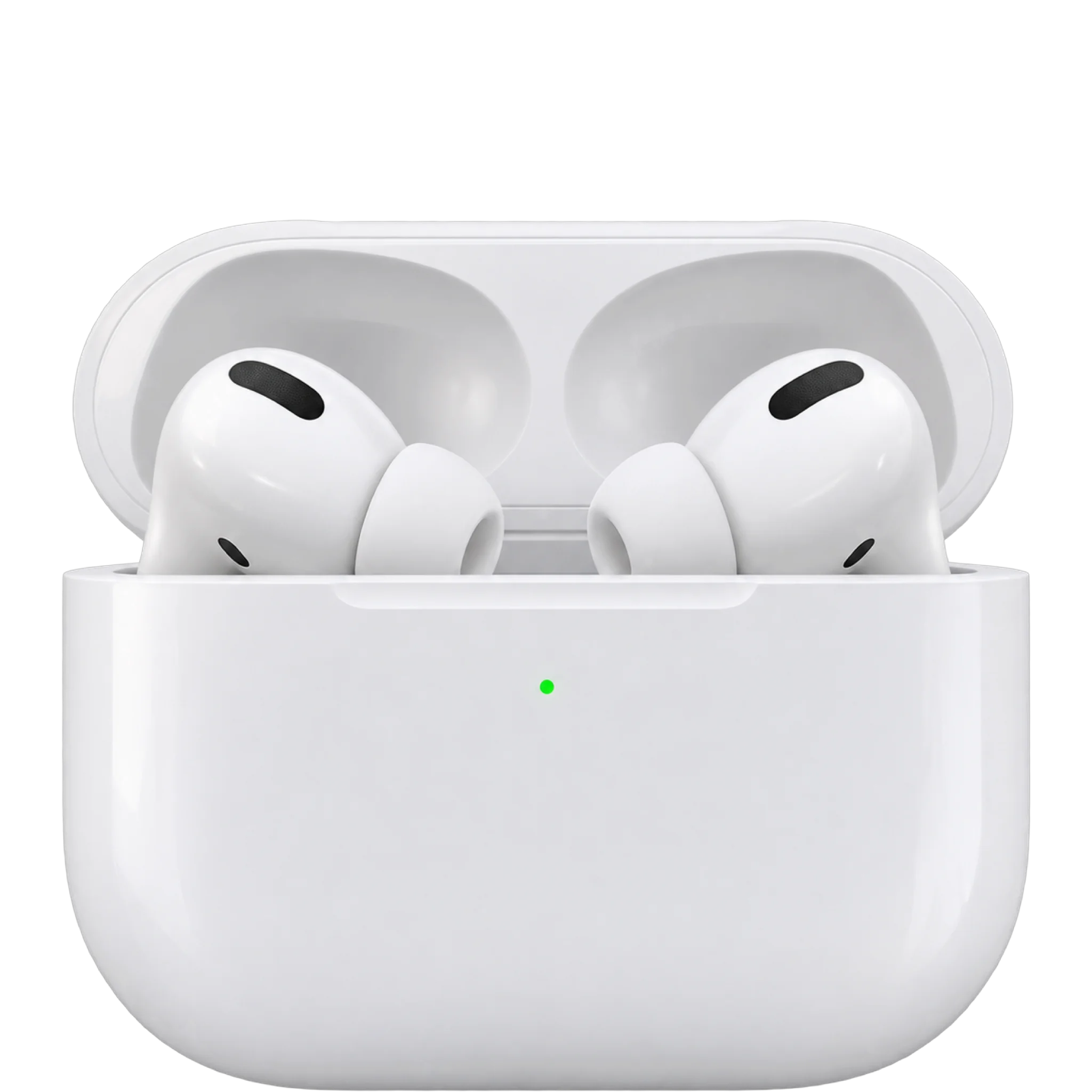
Do AirPods Pro 4 work with iPhone and Android?

Works with
These answers are for the AirPods Pro 3, the model on sale now.
AndroidIt only plays audio and takes calls. Siri, hearing features, heart rate, settings and updates need an Apple device.
What you need: Standard Bluetooth pairing.
Limits: Siri, the hearing features, heart-rate sensing, settings and firmware updates need an Apple device.
Samsung Galaxy phones, Google Pixel phonesThe same limits as any Android phone.
What you need: Standard Bluetooth pairing.
Limits: Siri, the hearing features, heart-rate sensing, settings and firmware updates need an Apple device.
iPhoneEvery feature works on an iPhone with iOS 26 or later.
What you need: IOS 26 or later.
Limits: Older iOS versions do not meet Apple's requirement.
Windows PCIt only plays audio and takes calls.
What you need: Standard Bluetooth pairing.
Limits: No Siri; settings and firmware updates need an Apple device.
MacOpen the case near a Mac on macOS Tahoe or later and pair them in Bluetooth settings.
What you need: MacOS Tahoe or later.
Companion app / settingsIn Settings on an iPhone, iPad or Mac. There's no separate AirPods app.
What you need: An Apple device on current software.
Limits: Apple documents no settings app for Android/Windows.
Firmware updatesThey update automatically while charging near a Wi-Fi-connected iPhone, iPad or Mac.
What you need: AirPods charging, in range of a Wi-Fi-connected iPhone, iPad or Mac.
Limits: Without an Apple device, Apple directs you to an Apple Store or Authorized Service Provider appointment.
Voice assistant / AIOn Apple devices. Siri doesn't work on other phones.
What you need: Apple device on current software.
Limits: No Siri on non-Apple devices; Siri may not be available in all languages or areas.
Health sensors / integrationsDuring workouts with an iPhone. Data shows in Health and Fitness.
What you need: IPhone.
Find network (earbuds and case)The case has a speaker, and Precision Finding works on iPhone 15 or later.
What you need: Expanded Precision Finding needs iPhone Air or iPhone 15 or later (not iPhone 16e).
Limits: Expanded Precision Finding availability varies by region.
Xbox consolesXbox consoles have no Bluetooth audio.
What you need: Not supported on the console
Limits: Xbox Series X|S and Xbox One have no Bluetooth audio; needs an Xbox Wireless or wired headset instead
TV (Apple TV, Roku, Fire TV, smart TVs)Only Apple TV 4K gets the full set. Other Bluetooth TVs work as plain headphones.
What you need: Apple TV 4K signed in to the same Apple Account, or a TV with Bluetooth audio
Limits: Apple extras like Siri do not work on non-Apple TVs; only one Bluetooth audio device plays at a time on Samsung and Google TV; some TVs lack Bluetooth audio and lip-sync errors can happen.
Show allShow less
Garmin watchIt needs a Garmin watch that stores music.
What you need: A Garmin watch with music storage
Limits: Only Garmin music models support headphones. Apple extras do not work with Garmin watches.
Live translationIt needs an Apple Intelligence iPhone (iPhone 15 Pro or later) and is not in every region.
What you need: IPhone 15 Pro or later, iOS 26 or later, Apple Intelligence on, latest firmware.
Limits: Needs a recent Apple Intelligence iPhone; not all regions or languages.
Hearing / accessibility featuresHearing Aid, Hearing Test and Hearing Protection aren't offered in every country.
What you need: IPhone or iPad for the Hearing Test.
Limits: Not available in all countries and regions.
Hi-res / lossless audio and codecsApple documents lossless audio only with Vision Pro.
What you need: Apple Vision Pro.
Limits: Lossless only works with Vision Pro; ordinary Bluetooth codec list not published.
Gaming / low-latency modeApple lists ultra-low latency only with Vision Pro.
What you need: Apple Vision Pro.
Limits: Apple lists no low-latency mode for other devices.
Nintendo Switch familyThe Switch plays game audio only. It can't use the AirPods microphone.
What you need: Bluetooth pairing from the Switch System Settings.
Limits: Bluetooth microphones cannot be used, so no voice chat through the earbuds.
Garmin Instinct 3Partly. Pair AirPods Pro 3 with your phone and use the Instinct 3 as a remote for what plays on the phone.
What you need: AirPods paired with your phone
Limits: Garmin's manual describes the music control as controlling playback on your phone, not on the watch.
Garmin vivosmart 5Partly. Pair AirPods Pro 3 with your phone and use the vivosmart 5 as a remote for what plays on the phone.
What you need: AirPods paired with your phone
Limits: Garmin's manual describes the music control as controlling playback on your phone, not on the watch.
Multipoint / automatic switchingAcross Apple devices signed in to the same Apple Account.
What you need: Same Apple Account.
Spatial audio / head trackingOn compatible Apple devices.
What you need: Compatible Apple device on current software.
Garmin Bounce 2Yes. The Bounce 2 plays music stored on the watch through Bluetooth headphones such as AirPods Pro 3.
What you need: Music loaded on the watch
Limits: Apple-only AirPods features (automatic switching, Siri, spatial audio) do not work on a Garmin watch
Garmin Enduro 3Yes. The Enduro 3 plays music stored on the watch through Bluetooth headphones such as AirPods Pro 3.
What you need: Music loaded on the watch
Limits: Apple-only AirPods features (automatic switching, Siri, spatial audio) do not work on a Garmin watch
Garmin Fenix 9 ProYes. The Fenix 9 Pro plays music stored on the watch through Bluetooth headphones such as AirPods Pro 3.
What you need: Music loaded on the watch
Limits: Apple-only AirPods features (automatic switching, Siri, spatial audio) do not work on a Garmin watch
Garmin Forerunner 970Yes. The Forerunner 970 plays music stored on the watch through Bluetooth headphones such as AirPods Pro 3.
What you need: Music loaded on the watch
Limits: Apple-only AirPods features (automatic switching, Siri, spatial audio) do not work on a Garmin watch
Garmin Venu 4Yes. The Venu 4 plays music stored on the watch through Bluetooth headphones such as AirPods Pro 3.
What you need: Music loaded on the watch
Limits: Apple-only AirPods features (automatic switching, Siri, spatial audio) do not work on a Garmin watch
Ask about anything else
Does it work with…?