







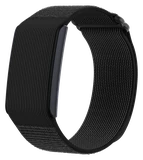



Polar H10 and H9 owners can now switch off the chest strap's encrypted Bluetooth mode, and for anyone who pairs one with a Garmin watch, that removes an approval step older pairings never needed. Polar released H10 firmware 4.3.2 and H9 firmware 2.3.2 on November 18, and the new secure mode setting is the main change for both straps.
Secure mode asks for an encrypted Bluetooth connection, so a watch or app has to pair properly before it can read the strap's protected data. It stays on by default. Turn it off and the strap connects like an ordinary heart rate sensor: the link is unencrypted, and compatible devices nearby can find it and connect more easily.
You install the update from the Polar Flow or Polar Beat app on your phone, and the switch itself sits in Polar Flow.
The Garmin side is where most owners will feel it. As the5krunner reported, an encrypted H10 has needed a separate approval on a Garmin watch before it would pair, and that prompt is Garmin's own design choice, since the Bluetooth standard lets a sensor with no screen pair without one. With secure mode off there's no secure pairing for the watch to approve, so the5krunner expects the prompt to go away.
Polar's own advice is a little narrower. It suggests turning secure mode off when the strap struggles to connect to gym equipment or to another brand's device.
The cost is privacy, and it's small. A nearby device could read your heart rate over the unencrypted link. As the5krunner points out, ANT+ (the older wireless link most sports watches and gym machines also use) has always broadcast heart rate openly to anything in range, so switching secure mode off just puts Bluetooth on the same footing.
There's also a way round the prompt that leaves the setting alone. Pairing the strap to a Garmin over ANT+ instead of Bluetooth skips the approval step whatever secure mode is set to, the5krunner says.
Garmin could remove the prompt for every encrypted strap at once. Until it does, each strap maker has to ship its own off switch, and Polar has now shipped its one.
If you pair an H10 or H9 with a Garmin and the approval prompt gets in your way, update the strap and turn secure mode off in Polar Flow. If you'd rather keep the Bluetooth link encrypted, pair over ANT+ instead, which the5krunner says avoids the prompt.