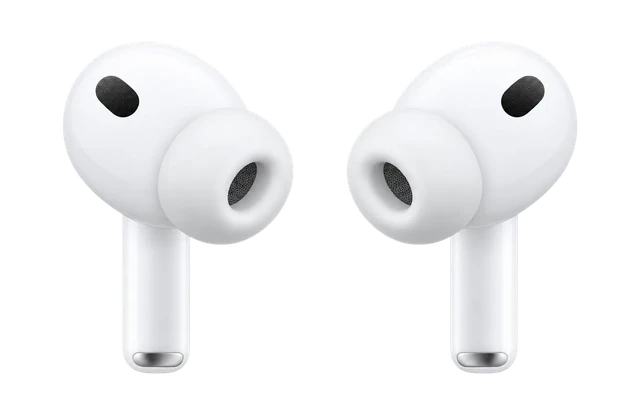













































AirPods 5 batteries can finally be replaced, iFixit's teardown finds
A worn battery no longer has to mean new earbuds, but the swap is a technician's job and the charging case still can't be opened without breaking it.
Read the story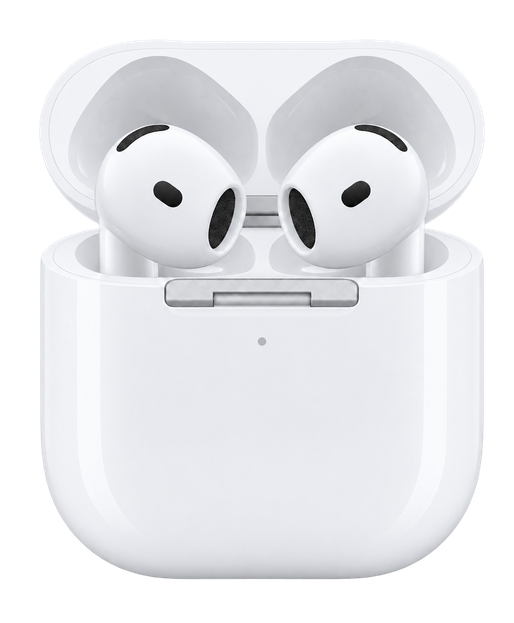
We may earn a commission when you buy through these links.
Last updated
Is now a good time to buy?
NO NEED TO RUSH
$89 at Amazon is $10 above its lowest price in the 61 days iDevice has checked it.
Latest on AirPods 5
A worn battery no longer has to mean new earbuds, but the swap is a technician's job and the charging case still can't be opened without breaking it.
Read the story →You need iOS 27 and the latest AirPods firmware. It is less detailed than Sony's EQ, and the default profile is fine if you'd rather not tinker.
Read the story →Spend the extra $20. The wireless-case model gets swipe volume and more battery, and battery life is the complaint that follows the AirPods 5 through every review.
Read the story →Comparison
Compare earbudsPrice
$129
What it costs to buy. None of these need a subscription.
Weight
4.3g
Grams in your ears. Lower is lighter.
Battery life
4 hrs
How long it lasts on its own, away from a charger.
 AirPods 4
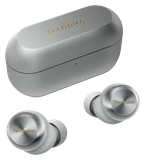
 AirPods 5
 Pixel Buds 2a
 Galaxy Buds 4
Current list prices.
One earbud, not the pair, and not the case.
Hours on one charge with noise cancelling on, where that figure is officially stated; otherwise the official headline figure. Prices are each product's lowest version. Battery life varies with use, settings and firmware.
If not this one
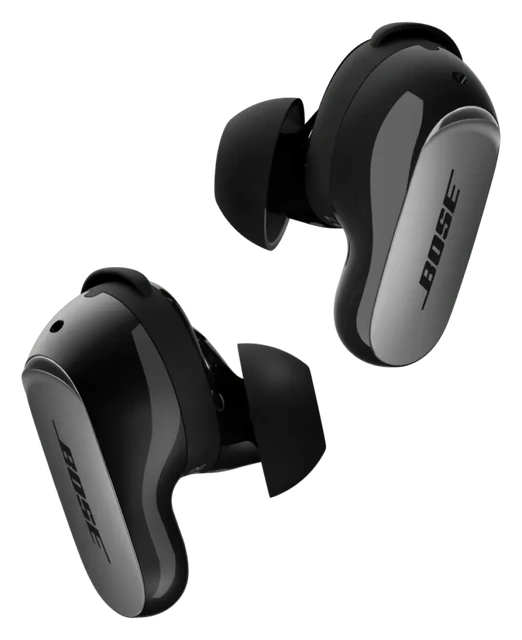 If noise cancelling decides itBose QuietComfort Ultra Earbuds
Adjustable noise cancelling with Quiet, Aware and Immersion modes, tuned to your ears by CustomTune.
$299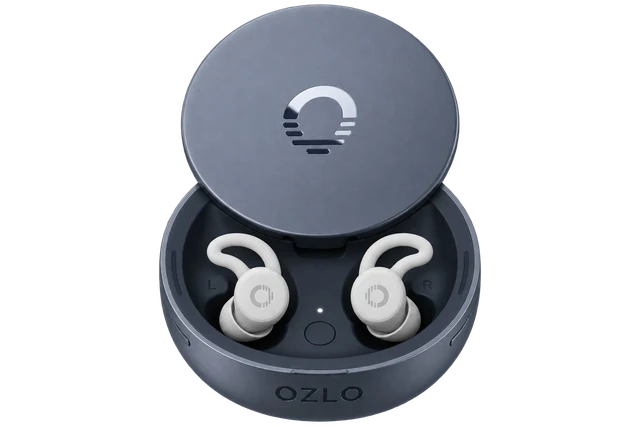 If battery life decides itOzlo Sleepbuds 2
Lasts longer: up to 14 hours, against 5 hrs here.
$279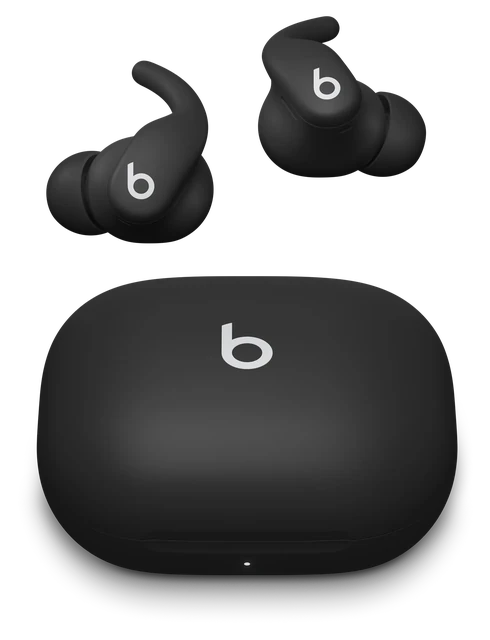 If workouts decides itPowerbeats Fit
A flexible wingtip locks them in your ear, and the earbuds and case are rated IPX4 for sweat and rain.
$199.99Most paired with
Everything it works withMade for iPhone. They also work with Android, but you lose Siri, Apple settings, automatic switching and Find My.
 iPhoneWorks
Works fully with iOS 18.0 or later.
Both models support setup, settings, Siri, Spatial Audio and automatic switching on iPhone. Find My for AirPods 4 with Active Noise Cancellation requires iOS 26 or later.
Works with USB-C connector, Apple Watch charger, or Qi‑certified chargers
Includes a speaker for use with Find My proximity view12
Find My functionality requires iOS 26 or later.
Live Translation with AirPods works on AirPods 4 with Active Noise Cancellation
Siri and activating with just “Siri” may not be available in all languages or in all areas
AirPods 5 (both models): iOS 27
AirPods 4 (both models): iOS 18.0 or later
Last checked 2026-09-21.
 Apple Watch Series 12Works
Do AirPods 4 work with the Apple Watch Series 12?
Yes. Apple Watch Series 12 plays audio to Bluetooth headphones and speakers.
From the Apple Watch Series 12 answer for this kind of phone or device. Source: Apple
 MacWorks
Pair them in Bluetooth settings on macOS Sequoia or later.
Both models support pairing and settings on Mac. They can switch automatically between Apple devices on the same Apple Account. If they are already set up on your iPhone and your Mac uses the same Apple Account, choose them under Sound in Control Center.
AirPods 5 (both models): macOS Golden Gate or later
AirPods Pro 3: macOS Tahoe or later
AirPods 4 (both models): macOS Sequoia or later
When you’re signed in to the same Apple Account on your Apple devices, your AirPods seamlessly connect to whichever device you’re listening to
On your Mac, choose System Settings from the Apple menu
Put both AirPods in the charging case and open the lid.
For AirPods Pro 3, AirPods 4 (both models), and AirPods 5 (both models), double-tap the front of the case until the status light flashes white.
Click Connect next to your AirPods in the Nearby Devices list.
If you set up your AirPods* with your iPhone, and your Mac is signed in to iCloud with the same Apple Account, your AirPods should connect automatically with your Mac
Last checked 2026-09-21.
 Android phoneSome features missing
Some features need an Apple device
Listening and calls work over Bluetooth, but Apple-only features do not.
Pair them by Bluetooth by opening the case and double-tapping the front. Siri, Apple settings, automatic switching and Find My are not available on non-Apple devices.
Siri, Apple settings, automatic switching and Find My need an Apple device.
You can use AirPods as a Bluetooth headset with a non-Apple device.
AirPods can be used as wireless Bluetooth headphones with Apple devices using earlier software and with non‑Apple devices, but functionality may be limited.
Last checked 2026-09-21.
Get AirPods 4 updates
Email me when there's news.
Works with
Listening and calls work over Bluetooth, but Apple-only features do not.
Pair them by Bluetooth by opening the case and double-tapping the front. Siri, Apple settings, automatic switching and Find My are not available on non-Apple devices.
Siri, Apple settings, automatic switching and Find My need an Apple device.
You can use AirPods as a Bluetooth headset with a non-Apple device.
AirPods can be used as wireless Bluetooth headphones with Apple devices using earlier software and with non‑Apple devices, but functionality may be limited.
Last checked 2026-09-21.
Listening and calls work over Bluetooth, but Apple-only features do not.
Pair AirPods 4 as Bluetooth earbuds. Siri, Apple settings, automatic switching and Find My are not available on non-Apple devices.
Siri is unavailable on non-Apple devices; Apple settings, automatic switching and Find My are Apple-device features.
You can use AirPods as a Bluetooth headset with a non-Apple device.
AirPods can be used as wireless Bluetooth headphones with Apple devices using earlier software and with non‑Apple devices, but functionality may be limited.
On your non-Apple device, make sure that Bluetooth is on
When your AirPods appear in the list of Bluetooth devices, select them.
In the Bluetooth & devices window, next to Bluetooth , make sure Bluetooth is switched On .
When a notification appears that a new Bluetooth device was found, select Connect .
Last checked 2026-09-21.
Works fully with iOS 18.0 or later.
Both models support setup, settings, Siri, Spatial Audio and automatic switching on iPhone. Find My for AirPods 4 with Active Noise Cancellation requires iOS 26 or later.
Works with USB-C connector, Apple Watch charger, or Qi‑certified chargers
Includes a speaker for use with Find My proximity view12
Find My functionality requires iOS 26 or later.
Live Translation with AirPods works on AirPods 4 with Active Noise Cancellation
Siri and activating with just “Siri” may not be available in all languages or in all areas
AirPods 5 (both models): iOS 27
AirPods 4 (both models): iOS 18.0 or later
Last checked 2026-09-21.
They work with every iPhone that runs iOS 18.0 or later, from the iPhone XR on.
Worked out from the official minimum ("iOS 18.0 or later") and Apple's list of the iPhones that run it, not a separate test. See the sources.
Works with USB-C connector, Apple Watch charger, or Qi‑certified chargers
Includes a speaker for use with Find My proximity view12
Find My functionality requires iOS 26 or later.
Live Translation with AirPods works on AirPods 4 with Active Noise Cancellation
Siri and activating with just “Siri” may not be available in all languages or in all areas
AirPods 5 (both models): iOS 27
AirPods 4 (both models): iOS 18.0 or later
Last checked 2026-09-21.
Xbox consoles do not support Bluetooth audio.
You cannot pair AirPods 4 with Xbox Series X|S or Xbox One. Those consoles need an Xbox Wireless or wired headset instead. You can still use AirPods 4 for Xbox games on a phone or PC.
The XBOX One console does not feature Bluetooth functionality.
connects wirelessly to your XBOX Series X|S or XBOX One console, or to your Windows, Android, or iOS device via Bluetooth.
Last checked 2026-09-21.
They work best with Apple TV 4K, or as basic Bluetooth headphones.
Apple TV 4K needs to use the same Apple Account. Other TVs need Bluetooth audio, but Siri and other Apple extras will not work. Samsung and Google TV play one Bluetooth audio device at a time, some TVs have no Bluetooth audio, and lip-sync errors can happen. Roku and Fire TV were not checked.
Apple extras like Siri do not work on non-Apple TVs; only one Bluetooth audio device plays at a time on Samsung and Google TV; some TVs lack Bluetooth audio and lip-sync errors can happen; Roku and Fire TV were not checked
You can use AirPods as a Bluetooth headset with a non-Apple device.
You can send audio from your Apple TV 4K to compatible AirPods or Beats headphones when you’re signed in on Apple TV 4K with the same Apple Account associated with the headphones.
You can also connect Bluetooth® headphones to Apple TV 4K
You may want to connect a Bluetooth® device to your Apple TV 4K such as a game controller, headphones, a wireless keyboard, or another accessory.
You can connect several Bluetooth devices, like headphones or game controllers, to your Google TV.
While you can pair more than one Bluetooth audio device at a time, only one can output audio.
some Bluetooth headphones are designed for mobile devices exclusively and won't pair with a TV.
Last checked 2026-09-21.
Listening and calls work over Bluetooth, but Apple-only features do not.
Pair them as standard Bluetooth earbuds. Siri, Apple settings, automatic switching and Find My are not available on non-Apple devices.
Siri, Apple settings, automatic switching and Find My need an Apple device.
You can use AirPods as a Bluetooth headset with a non-Apple device.
AirPods can be used as wireless Bluetooth headphones with Apple devices using earlier software and with non‑Apple devices, but functionality may be limited.
Last checked 2026-09-21.
Listening and calls work over Bluetooth, but Apple-only features do not.
Pair them as standard Bluetooth earbuds. Siri, Apple settings, automatic switching and Find My are not available on non-Apple devices.
Siri, Apple settings, automatic switching and Find My need an Apple device.
You can use AirPods as a Bluetooth headset with a non-Apple device.
AirPods can be used as wireless Bluetooth headphones with Apple devices using earlier software and with non‑Apple devices, but functionality may be limited.
Last checked 2026-09-21.
Full settings are built into iPhone and Mac, not a separate app.
Use an iPhone on iOS 18.0 or later or a Mac on macOS Sequoia or later for the full settings. Apple does not offer an AirPods settings app for Android or Windows. Features can be limited on non-Apple devices, and Siri is unavailable.
On non-Apple devices functionality may be limited and Siri is unavailable.
AirPods and AirPods Pro can be associated with one Apple Account
You can use AirPods as a Bluetooth headset with a non-Apple device.
AirPods 5 (both models): macOS Golden Gate or later
AirPods Pro 3: macOS Tahoe or later
AirPods 4 (both models): macOS Sequoia or later
Personalized Spatial Audio with dynamic head tracking3
AirPods can be used as wireless Bluetooth headphones with Apple devices using earlier software and with non‑Apple devices, but functionality may be limited.
Last checked 2026-09-21.
Pair them in Bluetooth settings on macOS Sequoia or later.
Both models support pairing and settings on Mac. They can switch automatically between Apple devices on the same Apple Account. If they are already set up on your iPhone and your Mac uses the same Apple Account, choose them under Sound in Control Center.
AirPods 5 (both models): macOS Golden Gate or later
AirPods Pro 3: macOS Tahoe or later
AirPods 4 (both models): macOS Sequoia or later
When you’re signed in to the same Apple Account on your Apple devices, your AirPods seamlessly connect to whichever device you’re listening to
On your Mac, choose System Settings from the Apple menu
Put both AirPods in the charging case and open the lid.
For AirPods Pro 3, AirPods 4 (both models), and AirPods 5 (both models), double-tap the front of the case until the status light flashes white.
Click Connect next to your AirPods in the Nearby Devices list.
If you set up your AirPods* with your iPhone, and your Mac is signed in to iCloud with the same Apple Account, your AirPods should connect automatically with your Mac
Last checked 2026-09-21.
Updates install automatically through a nearby Apple device.
Keep the AirPods charging and in Bluetooth range of an iPhone, iPad or Mac on Wi-Fi. The current firmware listed here is 9A348 for both models. Apple does not document a way to update them from Android or Windows.
No documented update path from Android or Windows.
Firmware updates are delivered automatically while your AirPods are charging and in Bluetooth range of your iPhone, iPad or Mac
If you don’t have an Apple device nearby, you can set up an appointment at an Apple Store or with an Apple Authorised Service Provider to update your firmware.
With iOS 27 and an Apple Intelligence-enabled iPhone, AirPods 5 users will also get access to hands-free Siri AI and Live Translation.
Last checked 2026-09-21.
PS5 does not accept standard Bluetooth audio devices directly.
AirPods 4 cannot connect to a PS5 as a standard Bluetooth audio device because the console rejects that type of Bluetooth audio connection.
You can use AirPods as a Bluetooth headset with a non-Apple device.
Your Bluetooth audio device isn’t compatible with PlayStation®5 consoles.
Last checked 2026-09-21.
Bluetooth audio works, but the microphone does not.
Pair AirPods 4 through the Switch's Bluetooth audio settings for game audio. Nintendo Switch does not support Bluetooth microphones.
Bluetooth microphones cannot be used on Switch.
You can use AirPods as a Bluetooth headset with a non-Apple device.
Headphones, earbuds, speakers, and other audio devices that connect with Bluetooth can now be paired with Nintendo Switch family systems for audio output.
Bluetooth microphones cannot be used.
Last checked 2026-09-21.
Each AirPods 4 model needs its matching charging case.
The base AirPods 4 case works only with base AirPods 4 earbuds. The ANC case works only with AirPods 4 with Active Noise Cancellation earbuds.
It's not compatible with AirPods 5 with Wireless Charging Case earbuds
It's not compatible with AirPods 5 earbuds
It’s not compatible with AirPods 4 earbuds or any other AirPods earbuds other than AirPods 4 (ANC) earbuds.
It’s not compatible with AirPods 4 (ANC) earbuds or any other AirPods earbuds other than AirPods 4 earbuds.
Last checked 2026-09-21.
Core Bluetooth audio works broadly, but some Apple features need more.
Full Apple support needs iOS 18.0 or later or macOS Sequoia or later. Find My on the ANC model and Live Translation need iOS 26 or later. Live Translation is ANC-only, and both Live Translation and Siri can vary by region or language.
Live Translation and Siri vary by region/language; Live Translation is ANC-only.
AirPods and AirPods Pro can be associated with one Apple Account
Works with USB-C connector, Apple Watch charger, or Qi‑certified chargers
Siri and activating with just “Siri” may not be available in all languages or in all areas
AirPods 5 (both models): macOS Golden Gate or later
AirPods Pro 3: macOS Tahoe or later
AirPods 4 (both models): macOS Sequoia or later
Some features may not be available in regions or all languages.
AirPods 4 with Active Noise Cancellation, AirPods 5 (both models), and AirPods Pro 2 and later with the latest firmware when paired with an Apple Intelligence–enabled iPhone running iOS 26 and later.
Last checked 2026-09-21.
Most paired with
iPhoneWorksDo AirPods 4 work with iPhone?
Works fully with iOS 18.0 or later.
Both models support setup, settings, Siri, Spatial Audio and automatic switching on iPhone. Find My for AirPods 4 with Active Noise Cancellation requires iOS 26 or later.
Works with USB-C connector, Apple Watch charger, or Qi‑certified chargers
Includes a speaker for use with Find My proximity view12
Find My functionality requires iOS 26 or later.
Live Translation with AirPods works on AirPods 4 with Active Noise Cancellation
Siri and activating with just “Siri” may not be available in all languages or in all areas
AirPods 5 (both models): iOS 27
AirPods 4 (both models): iOS 18.0 or later
Last checked 2026-09-21.
Apple Watch Series 12WorksDo AirPods 4 work with the Apple Watch Series 12?
Yes. Apple Watch Series 12 plays audio to Bluetooth headphones and speakers.
From the Apple Watch Series 12 answer for this kind of phone or device. Source: Apple
MacWorksHow do you connect AirPods 4 to a Mac?
Pair them in Bluetooth settings on macOS Sequoia or later.
Both models support pairing and settings on Mac. They can switch automatically between Apple devices on the same Apple Account. If they are already set up on your iPhone and your Mac uses the same Apple Account, choose them under Sound in Control Center.
AirPods 5 (both models): macOS Golden Gate or later
AirPods Pro 3: macOS Tahoe or later
AirPods 4 (both models): macOS Sequoia or later
When you’re signed in to the same Apple Account on your Apple devices, your AirPods seamlessly connect to whichever device you’re listening to
On your Mac, choose System Settings from the Apple menu
Put both AirPods in the charging case and open the lid.
For AirPods Pro 3, AirPods 4 (both models), and AirPods 5 (both models), double-tap the front of the case until the status light flashes white.
Click Connect next to your AirPods in the Nearby Devices list.
If you set up your AirPods* with your iPhone, and your Mac is signed in to iCloud with the same Apple Account, your AirPods should connect automatically with your Mac
Last checked 2026-09-21.
Android phoneSome features missingSome features need an Apple device
Do AirPods 4 work with Android?
Listening and calls work over Bluetooth, but Apple-only features do not.
Pair them by Bluetooth by opening the case and double-tapping the front. Siri, Apple settings, automatic switching and Find My are not available on non-Apple devices.
Siri, Apple settings, automatic switching and Find My need an Apple device.
You can use AirPods as a Bluetooth headset with a non-Apple device.
AirPods can be used as wireless Bluetooth headphones with Apple devices using earlier software and with non‑Apple devices, but functionality may be limited.
Last checked 2026-09-21.
 Apple Watch Ultra 4Works
Do AirPods 4 work with the Apple Watch Ultra 4?
Yes. Apple Watch Ultra 4 plays audio to Bluetooth headphones and speakers.
From the Apple Watch Ultra 4 answer for this kind of phone or device. Source: Apple
 Windows PCSome features missing
Can you connect AirPods 4 to a PC?
Listening and calls work over Bluetooth, but Apple-only features do not.
Pair AirPods 4 as Bluetooth earbuds. Siri, Apple settings, automatic switching and Find My are not available on non-Apple devices.
Siri is unavailable on non-Apple devices; Apple settings, automatic switching and Find My are Apple-device features.
You can use AirPods as a Bluetooth headset with a non-Apple device.
AirPods can be used as wireless Bluetooth headphones with Apple devices using earlier software and with non‑Apple devices, but functionality may be limited.
On your non-Apple device, make sure that Bluetooth is on
When your AirPods appear in the list of Bluetooth devices, select them.
In the Bluetooth & devices window, next to Bluetooth , make sure Bluetooth is switched On .
When a notification appears that a new Bluetooth device was found, select Connect .
Last checked 2026-09-21.
 Samsung Galaxy phoneSome features missing
Do AirPods 4 work with Samsung Galaxy phones?
Listening and calls work over Bluetooth, but Apple-only features do not.
Pair them as standard Bluetooth earbuds. Siri, Apple settings, automatic switching and Find My are not available on non-Apple devices.
Siri, Apple settings, automatic switching and Find My need an Apple device.
You can use AirPods as a Bluetooth headset with a non-Apple device.
AirPods can be used as wireless Bluetooth headphones with Apple devices using earlier software and with non‑Apple devices, but functionality may be limited.
Last checked 2026-09-21.
 Pixel phoneSome features missing
Do AirPods 4 work with Google Pixel phones?
Listening and calls work over Bluetooth, but Apple-only features do not.
Pair them as standard Bluetooth earbuds. Siri, Apple settings, automatic switching and Find My are not available on non-Apple devices.
Siri, Apple settings, automatic switching and Find My need an Apple device.
You can use AirPods as a Bluetooth headset with a non-Apple device.
AirPods can be used as wireless Bluetooth headphones with Apple devices using earlier software and with non‑Apple devices, but functionality may be limited.
Last checked 2026-09-21.
What you need
An Android phoneDo AirPods 4 work with Android?
Listening and calls work over Bluetooth, but Apple-only features do not.
Pair them by Bluetooth by opening the case and double-tapping the front. Siri, Apple settings, automatic switching and Find My are not available on non-Apple devices.
Siri, Apple settings, automatic switching and Find My need an Apple device.
You can use AirPods as a Bluetooth headset with a non-Apple device.
AirPods can be used as wireless Bluetooth headphones with Apple devices using earlier software and with non‑Apple devices, but functionality may be limited.
Last checked 2026-09-21.
A Windows PCCan you connect AirPods 4 to a PC?
Listening and calls work over Bluetooth, but Apple-only features do not.
Pair AirPods 4 as Bluetooth earbuds. Siri, Apple settings, automatic switching and Find My are not available on non-Apple devices.
Siri is unavailable on non-Apple devices; Apple settings, automatic switching and Find My are Apple-device features.
You can use AirPods as a Bluetooth headset with a non-Apple device.
AirPods can be used as wireless Bluetooth headphones with Apple devices using earlier software and with non‑Apple devices, but functionality may be limited.
On your non-Apple device, make sure that Bluetooth is on
When your AirPods appear in the list of Bluetooth devices, select them.
In the Bluetooth & devices window, next to Bluetooth , make sure Bluetooth is switched On .
When a notification appears that a new Bluetooth device was found, select Connect .
Last checked 2026-09-21.
An iPhone with iOS 18.0 or laterDo AirPods 4 work with iPhone?
Works fully with iOS 18.0 or later.
Both models support setup, settings, Siri, Spatial Audio and automatic switching on iPhone. Find My for AirPods 4 with Active Noise Cancellation requires iOS 26 or later.
Works with USB-C connector, Apple Watch charger, or Qi‑certified chargers
Includes a speaker for use with Find My proximity view12
Find My functionality requires iOS 26 or later.
Live Translation with AirPods works on AirPods 4 with Active Noise Cancellation
Siri and activating with just “Siri” may not be available in all languages or in all areas
AirPods 5 (both models): iOS 27
AirPods 4 (both models): iOS 18.0 or later
Last checked 2026-09-21.
Do AirPods 4 work with a TV?
They work best with Apple TV 4K, or as basic Bluetooth headphones.
Apple TV 4K needs to use the same Apple Account. Other TVs need Bluetooth audio, but Siri and other Apple extras will not work. Samsung and Google TV play one Bluetooth audio device at a time, some TVs have no Bluetooth audio, and lip-sync errors can happen. Roku and Fire TV were not checked.
Apple extras like Siri do not work on non-Apple TVs; only one Bluetooth audio device plays at a time on Samsung and Google TV; some TVs lack Bluetooth audio and lip-sync errors can happen; Roku and Fire TV were not checked
You can use AirPods as a Bluetooth headset with a non-Apple device.
You can send audio from your Apple TV 4K to compatible AirPods or Beats headphones when you’re signed in on Apple TV 4K with the same Apple Account associated with the headphones.
You can also connect Bluetooth® headphones to Apple TV 4K
You may want to connect a Bluetooth® device to your Apple TV 4K such as a game controller, headphones, a wireless keyboard, or another accessory.
You can connect several Bluetooth devices, like headphones or game controllers, to your Google TV.
While you can pair more than one Bluetooth audio device at a time, only one can output audio.
some Bluetooth headphones are designed for mobile devices exclusively and won't pair with a TV.
Last checked 2026-09-21.
A MacHow do you connect AirPods 4 to a Mac?
Pair them in Bluetooth settings on macOS Sequoia or later.
Both models support pairing and settings on Mac. They can switch automatically between Apple devices on the same Apple Account. If they are already set up on your iPhone and your Mac uses the same Apple Account, choose them under Sound in Control Center.
AirPods 5 (both models): macOS Golden Gate or later
AirPods Pro 3: macOS Tahoe or later
AirPods 4 (both models): macOS Sequoia or later
When you’re signed in to the same Apple Account on your Apple devices, your AirPods seamlessly connect to whichever device you’re listening to
On your Mac, choose System Settings from the Apple menu
Put both AirPods in the charging case and open the lid.
For AirPods Pro 3, AirPods 4 (both models), and AirPods 5 (both models), double-tap the front of the case until the status light flashes white.
Click Connect next to your AirPods in the Nearby Devices list.
If you set up your AirPods* with your iPhone, and your Mac is signed in to iCloud with the same Apple Account, your AirPods should connect automatically with your Mac
Last checked 2026-09-21.
Supports
Both models support Personalized Spatial Audio with dynamic head tracking.
You need a compatible Apple device. To make a personalized Spatial Audio profile, you need an iPhone with a TrueDepth camera.
Personalized Spatial Audio with dynamic head tracking3
Last checked 2026-09-21.
They switch automatically between Apple devices on the same Apple Account.
Sign in to the same Apple Account on each Apple device to use automatic switching. Apple does not document standard simultaneous Bluetooth multipoint support.
Apple does not document generic simultaneous Bluetooth multipoint.
When you’re signed in to the same Apple Account on your Apple devices, your AirPods seamlessly connect to whichever device you’re listening to
Last checked 2026-09-21.
Siri works with Apple devices, not non-Apple devices.
With an Apple device and internet access, you can press and hold for Siri, say "Siri," and use Siri Interactions. Siri may not be available in every language or region.
Siri unavailable on non-Apple devices and may not be available in all languages or areas.
You can use AirPods as a Bluetooth headset with a non-Apple device.
AirPods can be used as wireless Bluetooth headphones with Apple devices using earlier software and with non‑Apple devices, but functionality may be limited.
Works with USB-C connector, Apple Watch charger, or Qi‑certified chargers
Siri and activating with just “Siri” may not be available in all languages or in all areas
Last checked 2026-09-21.
Only the AirPods 4 with Active Noise Cancellation support it.
Live Translation needs the ANC model, the latest firmware and an Apple Intelligence-enabled iPhone on iOS 26 or later. The base AirPods 4 are not on Apple's supported list. Availability varies by region and language.
Base AirPods 4 are not in Apple's supported list; region/language limits apply.
AirPods 4 with Active Noise Cancellation, AirPods 5 (both models), and AirPods Pro 2 and later with the latest firmware when paired with an Apple Intelligence–enabled iPhone running iOS 26 and later.
Live Translation with AirPods works on AirPods 4 with Active Noise Cancellation
Last checked 2026-09-21.
Both work with Find My, but the ANC case has extra finding features.
With the same Apple Account, Find My can show a map location, play a sound and help find AirPods nearby. The ANC case has its own speaker and can be marked lost separately. Find My on the ANC model requires iOS 26 or later. The base case has no speaker, and separate per-bud or case lost marking is ANC-only.
Base AirPods 4 case has no speaker and separate per-bud/case lost marking is ANC-only.
Personalized Spatial Audio with dynamic head tracking3
AirPods can be used as wireless Bluetooth headphones with Apple devices using earlier software and with non‑Apple devices, but functionality may be limited.
Includes a speaker for use with Find My proximity view12
Find My functionality requires iOS 26 or later.
Find My can show your AirPods on a map, play a sound to help you find them, and help you find their precise location when they're nearby.
With AirPods 4 (ANC), AirPods 5 with Wireless Charging Case, or AirPods Pro 2 and later, you can also tap the More button to separately mark each of your AirPods and the case as lost.
Last checked 2026-09-21.
Audio accessibility features work, but Apple's Hearing Aid feature does not.
With an Apple device, AirPods 4 support Live Listen, Headphone Levels and Headphone Accommodations. Apple's Hearing Aid feature is listed only for AirPods Pro 2 and AirPods Pro 3.
Apple's Hearing Aid support page names only AirPods Pro 2 and Pro 3.
Personalized Spatial Audio with dynamic head tracking3
AirPods can be used as wireless Bluetooth headphones with Apple devices using earlier software and with non‑Apple devices, but functionality may be limited.
AirPods Pro 2 and AirPods Pro 3 provide a clinical-grade Hearing Aid feature
Last checked 2026-09-21.
Lossless Audio is documented only with Apple Vision Pro.
With Apple Vision Pro, AirPods 4 support Lossless Audio with ultra-low latency through Apple's proprietary wireless audio connection. Apple does not document this for iPhone, Mac or other devices, and it does not publish a codec list for AirPods 4.
Not documented for iPhone, Mac or other devices; Apple does not publish a codec list.
AirPods 4, AirPods 5, AirPods Pro 2 (USB-C), or AirPods Pro 3, which provide Lossless Audio with ultra-low latency when paired with Apple Vision Pro
Lossless Audio only works when connected to Apple Vision Pro.
AirPods 5, AirPods Pro 2 (USB-C), or AirPods Pro 3, which provide Lossless Audio with ultra-low latency when paired with Apple Vision Pro (using a proprietary wireless audio protocol).
Last checked 2026-09-21.
Ultra-low-latency audio is documented only with Apple Vision Pro.
Apple documents ultra-low-latency audio when AirPods 4 are paired with Apple Vision Pro. It does not document a general gaming mode for iPhone, Mac or consoles.
No general gaming mode documented for iPhone/Mac/consoles.
AirPods 4, AirPods 5, AirPods Pro 2 (USB-C), or AirPods Pro 3, which provide Lossless Audio with ultra-low latency when paired with Apple Vision Pro
Lossless Audio only works when connected to Apple Vision Pro.
AirPods 5, AirPods Pro 2 (USB-C), or AirPods Pro 3, which provide Lossless Audio with ultra-low latency when paired with Apple Vision Pro (using a proprietary wireless audio protocol).
Last checked 2026-09-21.
How it works
Both cases charge by USB-C, and only the noise-canceling case also charges wirelessly.
Both cases charge with a USB-C cable, sold separately. The AirPods 4 with Active Noise Cancellation case can also sit on an Apple Watch charger or a Qi-certified wireless charger. The base AirPods 4 case has no wireless charging.
Base AirPods 4 case has no wireless charging listed.
AirPods can be used as wireless Bluetooth headphones with Apple devices using earlier software and with non‑Apple devices, but functionality may be limited.
Works with USB-C connector, Apple Watch charger, or Qi‑certified chargers
Last checked 2026-09-21.
Order a replacement earbud or charging case from Apple.
Apple offers replacement AirPods 4 earbuds and cases for both models. The replacement must match your AirPods 4 model.
It's not compatible with AirPods 5 with Wireless Charging Case earbuds
It's not compatible with AirPods 5 earbuds
It’s not compatible with AirPods 4 earbuds or any other AirPods earbuds other than AirPods 4 (ANC) earbuds.
It’s not compatible with AirPods 4 (ANC) earbuds or any other AirPods earbuds other than AirPods 4 earbuds.
If you lose your AirPods or case, you can order a replacement.
Set up your replacement AirPods 4 (all models), AirPods Pro 3, or a replacement charging case
Last checked 2026-09-21.
One of the two reviews has a score, so there is no average yet. It takes two scored reviews from two different publishers.
 WIRED
WIRED Tom's Guide
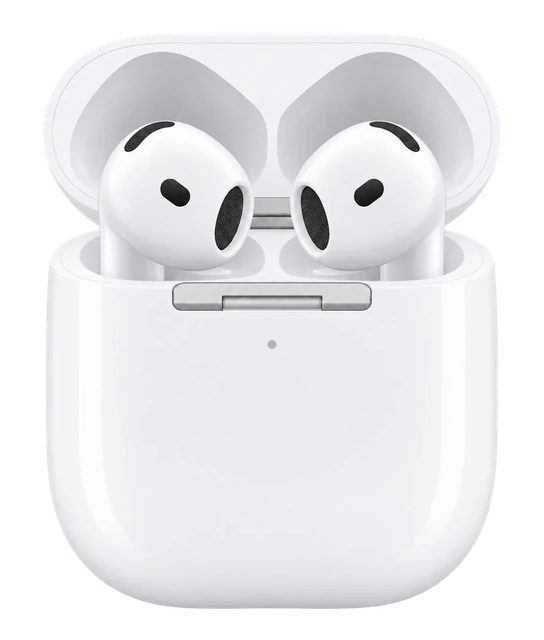 PREVIOUS MODELAirPods 4CURRENT MODELAirPods 5
Buying decision
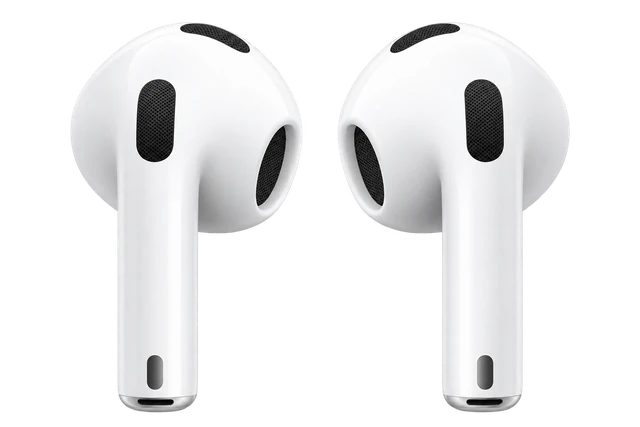
AirPods 5 is already out, so this one is being replaced.
About Apple

Apple makes the iPhone, Apple Watch and AirPods, and is known for hardware and software designed to work together.
Visit AppleWhen to buy
AirPods 5 went on sale Sep 18, so this is the older one. There's no rush.
| Lowest in 30 days | $79Oct 7 |
|---|---|
| Highest in 30 days | $128.99Oct 22 |
| Stores we check | 1Amazon |
| On sale since | Sep 20, 2024 |
| Lowest known | $69Nov 25, 2025, from older published history |
| Price checks | 27 over 27 days |
Current offers
We may earn a commission when you buy through these links.
What changed
Discount history
12 discounts in the last twelve months. The deepest took AirPods 4 to $69, 47% off the $129 list price, in Dec 2025.
Frequently asked questions