






















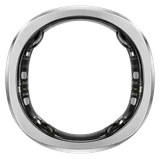
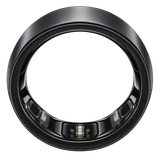
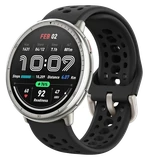
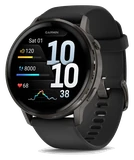
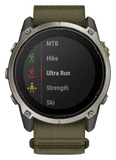














Garmin's newest software for the Fenix 9 fixes nine separate bugs that could shut the watch down. System Software 7.22 is out now for the Fenix 9, Fenix 9 Pro, Enduro 4 and Marq Gen 3, and Notebookcheck reported that Garmin has offered it to about 20% of eligible watches so far.
According to Garmin's list of changes, the watch could turn off when you changed sports, started a HIIT activity, used ClimbPro during a run or picked activity data screens. It could also happen while searching for points of interest, downloading Outdoor Maps+ content, switching Spotify playlists, pressing the back button a lot in the music app, or turning on HR Broadcast from Garmin Connect. Garmin lists each one as a "potential shutdown", and 7.22 fixes all nine.
Calls and app notifications could play a sound with the watch in silent mode, and that's fixed. Heart rate readings no longer drop out in ArcheryX. Running Stamina used to show "Maximum Zone" when your heart rate was below the lowest zone, and it doesn't now. Weather data that could go missing during an outage should display again.
Maps get several repairs. Course previews now show up with TopoActive and OSM maps turned on, the north arrow sits where it should, a blank item is gone from the map layers menu, and the wrong vehicle no longer gets drawn on the map. Maps also load faster on watches with many of them installed.
The new features are smaller than the fixes. The flashlight quick control gains a timeout setting. You can edit the distance on Indoor Cycling and XC Ski Indoor activities. Walks and runs get two new cards after the activity, Pack Weight and Pack Weight Calorie Burn Rate. Some watch faces gain a smooth second hand setting, and power modes show a tip the first time you use them.
Garmin also lists improvements to golf shot detection, the Indoor Row activity, the World Timer watch face and how quickly the Epic app responds. Opening the menu for a Connect IQ watch face no longer causes lag, and satellite settings now update when you change Power Mode from the activity menu. Solar models get two fixes of their own, for a keyboard icon in the settings menu and for the satellite icon. The list ends with updated translations and display improvements that Garmin doesn't name.
In all, Garmin counts 38 changes. The release follows Beta Version 7.21, an early test build Garmin had offered to the same four watches, and 7.22 is the finished version for watches on Garmin's regular software.
Garmin is sending 7.22 out in batches, and that will go on for some time. You don't have to wait for your turn. On the watch, open the main menu, then Settings, then System, then Software Update, and tap Check for Updates. If your watch has ever switched itself off while you changed sports or skipped through a playlist, install it before your next workout.