


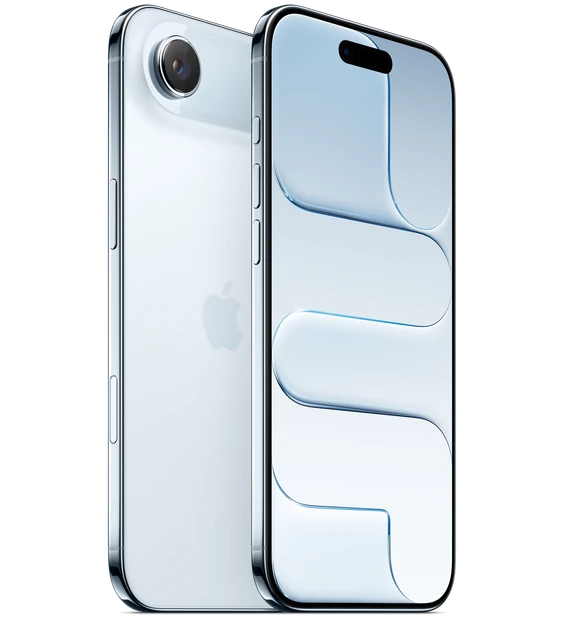
Does the Apple iPhone Air (1st gen) work with iPhone and Android?

Works with
Windows PC / Phone LinkYes. IPhone Air can link to a compatible Windows PC with Phone Link.
What you need: Windows 10/11 PC with Bluetooth Low Energy; iOS 16+.
Limits: IPhone integration is more limited than Android Phone Link integration.
MacYes. IPhone Air can connect and sync with Mac.
What you need: Supported macOS/Finder or older supported iTunes configuration.
Limits: Exact sync method depends on macOS version.
Apple HealthYes. Apple Health is built into iPhone and supports data sharing with compatible apps and devices.
What you need: Compatible app/device permissions.
Limits: Available data types and integrations depend on the app/device.
Android AutoNo. IPhone Air does not run Android Auto.
What you need: Android phone required.
Limits: Google requires an Android phone for Android Auto.
Physical SIM cardNo. IPhone Air does not support physical SIM cards.
What you need: None.
Limits: Activation requires eSIM; China mainland has a specific supported iPhone Air model and activation process.
Apple CarPlayYes. IPhone Air supports CarPlay with compatible vehicles.
What you need: A CarPlay-compatible vehicle; cable or wireless support depends on vehicle.
Limits: Vehicle-specific support determines wired/wireless connection.
Show allShow less
Charge accessories from iPhone over USB-CYes. IPhone Air can charge small USB-PD accessories over USB-C.
What you need: Appropriate USB-C/charging cable.
Limits: Output is limited to up to 4.5W.
iPhone Air MagSafe BatteryYes. Apple's iPhone Air MagSafe Battery is made specifically for iPhone Air.
What you need: IPhone Air.
Limits: This battery is exclusive to iPhone Air.
MagSafe chargingYes. IPhone Air supports MagSafe charging.
What you need: Compatible MagSafe charger and power adapter.
Limits: Charging rate depends on charger, adapter and conditions.
5G mmWaveNo. Apple's iPhone Air radio specification lists sub-6 GHz 5G, not mmWave.
What you need: Compatible 5G carrier for supported sub-6 bands.
Limits: No mmWave support is listed for iPhone Air.
Google Pixel WatchNo. Pixel Watch does not support iPhone.
What you need: Requires a supported Android phone.
Limits: Google explicitly says iPhones are not supported.
Samsung Galaxy Watch (Wear OS models)No. Current Wear OS Galaxy Watch models do not pair with iPhone.
What you need: None.
Limits: Samsung says Galaxy Watch4 and newer Wear OS models are incompatible with iOS.
Show allShow less
USB-C external displayNo. IPhone Air's USB-C port carries charging and USB 2 data, not video.
Limits: No DisplayPort over USB-C.
Google Pixel BudsYes. Pixel Buds work as Bluetooth earbuds with iPhone Air.
What you need: Bluetooth 4.0+.
Limits: Full Pixel Buds features require Android.
Samsung Galaxy BudsYes, but newer Galaxy Buds are Bluetooth-only on iPhone.
What you need: Bluetooth.
Limits: Most newer Buds models do not support Samsung's iOS Buds app, so app-only controls/features are unavailable.
Apple AirPodsYes. AirPods work with iPhone Air.
What you need: Bluetooth; current software recommended.
Limits: Exact features vary by AirPods model and software.
eSIMYes. IPhone Air uses eSIM and supports dual active eSIMs.
What you need: Carrier with eSIM support and wireless plan.
Limits: Carrier availability and activation procedures vary by country.
Oura RingYes. Oura Ring works with iPhone Air.
What you need: IOS 16+ and Bluetooth 5.0.
Limits: Some Oura features can depend on ring generation, membership and region.
Satellite SOS and messagingYes. IPhone Air supports Apple's satellite safety and messaging features where available.
What you need: Supported country/region and applicable service conditions.
Limits: Availability varies by country/region and service.
Ask about anything else
Does it work with…?