







Best phone for Apple Watch
Best phone for Apple Watch
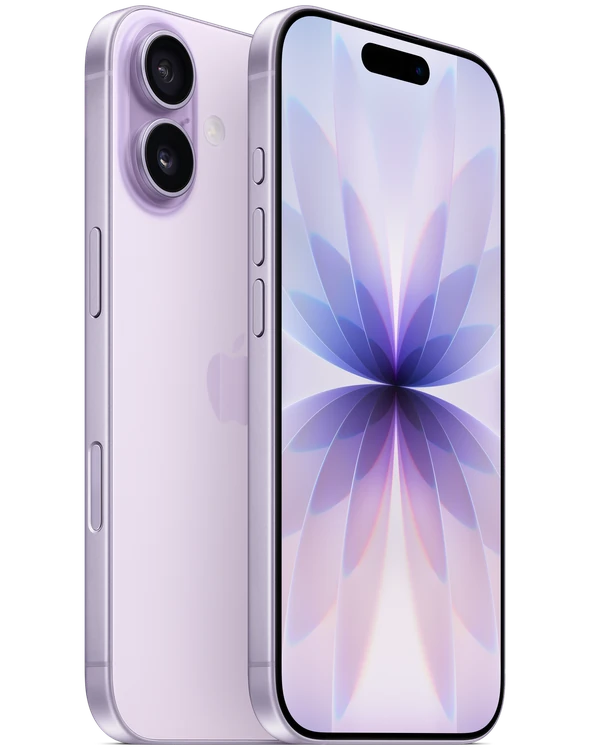
Does the Apple iPhone 17 work with iPhone and Android?


Works with
Windows Phone LinkYes. IPhone 17 works with Microsoft Phone Link, but the iPhone integration is narrower than Android integration.
What you need: Windows 10/11 PC with Bluetooth Low Energy; iOS 16+.
Limits: Phone Link does not expose the full Android-style app integration on iPhone.
MacYes. IPhone 17 connects to a Mac by cable for setup, syncing, file transfer and other supported tasks.
What you need: Compatible USB cable; supported macOS/Finder or iTunes environment.
Limits: Exact software workflow depends on macOS version.
Windows PC by USBYes. IPhone 17 can connect to a Windows PC by cable.
What you need: Compatible USB cable and supported Windows software.
Limits: Apple software requirements vary by Windows version.
Apple HealthYes. Apple Health is built into the iPhone ecosystem and supports data from compatible apps and devices.
What you need: Grant Health permissions to compatible apps/devices as needed.
Limits: Individual third-party products decide which Health categories they support.
Android AutoNo. IPhone 17 does not run Android Auto.
What you need: Android Auto requires an Android phone meeting Google's OS requirements.
Limits: Google's requirements specify Android 9+ for most wired connections and Android 11+ for wireless.
Physical SIM card (US iPhone 17)No. Apple's US iPhone 17 specification is eSIM-only.
What you need: Use a supported eSIM carrier.
Limits: The cited US model is explicitly not compatible with physical SIM cards.
Charge AirPods/Apple Watch from iPhone 17Yes. It can power small USB-PD devices such as AirPods or Apple Watch by cable.
What you need: Appropriate USB-C cable; receiving device must support the connection.
Limits: This is low-power wired charging, not reverse wireless charging.
Show allShow less
Apple CarPlayYes. IPhone 17 supports CarPlay in compatible vehicles and stereos.
What you need: A CarPlay-compatible vehicle or aftermarket system.
Limits: Wired versus wireless support depends on the vehicle or stereo.
MagSafe chargers and accessoriesYes. IPhone 17 supports MagSafe.
What you need: Compatible MagSafe charger/accessory.
Limits: Actual charging rate depends on the charger, power adapter and conditions.
Qi2 wireless chargersYes. IPhone 17 supports Qi2 wireless charging.
What you need: Compatible Qi2 charger and suitable power source.
Limits: Actual charging rate depends on equipment and conditions.
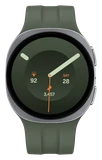
Samsung Galaxy Watch (Wear OS models)No. Current Wear OS Galaxy Watch models do not support iPhone.
What you need: Requires a compatible Android phone rather than iOS.
Limits: Samsung says newer Wear OS Galaxy Watches are not compatible with iOS.
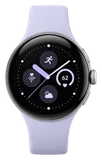
Google Pixel WatchNo. Google Pixel Watch does not support iPhone.
What you need: A compatible Android phone is required.
Limits: Google explicitly says iPhones aren't supported.
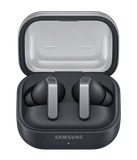
Samsung Galaxy Buds4 / Buds4 ProYes, but they work only as plain Bluetooth earbuds on iPhone.
What you need: Bluetooth connection.
Limits: The Galaxy Buds iOS app does not support Buds4/Buds4 Pro, so Samsung-specific app features are unavailable.
Show allShow less
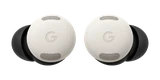
Google Pixel BudsYes. Pixel Buds work with iPhone 17 as Bluetooth earbuds.
What you need: Bluetooth 4.0+ device.
Limits: Full feature access and Assistant/Gemini features require Android.
Apple satellite featuresYes. IPhone 17 supports Apple's satellite features, including Emergency SOS and Messages via satellite.
What you need: A supported country. Some services work only outside cellular and Wi-Fi coverage.
Limits: Satellite features are not available in all countries or regions.
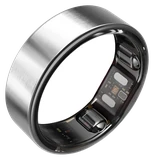
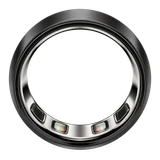
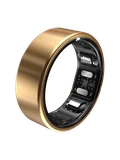
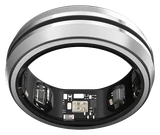
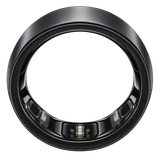
Oura RingYes. Oura Ring works with iPhone 17.
What you need: Oura App on iOS 16+ and Bluetooth 5.0 support.
Limits: Feature availability can vary by ring generation and membership.
WHOOPYes. WHOOP works with iPhone 17.
What you need: WHOOP app; supported iOS version. WHOOP recommends iOS 18+ for current devices.
Limits: Specific WHOOP MG features can have additional requirements.
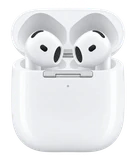
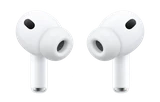
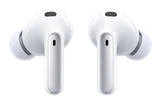
AirPods Pro 3Yes. AirPods Pro 3 work with iPhone 17.
What you need: The latest iOS for every feature.
Limits: Some features depend on region, language or firmware.
Dual eSIMYes. The cited iPhone 17 model supports two active eSIMs and stores eight or more eSIMs.
What you need: Carrier and plan with eSIM support.
Limits: Carrier support and activation methods vary.
5G mmWave (US model)Yes. Apple's cited US iPhone 17 model supports 5G mmWave.
What you need: Compatible carrier, plan and mmWave coverage.
Limits: Availability depends on carrier and location.
Ask about anything else
Does it work with…?