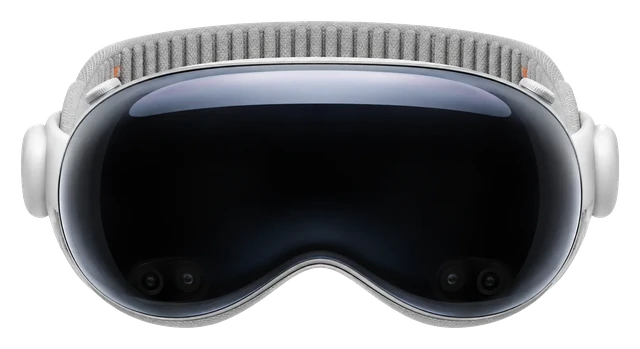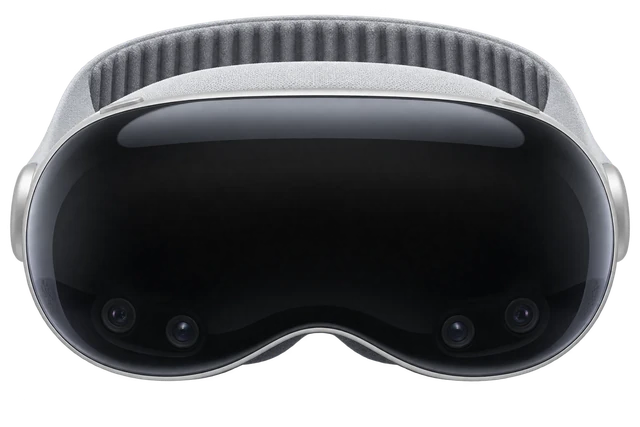








































Apple Vision Pro M5

Apple Vision Pro (M5)Full Specs & Price

Last updated

The M5 refresh keeps the micro-OLED displays that made the original Vision Pro so striking and adds the processing power visionOS 26 was built for. It is the most advanced computer you can wear on your face, and nothing else renders a spatial interface this convincingly.
Very good3.9/5
Released
Oct 22, 2025
Price today
From $3,699
When to buy
A new version probably isn't soon 
JUN 25 · LATEST ON APPLE VISION PRO M5
Vision Pro Just Got More Expensive. Glasses Got More Obvious.

The memory shortage did smart glasses a favor.

Read the story →

Best for

Work.
You arrange visionOS windows around the room and control them with your eyes and hands.Confirmed: apple.com
Movies.
It plays immersive and spatial video across a 100-degree field of view.Confirmed: apple.com
AR and mixed reality.
Colour passthrough blends apps into the room around you.Confirmed: apple.com

What 3 reviewers said

More reviews

The comfort and speed are very good.

Comfort

The new Dual Knit Band distributes weight better and reduces pressure during extended wear.

Price

The high price remains a hard sell for the general public.

Speed

The M5 chip delivers a measurable, double-digit CPU performance increase over the prior chip.

Comparison

Compare headsets

How it compares

Price

$3,699

The maker's list price to buy it.

Weight

750–800g

Grams on your head. Lower is lighter.

Battery life

~2.5 hrs

How long it lasts on its own, away from a charger.

Cost over 3 years

Vision Pro M5
$3,699
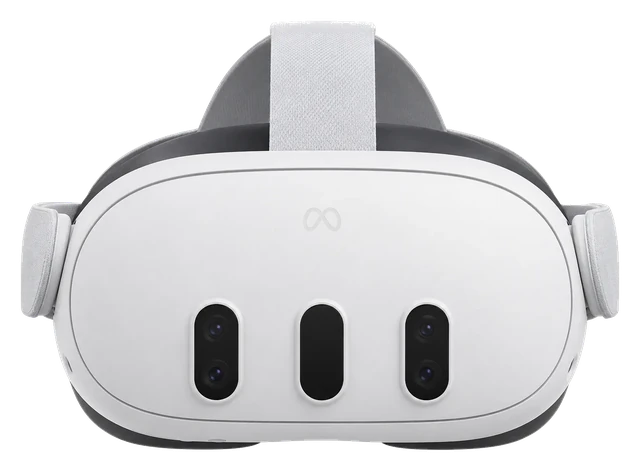
Meta Quest 3
$599.99
Meta VR Glasses
$1,299.99
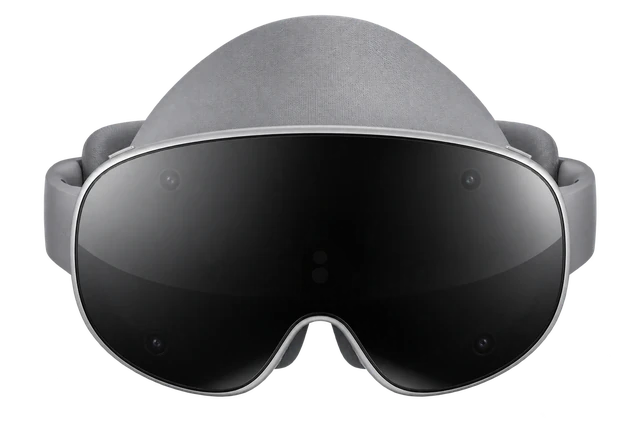
Galaxy XR
$1,799.99

Weight

Vision Pro M5
750–800g
Meta VR Glasses
100g+ ~300g puck

Battery life

Current list prices.

The headset as worn. The lighter segment is the puck, reported by Road to VR; Meta has not published its weight.On your headIn your pocket (reported)

Battery life can vary based on usage, settings and firmware version.

Most paired with

Everything it works with

What the Apple Vision Pro works with

You don't need an iPhone to set it up. Wi-Fi and manual setup are enough.

Does the Apple Vision Pro work with iPhone?

Works

Quick Start needs iOS 17+, and the companion app needs iOS 18.4+.

Quick Start can move setup data from an iPhone. The companion app needs iOS 18.4 or later and the same Apple Account, and can show device info, discovery content, and install Vision Pro apps. You can also set up Vision Pro manually over Wi-Fi without an iPhone.

See details and sources (2)

Last checked 2026-09-21.

Can you connect the Apple Vision Pro to a Mac?

Works

Mac Virtual Display works on macOS 14.0 or later.

Your Mac and Vision Pro need the same Apple Account with two-factor authentication, iCloud Keychain, Wi-Fi, and Bluetooth, and they must be within 30 ft/10 m. Wide and Ultrawide need an Apple silicon Mac with macOS 15.2 or later and Vision Pro with visionOS 2.2 or later. iPhone Mirroring can't run on the Mac while Mac Virtual Display is active.

See details and sources (1)

Last checked 2026-09-21.

Can you connect the Apple Vision Pro to a PS5?

With a limit

Third-party visionOS apps such as Portal can provide remote play.

You need the Portal app, a PlayStation console and account, and a network connection. Sony does not document its own Vision Pro app for this, and streaming quality depends on the network and app behavior.

See details and sources (2)

Last checked 2026-09-21.

Does the Apple Vision Pro work with a PlayStation over HDMI?

Needs extra hardware

A compatible HDMI capture card and Developer Strap are required.

You need a compatible HDMI capture card, a Developer Strap compatible with Apple Vision Pro (M5), and a visionOS app that shows the UVC input. This is a video-monitoring path, not a direct native console connection, and controller input is separate.

See details and sources (3)

Last checked 2026-09-21.

Can you connect the Apple Vision Pro to a PC?

With a limit

Third-party apps can stream PC content to Vision Pro.

Steam Link can stream flat PC games from a PC running Steam on the same network. ALVR can stream SteamVR from a Windows 10/11 gaming PC with SteamVR and a suitable network; ALVR also publishes CPU and GPU baselines. Apple doesn't provide a Windows version of Mac Virtual Display, and performance depends on the app, PC, and network.

See details and sources (3)

Last checked 2026-09-21.

Quick answers

All FAQs

Quick answers

Does the Apple Vision Pro M5 come with a charger?
Yes. The box includes the 40W Dynamic Power Adapter with 60W Max and the USB-C Charge Cable.

Get Apple Vision Pro M5 updates

Email me when there's news.

Available nowMeta Quest 3$599.99Guide News
Available nowSamsung Galaxy XR$1,799Guide News

Works with

With a limit

ALVR can stream SteamVR from a compatible gaming PC.

You need ALVR, SteamVR, Windows 10/11, a supported gaming PC, and suitable 5GHz networking. ALVR lists an i5-4590/FX-8350-class CPU, 4GB RAM, and GTX 970/R9 290/Intel Arc-equivalent-or-better as baseline guidance. This is a third-party open-source route, not a native Apple or Valve connection, and performance depends heavily on the PC encoder/GPU and network.

See details and sources (2)

Last checked 2026-09-21.

Works

Mac Virtual Display works on macOS 14.0 or later.

Your Mac and Vision Pro need the same Apple Account with two-factor authentication, iCloud Keychain, Wi-Fi, and Bluetooth, and they must be within 30 ft/10 m. Wide and Ultrawide need an Apple silicon Mac with macOS 15.2 or later and Vision Pro with visionOS 2.2 or later. iPhone Mirroring can't run on the Mac while Mac Virtual Display is active.

See details and sources (1)

Last checked 2026-09-21.

With a limit

Third-party visionOS apps such as Portal can provide remote play.

You need the Portal app, a PlayStation console and account, and a network connection. Sony does not document its own Vision Pro app for this, and streaming quality depends on the network and app behavior.

See details and sources (2)

Last checked 2026-09-21.

With a limit

Third-party apps can stream PC content to Vision Pro.

Steam Link can stream flat PC games from a PC running Steam on the same network. ALVR can stream SteamVR from a Windows 10/11 gaming PC with SteamVR and a suitable network; ALVR also publishes CPU and GPU baselines. Apple doesn't provide a Windows version of Mac Virtual Display, and performance depends on the app, PC, and network.

See details and sources (3)

Last checked 2026-09-21.

Works

Quick Start needs iOS 17+, and the companion app needs iOS 18.4+.

Quick Start can move setup data from an iPhone. The companion app needs iOS 18.4 or later and the same Apple Account, and can show device info, discovery content, and install Vision Pro apps. You can also set up Vision Pro manually over Wi-Fi without an iPhone.

See details and sources (2)

Last checked 2026-09-21.

WorksWorked out from the maker's minimum

It works with every iPhone that runs iOS 17 or later, from the iPhone XR on.

  • iPhone 18 Pro and iPhone 18 Pro Max: yes, on iOS 17 or later
  • iPhone 17, iPhone 17 Pro, iPhone 17 Pro Max, iPhone Air and iPhone 17e: yes, on iOS 17 or later
  • iPhone 16, iPhone 16 Plus, iPhone 16 Pro, iPhone 16 Pro Max and iPhone 16e: yes, on iOS 17 or later
  • iPhone 15, iPhone 15 Plus, iPhone 15 Pro and iPhone 15 Pro Max: yes, on iOS 17 or later
  • iPhone 14, iPhone 14 Plus, iPhone 14 Pro and iPhone 14 Pro Max: yes, on iOS 17 or later
  • iPhone 13 mini, iPhone 13, iPhone 13 Pro and iPhone 13 Pro Max: yes, on iOS 17 or later
  • iPhone 12 mini, iPhone 12, iPhone 12 Pro and iPhone 12 Pro Max: yes, on iOS 17 or later
  • iPhone 11, iPhone 11 Pro and iPhone 11 Pro Max: yes, on iOS 17 or later
  • iPhone XR, iPhone XS and iPhone XS Max: yes, on iOS 17 or later
  • iPhone SE (2nd generation) and iPhone SE (3rd generation): yes, on iOS 17 or later
  • iPhone 17 Pro: yes, on iOS 17 or later
  • iPhone 17 Pro Max: yes, on iOS 17 or later
  • iPhone Air: yes, on iOS 17 or later
  • Any iPhone not listed: no, it cannot run that iOS version

Worked out from the maker's minimum ("iOS 17 or later") and Apple's list of the iPhones that run it, not a separate test. See the sources.

See details and sources (6)

Last checked 2026-09-21.

With a limit

Third-party visionOS apps such as Portal can provide remote play.

You need the Portal app, an Xbox console and account, and a network connection. This is not a Microsoft Vision Pro-specific client, and streaming quality depends on the network and app behavior.

See details and sources (2)

Last checked 2026-09-21.

Needs extra hardware

A compatible HDMI capture card and Developer Strap are required.

You need a compatible HDMI capture card, a Developer Strap compatible with Apple Vision Pro (M5), and a visionOS app that shows the UVC input. This is a video-monitoring path, not a direct native console connection, and controller input is separate.

See details and sources (3)

Last checked 2026-09-21.

Show all 31Show fewer
Works

It can mirror its view to a TV and receive AirPlay.

Vision Pro can mirror the wearer's view to an iPhone, iPad, Mac, Apple TV 4K, or another compatible TV, and it can receive another device's screen or view. Devices must be on the same Wi-Fi network, with AirPlay or AirPlay Receiver turned on when needed. Protected content or password entry may be hidden.

See details and sources (1)

Last checked 2026-09-21.

With a limit

It runs visionOS apps and many compatible iPhone and iPad apps.

Developers can opt out, so not every iPhone or iPad app is available. Compatible apps run in the iOS compatibility environment and can lose features such as HealthKit data, Core Motion, and camera capture.

See details and sources (2)

Last checked 2026-09-21.

With a limit

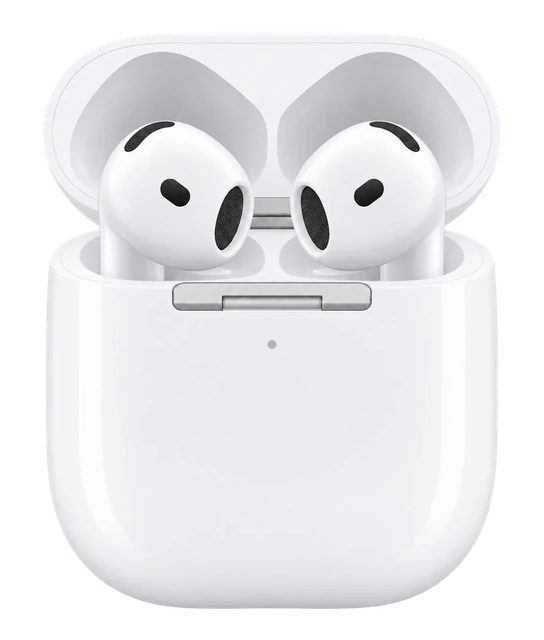
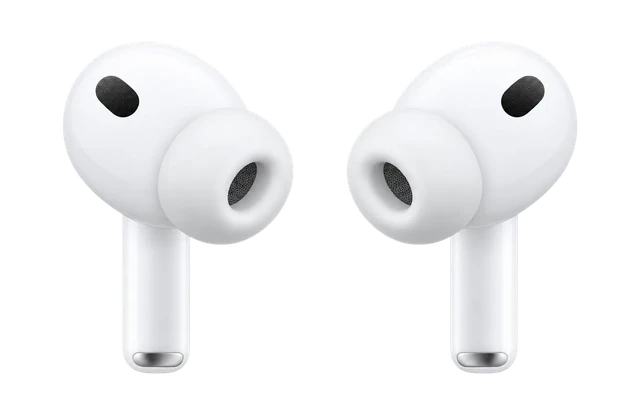
All current AirPods connect, with extra audio features on some newer models.

Supported AirPods can provide Spatial Audio with head tracking. Lossless Audio and ultra-low latency need AirPods Pro 3, AirPods Pro 2 with MagSafe Charging Case (USB-C), AirPods 4, AirPods 4 (ANC), or Powerbeats Pro 2; generic Bluetooth connections are not lossless. Microphone routing is not separately documented in the collected source set.

See details and sources (3)

Last checked 2026-09-21.

With a limit

Most Bluetooth keyboards and mice connect, and Apple Magic Trackpad works.

Bluetooth input is supported, but Apple does not guarantee every third-party accessory. Apple keyboard, mouse, and trackpad models that use removable batteries are not compatible.

See details and sources (2)

Last checked 2026-09-21.

With a limit

Netflix works in Safari, not through a native Vision Pro app.

Use the latest visionOS and Safari, with a Netflix account or subscription as needed. Netflix does not support offline downloads on Vision Pro.

See details and sources (1)

Last checked 2026-09-21.

Works

A native YouTube app works on visionOS 26.0 or later.

The app supports standard videos, Shorts, 3D 360 and VR180 content, plus signed-in features. The M5 Vision Pro can play 8K video, but available formats depend on the content.

See details and sources (1)

Last checked 2026-09-21.

Works

A native Disney+ app works on Vision Pro.

You need a Disney+ subscription and must meet Disney and Apple age and regional requirements. The app supports Spatial Audio, immersive environments, and selected 3D movies, but content and 3D title availability vary by region and language.

See details and sources (1)

Last checked 2026-09-21.

With a limit

Prime Video runs as a compatible iPhone and iPad app.

Prime Video playback works on visionOS 1.0 or later with an account or subscription as needed. Apple currently lists it as a compatible iPhone and iPad app, not an app built specifically for Vision Pro.

See details and sources (2)

Last checked 2026-09-21.

With a limit

Steam Link can stream games from a Mac or PC.

The host Mac or PC must be running Steam and connected over the network. A compatible controller is recommended for controller-based games. The games are streamed, not run natively on visionOS, and performance depends on the host computer and network.

See details and sources (1)

Last checked 2026-09-21.

Works

DualSense is officially supported.

Use current visionOS and connect the controller over Bluetooth or a supported wired connection. Some buttons, lights, the audio jack, and other features can vary by app.

See details and sources (2)

Last checked 2026-09-21.

Works

Compatible Xbox Bluetooth controllers are supported.

Use current visionOS and a compatible Bluetooth controller. Individual buttons and features can vary by controller and app.

See details and sources (1)

Last checked 2026-09-21.

Works

PS VR2 Sense controllers work on visionOS 26 or later.

Apple lists PS VR2 Sense controllers as compatible with Vision Pro on visionOS 26 or later. The app or game still needs to support spatial-controller input.

See details and sources (2)

Last checked 2026-09-21.

With a limit

But only in apps that support the Switch Pro Controller.

Pair the controller over Bluetooth, then use an app that supports it. Don't count on it working everywhere in Vision Pro, only in apps built for it.

See details and sources (2)

Last checked 2026-09-21.

Needs extra hardware

A compatible HDMI capture card and Developer Strap are required.

You need a compatible HDMI capture card, a Developer Strap compatible with Apple Vision Pro (M5), and a visionOS app that shows the UVC input. This is a video-monitoring path, not a direct native console connection, and controller input is separate.

See details and sources (3)

Last checked 2026-09-21.

Needs extra hardware

A compatible HDMI capture card and Developer Strap are required.

You need a compatible HDMI capture card, a Developer Strap compatible with Apple Vision Pro (M5), and a visionOS app that shows the UVC input. This is a video-monitoring path, not a direct native console connection, and controller input is separate.

See details and sources (3)

Last checked 2026-09-21.

Doesn't work

Eyeglasses can't be worn inside Vision Pro.

Use supported contact lenses or ZEISS Optical Inserts instead. Prescription glasses themselves are not supported while you wear the headset.

See details and sources (1)

Last checked 2026-09-21.

Works

An Apple Account is used for Apple services on Vision Pro.

It is used for the App Store, Apple Games, Apple Music, FaceTime, iCloud, iMessage, and subscription management. Individual services can need separate subscriptions or have regional limits. Some integrations, including Mac Virtual Display, also need two-factor authentication.

See details and sources (2)

Last checked 2026-09-21.

With a limit

A Google account works inside supported apps such as YouTube.

A Google account is optional and is not used to set up Vision Pro. The system account stays your Apple Account, while Google sign-in only applies inside supported apps and services. You only need a Google account for signed-in Google services.

See details and sources (2)

Last checked 2026-09-21.

Works

Apple TV subscription content plays through the Apple TV app.

An Apple TV subscription gives you Apple Originals and other subscription programming in the native Apple TV app on Vision Pro. Available content varies by region and rights.

See details and sources (1)

Last checked 2026-09-21.

Works

Native visionOS apps can use HealthKit.

Apps must be built for visionOS and use HealthKit with the right implementation and permissions. Compatible iPhone and iPad apps do not get HealthKit data through the compatibility environment.

See details and sources (2)

Last checked 2026-09-21.

With a limit

Bluetooth headphones can connect, but features vary.

General Bluetooth audio playback is supported, but Apple does not guarantee every third-party accessory. Generic Bluetooth connections are not lossless. Latency, Spatial Audio, and microphone behavior vary and are not fully documented here.

See details and sources (2)

Last checked 2026-09-21.

Works

Apple lists current ZEISS Optical Inserts for both M5 and M2.

You still need the correct insert type and a supported prescription or reader strength. The usual prescription fit and support limits still apply.

See details and sources (2)

Last checked 2026-09-21.

Works

Supported Bluetooth game controllers work across the Vision Pro family.

DualSense, Xbox, and other compatible Bluetooth controllers are platform accessories, not M2-only accessories. Use current visionOS; PS VR2 Sense needs visionOS 26 or later. Each app can decide which controller features it supports.

See details and sources (2)

Last checked 2026-09-21.

Most paired with

Does the Apple Vision Pro work with iPhone?

Works

Quick Start needs iOS 17+, and the companion app needs iOS 18.4+.

Quick Start can move setup data from an iPhone. The companion app needs iOS 18.4 or later and the same Apple Account, and can show device info, discovery content, and install Vision Pro apps. You can also set up Vision Pro manually over Wi-Fi without an iPhone.

See details and sources (2)

Last checked 2026-09-21.

Can you connect the Apple Vision Pro to a Mac?

Works

Mac Virtual Display works on macOS 14.0 or later.

Your Mac and Vision Pro need the same Apple Account with two-factor authentication, iCloud Keychain, Wi-Fi, and Bluetooth, and they must be within 30 ft/10 m. Wide and Ultrawide need an Apple silicon Mac with macOS 15.2 or later and Vision Pro with visionOS 2.2 or later. iPhone Mirroring can't run on the Mac while Mac Virtual Display is active.

See details and sources (1)

Last checked 2026-09-21.

Can you connect the Apple Vision Pro to a PS5?

With a limit

Third-party visionOS apps such as Portal can provide remote play.

You need the Portal app, a PlayStation console and account, and a network connection. Sony does not document its own Vision Pro app for this, and streaming quality depends on the network and app behavior.

See details and sources (2)

Last checked 2026-09-21.

Does the Apple Vision Pro work with a PlayStation over HDMI?

Needs extra hardware

A compatible HDMI capture card and Developer Strap are required.

You need a compatible HDMI capture card, a Developer Strap compatible with Apple Vision Pro (M5), and a visionOS app that shows the UVC input. This is a video-monitoring path, not a direct native console connection, and controller input is separate.

See details and sources (3)

Last checked 2026-09-21.

Can you connect the Apple Vision Pro to a PC?

With a limit

Third-party apps can stream PC content to Vision Pro.

Steam Link can stream flat PC games from a PC running Steam on the same network. ALVR can stream SteamVR from a Windows 10/11 gaming PC with SteamVR and a suitable network; ALVR also publishes CPU and GPU baselines. Apple doesn't provide a Windows version of Mac Virtual Display, and performance depends on the app, PC, and network.

See details and sources (3)

Last checked 2026-09-21.

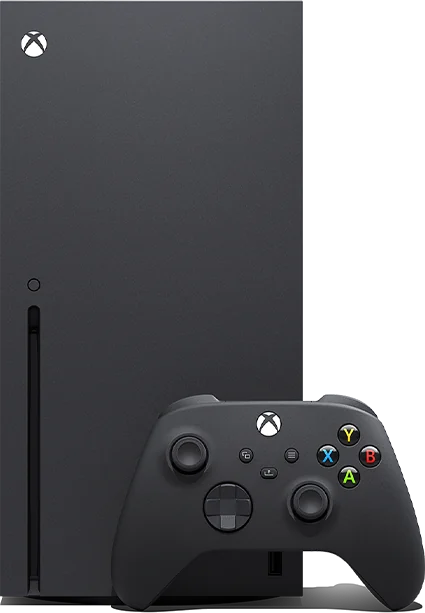
Can you connect the Apple Vision Pro to an Xbox?

With a limit

Third-party visionOS apps such as Portal can provide remote play.

You need the Portal app, an Xbox console and account, and a network connection. This is not a Microsoft Vision Pro-specific client, and streaming quality depends on the network and app behavior.

See details and sources (2)

Last checked 2026-09-21.

Does the Apple Vision Pro work with an Xbox over HDMI?

Needs extra hardware

A compatible HDMI capture card and Developer Strap are required.

You need a compatible HDMI capture card, a Developer Strap compatible with Apple Vision Pro (M5), and a visionOS app that shows the UVC input. This is a video-monitoring path, not a direct native console connection, and controller input is separate.

See details and sources (3)

Last checked 2026-09-21.

Needs a capture card

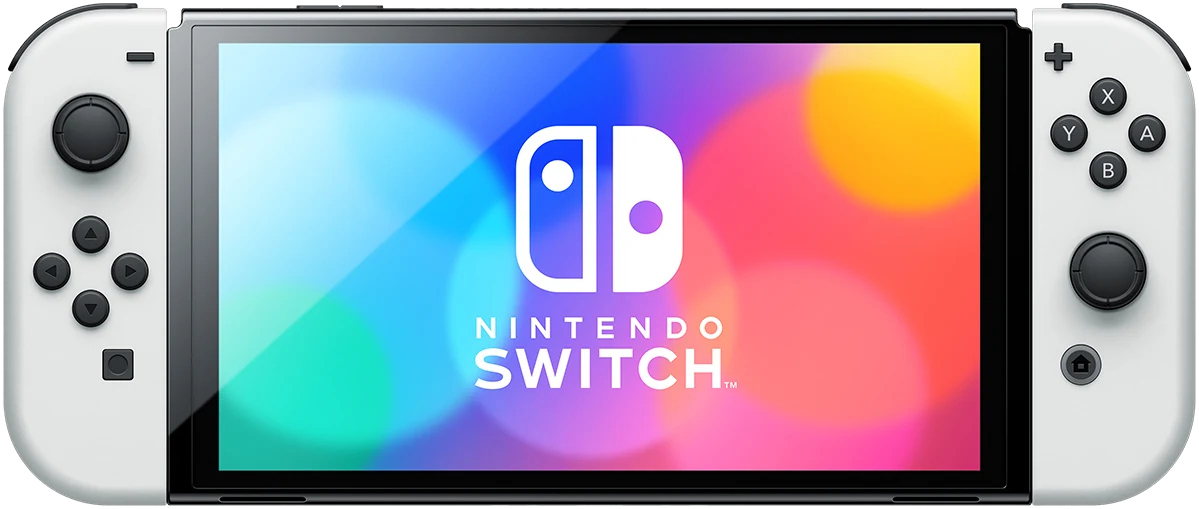
Can you connect the Apple Vision Pro to a Nintendo Switch?

Needs extra hardware

A compatible HDMI capture card and Developer Strap are required.

You need a compatible HDMI capture card, a Developer Strap compatible with Apple Vision Pro (M5), and a visionOS app that shows the UVC input. This is a video-monitoring path, not a direct native console connection, and controller input is separate.

See details and sources (3)

Last checked 2026-09-21.

What you need

Does the Apple Vision Pro work with Steam?

With a limit

ALVR can stream SteamVR from a compatible gaming PC.

You need ALVR, SteamVR, Windows 10/11, a supported gaming PC, and suitable 5GHz networking. ALVR lists an i5-4590/FX-8350-class CPU, 4GB RAM, and GTX 970/R9 290/Intel Arc-equivalent-or-better as baseline guidance. This is a third-party open-source route, not a native Apple or Valve connection, and performance depends heavily on the PC encoder/GPU and network.

See details and sources (2)

Last checked 2026-09-21.

Can you connect the Apple Vision Pro to a Mac?

Works

Mac Virtual Display works on macOS 14.0 or later.

Your Mac and Vision Pro need the same Apple Account with two-factor authentication, iCloud Keychain, Wi-Fi, and Bluetooth, and they must be within 30 ft/10 m. Wide and Ultrawide need an Apple silicon Mac with macOS 15.2 or later and Vision Pro with visionOS 2.2 or later. iPhone Mirroring can't run on the Mac while Mac Virtual Display is active.

See details and sources (1)

Last checked 2026-09-21.

Can you connect the Apple Vision Pro to a Mac?

Works

Mac Virtual Display works on macOS 14.0 or later.

Your Mac and Vision Pro need the same Apple Account with two-factor authentication, iCloud Keychain, Wi-Fi, and Bluetooth, and they must be within 30 ft/10 m. Wide and Ultrawide need an Apple silicon Mac with macOS 15.2 or later and Vision Pro with visionOS 2.2 or later. iPhone Mirroring can't run on the Mac while Mac Virtual Display is active.

See details and sources (1)

Last checked 2026-09-21.

Does the Apple Vision Pro work with iPhone?

Works

Quick Start needs iOS 17+, and the companion app needs iOS 18.4+.

Quick Start can move setup data from an iPhone. The companion app needs iOS 18.4 or later and the same Apple Account, and can show device info, discovery content, and install Vision Pro apps. You can also set up Vision Pro manually over Wi-Fi without an iPhone.

See details and sources (2)

Last checked 2026-09-21.

Supports

Works

It's sold in 13 countries and regions, including the US, UK and Canada.

  • Australia
  • Canada
  • China mainland
  • France
  • Germany
  • Hong Kong
  • Japan
  • Singapore
  • South Korea
  • Taiwan
  • UAE
  • UK
  • US

Hardware sales are available in the listed markets, with South Korea and Taiwan added on November 28, 2025. Apps, media, Apple Intelligence, and other services can have narrower regional availability. Retail and service availability also depends on the country or region.

See details and sources (3)

Last checked 2026-09-21.

Works

It supports Arabic, Chinese, English, French, German, Italian, Japanese, Korean and Spanish.

  • Arabic
  • Simplified Chinese
  • Traditional Chinese (Hong Kong/Taiwan)
  • English variants
  • French variants
  • German
  • Italian
  • Japanese
  • Korean
  • Spanish variants

These options cover the system, typing, Siri, and Dictation. Apps, media, and Apple Intelligence features can have separate language availability. Pick a supported language and region in visionOS.

See details and sources (1)

Last checked 2026-09-21.

With a limit

One guest can use it, but it isn't a full multi-profile system.

The owner chooses allowed apps, and the guest completes eye and hand setup. Only one guest's eye and hand data is saved at a time; it expires after 30 days of no use, and guests don't get the owner's Optic ID, Apple Pay, EyeSight, or Persona. An iPhone or iPad can help when its version requirements are met.

See details and sources (1)

Last checked 2026-09-21.

With a limit

It's for ages 13 and older, with parental controls available.

Apple says children under 13 should not use Vision Pro, and users ages 13 to 17 should be supervised. A child Apple Account with Family Sharing can use Screen Time to restrict apps, purchases, content, communications, and other features.

See details and sources (2)

Last checked 2026-09-21.

Works

It supports vision, motor, hearing, and learning accessibility features.

Features include VoiceOver, Zoom, audio and captioning tools, Switch Control, Dwell, Pointer Control, and other options. Exact behavior can depend on the app, content, and user settings. Use current visionOS; individual features can have their own setup needs.

See details and sources (1)

Last checked 2026-09-21.

How it works

Use ZEISS Optical Inserts for readers or supported prescriptions.

Prescription inserts need a supported, unexpired comprehensive prescription, and not every prescription works. Prescription range and conditions can affect eligibility. The magnetic inserts are Apple's supported option instead of wearing prescription glasses inside the headset.

See details and sources (2)

Last checked 2026-09-21.

Use a USB-C Charge Cable and an Apple 30W-or-higher USB-C adapter.

  1. Connect the USB-C Charge Cable to the Vision Pro battery.
  2. Use an Apple USB-C power adapter rated 30W or higher.
  3. Keep using Vision Pro while it is connected to power.

You can keep using Vision Pro while it is connected to power. Apple specifically names its USB-C Charge Cable and an Apple USB-C power adapter rated 30W or higher; third-party power-bank behavior is not established by this claim.

See details and sources (2)

Last checked 2026-09-21.

3.9 / 5
Very good

Comfort

The new Dual Knit Band distributes weight better and reduces pressure during extended wear.

Price

The high price remains a hard sell for the general public.

Speed

The M5 chip delivers a measurable, double-digit CPU performance increase over the prior chip.

Scores published by other outlets, normalized and averaged. iDevice did not test these products for this score.

3 expert reviews

  1. AppleInsider
    Oliver HaslamDec 23, 2025
    3 / 5
    Read review
  2. Geek Culture
    HSALSOct 30, 2025
    4.3 / 5
    Read review
  3. Man of Many
    Ben McKimm
    4.5 / 5
    Read review

Reviewer breakdown

What reviewers agreed on, and how many raised each

  • Comfort3
  • Speed3
  • Price3

Liked itDidn’t

Oct 23, 2024 · First sign of it
An incremental Vision Pro refresh with a chip upgrade emerges
The Information reporting relayed by MacRumors said Apple had reduced current Vision Pro production and suspended a full second-generation redesign, but could still issue an incremental update using existing components. A chip upgrade was specifically identified as the kind of limited change under consideration.
Jul 9, 2025 · Design and hardware
Bloomberg reports an M4 refresh and a new comfort strap
Mark Gurman reported that the 2025 refresh would use an M4 chip and add a strap aimed at reducing long-session discomfort. This directly conflicted with earlier M5 expectations and made the processor choice unresolved.
Aug 13, 2025 · Others confirmed it
Apple code points to M5 instead of M4
Code accidentally shared by Apple and found by MacRumors contributor Aaron Perris identified an M5-based next-generation Vision Pro. This shifted the processor story back toward M5 and provided stronger evidence than analyst forecasting alone.
Sep 5, 2025 · Design and hardware
Space Black is reported as a color Apple considered
Gurman reported that Apple had considered a Space Black finish for the upcoming Vision Pro refresh. The color remained a possibility rather than a locked feature and did not appear in the shipping product.
Sep 30, 2025 · Filed with regulators
FCC documents expose a new Vision Pro model
FCC documents published despite Apple's confidentiality request referenced an Apple head-mounted device with model number A3416, and an included image showed Vision Pro hardware. The filing moved the refresh from rumor to regulatory evidence.
Oct 6, 2025 · Others confirmed it
Gurman says the Vision Pro refresh is imminent
Bloomberg reporting said the Vision Pro update was close and would combine a faster processor with a redesigned strap system. With the FCC appearance already public, the remaining uncertainty was timing rather than whether a refresh existed.
Oct 15, 2025 · Announced
Apple announces Vision Pro with M5 and Dual Knit Band
Apple officially introduced the M5 Vision Pro, confirming the M5 chip and new Dual Knit Band while keeping the $3,499 starting price. The announcement also set October 22 availability.
Oct 22, 2025 · Went on sale
M5 Vision Pro becomes available
Apple said the new Vision Pro with M5 was available through Apple Stores, apple.com and the Apple Store app. That closed the pre-launch reporting timeline and established the shipping date.

At a glance

Vision Pro M5THIS PRODUCTVision Pro M5Vision Pro 2COMPARE WITHVision Pro 2
Display
Dual micro-OLED ~4K/eyeReported: Apple · Jul 11, 2026
Not announced
Works with
iOS only
Not announced
Weight
750–800g (Light Seal + Dual Knit BandConfirmed: Apple · Sep 24, 2026varies by configuration)
Reported lighterReported: MacRumors · Jul 11, 2026no weight figure
Fov
~100° diagonalReported: MoonVR Home · Jul 11, 2026
Not announced
Controls
YesConfirmed: Apple · Jul 11, 2026
Expected carryoverunconfirmed
Passthrough
Full-colorConfirmed: Eric Kim Photography · Jul 11, 2026
Expected carryoverunconfirmed
Storage
256GB / 512GB / 1TBConfirmed: Apple · Jul 11, 2026
Not announced
More specs
Processor
M5 + R1Confirmed: Apple · Jul 11, 2026
Not announced
Software
visionOS 26Reported: The Mac Observer · Jul 11, 2026
Expected visionOSunconfirmed
Connectivity
Wi-Fi 6Confirmed: Apple · Jul 11, 2026Bluetooth 5.3
Unknown
AI
Apple IntelligenceConfirmed: Apple · Jul 11, 2026
Expected platform featureunconfirmed
Battery device
~2.5 hrs general / 3 hrs video (external pack)Confirmed: Apple · Jul 11, 2026
ImprovedReported: MacRumors · Jul 11, 2026

Buying decision

Apple Vision Pro M5
No rush
Apple

Apple Vision Pro M5

No new model soon

We don't expect a newer model soon, so there's no reason to wait for one.

Full price everywhere

None of the stores we check has it on sale yet.

What would make this a buy?

A drop to around $3514 or less would automatically make this a Buy, as long as a replacement is not close.

About Apple

Apple makes the iPhone, Apple Watch and AirPods, and is known for hardware and software designed to work together.

Visit Apple

Returns and warranty

Returns

14-day returns· the clock starts the day it arrives

  • Send it back like new

    Return it in its original condition with all included parts, accessories and packaging.

  • How you get your money back
    Card refunds go to your bank within five business days after Apple receives the item.
    Returns may be inspected; approved refunds or exchanges are issued within 10 business days. Cash returns over $750 are paid by check within 10 business days.

Warranty

1-year warranty· starts the day you buy it

Covered

  • Bands and accessories

    iPhone and Apple Vision Pro, with the Apple accessories in the box, are covered against defects in materials and workmanship for one year from the date of original retail purchase, when used normally.

  • Battery covered only for defects
    The standard warranty covers a battery only if it fails from a defect.
    The 80 percent rule belongs to AppleCare, not to the free warranty: AppleCare plans cover batteries that keep less than 80% of their original capacity.

Not covered

  • Water damage
    For iPhone and Apple Vision Pro the warranty names liquid contact as an excluded cause, and Apple's iPhone water page says liquid damage is not covered under warranty.
    The Apple Watch warranty's version of the same clause does not list liquid contact; see the Apple Watch overrides.
  • Accidents and misuse
    Damage caused by accident, abuse, misuse, fire, earthquake or other external cause is not covered (iPhone, Vision Pro, Apple Watch).
    The AirPods warranty excludes damage from abuse, accident, modifications or unauthorized repairs.
  • Scratches and dents

    Cosmetic damage such as scratches, dents and broken plastic on ports is not covered unless it comes from a defect.

  • Normal wear and aging

    Defects caused by normal wear and tear or normal aging are not covered.

  • Repairs by other shops

    Damage from service by anyone who is not Apple or an Apple Authorized Service Provider is not covered.

  • Add AppleCare+ or AppleCare One
    AppleCare+ and AppleCare One do not cover accidental damage to prescription or other corrective lenses used with Vision Pro.
    Battery coverage applies only to the original battery in the box. Fees: $299 other accidental damage, $29 included accessory damage.
  • How it gets fixed
    Apple chooses to repair, replace with the same model (or a similar one with your consent), or refund the purchase price.
    For mail-in service Apple sends prepaid waybills and pays shipping both ways if you follow its packing instructions.

Good to know

  • Good to know

    Apple may restrict Vision Pro warranty service to the country where it was sold.

  • Good to know
    ZEISS prescription Optical Inserts are custom and cannot go back to an Apple Store; Apple takes them back by mail or phone within 14 days of receipt.
    ZEISS Readers inserts can go back to a store within 14 days.
  • Activation Lock / Find My

    If the security features are on and cannot be turned off by the person returning it, Apple may refuse the return.

  • Opened software

    Opened software, software downloads and gift cards cannot be returned.

What's in the box

What comes in the box with the Apple Vision Pro M5?

Here is what you get when you open it.

We could only confirm part of what ships.

Light Seal
Light Seal Cushion
Dual Knit Band
40W Dynamic Power Adapter with 60W Max
USB-C Charge Cable

From Apple. Checked Sep 22, 2026.

When to buy

No new model is close, and the price hasn't moved from $3,699 since Sep 10.

Stores we check1Apple
On sale sinceOct 22, 2025
Lowest known$3,499Oct 22, 2025, from older published history
Price checks31 over 31 days
How we read this
  • We read store prices every day and keep every read. The price shown is the newest read from the retailer named.
  • A read older than 36 hours is never shown as the current price. It reads "last seen" and carries no buy link.
  • “30-day low” is the lowest of our own reads for this product in the last 30 days, not a retailer’s claim. We print the number of reads beside it, and we say nothing about a low until a product has a week of reads.
  • “Lowest known”, where it appears, is older price history from published reports and imports. It is shown only when it is lower than the 30-day low, and it is not counted as reads.
  • The verdict is worked out from the price, the history and whether a newer model is coming. It never depends on who pays us.

Current offers

Apple
$3,699
—
Buy

We may earn a commission when you buy through these links.

What changed

Battery lifeBattery
Up to 2 hours of general use
Up to 2.5 hours of general use
+0.5 hours
Refresh rateDisplay
90Hz, 96Hz, 100Hz
90Hz, 96Hz, 100Hz, 120Hz
Changed
ProcessorPerformance
Apple M2 chip
Apple M5 chip
Changed
Showing the 3 biggest of 7 tracked differences.2 other specs are unchanged.
Available nowMeta Quest 3$599.99Guide News
Available nowSamsung Galaxy XR$1,799Guide News

Frequently asked questions

Questions about Apple Vision Pro M5

Top questions

Does the Apple Vision Pro M5 come with a charger?
Yes. The box includes the 40W Dynamic Power Adapter with 60W Max and the USB-C Charge Cable.

Using it

What does it cost?
It costs $3699 to $4199. That is the list price, before any subscription.
Can I control it with my hands and eyes?
Yes, with your hands and your eyes both. Look at a thing, pinch to select it. No controller needed.
Does it work with my phone?
It works with an iPhone only. There is no Android app.
How much storage does it have?
It comes with 256GB to 1TB of storage. There are 3 sizes: 256GB, 512GB and 1TB.
How does it connect?
It connects over Bluetooth 5.3 and Wi-Fi 6.
What chip is inside?
It runs on M5. There is a R1 alongside it.
Which AI assistant does it use?
It uses Apple Intelligence.
What software does it run?
It runs visionOS 26.
What kind of screen is it?
It uses micro-oled; 23 million pixels total.
Can I see the room around me?
Yes, you see the room in colour. Cameras show you the room, so you can stay in it while wearing this.

Sizing and fit

What sizes does it come in?
Storage: 256GB / 512GB / 1TB.

Battery and charging

How long does the battery last?
It runs 2.5 hours. That is 2.5 hours at most, and 3 hours playing video.
Does it need a battery pack?
Yes, it runs off a tethered pack. The battery sits on a cable rather than in the headset.

Price and models

When did the Apple Vision Pro M5 come out?
It went on sale October 22, 2025. Announced October 15, 2025.
Is there a newer one?
No. The Apple Vision Pro M5 is the current model.
How much does the Apple Vision Pro M5 cost?
List price: $3,699. Other models: up to $4,199. Current price we last read at Apple: $3699, October 10, 2026.

Returns and warranty

How long do I have to return it?
14-day returns The clock starts the day it arrives.
Is there a restocking fee?
Restocking fee: not stated by Apple
Who pays return shipping?
Who pays return shipping: not stated by Apple Start the return online and print a return label, then schedule a carrier pickup or drop it at the carrier. You can also return it at any U.S. Apple Store.
Can I return it if I opened or wore it?
Send it back like new Return it in its original condition with all included parts, accessories and packaging.
How do I get my money back?
How you get your money back Card refunds go to your bank within five business days after Apple receives the item. Returns may be inspected; approved refunds or exchanges are issued within 10 business days. Cash returns over $750 are paid by check within 10 business days.
How long is the warranty?
1-year warranty Starts the day you buy it.
Is there a paid protection plan?
Add AppleCare+ or AppleCare One AppleCare+ and AppleCare One do not cover accidental damage to prescription or other corrective lenses used with Vision Pro. Battery coverage applies only to the original battery in the box. Fees: $299 other accidental damage, $29 included accessory damage.
Is water damage covered?
Water damage not covered For iPhone and Apple Vision Pro the warranty names liquid contact as an excluded cause, and Apple's iPhone water page says liquid damage is not covered under warranty. The Apple Watch warranty's version of the same clause does not list liquid contact; see the Apple Watch overrides.
Is the battery covered?
Battery covered only for defects The standard warranty covers a battery only if it fails from a defect. The 80 percent rule belongs to AppleCare, not to the free warranty: AppleCare plans cover batteries that keep less than 80% of their original capacity.

In the box

What's in the box?
Light Seal, Light Seal Cushion, Dual Knit Band, 40W Dynamic Power Adapter with 60W Max, USB-C Charge Cable.

Works with

Does the Apple Vision Pro work with iPhone?
Quick Start needs iOS 17+, and the companion app needs iOS 18.4+. Works
Can you connect the Apple Vision Pro to an Xbox?
Third-party visionOS apps such as Portal can provide remote play. With a limit
Can you connect the Apple Vision Pro to a Nintendo Switch?
A compatible HDMI capture card and Developer Strap are required. Needs extra hardware
Can you connect the Apple Vision Pro to a TV?
It can mirror its view to a TV and receive AirPlay. Works
Does the Apple Vision Pro work with iPhone and iPad apps?
It runs visionOS apps and many compatible iPhone and iPad apps. With a limit
Does the Apple Vision Pro work with AirPods?
All current AirPods connect, with extra audio features on some newer models. With a limit
Does the Apple Vision Pro work with Bluetooth keyboards, mice and trackpads?
Most Bluetooth keyboards and mice connect, and Apple Magic Trackpad works. With a limit
How does the Apple Vision Pro charge?
Use a USB-C Charge Cable and an Apple 30W-or-higher USB-C adapter. Works
Does the Apple Vision Pro work with Netflix?
Netflix works in Safari, not through a native Vision Pro app. With a limit
Does the Apple Vision Pro work with YouTube?
A native YouTube app works on visionOS 26.0 or later. Works
Does the Apple Vision Pro work with Disney+?
A native Disney+ app works on Vision Pro. Works
Does the Apple Vision Pro work with Amazon Prime Video?
Prime Video runs as a compatible iPhone and iPad app. With a limit
Does the Apple Vision Pro work with Steam games?
Steam Link can stream games from a Mac or PC. With a limit
Does the Apple Vision Pro work with a PS5 DualSense controller?
DualSense is officially supported. Works
Does the Apple Vision Pro work with an Xbox controller?
Compatible Xbox Bluetooth controllers are supported. Works
Does the Apple Vision Pro work with PlayStation VR2 Sense controllers?
PS VR2 Sense controllers work on visionOS 26 or later. Works
Does the Apple Vision Pro work with a Nintendo Switch Pro Controller?
Yes, but only in apps that support the Switch Pro Controller. With a limit
Does the Apple Vision Pro work with a PlayStation over HDMI?
A compatible HDMI capture card and Developer Strap are required. Needs extra hardware
Does the Apple Vision Pro work with an Xbox over HDMI?
A compatible HDMI capture card and Developer Strap are required. Needs extra hardware
Does the Apple Vision Pro work with eyeglasses worn inside the headset?
Eyeglasses can't be worn inside Vision Pro. Doesn't work
Does the Apple Vision Pro support buying it in my country or region?
It's sold in 13 countries and regions, including the US, UK and Canada. Works
Does the Apple Vision Pro support multiple system languages?
It supports Arabic, Chinese, English, French, German, Italian, Japanese, Korean and Spanish. Works
Does the Apple Vision Pro support a Guest User?
One guest can use it, but it isn't a full multi-profile system. With a limit
Does the Apple Vision Pro support kids and parental controls?
It's for ages 13 and older, with parental controls available. With a limit
Does the Apple Vision Pro work with an Apple Account?
An Apple Account is used for Apple services on Vision Pro. Works
Does the Apple Vision Pro work with a Google account?
A Google account works inside supported apps such as YouTube. With a limit
Does the Apple Vision Pro work with an Apple TV subscription?
Apple TV subscription content plays through the Apple TV app. Works
Does the Apple Vision Pro work with HealthKit and Apple Health features?
Native visionOS apps can use HealthKit. Works
Does the Apple Vision Pro support accessibility features?
It supports vision, motor, hearing, and learning accessibility features. Works
Does the Apple Vision Pro work with other Bluetooth headphones?
Bluetooth headphones can connect, but features vary. With a limit
Does the Apple Vision Pro work with ZEISS Optical Inserts from the M2 model?
Apple lists current ZEISS Optical Inserts for both M5 and M2. Works
Does the Apple Vision Pro work with the same controllers as the M2 model?
Supported Bluetooth game controllers work across the Vision Pro family. Works

Apple cut the Vision Pro team and kept the glasses

One source, one outlet, and no number attached. What is checkable is the direction: component costs pushed the headset's price up again, buyers are looking at glasses instead, and the team that ships visionOS is smaller than it was in June.

Sim Racers Shift Focus to Vision Pro

The iRacing Vision Pro app is the latest in a string of surprising professional and niche uses the headset has quietly accumulated

You have reached the end of this stream

Those are all the stories we have lined up here.

More news

Next in Headsets

Galaxy XR →