









































































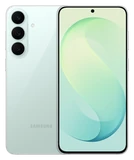
After the One UI 9 update, some Galaxy S26 Ultra owners are getting stuck at the last step of the setup screen, where the phone signs in to a Samsung Account. The complaint started on Samsung's South Korean community forum, from an owner whose phone couldn't load Samsung's account policy page. A Samsung community manager tied it to the One UI 9 update, Android Headlines reported, and the WebView component looks like the cause. The reports so far come from South Korea and seem to involve signing in over certain carriers' mobile data.
Samsung's workarounds are to update your web browser, sign in over Wi-Fi instead of mobile data, or sign in to your Samsung Account on the website. You won't see the bug when you install One UI 9 normally. It shows up when you reset the phone and go through setup again. Samsung says a future update will fix it but hasn't said which one, and the November security update is expected in the coming weeks. Until then, don't reset an S26 Ultra if you can avoid it, and if you have to, do the setup on Wi-Fi.