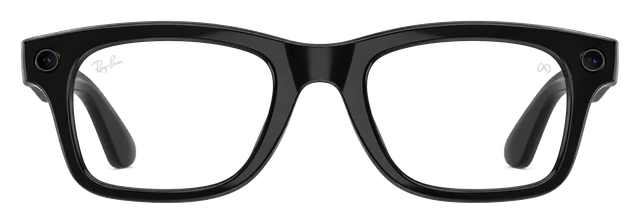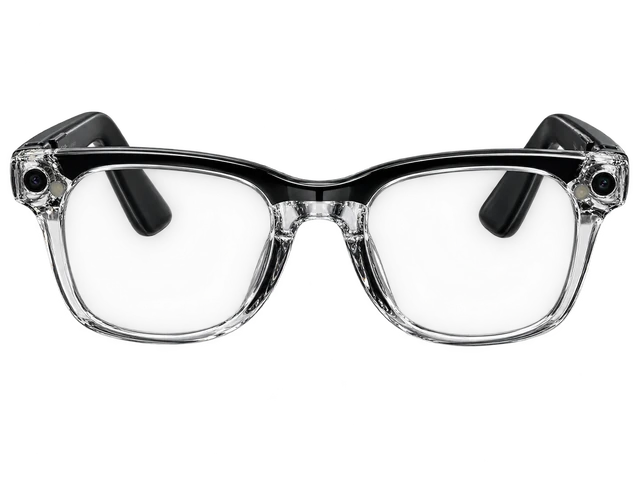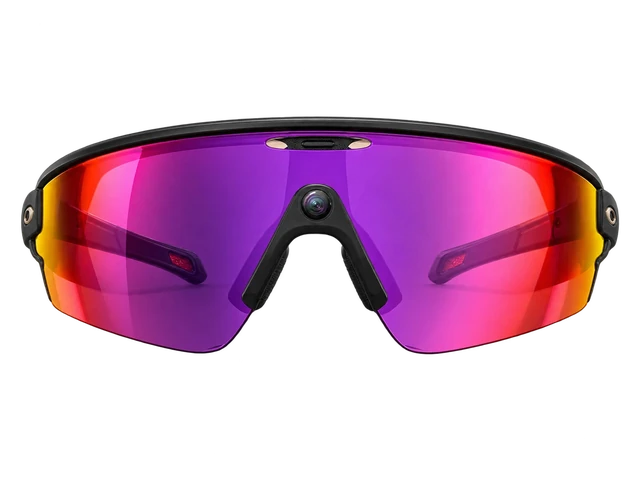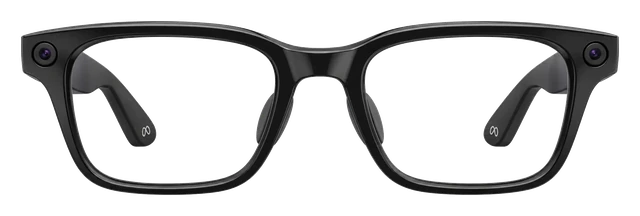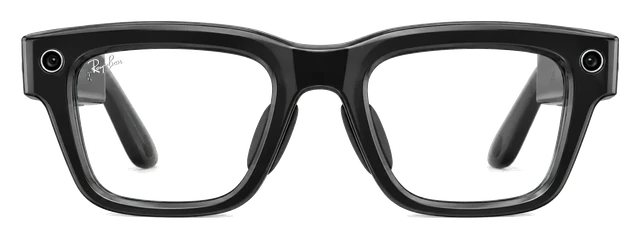













































Ray-Ban Meta Gen 2

Ray-Ban Meta Gen 2$379 Price, Specs & How It Compares

Last updated

Gen 2 is mature hardware with the widest feature set in the category, in frames people are happy to be seen in. It works the same way on an iPhone as on an Android phone, which nothing else in smart glasses manages nearly this well.
Very good4.0/5
Released
Sep 17, 2025
Price
$379
When to buy
Ray-Ban Meta (Gen 3) is out 
SEP 23 · LATEST ON RAY-BAN META (GEN 3)
Ray-Ban Meta Gen 3 is out today at $449 with 9 hours of battery

Meta launched the third Ray-Ban Meta at Connect. It costs $449, runs an hour longer at 9 hours, adds Aviator and Zena frames and a six-mic array, and keeps the same 12MP camera.

Read the story →

Best for

Photos and video.
A 12MP camera shoots photos and video from your point of view.Confirmed: meta.com
AI assistant.
You use Meta AI hands-free through the frames.Confirmed: meta.com
Music.
Open-ear speakers in the arms play for eight hours on a charge.Confirmed: meta.com

Ask about the Ray-Ban Meta Gen 2

What 5 reviewers said

More reviews

The battery life and sound are very good.

Battery life

Battery life is much improved, around eight hours typical and five or six under heavy use.

Privacy

Meta removed the option to opt out of storing voice recordings, raising privacy concerns.

Sound quality

Podcasts and calls sound great through the glasses' speakers.

Comparison

Compare smart glasses

How it compares

Cost over 3 years

$379

Device price plus up to three years of optional subscription.

Weight

~50g

Grams on your face. Lower is lighter.

Battery life

8 hrs

How long it lasts on its own, away from a charger.

Cost over 3 years

Meta Ray-Ban Gen 2
$379
Rokid AI Glasses Style
$299
Solos AirGo V2
$299 → $767
RayNeo Air 4 Pro
$299
Samsung Galaxy Glasses
$379 · soon

Battery life

Even Realities G2
~2 days
RayNeo iO
~2 days
Solos AirGo V2
~16 hrs

DeviceOptional subscription

Weights are for the frame as sold, without a case or a charger.

Battery life can vary based on usage, settings and firmware version.

If not this one

Ray-Ban Meta Gen 2 is our pick for photos and video, the assistant and music. Where it does not lead, here is what does, and why you would switch.

  • If you want to play games on itRayNeo Air 4 Pro

    It runs a 120Hz display, and there is a Switch bundle.

    $299
  • If it has to hold up at workMemoMind One

    A binocular waveguide display shows you reminders and teleprompter text.

    $399
  • If workouts are the pointOakley Meta Vanguard

    These are sport frames rated IP67, and they run nine hours on a charge.

    $499

Most paired with

Everything it works with

What Ray-Ban Meta glasses work with

Works with iPhone on iOS 17.2+ and Android phones on Android 10+. Samsung Galaxy and Pixel support is limited to models on Ray-Ban's list.

Do Meta glasses work with iPhone?

Works

Works with a supported iPhone running iOS 17.2 or later.

You also need the Meta AI app, a Meta account, and internet for AI features, media imports, and updates. Ray-Ban's FAQ still says iOS 14.4 or later, but the current US App Store requires iOS 17.2 or later, so use the stricter current requirement.

See details and sources (3)

Last checked 2026-09-21.

Do Ray-Ban Meta glasses work with a USB-C iPhone for video?

Doesn't work

They can't show video from a USB-C iPhone.

Gen 2 has no display, so it can't act as an external monitor, and an adapter can't change that. It can still pair with an iPhone through the Meta AI app for supported audio, calls, and photo features. This row is about video, not normal Bluetooth audio use.

See details and sources (2)

Last checked 2026-09-21.

Do Meta glasses work with Android?

Works

Works with Android 10 or later with location services on.

You need a supported phone, the Meta AI app, a Meta account, and internet for AI features, media imports, and updates. Google Play did not show a separate newer Android minimum in the researched listing.

See details and sources (2)

Last checked 2026-09-21.

Do Ray-Ban Meta glasses work with an Android phone for video?

Doesn't work

They can't show video from an Android phone.

Gen 2 has no display, so it can't act as an external monitor, and an adapter can't change that. This answer is about using the phone as a video source, not normal phone pairing through the Meta AI app. Bluetooth audio is a separate question.

See details and sources (2)

Last checked 2026-09-21.

Do Ray-Ban Meta glasses work with Samsung phones?

With a limit

Works with Galaxy models on Ray-Ban's supported-phone list.

The official list includes Galaxy S, Note, Z Fold, and Z Flip models through S24 and Z Fold6-era entries. The phone also needs Android 10 or later and the Meta AI requirements. The finite list does not prove support for every newer Galaxy model, and no Galaxy-only feature was found.

See details and sources (3)

Last checked 2026-09-21.

Do Ray-Ban Meta glasses work with a Windows PC for Bluetooth audio?

With a limit

For sound, calls and meetings only.

Put the glasses in pairing mode, then connect in Windows Bluetooth settings. Meta AI, the camera and photo import still need the phone app.

See details and sources (1)
  • Meta: How to connect AI glasses to a laptop | AI Glasses HelpFrom the maker or platform · checked 2026-09-21
    You can connect your AI glasses to a laptop or desktop computer to use them for calls, meetings, and audio playback.
    On your laptop, open Bluetooth settings and make sure Bluetooth is turned on.
    On your laptop, select your glasses from your Bluetooth device list to switch audio output.

Last checked 2026-09-21.

Can you connect Ray-Ban Meta glasses to a PC?

Doesn't work

They can't show video from a Windows PC.

Gen 2 has no display, so it can't act as an external monitor, and an adapter can't change that. This answer is about video only. Bluetooth audio is covered separately.

See details and sources (2)

Last checked 2026-09-21.

Quick answers

All FAQs

Quick answers

Does the Ray-Ban Meta Gen 2 come with a charger?
It comes with a charging case, a cleaning cloth and a reference guide. Meta's own compare page says the USB-C charging cable is not included.

Get Ray-Ban Meta Gen 2 updates

Email me when there's news.

Works with

Works

Works with a supported iPhone running iOS 17.2 or later.

You also need the Meta AI app, a Meta account, and internet for AI features, media imports, and updates. Ray-Ban's FAQ still says iOS 14.4 or later, but the current US App Store requires iOS 17.2 or later, so use the stricter current requirement.

See details and sources (3)

Last checked 2026-09-21.

WorksWorked out from the maker's minimum

They work with every iPhone that runs iOS 17.2 or later, from the iPhone XR on.

  • iPhone 18 Pro and iPhone 18 Pro Max: yes, on iOS 17.2 or later
  • iPhone 17, iPhone 17 Pro, iPhone 17 Pro Max, iPhone Air and iPhone 17e: yes, on iOS 17.2 or later
  • iPhone 16, iPhone 16 Plus, iPhone 16 Pro, iPhone 16 Pro Max and iPhone 16e: yes, on iOS 17.2 or later
  • iPhone 15, iPhone 15 Plus, iPhone 15 Pro and iPhone 15 Pro Max: yes, on iOS 17.2 or later
  • iPhone 14, iPhone 14 Plus, iPhone 14 Pro and iPhone 14 Pro Max: yes, on iOS 17.2 or later
  • iPhone 13 mini, iPhone 13, iPhone 13 Pro and iPhone 13 Pro Max: yes, on iOS 17.2 or later
  • iPhone 12 mini, iPhone 12, iPhone 12 Pro and iPhone 12 Pro Max: yes, on iOS 17.2 or later
  • iPhone 11, iPhone 11 Pro and iPhone 11 Pro Max: yes, on iOS 17.2 or later
  • iPhone XR, iPhone XS and iPhone XS Max: yes, on iOS 17.2 or later
  • iPhone SE (2nd generation) and iPhone SE (3rd generation): yes, on iOS 17.2 or later
  • iPhone 17 Pro: yes, on iOS 17.2 or later
  • iPhone 17 Pro Max: yes, on iOS 17.2 or later
  • iPhone Air: yes, on iOS 17.2 or later
  • Any iPhone not listed: no, it cannot run that iOS version

Worked out from the maker's minimum ("iOS 17.2 or later") and Apple's list of the iPhones that run it, not a separate test. See the sources.

See details and sources (7)

Last checked 2026-09-21.

Works

Works with Android 10 or later with location services on.

You need a supported phone, the Meta AI app, a Meta account, and internet for AI features, media imports, and updates. Google Play did not show a separate newer Android minimum in the researched listing.

See details and sources (2)

Last checked 2026-09-21.

With a limit

Works with Galaxy models on Ray-Ban's supported-phone list.

The official list includes Galaxy S, Note, Z Fold, and Z Flip models through S24 and Z Fold6-era entries. The phone also needs Android 10 or later and the Meta AI requirements. The finite list does not prove support for every newer Galaxy model, and no Galaxy-only feature was found.

See details and sources (3)

Last checked 2026-09-21.

Doesn't work

They can't show video from a Windows PC.

Gen 2 has no display, so it can't act as an external monitor, and an adapter can't change that. This answer is about video only. Bluetooth audio is covered separately.

See details and sources (2)

Last checked 2026-09-21.

With a limit

Works with Pixel models on Ray-Ban's supported-phone list.

The official list includes Pixel 5 through Pixel 9-family entries. The phone also needs Android 10 or later and the Meta AI requirements. The finite list does not prove support for every newer Pixel model, and no Pixel-only feature was found.

See details and sources (3)

Last checked 2026-09-21.

Use the Meta AI app, a valid Meta account, and a compatible smartphone.

  1. Install the Meta AI app on a compatible smartphone.
  2. Sign in with a valid Meta account.
  3. Connect the glasses and use internet access for AI, imports, and updates.

The app and account are needed for normal setup and use, including device management, AI, and media sharing. This does not mean every service is subscription-free. Amazon Music library access needs Prime, and Spotify Tap is limited on Free.

See details and sources (2)

Last checked 2026-09-21.

Works

Charging cases are compatible within the Ray-Ban Meta glasses line.

Ray-Ban says the same charging case comes with all Ray-Ban Meta glasses and only works with Ray-Ban Meta glasses. That does not establish support for Ray-Ban Stories, Oakley Meta, Meta Glasses, Meta Ray-Ban Display, or other Meta or Oakley cases.

See details and sources (2)

Last checked 2026-09-21.

Show all 20Show fewer
With a limit

For sound, calls and meetings only.

Hold the capture button for 5 seconds with the arms folded to enter pairing mode, then connect in the Mac's Bluetooth settings. Meta AI, the camera and photo import still need the phone app.

See details and sources (1)
  • Meta: How to connect AI glasses to a laptop | AI Glasses HelpFrom the maker or platform · checked 2026-09-21
    You can connect your AI glasses to a laptop or desktop computer to use them for calls, meetings, and audio playback.
    On your laptop, open Bluetooth settings and make sure Bluetooth is turned on.
    On your laptop, select your glasses from your Bluetooth device list to switch audio output.

Last checked 2026-09-21.

With a limit

For sound, calls and meetings only.

Put the glasses in pairing mode, then connect in Windows Bluetooth settings. Meta AI, the camera and photo import still need the phone app.

See details and sources (1)
  • Meta: How to connect AI glasses to a laptop | AI Glasses HelpFrom the maker or platform · checked 2026-09-21
    You can connect your AI glasses to a laptop or desktop computer to use them for calls, meetings, and audio playback.
    On your laptop, open Bluetooth settings and make sure Bluetooth is turned on.
    On your laptop, select your glasses from your Bluetooth device list to switch audio output.

Last checked 2026-09-21.

With a limit

But only for game audio, with no microphone.

Put the glasses in pairing mode, then pair them from the Switch Bluetooth Audio settings. You can't voice chat through the glasses. While Bluetooth audio is on, you can use up to two wireless controllers, and the sound may lag a little.

See details and sources (2)
  • Meta: How to connect AI glasses to a laptop | AI Glasses HelpFrom the maker or platform · checked 2026-09-21
    You can connect your AI glasses to a laptop or desktop computer to use them for calls, meetings, and audio playback.
    On your laptop, open Bluetooth settings and make sure Bluetooth is turned on.
    On your laptop, select your glasses from your Bluetooth device list to switch audio output.
  • Nintendo: Nintendo Switch system update notes (Bluetooth audio)From the maker or platform · checked 2026-09-21
    Headphones, earbuds, speakers, and other audio devices that connect with Bluetooth can now be paired with Nintendo Switch family systems for audio output.
    Bluetooth microphones are not supported.
    Up to two compatible wireless controllers can be connected to the system while using Bluetooth audio.

Last checked 2026-09-21.

Doesn't work

PS5 doesn't support Bluetooth audio devices directly.

Sony says Bluetooth audio devices are not compatible with PS5 consoles, while the glasses use Bluetooth for this kind of audio connection. Third-party USB transmitters are not validated here.

See details and sources (2)

Last checked 2026-09-21.

Doesn't work

They can't show video from a Mac.

Gen 2 has no display, so it can't act as an external monitor, and an adapter can't change that. This answer is about video only. Bluetooth audio is covered separately.

See details and sources (2)

Last checked 2026-09-21.

Doesn't work

They can't show video from a USB-C iPhone.

Gen 2 has no display, so it can't act as an external monitor, and an adapter can't change that. It can still pair with an iPhone through the Meta AI app for supported audio, calls, and photo features. This row is about video, not normal Bluetooth audio use.

See details and sources (2)

Last checked 2026-09-21.

Doesn't work

They can't show video from an Android phone.

Gen 2 has no display, so it can't act as an external monitor, and an adapter can't change that. This answer is about using the phone as a video source, not normal phone pairing through the Meta AI app. Bluetooth audio is a separate question.

See details and sources (2)

Last checked 2026-09-21.

Doesn't work

They can't show video from a Steam Deck, ROG Ally, or other handheld PC.

Gen 2 has no display, so it can't act as an external monitor, and an adapter can't change that. This answer is about video only. Bluetooth audio is a separate question.

See details and sources (2)

Last checked 2026-09-21.

Doesn't work

They can't show video from a PS5.

Gen 2 has no display, so it can't act as a screen for the console, and an adapter can't change that. This answer is about video only. Bluetooth audio is a separate question.

See details and sources (2)

Last checked 2026-09-21.

Doesn't work

They can't show video from an Xbox.

Gen 2 has no display, so it can't act as a screen for the console, and an adapter can't change that. This answer is about video only. Bluetooth audio is a separate question.

See details and sources (2)

Last checked 2026-09-21.

Doesn't work

They can't show video from a Nintendo Switch.

Gen 2 has no display, so it can't act as a screen for the console, and an adapter can't change that. This answer is about video only. Bluetooth audio is a separate question.

See details and sources (2)

Last checked 2026-09-21.

Doesn't work

They can't show video from a Nintendo Switch 2.

Gen 2 has no display, so it can't act as a screen for the console, and an adapter can't change that. This answer is about video only. Bluetooth audio is a separate question.

See details and sources (2)

Last checked 2026-09-21.

Most paired with

Do Meta glasses work with iPhone?

Works

Works with a supported iPhone running iOS 17.2 or later.

You also need the Meta AI app, a Meta account, and internet for AI features, media imports, and updates. Ray-Ban's FAQ still says iOS 14.4 or later, but the current US App Store requires iOS 17.2 or later, so use the stricter current requirement.

See details and sources (3)

Last checked 2026-09-21.

Do Ray-Ban Meta glasses work with a USB-C iPhone for video?

Doesn't work

They can't show video from a USB-C iPhone.

Gen 2 has no display, so it can't act as an external monitor, and an adapter can't change that. It can still pair with an iPhone through the Meta AI app for supported audio, calls, and photo features. This row is about video, not normal Bluetooth audio use.

See details and sources (2)

Last checked 2026-09-21.

Do Meta glasses work with Android?

Works

Works with Android 10 or later with location services on.

You need a supported phone, the Meta AI app, a Meta account, and internet for AI features, media imports, and updates. Google Play did not show a separate newer Android minimum in the researched listing.

See details and sources (2)

Last checked 2026-09-21.

Do Ray-Ban Meta glasses work with an Android phone for video?

Doesn't work

They can't show video from an Android phone.

Gen 2 has no display, so it can't act as an external monitor, and an adapter can't change that. This answer is about using the phone as a video source, not normal phone pairing through the Meta AI app. Bluetooth audio is a separate question.

See details and sources (2)

Last checked 2026-09-21.

Do Ray-Ban Meta glasses work with Samsung phones?

With a limit

Works with Galaxy models on Ray-Ban's supported-phone list.

The official list includes Galaxy S, Note, Z Fold, and Z Flip models through S24 and Z Fold6-era entries. The phone also needs Android 10 or later and the Meta AI requirements. The finite list does not prove support for every newer Galaxy model, and no Galaxy-only feature was found.

See details and sources (3)

Last checked 2026-09-21.

Do Ray-Ban Meta glasses work with a Windows PC for Bluetooth audio?

With a limit

For sound, calls and meetings only.

Put the glasses in pairing mode, then connect in Windows Bluetooth settings. Meta AI, the camera and photo import still need the phone app.

See details and sources (1)
  • Meta: How to connect AI glasses to a laptop | AI Glasses HelpFrom the maker or platform · checked 2026-09-21
    You can connect your AI glasses to a laptop or desktop computer to use them for calls, meetings, and audio playback.
    On your laptop, open Bluetooth settings and make sure Bluetooth is turned on.
    On your laptop, select your glasses from your Bluetooth device list to switch audio output.

Last checked 2026-09-21.

Can you connect Ray-Ban Meta glasses to a PC?

Doesn't work

They can't show video from a Windows PC.

Gen 2 has no display, so it can't act as an external monitor, and an adapter can't change that. This answer is about video only. Bluetooth audio is covered separately.

See details and sources (2)

Last checked 2026-09-21.

Do Ray-Ban Meta glasses work with Pixel phones?

With a limit

Works with Pixel models on Ray-Ban's supported-phone list.

The official list includes Pixel 5 through Pixel 9-family entries. The phone also needs Android 10 or later and the Meta AI requirements. The finite list does not prove support for every newer Pixel model, and no Pixel-only feature was found.

See details and sources (3)

Last checked 2026-09-21.

Do Ray-Ban Meta glasses work with a Mac for Bluetooth audio?

With a limit

For sound, calls and meetings only.

Hold the capture button for 5 seconds with the arms folded to enter pairing mode, then connect in the Mac's Bluetooth settings. Meta AI, the camera and photo import still need the phone app.

See details and sources (1)
  • Meta: How to connect AI glasses to a laptop | AI Glasses HelpFrom the maker or platform · checked 2026-09-21
    You can connect your AI glasses to a laptop or desktop computer to use them for calls, meetings, and audio playback.
    On your laptop, open Bluetooth settings and make sure Bluetooth is turned on.
    On your laptop, select your glasses from your Bluetooth device list to switch audio output.

Last checked 2026-09-21.

Do Ray-Ban Meta glasses work with a Mac for video?

Doesn't work

They can't show video from a Mac.

Gen 2 has no display, so it can't act as an external monitor, and an adapter can't change that. This answer is about video only. Bluetooth audio is covered separately.

See details and sources (2)

Last checked 2026-09-21.

What you need

Do Meta glasses work with iPhone?

Works

Works with a supported iPhone running iOS 17.2 or later.

You also need the Meta AI app, a Meta account, and internet for AI features, media imports, and updates. Ray-Ban's FAQ still says iOS 14.4 or later, but the current US App Store requires iOS 17.2 or later, so use the stricter current requirement.

See details and sources (3)

Last checked 2026-09-21.

Do Meta glasses work with iPhone?

Works

Works with a supported iPhone running iOS 17.2 or later.

You also need the Meta AI app, a Meta account, and internet for AI features, media imports, and updates. Ray-Ban's FAQ still says iOS 14.4 or later, but the current US App Store requires iOS 17.2 or later, so use the stricter current requirement.

See details and sources (3)

Last checked 2026-09-21.

Do Meta glasses work with iPhone?

Works

Works with a supported iPhone running iOS 17.2 or later.

You also need the Meta AI app, a Meta account, and internet for AI features, media imports, and updates. Ray-Ban's FAQ still says iOS 14.4 or later, but the current US App Store requires iOS 17.2 or later, so use the stricter current requirement.

See details and sources (3)

Last checked 2026-09-21.

Do Meta glasses work with Android?

Works

Works with Android 10 or later with location services on.

You need a supported phone, the Meta AI app, a Meta account, and internet for AI features, media imports, and updates. Google Play did not show a separate newer Android minimum in the researched listing.

See details and sources (2)

Last checked 2026-09-21.

Do Ray-Ban Meta glasses work with a Mac for Bluetooth audio?

With a limit

For sound, calls and meetings only.

Hold the capture button for 5 seconds with the arms folded to enter pairing mode, then connect in the Mac's Bluetooth settings. Meta AI, the camera and photo import still need the phone app.

See details and sources (1)
  • Meta: How to connect AI glasses to a laptop | AI Glasses HelpFrom the maker or platform · checked 2026-09-21
    You can connect your AI glasses to a laptop or desktop computer to use them for calls, meetings, and audio playback.
    On your laptop, open Bluetooth settings and make sure Bluetooth is turned on.
    On your laptop, select your glasses from your Bluetooth device list to switch audio output.

Last checked 2026-09-21.

Supports

With a limit

Translation supports English, French, German, Italian, Portuguese, and Spanish.

  • English
  • French
  • German
  • Italian
  • Portuguese
  • Spanish

Translated audio plays through the open-ear speakers, and translated replies can be shared through the Meta AI app. Support depends on language and region, with Meta AI setup and any needed language data. Meta's newer 2026 launch material describes 14 more translation languages for newer Meta Glasses, so the documentation does not fully match.

See details and sources (2)
  • Meta: AI glasses for multilingual communication | Meta StoreFrom the maker or platform · checked 2026-09-21
    On Ray-Ban Meta (Gen 2), Oakley Meta HSTN and Oakley Meta Vanguard, translated audio plays through open-ear speakers, helping you understand conversations in real time
    Ray‑Ban Meta (Gen 2): Available across North America, Europe, Asia and the Middle East, Oceania and South America, including the U.S., Canada, much of Western Europe, India, Australia and Brazil.
    Oakley Meta HSTN and Oakley Meta Vanguard: Available in select regions across North America, Europe and Oceania, including the U.S., Canada, most of Western Europe and Australia.
    Ray-Ban Meta Display and Meta Neural Band: Available in the U.S. through select authorized retailers and Meta flagship stores.
  • Ray-Ban: Ray-Ban Meta (Gen 2) Wayfarer AI GlassesFrom the maker or platform · checked 2026-09-21

Last checked 2026-09-21.

Doesn't work

There is no visual display in the lenses.

The glasses use open-ear audio, voice controls, a camera, a touchpad, and a capture button instead. Meta's own compare table lists Gen 2 as having no display.

See details and sources (2)

Last checked 2026-09-21.

With a limit

Meta AI support depends on the region, language, and specific feature.

Meta lists Gen 2 across multiple regions and six languages for its current translation feature. Individual AI features can roll out separately, so support is not universal everywhere the glasses are sold. You need a supported market and language plus Meta AI setup.

See details and sources (2)

Last checked 2026-09-21.

Works

Features include voice control, scene descriptions, and Be My Eyes volunteer help.

Meta documents hands-free calling and texting, speech translation, descriptions of your surroundings, and Call a Volunteer with Be My Eyes. Individual AI and accessibility features can vary by market and need the right Meta AI feature and region support.

See details and sources (1)
  • Meta Newsroom: How AI Glasses Are Empowering People With DisabilitiesFrom the maker or platform · checked 2026-09-21
    Ray-Ban Meta, Oakley Meta Vanguard, and Meta Ray-Ban Display – allow for hands-free support so you can make phone calls, send text messages, translate speech, and capture photos and videos
    created in partnership with Be My Eyes, connects blind or low-vision individuals with volunteers who can describe what you’re seeing and help you complete daily tasks.

Last checked 2026-09-21.

How it works

Works

From -12.00 to +6.00 total power.

You need a valid prescription. You can order the lenses with the glasses from Meta.com or Ray-Ban.com, or add them later at a certified retailer.

See details and sources (2)

Last checked 2026-09-21.

4.0 / 5
Very good

Battery life

Battery life is much improved, around eight hours typical and five or six under heavy use.

Privacy

Meta removed the option to opt out of storing voice recordings, raising privacy concerns.

Sound quality

Podcasts and calls sound great through the glasses' speakers.

Scores published by other outlets, normalized and averaged. iDevice did not test these products for this score.

5 expert reviews

  1. Android Police
    Andy BoxallApr 12, 2026
    4.5 / 5
    Read review
  2. CGMagazine
    Brendan FryeNov 17, 2025
    4 / 5
    Read review
  3. WIRED
    Boone AshworthNov 2, 2025
    3.5 / 5
    Read review
  4. Engadget
    Karissa BellOct 1, 2025
    4.4 / 5
    Read review
  5. The Verge
    Jay PetersOct 1, 2025
    3.5 / 5
    Read review

Reviewer breakdown

What reviewers agreed on, and how many raised each

  • Battery life5
  • Privacy4
  • AI features fall short3
  • Sound quality3
  • Live translation3

Liked itDidn’t

Sep 17, 2025 · Announced
Meta announces Ray-Ban Meta Gen 2
Meta announced the second-generation Ray-Ban Meta glasses on September 17 with a focus on battery and video improvements.
Sep 17, 2025 · Went on sale
Ray-Ban Meta Gen 2 is available on announcement day
Ray-Ban Meta Gen 2 went on sale the same day it was announced rather than following a separate preorder window. 9to5Google recorded immediate availability across the Wayfarer, Skyler and Headliner frame families.
Dec 16, 2025 · New feature
Conversation Focus begins rolling out to Ray-Ban Meta glasses
Meta began an Early Access rollout of Conversation Focus, a software feature intended to make nearby speech easier to hear in noisy environments. The update applied to Ray-Ban Meta glasses, adding a meaningful post-launch capability to the Gen 2 platform.
Mar 26, 2026 · Filed with regulators
FCC filings expose Scriber and Blazer Ray-Ban Meta model names
The Verge reported that Ray-Ban Meta “Scriber” and “Blazer” glasses had passed through the FCC, with the filings also pointing to Wi-Fi 6 U-NII-4 support. The report initially treated the filings as an imminent new-glasses launch; Meta clarified the generation and product positioning days later.
Mar 31, 2026 · New feature
Meta identifies the FCC-linked styles as Gen 2 prescription models
Meta introduced Ray-Ban Meta Blayzer Optics and Scriber Optics and explicitly labeled both as Gen 2. That official naming tied the regulatory trail back to the existing second-generation platform rather than to a separate successor generation.
Jul 3, 2026 · Price
Meta tests a $19.99 plan around expanded Conversation Focus use
UC Today reported that Meta had limited free Conversation Focus use to three hours per month and attached extended use to a $19.99 subscription tier. The change turned a software feature into a pricing story for owners of supported Ray-Ban Meta glasses.
Jul 27, 2026 · New feature
Meta pauses the Conversation Focus subscription limit after pushback
Subscription Insider reported that Meta had paused its plan to limit Conversation Focus following user pushback. The reversal restored the feature’s Early Access status while Meta reconsidered how or whether to meter it through a paid plan.

At a glance

Meta Ray-Ban Gen 2PREVIOUS MODELMeta Ray-Ban Gen 2Ray-Ban Meta (Gen 3)CURRENT MODELRay-Ban Meta (Gen 3)
Camera
12MPConfirmed: Ray-Ban (official) · Jul 11, 2026
12MPConfirmed: Meta Newsroom · Sep 24, 2026
Device battery
8 hrsConfirmed: Meta · Jul 15, 2026
Up to 9 hrsConfirmed: Meta Newsroom · Sep 24, 2026
Works with
iOS & Android
iOS 18.6+ / Android 15+Confirmed: Ray-Ban · Sep 24, 2026
Display
NoConfirmed: PCMag · Jul 11, 2026
NoReported: 9to5Google · Jul 13, 2026
Price
From $379
From $449
Case battery
+48 hrsConfirmed: Meta · Jul 15, 2026
Up to 50 hrs extra from the case
Weight
~50gReported: PCMag · Jul 11, 2026
51.5g (Standard)Confirmed: Meta · Sep 24, 202653.8g (Large)
Frame choice
Wayfarer, Skyler, Headliner, Blayzer Optics, Scriber OpticsReported: Meta · Jul 11, 2026150+ combinations
Aviator, Zena (cat-eye), WayfarerConfirmed: Meta Newsroom · Sep 24, 202627 combinations
Show 15 more specifications
Auto-tint lenses
Transitions lenses (+$80 option)Confirmed: Meta (official) · Jul 11, 2026
Unknown
Camera-free option
NoReported: Meta (official) · Jul 11, 2026
NoReported: Dymesty · Jul 11, 2026
Video
3K at 30fpsReported: Ray-Ban (official) · Jul 11, 2026
3K Ultra HDConfirmed: Meta Newsroom · Sep 24, 2026
Connectivity
Bluetooth 5.3Confirmed: Meta (official) · Jul 11, 2026Wi-Fi 6
Wi-Fi 6Confirmed: Ray-Ban · Sep 24, 2026Bluetooth 5.3
Frame partner
EssilorLuxottica / Ray-BanReported: Wikipedia · Jul 11, 2026
EssilorLuxottica / Ray-BanReported: Meta Newsroom · Jul 11, 2026
Hands-free capture
Capture button + voice ('Hey Meta')Confirmed: Meta (official) · Jul 11, 2026
Customizable action button + voiceConfirmed: Meta Newsroom · Sep 24, 2026
Microphones
5-mic (standard) / 6-mic (Optics frames)Confirmed: UploadVR · Jul 13, 2026
6-mic arrayConfirmed: Meta Newsroom · Sep 24, 2026
Walking directions
Audio turn-by-turn walking directions (driving pushed to phone)Confirmed: Meta Help (official) · Jul 11, 2026
Unknown
Open-ear speakers
YesConfirmed: Meta Newsroom (about.fb.com) · Jul 13, 20262x open-ear speakers
YesConfirmed: Ray-Ban · Sep 24, 20262 open-ear speakers
Prescription lenses
Via LensCrafters & Sunglass HutReported: LensCrafters · Jul 11, 2026
YesConfirmed: Ray-Ban · Sep 24, 2026prescription lenses available
Ongoing cost
OptionalConfirmed: The Verge · Jul 12, 2026$19.99/mo
OptionalConfirmed: BBC News · Jul 12, 2026$19.99/mo
Live translation
YesConfirmed: Meta Newsroom (about.fb.com) · Jul 13, 2026
YesConfirmed: Ray-Ban · Sep 24, 2026Meta AI translation
AI
Unknown
YesConfirmed: Ray-Ban · Sep 24, 2026ask Meta AI about what you see
Visual AI
Look and ask Meta AI about what you seeConfirmed: Meta (official) · Jul 11, 2026
Look and ask Meta AI (carried, improved 'super sensing')Reported: UploadVR · Jul 11, 2026
Water resistance
IPX4Confirmed: Meta (official) · Sep 23, 2026
Unknown
More specs
Processor
Snapdragon AR1 Gen 1Confirmed: Qualcomm · Jul 11, 2026
AR1 next genReported: UploadVR · Jul 11, 2026
AI platform
Meta AIConfirmed: Meta Newsroom · Jul 11, 2026
Meta AIReported: Meta Newsroom · Jul 11, 2026
Ar capable
No
NoReported: VR Wave · Jul 13, 2026
Controls
NoConfirmed: PCMag · Jul 11, 2026touchpad + voice
Unknown
Recording indicator
Capture LEDConfirmed: Meta (official) · Jul 11, 2026
Capture LED shows when photos or video are being takenConfirmed: Meta Newsroom · Sep 24, 2026
Livestream
No (Gen 1 onlyReported: Meta (official) · Jul 11, 2026per Meta)
Not listed in Meta's Gen 3 specs (Meta's store page mentions livestreamingConfirmed: Meta (official) · Jul 12, 2026its help page names Gen 1 only)
Lens sunglasses
YesConfirmed: Meta · Jul 15, 2026
Yes
Lens optical
YesConfirmed: Ray-Ban (official) · Jul 12, 2026
Yes
Sport
No
No
Model choice
NoConfirmed: Ray-Ban/Meta (official) · Jul 12, 2026locked to Meta AI
Unknown
Software
MetaConfirmed: Meta Newsroom · Jul 11, 2026
Camera focus
fixed focusConfirmed: arXiv (Meta) · Jul 11, 2026
Unknown
Phone needed
NoConfirmed: PCMag · Jul 11, 2026phone required
NoConfirmed: Ray-Ban · Sep 24, 2026phone and Meta AI app required

Buying decision

Ray-Ban Meta Gen 2
No rush
Meta

Ray-Ban Meta Gen 2

Cheapest store right now

Amazon has the lowest price of the 2 stores we checked.

Newer model is out

Ray-Ban Meta (Gen 3) is already out, so this one is being replaced.

What would make this a buy?

A much stronger price advantage over Ray-Ban Meta (Gen 3) would change this recommendation.

About Meta

Meta builds Ray-Ban Meta and Oakley Meta smart glasses with EssilorLuxottica, along with the Quest line of mixed reality headsets.

Visit Meta

Returns and warranty

Returns

30-day returns· the clock starts the day it arrives

  • Free return shipping

    For a Meta Store return, Meta emails a prepaid return shipping label within 1 to 3 days.

  • A restocking fee may apply

    Only if the item comes back used, damaged, missing parts or not resalable. No amount stated.

  • Send it back like new
    Return it complete, in the original packaging, with proof of purchase.
    If it comes back used, damaged, missing parts or not resalable, Meta may charge a restocking fee or cut the refund.
  • How you get your money back

    To your original payment method within 5 to 10 business days after Meta receives an online return (Meta Lab terms).

Warranty

1-year warranty

Ray-Ban Meta glasses carry Luxottica's (EssilorLuxottica's) Limited Warranty, not Meta's: 1 year from purchase (2 years in the EU/EFTA), covering defects and malfunctions.

  • Add Meta Warranty Plus

    Meta Warranty Plus can be added for Ray-Ban Meta only at the time of purchase on meta.com (US).

Good to know

  • Personalized items and gift cards

    Items personalized or modified to your instructions, gift cards and eVouchers cannot be returned.

  • Bundles

    Return only part of a bundle and the bundle discount is taken off the refund.

  • Meta Lab stores (in person)

    Store purchases: 30 days from the date of purchase. Online purchases cannot be returned in a store; return them by mail or through support.

  • Trade-in

    A trade-in is not a return and the traded device cannot be given back.

  • Other retailers

    Glasses bought from Ray-Ban, Oakley, LensCrafters or another retailer go back to that retailer.

What's in the box

What comes in the box with the Ray-Ban Meta Gen 2?

Here is what you get when you open it.

We could only confirm part of what ships.

Charging case
Cleaning cloth
Quick Start Guide
Safety & Warranty Guide
Instructions for ordering prescription lenses

From Ray-Ban. Checked Sep 23, 2026.

When to buy

Ray-Ban Meta (Gen 3) went on sale Sep 23, so this is the older one. There's no rush.

Lowest in 30 days$379Sep 11
Highest in 30 days$379.99Sep 10
Stores we check2Amazon is cheapest
On sale sinceSep 17, 2025
Lowest known$319May 17, 2026, from older published history
Price checks61 over 31 days
How we read this
  • We read store prices every day and keep every read. The price shown is the newest read from the retailer named.
  • A read older than 36 hours is never shown as the current price. It reads "last seen" and carries no buy link.
  • “30-day low” is the lowest of our own reads for this product in the last 30 days, not a retailer’s claim. We print the number of reads beside it, and we say nothing about a low until a product has a week of reads.
  • “Lowest known”, where it appears, is older price history from published reports and imports. It is shown only when it is lower than the 30-day low, and it is not counted as reads.
  • The verdict is worked out from the price, the history and whether a newer model is coming. It never depends on who pays us.

Current offers

Amazon
$379
—
Buy
Target
$379.99
In stock
Buy

We may earn a commission when you buy through these links.

What changed

Livestream to Facebook / InstagramCommunications
supported
not supported
Removed
Rated typical useBattery
up to 4 hours
up to 8 hours
+4 hours
Max video qualityPhoto video
1080p-class video
3K Ultra HD
Improved
Showing the 3 biggest of 4 tracked differences.12 other specs are unchanged.

Discount history

20%15%10%5%list20%15%10%5%list

14 discounts in the last twelve months. The deepest took Ray-Ban Meta Gen 2 to $319, 16% off the $379 list price, in May 2026.

Available nowMeta Ray-Ban DisplayFrom $799Guide News
Available nowMeta Glasses (2026)$299–$399Guide News
Available nowOakley Meta Vanguard$499Guide News
Available nowEven Realities G2$599Guide News

Frequently asked questions

Questions about Ray-Ban Meta Gen 2

Top questions

Does the Ray-Ban Meta Gen 2 come with a charger?
It comes with a charging case, a cleaning cloth and a reference guide. Meta's own compare page says the USB-C charging cable is not included.

Using it

How do I update it?
Tap Device settings. Under Glasses, tap your glasses. Tap the toggle next to Automatic updates to turn this feature on or off. Tap Check to check for software updates.
Capture led block?
A fix for this is starting to roll out – the camera will now stop working if the light is covered during a recording. Beginning with our second generation of glasses, the camera is automatically disabled if we detect that the capture LED has been blocked.
Conversation focus?
We’re rolling out a software update for our AI glasses that lets you hear people talking more easily in a noisy environment.
Does it need a subscription?
We’re launching with more than 50 features on Instagram, Facebook, WhatsApp, and Meta AI, and will expand to Edits, AI glasses, and more over time.
Optics styles?
They will be available in two unique styles: Blayzer, a rectangular design available in Standard and Large sizes, and Scriber, a more rounded frame style.
Action button?
A single press replaces multi-step voice commands, putting AI a fingertip away.
Pedestrian navigation?
Pedestrian navigation is coming soon for displayless glasses, making it easier than ever to get around with turn-by-turn directions.
Can I get prescription lenses?
Yes, you can. The frames can be glazed to your prescription. Through LensCrafters and Sunglass Hut. -12.00 to +6.00.
Do the lenses tint automatically?
Yes, the lenses tint themselves. They darken in sunlight on their own.
How good is the camera?
It shoots on a 12MP main camera. The focus is fixed, with no autofocus.
What does it cost?
It costs $379 to $499. That is the list price, before any subscription.
Does it work with my phone?
Yes, it works with an iPhone or an Android phone.
How heavy is it?
It weighs 50g.
Is it built for sport?
No, it is not built for sport. It is an everyday frame. Nothing stops you wearing it, but it is not made to grip.
Can I take a photo without using my hands?
Yes, you can say the word or press the button. A capture button on the frame, and a spoken command when your hands are full.
Does it work without my phone?
No, it needs your phone.
What video can it shoot?
It shoots 3K at 30fps. That is its highest setting.
How does it connect?
It connects over Bluetooth 5.3.
What chip is inside?
It runs on Snapdragon AR1 Gen 1.
Which AI assistant does it use?
It uses Meta AI. The assistant is fixed, so you cannot swap it.
What software does it run?
It runs Meta Horizon OS.
Does it do AR?
No, it does not do AR. Nothing is drawn over what you see.
Can I get sunglass or clear lenses?
You can have either. It is sold as sunglasses and with clear lenses.
Whose frames are they?
They are made with EssilorLuxottica and Ray-Ban. More than one frame maker is involved.
How many styles can I choose from?
There are 5 frames to choose from. 150 combinations once you pick a colour and a lens.
Can people tell when it is recording?
Yes, a light comes on. People around you can see when the camera is running.
Can it give me directions?
Yes, it can give you directions. It gives turn-by-turn directions without you taking your phone out.
Can I livestream from it?
No, you cannot livestream from it. You record first and share it afterwards.
Can it translate?
Yes, it can translate.
Does it have a screen?
No, it has no screen.
Can I hear it without earbuds?
Yes, it has open-ear speakers that play out loud.
Can it see and answer questions about what I am looking at?
Yes, it can see what you are looking at and answer about it.

Sizing and fit

Will they fit my face?
The nose pads are fixed. What you get is what you wear, so try them on before you buy.

Battery and charging

How do I set it up?
Remove your glasses from the case. Turn your glasses on by sliding the power switch on the left frame towards the front of the glasses. Put your glasses back inside the case, making sure to gently push down on the top of the glasses so that the bottom of the nose bridge on your glasses makes contact with the charging port inside the case. From the Meta AI mobile app, tap Glasses in the top right. Tap Add in the top right and follow the on-screen instructions.
How do I clean it?
Use a dampened cloth and mild soap, avoiding all types of solvents or alcohol. Don't use dirty or abrasive cloths which could alter the features of the lenses. Gently clean the lenses, camera lens, and the nose bridge charging contacts. Dry off the glasses before putting them back inside the charging case or wearing them.
How do I reset it?
Make sure your glasses are out of their case, charged, and powered on. Fold both glasses arms closed. With the arms folded, press the capture button 5 times. The LED turns orange. Press and hold the capture button. Release when the LED flashes. More steps on the maker's page.
How do I charge it?
Fully charged glasses last up to 8 hours for moderate usage. Fully charged case provides up to 48 hours of charging for your glasses.
Battery care tips?
Battery saver is a mode for Meta AI glasses that extends your battery life by temporarily pausing high-drain background functions. When enabled, battery saver can increase battery life by up to 47% (approximately 1.5 additional hours) when activated at 20% battery, or up to 88% (approximately 7.9 additional hours) if enabled at a full charge. Battery saver mode is available on all Ray-Ban Meta glasses, Oakley HSTN, and Oakley Vanguard models.
How long does the battery last?
It runs 8 hours. That is 2 days with the extra from the case, and 5 hours of continuous audio or voice.

Water

Is it water resistant?
Ray-Ban Meta glasses (Gen 1 and Gen 2) and sunglasses are water resistant with an IPX4 rating. They're not designed for submersion or extended exposure to water or other liquids.

Price and models

Is there a newer one?
Yes: the Ray-Ban Meta (Gen 3), out September 23, 2026.
How much does the Ray-Ban Meta Gen 2 cost?
List price: From $379. Other models: up to $499. Current price we last read at Amazon: $379, October 10, 2026.
How much does each model of the Ray-Ban Meta Gen 2 cost?
ray ban meta headliner gen 2 : $379, ray ban meta skyler gen 2 : $379, ray ban meta wayfarer gen 2 : $379, ray ban meta blayzer optics gen 2 : $499, ray ban meta scriber optics gen 2 : $499. The maker's own prices.

Returns and warranty

How long do I have to return it?
30-day returns The clock starts the day it arrives.
Is there a restocking fee?
A restocking fee may apply Only if the item comes back used, damaged, missing parts or not resalable. No amount stated.
Who pays return shipping?
Free return shipping For a Meta Store return, Meta emails a prepaid return shipping label within 1 to 3 days.
Can I return it if I opened or wore it?
Send it back like new Return it complete, in the original packaging, with proof of purchase. If it comes back used, damaged, missing parts or not resalable, Meta may charge a restocking fee or cut the refund.
How do I get my money back?
How you get your money back To your original payment method within 5 to 10 business days after Meta receives an online return (Meta Lab terms).
How long is the warranty?
1-year warranty Ray-Ban Meta glasses carry Luxottica's (EssilorLuxottica's) Limited Warranty, not Meta's: 1 year from purchase (2 years in the EU/EFTA), covering defects and malfunctions.
Is there a paid protection plan?
Add Meta Warranty Plus Meta Warranty Plus can be added for Ray-Ban Meta only at the time of purchase on meta.com (US).
Is the battery covered?
Battery rules: not stated by Meta

In the box

What's in the box?
Charging case, Cleaning cloth, Quick Start Guide, Safety & Warranty Guide, Instructions for ordering prescription lenses.

Works with

Do Ray-Ban Meta glasses work with Pixel phones?
Works with Pixel models on Ray-Ban's supported-phone list. With a limit
How do Ray-Ban Meta glasses set up with the Meta AI app and account?
Use the Meta AI app, a valid Meta account, and a compatible smartphone. Works
Do Ray-Ban Meta glasses support live translation?
Translation supports English, French, German, Italian, Portuguese, and Spanish. With a limit
Do Ray-Ban Meta glasses support a display in the lenses?
There is no visual display in the lenses. Doesn't work
Do Ray-Ban Meta glasses support Meta AI in every region and language?
Meta AI support depends on the region, language, and specific feature. With a limit
Do Ray-Ban Meta glasses support accessibility features?
Features include voice control, scene descriptions, and Be My Eyes volunteer help. Works
Does the Gen 2 work with other Ray-Ban Meta charging cases?
Charging cases are compatible within the Ray-Ban Meta glasses line. Works
Do Ray-Ban Meta glasses work with a Mac for Bluetooth audio?
Yes, for sound, calls and meetings only. With a limit
Do Ray-Ban Meta glasses work with a Windows PC for Bluetooth audio?
Yes, for sound, calls and meetings only. With a limit
Do Ray-Ban Meta glasses work with a Nintendo Switch for Bluetooth audio?
Yes, but only for game audio, with no microphone. With a limit
Do Ray-Ban Meta glasses work with a PS5 for Bluetooth audio?
PS5 doesn't support Bluetooth audio devices directly. Doesn't work
Do Ray-Ban Meta glasses work with a Mac for video?
They can't show video from a Mac. Doesn't work
Do Ray-Ban Meta glasses work with a USB-C iPhone for video?
They can't show video from a USB-C iPhone. Doesn't work
Do Ray-Ban Meta glasses work with an Android phone for video?
They can't show video from an Android phone. Doesn't work
Do Ray-Ban Meta glasses work with handheld PCs for video?
They can't show video from a Steam Deck, ROG Ally, or other handheld PC. Doesn't work
Do Ray-Ban Meta glasses work with a PS5 for video?
They can't show video from a PS5. Doesn't work
Do Ray-Ban Meta glasses work with an Xbox for video?
They can't show video from an Xbox. Doesn't work
Do Ray-Ban Meta glasses work with a Nintendo Switch for video?
They can't show video from a Nintendo Switch. Doesn't work
Do Ray-Ban Meta glasses work with a Nintendo Switch 2 for video?
They can't show video from a Nintendo Switch 2. Doesn't work

An app now warns you when Meta smart glasses are nearby

Zuckoff reads the Bluetooth signals smart glasses broadcast and estimates how close a pair is. Its developer wants glasses makers to adopt the kind of alert phones already give for stray trackers.

You have reached the end of this stream

Those are all the stories we have lined up here.

More news

Next in Smart Glasses

Meta Glasses →