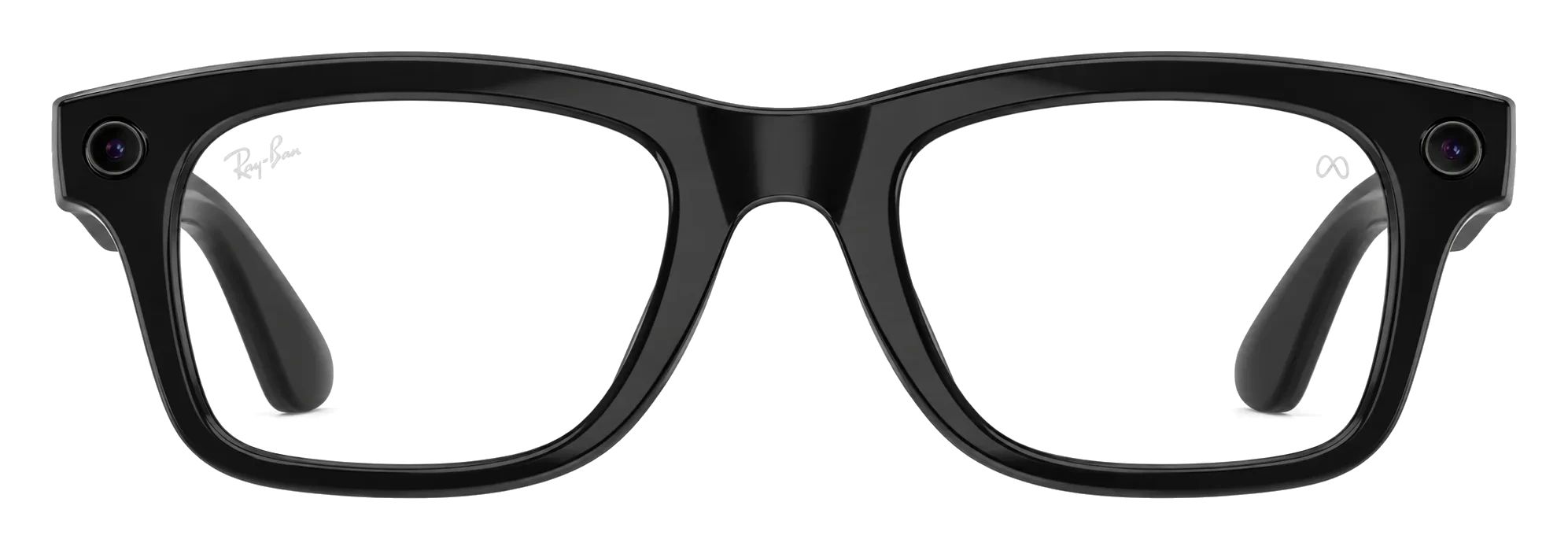
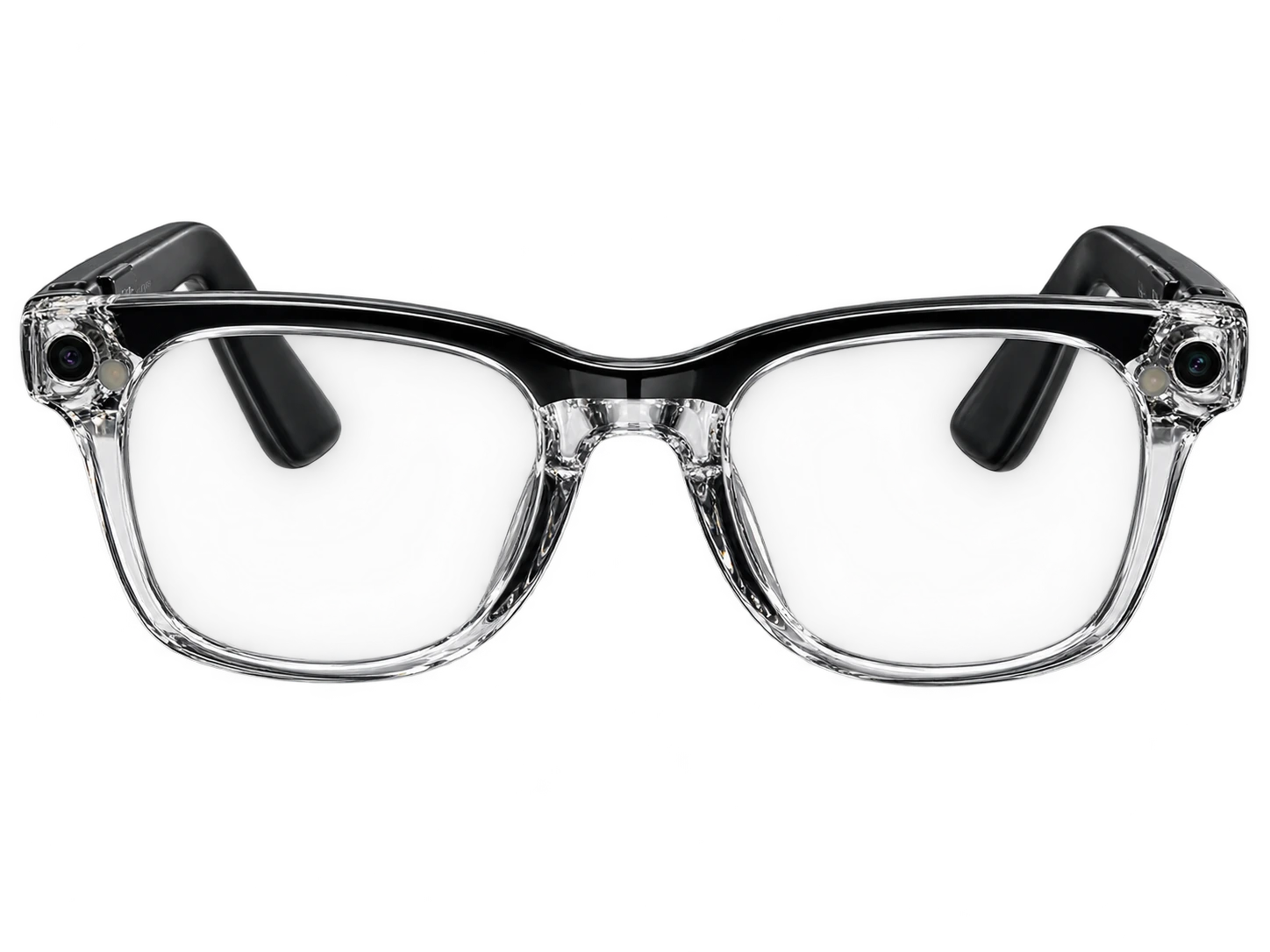
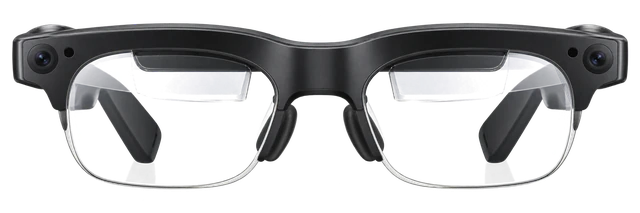
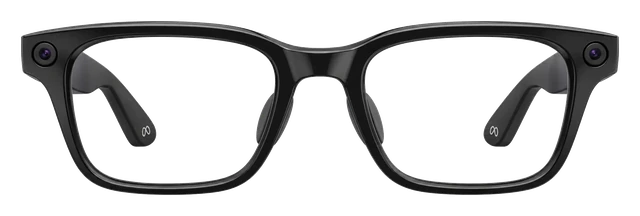
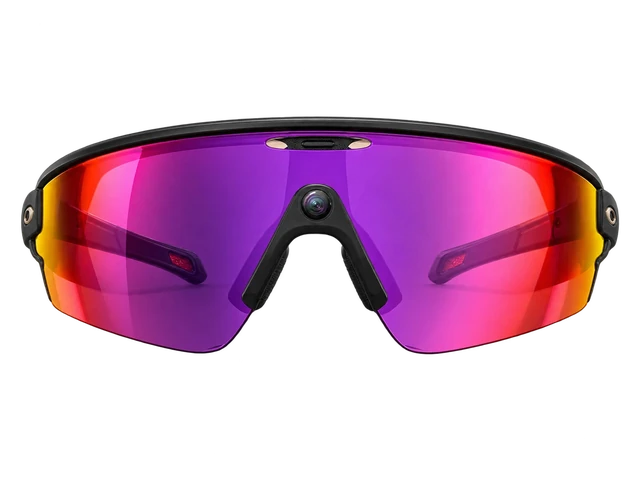
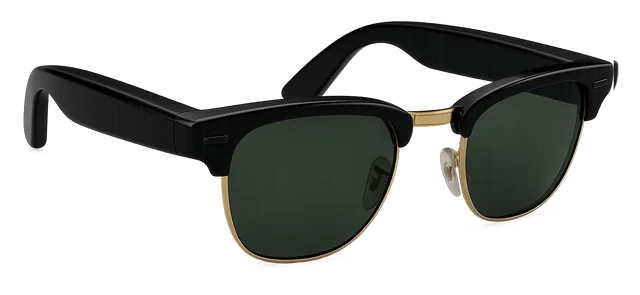
Can I get prescription lenses?Yes, you can. The frames can be glazed to your prescription. Through LensCrafters and Sunglass Hut. -12.00 to +6.00.
Do the lenses tint automatically?Yes, the lenses tint themselves. They darken in sunlight on their own.
How good is the camera?It shoots on a 12MP main camera. The focus is fixed, with no autofocus.
What does it cost?It costs $379 to $499. That is the list price, before any subscription.
How long does the battery last?It runs 8 hours. That is 2 days with the extra from the case, and 5 hours of continuous audio or voice.
Do I need a subscription?No, there is no subscription. Meta says there is no monthly fee or subscription for Ray-Ban Meta glasses. Meta One Premium, $19.99 a month, is a separate paid plan for Meta AI and Meta's apps.
Does it work with my phone?Yes, it works with an iPhone or an Android phone.
How heavy is it?It weighs 50g.
Will they fit my face?The nose pads are fixed. What you get is what you wear, so try them on before you buy.
Is it built for sport?No, it is not built for sport. It is an everyday frame. Nothing stops you wearing it, but it is not made to grip.
Can I take a photo without using my hands?Yes, you can say the word or press the button. A capture button on the frame, and a spoken command when your hands are full.
Does it work without my phone?No, it needs your phone.
What video can it shoot?It shoots 3K at 30fps. That is its highest setting.
How does it connect?It connects over Bluetooth 5.3.
What chip is inside?It runs on Snapdragon AR1 Gen 1.
Which AI assistant does it use?It uses Meta AI. The assistant is fixed, so you cannot swap it.
What software does it run?It runs Meta Horizon OS.
Does it do AR?No, it does not do AR. Nothing is drawn over what you see.
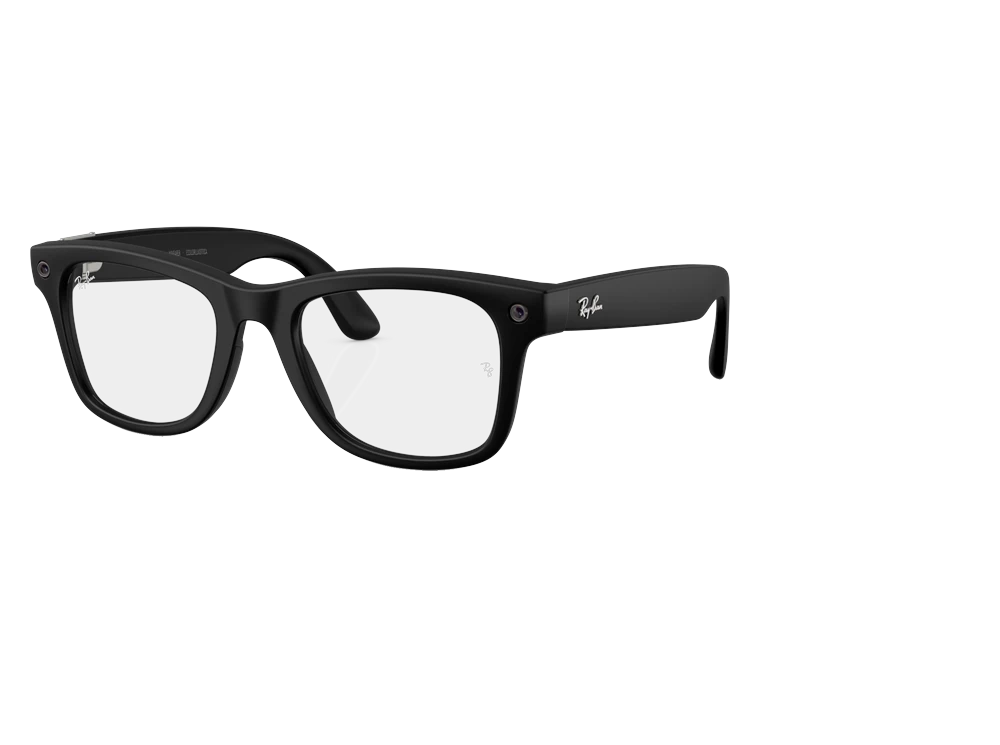
Can I get sunglass or clear lenses?You can have either. It is sold as sunglasses and with clear lenses.
Whose frames are they?They are made with EssilorLuxottica and Ray-Ban. More than one frame maker is involved.
How many styles can I choose from?There are 5 frames to choose from. 150 combinations once you pick a colour and a lens.
Can people tell when it is recording?Yes, a light comes on. People around you can see when the camera is running.
Can it give me directions?Yes, it can give you directions. It gives turn-by-turn directions without you taking your phone out.
Can I livestream from it?No, you cannot livestream from it. You record first and share it afterwards.
Can it translate?Yes, it can translate.
Does it have a screen?No, it has no screen.
Can I hear it without earbuds?Yes, it has open-ear speakers that play out loud.
Can it see and answer questions about what I am looking at?Yes, it can see what you are looking at and answer about it.
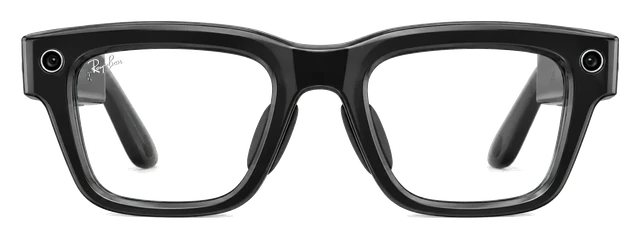
Gen 2 is mature hardware with the widest feature set in the category, in frames people are happy to be seen in. It works the same way on an iPhone as on an Android phone, which nothing else in smart glasses manages nearly this well.
Some pairs woke Meta AI and recorded audio unprompted, even with the wake word off. Meta says that's resolved, so check your voice history in settings and delete anything you didn't ask for.
If you want Meta's glasses without a camera on your face, the $349 Audio pair is lighter on the nose and lasts longer than the camera models. Just don't expect its button to answer calls.
Say "Hey Meta, take a video" and the 12MP ultra-wide camera records up to 3K from your point of view.About this sourceSource linkedYou can read the source. We haven't checked its exact wording.The claimPhotos and videoSay "Hey Meta, take a video" and the 12MP ultra-wide camera records up to 3K from your point of view.Read the sourceMeta↗
1
Navigation
2. Navigation
Turn-by-turn walking directions come through open-ear speakers, so you still hear the sounds around you.About this sourceSource linkedYou can read the source. We haven't checked its exact wording.The claimNavigationTurn-by-turn walking directions come through open-ear speakers, so you still hear the sounds around you.Read the sourceMeta↗
2
Music
3. Music
Podcasts, calls and music sound surprisingly good from small directional speakers, and the glasses last up to eight hours with typical use.About this sourceSource linkedYou can read the source. We haven't checked its exact wording.The claimMusicPodcasts, calls and music sound surprisingly good from small directional speakers, and the glasses last up to eight hours with typical use.Read the sourceMeta↗
Ray-Ban Meta (Gen 2): Up to 8 hoursROUND 1Battery life+1 hourRay-Ban Meta (Gen 3): Up to 9 hoursAbout this sourceSource linkedYou can read the source. We haven't checked its exact wording.The claimBattery lifeUp to 8 hours to Up to 9 hoursRead the sourceabout.fb.com↗
Ray-Ban Meta (Gen 2): Includes Blayzer Optics and Scriber OpticsROUND 2StylesChangedRay-Ban Meta (Gen 3): Aviator, Zena and Wayfarer, in 27 color and lens combinationsAbout this sourceSource linkedYou can read the source. We haven't checked its exact wording.The claimStylesIncludes Blayzer Optics and Scriber Optics to Aviator, Zena and Wayfarer, in 27 color and lens combinationsRead the sourceabout.fb.com↗
Device price plus up to three years of optional subscription.
Weight
~50g
Grams on your face. Lower is lighter.
Battery life
8 hrs
How long it lasts on its own, away from a charger.
Cost over 3 years
Ray-Ban Meta Gen 2
$379
Solos AirGo V2
AirGo Elite costs $12.99 a month. It is optional. Over 3 years that is $468.
Up to 1,000 AI questions a day and 600 minutes of live translation a day. The cheaper Premium plan is $4.99 a month and already lets you pick from several AI models.
Works with iPhone on iOS 17.2+ and Android phones on Android 10+. Samsung Galaxy and Pixel support is limited to models on Ray-Ban's list.
iPhoneWorks
Do Meta glasses work with iPhone?
Works
Works with a supported iPhone running iOS 17.2 or later.About this sourceSource linkedYou can read the source. We haven't checked its exact wording.The claimiPhoneWorks with a supported iPhone running iOS 17.2 or later.Read the sourceApple App Store / Meta Platforms, Inc.↗Other sourcesRay-Ban↗Ray-Ban / Meta↗Checked Sep 21, 2026
You also need the Meta AI app, a Meta account, and internet for AI features, media imports, and updates. Ray-Ban's FAQ still says iOS 14.4 or later, but the current US App Store requires iOS 17.2 or later, so use the stricter current requirement.
Do Ray-Ban Meta glasses work with a USB-C iPhone for video?
Doesn't work
They can't show video from a USB-C iPhone.About this sourceSource linkedYou can read the source. We haven't checked its exact wording.The claimUSB-C iPhone (video)They can't show video from a USB-C iPhone.Read the sourceMeta↗Other sourcesMeta↗Checked Sep 21, 2026
Gen 2 has no display, so it can't act as an external monitor, and an adapter can't change that. It can still pair with an iPhone through the Meta AI app for supported audio, calls, and photo features. This row is about video, not normal Bluetooth audio use.
Android phoneWorks
Do Meta glasses work with Android?
Works
Works with Android 10 or later with location services on.About this sourceSource linkedYou can read the source. We haven't checked its exact wording.The claimAndroidWorks with Android 10 or later with location services on.Read the sourceGoogle Play / Meta Platforms, Inc.↗Other sourcesRay-Ban↗Checked Sep 21, 2026
You need a supported phone, the Meta AI app, a Meta account, and internet for AI features, media imports, and updates. Google Play did not show a separate newer Android minimum in the researched listing.
Do Ray-Ban Meta glasses work with an Android phone for video?
Doesn't work
They can't show video from an Android phone.About this sourceSource linkedYou can read the source. We haven't checked its exact wording.The claimAndroid phone (video)They can't show video from an Android phone.Read the sourceMeta↗Other sourcesMeta↗Checked Sep 21, 2026
Gen 2 has no display, so it can't act as an external monitor, and an adapter can't change that. This answer is about using the phone as a video source, not normal phone pairing through the Meta AI app. Bluetooth audio is a separate question.
Samsung Galaxy phoneSome features missing
Do Ray-Ban Meta glasses work with Samsung phones?
Some features missing
Works with Galaxy models on Ray-Ban's supported-phone list.About this sourceSource linkedYou can read the source. We haven't checked its exact wording.The claimSamsung Galaxy phonesWorks with Galaxy models on Ray-Ban's supported-phone list.Read the sourceMeta↗Other sourcesRay-Ban↗Ray-Ban / Meta↗Checked Sep 21, 2026
The official list includes Galaxy S, Note, Z Fold, and Z Flip models through S24 and Z Fold6-era entries. The phone also needs Android 10 or later and the Meta AI requirements. The finite list does not prove support for every newer Galaxy model, and no Galaxy-only feature was found.
The first-party PDF is a finite model list and does not establish every newer Galaxy model. No Galaxy-only feature was found.
Pixel phoneSome features missing
Do Ray-Ban Meta glasses work with Pixel phones?
Some features missing
Works with Pixel models on Ray-Ban's supported-phone list.About this sourceSource linkedYou can read the source. We haven't checked its exact wording.The claimGoogle Pixel phonesWorks with Pixel models on Ray-Ban's supported-phone list.Read the sourceMeta↗Other sourcesRay-Ban↗Ray-Ban / Meta↗Checked Sep 21, 2026
The official list includes Pixel 5 through Pixel 9-family entries. The phone also needs Android 10 or later and the Meta AI requirements. The finite list does not prove support for every newer Pixel model, and no Pixel-only feature was found.
The first-party PDF does not establish every newer Pixel model. No Pixel-only feature was found.
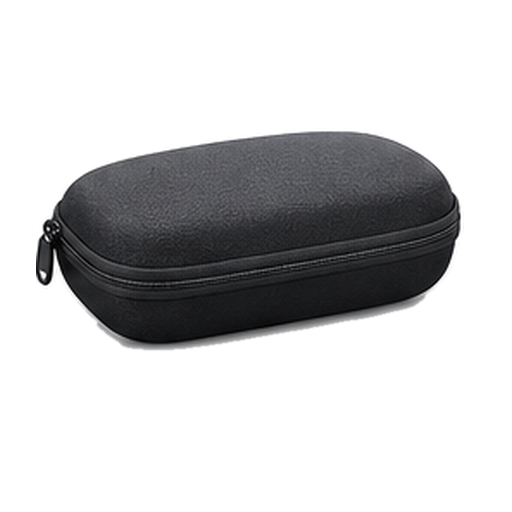
It comes with a charging case, a cleaning cloth and a reference guide. Meta's own compare page says the USB-C charging cable is not included.
Get Ray-Ban Meta Gen 2 updates
Email me when there's news.
Works with
Does it work with…?
Do Meta glasses work with iPhone?
Works
Works with a supported iPhone running iOS 17.2 or later.About this sourceSource linkedYou can read the source. We haven't checked its exact wording.The claimiPhoneWorks with a supported iPhone running iOS 17.2 or later.Read the sourceApple App Store / Meta Platforms, Inc.↗Other sourcesRay-Ban↗Ray-Ban / Meta↗Checked Sep 21, 2026
You also need the Meta AI app, a Meta account, and internet for AI features, media imports, and updates. Ray-Ban's FAQ still says iOS 14.4 or later, but the current US App Store requires iOS 17.2 or later, so use the stricter current requirement.
Which iPhones do Ray-Ban Meta glasses work with?
WorksWorked out from the official minimum
They work with every iPhone that runs iOS 17.2 or later, from the iPhone XR on.About this sourceSource linkedYou can read the source. We haven't checked its exact wording.The claimWhich iPhonesThey work with every iPhone that runs iOS 17.2 or later, from the iPhone XR on.Read the sourceApple App Store / Meta Platforms, Inc.↗Other sourcesRay-Ban↗Ray-Ban / Meta↗Apple↗Apple↗Apple↗Apple↗Checked Sep 21, 2026
iPhone 18 Pro and iPhone 18 Pro Max: yes, on iOS 17.2 or later
iPhone 17, iPhone 17 Pro, iPhone 17 Pro Max, iPhone Air and iPhone 17e: yes, on iOS 17.2 or later
iPhone 16, iPhone 16 Plus, iPhone 16 Pro, iPhone 16 Pro Max and iPhone 16e: yes, on iOS 17.2 or later
iPhone 15, iPhone 15 Plus, iPhone 15 Pro and iPhone 15 Pro Max: yes, on iOS 17.2 or later
iPhone 14, iPhone 14 Plus, iPhone 14 Pro and iPhone 14 Pro Max: yes, on iOS 17.2 or later
iPhone 13 mini, iPhone 13, iPhone 13 Pro and iPhone 13 Pro Max: yes, on iOS 17.2 or later
iPhone 12 mini, iPhone 12, iPhone 12 Pro and iPhone 12 Pro Max: yes, on iOS 17.2 or later
iPhone 11, iPhone 11 Pro and iPhone 11 Pro Max: yes, on iOS 17.2 or later
iPhone XR, iPhone XS and iPhone XS Max: yes, on iOS 17.2 or later
iPhone SE (2nd generation) and iPhone SE (3rd generation): yes, on iOS 17.2 or later
iPhone 17 Pro: yes, on iOS 17.2 or later
iPhone 17 Pro Max: yes, on iOS 17.2 or later
iPhone Air: yes, on iOS 17.2 or later
Any iPhone not listed: no, it cannot run that iOS version
Worked out from the official minimum ("iOS 17.2 or later") and Apple's list of the iPhones that run it, not a separate test. See the sources.
Do Meta glasses work with Android?
Works
Works with Android 10 or later with location services on.About this sourceSource linkedYou can read the source. We haven't checked its exact wording.The claimAndroidWorks with Android 10 or later with location services on.Read the sourceGoogle Play / Meta Platforms, Inc.↗Other sourcesRay-Ban↗Checked Sep 21, 2026
You need a supported phone, the Meta AI app, a Meta account, and internet for AI features, media imports, and updates. Google Play did not show a separate newer Android minimum in the researched listing.
Do Ray-Ban Meta glasses work with Samsung phones?
Some features missing
Works with Galaxy models on Ray-Ban's supported-phone list.About this sourceSource linkedYou can read the source. We haven't checked its exact wording.The claimSamsung Galaxy phonesWorks with Galaxy models on Ray-Ban's supported-phone list.Read the sourceMeta↗Other sourcesRay-Ban↗Ray-Ban / Meta↗Checked Sep 21, 2026
The official list includes Galaxy S, Note, Z Fold, and Z Flip models through S24 and Z Fold6-era entries. The phone also needs Android 10 or later and the Meta AI requirements. The finite list does not prove support for every newer Galaxy model, and no Galaxy-only feature was found.
The first-party PDF is a finite model list and does not establish every newer Galaxy model. No Galaxy-only feature was found.
Can you connect Ray-Ban Meta glasses to a PC?
Doesn't work
They can't show video from a Windows PC.About this sourceSource linkedYou can read the source. We haven't checked its exact wording.The claimWindows PC (video)They can't show video from a Windows PC.Read the sourceMeta↗Other sourcesMeta↗Checked Sep 21, 2026
Gen 2 has no display, so it can't act as an external monitor, and an adapter can't change that. This answer is about video only. Bluetooth audio is covered separately.
Do Ray-Ban Meta glasses work with Pixel phones?
Some features missing
Works with Pixel models on Ray-Ban's supported-phone list.About this sourceSource linkedYou can read the source. We haven't checked its exact wording.The claimGoogle Pixel phonesWorks with Pixel models on Ray-Ban's supported-phone list.Read the sourceMeta↗Other sourcesRay-Ban↗Ray-Ban / Meta↗Checked Sep 21, 2026
The official list includes Pixel 5 through Pixel 9-family entries. The phone also needs Android 10 or later and the Meta AI requirements. The finite list does not prove support for every newer Pixel model, and no Pixel-only feature was found.
The first-party PDF does not establish every newer Pixel model. No Pixel-only feature was found.
How do Ray-Ban Meta glasses set up with the Meta AI app and account?
Use the Meta AI app, a valid Meta account, and a compatible smartphone.About this sourceSource linkedYou can read the source. We haven't checked its exact wording.The claimCompanion app, account and subscriptionsUse the Meta AI app, a valid Meta account, and a compatible smartphone.Read the sourceApple App Store / Meta Platforms, Inc.↗Other sourcesRay-Ban↗Checked Sep 21, 2026
Install the Meta AI app on a compatible smartphone.
Sign in with a valid Meta account.
Connect the glasses and use internet access for AI, imports, and updates.
The app and account are needed for normal setup and use, including device management, AI, and media sharing. This does not mean every service is subscription-free. Amazon Music library access needs Prime, and Spotify Tap is limited on Free.
Does the Gen 2 work with other Ray-Ban Meta charging cases?
Works
Charging cases are compatible within the Ray-Ban Meta glasses line.About this sourceSource linkedYou can read the source. We haven't checked its exact wording.The claimCross-generation compatibilityCharging cases are compatible within the Ray-Ban Meta glasses line.Read the sourceApple App Store / Meta Platforms, Inc.↗Other sourcesRay-Ban↗Checked Sep 21, 2026
Ray-Ban says the same charging case comes with all Ray-Ban Meta glasses and only works with Ray-Ban Meta glasses. That does not establish support for Ray-Ban Stories, Oakley Meta, Meta Glasses, Meta Ray-Ban Display, or other Meta or Oakley cases.
Show all 20Show fewer
Do Ray-Ban Meta glasses work with a Mac for Bluetooth audio?
Some features missing
For sound, calls and meetings only.About this sourceSource linkedYou can read the source. We haven't checked its exact wording.The claimBluetooth audio with MacFor sound, calls and meetings only.Read the sourceMeta↗Checked Sep 21, 2026
Hold the capture button for 5 seconds with the arms folded to enter pairing mode, then connect in the Mac's Bluetooth settings. Meta AI, the camera and photo import still need the phone app.
Audio only. Meta AI, camera and media import still need the phone app. Meta's page does not name macOS or this model specifically.
Do Ray-Ban Meta glasses work with a Windows PC for Bluetooth audio?
Some features missing
For sound, calls and meetings only.About this sourceSource linkedYou can read the source. We haven't checked its exact wording.The claimBluetooth audio with Windows PCFor sound, calls and meetings only.Read the sourceMeta↗Checked Sep 21, 2026
Put the glasses in pairing mode, then connect in Windows Bluetooth settings. Meta AI, the camera and photo import still need the phone app.
Audio only. Meta AI, camera and media import still need the phone app. Meta's page does not name Windows or this model specifically.
Do Ray-Ban Meta glasses work with a Nintendo Switch for Bluetooth audio?
Some features missing
But only for game audio, with no microphone.About this sourceSource linkedYou can read the source. We haven't checked its exact wording.The claimBluetooth audio with Nintendo SwitchBut only for game audio, with no microphone.Read the sourceMeta↗Other sourcesNintendo↗Checked Sep 21, 2026
Put the glasses in pairing mode, then pair them from the Switch Bluetooth Audio settings. You can't voice chat through the glasses. While Bluetooth audio is on, you can use up to two wireless controllers, and the sound may lag a little.
No Bluetooth microphone, so no voice chat through the glasses; up to two wireless controllers while using Bluetooth audio; possible audio delay. Nintendo does not name these glasses.
Do Ray-Ban Meta glasses work with a PS5 for Bluetooth audio?
Doesn't work
PS5 doesn't support Bluetooth audio devices directly.About this sourceSource linkedYou can read the source. We haven't checked its exact wording.The claimBluetooth audio with PlayStation 5PS5 doesn't support Bluetooth audio devices directly.Read the sourceMeta↗Other sourcesSony Interactive Entertainment↗Checked Sep 21, 2026
Sony says Bluetooth audio devices are not compatible with PS5 consoles, while the glasses use Bluetooth for this kind of audio connection. Third-party USB transmitters are not validated here.
Do Ray-Ban Meta glasses work with a Mac for video?
Doesn't work
They can't show video from a Mac.About this sourceSource linkedYou can read the source. We haven't checked its exact wording.The claimMac (video)They can't show video from a Mac.Read the sourceMeta↗Other sourcesMeta↗Checked Sep 21, 2026
Gen 2 has no display, so it can't act as an external monitor, and an adapter can't change that. This answer is about video only. Bluetooth audio is covered separately.
Do Ray-Ban Meta glasses work with a USB-C iPhone for video?
Doesn't work
They can't show video from a USB-C iPhone.About this sourceSource linkedYou can read the source. We haven't checked its exact wording.The claimUSB-C iPhone (video)They can't show video from a USB-C iPhone.Read the sourceMeta↗Other sourcesMeta↗Checked Sep 21, 2026
Gen 2 has no display, so it can't act as an external monitor, and an adapter can't change that. It can still pair with an iPhone through the Meta AI app for supported audio, calls, and photo features. This row is about video, not normal Bluetooth audio use.
Do Ray-Ban Meta glasses work with an Android phone for video?
Doesn't work
They can't show video from an Android phone.About this sourceSource linkedYou can read the source. We haven't checked its exact wording.The claimAndroid phone (video)They can't show video from an Android phone.Read the sourceMeta↗Other sourcesMeta↗Checked Sep 21, 2026
Gen 2 has no display, so it can't act as an external monitor, and an adapter can't change that. This answer is about using the phone as a video source, not normal phone pairing through the Meta AI app. Bluetooth audio is a separate question.
Do Ray-Ban Meta glasses work with handheld PCs for video?
Doesn't work
They can't show video from a Steam Deck, ROG Ally, or other handheld PC.About this sourceSource linkedYou can read the source. We haven't checked its exact wording.The claimHandheld PCs (video)They can't show video from a Steam Deck, ROG Ally, or other handheld PC.Read the sourceMeta↗Other sourcesMeta↗Checked Sep 21, 2026
Gen 2 has no display, so it can't act as an external monitor, and an adapter can't change that. This answer is about video only. Bluetooth audio is a separate question.
Do Ray-Ban Meta glasses work with a PS5 for video?
Doesn't work
They can't show video from a PS5.About this sourceSource linkedYou can read the source. We haven't checked its exact wording.The claimPlayStation 5 (video)They can't show video from a PS5.Read the sourceMeta↗Other sourcesMeta↗Checked Sep 21, 2026
Gen 2 has no display, so it can't act as a screen for the console, and an adapter can't change that. This answer is about video only. Bluetooth audio is a separate question.
Do Ray-Ban Meta glasses work with an Xbox for video?
Doesn't work
They can't show video from an Xbox.About this sourceSource linkedYou can read the source. We haven't checked its exact wording.The claimXbox (video)They can't show video from an Xbox.Read the sourceMeta↗Other sourcesMeta↗Checked Sep 21, 2026
Gen 2 has no display, so it can't act as a screen for the console, and an adapter can't change that. This answer is about video only. Bluetooth audio is a separate question.
Do Ray-Ban Meta glasses work with a Nintendo Switch for video?
Doesn't work
They can't show video from a Nintendo Switch.About this sourceSource linkedYou can read the source. We haven't checked its exact wording.The claimNintendo Switch (video)They can't show video from a Nintendo Switch.Read the sourceMeta↗Other sourcesMeta↗Checked Sep 21, 2026
Gen 2 has no display, so it can't act as a screen for the console, and an adapter can't change that. This answer is about video only. Bluetooth audio is a separate question.
Do Ray-Ban Meta glasses work with a Nintendo Switch 2 for video?
Doesn't work
They can't show video from a Nintendo Switch 2.About this sourceSource linkedYou can read the source. We haven't checked its exact wording.The claimNintendo Switch 2 (video)They can't show video from a Nintendo Switch 2.Read the sourceMeta↗Other sourcesMeta↗Checked Sep 21, 2026
Gen 2 has no display, so it can't act as a screen for the console, and an adapter can't change that. This answer is about video only. Bluetooth audio is a separate question.
Most paired with
iPhoneWorks
Do Meta glasses work with iPhone?
Works
Works with a supported iPhone running iOS 17.2 or later.About this sourceSource linkedYou can read the source. We haven't checked its exact wording.The claimiPhoneWorks with a supported iPhone running iOS 17.2 or later.Read the sourceApple App Store / Meta Platforms, Inc.↗Other sourcesRay-Ban↗Ray-Ban / Meta↗Checked Sep 21, 2026
You also need the Meta AI app, a Meta account, and internet for AI features, media imports, and updates. Ray-Ban's FAQ still says iOS 14.4 or later, but the current US App Store requires iOS 17.2 or later, so use the stricter current requirement.
Do Ray-Ban Meta glasses work with a USB-C iPhone for video?
Doesn't work
They can't show video from a USB-C iPhone.About this sourceSource linkedYou can read the source. We haven't checked its exact wording.The claimUSB-C iPhone (video)They can't show video from a USB-C iPhone.Read the sourceMeta↗Other sourcesMeta↗Checked Sep 21, 2026
Gen 2 has no display, so it can't act as an external monitor, and an adapter can't change that. It can still pair with an iPhone through the Meta AI app for supported audio, calls, and photo features. This row is about video, not normal Bluetooth audio use.
Android phoneWorks
Do Meta glasses work with Android?
Works
Works with Android 10 or later with location services on.About this sourceSource linkedYou can read the source. We haven't checked its exact wording.The claimAndroidWorks with Android 10 or later with location services on.Read the sourceGoogle Play / Meta Platforms, Inc.↗Other sourcesRay-Ban↗Checked Sep 21, 2026
You need a supported phone, the Meta AI app, a Meta account, and internet for AI features, media imports, and updates. Google Play did not show a separate newer Android minimum in the researched listing.
Do Ray-Ban Meta glasses work with an Android phone for video?
Doesn't work
They can't show video from an Android phone.About this sourceSource linkedYou can read the source. We haven't checked its exact wording.The claimAndroid phone (video)They can't show video from an Android phone.Read the sourceMeta↗Other sourcesMeta↗Checked Sep 21, 2026
Gen 2 has no display, so it can't act as an external monitor, and an adapter can't change that. This answer is about using the phone as a video source, not normal phone pairing through the Meta AI app. Bluetooth audio is a separate question.
Samsung Galaxy phoneSome features missing
Do Ray-Ban Meta glasses work with Samsung phones?
Some features missing
Works with Galaxy models on Ray-Ban's supported-phone list.About this sourceSource linkedYou can read the source. We haven't checked its exact wording.The claimSamsung Galaxy phonesWorks with Galaxy models on Ray-Ban's supported-phone list.Read the sourceMeta↗Other sourcesRay-Ban↗Ray-Ban / Meta↗Checked Sep 21, 2026
The official list includes Galaxy S, Note, Z Fold, and Z Flip models through S24 and Z Fold6-era entries. The phone also needs Android 10 or later and the Meta AI requirements. The finite list does not prove support for every newer Galaxy model, and no Galaxy-only feature was found.
The first-party PDF is a finite model list and does not establish every newer Galaxy model. No Galaxy-only feature was found.
Pixel phoneSome features missing
Do Ray-Ban Meta glasses work with Pixel phones?
Some features missing
Works with Pixel models on Ray-Ban's supported-phone list.About this sourceSource linkedYou can read the source. We haven't checked its exact wording.The claimGoogle Pixel phonesWorks with Pixel models on Ray-Ban's supported-phone list.Read the sourceMeta↗Other sourcesRay-Ban↗Ray-Ban / Meta↗Checked Sep 21, 2026
The official list includes Pixel 5 through Pixel 9-family entries. The phone also needs Android 10 or later and the Meta AI requirements. The finite list does not prove support for every newer Pixel model, and no Pixel-only feature was found.
The first-party PDF does not establish every newer Pixel model. No Pixel-only feature was found.
Windows PCSome features missing
Do Ray-Ban Meta glasses work with a Windows PC for Bluetooth audio?
Some features missing
For sound, calls and meetings only.About this sourceSource linkedYou can read the source. We haven't checked its exact wording.The claimBluetooth audio with Windows PCFor sound, calls and meetings only.Read the sourceMeta↗Checked Sep 21, 2026
Put the glasses in pairing mode, then connect in Windows Bluetooth settings. Meta AI, the camera and photo import still need the phone app.
Audio only. Meta AI, camera and media import still need the phone app. Meta's page does not name Windows or this model specifically.
Can you connect Ray-Ban Meta glasses to a PC?
Doesn't work
They can't show video from a Windows PC.About this sourceSource linkedYou can read the source. We haven't checked its exact wording.The claimWindows PC (video)They can't show video from a Windows PC.Read the sourceMeta↗Other sourcesMeta↗Checked Sep 21, 2026
Gen 2 has no display, so it can't act as an external monitor, and an adapter can't change that. This answer is about video only. Bluetooth audio is covered separately.
MacSome features missing
Do Ray-Ban Meta glasses work with a Mac for Bluetooth audio?
Some features missing
For sound, calls and meetings only.About this sourceSource linkedYou can read the source. We haven't checked its exact wording.The claimBluetooth audio with MacFor sound, calls and meetings only.Read the sourceMeta↗Checked Sep 21, 2026
Hold the capture button for 5 seconds with the arms folded to enter pairing mode, then connect in the Mac's Bluetooth settings. Meta AI, the camera and photo import still need the phone app.
Audio only. Meta AI, camera and media import still need the phone app. Meta's page does not name macOS or this model specifically.
Do Ray-Ban Meta glasses work with a Mac for video?
Doesn't work
They can't show video from a Mac.About this sourceSource linkedYou can read the source. We haven't checked its exact wording.The claimMac (video)They can't show video from a Mac.Read the sourceMeta↗Other sourcesMeta↗Checked Sep 21, 2026
Gen 2 has no display, so it can't act as an external monitor, and an adapter can't change that. This answer is about video only. Bluetooth audio is covered separately.
Nintendo SwitchSome features missing
Do Ray-Ban Meta glasses work with a Nintendo Switch for Bluetooth audio?
Some features missing
But only for game audio, with no microphone.About this sourceSource linkedYou can read the source. We haven't checked its exact wording.The claimBluetooth audio with Nintendo SwitchBut only for game audio, with no microphone.Read the sourceMeta↗Other sourcesNintendo↗Checked Sep 21, 2026
Put the glasses in pairing mode, then pair them from the Switch Bluetooth Audio settings. You can't voice chat through the glasses. While Bluetooth audio is on, you can use up to two wireless controllers, and the sound may lag a little.
No Bluetooth microphone, so no voice chat through the glasses; up to two wireless controllers while using Bluetooth audio; possible audio delay. Nintendo does not name these glasses.
Do Ray-Ban Meta glasses work with a Nintendo Switch for video?
Doesn't work
They can't show video from a Nintendo Switch.About this sourceSource linkedYou can read the source. We haven't checked its exact wording.The claimNintendo Switch (video)They can't show video from a Nintendo Switch.Read the sourceMeta↗Other sourcesMeta↗Checked Sep 21, 2026
Gen 2 has no display, so it can't act as a screen for the console, and an adapter can't change that. This answer is about video only. Bluetooth audio is a separate question.
PlayStation 5Doesn't work
Do Ray-Ban Meta glasses work with a PS5 for Bluetooth audio?
Doesn't work
PS5 doesn't support Bluetooth audio devices directly.About this sourceSource linkedYou can read the source. We haven't checked its exact wording.The claimBluetooth audio with PlayStation 5PS5 doesn't support Bluetooth audio devices directly.Read the sourceMeta↗Other sourcesSony Interactive Entertainment↗Checked Sep 21, 2026
Sony says Bluetooth audio devices are not compatible with PS5 consoles, while the glasses use Bluetooth for this kind of audio connection. Third-party USB transmitters are not validated here.
Do Ray-Ban Meta glasses work with a PS5 for video?
Doesn't work
They can't show video from a PS5.About this sourceSource linkedYou can read the source. We haven't checked its exact wording.The claimPlayStation 5 (video)They can't show video from a PS5.Read the sourceMeta↗Other sourcesMeta↗Checked Sep 21, 2026
Gen 2 has no display, so it can't act as a screen for the console, and an adapter can't change that. This answer is about video only. Bluetooth audio is a separate question.
What you need
An iPhone with iOS 17.2 or later
Do Meta glasses work with iPhone?
Works
Works with a supported iPhone running iOS 17.2 or later.About this sourceSource linkedYou can read the source. We haven't checked its exact wording.The claimiPhoneWorks with a supported iPhone running iOS 17.2 or later.Read the sourceApple App Store / Meta Platforms, Inc.↗Other sourcesRay-Ban↗Ray-Ban / Meta↗Checked Sep 21, 2026
You also need the Meta AI app, a Meta account, and internet for AI features, media imports, and updates. Ray-Ban's FAQ still says iOS 14.4 or later, but the current US App Store requires iOS 17.2 or later, so use the stricter current requirement.
A Meta account
Do Meta glasses work with iPhone?
Works
Works with a supported iPhone running iOS 17.2 or later.About this sourceSource linkedYou can read the source. We haven't checked its exact wording.The claimiPhoneWorks with a supported iPhone running iOS 17.2 or later.Read the sourceApple App Store / Meta Platforms, Inc.↗Other sourcesRay-Ban↗Ray-Ban / Meta↗Checked Sep 21, 2026
You also need the Meta AI app, a Meta account, and internet for AI features, media imports, and updates. Ray-Ban's FAQ still says iOS 14.4 or later, but the current US App Store requires iOS 17.2 or later, so use the stricter current requirement.
The Meta AI app
Do Meta glasses work with iPhone?
Works
Works with a supported iPhone running iOS 17.2 or later.About this sourceSource linkedYou can read the source. We haven't checked its exact wording.The claimiPhoneWorks with a supported iPhone running iOS 17.2 or later.Read the sourceApple App Store / Meta Platforms, Inc.↗Other sourcesRay-Ban↗Ray-Ban / Meta↗Checked Sep 21, 2026
You also need the Meta AI app, a Meta account, and internet for AI features, media imports, and updates. Ray-Ban's FAQ still says iOS 14.4 or later, but the current US App Store requires iOS 17.2 or later, so use the stricter current requirement.
An Android phone with Android 10 or later
Do Meta glasses work with Android?
Works
Works with Android 10 or later with location services on.About this sourceSource linkedYou can read the source. We haven't checked its exact wording.The claimAndroidWorks with Android 10 or later with location services on.Read the sourceGoogle Play / Meta Platforms, Inc.↗Other sourcesRay-Ban↗Checked Sep 21, 2026
You need a supported phone, the Meta AI app, a Meta account, and internet for AI features, media imports, and updates. Google Play did not show a separate newer Android minimum in the researched listing.
A Mac
Do Ray-Ban Meta glasses work with a Mac for Bluetooth audio?
Some features missing
For sound, calls and meetings only.About this sourceSource linkedYou can read the source. We haven't checked its exact wording.The claimBluetooth audio with MacFor sound, calls and meetings only.Read the sourceMeta↗Checked Sep 21, 2026
Hold the capture button for 5 seconds with the arms folded to enter pairing mode, then connect in the Mac's Bluetooth settings. Meta AI, the camera and photo import still need the phone app.
Audio only. Meta AI, camera and media import still need the phone app. Meta's page does not name macOS or this model specifically.
Supports
Do Ray-Ban Meta glasses support live translation?
Some features missing
Translation supports English, French, German, Italian, Portuguese, and Spanish.About this sourceSource linkedYou can read the source. We haven't checked its exact wording.The claimLive translation / captionsTranslation supports English, French, German, Italian, Portuguese, and Spanish.Read the sourceMeta↗Other sourcesRay-Ban↗Checked Sep 21, 2026
English
French
German
Italian
Portuguese
Spanish
Translated audio plays through the open-ear speakers, and translated replies can be shared through the Meta AI app. Support depends on language and region, with Meta AI setup and any needed language data. Meta's newer 2026 launch material describes 14 more translation languages for newer Meta Glasses, so the documentation does not fully match.
Language/region availability is limited, and Meta’s 2026 launch material for the newer Meta Glasses says 14 new translation languages are being added, creating a broader documentation-version conflict.
Do Ray-Ban Meta glasses support a display in the lenses?
Doesn't work
There is no visual display in the lenses.About this sourceSource linkedYou can read the source. We haven't checked its exact wording.The claimDisplay featuresThere is no visual display in the lenses.Read the sourceMeta↗Other sourcesMeta↗Checked Sep 21, 2026
The glasses use open-ear audio, voice controls, a camera, a touchpad, and a capture button instead. Meta's own compare table lists Gen 2 as having no display.
Do Ray-Ban Meta glasses support Meta AI in every region and language?
Some features missing
Meta AI support depends on the region, language, and specific feature.About this sourceSource linkedYou can read the source. We haven't checked its exact wording.The claimAI region / language availabilityMeta AI support depends on the region, language, and specific feature.Read the sourceApple App Store / Meta Platforms, Inc.↗Other sourcesMeta↗Checked Sep 21, 2026
Meta lists Gen 2 across multiple regions and six languages for its current translation feature. Individual AI features can roll out separately, so support is not universal everywhere the glasses are sold. You need a supported market and language plus Meta AI setup.
Individual AI features may roll out separately and language coverage is not universal.
Do Ray-Ban Meta glasses support accessibility features?
Works
Features include voice control, scene descriptions, and Be My Eyes volunteer help.About this sourceSource linkedYou can read the source. We haven't checked its exact wording.The claimAccessibilityFeatures include voice control, scene descriptions, and Be My Eyes volunteer help.Read the sourceMeta Newsroom↗Checked Sep 21, 2026
Meta documents hands-free calling and texting, speech translation, descriptions of your surroundings, and Call a Volunteer with Be My Eyes. Individual AI and accessibility features can vary by market and need the right Meta AI feature and region support.
How it works
Can you get Ray-Ban Meta glasses with prescription lenses?
Works
From -12.00 to +6.00 total power.About this sourceSource linkedYou can read the source. We haven't checked its exact wording.The claimPrescription lensesFrom -12.00 to +6.00 total power.Read the sourceMeta↗Other sourcesRay-Ban↗Checked Sep 21, 2026
You need a valid prescription. You can order the lenses with the glasses from Meta.com or Ray-Ban.com, or add them later at a certified retailer.
3.9 / 5
Very good
Battery life
Battery life is much improved, around eight hours typical and five or six under heavy use.
Privacy
Meta removed the option to opt out of storing voice recordings, raising privacy concerns.
Sound quality
Podcasts and calls sound great through the glasses' speakers.
Scores published by other outlets, normalized and averaged. iDevice did not test these products for this score.
What reviewers agreed on, and how many raised each
TopicLiked it · didn’tOf 5
Battery life5
Privacy4
AI features fall short3
Sound quality3
Live translation3
Liked itDidn’t
MilestoneUpdate
Sep 17, 2025 · Announced
Meta announces Ray-Ban Meta Gen 2
Meta announced the second-generation Ray-Ban Meta glasses on September 17 with a focus on battery and video improvements.About this sourceSource linkedYou can read the source. We haven't checked its exact wording.The claimMeta announces Ray-Ban Meta Gen 2Meta announced the second-generation Ray-Ban Meta glasses on September 17 with a focus on battery and video improvements.Read the sourceGamesBeat↗Event date Sep 17, 2025
Sep 17, 2025 · Went on sale
Ray-Ban Meta Gen 2 is available on announcement day
Ray-Ban Meta Gen 2 went on sale the same day it was announced rather than following a separate preorder window. 9to5Google recorded immediate availability across the Wayfarer, Skyler and Headliner frame families.About this sourceSource linkedYou can read the source. We haven't checked its exact wording.The claimRay-Ban Meta Gen 2 is available on announcement dayRay-Ban Meta Gen 2 went on sale the same day it was announced rather than following a separate preorder window. 9to5Google recorded immediate availability across the Wayfarer, Skyler and Headliner frame families.Read the source9to5Google↗Event date Sep 17, 2025
Dec 16, 2025 · New feature
Conversation Focus begins rolling out to Ray-Ban Meta glasses
Meta began an Early Access rollout of Conversation Focus, a software feature intended to make nearby speech easier to hear in noisy environments. The update applied to Ray-Ban Meta glasses, adding a meaningful post-launch capability to the Gen 2 platform.About this sourceSource linkedYou can read the source. We haven't checked its exact wording.The claimConversation Focus begins rolling out to Ray-Ban Meta glassesMeta began an Early Access rollout of Conversation Focus, a software feature intended to make nearby speech easier to hear in noisy environments. The update applied to Ray-Ban Meta glasses, adding a meaningful post-launch capability to the Gen 2 platform.Read the sourceMeta↗Event date Dec 16, 2025
Mar 26, 2026 · Filed with regulators
FCC filings expose Scriber and Blazer Ray-Ban Meta model names
The Verge reported that Ray-Ban Meta “Scriber” and “Blazer” glasses had passed through the FCC, with the filings also pointing to Wi-Fi 6 U-NII-4 support. The report initially treated the filings as an imminent new-glasses launch; Meta clarified the generation and product positioning days later.About this sourceSource linkedYou can read the source. We haven't checked its exact wording.The claimFCC filings expose Scriber and Blazer Ray-Ban Meta model namesThe Verge reported that Ray-Ban Meta “Scriber” and “Blazer” glasses had passed through the FCC, with the filings also pointing to Wi-Fi 6 U-NII-4 support. The report initially treated the filings as an imminent new-glasses launch; Meta clarified the generation and product positioning days later.Read the sourceThe Verge↗Event date Mar 26, 2026
Mar 31, 2026 · New feature
Meta identifies the FCC-linked styles as Gen 2 prescription models
Meta introduced Ray-Ban Meta Blayzer Optics and Scriber Optics and explicitly labeled both as Gen 2. That official naming tied the regulatory trail back to the existing second-generation platform rather than to a separate successor generation.About this sourceSource linkedYou can read the source. We haven't checked its exact wording.The claimMeta identifies the FCC-linked styles as Gen 2 prescription modelsMeta introduced Ray-Ban Meta Blayzer Optics and Scriber Optics and explicitly labeled both as Gen 2. That official naming tied the regulatory trail back to the existing second-generation platform rather than to a separate successor generation.Read the sourceMeta↗Event date Mar 31, 2026
Jul 3, 2026 · Price
Meta tests a $19.99 plan around expanded Conversation Focus use
UC Today reported that Meta had limited free Conversation Focus use to three hours per month and attached extended use to a $19.99 subscription tier. The change turned a software feature into a pricing story for owners of supported Ray-Ban Meta glasses.About this sourceSource linkedYou can read the source. We haven't checked its exact wording.The claimMeta tests a $19.99 plan around expanded Conversation Focus useUC Today reported that Meta had limited free Conversation Focus use to three hours per month and attached extended use to a $19.99 subscription tier. The change turned a software feature into a pricing story for owners of supported Ray-Ban Meta glasses.Read the sourceUC Today↗Event date Jul 3, 2026
Jul 27, 2026 · New feature
Meta pauses the Conversation Focus subscription limit after pushback
Subscription Insider reported that Meta had paused its plan to limit Conversation Focus following user pushback. The reversal restored the feature’s Early Access status while Meta reconsidered how or whether to meter it through a paid plan.About this sourceSource linkedYou can read the source. We haven't checked its exact wording.The claimMeta pauses the Conversation Focus subscription limit after pushbackSubscription Insider reported that Meta had paused its plan to limit Conversation Focus following user pushback. The reversal restored the feature’s Early Access status while Meta reconsidered how or whether to meter it through a paid plan.Read the sourceSubscription Insider↗Event date Jul 27, 2026
At a glance
PREVIOUS MODELMeta Ray-Ban Gen 2CURRENT MODELRay-Ban Meta (Gen 3)
Camera
12MPWhy we say thisConfirmedRay-Ban (official) says this. iDevice checked the exact words on that page.The claimCamera12MPSee the sourceRay-Ban (official)↗Date recorded Jul 11, 2026
12MPWhy we say thisConfirmedMeta Newsroom says this. iDevice checked the exact words on that page.The claimCamera12MPSee the sourceMeta Newsroom↗Date recorded Sep 24, 2026
Glasses battery
8 hrsWhy we say thisConfirmedMeta says this. iDevice checked the exact words on that page.The claimGlasses battery8 hrsSee the sourceMeta↗Date recorded Jul 15, 2026
Up to 9 hrsWhy we say thisConfirmedMeta Newsroom says this. iDevice checked the exact words on that page.The claimGlasses batteryUp to 9 hrsSee the sourceMeta Newsroom↗Date recorded Sep 24, 2026
Works with
iOS & Android
iOS 18.6+ / Android 15+Why we say thisConfirmedRay-Ban says this. iDevice checked the exact words on that page.The claimWorks withiOS 18.6+ / Android 15+See the sourceRay-Ban↗Date recorded Sep 24, 2026
Display
NoWhy we say thisConfirmedPCMag says this. iDevice checked the exact words on that page.The claimDisplayNoSee the sourcePCMag↗Date recorded Jul 11, 2026
NoWhere this came fromReported9to5Google reported this. It is not officially confirmed.The claimDisplayNoRead the report9to5Google↗Date recorded Jul 13, 2026
Price
The starting list price, not a temporary sale price. It is usually the first thing that rules a product in or out.
From $379
From $449
Case battery
Both list the same runtime on the frames, so the charging case is where the endurance difference actually is.
+48 hrsWhy we say thisConfirmedMeta says this. iDevice checked the exact words on that page.The claimCase battery+48 hrsSee the sourceMeta↗Date recorded Jul 15, 2026
Up to 50 hrs extra from the case
Weight
Weight decides all-day comfort. Exact and approximate figures are shown the way each company states them.
~50gWhere this came fromReportedPCMag reported this. It is not officially confirmed.The claimWeight~50gRead the reportPCMag↗Date recorded Jul 11, 2026
51.5g(Standard)Why we say thisConfirmedMeta says this. iDevice checked the exact words on that page.The claimWeight51.5g (Standard)See the sourceMeta↗Date recorded Sep 24, 202653.8g (Large)
Frame styles
Frame shape and size decide whether they suit your face, and it is the hardest thing to change after buying.
Wayfarer, Skyler, Headliner, Blayzer Optics, Scriber OpticsWhere this came fromReportedMeta reported this. It is not officially confirmed.The claimFrame stylesWayfarer, Skyler, Headliner, Blayzer Optics, Scriber OpticsRead the reportMeta↗Date recorded Jul 11, 2026150+ combinations
Aviator, Zena (cat-eye), WayfarerWhy we say thisConfirmedMeta Newsroom says this. iDevice checked the exact words on that page.The claimFrame stylesAviator, Zena (cat-eye), WayfarerSee the sourceMeta Newsroom↗Date recorded Sep 24, 202627 combinations
Prescription range
The supported range decides whether these can be your everyday glasses or only a second pair.
-12.00 to +6.00Why we say thisConfirmedMeta says this. iDevice checked the exact words on that page.The claimPrescription range-12.00 to +6.00See the sourceMeta↗Date recorded Jul 12, 2026
-12.00 to +6.00 total power (Aviator -6.00 to +4.00)Why we say thisConfirmedMeta says this. iDevice checked the exact words on that page.The claimPrescription range-12.00 to +6.00 total power (Aviator -6.00 to +4.00)See the sourceMeta↗Date recorded Oct 23, 2026
Show 16 more specs⌄
Auto-tint lenses
Transitions lenses (+$80 option)Why we say thisConfirmedMeta (official) says this. iDevice checked the exact words on that page.The claimAuto-tint lensesTransitions lenses (+$80 option)See the sourceMeta (official)↗Date recorded Jul 11, 2026
Unknown
Camera-free option
NoWhere this came fromReportedMeta (official) reported this. It is not officially confirmed.The claimCamera-free optionNoRead the reportMeta (official)↗Date recorded Jul 11, 2026
NoWhere this came fromReportedDymesty reported this. It is not officially confirmed.The claimCamera-free optionNoRead the reportDymesty↗Date recorded Jul 11, 2026
Video
Camera hardware changes what you can capture and which visual features are possible.
3K at 30fpsWhy we say thisConfirmedRay-Ban (official) says this. iDevice checked the exact words on that page.The claimVideo3K at 30fpsSee the sourceRay-Ban (official)↗Date recorded Jul 11, 2026
3K Ultra HDWhy we say thisConfirmedMeta Newsroom says this. iDevice checked the exact words on that page.The claimVideo3K Ultra HDSee the sourceMeta Newsroom↗Date recorded Sep 24, 2026
Connectivity
Bluetooth, Wi-Fi and other connections determine what the device can work with.
Bluetooth 5.3Why we say thisConfirmedMeta (official) says this. iDevice checked the exact words on that page.The claimConnectivityBluetooth 5.3See the sourceMeta (official)↗Date recorded Jul 11, 2026Wi-Fi 6
Wi-Fi 6Why we say thisConfirmedRay-Ban says this. iDevice checked the exact words on that page.The claimConnectivityWi-Fi 6See the sourceRay-Ban↗Date recorded Sep 24, 2026Bluetooth 5.3
Frame brands
The eyewear partner decides the styles, the shops and where you get them fitted.
EssilorLuxottica / Ray-BanWhere this came fromReportedWikipedia reported this. It is not officially confirmed.The claimFrame brandsEssilorLuxottica / Ray-BanRead the reportWikipedia↗Date recorded Jul 11, 2026
EssilorLuxottica / Ray-BanWhy we say thisConfirmedMeta Newsroom says this. iDevice checked the exact words on that page.The claimFrame brandsEssilorLuxottica / Ray-BanSee the sourceMeta Newsroom↗Date recorded Jul 11, 2026
Hands-free photos
Capture button + voice ('Hey Meta')Why we say thisConfirmedMeta (official) says this. iDevice checked the exact words on that page.The claimHands-free photosCapture button + voice ('Hey Meta')See the sourceMeta (official)↗Date recorded Jul 11, 2026
Customizable action button + voiceWhy we say thisConfirmedMeta Newsroom says this. iDevice checked the exact words on that page.The claimHands-free photosCustomizable action button + voiceSee the sourceMeta Newsroom↗Date recorded Sep 24, 2026
Microphones
More microphones is usually how a device picks your voice out of a noisy room.
5-mic (standard) / 6-mic (Optics frames)Why we say thisConfirmedUploadVR says this. iDevice checked the exact words on that page.The claimMicrophones5-mic (standard) / 6-mic (Optics frames)See the sourceUploadVR↗Date recorded Jul 13, 2026
6-mic arrayWhy we say thisConfirmedMeta Newsroom says this. iDevice checked the exact words on that page.The claimMicrophones6-mic arraySee the sourceMeta Newsroom↗Date recorded Sep 24, 2026
Walking directions
Audio turn-by-turn walking directions (driving pushed to phone)Why we say thisConfirmedMeta Help (official) says this. iDevice checked the exact words on that page.The claimWalking directionsAudio turn-by-turn walking directions (driving pushed to phone)See the sourceMeta Help (official)↗Date recorded Jul 11, 2026
Unknown
Nose pads
Adjustable nose pads decide how securely the frames sit and how they wear over a long day.
Fixed (most styles)Why we say thisConfirmedMeta Newsroom says this. iDevice checked the exact words on that page.The claimNose padsFixed (most styles)See the sourceMeta Newsroom↗Date recorded Jul 11, 2026
Unknown
Open-ear speakers
YesWhy we say thisConfirmedMeta Newsroom (about.fb.com) says this. iDevice checked the exact words on that page.The claimOpen-ear speakersYesSee the sourceMeta Newsroom (about.fb.com)↗Date recorded Jul 13, 20262x open-ear speakers
YesWhy we say thisConfirmedRay-Ban says this. iDevice checked the exact words on that page.The claimOpen-ear speakersYesSee the sourceRay-Ban↗Date recorded Sep 24, 20262 open-ear speakers
Prescription lenses
For glasses, prescription support can decide whether the product is usable at all.
Via LensCrafters & Sunglass HutWhere this came fromReportedLensCrafters reported this. It is not officially confirmed.The claimPrescription lensesVia LensCrafters & Sunglass HutRead the reportLensCrafters↗Date recorded Jul 11, 2026
YesWhy we say thisConfirmedRay-Ban says this. iDevice checked the exact words on that page.The claimPrescription lensesYesSee the sourceRay-Ban↗Date recorded Sep 24, 2026prescription lenses available
Ongoing cost
Some products need a membership after you buy the hardware.
OptionalWhy we say thisConfirmedThe Verge says this. iDevice checked the exact words on that page.The claimOngoing costOptionalSee the sourceThe Verge↗Date recorded Jul 12, 2026$19.99/mo
OptionalWhy we say thisConfirmedBBC News says this. iDevice checked the exact words on that page.The claimOngoing costOptionalSee the sourceBBC News↗Date recorded Jul 12, 2026$19.99/mo
Live translation
YesWhy we say thisConfirmedMeta Newsroom (about.fb.com) says this. iDevice checked the exact words on that page.The claimLive translationYesSee the sourceMeta Newsroom (about.fb.com)↗Date recorded Jul 13, 2026
YesWhy we say thisConfirmedRay-Ban says this. iDevice checked the exact words on that page.The claimLive translationYesSee the sourceRay-Ban↗Date recorded Sep 24, 2026Meta AI translation
Visual AI
AI features vary from simple voice help to camera-based assistants.
Unknown
YesWhy we say thisConfirmedRay-Ban says this. iDevice checked the exact words on that page.The claimVisual AIYesSee the sourceRay-Ban↗Date recorded Sep 24, 2026ask Meta AI about what you see
Ask what you see
AI features vary from simple voice help to camera-based assistants.
Look and ask Meta AI about what you seeWhy we say thisConfirmedMeta (official) says this. iDevice checked the exact words on that page.The claimAsk what you seeLook and ask Meta AI about what you seeSee the sourceMeta (official)↗Date recorded Jul 11, 2026
Look and ask Meta AI (carried, improved 'super sensing')Where this came fromReportedUploadVR reported this. It is not officially confirmed.The claimAsk what you seeLook and ask Meta AI (carried, improved 'super sensing')Read the reportUploadVR↗Date recorded Jul 11, 2026
Water resistance
Water resistance matters for workouts, showers, swimming and everyday accidents.
IPX4Why we say thisConfirmedMeta (official) says this. iDevice checked the exact words on that page.The claimWater resistanceIPX4See the sourceMeta (official)↗Date recorded Sep 23, 2026
IPX4Why we say thisConfirmedMeta says this. iDevice checked the exact words on that page.The claimWater resistanceIPX4See the sourceMeta↗Date recorded Oct 23, 2026
Technical specs⌄
Processor
The processor affects speed, efficiency and which features the device can support.
Snapdragon AR1 Gen 1Why we say thisConfirmedQualcomm says this. iDevice checked the exact words on that page.The claimProcessorSnapdragon AR1 Gen 1See the sourceQualcomm↗Date recorded Jul 11, 2026
AR1 next genWhere this came fromReportedUploadVR reported this. It is not officially confirmed.The claimProcessorAR1 next genRead the reportUploadVR↗Date recorded Jul 11, 2026
AI assistant
AI features vary from simple voice help to camera-based assistants.
Meta AIWhy we say thisConfirmedMeta Newsroom says this. iDevice checked the exact words on that page.The claimAI assistantMeta AISee the sourceMeta Newsroom↗Date recorded Jul 11, 2026
Meta AIWhy we say thisConfirmedMeta Newsroom says this. iDevice checked the exact words on that page.The claimAI assistantMeta AISee the sourceMeta Newsroom↗Date recorded Jul 11, 2026
AR display
Display size and type affect what you can see and how the product feels to use.
No
NoWhere this came fromReportedVR Wave reported this. It is not officially confirmed.The claimAR displayNoRead the reportVR Wave↗Date recorded Jul 13, 2026
Controls
NoWhy we say thisConfirmedPCMag says this. iDevice checked the exact words on that page.The claimControlsNoSee the sourcePCMag↗Date recorded Jul 11, 2026touchpad + voice
Customizable action buttonWhy we say thisConfirmedMeta says this. iDevice checked the exact words on that page.The claimControlsCustomizable action buttonSee the sourceMeta↗Date recorded Oct 23, 2026
Recording light
Capture LEDWhy we say thisConfirmedMeta (official) says this. iDevice checked the exact words on that page.The claimRecording lightCapture LEDSee the sourceMeta (official)↗Date recorded Jul 11, 2026
Capture LED shows when photos or video are being takenWhy we say thisConfirmedMeta Newsroom says this. iDevice checked the exact words on that page.The claimRecording lightCapture LED shows when photos or video are being takenSee the sourceMeta Newsroom↗Date recorded Sep 24, 2026
Live streaming
No (Gen 1 onlyWhy we say thisConfirmedMeta (official) says this. iDevice checked the exact words on that page.The claimLive streamingNo (Gen 1 onlySee the sourceMeta (official)↗Date recorded Jul 11, 2026per Meta)
Not listed in Meta's Gen 3 specs (Meta's store page mentions livestreamingWhy we say thisConfirmedMeta (official) says this. iDevice checked the exact words on that page.The claimLive streamingNot listed in Meta's Gen 3 specs (Meta's store page mentions livestreamingSee the sourceMeta (official)↗Date recorded Jul 12, 2026its help page names Gen 1 only)
Sunglass lenses
YesWhy we say thisConfirmedMeta says this. iDevice checked the exact words on that page.The claimSunglass lensesYesSee the sourceMeta↗Date recorded Jul 15, 2026
Yes
Optical lenses
YesWhy we say thisConfirmedRay-Ban (official) says this. iDevice checked the exact words on that page.The claimOptical lensesYesSee the sourceRay-Ban (official)↗Date recorded Jul 12, 2026
Yes
Made for sports
No
No
Software
Software affects apps, updates and how well the device fits your other products.
MetaWhy we say thisConfirmedMeta Newsroom says this. iDevice checked the exact words on that page.The claimSoftwareMetaSee the sourceMeta Newsroom↗Date recorded Jul 11, 2026
MetaWhy we say thisConfirmedMeta Newsroom says this. iDevice checked the exact words on that page.The claimSoftwareMetaSee the sourceMeta Newsroom↗Date recorded Jul 11, 2026
Camera focus
fixed focusWhy we say thisConfirmedarXiv (Meta) says this. iDevice checked the exact words on that page.The claimCamera focusfixed focusSee the sourcearXiv (Meta)↗Date recorded Jul 11, 2026
Unknown
Phone needed
Some products work on their own while others depend on a companion phone.
YesWhy we say thisConfirmedPCMag says this. iDevice checked the exact words on that page.The claimPhone neededYesSee the sourcePCMag↗Date recorded Jul 11, 2026
YesWhy we say thisConfirmedRay-Ban says this. iDevice checked the exact words on that page.The claimPhone neededYesSee the sourceRay-Ban↗Date recorded Sep 24, 2026
14 sales in the past year. The best was $319 in May, 16% off the $379 list price.
Returns and warranty
Returns
30-day returnsAbout this sourceSource linkedYou can read the source. We haven't checked its exact wording.The claim30-day returnsRead the sourceMeta↗· the clock starts the day it arrives
Warranty
1-year warrantyAbout this sourceSource linkedYou can read the source. We haven't checked its exact wording.The claim1-year warrantyRead the sourceLuxottica (Ray-Ban)↗
Returns and warranty details
Returns
Free return shippingAbout this sourceSource linkedYou can read the source. We haven't checked its exact wording.The claimFree return shippingRead the sourceMeta↗
For a Meta Store return, Meta emails a prepaid return shipping label within 1 to 3 days.
A restocking fee may applyAbout this sourceSource linkedYou can read the source. We haven't checked its exact wording.The claimA restocking fee may applyRead the sourceMeta↗
Only if the item comes back used, damaged, missing parts or not resalable. No amount stated.
Send it back like newAbout this sourceSource linkedYou can read the source. We haven't checked its exact wording.The claimSend it back like newRead the sourceMeta↗
Return it complete, in the original packaging, with proof of purchase. If it comes back used, damaged, missing parts or not resalable, Meta may charge a restocking fee or cut the refund.
How you get your money backAbout this sourceSource linkedYou can read the source. We haven't checked its exact wording.The claimHow you get your money backRead the sourceMeta↗
To your original payment method within 5 to 10 business days after Meta receives an online return (Meta Lab terms).
Warranty
Ray-Ban Meta glasses carry Luxottica's (EssilorLuxottica's) Limited Warranty, not Meta's: 1 year from purchase (2 years in the EU/EFTA), covering defects and malfunctions.
Add Meta Warranty PlusAbout this sourceSource linkedYou can read the source. We haven't checked its exact wording.The claimAdd Meta Warranty PlusRead the sourceMeta↗
Meta Warranty Plus can be added for Ray-Ban Meta only at the time of purchase on meta.com (US).
Good to know
Personalized items and gift cardsAbout this sourceSource linkedYou can read the source. We haven't checked its exact wording.The claimPersonalized items and gift cardsRead the sourceMeta↗
Items personalized or modified to your instructions, gift cards and eVouchers cannot be returned.
BundlesAbout this sourceSource linkedYou can read the source. We haven't checked its exact wording.The claimBundlesRead the sourceMeta↗
Return only part of a bundle and the bundle discount is taken off the refund.
Meta Lab stores (in person)About this sourceSource linkedYou can read the source. We haven't checked its exact wording.The claimMeta Lab stores (in person)Read the sourceMeta↗
Store purchases: 30 days from the date of purchase. Online purchases cannot be returned in a store; return them by mail or through support.
Trade-inAbout this sourceSource linkedYou can read the source. We haven't checked its exact wording.The claimTrade-inRead the sourceMeta↗
A trade-in is not a return and the traded device cannot be given back.
Other retailersAbout this sourceSource linkedYou can read the source. We haven't checked its exact wording.The claimOther retailersRead the sourceMeta↗
Glasses bought from Ray-Ban, Oakley, LensCrafters or another retailer go back to that retailer.
What's in the box
What comes in the box with the Ray-Ban Meta Gen 2?
It comes with a charging case, a cleaning cloth and a reference guide. Meta's own compare page says the USB-C charging cable is not included.
Using it
How do I update it?
Tap Device settings. Under Glasses, tap your glasses. Tap the toggle next to Automatic updates to turn this feature on or off. Tap Check to check for software updates.About this sourceSource linkedYou can read the source. We haven't checked its exact wording.The claimHow do I update it?Tap Device settings. Under Glasses, tap your glasses. Tap the toggle next to Automatic updates to turn this feature on or off. Tap Check to check for software updates.Read the sourceMeta↗
Capture led block?
A fix for this is starting to roll out – the camera will now stop working if the light is covered during a recording. Beginning with our second generation of glasses, the camera is automatically disabled if we detect that the capture LED has been blocked.About this sourceSource linkedYou can read the source. We haven't checked its exact wording.The claimCapture led block?A fix for this is starting to roll out – the camera will now stop working if the light is covered during a recording. Beginning with our second generation of glasses, the camera is automatically disabled if we detect that the capture LED has been blocked.Read the source9to5google↗
Conversation focus?
We’re rolling out a software update for our AI glasses that lets you hear people talking more easily in a noisy environment.About this sourceSource linkedYou can read the source. We haven't checked its exact wording.The claimConversation focus?We’re rolling out a software update for our AI glasses that lets you hear people talking more easily in a noisy environment.Read the sourceFb↗
Does it need a subscription?
We’re launching with more than 50 features on Instagram, Facebook, WhatsApp, and Meta AI, and will expand to Edits, AI glasses, and more over time.About this sourceSource linkedYou can read the source. We haven't checked its exact wording.The claimDoes it need a subscription?We’re launching with more than 50 features on Instagram, Facebook, WhatsApp, and Meta AI, and will expand to Edits, AI glasses, and more over time.Read the sourceFb↗
Optics styles?
They will be available in two unique styles: Blayzer, a rectangular design available in Standard and Large sizes, and Scriber, a more rounded frame style.About this sourceSource linkedYou can read the source. We haven't checked its exact wording.The claimOptics styles?They will be available in two unique styles: Blayzer, a rectangular design available in Standard and Large sizes, and Scriber, a more rounded frame style.Read the sourceFb↗
Action button?
A single press replaces multi-step voice commands, putting AI a fingertip away.About this sourceSource linkedYou can read the source. We haven't checked its exact wording.The claimAction button?A single press replaces multi-step voice commands, putting AI a fingertip away.Read the sourceFb↗
Pedestrian navigation?
Pedestrian navigation is coming soon for displayless glasses, making it easier than ever to get around with turn-by-turn directions.About this sourceSource linkedYou can read the source. We haven't checked its exact wording.The claimPedestrian navigation?Pedestrian navigation is coming soon for displayless glasses, making it easier than ever to get around with turn-by-turn directions.Read the sourceFb↗
Can I get prescription lenses?
Yes, you can. The frames can be glazed to your prescription. Through LensCrafters and Sunglass Hut. -12.00 to +6.00.
Do the lenses tint automatically?
Yes, the lenses tint themselves. They darken in sunlight on their own.
How good is the camera?
It shoots on a 12MP main camera. The focus is fixed, with no autofocus.
What does it cost?
It costs $379 to $499. That is the list price, before any subscription.
Does it work with my phone?
Yes, it works with an iPhone or an Android phone.
How heavy is it?
It weighs 50g.
Is it built for sport?
No, it is not built for sport. It is an everyday frame. Nothing stops you wearing it, but it is not made to grip.
Can I take a photo without using my hands?
Yes, you can say the word or press the button. A capture button on the frame, and a spoken command when your hands are full.
Does it work without my phone?
No, it needs your phone.
What video can it shoot?
It shoots 3K at 30fps. That is its highest setting.
How does it connect?
It connects over Bluetooth 5.3.
What chip is inside?
It runs on Snapdragon AR1 Gen 1.
Which AI assistant does it use?
It uses Meta AI. The assistant is fixed, so you cannot swap it.
What software does it run?
It runs Meta Horizon OS.
Does it do AR?
No, it does not do AR. Nothing is drawn over what you see.
Can I get sunglass or clear lenses?
You can have either. It is sold as sunglasses and with clear lenses.
Whose frames are they?
They are made with EssilorLuxottica and Ray-Ban. More than one frame maker is involved.
How many styles can I choose from?
There are 5 frames to choose from. 150 combinations once you pick a colour and a lens.
Can people tell when it is recording?
Yes, a light comes on. People around you can see when the camera is running.
Can it give me directions?
Yes, it can give you directions. It gives turn-by-turn directions without you taking your phone out.
Can I livestream from it?
No, you cannot livestream from it. You record first and share it afterwards.
Can it translate?
Yes, it can translate.
Does it have a screen?
No, it has no screen.
Can I hear it without earbuds?
Yes, it has open-ear speakers that play out loud.
Can it see and answer questions about what I am looking at?
Yes, it can see what you are looking at and answer about it.
Sizing and fit
Will they fit my face?
The nose pads are fixed. What you get is what you wear, so try them on before you buy.
Battery and charging
How do I set it up?
Remove your glasses from the case. Turn your glasses on by sliding the power switch on the left frame towards the front of the glasses. Put your glasses back inside the case, making sure to gently push down on the top of the glasses so that the bottom of the nose bridge on your glasses makes contact with the charging port inside the case. From the Meta AI mobile app, tap Glasses in the top right. Tap Add in the top right and follow the on-screen instructions.About this sourceSource linkedYou can read the source. We haven't checked its exact wording.The claimHow do I set it up?Remove your glasses from the case. Turn your glasses on by sliding the power switch on the left frame towards the front of the glasses. Put your glasses back inside the case, making sure to gently push down on the top of the glasses so that the bottom of the nose bridge on your glasses makes contact with the charging port inside the case. From the Meta AI mobile app, tap Glasses in the top right. Tap Add in the top right and follow the on-screen instructions.Read the sourceMeta↗
How do I clean it?
Use a dampened cloth and mild soap, avoiding all types of solvents or alcohol. Don't use dirty or abrasive cloths which could alter the features of the lenses. Gently clean the lenses, camera lens, and the nose bridge charging contacts. Dry off the glasses before putting them back inside the charging case or wearing them.About this sourceSource linkedYou can read the source. We haven't checked its exact wording.The claimHow do I clean it?Use a dampened cloth and mild soap, avoiding all types of solvents or alcohol. Don't use dirty or abrasive cloths which could alter the features of the lenses. Gently clean the lenses, camera lens, and the nose bridge charging contacts. Dry off the glasses before putting them back inside the charging case or wearing them.Read the sourceMeta↗
How do I reset it?
Make sure your glasses are out of their case, charged, and powered on. Fold both glasses arms closed. With the arms folded, press the capture button 5 times. The LED turns orange. Press and hold the capture button. Release when the LED flashes. More steps on the official page.About this sourceSource linkedYou can read the source. We haven't checked its exact wording.The claimHow do I reset it?Make sure your glasses are out of their case, charged, and powered on. Fold both glasses arms closed. With the arms folded, press the capture button 5 times. The LED turns orange. Press and hold the capture button. Release when the LED flashes. More steps on the official page.Read the sourceMeta↗
How do I charge it?
Fully charged glasses last up to 8 hours for moderate usage. Fully charged case provides up to 48 hours of charging for your glasses.About this sourceSource linkedYou can read the source. We haven't checked its exact wording.The claimHow do I charge it?Fully charged glasses last up to 8 hours for moderate usage. Fully charged case provides up to 48 hours of charging for your glasses.Read the sourceMeta↗
Battery care tips?
Battery saver is a mode for Meta AI glasses that extends your battery life by temporarily pausing high-drain background functions. When enabled, battery saver can increase battery life by up to 47% (approximately 1.5 additional hours) when activated at 20% battery, or up to 88% (approximately 7.9 additional hours) if enabled at a full charge. Battery saver mode is available on all Ray-Ban Meta glasses, Oakley HSTN, and Oakley Vanguard models.About this sourceSource linkedYou can read the source. We haven't checked its exact wording.The claimBattery care tips?Battery saver is a mode for Meta AI glasses that extends your battery life by temporarily pausing high-drain background functions. When enabled, battery saver can increase battery life by up to 47% (approximately 1.5 additional hours) when activated at 20% battery, or up to 88% (approximately 7.9 additional hours) if enabled at a full charge. Battery saver mode is available on all Ray-Ban Meta glasses, Oakley HSTN, and Oakley Vanguard models.Read the sourceMeta↗
How long does the battery last?
It runs 8 hours. That is 2 days with the extra from the case, and 5 hours of continuous audio or voice.
Water
Is it water resistant?
Ray-Ban Meta glasses (Gen 1 and Gen 2) and sunglasses are water resistant with an IPX4 rating. They're not designed for submersion or extended exposure to water or other liquids.About this sourceSource linkedYou can read the source. We haven't checked its exact wording.The claimIs it water resistant?Ray-Ban Meta glasses (Gen 1 and Gen 2) and sunglasses are water resistant with an IPX4 rating. They're not designed for submersion or extended exposure to water or other liquids.Read the sourceMeta↗
Price and models
Is there a newer one?
Yes: the Ray-Ban Meta (Gen 3), out September 23, 2026.
How much does the Ray-Ban Meta Gen 2 cost?
List price: From $379. Other models: up to $499. Current price we last read at Amazon: $379, October 31, 2026.About this sourceSource linkedYou can read the source. We haven't checked its exact wording.The claimHow much does the Ray-Ban Meta Gen 2 cost?List price: From $379. Other models: up to $499. Current price we last read at Amazon: $379, October 31, 2026.Read the sourceRay-Ban↗
How much does each model of the Ray-Ban Meta Gen 2 cost?
ray ban meta headliner gen 2 : $379, ray ban meta skyler gen 2 : $379, ray ban meta wayfarer gen 2 : $379, ray ban meta blayzer optics gen 2 : $499, ray ban meta scriber optics gen 2 : $499. The official prices.About this sourceSource linkedYou can read the source. We haven't checked its exact wording.The claimHow much does each model of the Ray-Ban Meta Gen 2 cost?ray ban meta headliner gen 2 : $379, ray ban meta skyler gen 2 : $379, ray ban meta wayfarer gen 2 : $379, ray ban meta blayzer optics gen 2 : $499, ray ban meta scriber optics gen 2 : $499. The official prices.Read the sourceMeta↗
Returns and warranty
How long do I have to return it?
30-day returns The clock starts the day it arrives.About this sourceSource linkedYou can read the source. We haven't checked its exact wording.The claimHow long do I have to return it?30-day returns The clock starts the day it arrives.Read the sourceMeta↗
Is there a restocking fee?
A restocking fee may apply Only if the item comes back used, damaged, missing parts or not resalable. No amount stated.About this sourceSource linkedYou can read the source. We haven't checked its exact wording.The claimIs there a restocking fee?A restocking fee may apply Only if the item comes back used, damaged, missing parts or not resalable. No amount stated.Read the sourceMeta↗
Who pays return shipping?
Free return shipping For a Meta Store return, Meta emails a prepaid return shipping label within 1 to 3 days.About this sourceSource linkedYou can read the source. We haven't checked its exact wording.The claimWho pays return shipping?Free return shipping For a Meta Store return, Meta emails a prepaid return shipping label within 1 to 3 days.Read the sourceMeta↗
Can I return it if I opened or wore it?
Send it back like new Return it complete, in the original packaging, with proof of purchase. If it comes back used, damaged, missing parts or not resalable, Meta may charge a restocking fee or cut the refund.About this sourceSource linkedYou can read the source. We haven't checked its exact wording.The claimCan I return it if I opened or wore it?Send it back like new Return it complete, in the original packaging, with proof of purchase. If it comes back used, damaged, missing parts or not resalable, Meta may charge a restocking fee or cut the refund.Read the sourceMeta↗
How do I get my money back?
How you get your money back To your original payment method within 5 to 10 business days after Meta receives an online return (Meta Lab terms).About this sourceSource linkedYou can read the source. We haven't checked its exact wording.The claimHow do I get my money back?How you get your money back To your original payment method within 5 to 10 business days after Meta receives an online return (Meta Lab terms).Read the sourceMeta↗
How long is the warranty?
1-year warranty Ray-Ban Meta glasses carry Luxottica's (EssilorLuxottica's) Limited Warranty, not Meta's: 1 year from purchase (2 years in the EU/EFTA), covering defects and malfunctions.About this sourceSource linkedYou can read the source. We haven't checked its exact wording.The claimHow long is the warranty?1-year warranty Ray-Ban Meta glasses carry Luxottica's (EssilorLuxottica's) Limited Warranty, not Meta's: 1 year from purchase (2 years in the EU/EFTA), covering defects and malfunctions.Read the sourceLuxottica (Ray-Ban)↗
Is there a paid protection plan?
Add Meta Warranty Plus Meta Warranty Plus can be added for Ray-Ban Meta only at the time of purchase on meta.com (US).About this sourceSource linkedYou can read the source. We haven't checked its exact wording.The claimIs there a paid protection plan?Add Meta Warranty Plus Meta Warranty Plus can be added for Ray-Ban Meta only at the time of purchase on meta.com (US).Read the sourceMeta↗
Is the battery covered?
Battery rules: not stated by MetaAbout this sourceSource linkedYou can read the source. We haven't checked its exact wording.The claimIs the battery covered?Battery rules: not stated by MetaRead the sourceMeta↗
In the box
What's in the box?
Charging case, Cleaning cloth, Quick Start Guide, Safety & Warranty Guide, Instructions for ordering prescription lenses.About this sourceSource linkedYou can read the source. We haven't checked its exact wording.The claimWhat's in the box?Charging case, Cleaning cloth, Quick Start Guide, Safety & Warranty Guide, Instructions for ordering prescription lenses.Read the sourceRay-Ban↗
Works with
Do Ray-Ban Meta glasses work with Pixel phones?
Works with Pixel models on Ray-Ban's supported-phone list. Some features missingAbout this sourceSource linkedYou can read the source. We haven't checked its exact wording.The claimDo Ray-Ban Meta glasses work with Pixel phones?Works with Pixel models on Ray-Ban's supported-phone list. Some features missingRead the sourceMeta↗
How do Ray-Ban Meta glasses set up with the Meta AI app and account?
Use the Meta AI app, a valid Meta account, and a compatible smartphone. WorksAbout this sourceSource linkedYou can read the source. We haven't checked its exact wording.The claimHow do Ray-Ban Meta glasses set up with the Meta AI app and account?Use the Meta AI app, a valid Meta account, and a compatible smartphone. WorksRead the sourceApple App Store / Meta Platforms, Inc.↗
Do Ray-Ban Meta glasses support live translation?
Translation supports English, French, German, Italian, Portuguese, and Spanish. Some features missingAbout this sourceSource linkedYou can read the source. We haven't checked its exact wording.The claimDo Ray-Ban Meta glasses support live translation?Translation supports English, French, German, Italian, Portuguese, and Spanish. Some features missingRead the sourceMeta↗
Do Ray-Ban Meta glasses support a display in the lenses?
There is no visual display in the lenses. Doesn't workAbout this sourceSource linkedYou can read the source. We haven't checked its exact wording.The claimDo Ray-Ban Meta glasses support a display in the lenses?There is no visual display in the lenses. Doesn't workRead the sourceMeta↗
Do Ray-Ban Meta glasses support Meta AI in every region and language?
Meta AI support depends on the region, language, and specific feature. Some features missingAbout this sourceSource linkedYou can read the source. We haven't checked its exact wording.The claimDo Ray-Ban Meta glasses support Meta AI in every region and language?Meta AI support depends on the region, language, and specific feature. Some features missingRead the sourceApple App Store / Meta Platforms, Inc.↗
Do Ray-Ban Meta glasses support accessibility features?
Features include voice control, scene descriptions, and Be My Eyes volunteer help. WorksAbout this sourceSource linkedYou can read the source. We haven't checked its exact wording.The claimDo Ray-Ban Meta glasses support accessibility features?Features include voice control, scene descriptions, and Be My Eyes volunteer help. WorksRead the sourceMeta Newsroom↗
Does the Gen 2 work with other Ray-Ban Meta charging cases?
Charging cases are compatible within the Ray-Ban Meta glasses line. WorksAbout this sourceSource linkedYou can read the source. We haven't checked its exact wording.The claimDoes the Gen 2 work with other Ray-Ban Meta charging cases?Charging cases are compatible within the Ray-Ban Meta glasses line. WorksRead the sourceApple App Store / Meta Platforms, Inc.↗
Do Ray-Ban Meta glasses work with a Mac for Bluetooth audio?
Yes, for sound, calls and meetings only. Some features missingAbout this sourceSource linkedYou can read the source. We haven't checked its exact wording.The claimDo Ray-Ban Meta glasses work with a Mac for Bluetooth audio?Yes, for sound, calls and meetings only. Some features missingRead the sourceMeta↗
Do Ray-Ban Meta glasses work with a Windows PC for Bluetooth audio?
Yes, for sound, calls and meetings only. Some features missingAbout this sourceSource linkedYou can read the source. We haven't checked its exact wording.The claimDo Ray-Ban Meta glasses work with a Windows PC for Bluetooth audio?Yes, for sound, calls and meetings only. Some features missingRead the sourceMeta↗
Do Ray-Ban Meta glasses work with a Nintendo Switch for Bluetooth audio?
Yes, but only for game audio, with no microphone. Some features missingAbout this sourceSource linkedYou can read the source. We haven't checked its exact wording.The claimDo Ray-Ban Meta glasses work with a Nintendo Switch for Bluetooth audio?Yes, but only for game audio, with no microphone. Some features missingRead the sourceMeta↗
Do Ray-Ban Meta glasses work with a PS5 for Bluetooth audio?
PS5 doesn't support Bluetooth audio devices directly. Doesn't workAbout this sourceSource linkedYou can read the source. We haven't checked its exact wording.The claimDo Ray-Ban Meta glasses work with a PS5 for Bluetooth audio?PS5 doesn't support Bluetooth audio devices directly. Doesn't workRead the sourceMeta↗
Do Ray-Ban Meta glasses work with a Mac for video?
They can't show video from a Mac. Doesn't workAbout this sourceSource linkedYou can read the source. We haven't checked its exact wording.The claimDo Ray-Ban Meta glasses work with a Mac for video?They can't show video from a Mac. Doesn't workRead the sourceMeta↗
Do Ray-Ban Meta glasses work with a USB-C iPhone for video?
They can't show video from a USB-C iPhone. Doesn't workAbout this sourceSource linkedYou can read the source. We haven't checked its exact wording.The claimDo Ray-Ban Meta glasses work with a USB-C iPhone for video?They can't show video from a USB-C iPhone. Doesn't workRead the sourceMeta↗
Do Ray-Ban Meta glasses work with an Android phone for video?
They can't show video from an Android phone. Doesn't workAbout this sourceSource linkedYou can read the source. We haven't checked its exact wording.The claimDo Ray-Ban Meta glasses work with an Android phone for video?They can't show video from an Android phone. Doesn't workRead the sourceMeta↗
Do Ray-Ban Meta glasses work with handheld PCs for video?
They can't show video from a Steam Deck, ROG Ally, or other handheld PC. Doesn't workAbout this sourceSource linkedYou can read the source. We haven't checked its exact wording.The claimDo Ray-Ban Meta glasses work with handheld PCs for video?They can't show video from a Steam Deck, ROG Ally, or other handheld PC. Doesn't workRead the sourceMeta↗
Do Ray-Ban Meta glasses work with a PS5 for video?
They can't show video from a PS5. Doesn't workAbout this sourceSource linkedYou can read the source. We haven't checked its exact wording.The claimDo Ray-Ban Meta glasses work with a PS5 for video?They can't show video from a PS5. Doesn't workRead the sourceMeta↗
Do Ray-Ban Meta glasses work with an Xbox for video?
They can't show video from an Xbox. Doesn't workAbout this sourceSource linkedYou can read the source. We haven't checked its exact wording.The claimDo Ray-Ban Meta glasses work with an Xbox for video?They can't show video from an Xbox. Doesn't workRead the sourceMeta↗
Do Ray-Ban Meta glasses work with a Nintendo Switch for video?
They can't show video from a Nintendo Switch. Doesn't workAbout this sourceSource linkedYou can read the source. We haven't checked its exact wording.The claimDo Ray-Ban Meta glasses work with a Nintendo Switch for video?They can't show video from a Nintendo Switch. Doesn't workRead the sourceMeta↗
Do Ray-Ban Meta glasses work with a Nintendo Switch 2 for video?
They can't show video from a Nintendo Switch 2. Doesn't workAbout this sourceSource linkedYou can read the source. We haven't checked its exact wording.The claimDo Ray-Ban Meta glasses work with a Nintendo Switch 2 for video?They can't show video from a Nintendo Switch 2. Doesn't workRead the sourceMeta↗
Light-blocking stickers defeat the recording LED on Meta's glasses by leaving just enough light for the sensor, and Meta's mandatory update does not stop them.