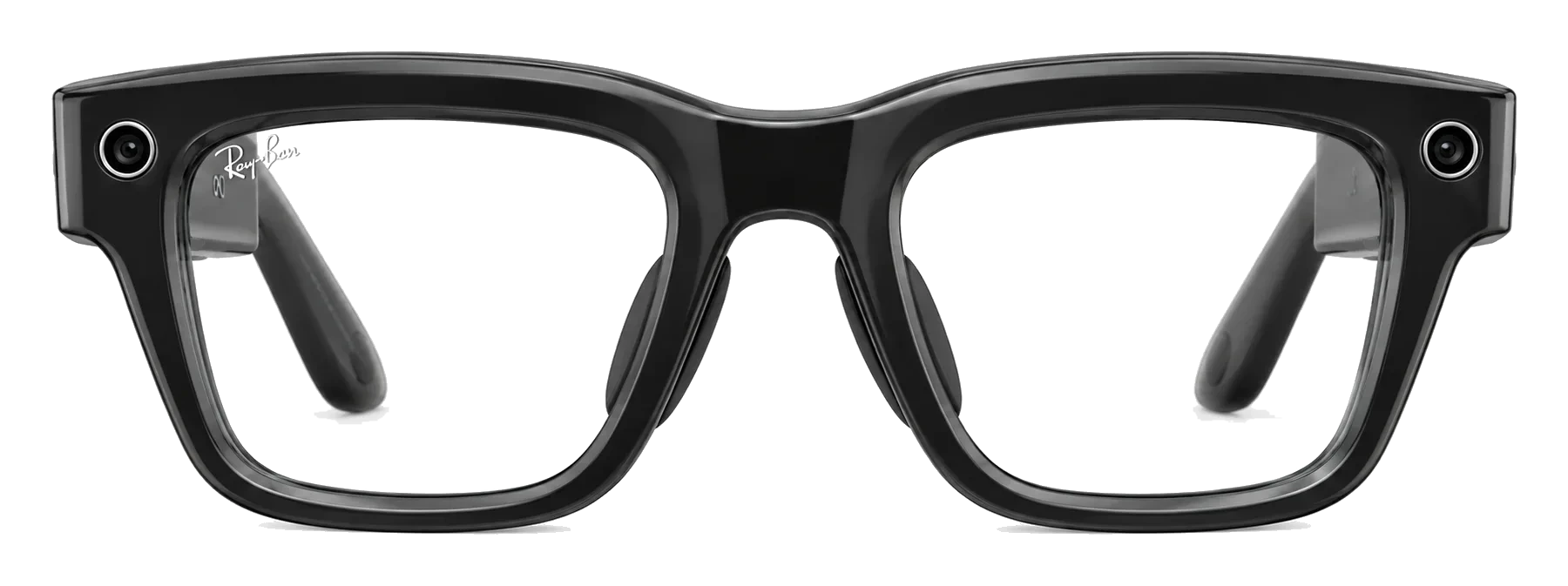
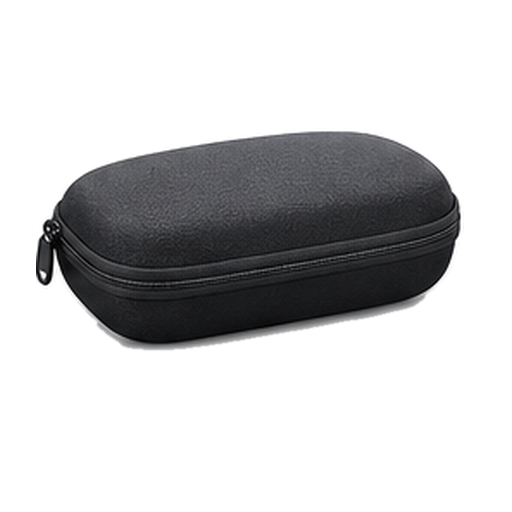
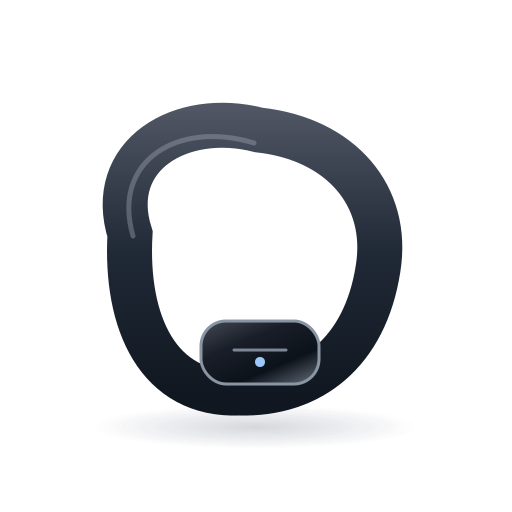
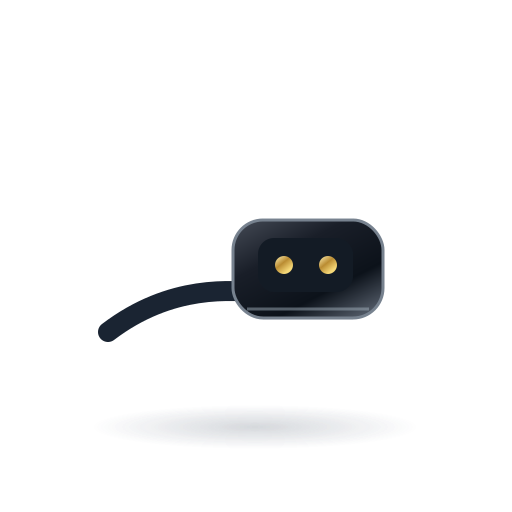
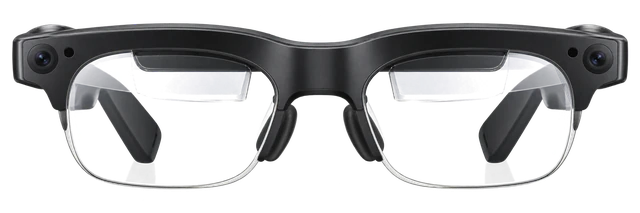
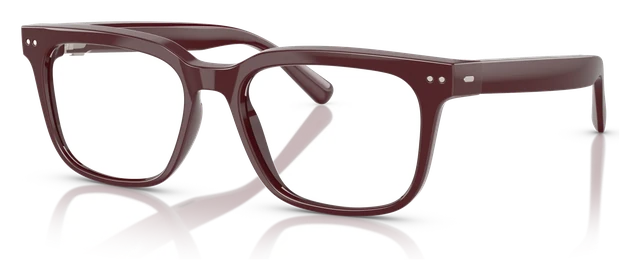
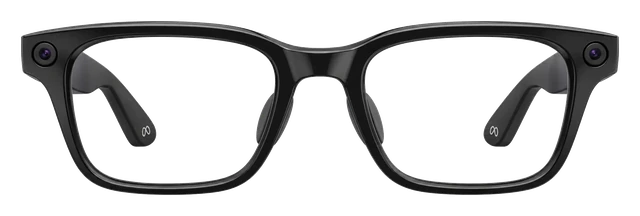
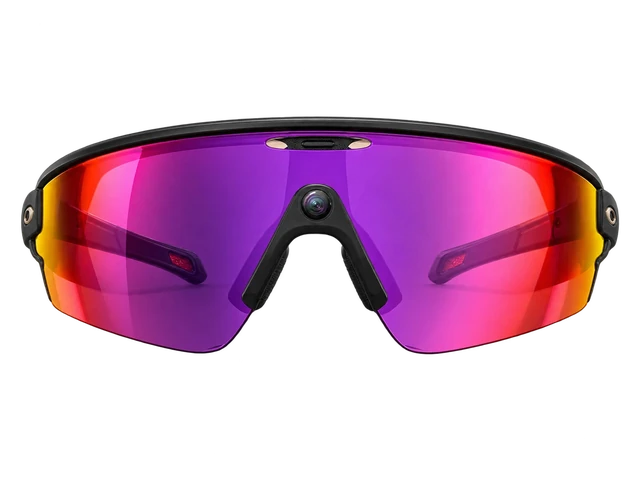
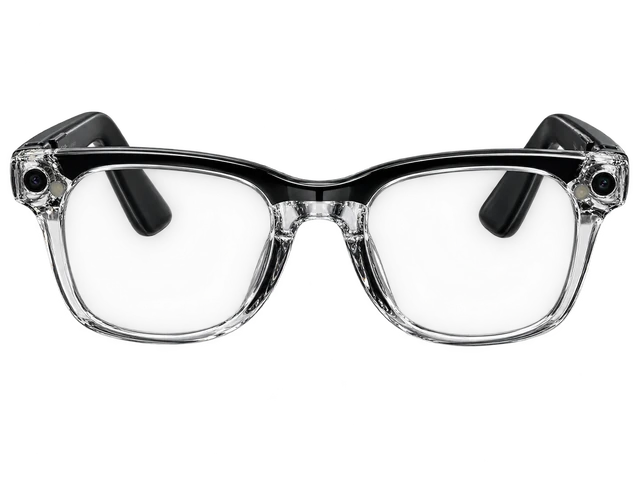
Can I get prescription lenses?Yes, you can. The frames can be glazed to your prescription. Through LensCrafters. -4.00 to +4.00.
How good is the camera?It shoots on a 12MP main camera. The sensor is made by Sony.
Can it get wet (shower, pool, swimming)?Yes for sweat and rain, but not for the shower. Its rating is IPX4. It is rated for splashes, not immersion.
What does it cost?It costs $799. That is the list price.
How long does the battery last?It runs 6 hours. That is 24 hours with the extra from the case, and 6 hours at most.
What kind of screen is it?It is a heads-up display. A small panel sits in the corner of your view, rather than a screen you watch. There is a single panel, for one eye only.
Do I need a subscription?No, there is no subscription.
Does it work with my phone?Yes, it works with an iPhone or an Android phone.
How heavy is it?It weighs 69g.
Is it built for sport?No, it is not built for sport. It is an everyday frame. Nothing stops you wearing it, but it is not made to grip.
Can I take a photo without using my hands?Yes, you can take one by voice. There is no capture button on the frame.
Does it work without my phone?No, it needs your phone.
What video can it shoot?It shoots 1440x1920 at 30fps. That is its highest setting.
How does it connect?It connects over Bluetooth 5.3 and Wi-Fi 6.
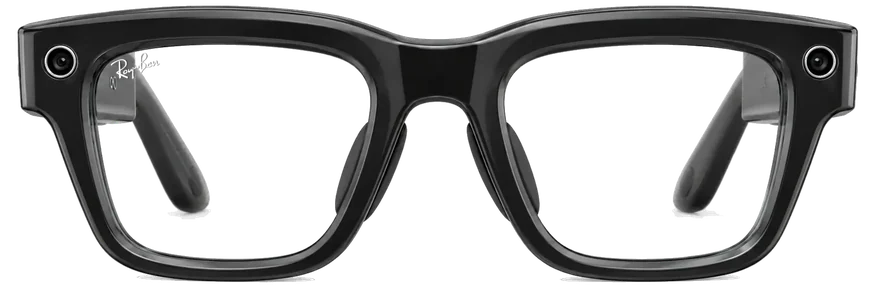
What colours does it come in?It comes in 2 finishes. The names are not officially published.
How sharp and bright is the screen?The screen reaches 5000 nits at its brightest.
What chip is inside?It runs on Snapdragon AR1 Gen 1.
Which AI assistant does it use?It uses Meta AI. The assistant is fixed, so you cannot swap it.
What software does it run?It runs Meta Horizon OS.
Does it do AR?It has a heads-up display rather than full AR. Text and glanceable information, not objects placed in the room.
How wide is the field of view?It covers 20 degrees. That is how much of your view the image fills.
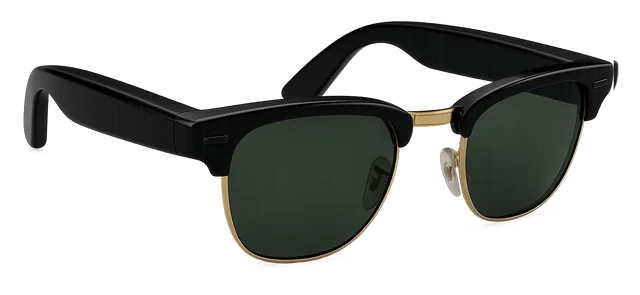
Can I get sunglass or clear lenses?It comes with clear lenses.
Whose frames are they?They are made with LensCrafters.
How many microphones?It has 6 microphones. They handle calls, voice control and recording.
How many styles can I choose from?There is one frame to choose from.
Can people tell when it is recording?Yes, a light comes on. People around you can see when the camera is running.
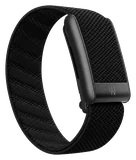
Can I control it with my hands and eyes?You control it with a wristband that reads your muscles. Small finger movements, no controller and no raised hand.
Can it translate?Yes, it can translate.
Does it have a screen?Yes, it has a screen.
Can I hear it without earbuds?Yes, it has open-ear speakers that play out loud.
Can I control it with gestures?Yes, you can control it with gestures.
Can it see and answer questions about what I am looking at?Yes, it can see what you are looking at and answer about it.
Meta's first Ray-Bans with a screen inside the lens, visible only to the person wearing them. You control it with the Neural Band, a wristband that reads small finger movements, because a pair of glasses has nowhere to put a touchpad big enough to be useful.
Some pairs woke Meta AI and recorded audio unprompted, even with the wake word off. Meta says that's resolved, so check your voice history in settings and delete anything you didn't ask for.
If you want Meta's glasses without a camera on your face, the $349 Audio pair is lighter on the nose and lasts longer than the camera models. Just don't expect its button to answer calls.
Shoot and share right from your glasses: a 12MP camera with 3x zoom shows its viewfinder on your in-lens display.Why we say thisConfirmedMeta confirms this.What it saysPhotos and videoShoot and share right from your glasses: a 12MP camera with 3x zoom shows its viewfinder on your in-lens display.“Meta states“With a 12MP camera, 3X zoom and a viewfinder on your in-lens display, you can shoot and share right from your glasses.”See the sourceMeta↗
1
Calls
2. Calls
Six microphones, including a contact mic, and two open-ear speakers handle calls hands-free with nothing in your ears.About this sourceSource linkedYou can read the source. We haven't checked its exact wording.The claimCallsSix microphones, including a contact mic, and two open-ear speakers handle calls hands-free with nothing in your ears.Read the sourceMeta↗
2
Translation
3. Translation
Translated captions appear on a bright, clear full-color display in your right lens as the other person speaks.How we see itOur readiDevice's own read of what Meta has published. No news outlet says it.The claimTranslationTranslated captions appear on a bright, clear full-color display in your right lens as the other person speaks.
Works with iPhone and Android phones. The iPhone app needs iOS 17.2 or later.
iPhoneWorks
Do Meta Ray-Ban Display glasses work with an iPhone?
Works
They work with a supported iPhone and the Meta AI app.About this sourceSource linkedYou can read the source. We haven't checked its exact wording.The claimiPhoneThey work with a supported iPhone and the Meta AI app.Read the sourceApple App Store / Meta Platforms, Inc.↗Other sourcesRay-Ban↗Checked Sep 21, 2026
The current US App Store listing needs iOS 17.2 or later, but Ray-Ban's FAQ still says iOS 14.4+. You also need a Meta account. Internet is needed for Meta AI, imports, and updates.
Android phoneWorks
Do Meta Ray-Ban Display glasses work with an Android phone?
Works
They work with a supported phone running Android 10 or later.About this sourceSource linkedYou can read the source. We haven't checked its exact wording.The claimAndroidThey work with a supported phone running Android 10 or later.Read the sourceGoogle Play / Meta Platforms, Inc.↗Other sourcesRay-Ban↗Checked Sep 21, 2026
You need location services on, the Meta AI app, and a Meta account. That setup handles display features, AI, media, calls, messages, and supported connected apps. Google Play did not show a separate current store-level Android minimum in the fetched listing.
MacSome features missing
Do Meta Ray-Ban Display glasses work with a Mac over Bluetooth?
Some features missing
For sound, calls and meetings only.About this sourceSource linkedYou can read the source. We haven't checked its exact wording.The claimBluetooth audio with MacFor sound, calls and meetings only.Read the sourceMeta↗Checked Sep 21, 2026
Put the glasses in pairing mode, then pair them in the Mac's Bluetooth settings. The in-lens display, Neural Band and Meta AI still need the phone app.
Audio only; the in-lens display, Neural Band and Meta AI still run through the phone app. Meta's page says "AI glasses" and does not name Meta Ray-Ban Display or macOS.
Windows PCSome features missing
Do Meta Ray-Ban Display glasses work with a Windows PC over Bluetooth?
Some features missing
For sound only.About this sourceSource linkedYou can read the source. We haven't checked its exact wording.The claimBluetooth audio with Windows PCFor sound only.Read the sourceMeta↗Checked Sep 21, 2026
You can play audio and take calls and meetings. The in-lens display, Neural Band and Meta AI still need the phone app. Put the glasses in pairing mode, then pick them in Windows Bluetooth settings.
Audio only; the in-lens display, Neural Band and Meta AI still run through the phone app. Meta's page does not name Meta Ray-Ban Display or Windows.
Do Meta Ray-Ban Display glasses work with a Windows PC as an external display?
Some features missing
A web streaming path can work, but native Windows display support is not established.About this sourceSource linkedYou can read the source. We haven't checked its exact wording.The claimWindows PCA web streaming path can work, but native Windows display support is not established.Read the sourceMeta for Developers↗Other sourcesMeta for Developers↗Ray-Ban↗Checked Sep 21, 2026
A web or software path can capture and encode the PC screen and send it to a Display Web App over a network. The reported Farglance approach uses WebRTC, but quality and implementation vary, full-desktop text is poor on the 600x600 in-lens display, and one independent attempt could not keep more than 5 to 10 FPS. This does not establish native Windows display, Miracast, HDMI, DisplayPort, or USB-C video support.
Quality and implementation vary; full-desktop readability is poor on the 600×600 in-lens display; one independent attempt could not maintain more than 5–10 FPS. This does not establish native Windows display, Miracast, HDMI or DisplayPort support.
Does the Meta Ray-Ban Display come with a charger?
Yes. It comes with a charging case for the glasses and a separate charger for the wrist-worn Meta Neural Band.
Get Meta Ray-Ban Display updates
Email me when there's news.
Works with
Does it work with…?
Do Meta Ray-Ban Display glasses work with an iPhone?
Works
They work with a supported iPhone and the Meta AI app.About this sourceSource linkedYou can read the source. We haven't checked its exact wording.The claimiPhoneThey work with a supported iPhone and the Meta AI app.Read the sourceApple App Store / Meta Platforms, Inc.↗Other sourcesRay-Ban↗Checked Sep 21, 2026
The current US App Store listing needs iOS 17.2 or later, but Ray-Ban's FAQ still says iOS 14.4+. You also need a Meta account. Internet is needed for Meta AI, imports, and updates.
Which iPhones do Meta Ray-Ban Display glasses work with?
WorksWorked out from the official minimum
They work with every iPhone that runs iOS 17.2 or later, from the iPhone XR on.About this sourceSource linkedYou can read the source. We haven't checked its exact wording.The claimWhich iPhonesThey work with every iPhone that runs iOS 17.2 or later, from the iPhone XR on.Read the sourceApple App Store / Meta Platforms, Inc.↗Other sourcesRay-Ban↗Apple↗Apple↗Apple↗Apple↗Checked Sep 21, 2026
iPhone 18 Pro and iPhone 18 Pro Max: yes, on iOS 17.2 or later
iPhone 17, iPhone 17 Pro, iPhone 17 Pro Max, iPhone Air and iPhone 17e: yes, on iOS 17.2 or later
iPhone 16, iPhone 16 Plus, iPhone 16 Pro, iPhone 16 Pro Max and iPhone 16e: yes, on iOS 17.2 or later
iPhone 15, iPhone 15 Plus, iPhone 15 Pro and iPhone 15 Pro Max: yes, on iOS 17.2 or later
iPhone 14, iPhone 14 Plus, iPhone 14 Pro and iPhone 14 Pro Max: yes, on iOS 17.2 or later
iPhone 13 mini, iPhone 13, iPhone 13 Pro and iPhone 13 Pro Max: yes, on iOS 17.2 or later
iPhone 12 mini, iPhone 12, iPhone 12 Pro and iPhone 12 Pro Max: yes, on iOS 17.2 or later
iPhone 11, iPhone 11 Pro and iPhone 11 Pro Max: yes, on iOS 17.2 or later
iPhone XR, iPhone XS and iPhone XS Max: yes, on iOS 17.2 or later
iPhone SE (2nd generation) and iPhone SE (3rd generation): yes, on iOS 17.2 or later
iPhone 17 Pro: yes, on iOS 17.2 or later
iPhone 17 Pro Max: yes, on iOS 17.2 or later
iPhone Air: yes, on iOS 17.2 or later
Any iPhone not listed: no, it cannot run that iOS version
Worked out from the official minimum ("iOS 17.2 or later") and Apple's list of the iPhones that run it, not a separate test. See the sources.
Do Meta Ray-Ban Display glasses work with an Android phone?
Works
They work with a supported phone running Android 10 or later.About this sourceSource linkedYou can read the source. We haven't checked its exact wording.The claimAndroidThey work with a supported phone running Android 10 or later.Read the sourceGoogle Play / Meta Platforms, Inc.↗Other sourcesRay-Ban↗Checked Sep 21, 2026
You need location services on, the Meta AI app, and a Meta account. That setup handles display features, AI, media, calls, messages, and supported connected apps. Google Play did not show a separate current store-level Android minimum in the fetched listing.
How do Meta Ray-Ban Display glasses set up with the Meta AI app?
Use the Meta AI app on a supported phone and sign in.About this sourceSource linkedYou can read the source. We haven't checked its exact wording.The claimCompanion app, account and subscriptionsUse the Meta AI app on a supported phone and sign in.Read the sourceApple App Store / Meta Platforms, Inc.↗Other sourcesRay-Ban↗Checked Sep 21, 2026
Install the Meta AI mobile app on a supported phone.
Sign in with a Meta account and pair the glasses.
The app is required for pairing, device management, AI, media imports, and connected apps. You need a Meta account, and internet is needed for Meta AI, imports, and updates. Optional connected services can have their own account or subscription terms, and Meta does not make a blanket subscription-free claim.
Do Meta Ray-Ban Display glasses work with other Meta glasses and accessories?
Some features missing
The app can manage other Meta glasses, but some accessories do not fit.About this sourceSource linkedYou can read the source. We haven't checked its exact wording.The claimCross-generation compatibilityThe app can manage other Meta glasses, but some accessories do not fit.Read the sourceMeta↗Other sourcesMeta↗Checked Sep 21, 2026
The Meta AI app can manage up to seven pairs of Meta glasses, with only one pair allowed to be Ray-Ban Stories. The Meta Glasses Charging Stand does not support Meta Ray-Ban Display or Oakley Meta Vanguard. Use the case that came with the Display, since Meta has not said other cases fit.
"Not compatible with Meta Ray-Ban Display or Oakley Meta Vanguard" (Charging Stand). Use the case that came with these glasses; no first-party statement that other cases fit.
Do Meta Ray-Ban Display glasses work with a Mac over Bluetooth?
Some features missing
For sound, calls and meetings only.About this sourceSource linkedYou can read the source. We haven't checked its exact wording.The claimBluetooth audio with MacFor sound, calls and meetings only.Read the sourceMeta↗Checked Sep 21, 2026
Put the glasses in pairing mode, then pair them in the Mac's Bluetooth settings. The in-lens display, Neural Band and Meta AI still need the phone app.
Audio only; the in-lens display, Neural Band and Meta AI still run through the phone app. Meta's page says "AI glasses" and does not name Meta Ray-Ban Display or macOS.
Do Meta Ray-Ban Display glasses work with a Windows PC over Bluetooth?
Some features missing
For sound only.About this sourceSource linkedYou can read the source. We haven't checked its exact wording.The claimBluetooth audio with Windows PCFor sound only.Read the sourceMeta↗Checked Sep 21, 2026
You can play audio and take calls and meetings. The in-lens display, Neural Band and Meta AI still need the phone app. Put the glasses in pairing mode, then pick them in Windows Bluetooth settings.
Audio only; the in-lens display, Neural Band and Meta AI still run through the phone app. Meta's page does not name Meta Ray-Ban Display or Windows.
Do Meta Ray-Ban Display glasses work with Nintendo Switch over Bluetooth?
Some features missing
Switch can send Bluetooth audio to them, but not microphone audio.About this sourceSource linkedYou can read the source. We haven't checked its exact wording.The claimBluetooth audio with Nintendo SwitchSwitch can send Bluetooth audio to them, but not microphone audio.Read the sourceMeta↗Other sourcesNintendo↗Checked Sep 21, 2026
Put the glasses in pairing mode, then pair them in the Switch Bluetooth Audio settings. Bluetooth microphones are not supported, audio may be delayed, and only two compatible wireless controllers can be used while Bluetooth audio is on. Neither Nintendo nor Meta names Meta Ray-Ban Display specifically.
No Bluetooth microphone; up to two wireless controllers while using Bluetooth audio; possible audio delay. Neither Nintendo nor Meta names Meta Ray-Ban Display for this.
Show all 10Show fewer
Do Meta Ray-Ban Display glasses work with PS5 over Bluetooth?
Doesn't work
PS5 does not work with Bluetooth audio devices.About this sourceSource linkedYou can read the source. We haven't checked its exact wording.The claimBluetooth audio with PlayStation 5PS5 does not work with Bluetooth audio devices.Read the sourceMeta↗Other sourcesSony Interactive Entertainment↗Checked Sep 21, 2026
PS5 does not connect to any Bluetooth headphones or glasses for sound, so these glasses can't play PS5 audio over Bluetooth.
Do Meta Ray-Ban Display glasses work with a Windows PC as an external display?
Some features missing
A web streaming path can work, but native Windows display support is not established.About this sourceSource linkedYou can read the source. We haven't checked its exact wording.The claimWindows PCA web streaming path can work, but native Windows display support is not established.Read the sourceMeta for Developers↗Other sourcesMeta for Developers↗Ray-Ban↗Checked Sep 21, 2026
A web or software path can capture and encode the PC screen and send it to a Display Web App over a network. The reported Farglance approach uses WebRTC, but quality and implementation vary, full-desktop text is poor on the 600x600 in-lens display, and one independent attempt could not keep more than 5 to 10 FPS. This does not establish native Windows display, Miracast, HDMI, DisplayPort, or USB-C video support.
Quality and implementation vary; full-desktop readability is poor on the 600×600 in-lens display; one independent attempt could not maintain more than 5–10 FPS. This does not establish native Windows display, Miracast, HDMI or DisplayPort support.
Most paired with
iPhoneWorks
Do Meta Ray-Ban Display glasses work with an iPhone?
Works
They work with a supported iPhone and the Meta AI app.About this sourceSource linkedYou can read the source. We haven't checked its exact wording.The claimiPhoneThey work with a supported iPhone and the Meta AI app.Read the sourceApple App Store / Meta Platforms, Inc.↗Other sourcesRay-Ban↗Checked Sep 21, 2026
The current US App Store listing needs iOS 17.2 or later, but Ray-Ban's FAQ still says iOS 14.4+. You also need a Meta account. Internet is needed for Meta AI, imports, and updates.
Android phoneWorks
Do Meta Ray-Ban Display glasses work with an Android phone?
Works
They work with a supported phone running Android 10 or later.About this sourceSource linkedYou can read the source. We haven't checked its exact wording.The claimAndroidThey work with a supported phone running Android 10 or later.Read the sourceGoogle Play / Meta Platforms, Inc.↗Other sourcesRay-Ban↗Checked Sep 21, 2026
You need location services on, the Meta AI app, and a Meta account. That setup handles display features, AI, media, calls, messages, and supported connected apps. Google Play did not show a separate current store-level Android minimum in the fetched listing.
MacSome features missing
Do Meta Ray-Ban Display glasses work with a Mac over Bluetooth?
Some features missing
For sound, calls and meetings only.About this sourceSource linkedYou can read the source. We haven't checked its exact wording.The claimBluetooth audio with MacFor sound, calls and meetings only.Read the sourceMeta↗Checked Sep 21, 2026
Put the glasses in pairing mode, then pair them in the Mac's Bluetooth settings. The in-lens display, Neural Band and Meta AI still need the phone app.
Audio only; the in-lens display, Neural Band and Meta AI still run through the phone app. Meta's page says "AI glasses" and does not name Meta Ray-Ban Display or macOS.
Windows PCSome features missing
Do Meta Ray-Ban Display glasses work with a Windows PC over Bluetooth?
Some features missing
For sound only.About this sourceSource linkedYou can read the source. We haven't checked its exact wording.The claimBluetooth audio with Windows PCFor sound only.Read the sourceMeta↗Checked Sep 21, 2026
You can play audio and take calls and meetings. The in-lens display, Neural Band and Meta AI still need the phone app. Put the glasses in pairing mode, then pick them in Windows Bluetooth settings.
Audio only; the in-lens display, Neural Band and Meta AI still run through the phone app. Meta's page does not name Meta Ray-Ban Display or Windows.
Do Meta Ray-Ban Display glasses work with a Windows PC as an external display?
Some features missing
A web streaming path can work, but native Windows display support is not established.About this sourceSource linkedYou can read the source. We haven't checked its exact wording.The claimWindows PCA web streaming path can work, but native Windows display support is not established.Read the sourceMeta for Developers↗Other sourcesMeta for Developers↗Ray-Ban↗Checked Sep 21, 2026
A web or software path can capture and encode the PC screen and send it to a Display Web App over a network. The reported Farglance approach uses WebRTC, but quality and implementation vary, full-desktop text is poor on the 600x600 in-lens display, and one independent attempt could not keep more than 5 to 10 FPS. This does not establish native Windows display, Miracast, HDMI, DisplayPort, or USB-C video support.
Quality and implementation vary; full-desktop readability is poor on the 600×600 in-lens display; one independent attempt could not maintain more than 5–10 FPS. This does not establish native Windows display, Miracast, HDMI or DisplayPort support.
Nintendo SwitchSome features missing
Do Meta Ray-Ban Display glasses work with Nintendo Switch over Bluetooth?
Some features missing
Switch can send Bluetooth audio to them, but not microphone audio.About this sourceSource linkedYou can read the source. We haven't checked its exact wording.The claimBluetooth audio with Nintendo SwitchSwitch can send Bluetooth audio to them, but not microphone audio.Read the sourceMeta↗Other sourcesNintendo↗Checked Sep 21, 2026
Put the glasses in pairing mode, then pair them in the Switch Bluetooth Audio settings. Bluetooth microphones are not supported, audio may be delayed, and only two compatible wireless controllers can be used while Bluetooth audio is on. Neither Nintendo nor Meta names Meta Ray-Ban Display specifically.
No Bluetooth microphone; up to two wireless controllers while using Bluetooth audio; possible audio delay. Neither Nintendo nor Meta names Meta Ray-Ban Display for this.
PlayStation 5Doesn't work
Do Meta Ray-Ban Display glasses work with PS5 over Bluetooth?
Doesn't work
PS5 does not work with Bluetooth audio devices.About this sourceSource linkedYou can read the source. We haven't checked its exact wording.The claimBluetooth audio with PlayStation 5PS5 does not work with Bluetooth audio devices.Read the sourceMeta↗Other sourcesSony Interactive Entertainment↗Checked Sep 21, 2026
PS5 does not connect to any Bluetooth headphones or glasses for sound, so these glasses can't play PS5 audio over Bluetooth.
What you need
An iPhone with iOS 17.2 or later
Do Meta Ray-Ban Display glasses work with an iPhone?
Works
They work with a supported iPhone and the Meta AI app.About this sourceSource linkedYou can read the source. We haven't checked its exact wording.The claimiPhoneThey work with a supported iPhone and the Meta AI app.Read the sourceApple App Store / Meta Platforms, Inc.↗Other sourcesRay-Ban↗Checked Sep 21, 2026
The current US App Store listing needs iOS 17.2 or later, but Ray-Ban's FAQ still says iOS 14.4+. You also need a Meta account. Internet is needed for Meta AI, imports, and updates.
A Meta account
Do Meta Ray-Ban Display glasses work with an iPhone?
Works
They work with a supported iPhone and the Meta AI app.About this sourceSource linkedYou can read the source. We haven't checked its exact wording.The claimiPhoneThey work with a supported iPhone and the Meta AI app.Read the sourceApple App Store / Meta Platforms, Inc.↗Other sourcesRay-Ban↗Checked Sep 21, 2026
The current US App Store listing needs iOS 17.2 or later, but Ray-Ban's FAQ still says iOS 14.4+. You also need a Meta account. Internet is needed for Meta AI, imports, and updates.
The Meta AI app
Do Meta Ray-Ban Display glasses work with an iPhone?
Works
They work with a supported iPhone and the Meta AI app.About this sourceSource linkedYou can read the source. We haven't checked its exact wording.The claimiPhoneThey work with a supported iPhone and the Meta AI app.Read the sourceApple App Store / Meta Platforms, Inc.↗Other sourcesRay-Ban↗Checked Sep 21, 2026
The current US App Store listing needs iOS 17.2 or later, but Ray-Ban's FAQ still says iOS 14.4+. You also need a Meta account. Internet is needed for Meta AI, imports, and updates.
An Android phone with Android 10 or later
Do Meta Ray-Ban Display glasses work with an Android phone?
Works
They work with a supported phone running Android 10 or later.About this sourceSource linkedYou can read the source. We haven't checked its exact wording.The claimAndroidThey work with a supported phone running Android 10 or later.Read the sourceGoogle Play / Meta Platforms, Inc.↗Other sourcesRay-Ban↗Checked Sep 21, 2026
You need location services on, the Meta AI app, and a Meta account. That setup handles display features, AI, media, calls, messages, and supported connected apps. Google Play did not show a separate current store-level Android minimum in the fetched listing.
A Mac
Do Meta Ray-Ban Display glasses work with a Mac over Bluetooth?
Some features missing
For sound, calls and meetings only.About this sourceSource linkedYou can read the source. We haven't checked its exact wording.The claimBluetooth audio with MacFor sound, calls and meetings only.Read the sourceMeta↗Checked Sep 21, 2026
Put the glasses in pairing mode, then pair them in the Mac's Bluetooth settings. The in-lens display, Neural Band and Meta AI still need the phone app.
Audio only; the in-lens display, Neural Band and Meta AI still run through the phone app. Meta's page says "AI glasses" and does not name Meta Ray-Ban Display or macOS.
Supports
Do Meta Ray-Ban Display glasses support an in-lens display?
Works
The built-in display shows captions, translation, previews, menus, apps, and Web Apps.About this sourceSource linkedYou can read the source. We haven't checked its exact wording.The claimDisplay featuresThe built-in display shows captions, translation, previews, menus, apps, and Web Apps.Read the sourceMeta for Developers↗Other sourcesRay-Ban↗Checked Sep 21, 2026
Web Apps run on the glasses, and many functions work by touch or voice. Some gestures use the Meta Neural Band. The built-in display does not establish external video input over USB-C or DisplayPort.
Do Meta Ray-Ban Display glasses support Meta AI in every region and language?
Some features missing
Support varies by region, feature, and language.About this sourceSource linkedYou can read the source. We haven't checked its exact wording.The claimAI region / language availabilitySupport varies by region, feature, and language.Read the sourceMeta↗Other sourcesRay-Ban↗Checked Sep 21, 2026
Product availability is documented for the U.S. Display live translation supports English, French, Italian, and Spanish. Region and language coverage is not universal and can differ by feature.
Do Meta Ray-Ban Display glasses support accessibility features?
Works
They include display, voice, and vision accessibility features.About this sourceSource linkedYou can read the source. We haven't checked its exact wording.The claimAccessibilityThey include display, voice, and vision accessibility features.Read the sourceMeta Newsroom↗Other sourcesRay-Ban↗Checked Sep 21, 2026
Display options include color correction, text size and weight, a screen reader, and magnification. Meta also documents hands-free calling, messaging, speech translation, environment descriptions, and Be My Eyes volunteer help. Some AI features vary by region and rollout, and Vision settings are set in Meta AI.
How it works
Can you get Meta Ray-Ban Display glasses with prescription lenses?
Order eligible prescription lenses through a participating certified retailer.About this sourceSource linkedYou can read the source. We haven't checked its exact wording.The claimPrescription lensesOrder eligible prescription lenses through a participating certified retailer.Read the sourceMeta↗Other sourcesRay-Ban↗Checked Sep 21, 2026
Have a valid prescription within the -4.00 to +4.00 total-power range.
Order through a participating certified retailer.
You need a valid prescription from -4.00 to +4.00 total power. Support outside that range is not established.
One of the ten reviews has a score, so there is no average yet. It takes two scored reviews from two different publishers.
What reviewers agreed on, and how many raised each
TopicLiked it · didn’tOf 10
AI features6
Comfort3
Privacy3
Liked itDidn’t
MilestoneUpdate
Feb 28, 2023 · First sign of it
Meta’s internal roadmap pointed to display-equipped smart glasses in 2025
The Verge reported details from a Meta Reality Labs roadmap presentation covering hardware plans through 2027. The presentation described a 2025 smart-glasses generation with a viewfinder-style display and a neural-interface band, making this the earliest clear precursor to the product that became Meta Ray-Ban Display.About this sourceSource linkedYou can read the source. We haven't checked its exact wording.The claimMeta’s internal roadmap pointed to display-equipped smart glasses in 2025The Verge reported details from a Meta Reality Labs roadmap presentation covering hardware plans through 2027. The presentation described a 2025 smart-glasses generation with a viewfinder-style display and a neural-interface band, making this the earliest clear precursor to the product that became Meta Ray-Ban Display.Read the sourceThe Verge↗Event date Feb 28, 2023
Apr 1, 2025 · Others confirmed it
Bloomberg reporting added pricing, display and wristband detail
UploadVR reported new Bloomberg details about the project then known as Hypernova, including a small monocular display and an included neural wristband. The report materially sharpened the earlier roadmap by describing a premium device with app-like interfaces and an expected four-figure price.About this sourceSource linkedYou can read the source. We haven't checked its exact wording.The claimBloomberg reporting added pricing, display and wristband detailUploadVR reported new Bloomberg details about the project then known as Hypernova, including a small monocular display and an included neural wristband. The report materially sharpened the earlier roadmap by describing a premium device with app-like interfaces and an expected four-figure price.Read the sourceUploadVR, citing Bloomberg↗Event date Apr 1, 2025
Sep 15, 2025 · Design and hardware
Meta’s own unlisted video exposed the Ray-Ban Display name and design
An unlisted Meta YouTube video surfaced ahead of Connect and showed what appeared to be the finished Ray-Ban Meta Display glasses and EMG wristband. Tom’s Guide documented the leak on September 17 and linked the original September 15 post, moving the product from report-based descriptions to visible Meta-made material.About this sourceSource linkedYou can read the source. We haven't checked its exact wording.The claimMeta’s own unlisted video exposed the Ray-Ban Display name and designAn unlisted Meta YouTube video surfaced ahead of Connect and showed what appeared to be the finished Ray-Ban Meta Display glasses and EMG wristband. Tom’s Guide documented the leak on September 17 and linked the original September 15 post, moving the product from report-based descriptions to visible Meta-made material.Read the sourceTom's Guide↗Event date Sep 15, 2025
Sep 17, 2025 · Announced
Meta announced Meta Ray-Ban Display and Meta Neural Band
Meta formally unveiled Meta Ray-Ban Display at Connect alongside the Meta Neural Band. The announcement confirmed the product name, full-color in-lens display and wrist-based EMG controls after years of roadmap and prototype reporting.About this sourceSource linkedYou can read the source. We haven't checked its exact wording.The claimMeta announced Meta Ray-Ban Display and Meta Neural BandMeta formally unveiled Meta Ray-Ban Display at Connect alongside the Meta Neural Band. The announcement confirmed the product name, full-color in-lens display and wrist-based EMG controls after years of roadmap and prototype reporting.Read the sourceMeta↗Event date Sep 17, 2025
Sep 30, 2025 · Went on sale
Meta Ray-Ban Display went on sale in select U.S. stores
UploadVR reported that Meta Ray-Ban Display had begun retail sales in selected physical U.S. stores. Purchasing generally required an in-person demo and fitting, so the September 30 release was real but intentionally limited in distribution.About this sourceSource linkedYou can read the source. We haven't checked its exact wording.The claimMeta Ray-Ban Display went on sale in select U.S. storesUploadVR reported that Meta Ray-Ban Display had begun retail sales in selected physical U.S. stores. Purchasing generally required an in-person demo and fitting, so the September 30 release was real but intentionally limited in distribution.Read the sourceUploadVR↗Event date Sep 30, 2025
Jan 6, 2026 · Delayed
Meta paused the planned international expansion
TechCrunch reported that Meta paused plans to expand Ray-Ban Display sales beyond the U.S. because demand had outstripped available inventory. The delay affected the planned early-2026 rollout to the U.K., Canada, France and Italy.About this sourceSource linkedYou can read the source. We haven't checked its exact wording.The claimMeta paused the planned international expansionTechCrunch reported that Meta paused plans to expand Ray-Ban Display sales beyond the U.S. because demand had outstripped available inventory. The delay affected the planned early-2026 rollout to the U.K., Canada, France and Italy.Read the sourceTechCrunch↗Event date Jan 6, 2026
Mar 13, 2026 · New feature
The first major OS update added widgets, apps and minigames
UploadVR reported the first major operating-system update for Meta Ray-Ban Display. The rollout added widgets, a Calendar app, new minigames, an Instagram Reels feed and other interface features, showing that the post-launch software story was still moving quickly.About this sourceSource linkedYou can read the source. We haven't checked its exact wording.The claimThe first major OS update added widgets, apps and minigamesUploadVR reported the first major operating-system update for Meta Ray-Ban Display. The rollout added widgets, a Calendar app, new minigames, an Instagram Reels feed and other interface features, showing that the post-launch software story was still moving quickly.Read the sourceUploadVR↗Event date Mar 13, 2026
At a glance
THIS PRODUCTMeta Ray-Ban DisplayCOMPARE WITHMeta Ray-Ban Gen 2
Camera
12MPWhy we say thisConfirmedMeta (official) says this. iDevice checked the exact words on that page.The claimCamera12MPSee the sourceMeta (official)↗Date recorded Jul 12, 2026
12MPWhy we say thisConfirmedRay-Ban (official) says this. iDevice checked the exact words on that page.The claimCamera12MPSee the sourceRay-Ban (official)↗Date recorded Jul 11, 2026
Glasses battery
6 hrsWhy we say thisConfirmedMeta says this. iDevice checked the exact words on that page.The claimGlasses battery6 hrsSee the sourceMeta↗Date recorded Jul 15, 2026
8 hrsWhy we say thisConfirmedMeta says this. iDevice checked the exact words on that page.The claimGlasses battery8 hrsSee the sourceMeta↗Date recorded Jul 15, 2026
Works with
iOS & Android
iOS & Android
Display
Monocular HUD (right lens)Why we say thisConfirmedMeta (official) says this. iDevice checked the exact words on that page.The claimDisplayMonocular HUD (right lens)See the sourceMeta (official)↗Date recorded Jul 12, 2026
NoWhy we say thisConfirmedPCMag says this. iDevice checked the exact words on that page.The claimDisplayNoSee the sourcePCMag↗Date recorded Jul 11, 2026
Price
The starting list price, not a temporary sale price. It is usually the first thing that rules a product in or out.
From $799
From $379
Case battery
Both list the same runtime on the frames, so the charging case is where the endurance difference actually is.
+24 hrsWhy we say thisConfirmedMeta says this. iDevice checked the exact words on that page.The claimCase battery+24 hrsSee the sourceMeta↗Date recorded Jul 15, 2026
+48 hrsWhy we say thisConfirmedMeta says this. iDevice checked the exact words on that page.The claimCase battery+48 hrsSee the sourceMeta↗Date recorded Jul 15, 2026
Weight
Weight decides all-day comfort. Exact and approximate figures are shown the way each company states them.
69g (+ 42g Neural Band)Why we say thisConfirmedMeta says this. iDevice checked the exact words on that page.The claimWeight69g (+ 42g Neural Band)See the sourceMeta↗Date recorded Jul 15, 2026
~50gWhere this came fromReportedPCMag reported this. It is not officially confirmed.The claimWeight~50gRead the reportPCMag↗Date recorded Jul 11, 2026
Frame styles
Frame shape and size decide whether they suit your face, and it is the hardest thing to change after buying.
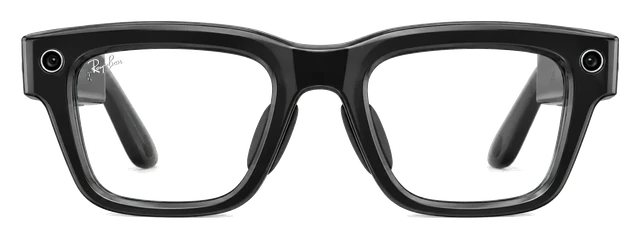
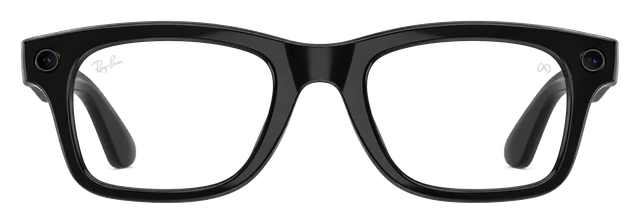
1 style, 2 colors (Shiny Black, Shiny Sand)Why we say thisConfirmedMeta (official) says this. iDevice checked the exact words on that page.The claimFrame styles1 style, 2 colors (Shiny Black, Shiny Sand)See the sourceMeta (official)↗Date recorded Jul 12, 2026
Wayfarer, Skyler, Headliner, Blayzer Optics, Scriber OpticsWhere this came fromReportedMeta reported this. It is not officially confirmed.The claimFrame stylesWayfarer, Skyler, Headliner, Blayzer Optics, Scriber OpticsRead the reportMeta↗Date recorded Jul 11, 2026150+ combinations
Prescription range
The supported range decides whether these can be your everyday glasses or only a second pair.
-4.00 to +4.00Why we say thisConfirmedMeta Quest Blog (official) says this. iDevice checked the exact words on that page.The claimPrescription range-4.00 to +4.00See the sourceMeta Quest Blog (official)↗Date recorded Jul 13, 2026
-12.00 to +6.00Why we say thisConfirmedMeta says this. iDevice checked the exact words on that page.The claimPrescription range-12.00 to +6.00See the sourceMeta↗Date recorded Jul 12, 2026
Nose pads
Adjustable nose pads decide how securely the frames sit and how they wear over a long day.
InjectedWhy we say thisConfirmedRay-Ban (Meta) says this. iDevice checked the exact words on that page.The claimNose padsInjectedSee the sourceRay-Ban (Meta)↗Date recorded Jul 15, 2026
Fixed (most styles)Why we say thisConfirmedMeta Newsroom says this. iDevice checked the exact words on that page.The claimNose padsFixed (most styles)See the sourceMeta Newsroom↗Date recorded Jul 11, 2026
Show 14 more specs⌄
Auto-tint lenses
Transitions Gen8 clear/grey lenses
Transitions lenses (+$80 option)Why we say thisConfirmedMeta (official) says this. iDevice checked the exact words on that page.The claimAuto-tint lensesTransitions lenses (+$80 option)See the sourceMeta (official)↗Date recorded Jul 11, 2026
Video
Camera hardware changes what you can capture and which visual features are possible.
1440×1920 @30fpsWhy we say thisConfirmedMeta (official) says this. iDevice checked the exact words on that page.The claimVideo1440×1920 @30fpsSee the sourceMeta (official)↗Date recorded Jul 12, 2026
3K at 30fpsWhy we say thisConfirmedRay-Ban (official) says this. iDevice checked the exact words on that page.The claimVideo3K at 30fpsSee the sourceRay-Ban (official)↗Date recorded Jul 11, 2026
Connectivity
Bluetooth, Wi-Fi and other connections determine what the device can work with.
Bluetooth 5.3Why we say thisConfirmedMeta (official) says this. iDevice checked the exact words on that page.The claimConnectivityBluetooth 5.3See the sourceMeta (official)↗Date recorded Jul 12, 2026Wi-Fi 6
Bluetooth 5.3Why we say thisConfirmedMeta (official) says this. iDevice checked the exact words on that page.The claimConnectivityBluetooth 5.3See the sourceMeta (official)↗Date recorded Jul 11, 2026Wi-Fi 6
Frame brands
The eyewear partner decides the styles, the shops and where you get them fitted.
LensCraftersWhere this came fromReportedLensCrafters reported this. It is not officially confirmed.The claimFrame brandsLensCraftersRead the reportLensCrafters↗Date recorded Jul 12, 2026
EssilorLuxottica / Ray-BanWhere this came fromReportedWikipedia reported this. It is not officially confirmed.The claimFrame brandsEssilorLuxottica / Ray-BanRead the reportWikipedia↗Date recorded Jul 11, 2026
Hands-free photos
Neural Band gestures + voiceWhy we say thisConfirmedMeta (official) says this. iDevice checked the exact words on that page.The claimHands-free photosNeural Band gestures + voiceSee the sourceMeta (official)↗Date recorded Jul 12, 2026
Capture button + voice ('Hey Meta')Why we say thisConfirmedMeta (official) says this. iDevice checked the exact words on that page.The claimHands-free photosCapture button + voice ('Hey Meta')See the sourceMeta (official)↗Date recorded Jul 11, 2026
Microphones
More microphones is usually how a device picks your voice out of a noisy room.
6-mic arrayWhy we say thisConfirmedMeta (official) says this. iDevice checked the exact words on that page.The claimMicrophones6-mic arraySee the sourceMeta (official)↗Date recorded Jul 12, 2026
5-mic (standard) / 6-mic (Optics frames)Why we say thisConfirmedUploadVR says this. iDevice checked the exact words on that page.The claimMicrophones5-mic (standard) / 6-mic (Optics frames)See the sourceUploadVR↗Date recorded Jul 13, 2026
Walking directions
Walking directions with audio cues and in-lens visual overlays (select cities)Why we say thisConfirmedMeta says this. iDevice checked the exact words on that page.The claimWalking directionsWalking directions with audio cues and in-lens visual overlays (select cities)See the sourceMeta↗Date recorded Oct 23, 2026
Audio turn-by-turn walking directions (driving pushed to phone)Why we say thisConfirmedMeta Help (official) says this. iDevice checked the exact words on that page.The claimWalking directionsAudio turn-by-turn walking directions (driving pushed to phone)See the sourceMeta Help (official)↗Date recorded Jul 11, 2026
Open-ear speakers
YesWhy we say thisConfirmedMeta official product page says this. iDevice checked the exact words on that page.The claimOpen-ear speakersYesSee the sourceMeta official product page↗Date recorded Jul 13, 20262x open-ear
YesWhy we say thisConfirmedMeta Newsroom (about.fb.com) says this. iDevice checked the exact words on that page.The claimOpen-ear speakersYesSee the sourceMeta Newsroom (about.fb.com)↗Date recorded Jul 13, 20262x open-ear speakers
Prescription lenses
For glasses, prescription support can decide whether the product is usable at all.
YesWhy we say thisConfirmedMeta (official) says this. iDevice checked the exact words on that page.The claimPrescription lensesYesSee the sourceMeta (official)↗Date recorded Jul 12, 2026via LensCrafters
Via LensCrafters & Sunglass HutWhere this came fromReportedLensCrafters reported this. It is not officially confirmed.The claimPrescription lensesVia LensCrafters & Sunglass HutRead the reportLensCrafters↗Date recorded Jul 11, 2026
Ongoing cost
Some products need a membership after you buy the hardware.
None
OptionalWhy we say thisConfirmedThe Verge says this. iDevice checked the exact words on that page.The claimOngoing costOptionalSee the sourceThe Verge↗Date recorded Jul 12, 2026$19.99/mo
Live translation
YesWhy we say thisConfirmedMeta AI Glasses Help says this. iDevice checked the exact words on that page.The claimLive translationYesSee the sourceMeta AI Glasses Help↗Date recorded Jul 13, 2026with on-lens captions
YesWhy we say thisConfirmedMeta Newsroom (about.fb.com) says this. iDevice checked the exact words on that page.The claimLive translationYesSee the sourceMeta Newsroom (about.fb.com)↗Date recorded Jul 13, 2026
Visual AI
AI features vary from simple voice help to camera-based assistants.
Meta AI with visuals and step-by-step how-tosWhy we say thisConfirmedMeta says this. iDevice checked the exact words on that page.The claimVisual AIMeta AI with visuals and step-by-step how-tosSee the sourceMeta↗Date recorded Oct 23, 2026
Unknown
Ask what you see
AI features vary from simple voice help to camera-based assistants.
Look and ask Meta AIWhy we say thisConfirmedMeta (official) says this. iDevice checked the exact words on that page.The claimAsk what you seeLook and ask Meta AISee the sourceMeta (official)↗Date recorded Jul 12, 2026
Look and ask Meta AI about what you seeWhy we say thisConfirmedMeta (official) says this. iDevice checked the exact words on that page.The claimAsk what you seeLook and ask Meta AI about what you seeSee the sourceMeta (official)↗Date recorded Jul 11, 2026
Water resistance
Water resistance matters for workouts, showers, swimming and everyday accidents.
IPX4Why we say thisConfirmedMeta official product page says this. iDevice checked the exact words on that page.The claimWater resistanceIPX4See the sourceMeta official product page↗Date recorded Jul 13, 2026
IPX4Why we say thisConfirmedMeta (official) says this. iDevice checked the exact words on that page.The claimWater resistanceIPX4See the sourceMeta (official)↗Date recorded Sep 23, 2026
Technical specs⌄
Processor
The processor affects speed, efficiency and which features the device can support.
Snapdragon AR1 Gen 1Why we say thisConfirmedTechInsights says this. iDevice checked the exact words on that page.The claimProcessorSnapdragon AR1 Gen 1See the sourceTechInsights↗Date recorded Jul 12, 2026
Snapdragon AR1 Gen 1Why we say thisConfirmedQualcomm says this. iDevice checked the exact words on that page.The claimProcessorSnapdragon AR1 Gen 1See the sourceQualcomm↗Date recorded Jul 11, 2026
AI assistant
AI features vary from simple voice help to camera-based assistants.
Meta AIWhy we say thisConfirmedMeta (about.fb.com) says this. iDevice checked the exact words on that page.The claimAI assistantMeta AISee the sourceMeta (about.fb.com)↗Date recorded Jul 14, 2026
Meta AIWhy we say thisConfirmedMeta Newsroom says this. iDevice checked the exact words on that page.The claimAI assistantMeta AISee the sourceMeta Newsroom↗Date recorded Jul 11, 2026
AR display
Display size and type affect what you can see and how the product feels to use.
Partial (HUD)Where this came fromReportedMeta reported this. It is not officially confirmed.The claimAR displayPartial (HUD)Read the reportMeta↗Date recorded Jul 15, 2026
No
Controls
YesWhy we say thisConfirmedMeta says this. iDevice checked the exact words on that page.The claimControlsYesSee the sourceMeta↗Date recorded Jul 15, 2026via Neural Band (wrist EMG)
NoWhy we say thisConfirmedPCMag says this. iDevice checked the exact words on that page.The claimControlsNoSee the sourcePCMag↗Date recorded Jul 11, 2026touchpad + voice
Recording light
Capture LEDWhy we say thisConfirmedMeta (official) says this. iDevice checked the exact words on that page.The claimRecording lightCapture LEDSee the sourceMeta (official)↗Date recorded Jul 12, 2026
Capture LEDWhy we say thisConfirmedMeta (official) says this. iDevice checked the exact words on that page.The claimRecording lightCapture LEDSee the sourceMeta (official)↗Date recorded Jul 11, 2026
Sunglass lenses
YesTransitions Gen8 clear/grey lenses
YesWhy we say thisConfirmedMeta says this. iDevice checked the exact words on that page.The claimSunglass lensesYesSee the sourceMeta↗Date recorded Jul 15, 2026
Optical lenses
YesWhy we say thisConfirmedMeta (official) says this. iDevice checked the exact words on that page.The claimOptical lensesYesSee the sourceMeta (official)↗Date recorded Jul 12, 2026
YesWhy we say thisConfirmedRay-Ban (official) says this. iDevice checked the exact words on that page.The claimOptical lensesYesSee the sourceRay-Ban (official)↗Date recorded Jul 12, 2026
Made for sports
No
No
Choose your AI
NoWhy we say thisConfirmedMeta (official) says this. iDevice checked the exact words on that page.The claimChoose your AINoSee the sourceMeta (official)↗Date recorded Jul 12, 2026locked to Meta AI
NoWhy we say thisConfirmedRay-Ban/Meta (official) says this. iDevice checked the exact words on that page.The claimChoose your AINoSee the sourceRay-Ban/Meta (official)↗Date recorded Jul 12, 2026locked to Meta AI
Field of view
Display size and type affect what you can see and how the product feels to use.
20°Why we say thisConfirmedMeta (official) says this. iDevice checked the exact words on that page.The claimField of view20°See the sourceMeta (official)↗Date recorded Jul 12, 2026
Unknown
Software
Software affects apps, updates and how well the device fits your other products.
Meta
MetaWhy we say thisConfirmedMeta Newsroom says this. iDevice checked the exact words on that page.The claimSoftwareMetaSee the sourceMeta Newsroom↗Date recorded Jul 11, 2026
Camera focus
Unknown
fixed focusWhy we say thisConfirmedarXiv (Meta) says this. iDevice checked the exact words on that page.The claimCamera focusfixed focusSee the sourcearXiv (Meta)↗Date recorded Jul 11, 2026
Phone needed
Some products work on their own while others depend on a companion phone.
YesWhy we say thisConfirmedMeta (official) says this. iDevice checked the exact words on that page.The claimPhone neededYesSee the sourceMeta (official)↗Date recorded Jul 12, 2026
YesWhy we say thisConfirmedPCMag says this. iDevice checked the exact words on that page.The claimPhone neededYesSee the sourcePCMag↗Date recorded Jul 11, 2026
1-year warrantyAbout this sourceSource linkedYou can read the source. We haven't checked its exact wording.The claim1-year warrantyRead the sourceMeta↗· starts the day it arrives
Returns and warranty details
Warranty
Covered
Defects in materials and workmanshipAbout this sourceSource linkedYou can read the source. We haven't checked its exact wording.The claimDefects in materials and workmanshipRead the sourceMeta↗
Meta-manufactured products in the original packaging, bought from Meta or an authorized seller, that have a defect in materials or workmanship which stops them working substantially as documented under normal use. Coverage lasts one year from purchase or delivery, whichever is later.
Battery covered only for defectsAbout this sourceSource linkedYou can read the source. We haven't checked its exact wording.The claimBattery covered only for defectsRead the sourceMeta↗
Batteries are consumable parts and are covered only if failure comes from a materials or workmanship defect.
Not covered
Water damageAbout this sourceSource linkedYou can read the source. We haven't checked its exact wording.The claimWater damageRead the sourceMeta↗
Damage from exposure to liquids, food, sunscreen, perfumes or other contaminants is not covered.
Accidents and misuseAbout this sourceSource linkedYou can read the source. We haven't checked its exact wording.The claimAccidents and misuseRead the sourceMeta↗
Damage from misuse or accident, including physical impact, is not covered.
Normal wear and agingAbout this sourceSource linkedYou can read the source. We haven't checked its exact wording.The claimNormal wear and agingRead the sourceMeta↗
Normal wear and tear such as discoloration and stretching is not covered.
Scratches and dentsAbout this sourceSource linkedYou can read the source. We haven't checked its exact wording.The claimScratches and dentsRead the sourceMeta↗
Cosmetic damage such as scratches and dents is not covered unless Meta caused it.
Prescription changesAbout this sourceSource linkedYou can read the source. We haven't checked its exact wording.The claimPrescription changesRead the sourceMeta↗
Issues from changes to your eyeglass prescription, your eyesight, or wrong prescription details given when ordering are not covered.
Add Meta Warranty PlusAbout this sourceSource linkedYou can read the source. We haven't checked its exact wording.The claimAdd Meta Warranty PlusRead the sourceMeta↗
Meta Ray-Ban Display: $79.99 non-prescription, $99.99 prescription.
How it gets fixedAbout this sourceSource linkedYou can read the source. We haven't checked its exact wording.The claimHow it gets fixedRead the sourceMeta↗
Meta chooses to repair or replace the product and return it at Meta's cost, or gives a full or partial refund if repair or replacement is impossible or not appropriate.
Good to know
Where you buy itAbout this sourceSource linkedYou can read the source. We haven't checked its exact wording.The claimWhere you buy itRead the sourceMeta↗
Not sold online at meta.com. Meta requires an in-person demo and fitting before purchase at select Meta Lab, Ray-Ban, LensCrafters, Sunglass Hut, Best Buy and Verizon stores, so the return policy is the store you bought from (Meta Lab: 30 days from purchase).
What's in the box
What comes in the box with the Meta Ray-Ban Display?
Does the Meta Ray-Ban Display come with a charger?
Yes. It comes with a charging case for the glasses and a separate charger for the wrist-worn Meta Neural Band.
Using it
How do I update it?
The Meta AI mobile app will notify you of any software updates for your glasses or the app, and updates will be downloaded automatically. You can also check for updates, or turn off automatic updates at any time from Device settings. From the Meta AI mobile app, tap Glasses in the top right. Tap Device settings. Tap the toggle next to Automatic updates to turn this feature on or off. Tap Check to check for software updates.About this sourceSource linkedYou can read the source. We haven't checked its exact wording.The claimHow do I update it?The Meta AI mobile app will notify you of any software updates for your glasses or the app, and updates will be downloaded automatically. You can also check for updates, or turn off automatic updates at any time from Device settings. From the Meta AI mobile app, tap Glasses in the top right. Tap Device settings. Tap the toggle next to Automatic updates to turn this feature on or off. Tap Check to check for software updates.Read the sourceMeta↗
How do I set it up?
Make sure the Meta AI app is up to date. Ensure your phone has Bluetooth turned on and has an active Wi-Fi connection.About this sourceSource linkedYou can read the source. We haven't checked its exact wording.The claimHow do I set it up?Make sure the Meta AI app is up to date. Ensure your phone has Bluetooth turned on and has an active Wi-Fi connection.Read the sourceMeta↗
How do I reset it?
A factory reset deletes all captures on your glasses and requires you to unpair and then pair your glasses again with the Meta AI mobile app.About this sourceSource linkedYou can read the source. We haven't checked its exact wording.The claimHow do I reset it?A factory reset deletes all captures on your glasses and requires you to unpair and then pair your glasses again with the Meta AI mobile app.Read the sourceMeta↗
Developer platform?
You can create display experiences using familiar tools, whether you're extending an existing iOS or Android mobile app or building something entirely new.About this sourceSource linkedYou can read the source. We haven't checked its exact wording.The claimDeveloper platform?You can create display experiences using familiar tools, whether you're extending an existing iOS or Android mobile app or building something entirely new.Read the sourceMeta↗
Availability?
Because of this unprecedented demand and limited inventory, we’ve decided to pause our planned international expansion.About this sourceSource linkedYou can read the source. We haven't checked its exact wording.The claimAvailability?Because of this unprecedented demand and limited inventory, we’ve decided to pause our planned international expansion.Read the sourceTechcrunch↗
Call captions?
Don’t miss a word and stay hands-free, even on a busy street or in a loud café — making calls more accessible wherever you are.About this sourceSource linkedYou can read the source. We haven't checked its exact wording.The claimCall captions?Don’t miss a word and stay hands-free, even on a busy street or in a loud café — making calls more accessible wherever you are.Read the sourceFb↗
Neural handwriting?
Neural Handwriting on Meta Ray-Ban Display is also rolling out to everyone in the coming weeks — and it’s coming to iMessage.About this sourceSource linkedYou can read the source. We haven't checked its exact wording.The claimNeural handwriting?Neural Handwriting on Meta Ray-Ban Display is also rolling out to everyone in the coming weeks — and it’s coming to iMessage.Read the sourceFb↗
Prescription range?
The eligible Rx range for Meta Ray-Ban Display glasses is -4.00 to +4.00 total power. Prescriptions are available for single vision in polycarbonate lenses.About this sourceSource linkedYou can read the source. We haven't checked its exact wording.The claimPrescription range?The eligible Rx range for Meta Ray-Ban Display glasses is -4.00 to +4.00 total power. Prescriptions are available for single vision in polycarbonate lenses.Read the sourceMeta↗
Can I get prescription lenses?
Yes, you can. The frames can be glazed to your prescription. Through LensCrafters. -4.00 to +4.00.
How good is the camera?
It shoots on a 12MP main camera. The sensor is made by Sony.
What does it cost?
It costs $799. That is the list price.
What kind of screen is it?
It is a heads-up display. A small panel sits in the corner of your view, rather than a screen you watch. There is a single panel, for one eye only.
Do I need a subscription?
No, there is no subscription.
Does it work with my phone?
Yes, it works with an iPhone or an Android phone.
How heavy is it?
It weighs 69g.
Is it built for sport?
No, it is not built for sport. It is an everyday frame. Nothing stops you wearing it, but it is not made to grip.
Can I take a photo without using my hands?
Yes, you can take one by voice. There is no capture button on the frame.
Does it work without my phone?
No, it needs your phone.
What video can it shoot?
It shoots 1440x1920 at 30fps. That is its highest setting.
How does it connect?
It connects over Bluetooth 5.3 and Wi-Fi 6.
What colours does it come in?
It comes in 2 finishes. The names are not officially published.
How sharp and bright is the screen?
The screen reaches 5000 nits at its brightest.
What chip is inside?
It runs on Snapdragon AR1 Gen 1.
Which AI assistant does it use?
It uses Meta AI. The assistant is fixed, so you cannot swap it.
What software does it run?
It runs Meta Horizon OS.
Does it do AR?
It has a heads-up display rather than full AR. Text and glanceable information, not objects placed in the room.
How wide is the field of view?
It covers 20 degrees. That is how much of your view the image fills.
Can I get sunglass or clear lenses?
It comes with clear lenses.
Whose frames are they?
They are made with LensCrafters.
How many microphones?
It has 6 microphones. They handle calls, voice control and recording.
How many styles can I choose from?
There is one frame to choose from.
Can people tell when it is recording?
Yes, a light comes on. People around you can see when the camera is running.
Can I control it with my hands and eyes?
You control it with a wristband that reads your muscles. Small finger movements, no controller and no raised hand.
Can it translate?
Yes, it can translate.
Does it have a screen?
Yes, it has a screen.
Can I hear it without earbuds?
Yes, it has open-ear speakers that play out loud.
Can I control it with gestures?
Yes, you can control it with gestures.
Can it see and answer questions about what I am looking at?
Yes, it can see what you are looking at and answer about it.
Sizing and fit
How do I pick the right size?
Schedule a demo today to find your precise size.About this sourceSource linkedYou can read the source. We haven't checked its exact wording.The claimHow do I pick the right size?Schedule a demo today to find your precise size.Read the sourceMeta↗
Battery and charging
How do I charge it?
Close the arms and slide the glasses into the case so that the nose bridge makes contact with the case. The LED inside the case by the nose bridge will turn on to indicate the glasses are charging.About this sourceSource linkedYou can read the source. We haven't checked its exact wording.The claimHow do I charge it?Close the arms and slide the glasses into the case so that the nose bridge makes contact with the case. The LED inside the case by the nose bridge will turn on to indicate the glasses are charging.Read the sourceMeta↗
Battery life?
Meta Ray-Ban Display glasses have up to 6 hours of mixed-use battery life per charge. With the compact, folding charging case, you can enjoy up to 24 hours of additional use. Meta Neural Band provides all-day battery life, with up to 18 hours of use on a single charge. Up to 6 hours of continuous mixed-use battery life per charge and up to 30 total hours of battery life with fully charged caseAbout this sourceSource linkedYou can read the source. We haven't checked its exact wording.The claimBattery life?Meta Ray-Ban Display glasses have up to 6 hours of mixed-use battery life per charge. With the compact, folding charging case, you can enjoy up to 24 hours of additional use. Meta Neural Band provides all-day battery life, with up to 18 hours of use on a single charge. Up to 6 hours of continuous mixed-use battery life per charge and up to 30 total hours of battery life with fully charged caseRead the sourceMeta↗
Box contents?
They come with a protective, folding charging case, Meta Neural Band, Meta Neural Band charger, cleaning cloth, USB-C charging cable and printed setup guide.About this sourceSource linkedYou can read the source. We haven't checked its exact wording.The claimBox contents?They come with a protective, folding charging case, Meta Neural Band, Meta Neural Band charger, cleaning cloth, USB-C charging cable and printed setup guide.Read the sourceMeta↗
How long does the battery last?
It runs 6 hours. That is 24 hours with the extra from the case, and 6 hours at most.
Water
Can it get wet (shower, pool, swimming)?
Yes for sweat and rain, but not for the shower. Its rating is IPX4. It is rated for splashes, not immersion.
Price and models
When did the Meta Ray-Ban Display come out?
It went on sale September 30, 2025. Announced September 17, 2025.
Is there a newer one?
No. The Meta Ray-Ban Display is the current model.
How much does the Meta Ray-Ban Display cost?
List price: From $799. Current price we last read at Meta: $799, October 30, 2026.
Returns and warranty
How long do I have to return it?
Return window: not stated by MetaAbout this sourceSource linkedYou can read the source. We haven't checked its exact wording.The claimHow long do I have to return it?Return window: not stated by MetaRead the sourceMeta↗
Is there a restocking fee?
Restocking fee: not stated by MetaAbout this sourceSource linkedYou can read the source. We haven't checked its exact wording.The claimIs there a restocking fee?Restocking fee: not stated by MetaRead the sourceMeta↗
Who pays return shipping?
Who pays return shipping: not stated by MetaAbout this sourceSource linkedYou can read the source. We haven't checked its exact wording.The claimWho pays return shipping?Who pays return shipping: not stated by MetaRead the sourceMeta↗
Can I return it if I opened or wore it?
Condition rules: not stated by MetaAbout this sourceSource linkedYou can read the source. We haven't checked its exact wording.The claimCan I return it if I opened or wore it?Condition rules: not stated by MetaRead the sourceMeta↗
How long is the warranty?
1-year warranty Starts the day it arrives.About this sourceSource linkedYou can read the source. We haven't checked its exact wording.The claimHow long is the warranty?1-year warranty Starts the day it arrives.Read the sourceMeta↗
Is there a paid protection plan?
Add Meta Warranty Plus Meta Ray-Ban Display: $79.99 non-prescription, $99.99 prescription.About this sourceSource linkedYou can read the source. We haven't checked its exact wording.The claimIs there a paid protection plan?Add Meta Warranty Plus Meta Ray-Ban Display: $79.99 non-prescription, $99.99 prescription.Read the sourceMeta↗
Is water damage covered?
Water damage not covered Damage from exposure to liquids, food, sunscreen, perfumes or other contaminants is not covered.About this sourceSource linkedYou can read the source. We haven't checked its exact wording.The claimIs water damage covered?Water damage not covered Damage from exposure to liquids, food, sunscreen, perfumes or other contaminants is not covered.Read the sourceMeta↗
Is the battery covered?
Battery covered only for defects Batteries are consumable parts and are covered only if failure comes from a materials or workmanship defect.About this sourceSource linkedYou can read the source. We haven't checked its exact wording.The claimIs the battery covered?Battery covered only for defects Batteries are consumable parts and are covered only if failure comes from a materials or workmanship defect.Read the sourceMeta↗
In the box
What's in the box?
Meta Ray-Ban Display glasses, Charging case, USB-C cable, Cleaning cloth, Meta Neural Band, Meta Neural Band Charger, Quick start guides, Safety and Warranty guide.About this sourceSource linkedYou can read the source. We haven't checked its exact wording.The claimWhat's in the box?Meta Ray-Ban Display glasses, Charging case, USB-C cable, Cleaning cloth, Meta Neural Band, Meta Neural Band Charger, Quick start guides, Safety and Warranty guide.Read the sourceRay-Ban↗
Works with
Do Meta Ray-Ban Display glasses support Meta AI in every region and language?
Support varies by region, feature, and language. Some features missingAbout this sourceSource linkedYou can read the source. We haven't checked its exact wording.The claimDo Meta Ray-Ban Display glasses support Meta AI in every region and language?Support varies by region, feature, and language. Some features missingRead the sourceMeta↗
Do Meta Ray-Ban Display glasses support accessibility features?
They include display, voice, and vision accessibility features. WorksAbout this sourceSource linkedYou can read the source. We haven't checked its exact wording.The claimDo Meta Ray-Ban Display glasses support accessibility features?They include display, voice, and vision accessibility features. WorksRead the sourceMeta Newsroom↗
Do Meta Ray-Ban Display glasses work with other Meta glasses and accessories?
The app can manage other Meta glasses, but some accessories do not fit. Some features missingAbout this sourceSource linkedYou can read the source. We haven't checked its exact wording.The claimDo Meta Ray-Ban Display glasses work with other Meta glasses and accessories?The app can manage other Meta glasses, but some accessories do not fit. Some features missingRead the sourceMeta↗
Do Meta Ray-Ban Display glasses work with a Mac over Bluetooth?
Yes, for sound, calls and meetings only. Some features missingAbout this sourceSource linkedYou can read the source. We haven't checked its exact wording.The claimDo Meta Ray-Ban Display glasses work with a Mac over Bluetooth?Yes, for sound, calls and meetings only. Some features missingRead the sourceMeta↗
Do Meta Ray-Ban Display glasses work with a Windows PC over Bluetooth?
Yes, for sound only. Some features missingAbout this sourceSource linkedYou can read the source. We haven't checked its exact wording.The claimDo Meta Ray-Ban Display glasses work with a Windows PC over Bluetooth?Yes, for sound only. Some features missingRead the sourceMeta↗
Do Meta Ray-Ban Display glasses work with Nintendo Switch over Bluetooth?
Switch can send Bluetooth audio to them, but not microphone audio. Some features missingAbout this sourceSource linkedYou can read the source. We haven't checked its exact wording.The claimDo Meta Ray-Ban Display glasses work with Nintendo Switch over Bluetooth?Switch can send Bluetooth audio to them, but not microphone audio. Some features missingRead the sourceMeta↗
Do Meta Ray-Ban Display glasses work with PS5 over Bluetooth?
No, PS5 does not work with Bluetooth audio devices. Doesn't workAbout this sourceSource linkedYou can read the source. We haven't checked its exact wording.The claimDo Meta Ray-Ban Display glasses work with PS5 over Bluetooth?No, PS5 does not work with Bluetooth audio devices. Doesn't workRead the sourceMeta↗
Do Meta Ray-Ban Display glasses work with a Windows PC as an external display?
A web streaming path can work, but native Windows display support is not established. Some features missingAbout this sourceSource linkedYou can read the source. We haven't checked its exact wording.The claimDo Meta Ray-Ban Display glasses work with a Windows PC as an external display?A web streaming path can work, but native Windows display support is not established. Some features missingRead the sourceMeta for Developers↗
Version 127 swaps the Ray-Ban Display assistant for Muse Spark and turns on neural handwriting, so early-access wearers trace prompts instead of saying Hey Meta.