





 Ray-Ban Meta Gen 2$379 at Amazon
 Meta Glasses (2026)$299 at Amazon
 Even Realities G2$599 at Even Realities
 Meta Ray-Ban DisplayList from $799
 Oakley Meta Vanguard$499 at Amazon
 Rokid AI Glasses Style$349 at Amazon
 RayNeo Air 4 Pro$299 at Amazon
 Solos AirGo V2$299 at Solos
 Viture Luma Ultra$599 at Amazon
 Xreal One Pro$549 at Amazon


 Apple Watch Series 12List Unknown
 Apple Watch Ultra 3$599.97 at Amazon
 Galaxy Watch 9List $349+
 Pixel Watch 4$349.99 at Amazon
 Galaxy Watch Ultra 2List $699
 Garmin Forerunner 970$749.99 at Garmin
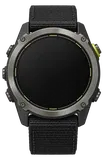 Garmin Enduro 3$749.99 at Best Buy
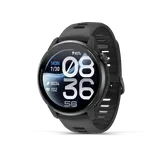 COROS PACE 4 Pro$449 at COROS
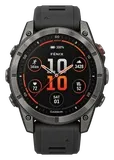 Garmin Fenix 9$999.99 at Garmin
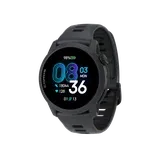 COROS PACE 4List from $249.00



 Samsung Galaxy Z Flip8$1,049.99 at Best Buy-13%
 Galaxy S26 UltraList from $1299.99
 Galaxy S26List from $899.99
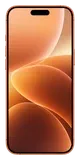 Apple iPhone 17$899 at Apple
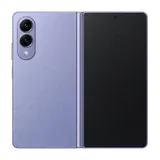 Samsung Galaxy Z Fold8$1,649.99 at Samsung
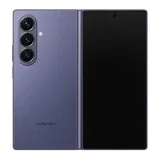 Galaxy Z Fold8 UltraList from $2099.99
 iPhone 18 ProList from $1199.00
 Apple iPhone Air (1st gen)$1,099 at Apple
 Google Pixel$899 at Amazon
 Pixel 11 Pro XL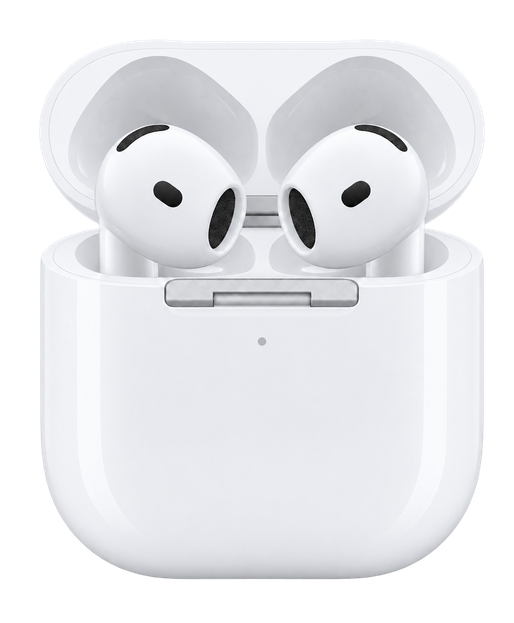
AirPods 4Full Specs, Price & What Changed
Last updated
Spend the extra $20. The wireless-case model gets swipe volume and more battery, and battery life is the complaint that follows the AirPods 5 through every review.
Read the story →Best for
Music.
Calls.
Translation.
- Does it have noise cancelling? Only one of the two versions has it. It is sold both with and without it, so check which model you are buying.
- Does it work with my phone? It works fully with an iPhone and partly with Android. It pairs with Android, but the app and the iPhone-only features are not there.
- Can it get wet (shower, pool, swimming)? Yes for sweat and rain, but not for the shower. Its rating is IP54. It is rated for splashes, not immersion.
- How long does the battery last? It runs 30 hours with the case and noise cancelling off. That is 4 hours of listening with noise cancelling on, and 5 hours of listening with noise cancelling off.
- How heavy is it? It weighs 4.3g.
- How good is the camera? It has no camera.
- How does it connect? It connects over Bluetooth 5.3.
- Does it do spatial audio? Yes, it does spatial audio.
- Does it track heart rate? No, it does not track your heart rate.
- Can it see and answer questions about what I am looking at? No, it cannot see what you are looking at.
Comparison
Compare earbudsHow it compares
Price
$129
What it costs to buy. Nothing here charges a subscription.
Weight
4.3g
Grams in your ears. Lower is lighter.
Battery life
5 hrs
How long it lasts on its own, away from a charger.
Cost over 3 years
 AirPods 4AirPods 5
 Pixel Buds 2a
 Galaxy Buds 4
 Pixel Buds Pro 2
Weight
Battery life


Current list prices.
One earbud, not the pair, and not the case.
Battery life can vary based on usage, settings and firmware version.
If not this one
AirPods 4 is our pick for music, calls and translation. Where it does not lead, here is what does, and why you would switch.
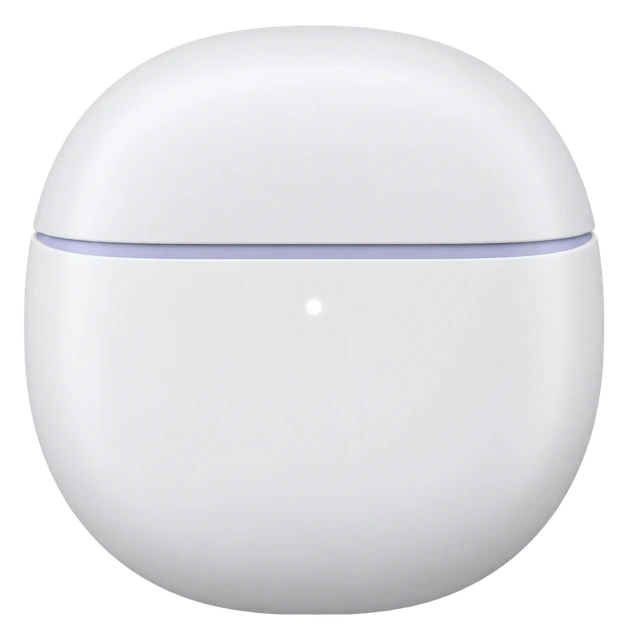 If it is mostly for travelPixel Buds 2a
It gives you 27 hours of playback with the case.
$129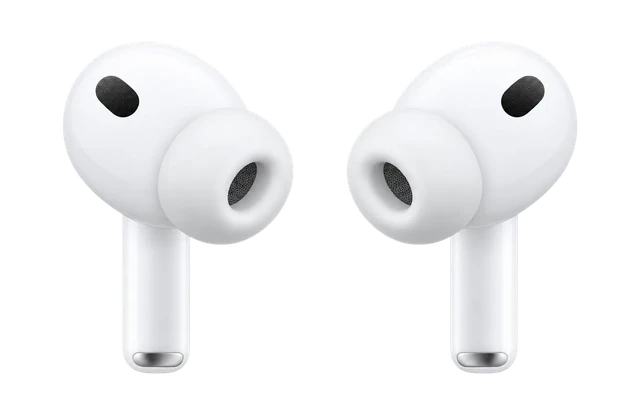 If workouts are the pointAirPods Pro 3
It tracks your heart rate and calories through a workout, and it is rated IP57.
$249
Most paired with
Everything it works withWhat AirPods 4 work with
Made for iPhone. They also work with Android, but you lose Siri, Apple settings, automatic switching and Find My.
 Android phoneWith a limit
Do AirPods 4 work with Android?
Listening and calls work over Bluetooth, but Apple-only features do not.
Pair them by Bluetooth by opening the case and double-tapping the front. Siri, Apple settings, automatic switching and Find My are not available on non-Apple devices.
See details and sources (2)
- Apple: Set up AirPods with a Mac or other Bluetooth deviceFrom the maker or platform · checked 2026-09-21
You can use AirPods as a Bluetooth headset with a non-Apple device. You can't use Siri, but you can listen and talk.
- Apple: AirPods 4 - Tech SpecsFrom the maker or platform · checked 2026-09-21
AirPods can be used as wireless Bluetooth headphones with Apple devices using earlier software and with non‑Apple devices, but functionality may be limited.
Last checked 2026-09-21.
 Windows PCWith a limit
Can you connect AirPods 4 to a PC?
Listening and calls work over Bluetooth, but Apple-only features do not.
- On your PC, open Settings > Bluetooth & devices and turn Bluetooth on.
- Put your AirPods 4 in the charging case, open the lid, and double-tap the front until the light flashes white.
- Select your AirPods 4 under New devices in the Bluetooth list.
Pair AirPods 4 as Bluetooth earbuds. Siri, Apple settings, automatic switching and Find My are not available on non-Apple devices.
See details and sources (4)
- Apple: Set up AirPods with a Mac or other Bluetooth deviceFrom the maker or platform · checked 2026-09-21
You can use AirPods as a Bluetooth headset with a non-Apple device. You can't use Siri, but you can listen and talk.
- Apple: AirPods 4 - Tech SpecsFrom the maker or platform · checked 2026-09-21
AirPods can be used as wireless Bluetooth headphones with Apple devices using earlier software and with non‑Apple devices, but functionality may be limited.
- Apple: Pair AirPods with a non-Apple device - Apple SupportFrom the maker or platform · checked 2026-09-21
On your non-Apple device, make sure that Bluetooth is on
When your AirPods appear in the list of Bluetooth devices, select them.
- Microsoft: Pair a Bluetooth device in Windows | Microsoft SupportFrom the maker or platform · checked 2026-09-21
In the Bluetooth & devices window, next to Bluetooth , make sure Bluetooth is switched On .
When a notification appears that a new Bluetooth device was found, select Connect .
Last checked 2026-09-21.
 iPhoneWorks
Do AirPods 4 work with iPhone?
Works fully with iOS 18.0 or later.
Both models support setup, settings, Siri, Spatial Audio and automatic switching on iPhone. Find My for AirPods 4 with Active Noise Cancellation requires iOS 26 or later.
See details and sources (2)
- Apple: AirPods 4 with Active Noise Cancellation - Tech SpecsFrom the maker or platform · checked 2026-09-21
Works with USB-C connector, Apple Watch charger, or Qi‑certified chargers
Includes a speaker for use with Find My proximity view12
Find My functionality requires iOS 26 or later.
Live Translation with AirPods works on AirPods 4 with Active Noise Cancellation
Siri and activating with just “Siri” may not be available in all languages or in all areas
- Apple: Connect your AirPods and AirPods Pro to your iPhoneFrom the maker or platform · checked 2026-09-21
AirPods 5 (both models): iOS 27
AirPods 4 (both models): iOS 18.0 or later
Last checked 2026-09-21.
 XboxDoesn't work
Do AirPods 4 work with Xbox?
Xbox consoles do not support Bluetooth audio.
You cannot pair AirPods 4 with Xbox Series X|S or Xbox One. Those consoles need an Xbox Wireless or wired headset instead. You can still use AirPods 4 for Xbox games on a phone or PC.
See details and sources (4)
- Microsoft: Connect a compatible headset | Xbox SupportFrom the maker or platform · checked 2026-09-21
The XBOX One console does not feature Bluetooth functionality. You won’t be able to connect your headset to the console using Bluetooth.
connects wirelessly to your XBOX Series X|S or XBOX One console, or to your Windows, Android, or iOS device via Bluetooth.
- How-To Geek: Can You Connect Bluetooth Headphones to the Xbox Series X|S?User reports (unofficial) · checked 2026-09-21
- Tom's Guide: How to use AirPods with Xbox Series S|X or Xbox OneUser reports (unofficial) · checked 2026-09-21
- Windows Central: How to use AirPods on Xbox (and other Bluetooth headphones)User reports (unofficial) · checked 2026-09-21
Last checked 2026-09-21.
Get AirPods 4 updates
Email me when there's news.
Works with
Do AirPods 4 work with Android?
Listening and calls work over Bluetooth, but Apple-only features do not.
Pair them by Bluetooth by opening the case and double-tapping the front. Siri, Apple settings, automatic switching and Find My are not available on non-Apple devices.
See details and sources (2)
- Apple: Set up AirPods with a Mac or other Bluetooth deviceFrom the maker or platform · checked 2026-09-21
You can use AirPods as a Bluetooth headset with a non-Apple device. You can't use Siri, but you can listen and talk.
- Apple: AirPods 4 - Tech SpecsFrom the maker or platform · checked 2026-09-21
AirPods can be used as wireless Bluetooth headphones with Apple devices using earlier software and with non‑Apple devices, but functionality may be limited.
Last checked 2026-09-21.
Can you connect AirPods 4 to a PC?
Listening and calls work over Bluetooth, but Apple-only features do not.
- On your PC, open Settings > Bluetooth & devices and turn Bluetooth on.
- Put your AirPods 4 in the charging case, open the lid, and double-tap the front until the light flashes white.
- Select your AirPods 4 under New devices in the Bluetooth list.
Pair AirPods 4 as Bluetooth earbuds. Siri, Apple settings, automatic switching and Find My are not available on non-Apple devices.
See details and sources (4)
- Apple: Set up AirPods with a Mac or other Bluetooth deviceFrom the maker or platform · checked 2026-09-21
You can use AirPods as a Bluetooth headset with a non-Apple device. You can't use Siri, but you can listen and talk.
- Apple: AirPods 4 - Tech SpecsFrom the maker or platform · checked 2026-09-21
AirPods can be used as wireless Bluetooth headphones with Apple devices using earlier software and with non‑Apple devices, but functionality may be limited.
- Apple: Pair AirPods with a non-Apple device - Apple SupportFrom the maker or platform · checked 2026-09-21
On your non-Apple device, make sure that Bluetooth is on
When your AirPods appear in the list of Bluetooth devices, select them.
- Microsoft: Pair a Bluetooth device in Windows | Microsoft SupportFrom the maker or platform · checked 2026-09-21
In the Bluetooth & devices window, next to Bluetooth , make sure Bluetooth is switched On .
When a notification appears that a new Bluetooth device was found, select Connect .
Last checked 2026-09-21.
Do AirPods 4 work with iPhone?
Works fully with iOS 18.0 or later.
Both models support setup, settings, Siri, Spatial Audio and automatic switching on iPhone. Find My for AirPods 4 with Active Noise Cancellation requires iOS 26 or later.
See details and sources (2)
- Apple: AirPods 4 with Active Noise Cancellation - Tech SpecsFrom the maker or platform · checked 2026-09-21
Works with USB-C connector, Apple Watch charger, or Qi‑certified chargers
Includes a speaker for use with Find My proximity view12
Find My functionality requires iOS 26 or later.
Live Translation with AirPods works on AirPods 4 with Active Noise Cancellation
Siri and activating with just “Siri” may not be available in all languages or in all areas
- Apple: Connect your AirPods and AirPods Pro to your iPhoneFrom the maker or platform · checked 2026-09-21
AirPods 5 (both models): iOS 27
AirPods 4 (both models): iOS 18.0 or later
Last checked 2026-09-21.
Which iPhones do AirPods 4 work with?
They work with every iPhone that runs iOS 18.0 or later, from the iPhone XR on.
- iPhone 18 Pro and iPhone 18 Pro Max: yes, on iOS 18.0 or later
- iPhone 17, iPhone 17 Pro, iPhone 17 Pro Max, iPhone Air and iPhone 17e: yes, on iOS 18.0 or later
- iPhone 16, iPhone 16 Plus, iPhone 16 Pro, iPhone 16 Pro Max and iPhone 16e: yes, on iOS 18.0 or later
- iPhone 15, iPhone 15 Plus, iPhone 15 Pro and iPhone 15 Pro Max: yes, on iOS 18.0 or later
- iPhone 14, iPhone 14 Plus, iPhone 14 Pro and iPhone 14 Pro Max: yes, on iOS 18.0 or later
- iPhone 13 mini, iPhone 13, iPhone 13 Pro and iPhone 13 Pro Max: yes, on iOS 18.0 or later
- iPhone 12 mini, iPhone 12, iPhone 12 Pro and iPhone 12 Pro Max: yes, on iOS 18.0 or later
- iPhone 11, iPhone 11 Pro and iPhone 11 Pro Max: yes, on iOS 18.0 or later
- iPhone XR, iPhone XS and iPhone XS Max: yes, on iOS 18.0 or later
- iPhone SE (2nd generation) and iPhone SE (3rd generation): yes, on iOS 18.0 or later
- iPhone 17 Pro: yes, on iOS 18.0 or later
- iPhone 17 Pro Max: yes, on iOS 18.0 or later
- iPhone Air: yes, on iOS 18.0 or later
- Any iPhone not listed: no, it cannot run that iOS version
Worked out from the maker's minimum ("iOS 18.0 or later") and Apple's list of the iPhones that run it, not a separate test. See the sources.
See details and sources (5)
- Apple: AirPods 4 with Active Noise Cancellation - Tech SpecsFrom the maker or platform · checked 2026-09-21
Works with USB-C connector, Apple Watch charger, or Qi‑certified chargers
Includes a speaker for use with Find My proximity view12
Find My functionality requires iOS 26 or later.
Live Translation with AirPods works on AirPods 4 with Active Noise Cancellation
Siri and activating with just “Siri” may not be available in all languages or in all areas
- Apple: Connect your AirPods and AirPods Pro to your iPhoneFrom the maker or platform · checked 2026-09-21
AirPods 5 (both models): iOS 27
AirPods 4 (both models): iOS 18.0 or later
- Apple: iPhone models compatible with iOS 27 - Apple SupportFrom the maker or platform · checked 2026-09-21
- Apple: iPhone models compatible with iOS 26 - Apple SupportFrom the maker or platform · checked 2026-09-21
- Apple: iPhone models compatible with iOS 18 - Apple SupportFrom the maker or platform · checked 2026-09-21
Last checked 2026-09-21.
Do AirPods 4 work with Xbox?
Xbox consoles do not support Bluetooth audio.
You cannot pair AirPods 4 with Xbox Series X|S or Xbox One. Those consoles need an Xbox Wireless or wired headset instead. You can still use AirPods 4 for Xbox games on a phone or PC.
See details and sources (4)
- Microsoft: Connect a compatible headset | Xbox SupportFrom the maker or platform · checked 2026-09-21
The XBOX One console does not feature Bluetooth functionality. You won’t be able to connect your headset to the console using Bluetooth.
connects wirelessly to your XBOX Series X|S or XBOX One console, or to your Windows, Android, or iOS device via Bluetooth.
- How-To Geek: Can You Connect Bluetooth Headphones to the Xbox Series X|S?User reports (unofficial) · checked 2026-09-21
- Tom's Guide: How to use AirPods with Xbox Series S|X or Xbox OneUser reports (unofficial) · checked 2026-09-21
- Windows Central: How to use AirPods on Xbox (and other Bluetooth headphones)User reports (unofficial) · checked 2026-09-21
Last checked 2026-09-21.
Do AirPods 4 work with a TV?
They work best with Apple TV 4K, or as basic Bluetooth headphones.
Apple TV 4K needs to use the same Apple Account. Other TVs need Bluetooth audio, but Siri and other Apple extras will not work. Samsung and Google TV play one Bluetooth audio device at a time, some TVs have no Bluetooth audio, and lip-sync errors can happen. Roku and Fire TV were not checked.
See details and sources (5)
- Apple: Set up AirPods with a Mac or other Bluetooth deviceFrom the maker or platform · checked 2026-09-21
You can use AirPods as a Bluetooth headset with a non-Apple device. You can't use Siri, but you can listen and talk.
- Apple: Use AirPods or Beats with Apple TV 4KFrom the maker or platform · checked 2026-09-21
You can send audio from your Apple TV 4K to compatible AirPods or Beats headphones when you’re signed in on Apple TV 4K with the same Apple Account associated with the headphones.
You can also connect Bluetooth® headphones to Apple TV 4K
- Apple: Connect Bluetooth devices to Apple TV 4KFrom the maker or platform · checked 2026-09-21
You may want to connect a Bluetooth® device to your Apple TV 4K such as a game controller, headphones, a wireless keyboard, or another accessory.
- Google: Connect Bluetooth devices to Google TVFrom the maker or platform · checked 2026-09-21
You can connect several Bluetooth devices, like headphones or game controllers, to your Google TV. You can only connect one audio device at a time.
- Samsung: Pair Bluetooth headphones to your Samsung TVFrom the maker or platform · checked 2026-09-21
While you can pair more than one Bluetooth audio device at a time, only one can output audio.
some Bluetooth headphones are designed for mobile devices exclusively and won't pair with a TV. Lip-sync errors may occur.
Last checked 2026-09-21.
Do AirPods 4 work with Samsung Galaxy phones?
Listening and calls work over Bluetooth, but Apple-only features do not.
Pair them as standard Bluetooth earbuds. Siri, Apple settings, automatic switching and Find My are not available on non-Apple devices.
See details and sources (2)
- Apple: Set up AirPods with a Mac or other Bluetooth deviceFrom the maker or platform · checked 2026-09-21
You can use AirPods as a Bluetooth headset with a non-Apple device. You can't use Siri, but you can listen and talk.
- Apple: AirPods 4 - Tech SpecsFrom the maker or platform · checked 2026-09-21
AirPods can be used as wireless Bluetooth headphones with Apple devices using earlier software and with non‑Apple devices, but functionality may be limited.
Last checked 2026-09-21.
Do AirPods 4 work with Google Pixel phones?
Listening and calls work over Bluetooth, but Apple-only features do not.
Pair them as standard Bluetooth earbuds. Siri, Apple settings, automatic switching and Find My are not available on non-Apple devices.
See details and sources (2)
- Apple: Set up AirPods with a Mac or other Bluetooth deviceFrom the maker or platform · checked 2026-09-21
You can use AirPods as a Bluetooth headset with a non-Apple device. You can't use Siri, but you can listen and talk.
- Apple: AirPods 4 - Tech SpecsFrom the maker or platform · checked 2026-09-21
AirPods can be used as wireless Bluetooth headphones with Apple devices using earlier software and with non‑Apple devices, but functionality may be limited.
Last checked 2026-09-21.
Show all 15Show fewer
Do AirPods 4 work with a companion app?
Full settings are built into iPhone and Mac, not a separate app.
Use an iPhone on iOS 18.0 or later or a Mac on macOS Sequoia or later for the full settings. Apple does not offer an AirPods settings app for Android or Windows. Features can be limited on non-Apple devices, and Siri is unavailable.
See details and sources (4)
- Apple: Connect your AirPods and AirPods Pro to your iPhoneFrom the maker or platform · checked 2026-09-21
AirPods and AirPods Pro can be associated with one Apple Account
- Apple: Set up AirPods with a Mac or other Bluetooth deviceFrom the maker or platform · checked 2026-09-21
You can use AirPods as a Bluetooth headset with a non-Apple device. You can't use Siri, but you can listen and talk.
- Apple: Set up AirPods with a Mac or other Bluetooth deviceFrom the maker or platform · checked 2026-09-21
AirPods 5 (both models): macOS Golden Gate or later
AirPods Pro 3: macOS Tahoe or later
AirPods 4 (both models): macOS Sequoia or later
- Apple: AirPods 4 - Tech SpecsFrom the maker or platform · checked 2026-09-21
AirPods can be used as wireless Bluetooth headphones with Apple devices using earlier software and with non‑Apple devices, but functionality may be limited.
Last checked 2026-09-21.
How do you connect AirPods 4 to a Mac?
Pair them in Bluetooth settings on macOS Sequoia or later.
- On your Mac, open System Settings from the Apple menu, then click Bluetooth.
- Put both earbuds in the charging case and open the lid.
- Double-tap the front of the case until the light flashes white.
- Click Connect next to your AirPods 4 in the Nearby Devices list.
Both models support pairing and settings on Mac. They can switch automatically between Apple devices on the same Apple Account. If they are already set up on your iPhone and your Mac uses the same Apple Account, choose them under Sound in Control Center.
See details and sources (3)
- Apple: Set up AirPods with a Mac or other Bluetooth deviceFrom the maker or platform · checked 2026-09-21
AirPods 5 (both models): macOS Golden Gate or later
AirPods Pro 3: macOS Tahoe or later
AirPods 4 (both models): macOS Sequoia or later
- Apple: Switch AirPods between devicesFrom the maker or platform · checked 2026-09-21
When you’re signed in to the same Apple Account on your Apple devices, your AirPods seamlessly connect to whichever device you’re listening to
- Apple: Set up AirPods with your Mac and other Bluetooth devices - Apple SupportFrom the maker or platform · checked 2026-09-21
On your Mac, choose System Settings from the Apple menu
Put both AirPods in the charging case and open the lid.
For AirPods Pro 3, AirPods 4 (both models), and AirPods 5 (both models), double-tap the front of the case until the status light flashes white.
Click Connect next to your AirPods in the Nearby Devices list.
If you set up your AirPods* with your iPhone, and your Mac is signed in to iCloud with the same Apple Account, your AirPods should connect automatically with your Mac
Last checked 2026-09-21.
How do AirPods 4 update their firmware?
Updates install automatically through a nearby Apple device.
Keep the AirPods charging and in Bluetooth range of an iPhone, iPad or Mac on Wi-Fi. The current firmware listed here is 9A348 for both models. Apple does not document a way to update them from Android or Windows.
See details and sources (1)
- Apple: Firmware updates for AirPodsFrom the maker or platform · checked 2026-09-21
Firmware updates are delivered automatically while your AirPods are charging and in Bluetooth range of your iPhone, iPad or Mac
If you don’t have an Apple device nearby, you can set up an appointment at an Apple Store or with an Apple Authorised Service Provider to update your firmware.
With iOS 27 and an Apple Intelligence-enabled iPhone, AirPods 5 users will also get access to hands-free Siri AI and Live Translation.
Last checked 2026-09-21.
Do AirPods 4 work with PlayStation 5?
PS5 does not accept standard Bluetooth audio devices directly.
AirPods 4 cannot connect to a PS5 as a standard Bluetooth audio device because the console rejects that type of Bluetooth audio connection.
See details and sources (2)
- Apple: Set up AirPods with a Mac or other Bluetooth deviceFrom the maker or platform · checked 2026-09-21
You can use AirPods as a Bluetooth headset with a non-Apple device. You can't use Siri, but you can listen and talk.
- Sony Interactive Entertainment: PS5 error code CE-109531-9From the maker or platform · checked 2026-09-21
Your Bluetooth audio device isn’t compatible with PlayStation®5 consoles.
Last checked 2026-09-21.
Do AirPods 4 work with Nintendo Switch?
Bluetooth audio works, but the microphone does not.
Pair AirPods 4 through the Switch's Bluetooth audio settings for game audio. Nintendo Switch does not support Bluetooth microphones.
See details and sources (3)
- Apple: Set up AirPods with a Mac or other Bluetooth deviceFrom the maker or platform · checked 2026-09-21
You can use AirPods as a Bluetooth headset with a non-Apple device. You can't use Siri, but you can listen and talk.
- Nintendo: How to pair Bluetooth audio devicesFrom the maker or platform · checked 2026-09-21
Headphones, earbuds, speakers, and other audio devices that connect with Bluetooth can now be paired with Nintendo Switch family systems for audio output.
- Nintendo: Bluetooth audio limitationsFrom the maker or platform · checked 2026-09-21
Bluetooth microphones cannot be used.
Last checked 2026-09-21.
Does the AirPods 4 case work with the AirPods 4 ANC earbuds?
Each AirPods 4 model needs its matching charging case.
The base AirPods 4 case works only with base AirPods 4 earbuds. The ANC case works only with AirPods 4 with Active Noise Cancellation earbuds.
See details and sources (1)
- Apple: Identify your AirPods charging caseFrom the maker or platform · checked 2026-09-21
It's not compatible with AirPods 5 with Wireless Charging Case earbuds
It's not compatible with AirPods 5 earbuds
It’s not compatible with AirPods 4 earbuds or any other AirPods earbuds other than AirPods 4 (ANC) earbuds.
It’s not compatible with AirPods 4 (ANC) earbuds or any other AirPods earbuds other than AirPods 4 earbuds.
Last checked 2026-09-21.
Do AirPods 4 support the same features on every phone and in every region?
Core Bluetooth audio works broadly, but some Apple features need more.
Full Apple support needs iOS 18.0 or later or macOS Sequoia or later. Find My on the ANC model and Live Translation need iOS 26 or later. Live Translation is ANC-only, and both Live Translation and Siri can vary by region or language.
See details and sources (4)
- Apple: Connect your AirPods and AirPods Pro to your iPhoneFrom the maker or platform · checked 2026-09-21
AirPods and AirPods Pro can be associated with one Apple Account
- Apple: Set up AirPods with a Mac or other Bluetooth deviceFrom the maker or platform · checked 2026-09-21
AirPods 5 (both models): macOS Golden Gate or later
AirPods Pro 3: macOS Tahoe or later
AirPods 4 (both models): macOS Sequoia or later
- Apple: Use Live Translation with your AirPodsFrom the maker or platform · checked 2026-09-21
Some features may not be available in regions or all languages.
Live Translation with AirPods works on AirPods Max 2, AirPods 4 with Active Noise Cancellation, AirPods 5 (both models), and AirPods Pro 2 and later with the latest firmware when paired with an Apple Intelligence–enabled iPhone running iOS 26 and later.
- Apple: AirPods 4 with Active Noise Cancellation - Tech SpecsFrom the maker or platform · checked 2026-09-21
Works with USB-C connector, Apple Watch charger, or Qi‑certified chargers
Siri and activating with just “Siri” may not be available in all languages or in all areas
Last checked 2026-09-21.
Most paired with
Android phoneWith a limit
Do AirPods 4 work with Android?
Listening and calls work over Bluetooth, but Apple-only features do not.
Pair them by Bluetooth by opening the case and double-tapping the front. Siri, Apple settings, automatic switching and Find My are not available on non-Apple devices.
See details and sources (2)
- Apple: Set up AirPods with a Mac or other Bluetooth deviceFrom the maker or platform · checked 2026-09-21
You can use AirPods as a Bluetooth headset with a non-Apple device. You can't use Siri, but you can listen and talk.
- Apple: AirPods 4 - Tech SpecsFrom the maker or platform · checked 2026-09-21
AirPods can be used as wireless Bluetooth headphones with Apple devices using earlier software and with non‑Apple devices, but functionality may be limited.
Last checked 2026-09-21.
Windows PCWith a limit
Can you connect AirPods 4 to a PC?
Listening and calls work over Bluetooth, but Apple-only features do not.
- On your PC, open Settings > Bluetooth & devices and turn Bluetooth on.
- Put your AirPods 4 in the charging case, open the lid, and double-tap the front until the light flashes white.
- Select your AirPods 4 under New devices in the Bluetooth list.
Pair AirPods 4 as Bluetooth earbuds. Siri, Apple settings, automatic switching and Find My are not available on non-Apple devices.
See details and sources (4)
- Apple: Set up AirPods with a Mac or other Bluetooth deviceFrom the maker or platform · checked 2026-09-21
You can use AirPods as a Bluetooth headset with a non-Apple device. You can't use Siri, but you can listen and talk.
- Apple: AirPods 4 - Tech SpecsFrom the maker or platform · checked 2026-09-21
AirPods can be used as wireless Bluetooth headphones with Apple devices using earlier software and with non‑Apple devices, but functionality may be limited.
- Apple: Pair AirPods with a non-Apple device - Apple SupportFrom the maker or platform · checked 2026-09-21
On your non-Apple device, make sure that Bluetooth is on
When your AirPods appear in the list of Bluetooth devices, select them.
- Microsoft: Pair a Bluetooth device in Windows | Microsoft SupportFrom the maker or platform · checked 2026-09-21
In the Bluetooth & devices window, next to Bluetooth , make sure Bluetooth is switched On .
When a notification appears that a new Bluetooth device was found, select Connect .
Last checked 2026-09-21.
iPhoneWorks
Do AirPods 4 work with iPhone?
Works fully with iOS 18.0 or later.
Both models support setup, settings, Siri, Spatial Audio and automatic switching on iPhone. Find My for AirPods 4 with Active Noise Cancellation requires iOS 26 or later.
See details and sources (2)
- Apple: AirPods 4 with Active Noise Cancellation - Tech SpecsFrom the maker or platform · checked 2026-09-21
Works with USB-C connector, Apple Watch charger, or Qi‑certified chargers
Includes a speaker for use with Find My proximity view12
Find My functionality requires iOS 26 or later.
Live Translation with AirPods works on AirPods 4 with Active Noise Cancellation
Siri and activating with just “Siri” may not be available in all languages or in all areas
- Apple: Connect your AirPods and AirPods Pro to your iPhoneFrom the maker or platform · checked 2026-09-21
AirPods 5 (both models): iOS 27
AirPods 4 (both models): iOS 18.0 or later
Last checked 2026-09-21.
XboxDoesn't work
Do AirPods 4 work with Xbox?
Xbox consoles do not support Bluetooth audio.
You cannot pair AirPods 4 with Xbox Series X|S or Xbox One. Those consoles need an Xbox Wireless or wired headset instead. You can still use AirPods 4 for Xbox games on a phone or PC.
See details and sources (4)
- Microsoft: Connect a compatible headset | Xbox SupportFrom the maker or platform · checked 2026-09-21
The XBOX One console does not feature Bluetooth functionality. You won’t be able to connect your headset to the console using Bluetooth.
connects wirelessly to your XBOX Series X|S or XBOX One console, or to your Windows, Android, or iOS device via Bluetooth.
- How-To Geek: Can You Connect Bluetooth Headphones to the Xbox Series X|S?User reports (unofficial) · checked 2026-09-21
- Tom's Guide: How to use AirPods with Xbox Series S|X or Xbox OneUser reports (unofficial) · checked 2026-09-21
- Windows Central: How to use AirPods on Xbox (and other Bluetooth headphones)User reports (unofficial) · checked 2026-09-21
Last checked 2026-09-21.
 Samsung Galaxy phoneWith a limit
Do AirPods 4 work with Samsung Galaxy phones?
Listening and calls work over Bluetooth, but Apple-only features do not.
Pair them as standard Bluetooth earbuds. Siri, Apple settings, automatic switching and Find My are not available on non-Apple devices.
See details and sources (2)
- Apple: Set up AirPods with a Mac or other Bluetooth deviceFrom the maker or platform · checked 2026-09-21
You can use AirPods as a Bluetooth headset with a non-Apple device. You can't use Siri, but you can listen and talk.
- Apple: AirPods 4 - Tech SpecsFrom the maker or platform · checked 2026-09-21
AirPods can be used as wireless Bluetooth headphones with Apple devices using earlier software and with non‑Apple devices, but functionality may be limited.
Last checked 2026-09-21.
 Pixel phoneWith a limit
Do AirPods 4 work with Google Pixel phones?
Listening and calls work over Bluetooth, but Apple-only features do not.
Pair them as standard Bluetooth earbuds. Siri, Apple settings, automatic switching and Find My are not available on non-Apple devices.
See details and sources (2)
- Apple: Set up AirPods with a Mac or other Bluetooth deviceFrom the maker or platform · checked 2026-09-21
You can use AirPods as a Bluetooth headset with a non-Apple device. You can't use Siri, but you can listen and talk.
- Apple: AirPods 4 - Tech SpecsFrom the maker or platform · checked 2026-09-21
AirPods can be used as wireless Bluetooth headphones with Apple devices using earlier software and with non‑Apple devices, but functionality may be limited.
Last checked 2026-09-21.
What you need
An Android phone
Do AirPods 4 work with Android?
Listening and calls work over Bluetooth, but Apple-only features do not.
Pair them by Bluetooth by opening the case and double-tapping the front. Siri, Apple settings, automatic switching and Find My are not available on non-Apple devices.
See details and sources (2)
- Apple: Set up AirPods with a Mac or other Bluetooth deviceFrom the maker or platform · checked 2026-09-21
You can use AirPods as a Bluetooth headset with a non-Apple device. You can't use Siri, but you can listen and talk.
- Apple: AirPods 4 - Tech SpecsFrom the maker or platform · checked 2026-09-21
AirPods can be used as wireless Bluetooth headphones with Apple devices using earlier software and with non‑Apple devices, but functionality may be limited.
Last checked 2026-09-21.
A Windows PC
Can you connect AirPods 4 to a PC?
Listening and calls work over Bluetooth, but Apple-only features do not.
- On your PC, open Settings > Bluetooth & devices and turn Bluetooth on.
- Put your AirPods 4 in the charging case, open the lid, and double-tap the front until the light flashes white.
- Select your AirPods 4 under New devices in the Bluetooth list.
Pair AirPods 4 as Bluetooth earbuds. Siri, Apple settings, automatic switching and Find My are not available on non-Apple devices.
See details and sources (4)
- Apple: Set up AirPods with a Mac or other Bluetooth deviceFrom the maker or platform · checked 2026-09-21
You can use AirPods as a Bluetooth headset with a non-Apple device. You can't use Siri, but you can listen and talk.
- Apple: AirPods 4 - Tech SpecsFrom the maker or platform · checked 2026-09-21
AirPods can be used as wireless Bluetooth headphones with Apple devices using earlier software and with non‑Apple devices, but functionality may be limited.
- Apple: Pair AirPods with a non-Apple device - Apple SupportFrom the maker or platform · checked 2026-09-21
On your non-Apple device, make sure that Bluetooth is on
When your AirPods appear in the list of Bluetooth devices, select them.
- Microsoft: Pair a Bluetooth device in Windows | Microsoft SupportFrom the maker or platform · checked 2026-09-21
In the Bluetooth & devices window, next to Bluetooth , make sure Bluetooth is switched On .
When a notification appears that a new Bluetooth device was found, select Connect .
Last checked 2026-09-21.
An iPhone with iOS 18.0 or later
Do AirPods 4 work with iPhone?
Works fully with iOS 18.0 or later.
Both models support setup, settings, Siri, Spatial Audio and automatic switching on iPhone. Find My for AirPods 4 with Active Noise Cancellation requires iOS 26 or later.
See details and sources (2)
- Apple: AirPods 4 with Active Noise Cancellation - Tech SpecsFrom the maker or platform · checked 2026-09-21
Works with USB-C connector, Apple Watch charger, or Qi‑certified chargers
Includes a speaker for use with Find My proximity view12
Find My functionality requires iOS 26 or later.
Live Translation with AirPods works on AirPods 4 with Active Noise Cancellation
Siri and activating with just “Siri” may not be available in all languages or in all areas
- Apple: Connect your AirPods and AirPods Pro to your iPhoneFrom the maker or platform · checked 2026-09-21
AirPods 5 (both models): iOS 27
AirPods 4 (both models): iOS 18.0 or later
Last checked 2026-09-21.
An Apple Account
Do AirPods 4 work with a TV?
They work best with Apple TV 4K, or as basic Bluetooth headphones.
Apple TV 4K needs to use the same Apple Account. Other TVs need Bluetooth audio, but Siri and other Apple extras will not work. Samsung and Google TV play one Bluetooth audio device at a time, some TVs have no Bluetooth audio, and lip-sync errors can happen. Roku and Fire TV were not checked.
See details and sources (5)
- Apple: Set up AirPods with a Mac or other Bluetooth deviceFrom the maker or platform · checked 2026-09-21
You can use AirPods as a Bluetooth headset with a non-Apple device. You can't use Siri, but you can listen and talk.
- Apple: Use AirPods or Beats with Apple TV 4KFrom the maker or platform · checked 2026-09-21
You can send audio from your Apple TV 4K to compatible AirPods or Beats headphones when you’re signed in on Apple TV 4K with the same Apple Account associated with the headphones.
You can also connect Bluetooth® headphones to Apple TV 4K
- Apple: Connect Bluetooth devices to Apple TV 4KFrom the maker or platform · checked 2026-09-21
You may want to connect a Bluetooth® device to your Apple TV 4K such as a game controller, headphones, a wireless keyboard, or another accessory.
- Google: Connect Bluetooth devices to Google TVFrom the maker or platform · checked 2026-09-21
You can connect several Bluetooth devices, like headphones or game controllers, to your Google TV. You can only connect one audio device at a time.
- Samsung: Pair Bluetooth headphones to your Samsung TVFrom the maker or platform · checked 2026-09-21
While you can pair more than one Bluetooth audio device at a time, only one can output audio.
some Bluetooth headphones are designed for mobile devices exclusively and won't pair with a TV. Lip-sync errors may occur.
Last checked 2026-09-21.
 A Mac
A Mac
How do you connect AirPods 4 to a Mac?
Pair them in Bluetooth settings on macOS Sequoia or later.
- On your Mac, open System Settings from the Apple menu, then click Bluetooth.
- Put both earbuds in the charging case and open the lid.
- Double-tap the front of the case until the light flashes white.
- Click Connect next to your AirPods 4 in the Nearby Devices list.
Both models support pairing and settings on Mac. They can switch automatically between Apple devices on the same Apple Account. If they are already set up on your iPhone and your Mac uses the same Apple Account, choose them under Sound in Control Center.
See details and sources (3)
- Apple: Set up AirPods with a Mac or other Bluetooth deviceFrom the maker or platform · checked 2026-09-21
AirPods 5 (both models): macOS Golden Gate or later
AirPods Pro 3: macOS Tahoe or later
AirPods 4 (both models): macOS Sequoia or later
- Apple: Switch AirPods between devicesFrom the maker or platform · checked 2026-09-21
When you’re signed in to the same Apple Account on your Apple devices, your AirPods seamlessly connect to whichever device you’re listening to
- Apple: Set up AirPods with your Mac and other Bluetooth devices - Apple SupportFrom the maker or platform · checked 2026-09-21
On your Mac, choose System Settings from the Apple menu
Put both AirPods in the charging case and open the lid.
For AirPods Pro 3, AirPods 4 (both models), and AirPods 5 (both models), double-tap the front of the case until the status light flashes white.
Click Connect next to your AirPods in the Nearby Devices list.
If you set up your AirPods* with your iPhone, and your Mac is signed in to iCloud with the same Apple Account, your AirPods should connect automatically with your Mac
Last checked 2026-09-21.
Supports
Do AirPods 4 support Spatial Audio and head tracking?
Both models support Personalized Spatial Audio with dynamic head tracking.
You need a compatible Apple device. To make a personalized Spatial Audio profile, you need an iPhone with a TrueDepth camera.
See details and sources (1)
- Apple: AirPods 4 - Tech SpecsFrom the maker or platform · checked 2026-09-21
Personalized Spatial Audio with dynamic head tracking3
Last checked 2026-09-21.
Do AirPods 4 support automatic switching between devices?
They switch automatically between Apple devices on the same Apple Account.
Sign in to the same Apple Account on each Apple device to use automatic switching. Apple does not document standard simultaneous Bluetooth multipoint support.
See details and sources (1)
- Apple: Switch AirPods between devicesFrom the maker or platform · checked 2026-09-21
When you’re signed in to the same Apple Account on your Apple devices, your AirPods seamlessly connect to whichever device you’re listening to
Last checked 2026-09-21.
Do AirPods 4 support Siri?
Siri works with Apple devices, not non-Apple devices.
With an Apple device and internet access, you can press and hold for Siri, say "Siri," and use Siri Interactions. Siri may not be available in every language or region.
See details and sources (3)
- Apple: Set up AirPods with a Mac or other Bluetooth deviceFrom the maker or platform · checked 2026-09-21
You can use AirPods as a Bluetooth headset with a non-Apple device. You can't use Siri, but you can listen and talk.
- Apple: AirPods 4 - Tech SpecsFrom the maker or platform · checked 2026-09-21
AirPods can be used as wireless Bluetooth headphones with Apple devices using earlier software and with non‑Apple devices, but functionality may be limited.
- Apple: AirPods 4 with Active Noise Cancellation - Tech SpecsFrom the maker or platform · checked 2026-09-21
Works with USB-C connector, Apple Watch charger, or Qi‑certified chargers
Siri and activating with just “Siri” may not be available in all languages or in all areas
Last checked 2026-09-21.
Do AirPods 4 support Live Translation?
Only the AirPods 4 with Active Noise Cancellation support it.
Live Translation needs the ANC model, the latest firmware and an Apple Intelligence-enabled iPhone on iOS 26 or later. The base AirPods 4 are not on Apple's supported list. Availability varies by region and language.
See details and sources (2)
- Apple: Use Live Translation with your AirPodsFrom the maker or platform · checked 2026-09-21
Live Translation with AirPods works on AirPods Max 2, AirPods 4 with Active Noise Cancellation, AirPods 5 (both models), and AirPods Pro 2 and later with the latest firmware when paired with an Apple Intelligence–enabled iPhone running iOS 26 and later.
- Apple: AirPods 4 with Active Noise Cancellation - Tech SpecsFrom the maker or platform · checked 2026-09-21
Live Translation with AirPods works on AirPods 4 with Active Noise Cancellation
Last checked 2026-09-21.
Do AirPods 4 work with Find My?
Both work with Find My, but the ANC case has extra finding features.
With the same Apple Account, Find My can show a map location, play a sound and help find AirPods nearby. The ANC case has its own speaker and can be marked lost separately. Find My on the ANC model requires iOS 26 or later. The base case has no speaker, and separate per-bud or case lost marking is ANC-only.
See details and sources (3)
- Apple: AirPods 4 - Tech SpecsFrom the maker or platform · checked 2026-09-21
Personalized Spatial Audio with dynamic head tracking3
AirPods can be used as wireless Bluetooth headphones with Apple devices using earlier software and with non‑Apple devices, but functionality may be limited.
- Apple: AirPods 4 with Active Noise Cancellation - Tech SpecsFrom the maker or platform · checked 2026-09-21
Includes a speaker for use with Find My proximity view12
Find My functionality requires iOS 26 or later.
- Apple: Find your lost AirPods with Find MyFrom the maker or platform · checked 2026-09-21
Find My can show your AirPods on a map, play a sound to help you find them, and help you find their precise location when they're nearby.
With AirPods 4 (ANC), AirPods 5 with Wireless Charging Case, or AirPods Pro 2 and later, you can also tap the More button to separately mark each of your AirPods and the case as lost.
Last checked 2026-09-21.
Do AirPods 4 support hearing and accessibility features?
Audio accessibility features work, but Apple's Hearing Aid feature does not.
With an Apple device, AirPods 4 support Live Listen, Headphone Levels and Headphone Accommodations. Apple's Hearing Aid feature is listed only for AirPods Pro 2 and AirPods Pro 3.
See details and sources (2)
- Apple: AirPods 4 - Tech SpecsFrom the maker or platform · checked 2026-09-21
Personalized Spatial Audio with dynamic head tracking3
AirPods can be used as wireless Bluetooth headphones with Apple devices using earlier software and with non‑Apple devices, but functionality may be limited.
- Apple: Use the Hearing Aid feature on your AirPods Pro 2 or AirPods Pro 3From the maker or platform · checked 2026-09-21
AirPods Pro 2 and AirPods Pro 3 provide a clinical-grade Hearing Aid feature
Last checked 2026-09-21.
Do AirPods 4 support lossless audio?
Lossless Audio is documented only with Apple Vision Pro.
With Apple Vision Pro, AirPods 4 support Lossless Audio with ultra-low latency through Apple's proprietary wireless audio connection. Apple does not document this for iPhone, Mac or other devices, and it does not publish a codec list for AirPods 4.
See details and sources (1)
- Apple: Pair AirPods with an Apple device (AirPods User Guide)From the maker or platform · checked 2026-09-21
AirPods 4, AirPods 5, AirPods Pro 2 (USB-C), or AirPods Pro 3, which provide Lossless Audio with ultra-low latency when paired with Apple Vision Pro
Lossless Audio only works when connected to Apple Vision Pro.
For the most immersive experience, you can pair AirPods 4, AirPods 5, AirPods Pro 2 (USB-C), or AirPods Pro 3, which provide Lossless Audio with ultra-low latency when paired with Apple Vision Pro (using a proprietary wireless audio protocol).
Last checked 2026-09-21.
Do AirPods 4 support a low-latency gaming mode?
Ultra-low-latency audio is documented only with Apple Vision Pro.
Apple documents ultra-low-latency audio when AirPods 4 are paired with Apple Vision Pro. It does not document a general gaming mode for iPhone, Mac or consoles.
See details and sources (1)
- Apple: Pair AirPods with an Apple device (AirPods User Guide)From the maker or platform · checked 2026-09-21
AirPods 4, AirPods 5, AirPods Pro 2 (USB-C), or AirPods Pro 3, which provide Lossless Audio with ultra-low latency when paired with Apple Vision Pro
Lossless Audio only works when connected to Apple Vision Pro.
For the most immersive experience, you can pair AirPods 4, AirPods 5, AirPods Pro 2 (USB-C), or AirPods Pro 3, which provide Lossless Audio with ultra-low latency when paired with Apple Vision Pro (using a proprietary wireless audio protocol).
Last checked 2026-09-21.
How it works
How do AirPods 4 charge?
Both cases charge by USB-C, and only the noise-canceling case also charges wirelessly.
Both cases charge with a USB-C cable, sold separately. The AirPods 4 with Active Noise Cancellation case can also sit on an Apple Watch charger or a Qi-certified wireless charger. The base AirPods 4 case has no wireless charging.
See details and sources (2)
- Apple: AirPods 4 - Tech SpecsFrom the maker or platform · checked 2026-09-21
AirPods can be used as wireless Bluetooth headphones with Apple devices using earlier software and with non‑Apple devices, but functionality may be limited.
- Apple: AirPods 4 with Active Noise Cancellation - Tech SpecsFrom the maker or platform · checked 2026-09-21
Works with USB-C connector, Apple Watch charger, or Qi‑certified chargers
Last checked 2026-09-21.
How does replacing a lost AirPods 4 earbud or case work?
Order a replacement earbud or charging case from Apple.
Apple offers replacement AirPods 4 earbuds and cases for both models. The replacement must match your AirPods 4 model.
See details and sources (3)
- Apple: Identify your AirPods charging caseFrom the maker or platform · checked 2026-09-21
It's not compatible with AirPods 5 with Wireless Charging Case earbuds
It's not compatible with AirPods 5 earbuds
It’s not compatible with AirPods 4 earbuds or any other AirPods earbuds other than AirPods 4 (ANC) earbuds.
It’s not compatible with AirPods 4 (ANC) earbuds or any other AirPods earbuds other than AirPods 4 earbuds.
- Apple: AirPods RepairFrom the maker or platform · checked 2026-09-21
If you lose your AirPods or case, you can order a replacement.
- Apple: Set up your replacement AirPods or charging caseFrom the maker or platform · checked 2026-09-21
Set up your replacement AirPods 4 (all models), AirPods Pro 3, or a replacement charging case
Last checked 2026-09-21.
One scored review is not a consensus, so we are not publishing an average yet. It takes two, from two different publishers. The score below is that publication’s own.
1 expert review
 WIREDParker HallSep 16, 20242.5 / 5Read review
At a glance
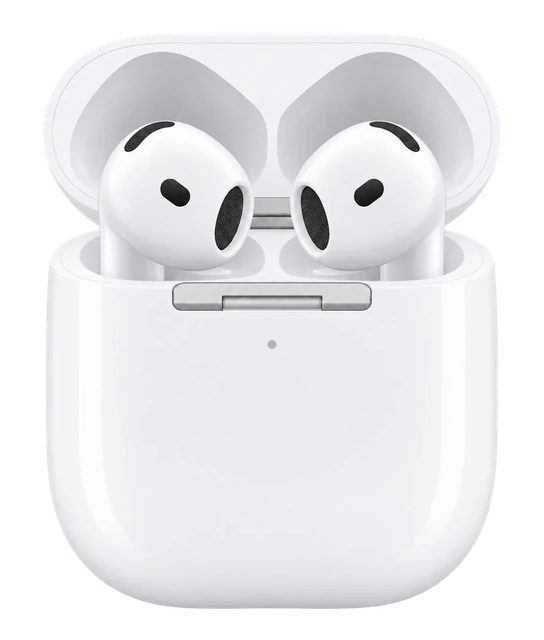 PREVIOUS MODELAirPods 4CURRENT MODELAirPods 5
Show 2 more specifications⌄
More specs⌄
Buying decision
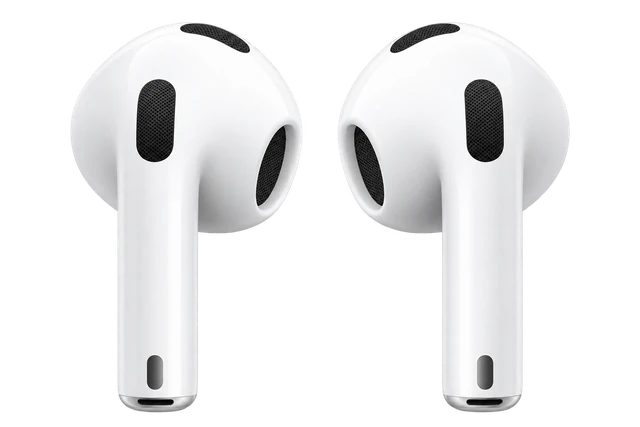
AirPods 4
The lowest price we have read in 40 days.
AirPods 5 is out, so this is the outgoing model.
About Apple

Apple makes the iPhone, Apple Watch and AirPods, and is known for hardware and software designed to work together.
Visit Apple- No subscription needed
When to buy
AirPods 5 is out
See the AirPods 5 →Current offers
What changed
Discount history
12 discounts in the last twelve months. The deepest took AirPods 4 to $69, 47% off the $129 list price, in Dec 2025.
Other models to consider
Frequently asked questions
Questions about AirPods 4
Using it
Does it have noise cancelling?
Does it work with my phone?
How heavy is it?
How good is the camera?
How does it connect?
Does it do spatial audio?
Does it track heart rate?
Can it see and answer questions about what I am looking at?
Battery and charging
How long does the battery last?
Water
Can it get wet (shower, pool, swimming)?
Price and models
When did the AirPods 4 come out?
Is there a newer one?
How much does the AirPods 4 cost?
Works with
Do AirPods 4 work with Samsung Galaxy phones?
Do AirPods 4 work with Google Pixel phones?
Do AirPods 4 work with a companion app?
How do AirPods 4 charge?
How do you connect AirPods 4 to a Mac?
How do AirPods 4 update their firmware?
Do AirPods 4 support Spatial Audio and head tracking?
Do AirPods 4 support automatic switching between devices?
Do AirPods 4 support Siri?
Do AirPods 4 support Live Translation?
Do AirPods 4 work with Find My?
Do AirPods 4 support hearing and accessibility features?
Do AirPods 4 support lossless audio?
Do AirPods 4 support a low-latency gaming mode?
Do AirPods 4 work with PlayStation 5?
Do AirPods 4 work with Nintendo Switch?
Does the AirPods 4 case work with the AirPods 4 ANC earbuds?
How does replacing a lost AirPods 4 earbud or case work?
Do AirPods 4 support the same features on every phone and in every region?
September 2026
The closest Beats has come to AirPods Max for about $200 less, with a sweat rating for workouts. You give up wired listening and auto-pause.
Spend the extra $20. The wireless-case model gets swipe volume and more battery, and battery life is the complaint that follows the AirPods 5 through every review.
Upgrading from AirPods 4 with noise cancellation buys you very little. Coming from anything older, the $129 model is the cheapest good AirPods Apple has sold.
If you own AirPods Pro 3, AirPods 4 or AirPods Max 2, you can now tune the sound yourself and the setting travels with the earbuds. AirPods Pro 2 get the update but not the EQ, and you can't force the install.
Only the $149 AirPods 5 beats AirPods 4 with ANC on every line. The $129 model carries the same two battery ratings and a case with no wireless charging and no Find My speaker.
IP57 puts a $129 pair of open-ear AirPods on the same water rating as the $249 Pro 3.
Open-ear noise cancellation used to cost $179. It's $129 now, and the $20 step up buys a case that charges on an Apple Watch puck.
The camera AirPods were on Apple's schedule for this stage and are now a 2027 product, which leaves a $129 pair of tipless earbuds carrying the entry line for another year.
A treadmill test on the iOS 27 beta came back with the numbers a watch would give. The earbuds have to be in, and their heart-rate permission has to be on.
August 2026
Apple already has a head-tracking sensor in the phone in front of you. The code says the earbuds win that argument, on hardware nobody expects before fall 2027.
Noise cancellation is reaching Apple's entry-level earbuds a year earlier than the reporting expected. The camera pair is still next year.
Apple assembles its shipping code by merging branches, and one of the branches it merged this time was never meant to leave the building.
Supply chain problems and unfinished software pushed them to 2027, two days after a demo video leaked out of macOS.
A hidden macOS framework has two color cameras, paired stills at a megapixel, and an indicator light. It describes B790, the model Apple dropped.
Apple’s fifth AirPods beta firmware, build 9A5347a, goes to every H2 model. Custom EQ and a new interface arrive with iOS 27.
B868M and B868E sit one increment above the shipping AirPods 4, splitting the next generation into a plain pair and one with active noise cancellation. No date came with them.
Apple's macOS Tahoe 26.7 release candidate carries the video, an error string from the camera, and codenames for two separate camera AirPods.
Infrared sensors in both earbuds, low resolution, feeding Siri what you look at. An LED comes on when it reaches the cloud.
Gurman says a second AirPods project called B790 is further along than the camera model B798. He did not say what makes them different.
Tap your iPhone to the machine and AirPods Pro 3 supply the pulse. Without the earbuds in, the workout does not start at all.