


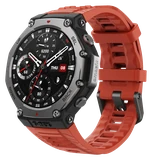
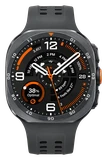


Swipe right on an Amazfit T-Rex 3 after this week's update and you land in your workout list. Firmware 6.6.14.3 is rolling out now to the T-Rex 3, T-Rex 3 Pro and T-Rex Ultra 2, Chinese Smartwatches reported, and it changes how you get around the watch more than any recent release.
Swiping down now opens a redesigned Quick Access menu that puts system controls and notifications in one place. Double-press the physical UP button and the Control Center opens without touching the screen.
Device Lock now relocks on its own after you check the watch. You can set a long press of the SEL/DOWN button to lock the watch once, from Settings, then Preferences, then Shortcut Keys. During a workout, Touch Lock lets you slide to unlock the screen instead of holding a button down.
If your Outdoor Running screens and alerts have turned into a mess, a new Restore Defaults option inside that workout's settings puts just that activity back to factory settings. Nothing else on the watch changes.
Offline maps draw roads more cleanly, and route arrows stay on screen across more zoom levels while you follow a route. Real-time pace should be more accurate for runners and hikers using GPS Automatic Mode.
Theater Mode, which keeps the screen dark in a cinema, now runs on a timer you set. When the screen wakes, it adjusts its brightness to the light around you. The release ends with bug fixes for stability.
Some owners can download 6.6.14.3 today, and everyone else should get the prompt in the Zepp app over the next few days. Amazfit is releasing it in stages, so there's nothing to force. If yours hasn't shown up, check the Zepp app again later in the week.